
Planning Guides, Style Guide
Wedding Timeline Template: Day-of Schedule Downloads
Jun
Okay So Wedding Timeline Templates Actually Matter More Than You Think
Look I’m just gonna say it – you absolutely need a day-of wedding timeline and not just some vague idea in your head about when things should happen. I learned this the hard way back in spring 2023 when a couple insisted they didn’t need a printed timeline because “everyone knows what to do” and then literally nobody knew when the grand entrance was supposed to happen and the DJ started playing random music while guests just… stood around looking confused.
The thing about timeline templates is they’re not just for you. They’re for your photographer, your venue coordinator, your caterer, your DJ, your wedding party, your parents, basically everyone who has any role in making your day run smoothly. And here’s what really annoys me – people download these gorgeous timeline templates and then never actually fill them out completely or they forget to share them with the people who actually need them.
What Should Actually Be On Your Timeline
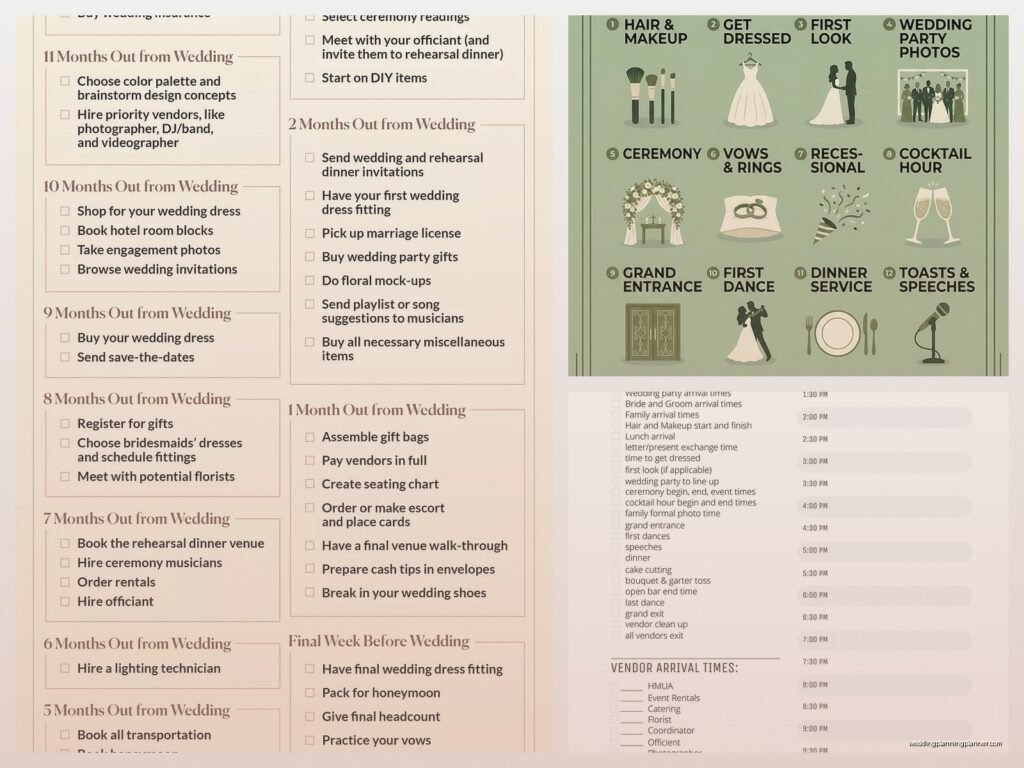
So first things first, a good wedding day timeline needs to cover literally everything from when you wake up until the last song plays. I’m talking:
- Hair and makeup start times (and who goes in what order)
- When the photographer arrives
- When vendors are setting up
- Getting dressed time
- First look if you’re doing one
- Family photo groupings and when
- Ceremony start time (and like 15 minutes before for guests to be seated)
- Cocktail hour
- Reception entrance
- Dinner service
- Toasts and speeches
- First dance and parent dances
- Cake cutting
- Bouquet and garter toss if you’re into that
- Last dance
- Send-off or exit
But also you need buffer time because I promise you something will run late. Always does.
Where To Actually Find Good Templates
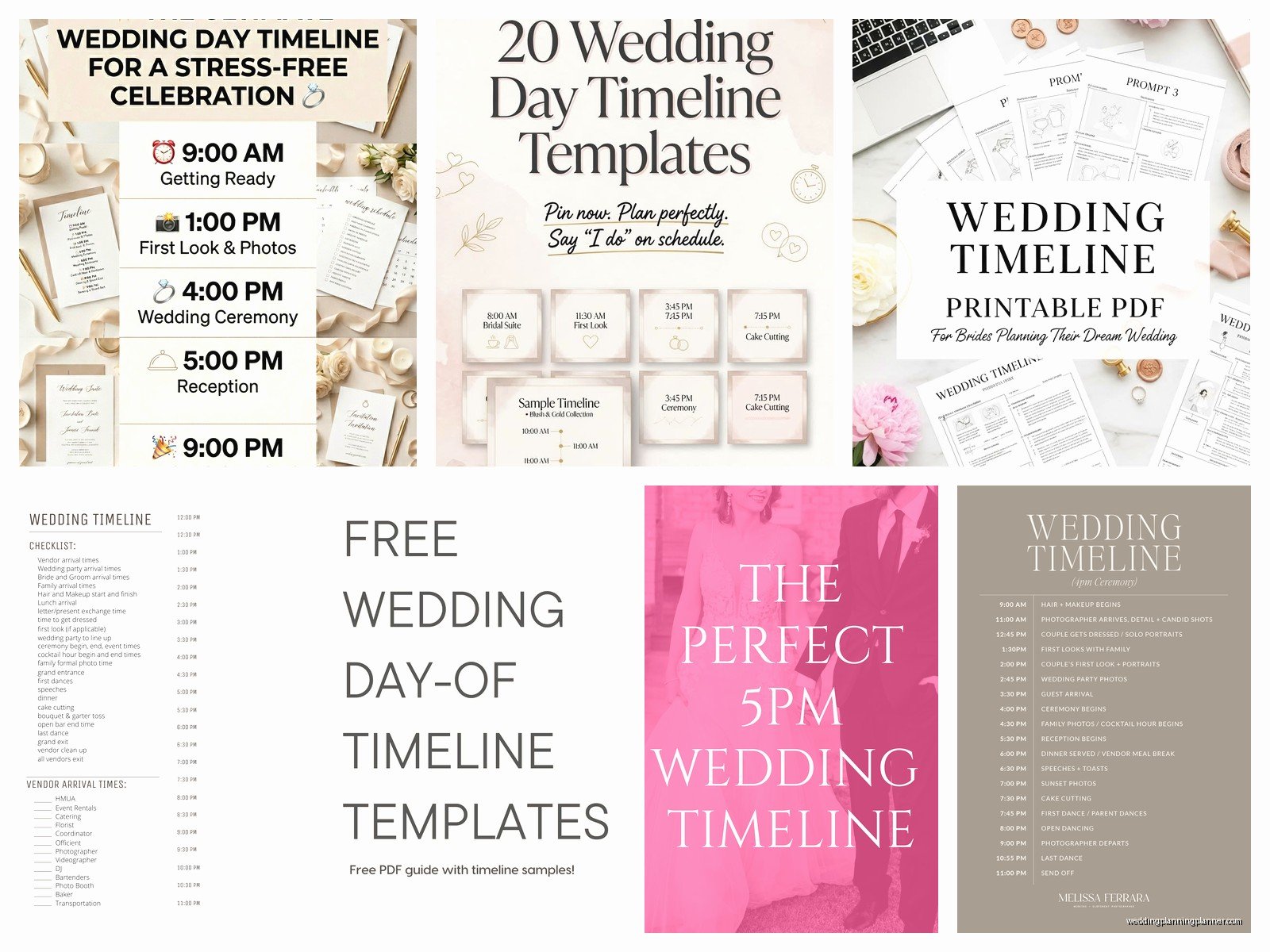
Alright so there are honestly a million places to download wedding timeline templates and some are way better than others. I’ve used probably 30 different ones over the years and here’s what I’ve found works:
The Knot and WeddingWire both have free downloadable templates that are pretty solid. They’re basic but they cover all the main events and you can customize them in Word or Excel. Nothing fancy but they get the job done.
Etsy has a ton of options if you want something that looks prettier. You can find templates that match your wedding aesthetic for like $5-15. Some come in Canva format which is super easy to edit even if you’re not tech savvy. Just search “wedding timeline template” and you’ll find hundreds.
Canva itself has free templates too if you have an account. The pro version has even more options but honestly the free ones are fine for most people.
Google Sheets or Excel templates are my personal favorite for the actual working document because you can share them with vendors and they can access them on their phones during the day. I usually create a pretty version for printing and framing but keep the spreadsheet version as the master.
How To Actually Use These Things
So you download a template and then what? This is where people get stuck. You can’t just plug in random times and call it done – you gotta work backwards from your ceremony time usually.
Let’s say your ceremony is at 5pm. Your photographer probably needs at least 30 minutes with you before the ceremony for detail shots and getting ready photos. So that’s 4:30pm. But you need to be fully dressed and ready by then which means if hair and makeup takes 2 hours total you need to start at 2:30pm at the absolute latest. See how this works?
And then you need to think about how long things actually take. Cocktail hour is typically an hour (obviously) but dinner service? That’s gonna be at least 45 minutes to an hour depending on your catering style. Toasts can run long – I always tell couples to budget 30 minutes even if you think it’ll be quick because Uncle Bob always has more to say than planned.
The Different Versions You Actually Need
Here’s something I wish someone had told me earlier – you need like three different versions of your timeline. Sounds excessive but trust me:
The Master Timeline: This is the detailed one with everything including vendor arrival times, setup windows, when the florist is dropping off, when the cake gets delivered, all of it. This is for you and your planner or coordinator.
The Vendor Timeline: Each vendor needs to know their specific responsibilities and timing but they don’t need every single detail. Your photographer needs to know when to be where for photos but doesn’t need to know what time the caterer is arriving.
The Family/Wedding Party Timeline: This is the simplified version that tells people when to show up, when photos are happening, when they need to be at the ceremony site, etc. Keep it simple or people won’t read it.
I usually also make a super condensed version that fits on one page to post at the venue or give to the venue coordinator because they need quick reference not a novel.
Common Mistakes That Drive Me Crazy
Okay so the thing that happens all the time is people create these beautiful timelines and then don’t account for travel time between locations. If your ceremony is at a church and your reception is 20 minutes away you can’t have cocktail hour starting immediately after the ceremony ends because nobody will be there yet.
Also – and I cannot stress this enough – you need more time for photos than you think you do. I had this couple in summer 2021 who wanted photos with like 15 different family groupings and they allocated 20 minutes total for family photos and I was like… that’s physically impossible unless everyone is standing right there ready to go which they never are because someone’s in the bathroom or someone’s getting a drink or whatever.
Another thing is not building in any wiggle room. If you schedule things back to back to back with zero buffer time then when one thing runs 10 minutes late (which it will) everything else gets pushed and suddenly you’re cutting your cake at 11pm when half your guests have already left.
The Actual Format That Works Best
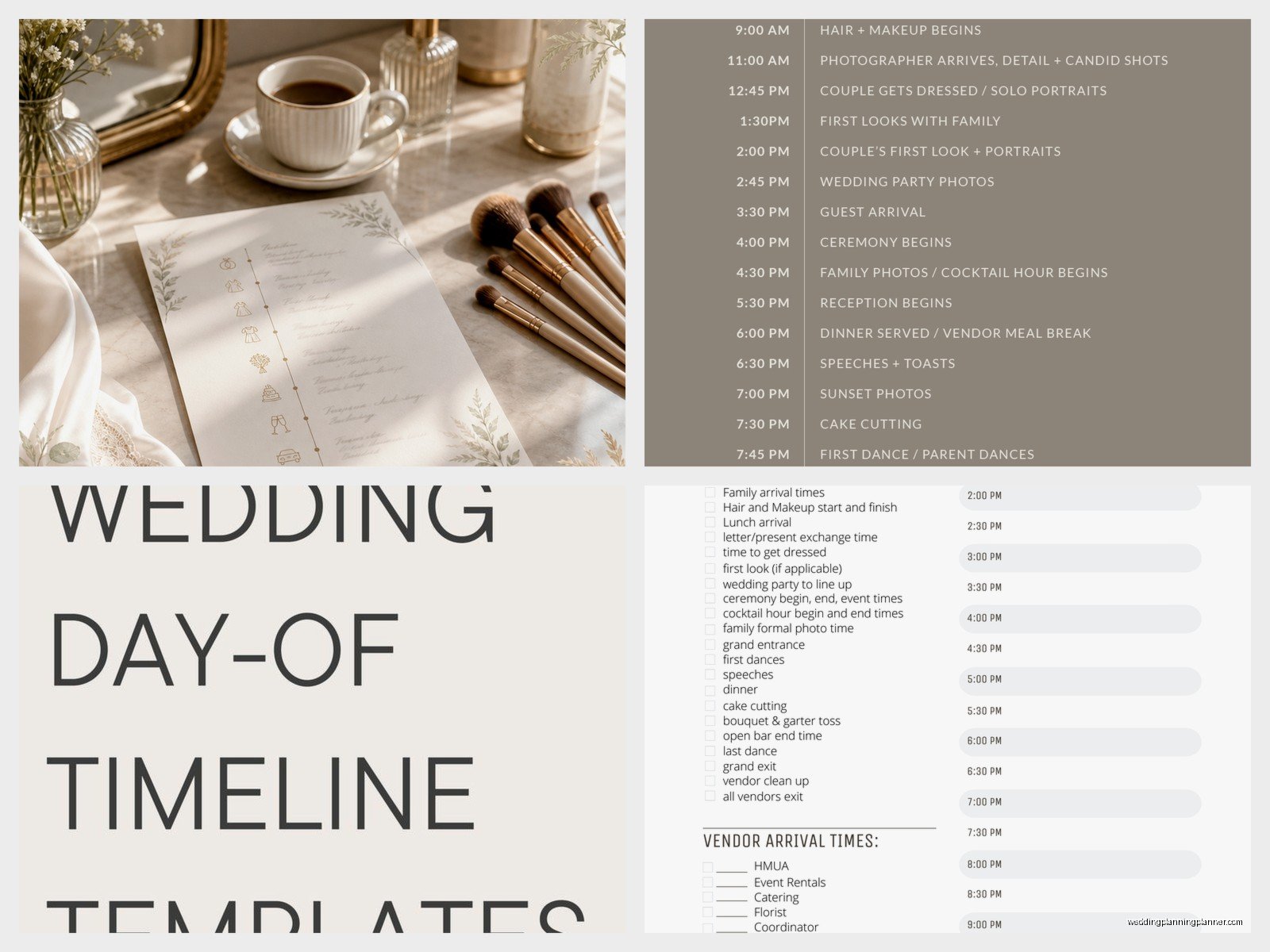
I’ve tried so many different formats and honestly a simple table or spreadsheet works better than anything fancy. You want columns for:
- Time
- Event/Activity
- Location (if you have multiple spaces)
- Who’s involved
- Notes or special instructions
Some templates have a column for duration too which can be helpful when you’re planning everything out. Like if you know cocktail hour is 60 minutes you can see at a glance how that fits into the flow.
The timeline should be easy to scan quickly because day-of nobody has time to read paragraphs of text. Bullet points, clear times, simple language.
Tips For Different Wedding Styles
The timeline template you need kinda depends on what type of wedding you’re having. A backyard wedding has different needs than a hotel ballroom wedding.
Church ceremony + separate reception: You need extra time built in for travel and you need to coordinate with both venues about access times and setup.
All-in-one venue: These are honestly easier to plan because you’re not worrying about transportation but you still need to think about room flips if ceremony and reception are in the same space.
Destination wedding: Build in even more buffer time because everything takes longer when you’re in an unfamiliar place and coordinating with vendors who might be on island time or whatever.
Micro wedding or elopement: You can be more flexible but you still need a timeline especially if you have a photographer because lighting matters and you don’t wanna be scrambling.
When To Share Your Timeline And With Who
So you’ve created this perfect timeline – now what? You gotta actually distribute it and there’s a strategy to this.
Send the vendor timeline to all your vendors about 2 weeks before the wedding. This gives them time to review it and ask questions if something doesn’t work with their setup needs or whatever. Your photographer might come back and say “hey we need 90 minutes for portraits not 60” and then you can adjust.
Give the family/wedding party version out about a week before. Earlier than that and people forget. Later than that and they don’t have time to plan around it.
Print several copies to have day-of. I usually put one in the bridal suite, one in the groom’s area, one with the DJ or band, one with the venue coordinator, and keep one myself. My cat knocked over my coffee on one of them once during a morning timeline review which was… not ideal but that’s why you print multiple copies.
Digital vs Printed Timelines
There’s this whole debate about whether digital or printed timelines are better and honestly you need both. Share a digital version via email or a shared Google Doc so people can access it on their phones but also have printed copies because what happens when someone’s phone dies or they can’t get service at the venue?
I like to create a PDF version that’s formatted nicely for printing and then also keep the editable version in Google Sheets that can be updated right up until the wedding day if needed.
Some couples create a wedding website and post the timeline there which is fine but make sure your vendors know to check there and have the link saved.
What To Do When Things Go Off Schedule
Okay so despite your best planning something will probably run late or need to be adjusted day-of. This is totally normal and not a crisis. The key is having someone (your planner, coordinator, or a designated friend) who’s keeping an eye on the timeline and can make executive decisions about what to adjust.
Usually you can trim time from cocktail hour or push back less time-sensitive things. Sometimes you skip an activity entirely – I’ve had couples decide to skip the bouquet toss because we were running behind and nobody really cared.
The ceremony itself is the one thing you really can’t be flexible about if you have a venue or officiant with time restrictions so that’s where you focus your energy on staying on track. Everything else can shift around a bit.
Template Customization Tips
When you download a template it’s obviously generic so you need to customize it for your specific day. Add your actual venue names and addresses. Include contact info for key vendors. Put in specific details like “Grandma needs to be seated first” or “Remember to grab the card box before leaving” or whatever matters for your wedding.
I like to color-code different sections – like everything related to ceremony in one color, reception in another, photos in another. Makes it easier to see at a glance what’s happening when.
Also include any cultural or religious elements that are specific to your wedding. A traditional Jewish wedding has different timing needs than a Catholic mass than a quick civil ceremony, you know?
The Stuff Nobody Tells You About Timelines
There are some random things about wedding timelines that aren’t obvious until you’ve done this a bunch of times. Like you need to schedule time for the couple to actually eat dinner because otherwise you’ll be so busy with photos and greeting guests that you won’t eat your own food. I’ve seen couples not eat until like 10pm and by then they’re hangry and exhausted.
Also schedule bathroom breaks if you’re wearing a complicated dress. Seriously. You need help getting in and out of that thing and it takes time.
Build in a private moment for just you and your partner at some point during the day. Even just 5 minutes to step outside and breathe and remember why you’re doing this. That moment won’t happen unless you literally schedule it because everyone will want your attention all day.
And here’s something that might sound weird but schedule time for vendor meals if you’re providing them. Your photographer and DJ and planner need to eat too and if you don’t build that into the timeline they’re working on empty stomachs which isn’t great for anyone.
Tools That Make Timeline Creation Easier
Besides just downloading a template there are some actual tools and apps that can help. WeddingWire has a planning tool that includes timeline features. There are apps like WedSites and Joy that have timeline builders built in.
Honestly though? I still prefer a good old spreadsheet most of the time because you have complete control and can format it however makes sense for your brain. But if you’re someone who likes apps and wants everything in one place those wedding planning apps can be helpful.
Some venues and planners have their own proprietary timeline templates they prefer to work with so ask about that before you spend a ton of time creating your own.
The most important thing is that your timeline is clear, detailed enough to be useful but not so complicated that nobody reads it, and shared with everyone who needs it. Whether you use a fancy Etsy template or a basic Word doc doesn’t really matter as long as it does the job of keeping everyone on the same page about what’s happening when.
