
Planning Guides, Style Guide
Wedding Timeline Template Free: Day Schedule Downloads
Jul
Okay So Wedding Timeline Templates Are Actually Essential
Look, I’ve been doing this for almost 15 years now and the number of couples who try to wing their wedding day without a proper timeline is… honestly it drives me crazy. Like you wouldn’t show up to build a house without blueprints right? Same thing here except everyone’s watching and your photographer costs like $4000.
The free templates online are actually pretty solid if you know what to look for. I’m gonna walk you through what actually works because I’ve seen so many couples download these things and then just stare at them like “now what?”
What You Actually Need In A Day-Of Timeline
First thing – your timeline needs to cover WAY more than just the ceremony and reception. I learned this the hard way back in spring 2023 when I had a bride call me at 7am on her wedding day asking when her makeup artist was supposed to arrive. It was literally on the timeline I sent her but she only looked at the “ceremony starts at 4pm” part and figured she’d just… figure out the rest? Anyway.
Your template should have these sections or you’re gonna be scrambling:
- Getting ready times (hair, makeup, everyone needs to eat something)
- First look if you’re doing one
- Family photos – this is where everything falls apart usually
- Ceremony start time (and like, actual start time, not when you tell Aunt Susan to arrive)
- Cocktail hour
- Reception entrance
- Dinner service
- Toasts and speeches
- First dance and parent dances
- Cake cutting
- Open dancing
- Last call and exit
Where To Find Actually Useful Free Templates
So here’s the thing about free downloads – some are gorgeous but completely useless, and some are ugly but actually functional. You want functional, trust me.
The Knot has a pretty standard timeline template that’s honestly fine for most weddings. It’s nothing fancy but it breaks down the day in 15-minute increments which is what you need. You can customize it in Excel or Google Sheets.
WeddingWire also has one that’s similar but includes little notes about who needs to be where, which is helpful when you’re coordinating like 8 different vendors.
Canva – okay I know Canva isn’t specifically a wedding planning site but their timeline templates are actually really nice looking AND editable. You can make something that doesn’t look like a boring spreadsheet, which matters when you’re sending it to your wedding party who might actually read it if it’s pretty. My cat walked across my keyboard while I was making one of these once and somehow made it better? Added some weird spacing that actually improved the layout.
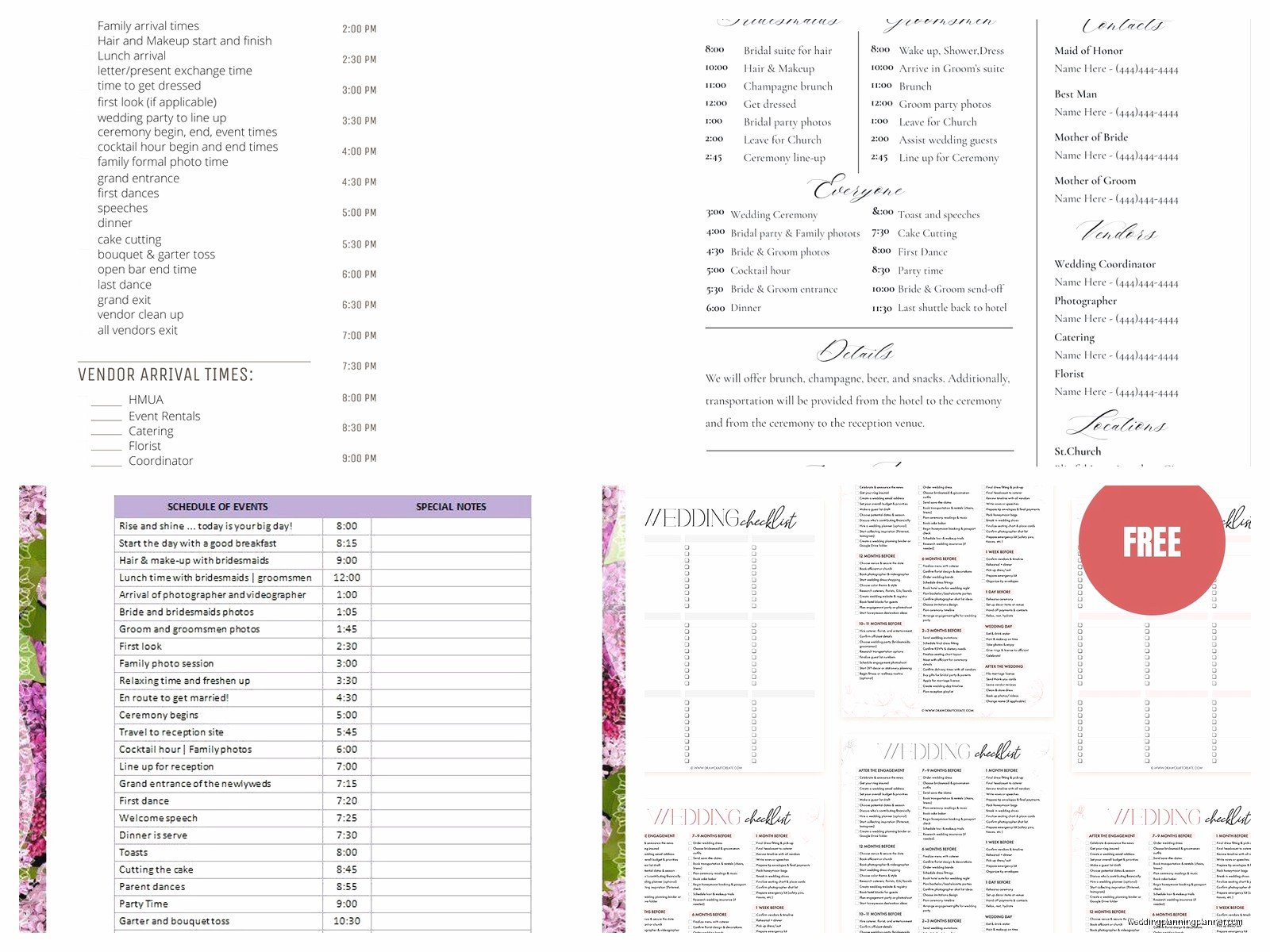
Google Sheets templates – if you search “wedding timeline template” in the Google Sheets template gallery there are tons. The advantage here is that you can share it with your planner, your partner, your MOH, whoever, and everyone sees updates in real time.
How To Actually Fill Out The Template Without Losing Your Mind
This is where people get stuck. You download this beautiful template and then you’re like “umm how do I know when cocktail hour should start?” Fair question.
Start from your ceremony time and work backwards AND forwards. If your ceremony is at 5pm:
Working Backwards:
- 5:00pm – Ceremony starts
- 4:30pm – Guests should start arriving (you always say 4:30 even though it starts at 5 because people are late)
- 4:00pm – You should be fully dressed and done with photos
- 2:00pm – Hair and makeup should be finishing up
- 10:00am – Hair and makeup artists arrive
- 8:00am – You should be awake and fed
See how that works? And honestly that 8am thing matters because I had a bride pass out during her ceremony in summer 2021 because she was so nervous she didn’t eat breakfast and only had champagne while getting ready. Not cute.
Working Forwards:
- 5:00pm – Ceremony (figure 30 minutes even if you think it’ll be 20)
- 5:30pm – Family photos (budget 30-45 minutes, it always takes longer than you think)
- 6:15pm – Cocktail hour starts
- 7:15pm – Reception entrance
- 7:30pm – Dinner service
- 8:15pm – Toasts
- 8:45pm – First dance
- 9:00pm – Open dancing
- 11:00pm – Last call
- 11:30pm – Grand exit
The Annoying Part Nobody Tells You
What really gets me is when vendors give you conflicting timeline advice. Your photographer wants the first look at 3pm, your planner says 2pm, your venue says you can’t access the getting-ready room until 1pm, and your hair person needs three hours. Like… the math doesn’t math?
This is why you need a master timeline that YOU control. Download a template, fill it out with your best guess, then send it to ALL your vendors at once and ask them to tell you what won’t work. Let them fight it out… or actually, let them help you adjust it so everyone’s needs are met.
Buffer Time Is Your Best Friend
Here’s what I tell every couple: add 15 minutes of buffer time between major events. Just build it in. Photos always run over, speeches always run long, someone’s always in the bathroom when you need them for the cake cutting.
So if you think family photos will take 30 minutes, put 45 on the timeline. If dinner service is supposed to be done by 8pm, don’t schedule toasts until 8:15pm at the earliest.
The couples who don’t do this end up stressed all night trying to “catch up” to their timeline and that’s when you stop having fun.
Different Timeline Formats For Different Needs
You’re probably gonna need like three different versions of your timeline honestly.
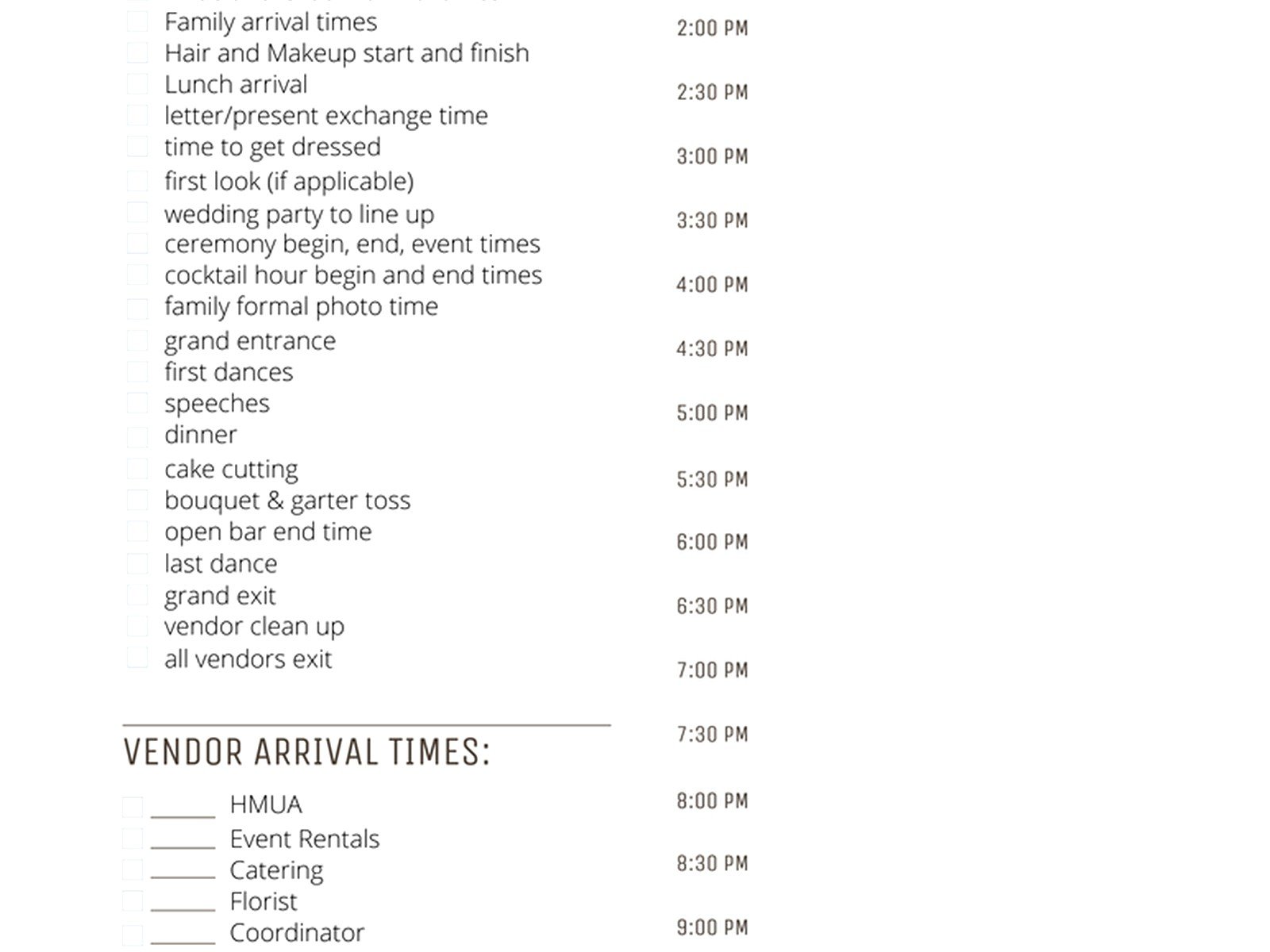
The Master Timeline: This is the detailed one with every single thing happening. This goes to your planner or coordinator, your photographer, and maybe your venue coordinator. It’s got stuff like “2:47pm – boutonniere delivery” on it.
The Vendor Timeline: A simplified version that just shows when each vendor needs to be where. Your DJ doesn’t need to know what time you’re getting your makeup done, they just need to know when to arrive and when to start playing music.
The Guest Timeline: This is super basic – just ceremony time, cocktail hour, and reception. Maybe you put this on your wedding website or include it with invitations. Some people do this, some don’t, it’s kinda personal preference.
The Wedding Party Timeline: Your bridesmaids and groomsmen need to know when to show up for getting ready, when photos are, when the rehearsal is, etc. But they don’t need the vendor contact info and all that.
Digital vs. Printed Timelines
I usually recommend having both? Like keep a digital version that you can update easily in Google Sheets or whatever, but then print out physical copies for the day-of because phones die and people are bad at checking their email on wedding days.
Print copies for: your planner, yourself, your partner, your parents, your MOH and best man, and stick one in your getting-ready room and one at the venue.
Specific Timing Recommendations That Actually Work
Based on like hundreds of weddings here’s what I’ve found works for most people:
Hair and makeup: 45 minutes per person for hair, 45 minutes per person for makeup. If you’ve got 5 bridesmaids and you’re doing both hair and makeup, that’s… gonna take a while. You’ll need multiple artists or you need to start really early.
Getting dressed and detail photos: 30 minutes. Your photographer wants to capture your dress, shoes, rings, invitation suite, all that stuff.
First look: 30 minutes. It’s not just the actual moment, it’s getting to the location, setting it up, taking photos after.
Wedding party photos: 45 minutes to an hour. This is with a good photographer who moves quickly.
Family photos: This is the killer. Budget AT LEAST 30 minutes, preferably 45. Family photos are where timelines go to die because Grandma needs to sit down, Uncle Bob wandered off, someone’s fixing their lipstick…
Ceremony: 30 minutes even if your officiant says it’ll be 20.
Cocktail hour: A full hour. Don’t try to shorten this, people need time to get drinks and appetizers and it gives you time to finish photos.
Dinner service: 45 minutes to an hour depending on if it’s plated or buffet.
Toasts: Plan for 20 minutes even if you told everyone to keep it to 3 minutes each. They won’t.
Common Timeline Mistakes I See All The Time
Not accounting for travel time between locations. If your ceremony and reception are at different venues, you need transportation time in your timeline AND buffer for traffic.
Forgetting that YOU need to eat. Schedule time for the couple to actually sit down and eat their dinner. I’ve seen so many couples miss their own meal because they’re doing table visits or photos or whatever.
Making the getting-ready time too tight. Starting hair and makeup at noon for a 4pm ceremony sounds fine until you realize that’s only 4 hours for multiple people plus getting dressed plus photos.
Not communicating the timeline clearly. Having a timeline doesn’t help if nobody’s seen it. Send it out at least two weeks before the wedding and then remind people again a few days before.
Adjusting Templates For Different Wedding Styles
The standard timeline template works for like a traditional evening wedding but you might need to adjust for:
Brunch or lunch weddings: Everything shifts earlier obviously but also these tend to be shorter. Maybe 3-4 hours total instead of 6.
Destination weddings: You might need a multi-day timeline that includes rehearsal dinner, welcome party, the wedding day, and farewell brunch.
Backyard or DIY weddings: Add setup time and breakdown time to your timeline. If you’re setting up your own reception, that’s gotta happen somewhere in the schedule.
Elopements: Much simpler timeline but you still need one! Even if it’s just you two, the photographer needs to know what time to show up and how long you’ve booked them for.
Tools That Make Timeline Planning Easier
Besides just downloading a template, there are some tools that help:
Wedding planning apps like Zola or Joy have built-in timeline features. They’re fine, kinda limited but they work.
Aisle Planner if you’re working with a planner who uses it – the timeline feature is really detailed and you can assign tasks to specific people.
Google Calendar – some people literally just build their wedding timeline as a Google Calendar event with reminders. It’s not traditional but if it works for you…
Honestly though? A simple Excel or Google Sheets template is usually enough. Don’t overthink it.
The Week-Of Timeline Adjustments
Your timeline WILL change as you get closer to the wedding. Weather might affect photo locations, a vendor might need to adjust their arrival time, you might realize you forgot to schedule time for a private last dance or whatever.
I usually do a final timeline review 3-5 days before the wedding. Make any last adjustments, send out the final version to everyone, and then stop tweaking it. At some point you just gotta commit.
The day of the wedding, someone should be in charge of keeping things on track – usually your planner or coordinator, but if you don’t have one, designate a reliable friend or family member. Not your mom though, she’ll be too emotional. Trust me on this.
Print out the timeline in a large font and stick it somewhere visible in the getting-ready room. I use those plastic sheet protectors so they don’t get wet or stained with makeup.
What To Do When Things Run Behind
They will. It happens at literally every wedding. Hair takes longer than expected, the groom’s party shows up late, someone forgot the rings and has to go back… something will throw off your timeline and that’s okay.
This is where that buffer time saves you. If you built in 15-minute buffers, you can absorb small delays without everything cascading into disaster.
If you’re running more than 30 minutes behind, you might need to make cuts. Usually that means shortening cocktail hour (tell your caterer to start seating for dinner), cutting some photo combinations (do you really need pics with every possible combo of bridesmaids?), or skipping the cake cutting if you’re really pressed for time.
The ceremony should basically never start late though – you’ve got guests sitting there waiting. If you’re running behind on getting ready, skip some photos and do them during cocktail hour instead.
