
Planning Guides, Style Guide
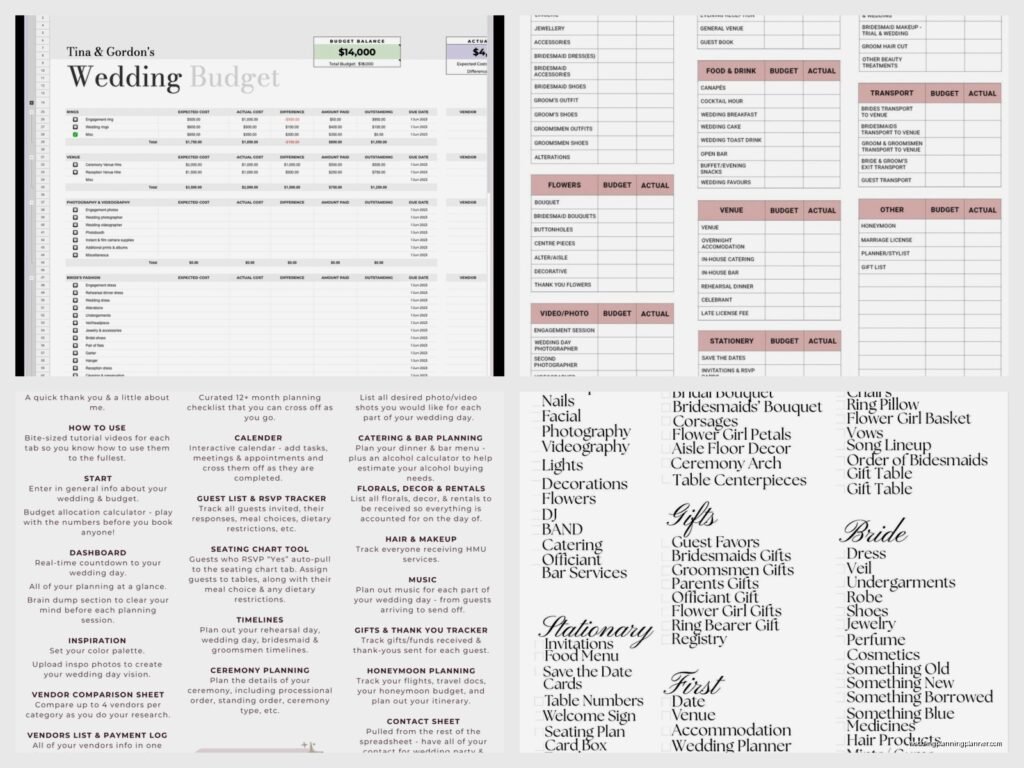
Wedding Budget Sheet: Cost Planning Template
Jul
Okay so wedding budget sheets are literally the first thing you need
Like before you pick a venue, before you start that Pinterest board that’s gonna consume your life, you need a budget sheet. I learned this the hard way back in spring 2023 when I had a couple who planned literally everything—and I mean EVERYTHING—before sitting down to figure out what they could actually afford. We had to backtrack on so much stuff and it was honestly painful for everyone involved.
The thing about wedding budget sheets is they’re not sexy or fun but they’re gonna save your sanity. Trust me on this one. I’ve been doing this for like 15 years now and the couples who skip this step or half-ass it are the ones calling me at 11pm freaking out because they just realized they have $3,000 left and still need to book transportation, pay for hair and makeup, and oh yeah handle all the day-of coordination stuff.
What actually goes in a wedding budget sheet
So here’s the deal. Your budget sheet needs to track three numbers for every single category: what you budgeted, what you actually spent, and what’s still pending. That third column is the one people always forget and then they’re like “wait I thought we had more money?” Nah, you just forgot about the deposit you put down six months ago.
The main categories you gotta include are:
- Venue and catering (this is usually 40-50% of your total budget, sometimes more)
- Photography and videography
- Flowers and decorations
- Attire for bride, groom, wedding party
- Music and entertainment
- Invitations and stationery (my specialty obviously, and can I just say it annoys me SO much when people think they can just throw this together on Canva the week before and it’ll look professional? Like okay sure Jan)
- Wedding rings
- Transportation and accommodations
- Hair and makeup
- Favors and gifts
- Officiant fees
- Marriage license
- Rehearsal dinner
- Contingency fund (DO NOT SKIP THIS)
How to actually set up your template
You can use Excel, Google Sheets, whatever. I honestly prefer Google Sheets because then both partners can access it and update it in real time. Nothing worse than having two different versions of the budget floating around and nobody knows which one is current.
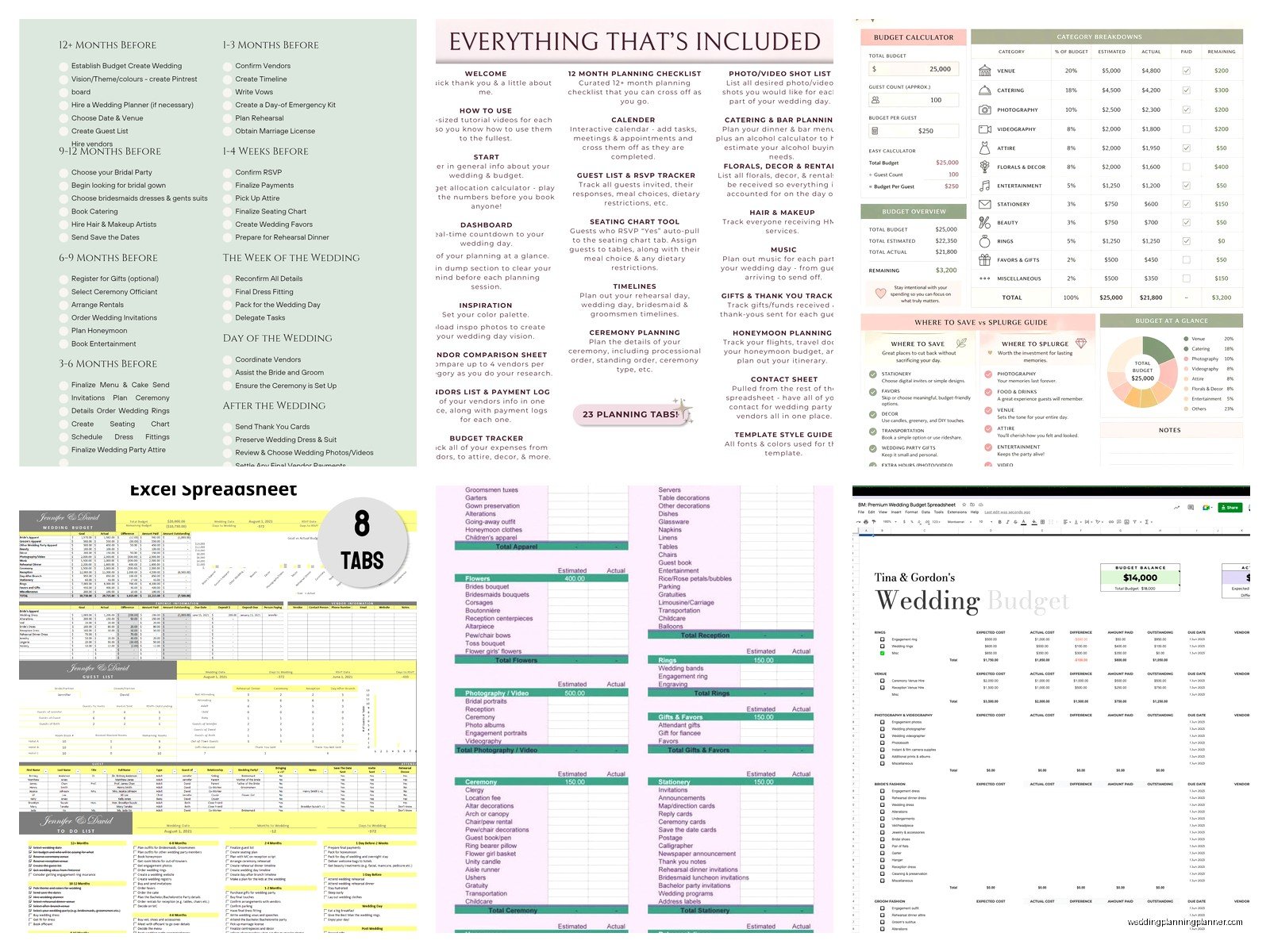
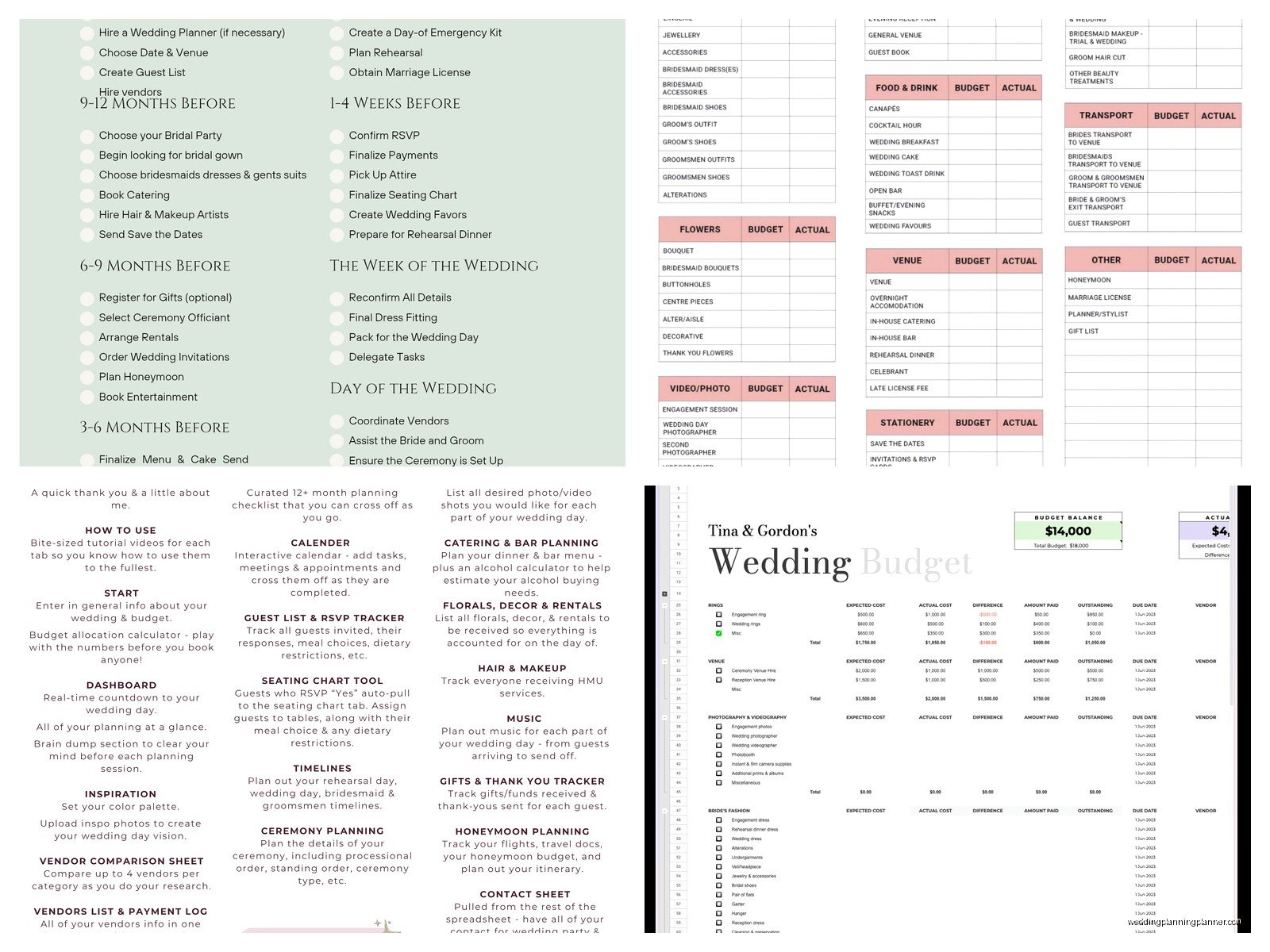
Set up your columns like this: Category, Estimated Cost, Actual Cost, Deposit Paid, Balance Due, Payment Due Date, Vendor Name, Notes. That last column is clutch because you’ll want to remember stuff like “includes setup and breakdown” or “doesn’t include gratuity” or whatever.
For the categories I listed above, you’re gonna want to break some of them down even further. Like under “Venue and Catering” you should have separate line items for venue rental fee, food per person, bar service, service charges, gratuity, linens, tables and chairs if those aren’t included, lighting if you’re adding that. Because here’s what happens—venues will quote you one price and then you realize that doesn’t include literally anything except the empty room.
The percentage method vs the actual number method
Some people like to start with percentages and work backwards. So if your total budget is $30,000, you might allocate 45% to venue and catering, 12% to photography, 10% to flowers, etc. This works fine if you’re still in the early planning stages and don’t have real quotes yet.
But honestly I prefer just getting actual quotes as soon as possible and plugging in real numbers. Because here’s the thing—percentages are great in theory but your market might be totally different. Like if you’re getting married in Manhattan, your photography is gonna eat up way more than 12% unless you’re okay with your cousin’s friend who just bought a nice camera.
The categories people always forget
Okay so this is where couples get into trouble. There are so many random costs that pop up and if you don’t budget for them, they come straight out of… well, somewhere, and usually that means cutting into another category or going over budget.
Things people forget:
- Alterations for wedding attire (this can be like $500-800 easily)
- Postage for invitations (stamps are expensive now! Especially if you have those fancy shaped invites that need extra postage)
- Marriage license fee
- Vendor meals at the reception
- Gratuities for literally everyone
- Parking or valet service
- Hotel room for the wedding night
- Umbrellas if you’re doing an outdoor wedding (learned this one the hard way)
- Touch-up kit for the bride
- Steaming or pressing for the dress day-of
- Guest book and pen
- Card box
- Cake cutting set and serving pieces if venue doesn’t provide
- Any rentals like arches, special furniture, etc
My cat literally just knocked over my coffee while I’m writing this so if this seems scattered that’s why. Anyway.
The contingency fund that you absolutely need
I tell every single couple to budget 10-15% extra for unexpected costs. And there WILL be unexpected costs. Always. Someone gets sick and you need a last-minute replacement for a bridesmaid’s dress. Your DIY centerpiece plan falls apart and you need to order something real quick. The weather forecast changes and you need to rent heaters or fans. Your guest count goes up because your mom invited people without asking.
This fund isn’t for splurging on stuff you want. It’s actual insurance against the chaos that is wedding planning. I had a wedding last summer where the bride’s dress got damaged two days before the wedding and they needed to pay rush fees to fix it. If they hadn’t had contingency money, that would’ve been a complete disaster.
Tracking deposits and payment schedules
This is where your budget sheet becomes like… I dunno, not just a planning tool but an actual organizational lifesaver. Every vendor has different payment terms. Some want 50% deposit upfront, some want smaller deposits, some want everything paid before the wedding, some let you pay the balance day-of.
You need to track all of this because if you’re not careful, you’ll have like five major payments all due the same month and suddenly you’re scrambling. I use the Payment Due Date column to sort by date and see what’s coming up. Then I’ll highlight anything due within the next 30 days in yellow, anything overdue in red.
Pro tip: Set calendar reminders for payment due dates. Not just one reminder—set one a week before and one a day before. Because wedding planning brain is real and you WILL forget things.
How to handle when you’re going over budget
Okay so let’s be real—almost everyone goes over budget at least a little bit. If you’re tracking everything properly in your budget sheet, you’ll see it happening before it becomes a huge problem.
When I see a couple starting to go over, first thing is figuring out what’s essential vs nice-to-have. The venue, food, photographer—those are usually essential. The fancy linen upgrades, the elaborate favors, the premium bar package when a standard one would be fine… those are places you can cut.
Your budget sheet should help you see where you can trim. Like if you budgeted $3,000 for flowers but you’re running over, can you reduce that to $2,000? What would that actually look like? Maybe fewer centerpieces, simpler arrangements, seasonal flowers instead of exotic ones.
What annoys me is when couples refuse to cut anything and just keep saying “oh we’ll figure it out” without actually figuring it out. Like no, you need to make actual decisions here.
The paid vs pending tracking thing
This is sorta related to the payment schedule stuff but it’s different. You need to know at any given moment exactly how much money you’ve actually spent vs how much you’re committed to spending. Because your bank account might show one number but you’ve got like $15,000 in outstanding balances that’ll be due soon.
I add a “Status” column where I mark things as “Deposit Paid,” “Paid in Full,” “Payment Plan,” or “Not Yet Paid.” Then I can filter to see everything that still needs to be paid and make sure we have the money set aside.
Software vs spreadsheet vs paper
There are like a million wedding planning apps now that have budget features built in. The Knot, WeddingWire, Zola, whatever. They’re fine. They’re actually pretty good if you want something that looks nice and has graphs and stuff.
But I still prefer a good old spreadsheet because you have complete control. You can customize it exactly how you want. You can add columns, change formulas, color-code things your own way. And honestly the apps sometimes try to sell you stuff or push certain vendors and it’s just… I don’t need that energy.
Paper? Nah. I mean if you really love paper tracking that’s fine but you’re gonna want to calculate totals and percentages and it’s just easier digitally.
Sharing the budget with your partner and family
If anyone else is contributing money—parents, other family members—you need to decide how much of the budget you’re sharing with them. Some people share the whole thing, some people just share the categories they’re helping pay for.
Just be clear about expectations upfront. If your parents are giving you $10,000 for the wedding, do they get input on how it’s spent? Are there strings attached? Better to have those conversations early and note them in your budget sheet.
I had a situation where the bride’s parents were paying for catering and they kept trying to control other aspects of the wedding because “well we’re paying for most of it.” It got messy. Super messy. Document who’s paying for what and what that does or doesn’t entitle them to in terms of decision-making.
Regular budget reviews are kinda essential
You can’t just make your budget sheet in January and then never look at it again until October when your wedding is happening. You need to review it at least once a month, maybe more often as you get closer to the date.
During these reviews, update actual costs, check on upcoming payments, see if you’re trending over or under budget in any categories. If you’re under budget somewhere, great—you can either save that money or reallocate it to a category where you want to spend more. If you’re over budget, time to figure out cuts or find more money.
My process is usually to set aside like 30 minutes every couple weeks with my couples to go through the budget together. We’ll have it up on screen and just go line by line. It’s boring but it prevents surprises.
The actual template structure I use
Alright so here’s basically what my template looks like. I have a main sheet with all the categories and a summary at the top showing total budget, total spent, total committed, and remaining balance. Those summary numbers pull from all the line items below.
Then I have separate tabs for major categories. So there’s a “Venue & Catering” tab where I break down every single cost related to that—venue fee, food, drinks, cake, rentals, everything. Same with “Attire” where I track bride’s dress, alterations, accessories, groom’s suit, bridesmaid dresses, everything.
This way you can see high-level numbers on the main sheet but also drill down into details when you need to. Because trust me, you’ll need to.
I also have a tab for vendor contacts with names, phone numbers, emails, contract dates, payment terms. Not strictly part of the budget but it’s helpful to have everything in one place.
Formulas that make life easier
If you’re using Excel or Google Sheets, set up formulas so the math happens automatically. You want your “Total Estimated Cost” to sum up all the estimated costs. Same with “Total Actual Cost” and “Total Remaining Balance.”
I also use conditional formatting so cells turn red if you’re over budget in that category or if a payment is past due. Visual cues help a lot when you’re looking at a massive spreadsheet.
For the percentage calculations, I have a formula that shows what percentage each category is of your total budget. This helps you see if you’re allocating money in a way that makes sense.
Real talk about budget inflation
Everything costs more than you think it will. I’m not even trying to be dramatic here, it’s just true. You’ll get a quote for $5,000 and then realize that doesn’t include tax, service charges, delivery fees, setup fees, or whatever. Suddenly that $5,000 is actually $6,200.
When you’re entering estimated costs into your budget sheet, add like 10-20% to account for all the fees and charges that aren’t obvious in the initial quote. This way you won’t be shocked when the final invoice comes.
Also prices change. If you’re planning a wedding 18 months out, the quote you got at the beginning might not be the same price when you actually book or when the wedding happens. Some vendors lock in prices, some don’t. Note this in your budget sheet so you know where you might face price increases.
When family dynamics complicate the budget
Ugh this is where things get messy sometimes. If multiple people are contributing, you might need… I dunno, separate tracking for who’s paying what? I’ve seen couples create a column for “Funded By” so they can see at a glance what’s coming from their money vs parent money vs other sources.
Just remember that money and weddings bring out weird stuff in families. Keep your budget sheet factual and updated so if anyone questions spending, you have documentation. Not trying to be cynical but I’ve seen too many arguments that could’ve been avoided with clear tracking.
The budget sheet is also useful if you need to show someone “look, we literally cannot afford that upgrade because we’re already at our limit.” Numbers don’t lie and sometimes having that black-and-white proof helps end circular conversations.
