
Planning Guides, Style Guide
Free Bridal Shower Invitation Templates: Free Download Files

Aug
Where to Actually Find Free Bridal Shower Invitation Templates That Don’t Suck
Okay so the biggest thing you need to know is that “free” doesn’t always mean completely free and this drove me absolutely crazy when I was helping my sister plan her bridal shower back in spring 2023. Like, you’ll find a template advertised as free, then you need to create an account, then they want your credit card “just in case” and suddenly you’re in a free trial that charges you $29.99 if you forget to cancel. Super annoying.
Canva is gonna be your best friend here honestly. They have a free tier that’s actually free—no credit card required. You just sign up with an email and boom, you’ve got access to hundreds of bridal shower invitation templates. Some elements are marked with a little crown icon which means they’re Pro only, but there are SO many free options that you won’t feel limited. I use Canva for probably 60% of my client work now because it’s just that versatile.
The Canva Download Situation
Here’s what you gotta know about downloading from Canva: the free version lets you download as JPG or PNG, which is perfect for digital invites you’re gonna text or email. If you want PDF (which prints better), that’s technically a Pro feature BUT there’s a workaround. You can download as PNG at high resolution and then convert it to PDF using a free site like ilovepdf.com. I do this all the time and honestly the quality difference is minimal unless you’re printing like poster-sized invitations which… why would you.
When you’re customizing a template on Canva, make sure you’re changing the text to match your shower details obviously but also pay attention to the color scheme. Some templates look gorgeous in the preview but then when you swap in your colors it looks kinda off. I learned this the hard way with a client in summer 2021—we spent an hour customizing this beautiful floral template and when we changed it to her wedding colors (navy and burgundy) it looked like a funeral announcement. Had to start over completely.
Greetings Island Actually Delivers
Greetings Island is another solid option that doesn’t get enough credit. Their whole model is actually free downloads which seems too good to be true but it works. You browse their bridal shower category, pick a design, customize it online with their editor, and download as PDF. The catch is that there’s a small “Greetings Island” watermark at the bottom, but it’s tiny and honestly most people crop it out or it’s so subtle nobody notices.
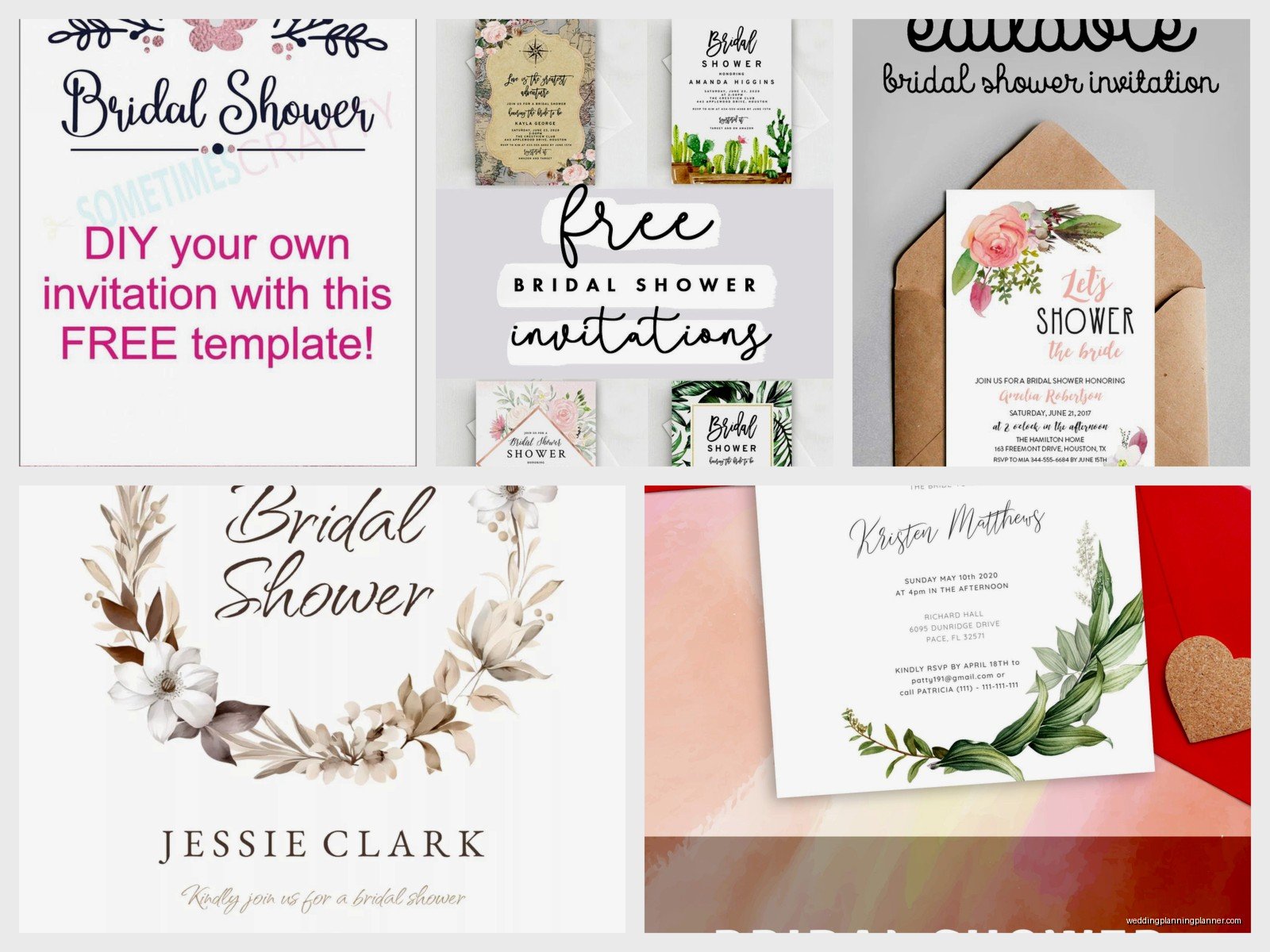
The editor is more basic than Canva—you can change text, colors, and move things around but you can’t add your own graphics or get super fancy. But if you just need a straightforward invitation with the date, time, location, and RSVP info, it works perfectly fine. My cat just knocked over my coffee while I’m writing this which is apparently her opinion on me working on a Saturday.
Template.net Has Quantity Over Quality
Template.net has literally thousands of templates for everything including bridal showers. The quality is hit or miss though. Some look super professional and some look like they were made in Microsoft Word in 2003. You have to sort through a lot to find the good ones. They offer downloads in Word, PDF, and Apple Pages formats which is nice for flexibility.
The annoying part is that they make you sign up and verify your email before downloading anything. Not a huge deal but when you’re in a rush it’s frustrating. Also some of their “free” templates are actually paid but they’re mixed in with the free ones, so you’ll think you found the perfect one and then nope, gotta pay. Just check carefully before you get too excited.
Microsoft Word Templates (Yes Really)
If you have Microsoft Word or access to Office 365, they have built-in templates that are actually pretty decent. Go to File > New and search for “bridal shower invitation” and you’ll get a bunch of options. These are fully editable in Word which means if you’re comfortable with Word you can customize everything—fonts, colors, layout, images.
The designs are more traditional and conservative compared to Canva’s trendy options, but that’s not necessarily bad. If the bride has a classic style or if the shower has a more formal vibe, these work great. Plus you can save as PDF directly from Word so printing is easy.
Evite For Digital-Only Invites
Okay so Evite is different because it’s not really a download situation—it’s for sending digital invitations directly through their platform. But it’s completely free for basic designs and it handles all the RSVP tracking for you automatically which is HUGE. I cannot tell you how much time I’ve wasted chasing down RSVPs for showers when we sent paper invites or even just… I don’t know, sometimes people just don’t respond and you have to hunt them down like you’re a detective.
With Evite, people click a button to RSVP and you can see in real-time who’s coming, who’s not, who hasn’t responded yet. You can send reminders to non-responders with one click. The free designs are kinda basic and have ads, but the paid Premium designs are only like $12.99 for the whole event which honestly might be worth it if you want something prettier and ad-free.
Adobe Express (Formerly Adobe Spark)
Adobe Express is similar to Canva but with Adobe’s design tools. They have a free tier with bridal shower templates and the quality is really good because, you know, it’s Adobe. The interface is slightly less intuitive than Canva in my opinion but if you’re already familiar with Adobe products you might prefer it.
Free downloads are available as JPG or PNG. One cool feature is their resize function—you can create one design and then automatically resize it for different uses like an Instagram story version, a Facebook event cover, and a printable version. Super handy if you’re promoting the shower on social media too.

What Format You Actually Need
This is something people don’t think about until they’re trying to download and then they’re confused. Here’s the breakdown: if you’re sending invitations digitally only (text, email, social media), JPG or PNG works perfectly fine. These are image files that display on any device. PNG generally has better quality than JPG but slightly bigger file size.
If you’re printing invitations yourself at home or at a print shop, PDF is better because it maintains quality at any size and printers prefer it. Most professional print shops will specifically ask for PDF files. If you’re using an online printing service like Vistaprint or Minted, check their requirements—some accept JPG, some want PDF, some have their own upload specifications.
The Print-At-Home Reality Check
Let’s be real about printing at home for a second. It sounds economical and convenient but it can be a nightmare. Your home printer probably doesn’t print edge-to-edge (most don’t), so you’ll have white borders unless you buy special borderless photo paper. Colors on your screen don’t always match what prints out—what looks like a pretty blush pink on your monitor might print as salmon or coral.
I usually recommend if you’re inviting more than like 20 people, just use a printing service. Costco does great quality prints for cheap if you have a membership. Walgreens and CVS also do photo prints that work for invitations and they’re ready in an hour usually. You’ll save yourself the frustration of paper jams, running out of ink halfway through, getting the alignment wrong, all that stuff.
Customization Tips That Actually Matter
When you’re editing these templates, here’s what you should focus on: make sure the text is readable. Sounds obvious but I see this mistake constantly—people pick a fancy script font because it looks pretty but then half the guests can’t read the address or time. Use script fonts for decorative elements or names, but use clean simple fonts for the important details.
Include all the essential info obviously: bride’s name, date, time, location with full address, RSVP instructions (who to contact and by when), and the registry information if applicable. Some people also include the shower theme or dress code if there is one. Don’t overcrowd the design though—white space is your friend.
One thing that annoys me is when people don’t proofread. I had a client who sent out 50 printed invitations before realizing she put the wrong year on them. Check everything twice, then have someone else check it, then check it again. Typos happen (I literally used “gonna” like three times in this guide) but not on formal invitations.
The Actual Download Process
Most of these sites work similarly for downloading. You finish customizing your design, click Download or Export, choose your file format, and it either downloads directly to your computer or sends you an email with a download link. The file usually goes to your Downloads folder by default.
Here’s something I wish someone had told me earlier: rename the file immediately to something you’ll recognize. Don’t leave it as “Canva_Design_2847_final.png” because two weeks later when you need to reprint or send to someone else, you’ll have no idea which file it is among your 500 other downloads. Name it something like “Sarah_BridalShower_Invitation_May2024.png” and you’ll thank yourself later.
Creative Commons and Etsy Freebies
Creative Commons has free templates that designers have made available for public use. The selection is smaller and you have to search more carefully, but the designs can be really unique. Just make sure you understand the license—some require attribution, some don’t allow commercial use (which doesn’t apply to personal bridal showers anyway but still).
Etsy has free templates too if you search “free bridal shower invitation” but here’s the thing—they’re usually loss leaders to get you to buy other stuff from that shop. The free template might be basic and then they’re selling matching games, decorations, thank you cards, etc. Nothing wrong with that, just know what you’re getting into. Quality varies wildly on Etsy so read reviews before downloading.
When Free Templates Don’t Work
Sometimes you need something specific that free templates just don’t offer. Like if the shower has a very particular theme—I did one last year that was vintage travel themed with specific destinations that were meaningful to the couple, and we couldn’t find any free templates that matched. In those cases you might need to hire a designer or buy a premium template.
Etsy has tons of affordable paid templates usually in the $5-15 range that are more customizable and unique. Or if you know someone with design skills, sometimes buying them coffee and asking nicely works too. I’m not above bartering services—I’ve traded wedding planning consultations for graphic design work more than once.
The other limitation with free templates is that everyone else is using them too. If you’re in a friend group where multiple people have gotten married recently, there’s a chance someone else used the same Canva template for their shower. Most people won’t notice or care, but if you want something completely unique, free might not cut it.
Mobile Editing Options
Both Canva and Adobe Express have mobile apps that work surprisingly well. You can literally design an entire invitation on your phone if you want to. I’ve done this while waiting for appointments or during my lunch break—not ideal but it works in a pinch. The apps have most of the same features as the desktop versions just on a smaller screen.
Downloading from mobile sends the file to your phone’s storage and then you can share it however you need—text it, email it, upload to a printing service, whatever. Just be aware that editing tiny text on a phone screen is kinda annoying and you’re more likely to miss typos, so I’d still recommend doing a final review on a computer if possible.
