
Planning Guides, Style Guide
Reception Seating Chart Template: Free Download Files
Aug
Why You Actually Need a Seating Chart Template
Okay so seating charts are literally one of those things that couples underestimate until like three weeks before the wedding when they’re drowning in RSVPs and suddenly realize Aunt Martha can’t sit next to Uncle Dave because of that thing that happened in 2019. I had this bride in spring 2023 who waited until 10 days before her wedding to start her seating chart and she called me crying because she had 180 guests and was trying to do it all in her head. Don’t be that person.
The thing about seating chart templates is they save you from reinventing the wheel. You don’t need to figure out the format or the layout or how to organize the information—someone already did that work. You just need to plug in your specific guest names and table numbers and dietary restrictions if you’re being super organized about it.
What Makes a Good Template vs a Terrible One
I’ve seen SO many free templates online and honestly some of them are complete garbage. What really annoys me is when templates are locked down in some weird format that you can’t actually edit without paying for premium software. Like what’s the point of offering a “free” template if I need to buy a $300 program to use it?
A good template should have:
- Easy editing capabilities (Excel, Google Sheets, or basic Word/PDF)
- Clear sections for table numbers, guest names, and meal choices
- Some kind of visual component if possible
- Flexibility to add or remove tables
- Space for notes because trust me you’re gonna need notes
The visual component thing is kinda important because when you’re trying to figure out who sits where, sometimes you need to literally SEE the room layout. I usually work with both a spreadsheet version and a visual floor plan version.
Types of Templates You Can Download
There are basically three main types and you might need more than one honestly.
Spreadsheet Templates
These are your Excel or Google Sheets versions. Super practical for organizing data. You can sort by last name, by table number, by meal preference, whatever you need. I use these for the actual organizational work—like when the caterer needs a count of how many people ordered the salmon vs the chicken.
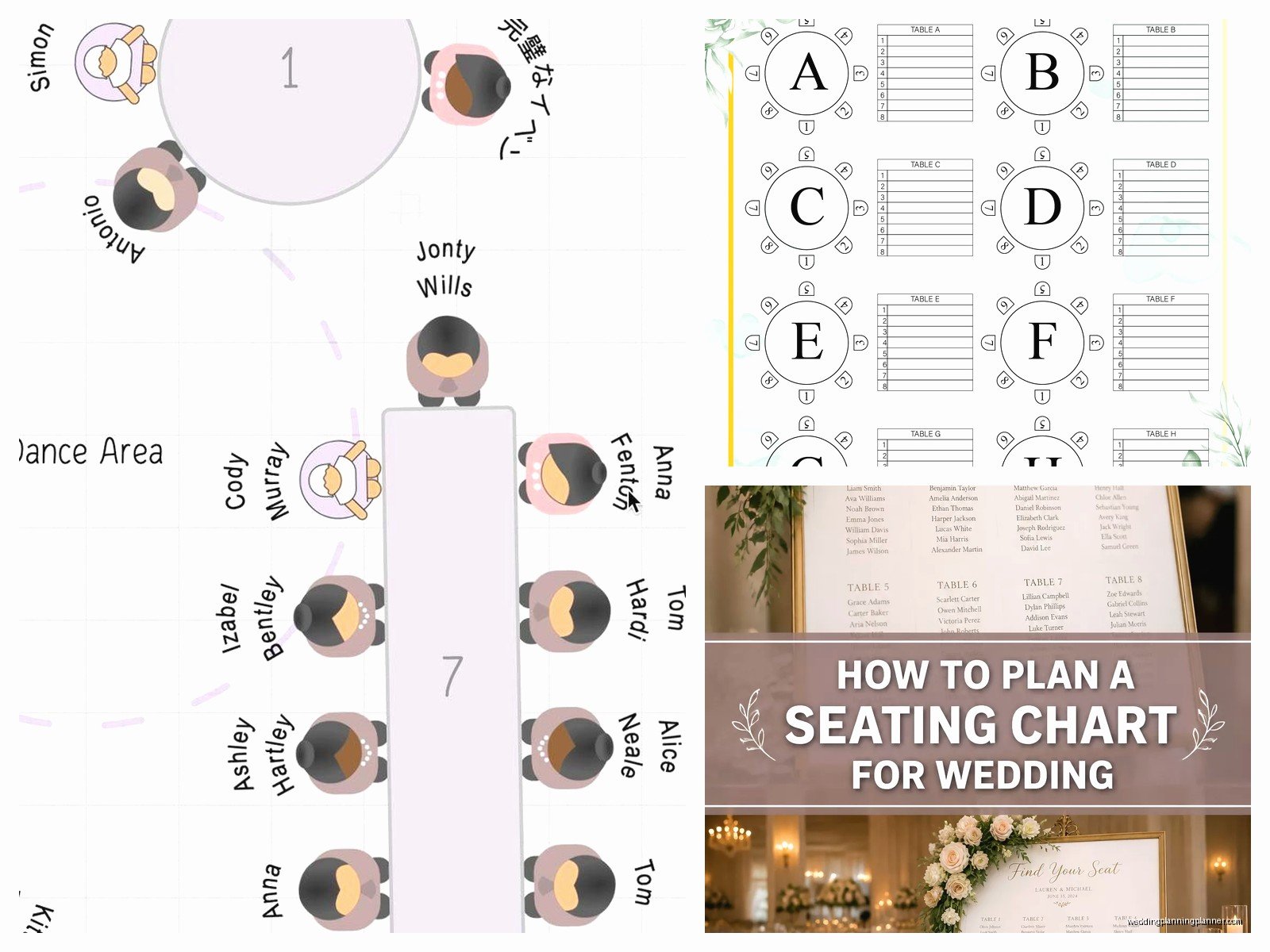
The columns I always include are: Guest Name, Table Number, Meal Choice, Plus One (yes/no), Special Notes. Sometimes I add a column for “confirmed” so you can track who’s actually coming vs who you’re still waiting on.
Visual Floor Plan Templates
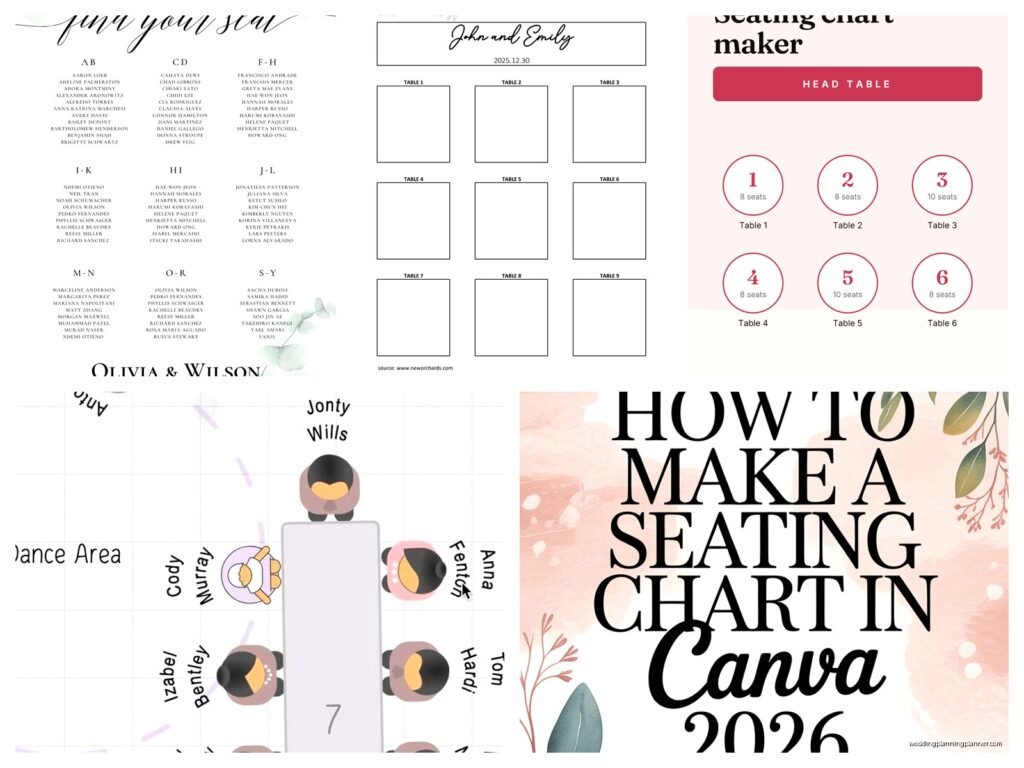
These show the actual room layout with circles or rectangles representing tables. You can usually drag and drop names or write them in. These are better for the spatial planning part—making sure the bridal party table has a good view, keeping the loud college friends away from grandma’s table, that sort of thing.
Some of these get fancy with different table shapes (round vs rectangular) and you can indicate the head table or sweetheart table differently.
Display Chart Templates
This is what guests actually see at the wedding—the big poster or frame that tells them which table they’re at. These templates are more design-focused. Pretty fonts, decorative elements, organized alphabetically by last name usually.
You don’t necessarily need to download a template for this one though… you can just make it yourself in Canva once you’ve finalized everything.
Where to Actually Find Free Templates
Alright so here’s where you can grab templates without spending money:
Google Sheets Template Gallery has wedding seating chart templates that are actually pretty decent. They’re collaborative too so if you’re planning with your partner or your mom is helping (for better or worse), multiple people can edit at once.
Microsoft Office Templates if you have Word or Excel, just search their template library. Type in “wedding seating chart” and you’ll get options. Some are super basic but that’s kinda what you want—basic means flexible.
Canva has free templates for both the organizational charts and the display charts. You need to create an account but it’s free. Just watch out because they’ll try to upsell you on premium elements. Stick to the free stuff and you’re fine.
Wedding planning websites like The Knot or Wedding Wire offer free downloads if you create an account. Sometimes they’re PDF fillable forms which can be annoying if you need to make lots of changes, but they work in a pinch.
How I Actually Use These Templates
So here’s my real process and you can steal it or adapt it or whatever works for you.
First, I start with a spreadsheet. I list every single guest who RSVP’d yes. This happens after the RSVP deadline obviously… though there’s always those people who respond late and mess everything up. My cat literally walked across my keyboard while I was doing this for a wedding last month and somehow sorted the entire sheet by meal choice instead of last name and I didn’t notice for like twenty minutes.
Once I have everyone listed, I start grouping people mentally—family, college friends, work friends, random neighbors, whatever the categories are. Then I figure out how many tables I actually need based on the venue capacity and the total guest count.
Most reception tables seat 8-10 people comfortably. Some couples try to squeeze more and it gets cramped. I usually calculate for 8 per table to be safe, then if you end up with some tables of 9 or 10 it’s not a disaster.
The Actual Assignment Process
This is where it gets messy and you might need wine or coffee or both. Start with the easy groups—the bridal party usually sits together, immediate family gets their own table or tables depending on size, kids can be grouped at a kids table if the couple wants that.
Then you’ve got all these random people who need to be strategically placed. This is where knowing your guests matters. You’re trying to create tables where people will have things in common or at least won’t hate each other.

I had this wedding once where the bride forgot that two of her cousins were in the middle of a huge fight over an inheritance thing, and seated them at the same table. It was… uncomfortable. The reception was tense at that table and you could feel it. So yeah, pay attention to family drama.
What I do is keep a notes section where I write things like “Sarah and Mike need to be far apart” or “Jen’s friends are all loud so put them near the DJ not near elderly relatives” or whatever the specific situation requires.
Common Mistakes People Make
Not leaving buffer room in your numbers—if you plan for exactly 150 people at exactly 15 tables, what happens when someone brings an unexpected plus one or you miscounted? Always have a little flexibility.
Forgetting about the vendor meals. Your photographer, DJ, videographer, they all need to eat too and they need seats. Some couples create a separate vendor table, others just add them to the count.
Making tables too random. Like I get wanting to mix people up, but if you put eight complete strangers at a table who have literally nothing in common, dinner’s gonna be awkward. At least give them SOMETHING to talk about.
Not considering the room layout when you’re assigning tables. The table right next to the speakers is gonna be loud. The table in the back corner might feel forgotten. The table closest to the dance floor will get bumped into all night. Think about the physical space.
Waiting too long to finalize it. You need to get your seating chart to your venue and caterer with enough time for them to actually set up the place cards and organize the meals properly. I usually say two weeks minimum but three is better.
Digital vs Physical Templates
Honestly I bounce between both. Digital is easier for editing—you can move people around with a few clicks instead of erasing and rewriting. But sometimes I literally print out a floor plan and use sticky notes with guest names so I can physically move them around. There’s something about the tactile process that helps me think through the arrangements better.
Plus if you’re working with a wedding planner (hi) or a family member who’s helping, it’s easier to collaborate on physical sticky notes spread across a table than trying to both edit a Google Sheet at the same time and talking over each other.
Customizing Your Template
Whatever template you download, you’re probably gonna need to adjust it. Maybe your venue has a weird shaped room that doesn’t fit the standard layout. Maybe you’re having long rectangular tables instead of rounds. Maybe you’ve got 250 guests instead of 150.
Don’t be afraid to modify the template to fit your actual needs. That’s the whole point of using a template—it’s a starting point not a rigid structure you have to follow exactly.
I usually add color coding to my spreadsheets. Like family members are in blue, friends in green, work people in yellow, whatever system makes sense. It helps you see at a glance if you’ve got a good mix at each table or if you accidentally put all work people at one table and all family at another.
What to Do With the Template After You Fill It Out
So you’ve spent hours agonizing over this seating chart and finally it’s done. Now what?
First, save multiple versions. Save it to your computer, to the cloud, email it to yourself, whatever. I’ve seen couples lose their entire seating chart because of a computer crash and have to recreate it from memory which is a nightmare.
Second, share it with the relevant people. Your venue coordinator needs it, your caterer needs it, whoever’s making your place cards needs it. If you have a day-of coordinator they definitely need it.
Third, print a copy for yourself to bring to the wedding. Even though everyone else has it, you should have a master copy. Guests will ask you questions, things will come up, it’s good to have it on hand.
Fourth, create that display chart for guests. This is separate from your organizational spreadsheet. Guests don’t need to see meal choices or your notes about who can’t sit near who—they just need to know their table number.
Last Minute Changes Because There Are Always Last Minute Changes
Someone will get sick and cancel. Someone will bring an unexpected guest. Two people will break up between the RSVP and the wedding. Something will happen that requires you to adjust the seating chart at the last minute.
This is why I always tell couples to finalize their chart early but keep it flexible in their minds. Don’t get so attached to the perfect arrangement that you can’t adjust when needed.
For small changes—one or two people—you can usually just squeeze them in somewhere or shift a few people around. For bigger changes you might need to redo entire tables which is annoying but it happens.
Having your template in an easily editable format makes these last-minute changes way less painful. This is why I prefer Google Sheets or Excel over PDFs—you can update quickly and reshare with vendors.
The Reality Check Nobody Tells You
Your seating chart is not gonna be perfect and that’s okay. You’re trying to make 100+ people with different personalities and relationships and preferences all happy and comfortable, which is basically impossible. Someone’s gonna end up at a table they’re not thrilled about. Someone’s gonna wish they were closer to the dance floor or farther from the bathroom or whatever.
Do your best to avoid major disasters—don’t seat enemies together, try to give people at least a few tablemates they know or can connect with, consider the physical comfort of the space. Beyond that… it’s just dinner. People will survive. I promise the seating chart drama you’re stressing about right now will be completely forgotten once the dancing starts and the bar opens.
