
Planning Guides, Style Guide
Seating Charts Templates: Free Download Files
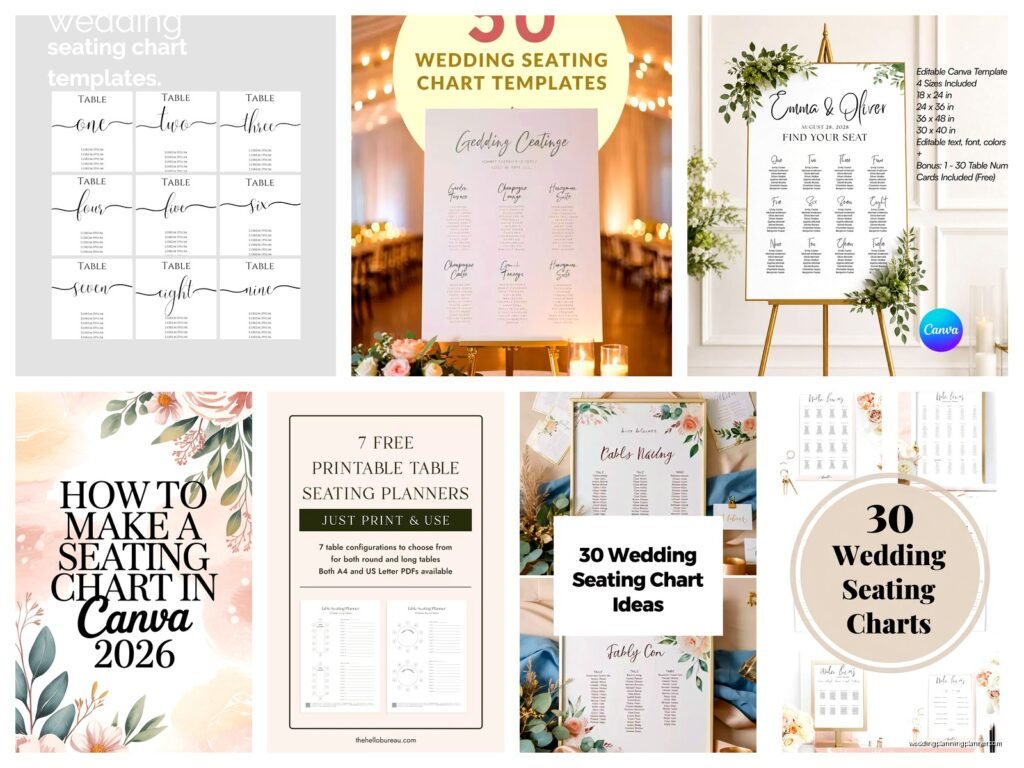
Sep
Okay So Seating Chart Templates Are Actually Lifesavers
Look, I’ve been doing this wedding planning thing for like 15 years now and honestly the seating chart is where couples lose their minds. Every single time. You’d think picking centerpieces would be the drama but nah, it’s always “Aunt Susan can’t sit near Uncle Bob because of that thing from 2003” and suddenly I’m mediating family feuds from two decades ago.
Free templates are gonna save you SO much time and I’m just gonna walk you through what actually works because I’ve tried basically everything at this point.
Why You Actually Need a Template Instead of Just Winging It
Spring 2023 I had this couple who insisted they could just figure it out on the day with sticky notes. They had 180 guests. It was… it was bad. The reception started 45 minutes late because half the escort cards didn’t match actual seats and people were just standing around looking confused while holding champagne glasses. The bride’s mom was practically vibrating with stress and I was running around with a sharpie trying to fix everything.
Templates give you structure. They let you visualize the space before you’re in crisis mode. You can move people around digitally instead of reprinting cards seventeen times or—and this really annoyed me with one vendor last year—having to pay extra fees every time you want to make changes to your printed materials.
What Makes a Good Seating Chart Template
You want something that actually reflects your venue layout. Like, if your reception space has rectangular tables, don’t use a template designed for rounds. Sounds obvious but you’d be surprised how many people do this and then wonder why nothing fits right.
Good templates should have:
- Actual table shapes that match your venue (rounds, rectangles, or a mix)
- Enough space to write names legibly
- Clear table numbering or naming system
- Room to note any special requirements (like wheelchair accessibility or kids who need to be near exits)
- Some kind of key or legend if you’re color-coding groups
I usually tell couples to color-code by family side or friend groups because it helps you see at a glance if you’ve accidentally isolated someone or created a table of people who have nothing in common.
Free Template Options That Don’t Suck
Alright so here’s what I actually recommend to clients. I’ve used all of these myself and they’re legitimately free, not those annoying “free trial” things that charge you after three days.

Excel or Google Sheets Templates
I know this sounds boring but hear me out. You can find free spreadsheet templates that list all your guests and assign them table numbers. It’s not visual but it’s incredibly functional for the organizational part. You can sort by family, dietary restrictions, plus-one status, whatever.
The visual part you can handle separately but having a master spreadsheet is kinda essential. I learned this the hard way when my cat walked across my keyboard in 2021 and somehow deleted an entire list of dietary requirements that I’d kept in a Word doc. Now everything goes in spreadsheets with version history. Also my cat is banned from my office but he doesn’t respect that boundary.
Canva Seating Chart Templates
Canva has a free version and honestly their seating chart templates are pretty decent. You can drag and drop table shapes, add text boxes for names, customize colors to match your wedding theme. The interface is super intuitive even if you’re not design-savvy.
What I like about Canva is you can create both the planning version (that messy working document where you’re moving people around constantly) and the pretty display version that actually goes at your reception. Two birds, one stone, or however that saying goes.
You can download as PDF or PNG which works for most printers. Just make sure you’re working in the right dimensions if you’re planning to print it poster-size.
AllSeated (Free Basic Version)
This is more robust than Canva but has a bit of a learning curve. The free version lets you create floor plans with accurate venue dimensions and then populate tables with guest names. You can see a 3D view which is honestly really cool and helps couples visualize the actual space.
The main limitation with the free version is you can’t access all the premium features like automatic optimization or detailed reporting, but for basic seating chart creation it works great. I use this when I need something more precise than Canva but don’t want to pay for software.
Good Old Paper and Pencil Templates
Sometimes analog is the way. You can download printable PDF templates that show circles or rectangles representing tables, and you literally just write names in pencil so you can erase and move people around. My older clients actually prefer this method because they can spread everything out on their dining room table and physically see it all.
I keep a stack of printed blank templates in my office for those planning sessions where we need to brainstorm quickly. There’s something about physically writing names that helps people make decisions faster than clicking around on a screen.
How to Actually Use These Templates Without Losing Your Mind
Okay so you’ve got your template. Now what? Because just having the file doesn’t magically create your seating chart, unfortunately.
Start With Your VIPs
Place your parents, grandparents, wedding party first. These are your anchor tables. Everything else flows from there. I usually do a sweetheart table for the couple or a head table with the wedding party, then parents tables nearby.
One thing that really grinds my gears is when people try to do a massive head table with like 20 people. It never works spatially and half those people can’t talk to each other anyway because they’re too spread out. Just… don’t do it. Small head table or sweetheart table, trust me on this.
Group People Strategically
Think about who actually knows each other and gets along. Don’t just throw all the “random friends” at one table and hope for the best. Mix groups thoughtfully. Like, college friends who are all single might vibe with your adventurous coworkers. Your book club friends might enjoy your aunt who’s also into reading.

I had this wedding where the couple seated all their “quieter” guests together thinking they’d appreciate a calm table and it was just awkward silence for three hours because nobody knew how to start conversations. Balance is key—mix introverts with friendly extroverts who can carry conversation.
Consider the Actual Logistics
Elderly guests shouldn’t be right next to the speakers. Families with small kids should be near exits so they can make quick escapes if needed. People in wheelchairs need appropriate table spacing and aisle access.
Your template should let you note these things. I usually put little asterisks or use different colors to mark tables with special requirements so I don’t forget when I’m doing the final layout with the venue.
The Numbers Game
Standard round tables seat 8-10 people comfortably. Rectangular tables vary—a 6-foot table usually seats 6-8, an 8-foot table seats 8-10. Don’t overcrowd. I see people try to squeeze 12 people at a round meant for 10 and everyone’s elbows are in each other’s dinner plates all night.
Leave some wiggle room in your template for last-minute additions. There’s always someone who RSVPs late or brings an unexpected plus-one even though you specifically said no plus-ones on the invitation but that’s a whole other rant…
Digital vs. Physical Display Charts
Once you’ve planned everything using your template, you gotta actually display it at the wedding. You’ve got options here.
Some couples do a big printed poster on an easel at the entrance. Others do individual escort cards. Some do both—a master chart plus cards. The template you use for planning might be different from what you display, and that’s totally fine.
For display versions, Canva templates work really well because you can make them pretty. Add your wedding colors, some floral graphics, whatever matches your vibe. Just make sure the font is big enough that people can actually read it from a few feet away. I’ve seen couples create these gorgeous intricate designs where the names are in like 8-point font and everyone’s squinting.
Escort Cards vs. Place Cards vs. Seating Chart
Quick clarification because people mix these up constantly:
- Seating chart: The big display showing everyone where to sit (usually lists table assignments)
- Escort cards: Individual cards that tell each guest their table number, displayed at entrance
- Place cards: Cards at each specific seat with the person’s name (tells them exactly which chair)
You don’t need all three. Most weddings do either a seating chart OR escort cards to direct people to tables, then let them choose their own seats at that table. Place cards are extra and usually only needed if you want very specific seat assignments.
Common Mistakes I See All the Time
Not accounting for the actual physical space in the venue. Your template might show 15 tables fitting perfectly but then you get to the venue and there’s a weird column in the middle of the room or the dance floor takes up more space than you thought. Always verify dimensions with your venue coordinator.
Forgetting to account for your own table. If you’re doing a sweetheart table, that’s two fewer seats you need elsewhere. If you’re sitting with your wedding party, factor that in. Sounds obvious but I’ve had couples create seating charts that were two people over capacity because they forgot to count themselves.
Making it too complicated. You don’t need a themed name for every table and a color-coded system and assigned seats plus a scavenger hunt to find your spot. Keep it simple. Table numbers or very simple table names (like types of flowers or cities you’ve visited together). That’s it.
Waiting until the last minute. Your seating chart should be finalized at least a week before the wedding, ideally two weeks. You need time to get escort cards printed or your display chart created. Plus people will have last-minute dropouts and you’ll need time to adjust.
My Actual Process When I’m Making Seating Charts
I start with a spreadsheet of all confirmed guests. This includes names, meal choices, any special notes (vegan, uses wheelchair, bringing kids, whatever). Then I open up my floor plan template—usually in AllSeated for complex venues or Canva for simpler layouts.
I place the couple’s table first, then parents, then wedding party if they’re not at the head table. From there I work outward, grouping people logically. I keep my spreadsheet open in another window so I can reference who knows who.
The whole process usually takes me 2-3 hours for a 150-person wedding, including adjustments. For couples doing it themselves, budget more time because you’re gonna go back and forth a lot. That’s normal. I’ve never created a seating chart that didn’t get revised at least five times.
I save multiple versions with dates in the filename. “SeatingChart_Draft1_Oct15.pdf” and so on. Because you will forget what changes you made and you might want to go back to an earlier version. Trust me on this.
Tips for Difficult Seating Situations
Divorced parents who hate each other: Separate tables, ideally not in each other’s sightlines. Put them both near the couple’s table so neither feels slighted, just on opposite sides.
The single guest who doesn’t know anyone: Seat them with your friendliest, most welcoming friends. Brief those friends ahead of time to include the solo guest in conversation. Or seat them with other solo guests who might become friends.
Kids: Either do a kids table (supervised by parents seated nearby) or integrate them at family tables. Kids tables work best for ages 5-12. Teenagers usually prefer sitting with adults. Toddlers need to be with parents obviously.
That one difficult relative everyone’s worried about: Seat them with people who can handle them. Usually this means family members who are used to their nonsense and won’t escalate drama. Keep them away from open bars if that’s a concern, which… yeah, you know your family.
File Formats and Printing Considerations
When you download your template or export your finished chart, pay attention to file formats. PDF is usually safest for printing because it preserves formatting across different devices and printers. PNG or JPG work too but can lose quality if you’re printing large.
If you’re printing a poster-size seating chart, ask your print shop what format and resolution they need. Usually they want high-resolution files, at least 300 DPI. Canva lets you adjust this in the download settings.
For escort cards, you can often find templates that print multiple cards per page (like 10 cards on a standard 8.5×11 sheet) which saves paper and cutting time. Avery makes templates that match their perforated card stock if you wanna go that route.
Backup Plans Because Things Go Wrong
Always have a digital copy of your seating chart on your phone or your planner’s phone. I cannot tell you how many times the physical chart has gotten damaged or gone missing and we’ve had to quickly reprint or handwrite something.
Build in some flexibility. Have a couple extra seats at tables that can accommodate more people. Have a plan for unexpected guests or last-minute changes. I keep blank escort cards and a nice pen in my emergency kit for exactly this reason.
If someone doesn’t show up, don’t stress about the empty seat. It happens. Better an empty seat than scrambling to find space for someone.
