
Planning Guides, Style Guide
Bridal Shower Cards Templates: Free Download Files

Sep
Okay So Bridal Shower Card Templates Are Basically Your Best Friend
Look, I’ve been doing this wedding planning thing for almost two decades now and lemme tell you, bridal shower cards are one of those things that people stress about WAY more than they need to. You can find so many free templates online that honestly it’s kinda ridiculous to pay for custom ones unless you’re really particular about some specific design element.
The whole template situation really saved me back in spring 2023 when I had this client whose maid of honor waited until literally 10 days before the shower to think about invitations. TEN DAYS. I wanted to scream but instead I just pulled up Canva and we had gorgeous cards designed, downloaded, and at the printer within like two hours. That’s the power of good templates.
Where To Actually Find Free Templates That Don’t Look Cheap
So here’s the thing about free downloads – you gotta know where to look because some sites are just… not it. I always start with Canva because their free tier is actually incredible. They have hundreds of bridal shower card templates and you can customize everything without needing design skills. The drag-and-drop interface means even my most technologically challenged clients can figure it out.
Greetings Island is another solid option. They have free printable templates that you can personalize right on their site. The quality is good enough that people won’t know you didn’t spend money on them. Adobe Express (used to be called Adobe Spark) also has a decent free selection, though I find their interface a bit more complicated than Canva.
Template.net has thousands of options but here’s what annoys me about them – they make you sign up for a “free trial” of their premium service and then you gotta remember to cancel it or they’ll charge you. Like, just let me download the free template without the whole song and dance, you know?
Microsoft Word and Publisher Templates
If you’re old school like me sometimes (I still write my grocery lists on paper, my cat knocked my phone off the counter one too many times), Microsoft Office has built-in templates. Open Word or Publisher, search for “bridal shower invitation” in their template library, and you’ll find some basic but totally usable options. They’re not as trendy as Canva but they’re reliable.
What File Formats You’re Gonna See
Most free templates come in a few different formats and you need to know what you’re working with because it affects what you can do with them.

PDF templates are super common. These are great if the template is already designed and you just need to print it. Some PDFs are editable (you can type directly into them) and some aren’t. The non-editable ones are basically just pictures in PDF form, which is fine if all the info is already there or if you’re planning to handwrite details.
JPG or PNG files are image formats. You can’t edit text directly in these – you’d need to open them in a design program like Canva or Photoshop. But they’re perfect if you just want to print them as-is or use them as a background.
DOCX files (Microsoft Word) are editable documents. These are honestly the easiest for most people because everyone knows how to use Word. You can change text, move things around, adjust colors if you know what you’re doing.
Canva templates aren’t really files you download initially – they live in your Canva account. You customize them online and then download the final version as a PDF or image. This is actually my preferred method because you can see changes in real-time and the design stays intact.
How To Actually Customize These Things
Alright so you found a template you like, now what? First thing I always tell people is make a list of all the info that needs to be on the card. You need the bride’s name obviously, date, time, location (with full address), RSVP details, and maybe registry information or a theme if there is one.
When you’re editing in Canva or similar programs, don’t go crazy changing fonts. Pick two fonts maximum – one for headings and one for body text. Mixing like five different fonts makes it look like a ransom note, not a cute shower invitation. I learned this the hard way when a bride back in like 2018 insisted on using six different fonts and the cards looked absolutely chaotic.
Colors should match the shower theme or the bride’s wedding colors if possible. But here’s a secret – if you don’t know the exact colors, blush pink, sage green, navy blue, or champagne gold basically work for everything. Those are your safe bets that’ll look elegant no matter what.
Photo Placement
Some templates have spots for photos of the bride or the couple. If you’re gonna add a photo, make sure it’s high resolution – at least 300 DPI for printing. A blurry photo will ruin even the prettiest template. You can usually find good engagement photos from the couple’s social media if you don’t have access to professional shots.
Also, and I cannot stress this enough, make sure the photo you choose is appropriate for the audience. I once had a maid of honor try to use a bachelorette party photo on the bridal shower invite that was going to the bride’s grandmother and church friends. Nah. We found a different photo real quick.
Printing Tips That’ll Save You Money and Headaches
Okay so you’ve customized your template and it looks amazing on screen. Now you gotta actually print these things. Here’s where people mess up all the time.
First, always always ALWAYS print one test copy before you print 50 invitations. Colors look different on screen than they do printed. Text might be smaller than you thought. That cute detail you added might not even show up. Print one, look at it in actual lighting, show it to someone else, make sure it’s perfect.
For printing, you’ve got a few options. Your home printer is fine if you have a decent one and you’re only making like 20-30 cards. Use cardstock paper (I recommend 110lb weight minimum) not regular printer paper. Regular paper feels cheap and flimsy and it just… you can tell, you know?
Staples, FedEx Office, and local print shops can print them for you pretty affordably. Upload your PDF file, select cardstock, and they’ll have them ready usually within 24 hours. This is worth it if you’re making more than 30 invitations or if your home printer is kinda unreliable.
Online services like Vistaprint or Printique are good for larger quantities but you gotta plan ahead because shipping takes time. They often have sales though – I’ve seen 50% off deals pretty regularly.
Different Types of Bridal Shower Cards You Might Need
It’s not just invitations, by the way. There are templates for all kinds of bridal shower stuff and you can usually find matching sets which is really nice for cohesion.
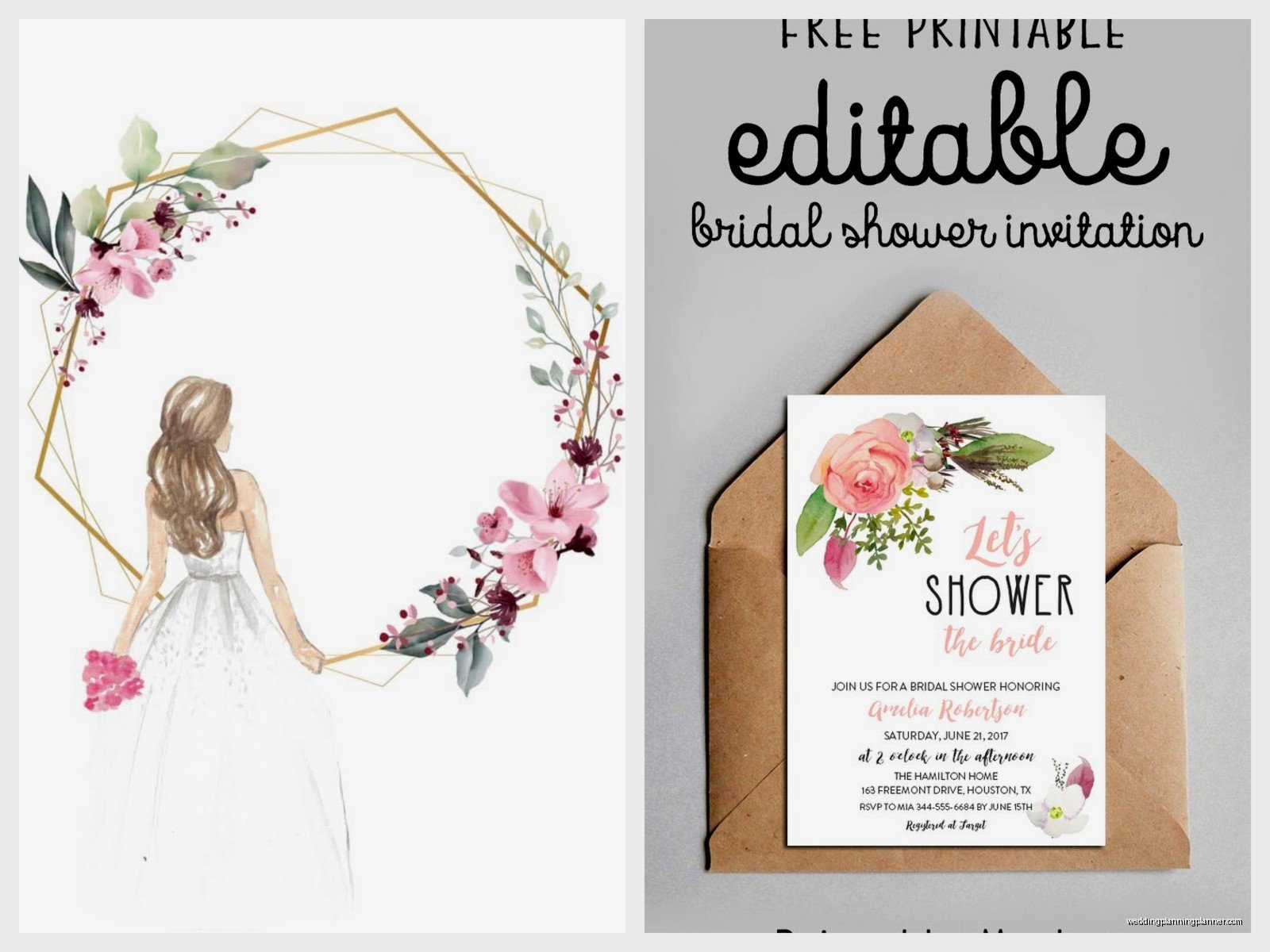
Invitation cards are the main thing obviously. Standard size is 5×7 inches but you can do 4×6 or even square cards if you want something different. Just remember that weird sizes sometimes cost more to mail.
Thank you cards are something people forget about until after the shower when the bride is sitting there with 40 gifts and no cards to send. Download a matching thank you template at the same time you do invitations. Future you will be grateful.
Game cards for shower games – there are free templates for bingo, advice cards, how well do you know the bride, all that stuff. These are super helpful because creating game cards from scratch is time-consuming and honestly unnecessary when good templates exist.
Gift tag templates if you’re doing favors. Little tags that say “Thank you for celebrating with us” or whatever. They add a nice touch and they’re easy to print on cardstock and punch a hole in.
Menu or food label cards if you’re having a fancier shower with a buffet setup. These aren’t necessary but they do make everything look more put-together.
Matching Your Template to the Shower Theme
So many bridal showers have themes now – garden party, tea party, wine tasting, beach theme, boho, rustic, modern minimalist, you name it. Your card template should ideally match whatever vibe the shower has going on.
For a garden party theme, look for templates with florals, greenery, watercolor effects, soft colors. Tea party themes work well with vintage-looking designs, maybe some lace details or teacup illustrations. Beach themes – think blues, whites, maybe some shells or starfish if you want but honestly that can look cheesy so be careful.
I had this shower in summer 2021 that was “travel themed” because the couple loved traveling (this was right when people started traveling again after lockdowns). We found a template that looked like a vintage passport and customized it with their info. Everyone loved it and it tied perfectly into the decorations and everything else. That’s the kind of cohesion that makes events feel really special.
Legal Stuff and Usage Rights (Boring But Important)
Quick thing about free templates – technically you need to check the usage rights. Most free templates are fine for personal use, which is what a bridal shower is. But some sites have restrictions on how many times you can print them or whether you can modify them.
Canva’s free templates are generally okay to use for personal events. Just don’t try to like, take someone’s template and sell it as your own or use it for commercial purposes. That’s not cool and also potentially illegal.
If a template says “for personal use only,” that means you can’t use it for business stuff. Since bridal showers are personal events, you’re good. I’m not a lawyer obviously but I’ve never had issues using free templates for my clients’ events as long as we’re not like, mass producing them to sell or whatever.
Troubleshooting Common Template Problems
Sometimes templates don’t work the way you expect and it’s frustrating as hell. Here are fixes for the most common issues I see.
The text won’t fit: Either make the font smaller or edit your wording to be more concise. You don’t need full sentences everywhere. “Join us for a bridal shower celebrating Sarah” can become “Celebrating Sarah” and suddenly you have more space.
Colors look wrong when printed: This is usually a printer setting issue. Make sure your printer is set to “best quality” or “photo quality” and that you’re using the right paper type setting. If you selected “cardstock” in the print menu, it’ll print darker and more saturated.
The template won’t open: You might not have the right program. PDF files need a PDF reader (free ones include Adobe Reader or your web browser). DOCX files need Microsoft Word or a compatible program like Google Docs.
Everything is pixelated: The template resolution is too low. This happens sometimes with free downloads. Look for a different template or see if there’s an HD version available. You need at least 300 DPI for printing.
My Actual Favorite Free Template Sources
I’m gonna be real with you about which sites I actually use versus which ones I just know exist. Canva is my go-to probably 80% of the time. Their free version has enough options that I rarely need to upgrade to Pro for basic bridal shower stuff. The templates are trendy, they update them regularly, and the customization is so easy.
Greetings Island is my backup when I want something more traditional or if a client wants a specific style that Canva doesn’t have. Their vintage and classic designs are really good.
For game cards specifically, I use a site called Chicfetti (yeah, spelled weird). They have free printable game templates that are actually cute and not outdated looking. A lot of free game card sites have designs that look like they’re from 2005.
Pinterest isn’t a template source exactly but it’s where I go to find templates. People pin free templates from all over the internet, so you can discover smaller sites and independent designers who offer free downloads. Just make sure when you click through that it’s actually free and not just a paid template someone pinned.
Time-Saving Hacks I Wish Someone Told Me Years Ago
If you’re making multiple types of cards (invites, games, thank yous), download them all from the same source so they match automatically. Nothing looks worse than mixing three different design styles for one event.
Save your customized template even after you download the final version. If you need to make more cards later or if you made a typo (it happens to everyone, I once spelled the bride’s name wrong and didn’t notice until after printing 30 cards), you can just go back and fix it instead of starting over.
Use the “duplicate” function. If you’re making game cards or favor tags where you need the same design repeated multiple times per page, duplicate the template in your design program instead of copying and pasting. It keeps everything aligned properly.
Create a folder on your computer specifically for the shower files. Trust me, you’ll have multiple versions, test prints, final versions, and you don’t wanna be searching through your downloads folder at midnight trying to remember which file was the right one. Been there, it’s annoying.
When Free Templates Actually Aren’t Enough
Look, I’m all about free templates, but sometimes they genuinely aren’t gonna work. If the bride has a super specific vision with custom illustrations or really unusual colors that templates don’t come in, you might need to hire someone on Etsy or Fiverr to create something custom. That usually costs between $20-50 for digital files, which is still way cheaper than traditional stationery stores.
Also if you’re completely not tech-savvy and the idea of downloading and customizing a template makes you want to cry, maybe just… order pre-made invitations. It’s okay to admit when something isn’t in your wheelhouse. I can plan a 300-person wedding but I cannot fix my own wifi router to save my life, so I call the internet company. We all have our things.
Don’t Forget About Digital Invitations
Oh wait, one more thing that’s kinda important – you don’t even have to print cards if you don’t want to. Digital invitations are totally acceptable now, especially for casual showers. You can customize a template in Canva, download it as a JPG, and send it via email or text or create a Facebook event with it.
Evite and Paperless Post have free options too, though Paperless Post’s truly free selection is limited. The benefit of these platforms is they track RSVPs automatically which is honestly so convenient. No more texting people individually asking if they’re coming or keeping a spreadsheet.
Some older guests might prefer physical invitations though, so you could do a hybrid approach – digital for most people, printed for grandmas and aunts who aren’t super online. That’s what I usually recommend for my clients who are trying to save money but still want to be considerate of everyone’s preferences.
