
Planning Guides, Style Guide
Wedding Announcements Online: Digital Post-Wedding Cards
Oct
Digital Post-Wedding Announcements Are Actually Pretty Simple Once You Get Past All The Etiquette Nonsense
Okay so digital wedding announcements are basically what you send after the wedding to let people know you got married. Not invitations — those obviously go out before. These are the “hey we did it!” cards that go to people who weren’t invited or couldn’t make it or honestly just anyone you want to share your news with. And doing them online is gonna save you so much money and time compared to the traditional paper route.
I had this client back in spring 2023 who was absolutely losing her mind because she wanted to send announcements to like 400 people but her budget was already blown. We sat down at this coffee shop and I showed her how she could do digital ones for basically nothing and she literally almost cried with relief. Then my cat knocked over my latte during our video call later that week but that’s another story.
When You Actually Send These Things
Timing matters more than you’d think. Traditional etiquette says you should send wedding announcements within a few months of your wedding — like ideally within the first month or two. But honestly I’ve seen people send them six months later and nobody died. The sooner the better though because otherwise it gets weird and people are like “wait you got married when?”
You can send them literally the day after your wedding if you’re organized enough. Some couples have them scheduled to go out automatically while they’re on their honeymoon which is kinda genius actually. Just make sure you’re not sending them before the wedding happens because that’s… that’s just an invitation at that point.
Who Gets Them
This is where people get confused and it drives me nuts when I see bad advice online about this. You send announcements to:
- People who weren’t invited to your wedding (coworkers, distant relatives, old friends you’re not super close with anymore)
- People who were invited but couldn’t attend
- Anyone you want to share your news with basically
- Your parents’ friends if your parents are helping and want to share
What really annoyed me for years was this outdated rule that you can’t send announcements to anyone who got an invitation. Like why not? If someone couldn’t make it and you want to send them a nice photo and announcement, go for it. The etiquette police aren’t gonna arrest you.
The Actual Platforms You Can Use
Alright so there are a bunch of ways to do this digitally and they all have their pros and cons.
Email Announcements
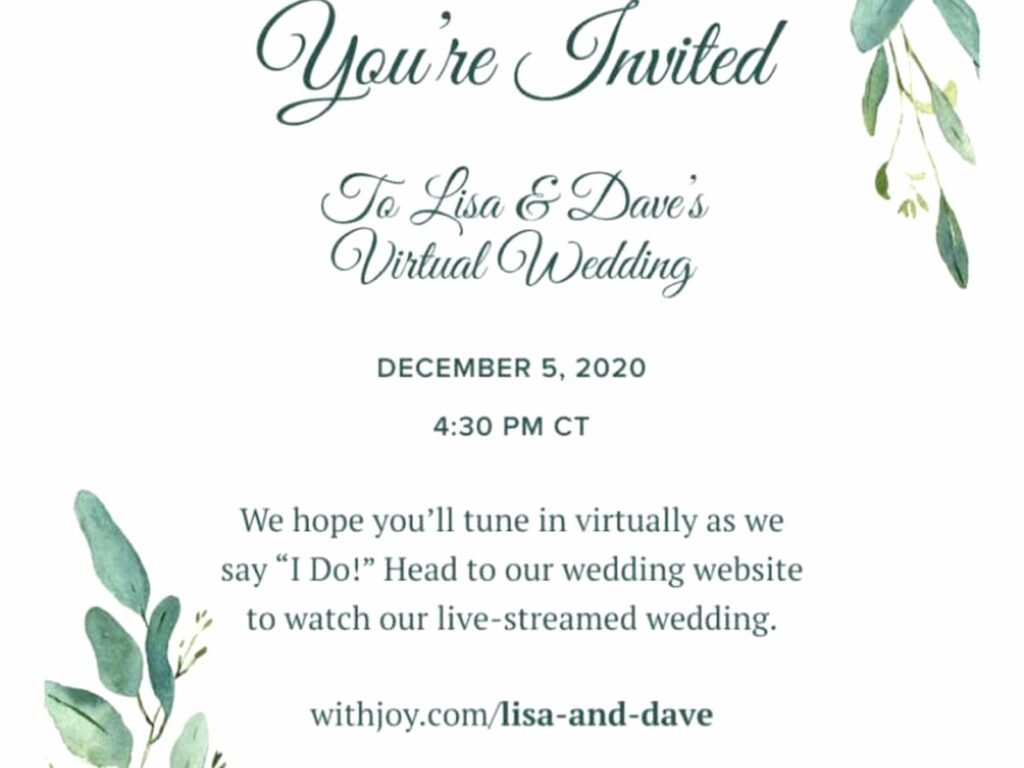
The most straightforward option. You can design something in Canva (which is free for basic stuff) and send it as an image in an email. Or you can use services like Paperless Post, Greenvelope, or Evite which have templates specifically for wedding announcements. Paperless Post is gorgeous but you pay per card which adds up. Greenvelope is similar but slightly cheaper usually.
I always tell people to put the announcement image right in the email body, not as an attachment, because attachments feel like work and people don’t always open them. You want that instant visual impact when someone opens the email.
Social Media Posts
Instagram and Facebook are free and you’re reaching people where they already are. You can do a single announcement post with your favorite wedding photo and all the details in the caption. Or if you wanna get fancy, create a carousel post with multiple photos.
The thing is though, not everyone will see it because of algorithms and stuff. So if you’re using social media as your only announcement method, you might want to also send direct messages to people you really want to make sure see it. Or you could do a Facebook event which sounds weird but I’ve seen it work for super casual couples.
Wedding Website Announcement
If you already have a wedding website (from The Knot, Zola, Minted, wherever), you can update it with an announcement and then send people the link. This works really well if you want to include lots of photos from the wedding. You can basically create a mini gallery and let people browse.
Then you just send a short email or text that’s like “hey we got married! check out photos here” with the link. Simple and people can look at their own pace.
Digital Cards via Design Services
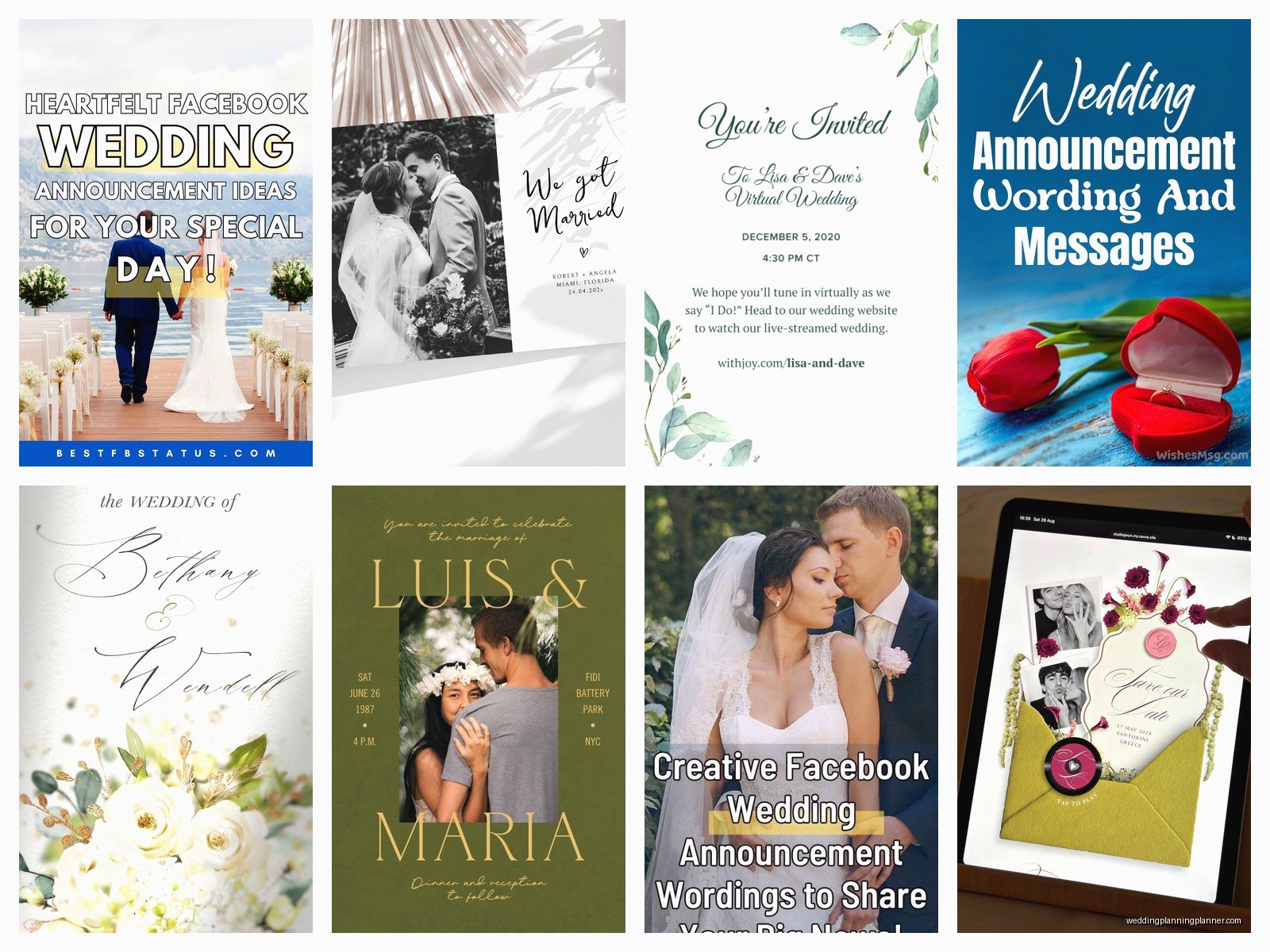
Minted, Artifact Uprising, Paperless Post, and a million other sites let you design digital announcement cards. Some of them look exactly like traditional announcements but in digital format. You upload your photo, pick a template, customize the wording, and then you can download it to send yourself or pay them to email it for you.
I usually recommend designing it yourself and then sending it yourself because why pay extra for the sending part when you can just… send an email? But if you have a huge list and want tracking and stuff, the paid services do that.
What To Actually Say On Them
The wording is where people get all stressed and formal and it doesn’t need to be that complicated. Here’s the basic formula:
Traditional format:
Jane Marie Smith and John Robert Jones
were married on Saturday, the fifteenth of June
two thousand twenty-four
in Charleston, South Carolina
But honestly you can be way more casual if that’s your vibe:
We got married!
Jane & John
June 15, 2024
Charleston, SC
Or somewhere in between. The key info you need is: your names, that you got married (duh), the date, and the location. Everything else is optional. Some people include their new address if they moved, or their new last name if someone changed it.
You don’t need to include your parents’ names on announcements like you might on invitations, unless you really want to for some reason. And you definitely don’t need all that “request the honor of your presence” language because the wedding already happened.
The Photo Situation
Most digital announcements include at least one photo. You can use an engagement photo if you don’t have wedding photos back yet, but obviously a wedding photo is better if you have it. Some couples wait to send announcements until they get professional photos back which can be like 6-8 weeks after the wedding.
Or you can use a good phone photo from the day if you don’t wanna wait. I had a client who used a selfie from right after the ceremony and it was actually really sweet and personal. Not every announcement needs to be this perfectly styled professional shot.
If you’re using multiple photos, make sure they’re all high resolution enough that they don’t look pixelated. Nothing says “we didn’t really try” like a blurry, low-res photo.
Design Tips That Actually Matter
Keep it simple. You don’t need fifteen different fonts and colors and graphics. Pick 1-2 fonts max, use your wedding colors if you want but you don’t have to, and make sure there’s enough contrast that the text is readable.
The photo should be the star. Everything else is supporting information. I see so many announcements where the design is so busy that you can barely see the couple or read the text and it’s just… why?
Make sure your design looks good on phones because that’s where most people will see it. What looks great on your computer screen might be totally unreadable on a phone if the text is too small or the layout is weird.
Canva Is Your Friend
I probably sound like a Canva advertisement at this point but seriously, it’s so easy to use. They have wedding announcement templates you can customize, or you can start from scratch. The free version has plenty of options. You can create something professional-looking in like 20 minutes even if you have zero design experience.
Download it as a high-quality JPEG or PNG and you’re done. Then you just attach it to emails or post it wherever.
Sending Methods And Managing Your List
If you’re sending to a small group (under 50 people maybe), you can honestly just use regular email. BCC everyone so you’re not sharing email addresses, write a nice short message, include your announcement.
For bigger lists, you might want to use an email service like Mailchimp which is free up to a certain number of subscribers. You can design a nice email template, upload your announcement image, and send to everyone at once. Plus you can see who opened it which is kinda interesting even though it doesn’t really matter.
Or you can do it in batches over a few days if sending 300 emails at once feels overwhelming. Nobody’s tracking exactly when they received it compared to other people.
The Personal Touch Thing
Some couples like to add personal notes to certain people, which is really nice but also time-consuming. If you’re gonna do this, maybe just do it for your closest people who weren’t at the wedding — like your childhood best friend who lives overseas or your favorite aunt who couldn’t travel.
For everyone else, the standard announcement is totally fine. You’re not being rude by sending the same thing to multiple people. That’s literally the point of announcements.
The Etiquette Questions People Always Ask
Can you include your wedding website link? Yeah definitely. Especially if you have more photos or a video or whatever on there.
Should you include registry information? Ugh this one is controversial. Traditional etiquette says no, announcements aren’t gift requests. But I’ve seen plenty of people include it and the world didn’t end. If you do include it, be subtle — like maybe just the website link where your registry is listed, not a direct “buy us stuff here” message.
What if you eloped and didn’t tell anyone beforehand? Then announcements are basically how you tell everyone, so you might want to add a little context like “We eloped in a small private ceremony” or whatever feels right.
Do you send them to people who already saw everything on social media? You can if you want to, but it’s not required. Some people appreciate getting a more formal announcement even if they already know you got married. Use your judgment.
Cost Comparison Because Everyone Cares About Money
Traditional paper announcements cost anywhere from $1.50 to $5+ per card, plus postage which is like 60-something cents now I think? So for 200 announcements you’re looking at $300-$1000+ easily.
Digital announcements: free to maybe $100 if you’re using a paid service. That’s it. The money you save can go toward your honeymoon or new furniture or literally anything else.
I’m not saying paper announcements are bad — they’re beautiful and some people really value that tangible keepsake. But if budget is tight or you just don’t care that much about paper, digital is completely acceptable now.
Common Mistakes I See All The Time
Sending them too late. Like I mentioned someone who sent announcements a year after their wedding and people were just confused.
Making the design so complicated that it takes forever to load or looks terrible on mobile devices.
Forgetting to proofread. I once saw an announcement that had the wrong date on it and they’d already sent it to like 150 people. Double-check everything before you hit send because you can’t un-send an email to everyone.
Not including enough information. At minimum you need names, date, and location. Without those it’s just a wedding photo with no context.
Overthinking it. Seriously this doesn’t need to be a whole production. Pick a template, add your info and photo, send it out. Done.
The Hybrid Approach
Some couples do both paper and digital which sounds extra but can actually make sense. Like maybe you send paper announcements to your grandparents and older relatives who don’t really do email, and digital to everyone else. Or you do digital for most people and paper for like your top 20 VIPs.
There’s no rule that says you have to pick one method and stick with it. Mix and match based on what makes sense for different people in your life.
Tracking And Following Up
If you use an email service or one of the digital card platforms, you can usually see who opened your announcement. This is useful if you want to know who actually saw it, but don’t obsess over it. Some people have images turned off in email or just don’t open stuff right away.
You don’t need to follow up with people who don’t respond unless they’re close friends or family. Announcements don’t require a response. If people want to send a congratulatory message they will, but there’s no obligation.
Making It Feel Special Even Though It’s Digital
I think some people worry that digital feels less special or more impersonal than paper, but it really doesn’t have to. The announcement is special because of what it represents, not because of what format it’s in.
You can make digital announcements feel personal by choosing a really great photo, writing a genuine message if you’re including text beyond the basic info, and timing it thoughtfully. Send it when people are likely to see it — like Tuesday morning, not Friday at 5pm when everyone’s checked out for the weekend.
Also consider doing a video announcement if you’re comfortable on camera. A short 30-second video of you both saying thanks and sharing your excitement can be really memorable and personal in a way that a static card can’t quite capture. You could share highlights from the wedding or just film yourselves talking. Post it on social media or send it directly.
