
Planning Guides, Style Guide
Zazzle Wedding Invitations: Custom Design Marketplace
Feb
Hey! So you’re looking at Zazzle for wedding invitations, right? Okay, I literally just helped a client navigate this whole platform last month and honestly… it’s kinda brilliant but also overwhelming if you don’t know what you’re doing.
What Makes Zazzle Different From Other Options
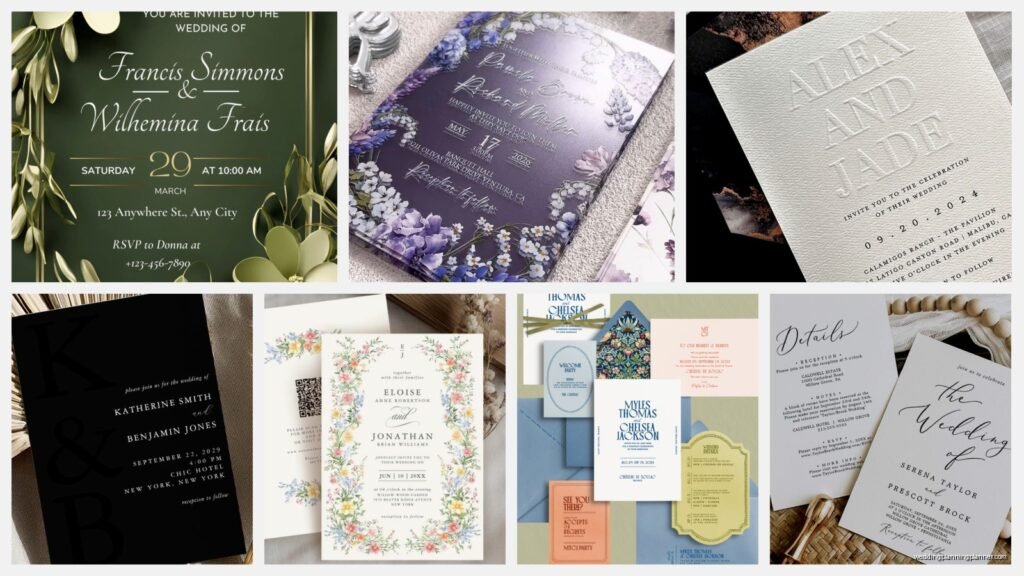
Basically, Zazzle isn’t like Minted or Paperless Post where you’re choosing from curated collections. It’s more like Etsy but everything’s print-on-demand, which means independent designers upload templates and you customize them. The quality is actually really consistent because Zazzle handles all the printing themselves, which is huge. I’ve seen some couples get burned by Etsy sellers who can’t deliver on time or the print quality is just… yikes.
The main thing to understand is that you‘re buying a design that gets customized with your info and then printed. You’re not hiring the designer directly, you’re not getting something made from scratch. Think of it like—okay, weird analogy but—it’s like buying a customizable template for your life’s biggest party.
How The Search Process Actually Works
Alright, so when you land on Zazzle, the search can feel like drinking from a firehose. There are literally thousands of wedding invitation designs. Here’s what I tell my clients:
- Start with specific search terms, not just “wedding invitations” because you’ll get 50,000 results
- Try things like “minimalist wedding invitation” or “boho floral wedding invite” or “art deco wedding”
- Use the filters on the left sidebar—paper type, shape, price range
- Sort by “Best Selling” first to see what actually looks good in real life
Ngl, I spent like two hours one evening (my cat was being super needy so I was stuck on the couch anyway) just playing with different search terms to see what came up. The algorithm is kinda weird, sometimes you get better results with “invite” vs “invitation” which seems ridiculous but whatever.
The Paper Quality Thing Nobody Tells You
So here’s something that’s gonna save you—Zazzle offers different paper stocks and finishes, and the previews don’t really show you the difference. I always order samples, always. They have:
- Matte finish – this is your classic, elegant choice, doesn’t show fingerprints
- Semi-gloss – bit more luxe, colors pop more
- Linen texture – adds that tactile fancy feeling
- Pearl shimmer – for when you want extra but not glitter-extra
The price difference isn’t huge between them, maybe like 20 cents per invitation? But the feel difference is massive. I had a bride last spring who almost went with matte and then touched the pearl shimmer sample and literally changed her whole mind about her aesthetic.
Customization Tools and Limitations
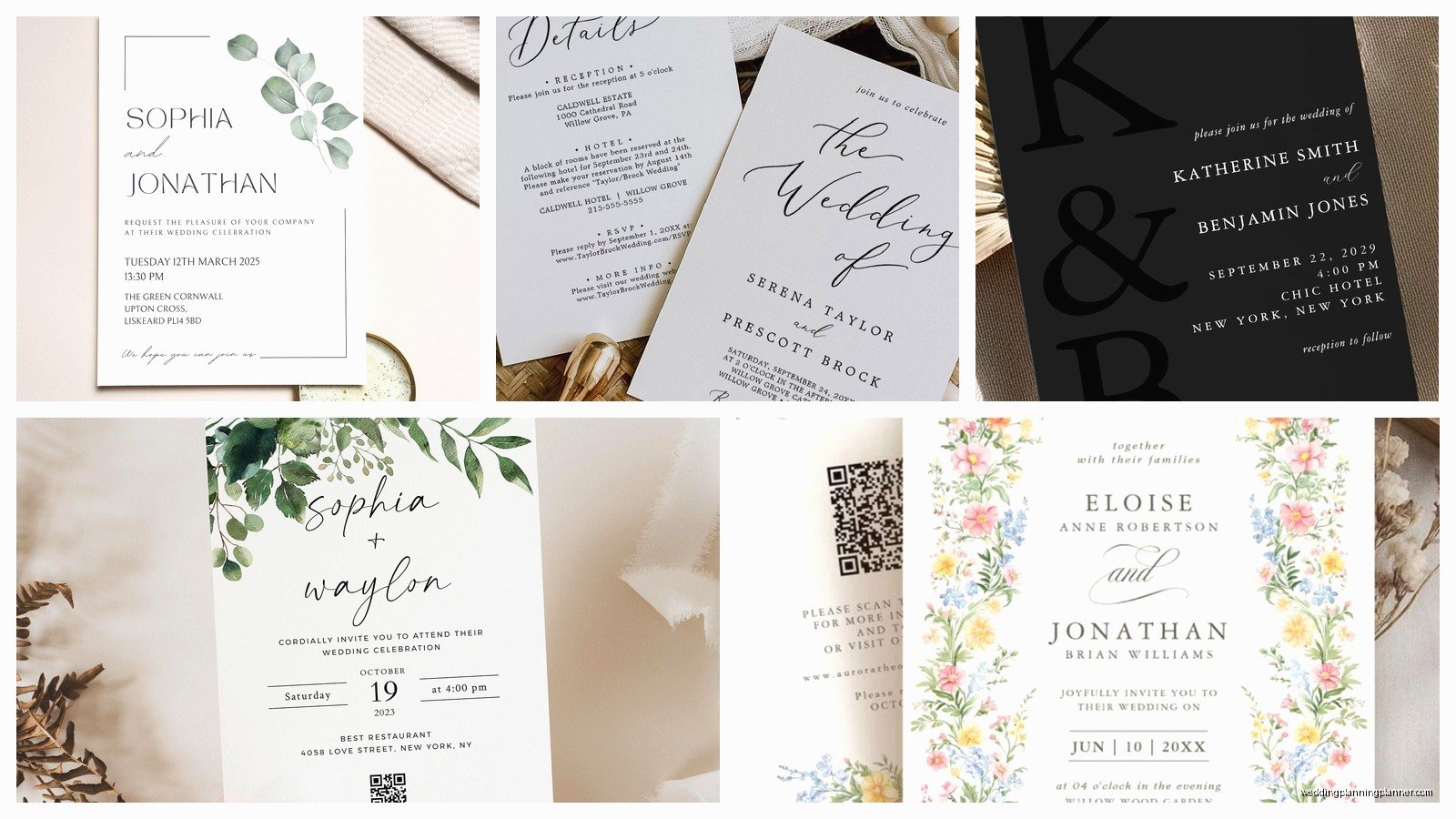
Okay, so once you find a design you like, you click “Personalize” and this is where it gets interesting. The customization editor is… it’s functional but not intuitive at first. Each design has different editable fields based on what the designer set up.
Some designs let you change:
- All the text (names, date, venue, wording)
- Colors of various elements
- Fonts (though usually from a limited selection)
- Sometimes you can move elements around
- Occasionally you can upload your own photo or monogram
But here’s the catch—you can’t change things the designer didn’t make editable. So if you love a design but wish the florals were on the left instead of right, you’re kinda stuck. This is where I see couples get frustrated because they’re like “but I just wanna move this one thing” and… you can’t.
Typography Control Is Limited
As someone who’s obsessed with fonts (probably spending too much time on this tbh), Zazzle’s font options within each template are whatever the designer included. Sometimes it’s like 50 fonts, sometimes it’s 3. You can’t just pull in any Google font or whatever. So if typography is super important to your vision, you gotta find a design that already has font flexibility built in.
Funny story—I had a client who wanted this specific design but hated the script font. We ended up finding a nearly identical design from a different designer who had better font options. Sometimes you gotta be willing to keep searching.
The Suite Situation
Most designers on Zazzle who are worth their salt will have created full suites—like, the invitation, RSVP cards, details cards, thank you notes, programs, menus, all matching. This is actually a huge advantage because keeping everything cohesive is like… my whole job honestly.
When you find a design you like, click on the designer’s name to see their shop. Usually they’ll have organized their collections so you can see the whole suite together. I always screenshot the suite items I want so I don’t lose them in my browser tabs (which happens embarrassingly often).
The pricing for suites can add up, but you’re still looking at way less than custom letterpress or working with a boutique stationer. We’re talking maybe $3-6 per invitation depending on the design and paper, RSVP cards around $1-2 each, details cards similar.
Proofing Before You Order
Listen, this is where people mess up and then blame Zazzle. You gotta proof everything yourself. Yes, you can see a digital proof before ordering, and YES you need to zoom in and check every single word, every date, every spelling.
Zazzle shows you a preview, and you can even download a PDF proof for most designs. Do this. Send it to your mom, your planner (if you have one), your detail-oriented friend. I’ve caught so many typos this way—wrong venue address, misspelled street names, wrong day of the week for the date.
Also double-check the timezone or time format if that’s on there. Had a wedding last year where the invitation said “6:00” but didn’t specify PM and half the guests were confused whether it was a daytime wedding or evening. Small detail but matters.
Sample Orders Are Your Best Friend
You can order a single sample of any design for the same per-unit price. Just order one invitation, one RSVP card. See it in person. Feel the paper. Check the color accuracy (screens lie, especially if you’re looking at them on different devices).
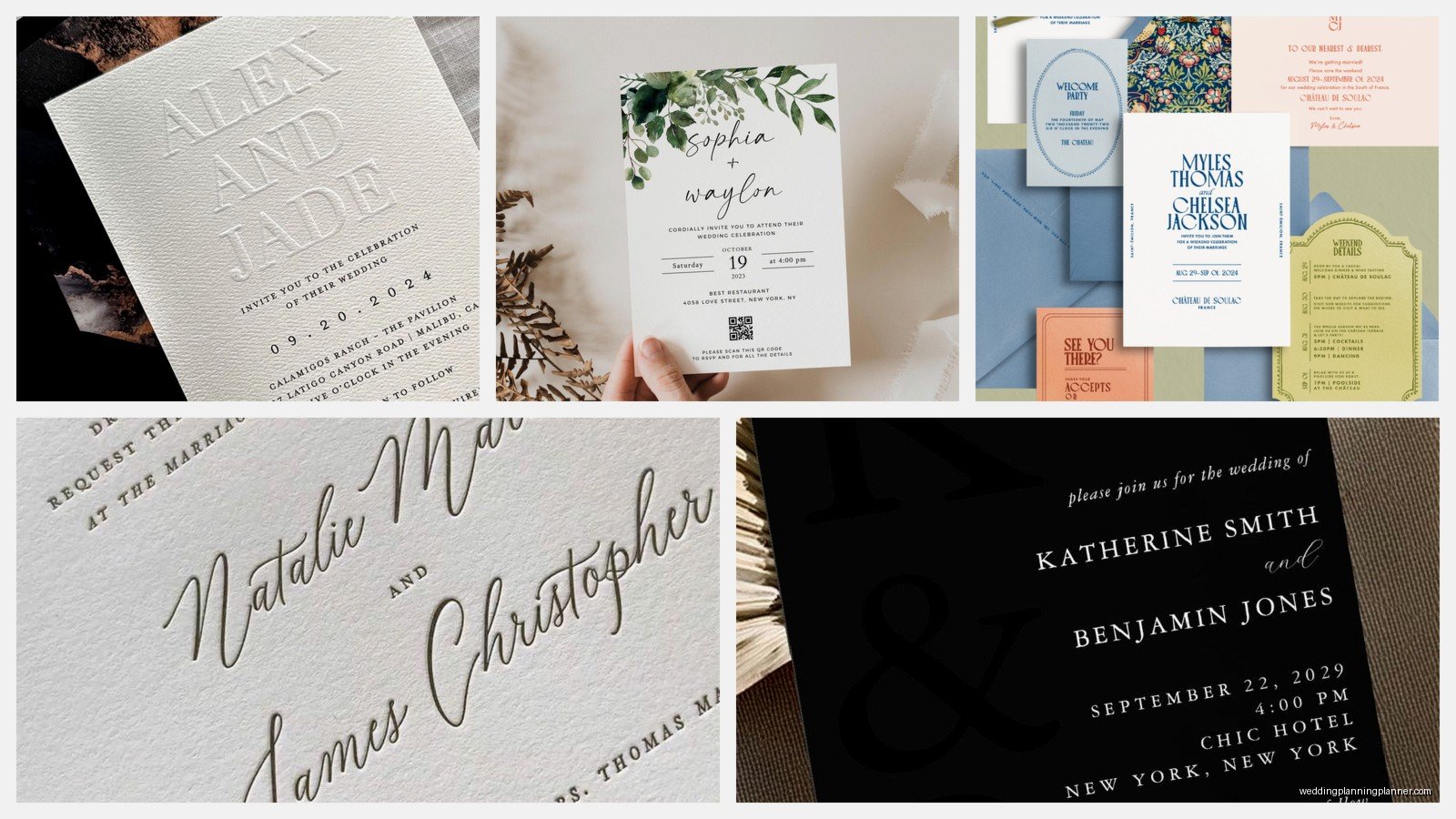
I literally have a drawer full of Zazzle samples because I test stuff constantly. My recommendation? Order samples from 2-3 designs you’re deciding between. It costs maybe $15 total and saves you from ordering 150 invitations you hate in person.
Color Accuracy and What To Expect
Okay so… digital colors don’t always translate perfectly to print. That navy might look more purple in real life, that blush might be more peachy. Zazzle uses digital printing (not letterpress or offset), so colors are generally pretty accurate but not perfect.
If you’re picky about specific color matching (like trying to match your bridesmaid dresses exactly), you might need to order multiple samples with slight color adjustments. The editor lets you input hex codes for colors if the design supports it, which is super helpful if you’re trying to match branding or a specific palette.
Metallics are tricky—gold and rose gold especially. What looks like shiny gold on screen is usually printed as a gold ink (not foil) unless the design specifically says foil. Real foil costs extra and not all designs offer it.
Bulk Ordering and Timing
Once you’ve proofed everything and you’re ready to order the full set, here’s what you need to know about quantities and timing.
Zazzle’s pricing gets better with bulk orders, but the discounts aren’t as dramatic as some other printers. You might save like 15-25% when ordering 100+ of something. They run sales constantly though—like, wait for a 40% off sale if you can because they happen almost every other week.
Production Time Is Usually Fast
Most standard invitations ship within 24-48 hours of ordering. Then shipping time depends on what you choose—standard is like 5-7 business days, expedited is faster but costs more. I usually tell couples to order 3 months before their send-by date to be safe, but honestly you could do it in like 3 weeks if you’re not picky about proofing.
The one exception is if you’re ordering something with special finishes or non-standard sizes. Those can take longer to produce.
Addressing and Envelope Options
Envelopes usually come with the invitations (check the listing to be sure). They’re basic but fine—white, ivory, or sometimes kraft. You can upgrade to colored envelopes or peel-and-seal instead of lick-and-seal.
Here’s what Zazzle doesn’t do well—guest addressing. They don’t offer envelope printing or digital addressing like Minted does. So you’re either hand-addressing (which I love the look of but it takes forever) or printing your own labels or hiring a calligrapher.
Wait, actually, some designers offer matching address labels you can customize and print through Zazzle, which is a decent workaround. They’re just stickers basically, but if you format them right they look pretty professional.
Return Address Printing
You can add return address printing on the envelope flaps for most designs, and I recommend it. It’s like an extra $0.30 per envelope or something minimal. Way easier than stamps or writing it yourself 150 times. Just make sure you proof that too—I’ve seen people accidentally put their old address or misspell their street name.
Customer Service Experience
If something goes wrong—and sometimes stuff does go wrong—Zazzle’s customer service is actually pretty responsive. They’re not like, boutique-stationer-who-knows-your-name responsive, but they’re a big company with actual support.
I’ve had clients who received damaged invitations (the box got crushed in shipping or whatever) and Zazzle reprinted them quickly. If there’s a legit printing error that’s their fault, they’ll fix it. But if you approved a proof with a typo, that’s on you and they won’t reprint for free.
Designer Quality Varies A Lot
This is gonna sound harsh but some designers on Zazzle are super talented and some are just… not. You can usually tell by looking at their shop—do they have cohesive collections? Are their designs professional-looking? Do they have good reviews?
I have like a mental list of designers I return to because their stuff is consistently good. When you find a designer whose aesthetic matches yours, favorite their shop because they’re probably gonna release new designs that you’ll also love.
Some red flags: designs that look pixelated in the preview, mismatched fonts that clash, clipart that looks dated. Trust your gut—if it looks cheap on screen, it’ll probably look cheap in person.
Reviews Are Actually Helpful Here
Unlike some sites where reviews are fake or useless, Zazzle reviews often include photos of the actual printed product, which is super valuable. People will say stuff like “the purple printed darker than expected” or “the paper quality was amazing” and that’s the real intel you need.
Sort by recent reviews too because sometimes Zazzle changes paper stocks or printing methods and older reviews might not reflect current quality.
Cost Comparison Reality Check
Let’s talk actual numbers for a second. For a full wedding invitation suite (invitation, RSVP, details card) with envelopes, you’re probably looking at:
- $4-7 per set without any sales
- $3-5 per set if you catch a good sale
- Add maybe $50-100 for samples and proofing
- Shipping is usually $10-30 depending on quantity and speed
So for 100 guests (let’s say 120 invitations to account for families and plus-ones), you’re at like $400-600 total. That’s honestly really reasonable compared to custom letterpress (which starts at like $1500 minimum) or boutique designers.
The trade-off is you’re not getting something totally unique and custom. You’re getting a professional design that others can also buy and customize. For most couples, that’s totally fine. For some, it matters. Know which camp you’re in before you start.
Mobile App vs Desktop
Quick thing—Zazzle has a mobile app and technically you can customize designs on your phone but honestly don’t. The editor is clunky on mobile and you can’t see details as well. Do your browsing on mobile if you want, but finalize everything on a desktop where you can really see what you’re approving.
I made the mistake once of letting a client approve a proof on her phone while she was on vacation and we didn’t catch that the date format was European style (day/month/year) instead of US style. Had to reorder everything. Expensive lesson.
International Shipping Considerations
If you’re shipping outside the US, Zazzle can do it but it gets pricey and slower. Also, some countries have weird customs rules about printed materials. I had a destination wedding couple who wanted to ship invites to Mexico and it was gonna take like 3 weeks and cost a fortune, so we ended up having them shipped to someone in the US who then brought them down. Just… plan for complications if international shipping is involved.
DIY Add-Ons That Work With Zazzle
One thing I love doing with Zazzle invitations is adding DIY elements to make them feel more custom. Like:
- Belly bands (you can order these on Etsy or make them)
- Wax seals on the envelopes (so popular right now)
- Ribbon or twine wraps
- Vellum overlays (buy vellum paper and cut it yourself)
These little touches make a standard Zazzle invite feel way more elevated and personal. And it’s stuff you can DIY the weekend before mailing without losing your mind.
Honestly though, don’t go overboard. I’ve seen couples spend hours adding embellishments that just make the invites heavier (= more postage) and harder to mail. Keep it simple unless you really love crafting.
Postage and Mailing Tips
This isn’t Zazzle-specific but since we’re talking invitations—weigh your finished invitation at the post office before you buy stamps. Standard letters are fine with one forever stamp, but if you’ve added a details card, RSVP card with its own envelope, any ribbons or embellishments, you might need extra postage.
Also, square envelopes cost more to mail (they can’t go through automated machines). If the Zazzle design you love has square invitations, just factor that into your budget. It’s like $0.20 extra per invitation or something but it adds up.
And please, please hand-cancel your invitations at the post office if they have any bulk or texture. Machine processing will destroy them. Just ask the postal clerk nicely to hand-cancel them. Takes an extra few minutes but worth it.
Matching Day-Of Stationery
Most good Zazzle designers will have day-of items in the same design—programs, menus, place cards, table numbers, welcome signs. This is where Zazzle really shines because you can order exactly the quantity you need of each item. Need 8 table numbers? Just order 8. Need 120 programs? Order 120.
Traditional printers often have minimums (like you gotta order at least 25 of something even if you only need 10) so this flexibility is actually huge for budget-conscious couples.
I usually recommend ordering these closer to the wedding date once you have final counts, but order at least one sample early to make sure everything coordinates the way you’re imagining.
When Zazzle Isn’t The Right Choice
Real talk—there are times when I steer clients away from Zazzle. If you want:
- Letterpress printing specifically
- True foil stamping (not printed metallic ink)
- Something completely custom that doesn’t exist as a template
- Super thick luxury paper stock
- Laser-cut designs or unusual shapes
Then Zazzle probably isn’t gonna work for you. It’s a different product category. Zazzle is for couples who want professional, customizable designs at reasonable prices with quick turnaround. It’s not for couples who want heirloom-quality bespoke invitations.
Neither is better or worse, they’re just different. I’ve done $10,000 invitation suites and I’ve done $300 Zazzle orders and both couples were thrilled with what they got because it matched their priorities.
Dealing With Design Overwhelm
Okay last thing because this comes up constantly—the sheer number of options on Zazzle can be paralyzing. You’re scrolling through hundreds of designs and they all start looking the same and you can’t decide and suddenly you’re having an existential crisis over wedding invitations.
