
Planning Guides, Style Guide
Invitation Cards: Design & Printing Complete Guide
Mar
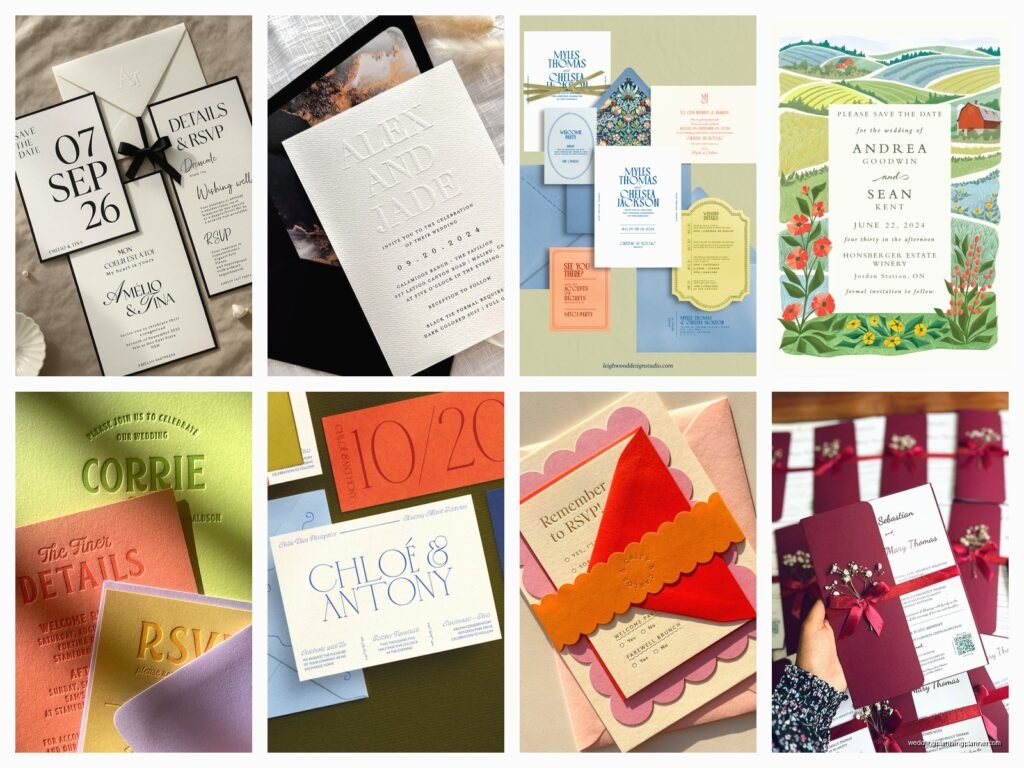
Paper Stock Is Where Everyone Screws Up First
Okay so the biggest mistake I see with invitation cards is people choosing paper based on what looks pretty in a sample book rather than what actually works for their design and printing method. I learned this the hard way in spring 2023 when a bride picked this gorgeous textured linen cardstock and then wanted foil printing on it, and the foil just… it didn’t adhere properly because the texture was too pronounced. We had to reorder everything on smooth cardstock and she was NOT happy about the extra cost.
Here’s what you gotta know about paper weights: anything under 80lb cover is gonna feel flimsy for an invitation. You want 80lb to 130lb cover stock for the main invitation card. The higher the number, the thicker it feels, and yes, people notice. I usually go with 100lb or 110lb cover because it hits that sweet spot of feeling substantial without being so thick that envelopes won’t close properly.
Finish matters more than you think. Matte is forgiving and works with basically every printing method. Glossy looks cheap unless you’re doing photo invitations for like a graduation or birthday party. Satin or silk finish is that middle ground that photographs well but doesn’t show fingerprints as badly as matte.
Printing Methods and What They Actually Mean
Digital printing is your budget-friendly option and honestly it’s come so far that most people can’t tell the difference anymore. It’s basically a fancy laser printer. Works great for full-color designs, photographs, gradients, all that stuff. The colors are vibrant and you can print variable data which means each invitation can have different names or addresses without setting up a whole new print run.
Letterpress is that thing everyone sees on Pinterest and gets obsessed with. It creates an impression in the paper – like the text is pushed INTO the cardstock. It’s beautiful, no question, but it’s expensive and you’re limited to usually one or two colors unless you wanna pay through the nose. Also it doesn’t work well on really thick cardstock because the press can’t create enough impression. This annoyed me so much when I first started because brides would bring me inspiration photos of letterpress on 220lb cardstock and I’d have to explain that’s either not actually letterpress or it cost someone $4000.
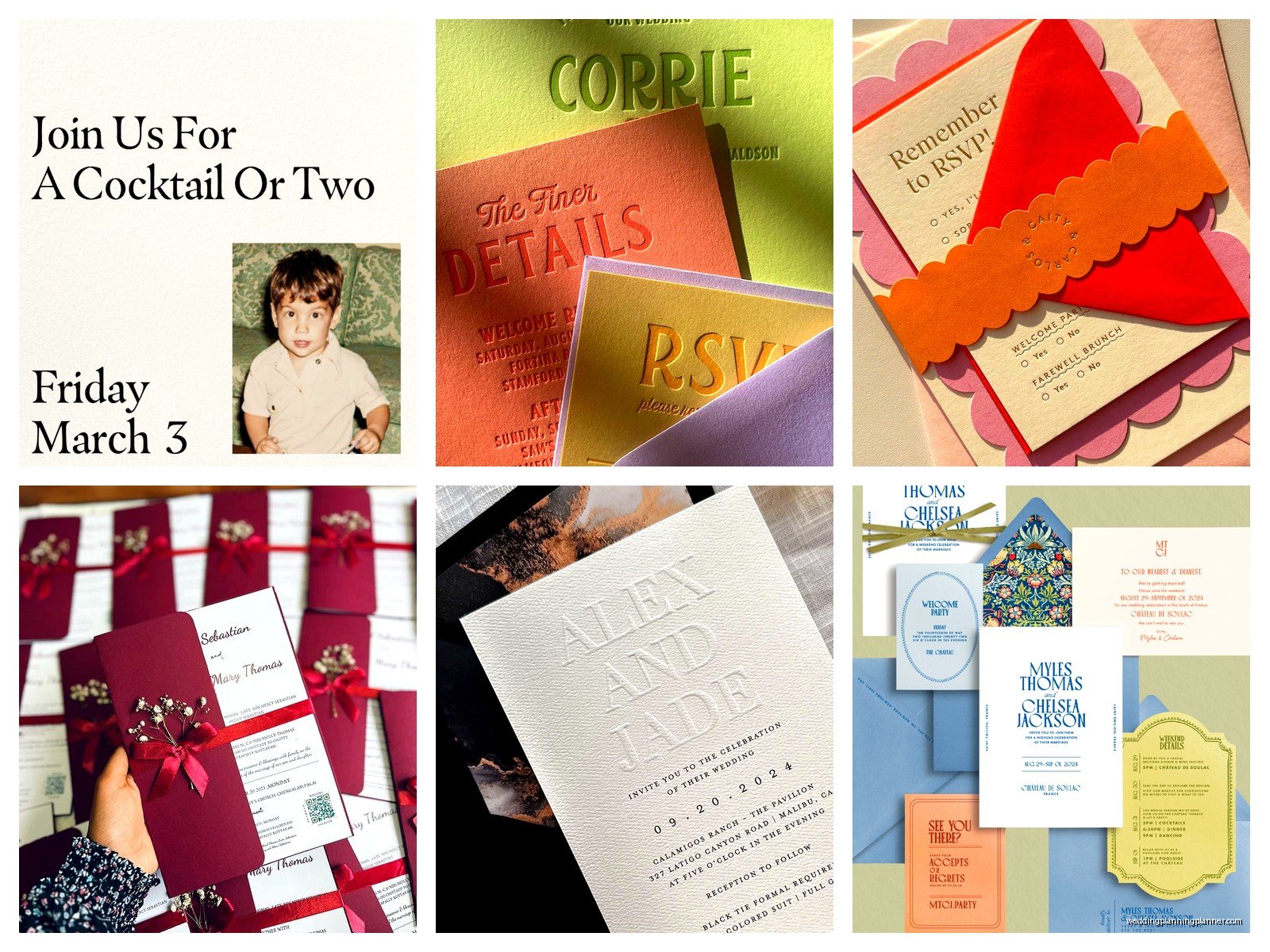
Thermography is that raised printing that looks kinda like engraving but costs way less. The powder melts onto the ink and creates a raised effect. It feels fancy when you run your fingers over it. Can’t print white though, which is a limitation if you’re working with dark cardstock.
Foil stamping is metallic or colored foil pressed onto the paper with heat and pressure. Gold, rose gold, silver, copper – those are your standards. It’s stunning but you need a die made for each design element, so setup costs are high. Makes sense for larger quantities, like if you’re printing 200+ invitations.
Design Elements That Make or Break Your Invitation
Typography is where I see people get too creative for their own good. You don’t need seven different fonts on one invitation card. I usually stick to two, maybe three if one is just being used as an accent. One script or decorative font paired with a clean serif or sans-serif for the body text. That’s it.
Hierarchy matters – your eye should know where to look first. Usually that’s the couple’s names, then the date, then the location. Size, weight, and placement create that hierarchy. If everything is the same size and weight, nothing stands out and people have to work too hard to find the important information.
White space is not wasted space. I repeat: white space is NOT wasted space. Clients always wanna cram more information onto the card because they’re paying for printing anyway, but a crowded invitation looks cheap and is hard to read. Let your design breathe.
Color Theory Basics You Actually Need
If you’re doing digital printing, you’re working in CMYK (cyan, magenta, yellow, black). If you’re looking at colors on your screen, that’s RGB. They don’t match. That bright blue you see on your monitor? It’s gonna print darker and maybe slightly more purple. Always ask for a printed proof before you run the full quantity.
Pantone colors are standardized – PMS 320 is the same teal blue whether you’re printing in California or Connecticut. If color matching is critical, you need to specify Pantone colors and probably use offset printing or a printing method that can accommodate spot colors. Digital printing can approximate Pantone colors but it’s never exact.
My cat knocked over my coffee onto a proof sheet once and honestly the coffee stain was almost the same color as the “latte” ink we were gonna use, which made me realize how hard it is to convey subtle neutral tones in printing… anyway.
Bleeds, Margins, and Technical Stuff
A bleed is when your design extends past the cut line of the card. If you want color or an image to go all the way to the edge, you need to extend it at least 0.125 inches (that’s 1/8 inch) beyond where the card will be cut. Otherwise you risk having a thin white line along the edge because cutting isn’t perfectly precise.
Keep all your important text and design elements at least 0.25 inches away from the edge. That’s your safety margin. I’ve seen so many invitations where someone’s name is too close to the edge and it gets partially cut off, or the venue address runs right to the border and looks cramped.
Resolution for printing needs to be 300 DPI minimum. That stands for dots per inch. If you’re pulling images off a website, they’re usually 72 DPI and will look pixelated and terrible when printed. This is non-negotiable. You need high-resolution images or vector graphics.
Standard Invitation Sizes and Why They Matter
The most common invitation size is 5×7 inches. It fits in an A7 envelope, which is easy to find and costs standard postage. A 5.5×8.5 inch invitation is also popular – it’s elegant and elongated but still fits standard envelope sizes.
Square invitations look modern and cool but they cost more to mail. Anything square gets charged non-machinable surcharge by the post office because their sorting machines are set up for rectangular mail. As of when I’m writing this, that’s an extra 40 cents per invitation, which adds up fast when you’re mailing 150 invitations.
Oversized invitations also get surcharged. If your invitation is over 6.125×11.5 inches or weighs over 1 ounce, you’re paying extra postage. Always assemble one complete invitation with all the inserts, put it in the envelope, and take it to the post office to get it weighed before you buy postage for everything.
Working With Printers and Getting Quotes
You’re gonna need quotes from at least three printers unless you already have a relationship with someone you trust. Give them the same specifications so you’re comparing apples to apples: quantity, card size, paper stock, printing method, and whether you need envelopes included.
Turnaround time varies wildly. Digital printing can often be done in 3-5 business days. Letterpress or foil might take 3-4 weeks because of setup time and the actual printing process. Always add buffer time for proofs, revisions, and potential reprints if something goes wrong.
Proofs are essential. A digital proof shows you the design but not the actual colors or paper. A printed proof costs extra but shows you exactly what you’re gonna get. For wedding invitations or important events, I always recommend a printed proof. For casual events or when you’re not picky about exact color matching, a digital proof is probably fine.
Quantities and Overruns
Order more than you think you need. I usually tell clients to add 10-15% to their guest count. You’ll have last-minute additions, you’ll mess up addressing some envelopes, you might want extras for keepsakes. It’s way cheaper to order extra upfront than to do a small reprint later.
Printers often have quantity breaks – like 100 invitations might cost $300, but 150 might only be $350 because they’re already set up and running the press anyway. Ask about pricing tiers.
Overruns and underruns are industry standard. Your printer might deliver 98 or 103 invitations when you ordered 100. Most printers have a clause that allows for +/- 10% on quantity. If exact count matters, specify that upfront, but expect to pay more for that guarantee.
Envelope Considerations That People Forget
Envelope quality matters as much as the invitation itself. A gorgeous letterpress invitation in a flimsy grocery-store envelope looks ridiculous. Get envelopes that match the weight and quality of your invitation.
Envelope liners add a nice touch – they’re the decorative paper inside the envelope flap. You can buy pre-made liners or make your own. They’re not necessary but they do elevate the whole presentation. I use them for weddings, skip them for most other events.
Addressing options: you can handwrite them which looks personal and elegant if you have good handwriting or hire a calligrapher. You can print directly on the envelopes if your printer can handle it (check whether they’re inkjet or laser compatible). You can print on labels, but clear labels look better than white labels. Or you can order printed envelopes from your invitation printer, which usually looks the most professional but costs more.
Belly Bands, Wax Seals, and Assembly
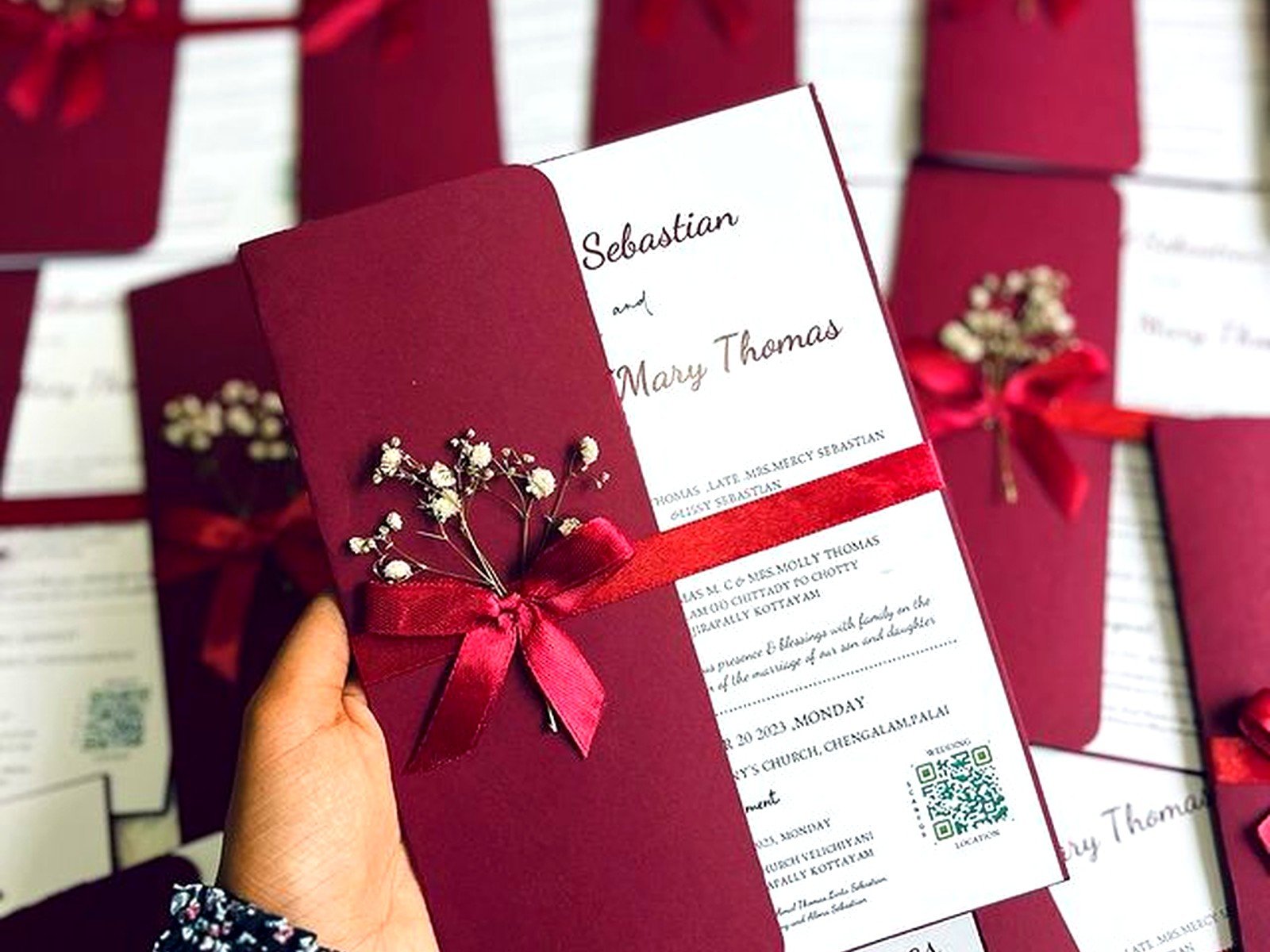
If you’ve got multiple pieces – invitation, RSVP card, details card, map – you need a way to keep them together. Belly bands are strips of paper that wrap around the suite. Vellum jackets slide over the invitation. Ribbon ties look pretty but are a pain to assemble in large quantities, and honestly after doing ribbon ties for a 300-person wedding in summer 2021, I will try to talk anyone out of them because my fingers were literally cramping.
Wax seals are having a moment. They look gorgeous but they make envelopes non-machinable (there’s that surcharge again) and they can break off in transit. If you’re using wax seals, place them on the inner envelope or on the belly band, not on the outer envelope flap.
Assembly takes longer than you think. Budget time for it, or hire it out. Invitation assembly parties with bridesmaids and wine sound fun in theory but in reality someone’s gonna mess up the order of the inserts or put the wrong RSVP envelope with the wrong invitation, and then you’re sorting through everything trying to figure out… yeah, just do it yourself or pay a professional.
File Formats and Working With Designers
If you’re designing your own invitations, work in a professional design program like Adobe Illustrator or InDesign. Canva can work for digital printing but you’re limited on the technical aspects and most printers prefer native files from professional software.
Save your files as high-resolution PDFs with bleed and crop marks. Your printer will give you specifications for how they want files delivered. Follow them exactly or you’ll delay your job while they send it back for corrections.
Vector graphics scale infinitely without losing quality. Raster graphics (like photos) are resolution-dependent. If you’re using a logo or monogram, get it as a vector file if possible – that’s usually an AI, EPS, or SVG file.
RGB vs CMYK – I mentioned this earlier but it’s important enough to repeat. Convert your files to CMYK before sending to the printer. The colors will shift from what you see on screen, but at least you’ll see the shift in your proof rather than being surprised when the printed invitations arrive.
Budgeting For Invitation Printing
Digital printing runs about $2-5 per invitation depending on complexity and quantity. Letterpress is more like $8-15 per invitation. Foil stamping is $6-12 per invitation. These are rough estimates and vary by region and printer.
Don’t forget the extras: envelopes, envelope liners, return address printing, guest address printing, postage, assembly labor if you’re outsourcing it. The invitation card itself might be half your total stationery budget.
For a wedding, the full invitation suite typically includes: outer envelope, invitation card, RSVP card, RSVP envelope, details card, and maybe a weekend events card or accommodations card. That’s a lot of pieces. You can cut costs by putting details on your wedding website instead of printing extra cards, or by doing a postcard RSVP instead of a card with envelope.
I always tell clients to get quotes early because printing costs can be sticker shock if you’ve been looking at DIY inspiration that doesn’t mention the $800 the bride spent on supplies and printing. Know your numbers before you fall in love with a design that’s outside your budget.
