
Planning Guides, Style Guide
Paperless Post Bridal Shower: Digital Luxury Party Invites
Mar
Okay So Paperless Post for Bridal Showers
Look, I’ve been using Paperless Post for bridal shower invites since like 2018 and honestly it’s one of those platforms that just gets it right when you need something that looks expensive but you don’t wanna deal with actual paper stock and postage. The whole digital luxury thing isn’t just marketing—they actually deliver on that promise if you know how to work their system properly.
First thing you gotta understand is that Paperless Post operates on a coin system which initially annoyed the hell out of me because why can’t things just have normal pricing, but whatever. You buy coins and then spend them on designs and features. Basic designs might be free or cost just a few coins, but the really gorgeous ones—the ones with actual designer names attached or intricate illustrations—those can run you anywhere from 8 to 20+ coins per invite. One coin equals roughly one dollar, so you’re looking at real money here if you’re inviting 50 people to a shower.
The Actual Design Selection Process
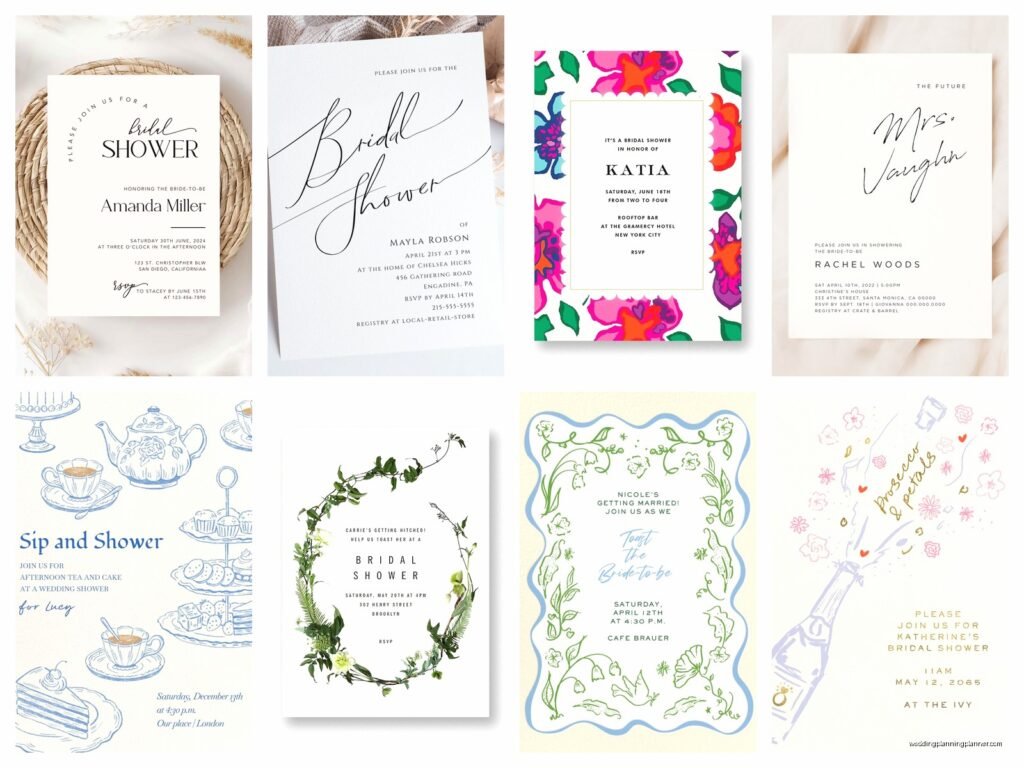
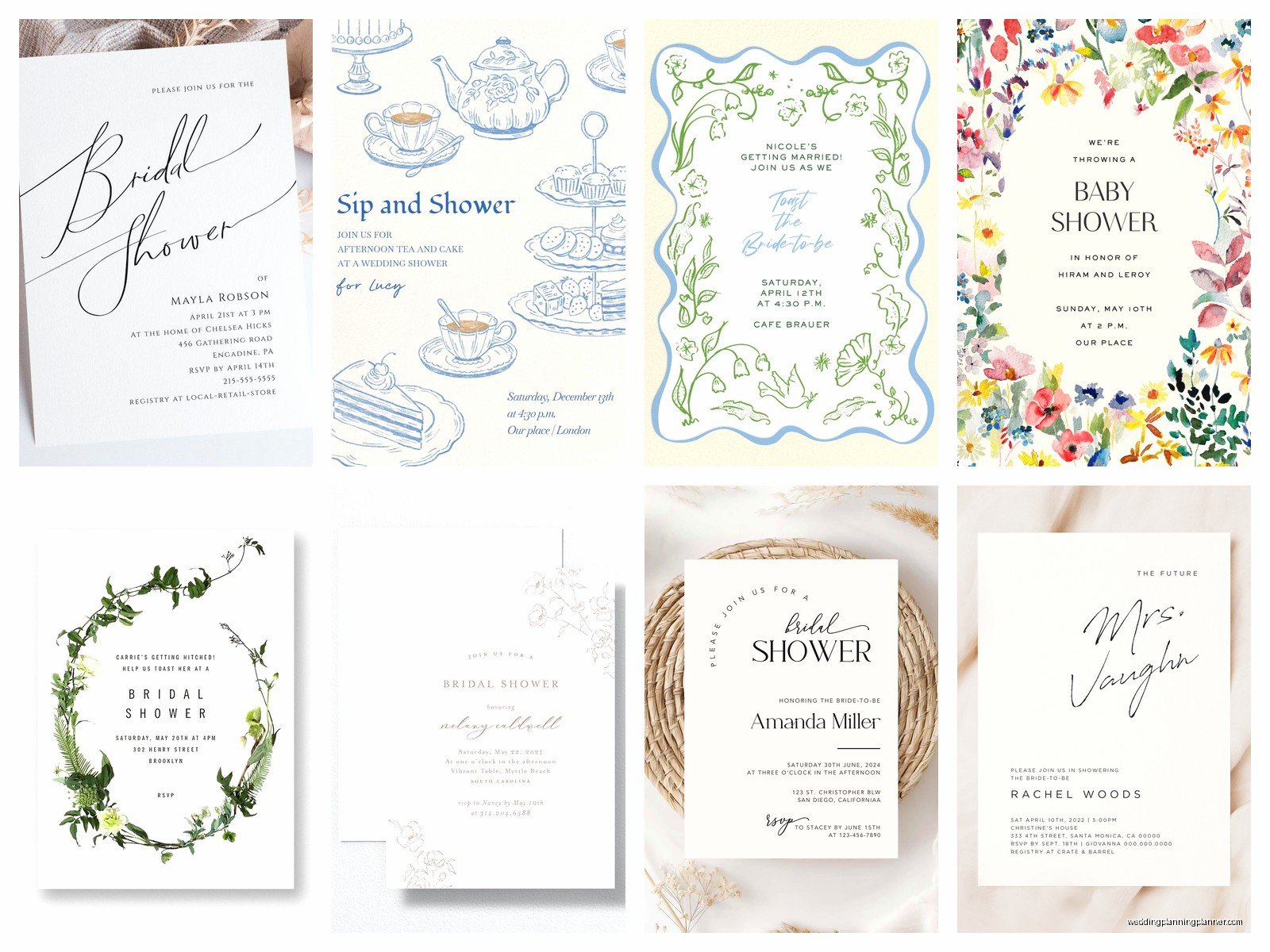
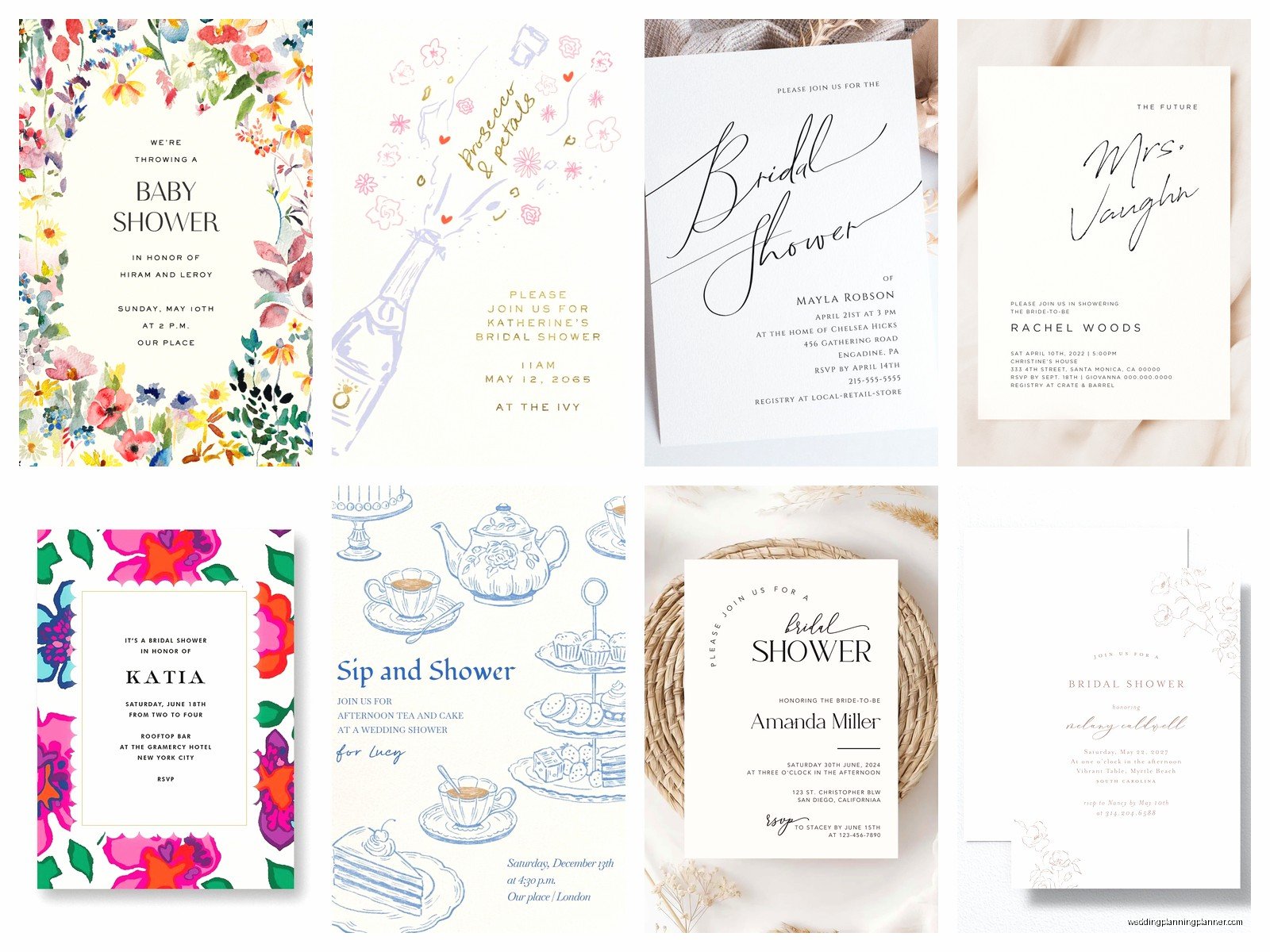
When you log in, you’ll see they have literally thousands of templates. For bridal showers specifically, I always filter by “Bridal Shower” under their events category because otherwise you’re scrolling forever. They’ve got everything from minimalist modern designs to full-on floral explosions. Spring 2023 I had this bride who wanted something that matched her garden party theme and we spent probably two hours just browsing through options because she kept changing her mind about whether she wanted illustrated flowers or photographic ones.
The designers they work with are legit—Kate Spade, Rifle Paper Co., Crane & Co., Oscar de la Renta. These aren’t just random graphics someone slapped together. You can tell the difference immediately when you open a premium design versus a basic one. The layering, the envelope liners, the way text sits on the page… it all matters.
One thing I always tell people is to consider the envelope as much as the actual invite. Paperless Post lets you customize digital envelopes (which is kinda genius?) and when someone receives your invite, they literally have to “open” the envelope on screen. You can pick envelope colors, liner patterns, and even add recipient names on the envelope flap. It’s these little touches that make it feel like you actually mailed something expensive.
Customization Options That Actually Matter
So once you pick a design, you can customize pretty much everything. Text obviously—event details, RSVP info, registry links, all that. But also colors in most premium designs. If the invitation has a pink floral border but your shower colors are burgundy and gold, you can often adjust the palette to match.
The text editor is straightforward but here’s what trips people up: font sizes and hierarchy. You don’t want every line of text screaming at the same volume. The bride’s name should be prominent, the date and time need to be clear, but like… the RSVP deadline doesn’t need to be in 24pt font, you know? I see this mistake constantly where people make everything the same size and it just looks cluttered.
They also let you add extra card inserts which is super useful for bridal showers. You might want a separate card for registry information (even though I personally think registry info on the main invite is fine, some people are traditional about it). Or directions to the venue. Or a schedule of events if you’re doing like a whole day thing with games and lunch and whatever.
The RSVP System Is Where It Gets Good
This is honestly why I push Paperless Post over other digital invite platforms. Their RSVP tracking is incredibly smooth. Guests can RSVP directly through the invite with one click. You can set custom questions—dietary restrictions, plus-one names, whether they want mimosas or bloody marys (actually used this question for a brunch shower and the data was genuinely helpful).
Everything gets tracked in your dashboard. You can see who opened the invite, who RSVP’d yes or no, who hasn’t responded at all. For that person who swears they never got the invite? You can literally see that they opened it on Tuesday at 3:47 PM. Not that I’m petty about tracking that information, but… okay I totally am.
You can send reminder emails to people who haven’t RSVP’d, and you can customize those messages. I usually write something like “Hey! Just checking if you got the shower invite—would love to know if you can make it so we can plan food accordingly!” Casual but with a deadline nudge.
Pricing Strategy Because This Matters
Here’s where you gotta make some decisions. Free designs exist and they’re not terrible—they’re just basic. Think simple borders, standard fonts, nothing that makes someone go “wow that’s beautiful.” You’ll still pay for premium features like envelope liners or extra inserts even with free designs.
Mid-range designs (8-12 coins) are usually where the sweet spot is. You get good design quality, customization options, and it doesn’t break the bank. For a 40-person shower, you’re looking at maybe $80-100 total if you pick a mid-range design and add some nice touches.
Premium designs (15-20+ coins) are for when budget isn’t really a concern or when the aesthetic absolutely has to be perfect. I had a client once who was throwing a shower for her daughter and money was genuinely no object—we went with this gorgeous Oscar de la Renta design that cost like $18 per invite and with all the customizations we wanted, the total was probably $900 for 45 invites. But it looked incredible and matched the $15,000 shower she was throwing so like… proportional I guess?
One annoying thing though—you have to buy coins in bundles and you almost always have leftover coins that just sit in your account. I currently have like 23 coins just hanging out because the bundles don’t perfectly match what you need. They know what they’re doing with that pricing structure.
Sending Strategy and Timing
Bridal showers typically need 4-6 weeks notice minimum. I usually tell hosts to send invites 6-8 weeks out, especially if guests are traveling or if it’s during a busy season. With Paperless Post you can schedule your send time, which is clutch. You can set up everything on a Sunday afternoon and schedule it to send Thursday morning when people are more likely to actually check their email and engage.
You can also send to a test group first—I always send myself a test version to see how it looks in an actual inbox. Sometimes colors look different on your phone versus desktop, or text that seemed fine in the editor looks weirdly spaced in the actual email.
Speaking of email—Paperless Post sends from their domain but recipients reply to whatever email you specify. Make sure you’re using an email address that the host actually checks regularly. Nothing worse than having RSVPs go to an account someone looks at once a month.
The Little Details That Make It Look Expensive
Okay so beyond just picking a pretty design, there are specific things that elevate a Paperless Post invite from “nice digital invite” to “wait this looks like you spent real money.”
First: use the envelope liner feature. Even if it costs extra coins, the liner makes such a difference. It’s that little peek of pattern or color when someone “opens” the envelope digitally and it just reads as more luxurious.
Second: customize the stamp. They have different stamp options—vintage, modern, floral, whatever. Match it to your theme. It’s a tiny detail but people notice.
Third: add a personal message in the envelope flap area. Instead of just the recipient’s name, you can add a short note like “Can’t wait to celebrate with you!” It takes two seconds and makes it feel more personal.
Fourth: use their photo upload feature if it makes sense. Some designs let you add photos—maybe a cute pic of the bride, or if it’s a couples shower, a photo of both of them. This works better for some aesthetics than others though. Like don’t force a photo into a minimalist design just because you can.
What Works for Different Shower Vibes
Garden party shower? Go with Rifle Paper Co. designs—their botanical illustrations are unmatched. I used their Garden Party collection for a shower in summer 2021 and the bride literally cried when she saw the invites because they matched her vision so perfectly. That same shower where my cat knocked over an entire vase of peonies the morning of the event but that’s a different story.
Modern minimalist shower? Look for geometric designs or simple line art. Kate Spade has some good options here. Clean, sophisticated, not fussy.
Traditional/classic shower? Crane & Co. is your friend. They do beautiful classic stationery designs that feel timeless. Lots of elegant script fonts and simple borders.
Themed showers (like stock the bar or lingerie)? Paperless Post has specific categories for these and the designs are usually playful without being tacky. Well, mostly. Some of the lingerie shower designs veer into bachelorette party territory which might not be what you want.
Managing Guest List Drama
You can create different guest groups within Paperless Post which is incredibly useful when you’re dealing with… complicated shower politics. Maybe the bride’s mom invited people the bride doesn’t actually want there, or there’s a secret shower and a public shower, or whatever drama is happening. You can organize lists, send to specific groups, track RSVPs by group.
Also useful: you can add guests after the initial send. If someone gets added to the list last minute (because there’s always someone), you can send them the same invite without having to do a whole separate thing. It’ll still track with your main event.
The Follow-Up Features
After people RSVP, you can send thank you notes through Paperless Post too. They have matching thank you designs for most invitation collections, which is a nice touch if you wanna keep the aesthetic consistent. Though honestly for a shower I think handwritten thank you notes from the bride are more appropriate, but for like… thanking the host or co-hosts? Digital works fine.
You can also send post-event updates or photo sharing links through the same platform. “Thanks for celebrating with us! Here are photos from the shower” type thing. Keeps everyone connected to the same event thread.
What Doesn’t Work Well
Okay real talk—if your guest list skews older (like 65+), you might have issues. Some people in that age range just… don’t engage with digital invites the same way. They’ll need phone call follow-ups or you might need to send them a printed version anyway. I’ve had situations where half the guest list needed paper invites printed and mailed because they either didn’t have email addresses (yes this still happens) or they just wouldn’t respond to digital.
Also if you need incredibly specific customization that goes beyond their template options, Paperless Post might frustrate you. You can’t like, completely redesign their templates. You’re working within their structure. For most people this is fine—their structures are good—but if you have a super specific vision that doesn’t fit any of their templates, you might need to look at custom designers instead.
The mobile app is kinda hit or miss too. It’s easier to design on desktop honestly, though the app is fine for tracking RSVPs and sending reminders.
My Actual Workflow When Setting This Up
When I’m doing a Paperless Post invite for a client’s shower, here’s my process: First, I get all the event details confirmed—date, time, location, registry info, dress code if relevant, whether it’s a surprise, all of it. Nothing worse than sending an invite and then having to send a correction email because the time changed or…
Then I browse designs with the host—usually I pre-select like 5-8 options that fit their style and budget so we’re not overwhelmed by choice. We narrow down to 2-3 favorites and actually customize those to see how they look with real text and colors.
Once we pick the final design, I set up all the text, double-check spelling (bride’s name, venue name, dates—triple check these), configure RSVP questions, and send test versions to myself and the host.
We review, make any tweaks, then I upload the full guest list. I always build in a buffer for the host to add last-minute people because there are always last-minute people.
Schedule the send for a good day/time (Thursday or Friday morning usually), then monitor opens and RSVPs. I set reminders to follow up with non-responders about 10 days before the RSVP deadline, then again right at the deadline.
Export the final guest list with dietary restrictions and any other info we collected, send that to whoever’s handling catering or setup, and we’re done.
Technical Stuff You Should Know
Paperless Post integrates with calendar apps so guests can add the event directly to their Google Calendar or iPhone calendar. Super helpful for people who are disorganized (so… everyone).
You can also connect it to your contacts so you’re not manually typing in 50 email addresses. Import from Google, Outlook, whatever you use.
They have a feature called “Flyer” which is their completely free option—no coins required. But it’s very basic and doesn’t have the luxury feel at all. Fine for like… a casual neighborhood thing? But not for a bridal shower where you’re trying to set a tone.
The analytics are actually pretty detailed. You can see what time people opened invites, what device they used, all kinds of data that’s probably more than you need but it’s there if you want it.
One last thing—they do sales sometimes. Like around holidays or random promotional periods, they’ll discount coin bundles. If you’re not in a rush, it’s worth waiting for a sale. Sign up for their emails and you’ll get notified. I’ve gotten 20% off coins before which adds up when you’re sending to a big list.
