
Planning Guides, Style Guide
The Knot Wedding Budget: Brand Review & Guide
Mar
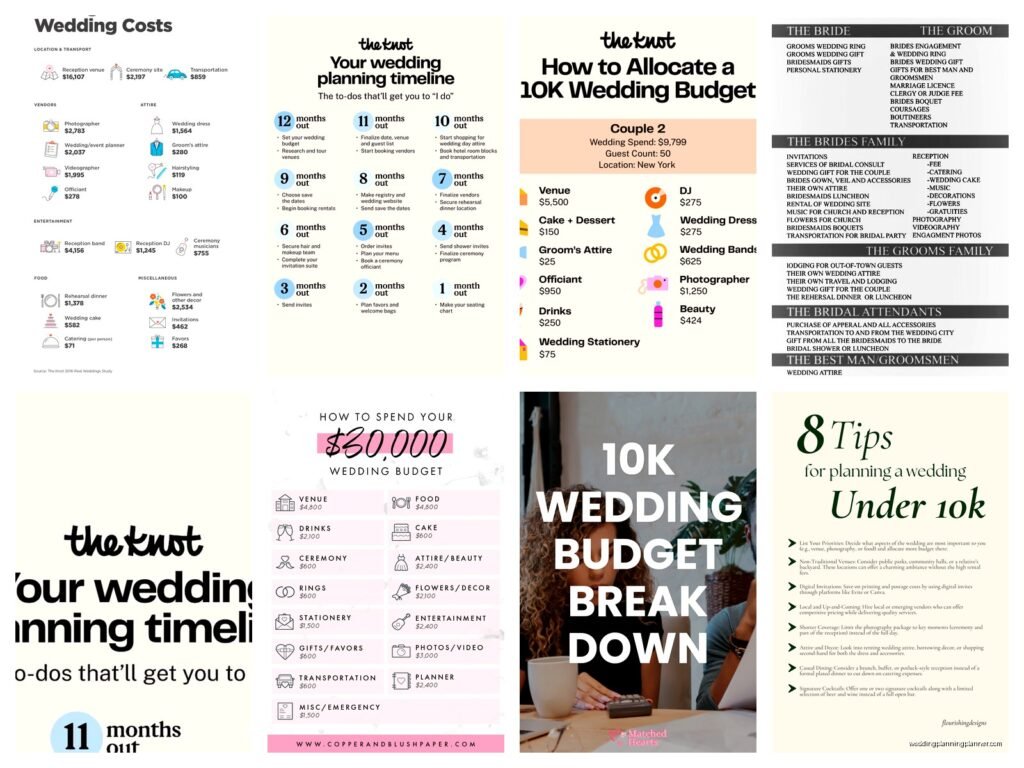
So The Knot Budget Tool Is Actually Pretty Decent
Okay so you’re probably drowning in wedding planning stuff right now and someone told you to check out The Knot’s budget tool and you’re like “is this actually helpful or just another thing that’s gonna stress me out?” I’ve been recommending this tool to clients since like 2019 and honestly it’s one of the few free wedding budget trackers that doesn’t make me want to throw my laptop out the window.
The Knot Wedding Budget tool is basically a free online spreadsheet that breaks down all your wedding expenses into categories. It automatically calculates percentages based on wedding industry standards, tracks what you’ve paid versus what you still owe, and keeps everything in one place so you’re not dealing with seventeen different Excel files that your fiancé keeps saving to the wrong folder.
How The Thing Actually Works
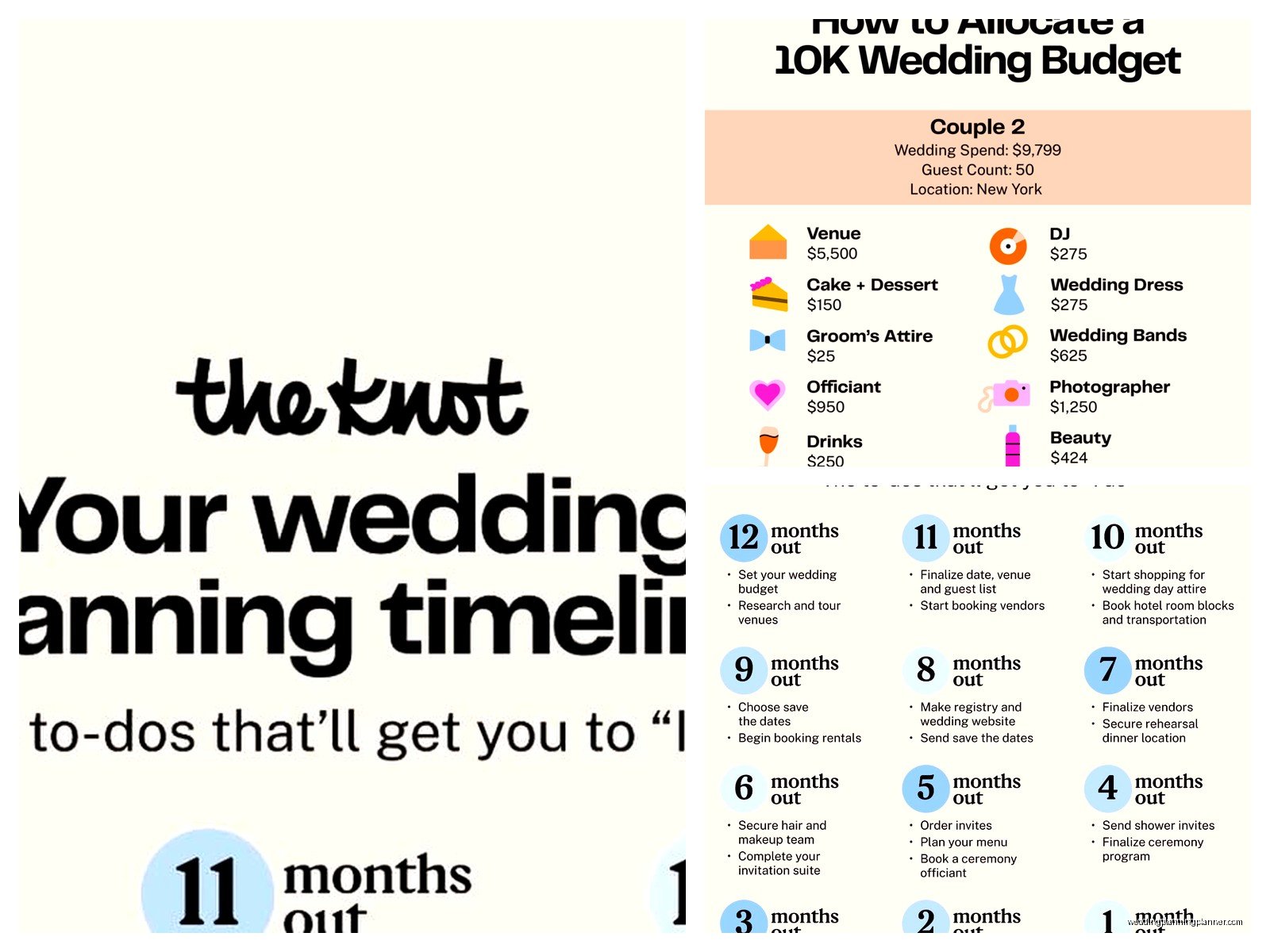
When you first set it up, you enter your total wedding budget. Let’s say you put in $30,000 because that’s kinda close to the national average right now, though honestly prices have gone insane since 2021. The tool then automatically suggests how much you should spend on each category based on industry percentages. So like, it’ll tell you that roughly 45-50% should go to your venue and catering, about 10% to photography, 8-10% to flowers, and so on.
Here’s what I actually like about it—you can customize literally everything. Don’t care about favors? Delete that line item. Want to add a category for your dog’s custom tuxedo because obviously Buster needs to look sharp? Add it in. The flexibility is actually really good compared to some other tools I’ve tested.
You get these columns: estimated cost, actual cost, paid amount, outstanding balance, and due date. Every time you book a vendor or make a payment, you update it. The tool tracks your spending in real-time and shows you if you’re over or under budget in each category with these little color-coded indicators that are honestly pretty satisfying to watch turn green.
The Categories They Give You
The Knot breaks everything down into about 30+ different categories and subcategories. The main ones are:
- Reception venue and catering (this is always the biggest chunk)
- Photography and videography
- Music and entertainment
- Flowers and decorations
- Wedding attire for both of you
- Beauty services
- Invitations and paper goods (obviously my favorite category to geek out over)
- Transportation
- Favors and gifts
- Wedding rings
- Rehearsal dinner
- Honeymoon
Each main category has subcategories too. Like under “reception” you can break it down into venue fee, catering per person, bar service, cake, rentals, and service charges. This level of detail is actually super helpful because you’re not just seeing “reception: $15,000” and wondering where that money actually went.
My Specific Experience With A Client In Spring 2023
I had this couple, really sweet people planning a 150-person wedding in upstate New York. They came to me in March 2023 absolutely panicked because they’d been tracking their budget in a notebook—like an actual paper notebook—and realized they were somehow $8,000 over budget but couldn’t figure out where the money went. We sat down with The Knot budget tool and I made them input every single vendor contract and deposit they’d already paid.
Turns out they’d completely forgotten to budget for transportation (shuttle buses for guests), underestimated their bar costs by almost half, and didn’t account for vendor meals which added another $600. The tool made it really obvious where the gaps were. We were able to cut back on some floral installations, switch to a simpler invitation suite (which honestly looked better anyway), and get them back on track. Without seeing everything laid out in those categories, they would’ve just kept booking stuff and hoping it worked out.
The Percentage Breakdowns Are Helpful But Also Kinda Annoying
So here’s something that bugs me about The Knot’s suggested percentages—they’re based on national averages, which means they don’t always make sense for your specific situation or location. If you’re getting married in Manhattan or San Francisco, that 10% for photography might be way too low. If you’re having a backyard wedding, you might not need to allocate 50% to venue and catering.
The tool will show you these percentages and make suggestions, but then it also lets you ignore them completely. Which is good! But I’ve seen couples get stressed because the tool is telling them they’re “over budget” on photography at 15% when actually that’s totally normal for their market and priorities. Just remember the percentages are suggestions, not rules. You can spend 3% on flowers and 25% on an amazing band if that’s what matters to you.
Tracking Payments And Vendors
One feature that’s genuinely useful is the payment tracking. Wedding vendors usually want deposits upfront, then payments at various milestones, then final payment right before the wedding. Keeping track of who needs to be paid when is… honestly it’s a nightmare without a system.
In The Knot tool, you can enter payment due dates for each vendor. It’ll show you what’s already paid (in green), what’s coming up (in yellow), and what’s overdue (in red, which hopefully you never see). You can also attach vendor contact info and contract details to each line item, though I usually tell clients to keep actual contracts in a separate folder because the interface for that part is kinda clunky.
I remember trying to help a client find their florist’s payment schedule in the tool once and we just… it was easier to pull up the actual contract. So use it for tracking amounts and dates, but don’t rely on it as your only document storage system.
What It Doesn’t Do Well
Alright so let’s talk about the frustrating parts because nothing’s perfect and you should know what you’re getting into.
First, it doesn’t automatically sync with anything. You have to manually update every payment, every change, every adjustment. If you pay your photographer their second installment, you gotta go in and update it yourself. There’s no bank connection or anything fancy like that. For some people this is fine, but if you’re someone who’s gonna forget to update it for three months, it becomes useless pretty fast.
Second, the mobile experience is… not great? Like you can access it on your phone but the interface is clearly designed for desktop. I’ve tried to update stuff on my phone while sitting in vendor meetings and it’s just awkward. You can do it, but it’s not smooth.
Third—and this is the thing that annoyed me most when I first started recommending it—you have to create a Knot account and you’re gonna get emails. So many emails. They want to sell you stuff and connect you with vendors and show you dresses and it’s a whole marketing thing. You can unsubscribe from most of it, but it’s still kinda pushy. I get it, the tool is free because they make money on vendor advertising, but sometimes I just wanna track a budget without being asked if I’ve considered upgrading my chair rentals.
Comparing It To Other Budget Tools Real Quick
I’ve tried pretty much every wedding budget tool out there because I’m nerdy about this stuff and also my cat keeps walking across my keyboard while I’m working so I end up clicking on random ads.
WeddingWire has a similar tool that’s basically the same thing—they’re owned by the same parent company now actually. Mint used to have wedding budget features but they’re shutting down which is a whole thing. There are apps like Zola and Joy that have budget tools built in, but they’re more focused on getting you to use their registry and website services.
Honestly, The Knot’s version is one of the most comprehensive free options. If you want something fancier, you could pay for something like HoneyBook or Aisle Planner, but those are really more for professional planners. For a couple planning their own wedding, The Knot tool does the job without costing anything.
Tips For Actually Using It Effectively
Okay so if you’re gonna use this thing, here’s what I tell my clients:
Set it up completely before you start booking vendors. I know you’re excited and you already found the perfect photographer and want to book them right now, but take two hours and set up your entire budget first. Figure out your real total budget (including the money from your parents that they haven’t actually transferred yet but promised they would), allocate it across categories, and then start booking. This prevents the “oh crap we spent our whole budget on the venue and photographer and now we have $3,000 left for everything else” situation.
Update it weekly. Pick a day—Sunday mornings work for a lot of people, Thursday evenings, whatever—and make it a routine. Go through your emails and receipts from the week, update any payments you made, add any new quotes you received, adjust estimates based on actual vendor proposals. If you let it sit for a month, it becomes this overwhelming task and you’ll avoid it.
Build in a 10% cushion. This is just general wedding budget advice but it applies here too. If your actual budget is $30,000, put $27,000 into the tool as your working budget. Stuff always costs more than you expect—tax, tips, last-minute additions, that amazing uplighting you didn’t know existed until the venue coordinator showed you photos. Having that cushion built in means the tool won’t freak out when you go slightly over in a category.
Customize the categories to match your priorities. If you don’t care about favors, delete that category and reallocate that money to something you do care about. If you’re really into stationery (hi, that’s me), break that category down into save-the-dates, invitations, programs, menus, signage, and thank-you cards so you can track each piece separately.
The Vendor Recommendation Thing
One feature of The Knot budget tool that’s kinda helpful but also kinda salesy is that it’ll recommend vendors based on your budget and location. Like if you’re working on the photography category, it’ll show you photographers in your area with pricing that matches your budget range.
This can actually be useful if you’re just starting your vendor search and have no idea where to begin. The Knot has tons of vendor reviews and photos and that can help you narrow down who to reach out to. But—and this is important—not every good vendor is on The Knot, and being on The Knot doesn’t automatically mean they’re good. Vendors pay to be featured on the platform, so you’re seeing who paid for advertising, not necessarily who’s the best fit for you.
Use it as a starting point for research, read the actual reviews (not just the star ratings), look at full portfolios, and definitely get recommendations from other sources too. Your venue coordinator, your planner if you have one, friends who got married recently—those referrals are usually more reliable than platform recommendations.
Sharing Access With Your Partner And Family
You can share access to your budget with other people, which is helpful if your partner wants to see where things stand or if parents are contributing and want transparency about how their money’s being spent. You just add their email and they can view or edit depending on what permissions you give them.
I usually recommend making your partner a full editor so they can update stuff too, but maybe making parents view-only unless they’re super hands-on with the planning. The last thing you need is your future mother-in-law going in and changing your floral budget because she thinks you should spend more on centerpieces, which… yeah that’s happened to a client of mine and it was awkward.
The Reality Check Feature
There’s this thing in the tool where it’ll tell you if your budget is realistic for your guest count and location. It pulls data from real weddings in your area and gives you a reality check basically. Sometimes this is helpful—like if you’re planning a 200-person wedding on $15,000, it’ll gently suggest that might be challenging. Other times it’s kinda discouraging even when your budget is totally doable, you just have different priorities than average.
Take these reality checks with a grain of salt. They’re based on data, sure, but every wedding is different. I’ve seen couples throw gorgeous weddings for way less than “average” because they got creative, called in favors, prioritized well, or just had different taste than the mainstream.
Using It Alongside Other Planning Tools
The budget tool is part of The Knot’s whole planning ecosystem. They also have a checklist, guest list manager, seating chart tool, website builder, and registry. You don’t have to use all of them—honestly I think their checklist is too generic and their guest list manager is just okay—but they do integrate with each other.
For example, your guest count from the guest list tool can automatically update in your budget tool to adjust per-person costs. That’s actually pretty handy when you’re in that phase where the guest list keeps changing and you’re trying to figure out if you can afford 10 more people or if you need to cut your second cousin you haven’t seen since you were seven.
I usually recommend using The Knot for budget and maybe their website builder because it’s free and easy, but then using something like Google Sheets for detailed planning timelines and a dedicated app for your checklist. Mix and match based on what works for you, don’t feel like you gotta use one platform for everything just because it’s all connected.
Real Talk About Wedding Budget Stress
Look, tracking your wedding budget is gonna be stressful sometimes no matter what tool you use. You’re dealing with amounts of money that feel huge, vendors who all want deposits at the same time, family members with opinions about how you should spend, and the general anxiety of trying to throw a perfect party while not going into debt.
The Knot budget tool helps because it makes everything visible. You can see exactly where you stand at any moment. You’re not guessing or hoping or panicking because you lost track of a payment. But it’s still just a tool—it can’t make your budget bigger or make decisions for you about what to prioritize or deal with your mom who thinks you’re spending too much on photography and not enough on… I don’t know, whatever moms think you should spend more on.
What it can do is give you accurate information so you can make informed decisions, catch problems early before they become disasters, and have productive conversations with your partner about money without it turning into a fight because you actually have data in front of you instead of just vibes and panic.
