
Planning Guides, Style Guide
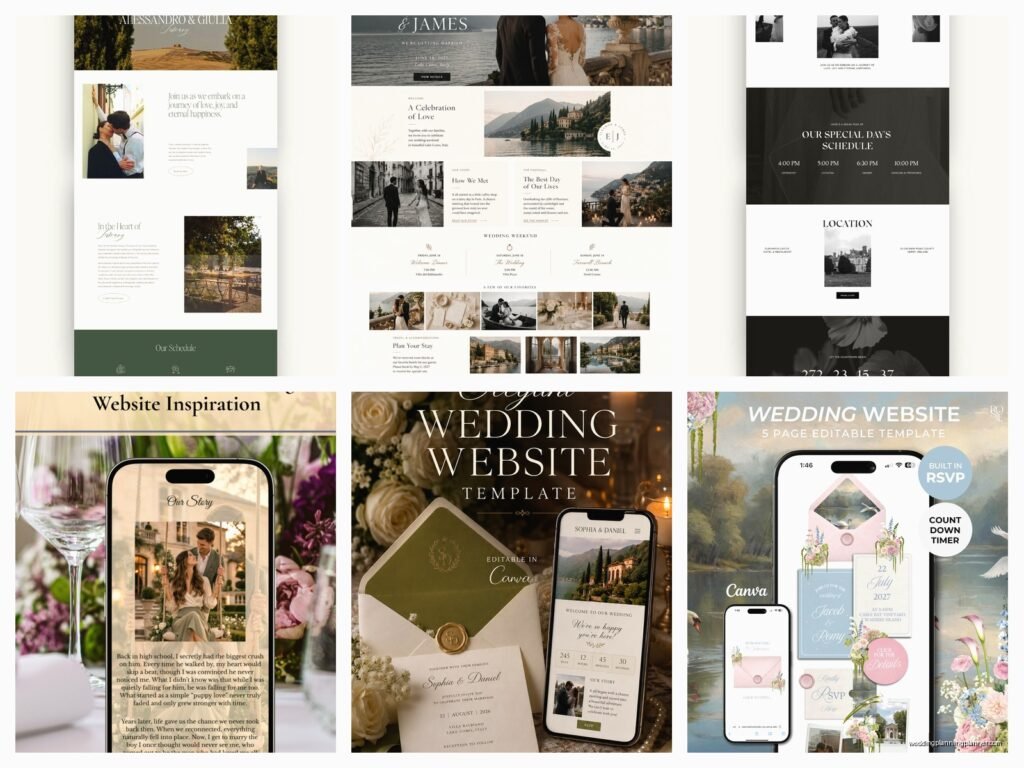
Wedding Website Templates: Free & Premium Designs
Jun
So You Need a Wedding Website Template
Okay so wedding website templates are basically everywhere now and honestly they’ve changed how we do this whole wedding planning thing. Like back in spring 2023 I had this couple who wanted their website up literally two weeks before save-the-dates went out and I was like… okay here we go. Templates saved my life that month.
The thing is, you’ve got free options and premium options and they’re both totally valid depending on what you actually need. Free doesn’t mean cheap-looking anymore, and premium doesn’t always mean better. It’s kinda wild how much the industry has shifted in just the last few years.
Free Templates That Actually Don’t Suck
Let’s start with free because most couples I work with want to know if they can skip the expense entirely. The answer is yes, you absolutely can.
The Knot and Zola are probably your best bets for completely free wedding websites. I know The Knot gets a lot of hate for being overwhelming with ads and trying to sell you everything under the sun (which, fair), but their templates are legitimately good. You get a custom URL, RSVP management, registry links, and enough design flexibility that your site won’t look exactly like everyone else’s.
Zola is cleaner in my opinion. Less cluttered. Their free templates have this modern minimalist vibe that works really well if you’re going for elegant or contemporary. The RSVP system is super intuitive for guests which matters more than people think. Your aunt who barely knows how to use her iPhone needs to be able to figure this out.
Minted also offers free wedding websites and they tie in beautifully with their stationery designs. If you’re ordering invitations from Minted anyway, you can match your website to your paper goods which creates this nice cohesive brand… I mean wedding aesthetic. See, even I’m talking like a marketer now.
What you’re gonna lose with free templates: usually advanced customization, the ability to remove branding entirely, and sometimes guest count limits. Like some free platforms cap you at 150 guests or whatever. Also storage limits for photos can be annoying if you want to upload a ton of engagement photos.
When Premium Actually Makes Sense
Premium templates usually run anywhere from $40 to $300 depending on how extra you wanna get. I had this bride in summer 2021 who spent $200 on a premium template and honestly it was worth every penny for her because she was having a destination wedding in Italy and needed multiple language options, a detailed travel section, and custom RSVP questions for meal preferences and accommodation tracking.
Here’s when I tell couples to consider premium:
- You want zero branding from the platform (no “Powered by Whatever” in the footer)
- You need advanced RSVP features like meal selections, plus-one management, or event-specific RSVPs for multiple wedding weekend events
- You want a truly custom domain (like yournames.com instead of yournames.theknot.com)
- You’re tech-savvy enough to want actual code access for customization
- You need password protection for certain pages
- You want detailed guest analytics
The Big Players in Premium Templates
Squarespace is probably the most popular premium option and for good reason. Their wedding templates are gorgeous, mobile-responsive, and you have complete control over basically everything. The learning curve is moderate… like you’ll spend a few hours figuring it out but it’s not rocket science. Plans start around $16/month if you pay annually.
The thing that annoyed me about Squarespace though is that some couples get SO into the customization that they spend weeks obsessing over font pairings and spacing and… like, your guests just need to know where to show up and what time. I’ve literally had to tell couples to step away from the computer.
Wix has wedding-specific templates that are pretty solid. Slightly easier to use than Squarespace in my experience, more drag-and-drop. The designs can look a little more template-y if you don’t customize them, but most guests won’t notice or care.
WordPress with wedding themes is the route for couples who want maximum control or have a friend/family member who knows web design. You can find premium wedding themes on places like ThemeForest for like $60 one-time payment. But you’ll need hosting, and there’s definitely more technical knowledge required. Not for everyone.
WithJoy is interesting because they’re specifically for weddings and they have both free and premium tiers. Their premium is like $50 total (not monthly) and gives you a custom domain and removes branding. It’s a good middle ground.
What Actually Needs to Be On Your Wedding Website
Okay so regardless of free or premium, here’s what you gotta include:
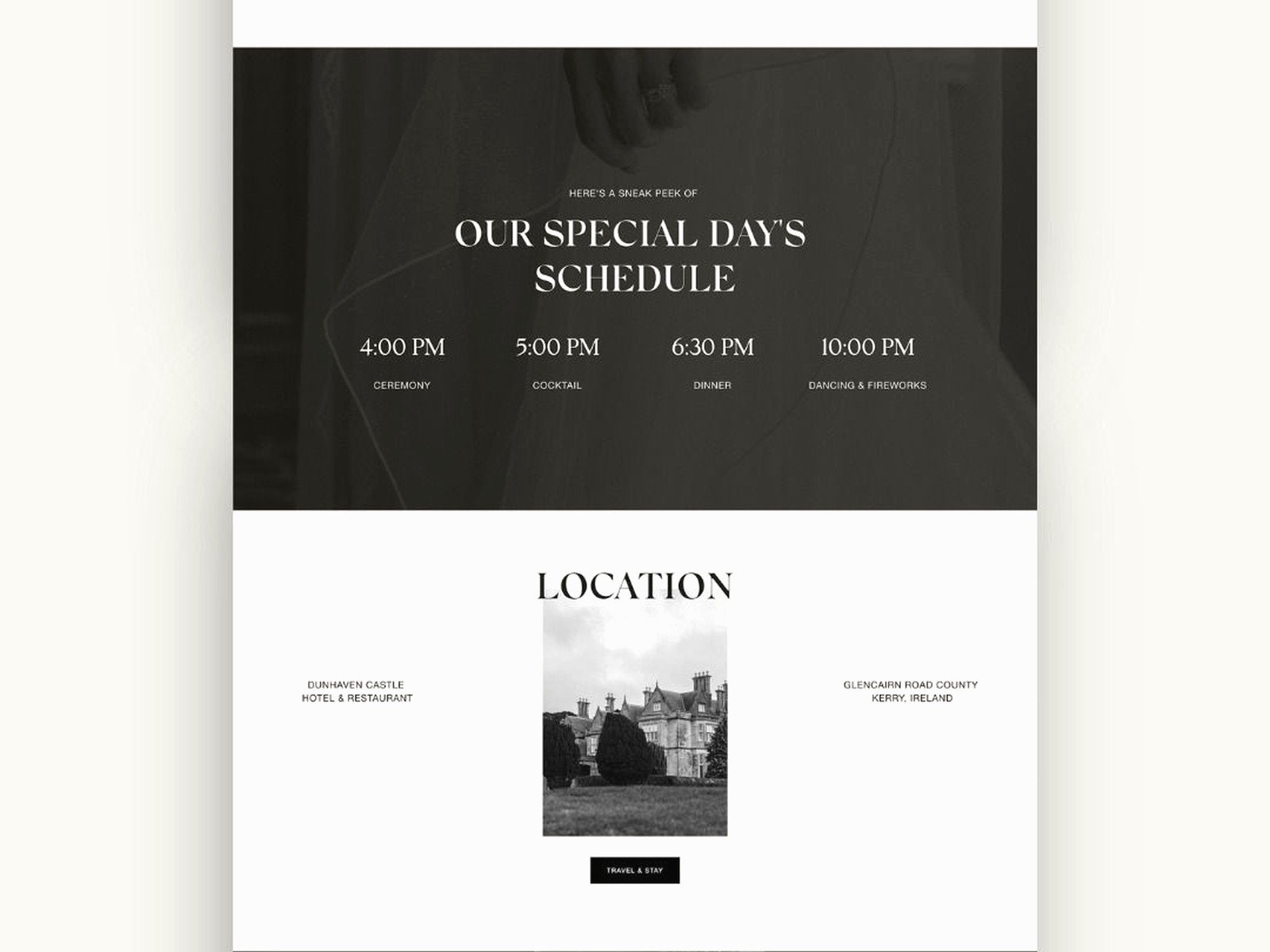
The basics: Date, time, location with address and map. I know this sounds obvious but I’ve seen websites go live without the actual venue address and then the couple wonders why people are asking questions.
RSVP functionality: This is non-negotiable in 2024. Nobody wants to mail back a card anymore… okay some people do, fine, but having online RSVP as an option makes your life so much easier for tracking.
Schedule of events: Especially if you’re doing a whole wedding weekend thing. Ceremony time, cocktail hour, reception, and any other events like welcome dinner or next-day brunch.
Travel and accommodations: Hotel blocks with booking codes, airport information, parking details. This is where premium templates sometimes shine because you can create more detailed pages.
Registry information: Just link to it, don’t overthink this part.
Your story: How you met, engagement story, whatever. Keep it short. Most guests will skim this anyway but it’s expected.
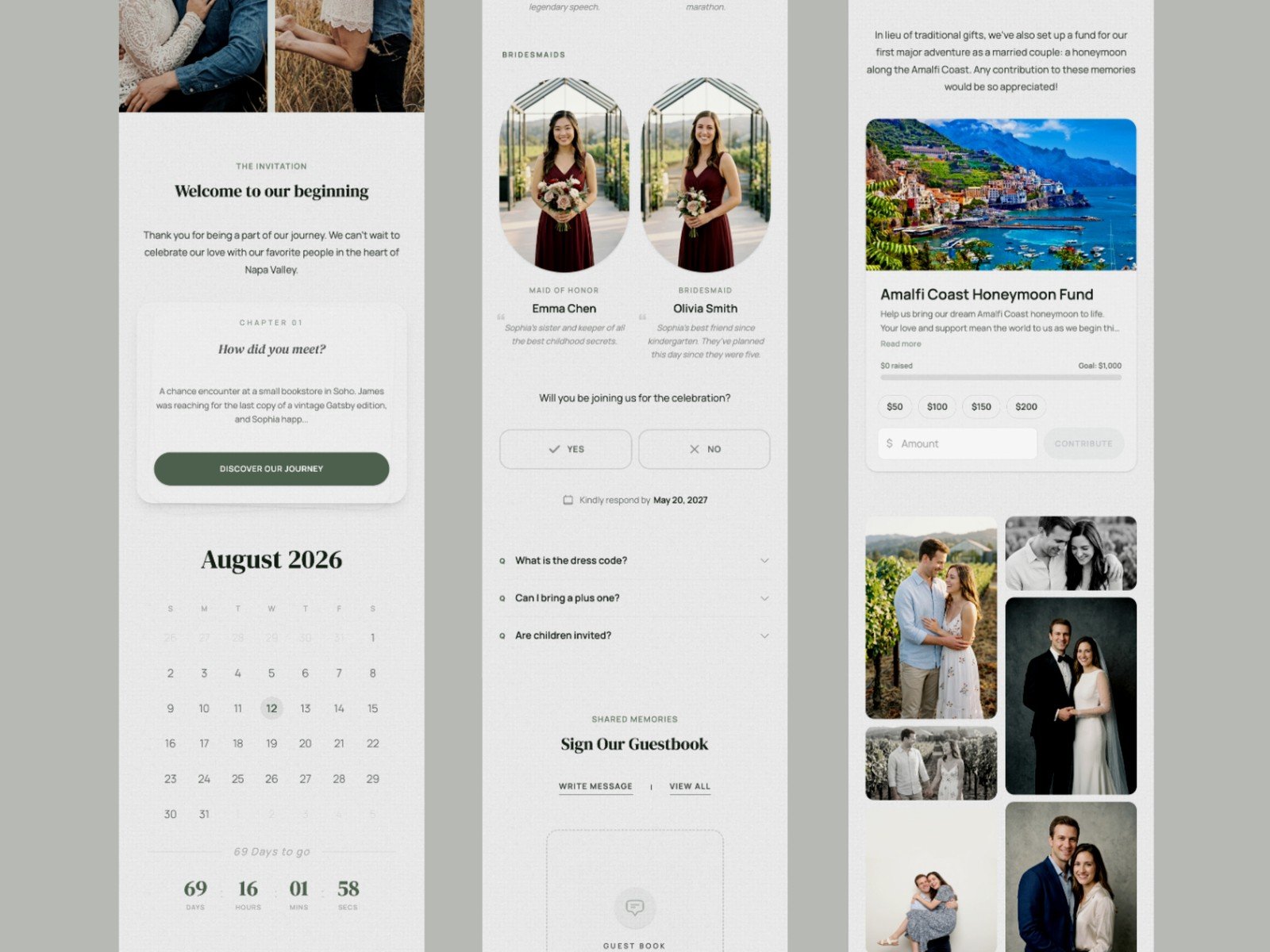
FAQ section: This will save you so many repetitive text messages. Dress code, whether kids are invited, what the weather’s usually like that time of year, etc.
Design Tips That Actually Matter
Mobile responsiveness is like… the most important thing and I can’t stress this enough. More than half your guests will view your website on their phone. If your template doesn’t automatically adjust for mobile, pick a different template. This is where established platforms (even free ones) usually do well because mobile optimization is built in.
Don’t get too crazy with fonts. I see couples pick these elaborate script fonts that are impossible to read. Your website needs to be functional, not just pretty. One decorative font for headers, one clean font for body text, done.
Photos are great but don’t upload 50 engagement photos. Pick your favorite 8-10. Too many photos make the site slow to load and honestly people lose interest. My cat stepped on my keyboard while I was updating a client’s website once and accidentally deleted an entire gallery and the couple didn’t even notice for three days so… yeah, less is more.
Color schemes should complement your wedding colors but don’t need to match exactly. A lot of templates let you customize colors and couples get really stuck on matching the exact shade of dusty rose or whatever. Close enough is fine. The website is a tool for information, not a design portfolio.
The Technical Stuff You Should Know
Launch your website like 6-8 months before the wedding, right around when save-the-dates go out. Some couples want it up even earlier which is fine, just make sure all your details are confirmed before you publish. Changing your venue after 200 people have already seen the website is awkward.
Custom domains are nice but not necessary. If you’re using a free platform, the URL will be something like johnandmary.theknot.com and that’s totally fine. If you want johnandmary.com you’ll need to buy the domain (usually $10-15/year) and this is easier with premium platforms.
Password protection is something couples ask about a lot. Most platforms offer this, even free ones. It’s useful if you want to keep your wedding details private from like… random internet people or if you’re having a private ceremony. Just make sure the password is easy to remember because you’ll be sharing it with everyone.
RSVP Management Features to Look For
This is where templates really differ and where premium often justifies the cost. Basic RSVP is just yes/no attendance. But you might need:
- Meal selections (and this needs to be crystal clear for your caterer)
- Plus-one tracking
- Guest count per household (the Smiths are coming, all four of them)
- Individual event RSVPs if you have multiple wedding weekend events
- Dietary restrictions field
- Song requests (kinda fun but also you’ll get some wild submissions)
- Ability to send reminder emails to people who haven’t responded
The free platforms usually handle basic RSVP fine. Zola and The Knot both have meal selection options. If you need something really specific or you’re having a complex wedding weekend with like five different events that people can opt in and out of… that’s when premium makes sense or even a specialized RSVP service.
Common Mistakes I See All The Time
Making the website too complicated. You don’t need 15 pages. I worked with a couple who created separate pages for their love story, engagement story, proposal details, how they picked their venue, why they chose their colors… it was a novel. Nobody read it. Keep it simple.
Not updating information. If something changes, update the website immediately. I’ve had couples change their ceremony time and forget to update their website and then act surprised when guests show up at the wrong time.
Forgetting to test the RSVP system. Please, before you send out your invitations with the website URL, have a few friends test the RSVP process. Make sure it actually works and that you’re receiving the responses.
Not checking how it looks on different devices. View it on your phone, your computer, a tablet if you have one, maybe even ask someone with an Android if you have an iPhone or vice versa.
Overdesigning. Sometimes couples spend so much time on custom graphics and animations and… your cousin Dave just wants to know if there’s an open bar and where to park. Functionality over flash.
My Actual Recommendations Based On Different Situations
If you’re having a simple wedding with under 100 guests and just need the basics: Use The Knot or Zola free templates. They’ll do everything you need.
If you want something that looks really polished and you’re comfortable spending a bit: Squarespace is worth it. The templates are beautiful and the customization options mean it can actually look unique to you.
If you’re having a destination wedding or multi-day event: Go premium with something like Squarespace or a specialized wedding platform’s premium tier. You need the space and functionality for detailed travel info and complex RSVP management.
If you’re on a tight budget but want no branding: WithJoy’s premium tier at $50 total is a steal.
If you have a tech-savvy friend who wants to help: WordPress with a premium wedding theme gives you unlimited customization but requires more setup.
If you want it to match your invitations exactly: Use the same company for both. Minted, Zola, and Greenvelope all offer matching website and stationery options.
Timeline For Getting This Done
You don’t need to have everything perfect before launching. Get the basic info up (date, location, hotel blocks) and add details as you confirm them. The FAQ section can grow over time as you get questions. Photos can be added in batches.
Plan to spend like 3-5 hours setting up your initial website if you’re using a template platform. More if you’re doing heavy customization. Less if you’re just filling in basic info on a free platform.
Keep the login info somewhere safe (password manager, shared note with your partner) because you’ll need to update it periodically and there’s nothing worse than getting locked out of your wedding website a month before the wedding. Yes this has happened to clients.
The RSVP deadline on your website should be like 3-4 weeks before your wedding so you have time to follow up with people who haven’t responded and get final numbers to your vendors. Build in buffer time because people are gonna respond late no matter what deadline you set.
