
Planning Guides, Style Guide
Wedding Itinerary Template: Weekend Schedule Downloads
Jun
Why You Actually Need a Weekend Wedding Itinerary
Okay so weekend weddings are having a MOMENT right now and honestly I’m here for it but also—people completely underestimate how much coordination goes into keeping 50+ guests informed about what’s happening when. Like I had this couple back in spring 2023 who thought they could just “wing it” with their welcome party, rehearsal dinner, wedding day, and Sunday brunch, and let me tell you, by Saturday morning I had seventeen separate text messages asking me what time the boat cruise was supposed to leave.
The thing is, your guests are taking time off work, booking hotels, arranging childcare, and they actually want to know the plan. Not in a controlling way but in a “I need to know if I should pack my nice sandals or my heels” kinda way.
What Goes Into a Weekend Wedding Itinerary Template
So the basic structure you’re gonna want includes all the events obviously, but also the little details that people forget about until someone’s calling you frantically from the hotel lobby. Each event needs:
- Event name and type (Welcome Cocktails, Rehearsal Dinner, Ceremony, etc.)
- Date and specific times—like actual times, not “evening” because that means 6pm to some people and 9pm to others
- Full venue address with a Google Maps link if you’re making this digital
- Dress code for EACH event because your aunt definitely will show up in a ballgown to the casual beach bonfire if you don’t specify
- Transportation details if you’re providing shuttles
- RSVP requirements if certain events are optional or limited capacity
What really annoys me is when couples put together these gorgeous custom itineraries but forget to include whether food is being served. I cannot tell you how many guests have asked me “should I eat before this?” and the couple is like “oh yeah there’s a full dinner” but nobody communicated that.
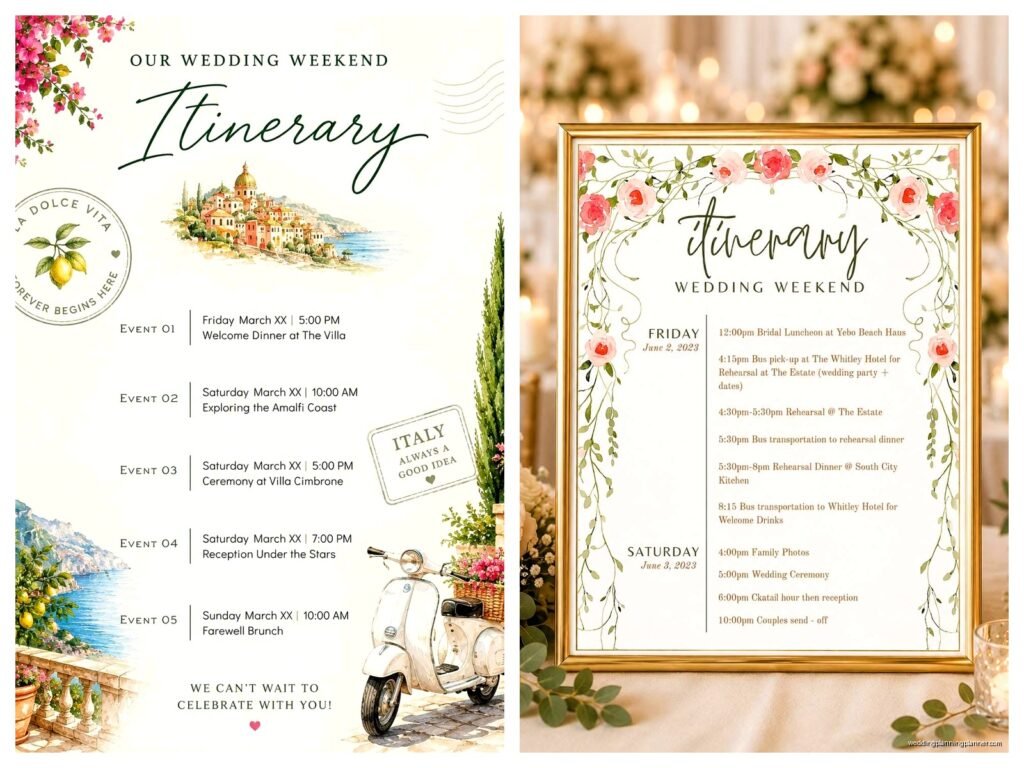
Friday Events Section
Most weekend weddings kick off Friday evening. You’ll wanna include your welcome party or welcome drinks—this is usually the most casual event and honestly it’s where people actually get to talk to each other before the wedding chaos begins.
For your template, structure it like this:
Friday, June 15th
Welcome Cocktails
6:00 PM – 9:00 PM
The Lighthouse Restaurant, 445 Harbor Drive
Attire: Resort Casual
Hosted beer, wine, and appetizers provided
Open to all wedding guests
If you’re having a rehearsal dinner, that usually happens Friday too but typically that’s just for the wedding party and immediate family unless you’re doing like a big Italian family style thing where everyone’s invited. Make sure you note if it’s private or open because I’ve had people show up to intimate family dinners thinking it was part of the welcome festivities and it gets awkward fast.
Saturday Main Event Breakdown
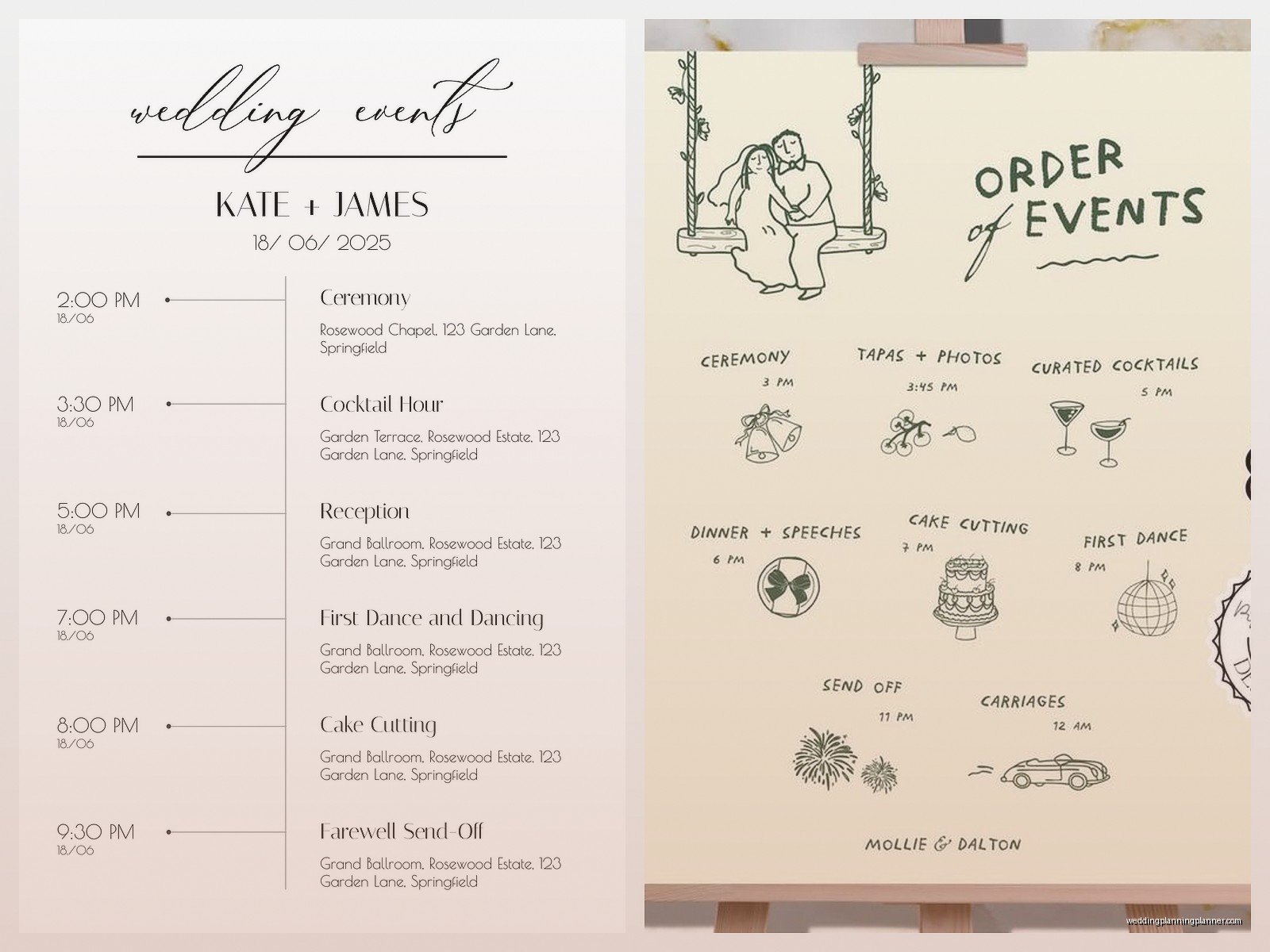
This is where you need to get really specific with timing because Saturday is the Big Day and people will be stressing about being late, getting ready, knowing when to show up for photos if they’re in the wedding party, all of it.
Your Saturday section needs way more detail. I usually break it down like:
Saturday, June 16th
Wedding Party Call Time
1:00 PM
Seaside Manor (Bridal Suite & Groom’s Room)
Wedding party only—final preparations and photos
Guest Arrival
4:30 PM
Seaside Manor Gardens
Please be seated by 4:45 PM
Ceremony
5:00 PM
Seaside Manor Gardens
Attire: Formal/Black Tie Optional
Outdoor ceremony (pashminas provided for guests)
See how I included that note about pashminas? Those little details matter because someone’s gonna be cold and then they’re uncomfortable during your vows and… anyway.
Cocktail Hour
5:30 PM – 6:30 PM
Seaside Manor Terrace
Drinks and hors d’oeuvres
Reception
6:30 PM – 11:00 PM
Seaside Manor Ballroom
Dinner, toasts, dancing
After Party
11:00 PM – 1:00 AM
The Marina Bar, 223 Dock Street
Casual—open to all guests who want to keep celebrating
Oh and pro tip—if you’re having an after party at a different venue, include that info even if it feels informal because people will want to know if the night is ending at 11 or if there are more festivities.
Sunday Recovery Events
The farewell brunch is becoming like a standard thing now which I love because it gives you actual time to talk to people instead of just waving at them from the head table. But you gotta make it clear if it’s a sit-down situation or a casual drop-in thing.
Sunday, June 17th
Farewell Brunch
10:00 AM – 12:00 PM
Harborview Hotel Restaurant (main lobby level)
Attire: Casual
Drop in anytime—casual breakfast buffet
Hosted by the Smith Family
That “drop in anytime” part is crucial because otherwise people think they need to arrive exactly at 10am and stay the whole time.
Digital vs. Printed Itinerary Downloads
Alright so here’s where the actual template format matters. You can go a few different routes and honestly I use all of them depending on the couple’s vibe and their guest list’s tech comfort level.
PDF Downloads: These are probably the most common. You create one beautiful PDF that guests can download from your wedding website, save to their phones, or print out. I usually design these in Canva because it’s stupidly easy and you can match your wedding branding. Make sure it’s mobile-friendly though—like test it on your phone because most people will be viewing it that way.
Google Calendar Invites: Okay this is gonna sound extra but some couples create individual calendar events for each activity and let guests add them to their phones. It’s actually super helpful because then people get reminders and have addresses ready to go. The downside is it takes more setup time on your end.
Printable Cards: I still love a good printed itinerary card that goes in the welcome bags at the hotel. Like yes everyone has phones but also there’s something nice about having a physical card you can stick in your wallet or clutch. Plus my cat knocked my phone off the nightstand during a wedding weekend once and I was SO glad I had the printed schedule.
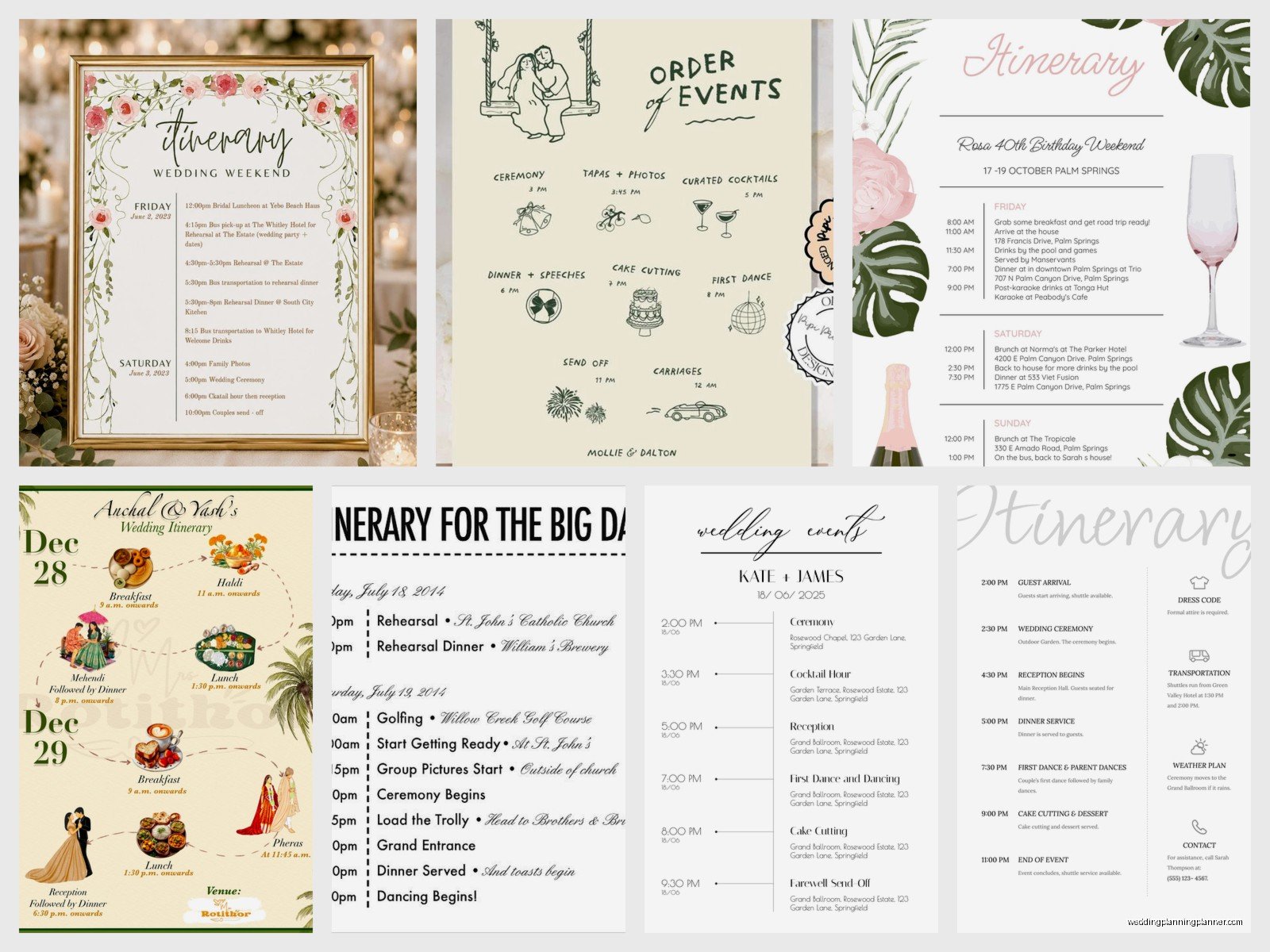
For the actual download setup on your wedding website, make sure the file isn’t huge—keep it under 2MB so people on sketchy hotel wifi can actually download it without their phone freezing.
Template Customization Tips
So you’ve got your basic structure but now you need to make it actually useful for YOUR specific weekend. Here’s what I always tell couples to add or modify:
Weather Contingency Plans: If any events are outdoors, note the rain plan. “Ceremony will move to the Manor Ballroom in case of inclement weather” saves you so many questions.
Parking Information: Where do people park for each venue? Is it free? Valet? Street parking that requires quarters? This seems minor until someone’s circling the block during your cocktail hour.
Contact Numbers: Include a day-of coordinator number or a designated point person for each event. Not YOUR number unless you want 47 calls while you’re getting your makeup done.
Gift/Card Dropoff: Tell people where to put cards and gifts because otherwise they end up scattered across three venues and someone’s trunk.
You can also add sections for like, local recommendations if people have free time, or shuttle schedules if you’re running transportation between the hotel and venues. I had a wedding in summer 2021 where we included a whole section about COVID protocols which felt weird to add to a wedding itinerary but it was actually really helpful for guests to know what to expect.
Common Itinerary Mistakes to Avoid
Let me just save you some headaches I’ve witnessed:
Being vague about timing: “Late afternoon ceremony” is not a time. Give actual times or people will show up whenever they feel like it and you’ll have guests arriving during your processional.
Forgetting to specify adults-only events: If your welcome party is 21+ or your rehearsal dinner doesn’t include kids, SAY SO. Don’t make people guess or feel awkward showing up with their toddler.
Not updating the itinerary when things change: If you change a venue or time, update every version of your itinerary—website, PDF download, printed cards, everything. I’ve seen couples update their website but forget about the PDF download link and then half the guests have outdated info.
Making it too design-heavy: Yes it should be pretty but it also needs to be readable. I’ve seen itineraries with such fancy fonts that you literally can’t read the times. Function over form here, people.
Leaving out the obvious: Like “please silence your phones during the ceremony” or “the reception is indoors with air conditioning” or “there will be a late-night snack served at 10pm”—these details seem obvious to you but your guests don’t know unless you tell them.
Where to Get Templates
So if you don’t wanna create one from scratch (and honestly why would you when there are so many good ones already out there), here’s where I point couples:
Canva: They have a bunch of free and paid wedding itinerary templates that you can customize. The interface is super user-friendly even if you’re not designery.
Etsy: If you want something more unique or specific to your wedding style, Etsy sellers have thousands of templates. You buy it, download it, edit it in Word or Canva or whatever, and you’re done. Usually costs like $8-15.
Your wedding website platform: Sites like Minted, Zola, or The Knot often have built-in itinerary builders that match your invitation design which is nice for cohesive branding.
Microsoft Word/Google Docs templates: If you want something super simple and functional, both have free templates. They’re not gonna win any design awards but they get the job done.
Just make sure whatever template you choose is editable because you WILL need to make changes. Venues change timing, you’ll realize you forgot something, whatever—you need to be able to update it easily.
How to Distribute Your Itinerary
Creating the itinerary is only half the battle—you actually gotta get it to people. I usually recommend a multi-channel approach because different guests prefer different methods:
Wedding Website: Post it prominently on your site with a big “DOWNLOAD WEEKEND ITINERARY” button. Make it available as soon as you have the details finalized, which should ideally be like 6-8 weeks before the wedding.
Email Blast: Send a direct email to all weekend guests with the itinerary attached as a PDF. Do this about 2-3 weeks before the wedding with a subject line like “Wedding Weekend Schedule & Details.”
Welcome Bags: Print a nice version on cardstock and include it in welcome bags at the hotel. This is clutch for people who didn’t check their email or who need a physical copy.
Group Chat: If you have a wedding party group chat or family group text, share it there too. Someone will inevitably not check any other source.
And honestly? Even with all this, someone’s still gonna ask you what time the ceremony is. It’s just the way of weddings and you sorta just gotta accept it.
Special Considerations for Destination Weddings
If your weekend wedding is also a destination wedding, your itinerary needs even more info. Add sections for:
- Airport transportation options
- Hotel check-in times and confirmation details
- Local emergency numbers or nearest hospital
- Currency exchange info if international
- Weather expectations and what to pack
- Free time activity suggestions
- Restaurant recommendations for meals you’re not hosting
Basically you’re creating a mini travel guide in addition to the event schedule. It sounds like a lot but your guests will actually use this info and appreciate having it all in one place instead of googling everything.
Keeping It Updated
Here’s the thing nobody tells you—your itinerary is a living document up until like the week of your wedding. Stuff changes, venues shift timing, you add events, whatever. Keep a master version that you update and make sure you’re pushing updates to wherever you’ve shared it.
I keep a checklist for couples that’s like: updated website version? Check. Updated PDF download link? Check. Notified coordinator of changes? Check. Posted in group chat? Check. It sounds neurotic but it prevents the chaos of half your guests showing up at the wrong time because they have an old version.
Also gonna be real with you—about 30% of your guests won’t look at the itinerary until they’re actively trying to figure out where to go next, so don’t stress too much about making it absolutely perfect. Make it clear, make it accessible, include all the important details, and then let it go. You’ve done your part in keeping people informed and if someone still shows up to the wrong venue at the wrong time, that’s sorta on them at that point.
