
Planning Guides, Style Guide
Free Wedding RSVP: Online Response Tracking Tools
Jul
Okay So Free RSVP Tracking Is Basically Essential Now
Look, I’m gonna be straight with you – if you’re still trying to track wedding RSVPs with paper cards and a spreadsheet, you’re making your life so much harder than it needs to be. Free online RSVP tools exist and they actually work really well, which is something I didn’t believe until like spring 2023 when I had this bride who was adamant about doing everything “traditionally” and then called me crying two weeks before her wedding because she had no idea how many people were actually coming. We ended up creating an emergency Google Form at 11pm on a Tuesday and I was sitting there with my cat literally walking across my keyboard trying to import her guest list.
The thing that annoyed me most about this whole situation? She’d been sent the links to free tools THREE TIMES. But anyway.
Why You Actually Need a Digital RSVP System
Paper cards get lost. People forget to mail them. Your aunt writes “maybe 3?” in the guest count section and you have no idea what that means. I’ve seen it all. Digital tracking means you can literally see in real-time who’s responded, who hasn’t, and send reminders without printing another round of cards or spending money on postage.
Plus – and this is huge – most free tools automatically compile your data. No more sitting there with a stack of cards trying to figure out your final count while also managing dietary restrictions and plus-ones. The system does it for you.
The Free Tools That Actually Don’t Suck
Google Forms (Yeah, Seriously)
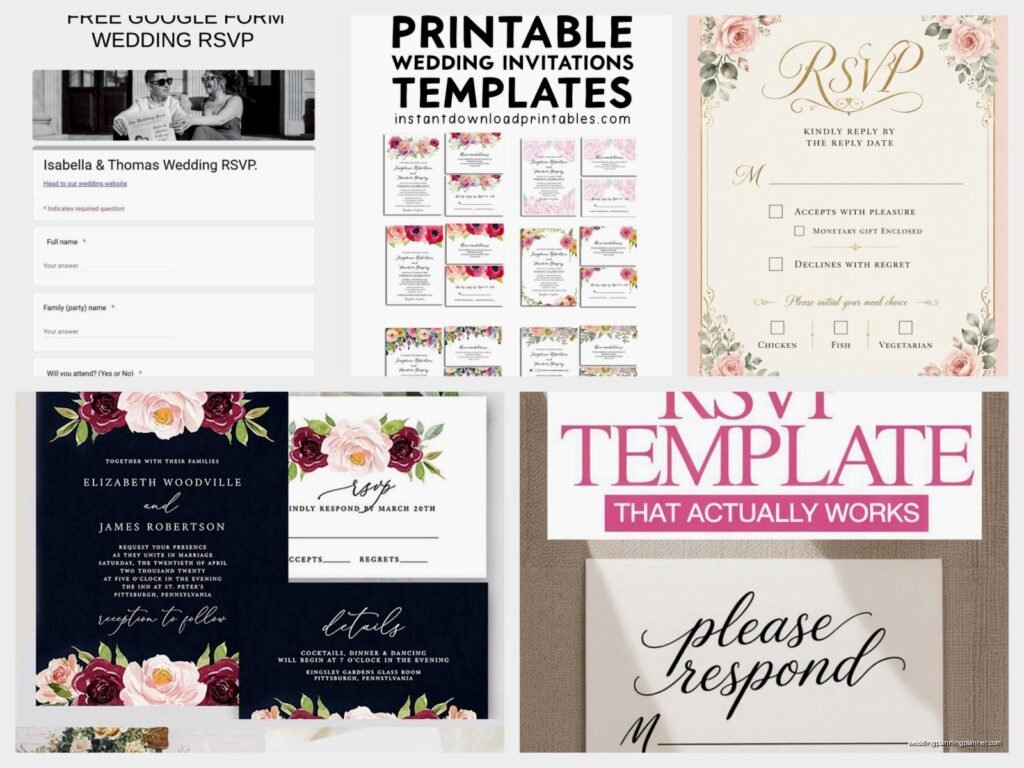
I know Google Forms sounds super basic but honestly it’s one of the most reliable options. You create a form, share the link on your wedding website or via email, and responses automatically populate into a Google Sheet. It’s not fancy but it works.
Here’s what you gotta include in your form:
- Name field (make it required obviously)
- Attending yes/no dropdown
- Number of guests attending
- Meal choice if you’re doing plated dinner
- Dietary restrictions text box
- Song request if you want (this is fun but also people will request the weirdest stuff)
The responses go straight into a spreadsheet where you can sort, filter, and see everything. You can even set up email notifications so you know immediately when someone responds, which is kinda addicting honestly.
RSVPify Free Plan
This one’s more wedding-specific than Google Forms. The free version lets you track up to 100 guests which works for smaller weddings or if you’re just doing a simple ceremony. It looks more “wedding-y” than a Google Form so guests take it more seriously maybe?
You get a custom RSVP page, guest list management, and they handle plus-ones better than most free tools. The interface is pretty intuitive – I’ve had clients in their 60s figure it out without calling me every five minutes, which is saying something.
The catch is that 100-guest limit. If you’re having a bigger wedding, you’d need to upgrade to their paid plan which starts around $49. But for intimate weddings or elopement receptions, the free version is perfect.
Joy (Wedding Website with Built-in RSVP)
Joy gives you a whole wedding website for free and includes RSVP tracking. No guest limits on the free plan which is honestly amazing. You can create your website, add your story and photos, list your registry, AND manage RSVPs all in one place.
The RSVP feature lets you track responses, manage meal choices, and even assign guests to specific events if you’re doing like a welcome dinner or day-after brunch. Everything syncs together so when someone RSVPs, you can see their response right next to their name in your guest list.
I had a couple using Joy last fall and they loved that guests could RSVP directly from the website without being redirected somewhere else. It felt more cohesive than sending people to a separate form.
Withjoy.com vs TheKnot vs Zola
Okay so all three of these offer free wedding websites with RSVP tracking. They’re all pretty similar honestly? The Knot is probably the most well-known, Zola pushes their registry hard (which fine, you need one anyway), and Joy is the most straightforward without trying to upsell you constantly.
I usually recommend Joy or The Knot for most couples. Zola if you’re definitely using their registry because then everything’s in one ecosystem. But they all work fine and you can’t really go wrong with any of them.
Paperless Post Free Option
Paperless Post is known for their digital invitations, but their free plan includes basic RSVP tracking. You can send invitations and track responses without paying anything, though the free designs are… limited. Like really limited. But if you’re okay with simple and you want the invitation + RSVP tracking in one place, it works.
The paid designs are gorgeous but we’re talking about free tools here so. The tracking functionality itself is solid – you can see who’s viewed your invitation, who’s responded, and send reminders to non-responders.
How to Actually Set This Stuff Up
Right so you’ve picked a tool, now what? Here’s the process I walk clients through, though honestly it’s pretty straightforward once you… wait let me find my notes because I always forget the order of steps.
Step One: Build Your Guest List First
Before you touch any RSVP tool, you need your complete guest list with correct names and contact info. Include:
- Full names (first and last)
- Email addresses (primary contact method)
- Phone numbers (backup)
- Household groupings (so you know who’s coming together)
- Plus-one status clearly marked
- Any kids in the household if you’re inviting families
I keep this in a Google Sheet even before importing anywhere because you’ll reference it constantly. Trust me on this.
Step Two: Configure Your RSVP Form
Whichever tool you’re using, you need to set up your questions carefully. This is where people mess up and then get incomplete information back.
Required fields should be:
– Guest name(s)
– Attending yes or no
– Number of people attending
– Contact email
Optional but recommended:
– Meal selection
– Dietary restrictions
– Allergies
– Accessibility needs (this is important and people forget it)
– Song requests or special notes
Make sure your form clearly states the RSVP deadline. Put it at the top. People will still miss it but at least you tried.
Step Three: Test Everything Before Sharing
Send the RSVP link to yourself and a friend. Actually fill it out. Check that responses are recording correctly. Make sure the confirmation message works. I cannot tell you how many times I’ve seen couples send out a form that doesn’t actually… work.
Summer 2021 I had a groom who set up his Google Form but didn’t turn on the “collect email addresses” setting, so we had 40 responses with no way to contact anyone for follow-up questions. We figured it out eventually but it was a whole thing.
Step Four: Share Your RSVP Link
Put the RSVP link everywhere:
– Your wedding website (most obvious spot)
– In a follow-up email after save-the-dates
– In your actual invitation suite (yes, even if you’re doing paper invites, include the digital RSVP option)
– Text it to close family and friends
– Post it in any wedding-related group chats
Make it as easy as possible for people to find and use. The less friction, the more responses you’ll get without having to chase people down.
Managing Responses Without Losing Your Mind
Okay so responses start coming in, now you gotta actually manage them. Here’s what works:
Check Your Dashboard Regularly
Set a reminder to check responses every few days. You don’t need to obsess over it daily (though you will anyway, everyone does), but regular check-ins help you stay on top of who’s responded and who hasn’t.
Most tools will show you response rates – like “47 out of 120 guests have responded” – which helps you gauge if you need to send reminders.
The Follow-Up System
Two weeks after your RSVP deadline, you’re gonna have a bunch of people who haven’t responded. This is normal and also infuriating. Here’s the follow-up sequence I recommend:
First round: Friendly email or text. “Hey! Just checking if you got our wedding invitation – we need to finalize our count with the venue. Can you let us know if you’re able to make it?”
One week later if still no response: More direct. “We need to give our final count to our caterer by [date]. Please respond by [specific date] so we can include you in our plans.”
Final round: Phone call or personal text. Sometimes people are just bad at responding to formal requests but will answer a direct question.
Handling the Weird Responses
People will give you weird responses. Someone will RSVP yes for 7 people when you only invited them plus one. Someone will write “probably” in the notes section. Someone will RSVP that they’re bringing their emotional support peacock. (Okay that last one didn’t actually happen to me but I saw it in a wedding planning group and I think about it constantly.)
For unclear responses, just reach out directly. “Hi! We got your RSVP but wanted to clarify…” Don’t assume anything because you’ll end up with either too much food or not enough seats.
The Data Export Thing Nobody Tells You About
Here’s something important – make sure whatever tool you’re using lets you export your data. You’re gonna need that guest list in different formats for different vendors.
Your caterer needs it one way, your venue needs it another way, your seating chart needs it organized differently. Being able to export to Excel or CSV means you can manipulate the data without manually retyping everything.
Google Forms does this automatically (it’s literally just a spreadsheet). Joy, The Knot, and Zola all have export functions. RSVPify on the free plan has limited export options which is kinda annoying but workable.
What About Guests Without Email or Internet Access?
Yeah, this comes up. Usually it’s older relatives or guests who aren’t tech-savvy. You have a few options:
Option 1: Include a paper RSVP card just for them. Yes, it’s extra work, but it’s better than excluding them from responding.
Option 2: Have a family member help them respond online. Like, your cousin can fill out the form on behalf of Grandma.
Option 3: Accept phone RSVPs from these specific guests and manually enter their responses into your system.
I usually go with a combination. Most guests use the online system, but you keep a small stack of paper cards for the handful who need them.
The Reminder Email Template That Actually Works
Since we’re talking about online systems, you’re probably gonna send reminder emails. Here’s a template that gets responses without sounding pushy:
Subject: Quick RSVP reminder for [Your Names]’s wedding
Hi [Name],
We’re finalizing details for our wedding on [date] and wanted to make sure you received our invitation! We need to give our venue a final headcount by [deadline], so if you haven’t already, could you please RSVP by [specific date]?
You can respond here: [link]
It takes less than a minute, and we’d love to know if you’ll be celebrating with us!
Thanks so much,
[Your Names]
Keep it short, friendly, and include the direct link. People are more likely to respond if you make it as easy as possible.
Common Problems and Quick Fixes
Problem: People are RSVPing for more guests than you invited them with.
Fix: Add a note on your form that says “Please RSVP only for the guests named on your invitation.” Also, if your tool allows it, set a maximum number of guests per response.
Problem: Someone changed their mind after RSVPing yes.
Fix: This is why you want a system where you can edit responses. Most free tools let you go in and update individual responses manually. Just keep notes about who changed what and when.
Problem: Your RSVP link isn’t working on mobile.
Fix: Test it on your phone before sending it out. Most modern tools are mobile-responsive, but older ones or custom forms might have issues. If it doesn’t work on mobile, pick a different tool because most people will respond from their phones.
Problem: You’re not getting any responses.
Fix: Check that you actually shared the link (sounds obvious but I’ve seen it happen). Make sure the link is clickable and not just plain text. Send a reminder with the direct link.
The Meal Choice Tracking Thing
If you’re doing a plated dinner with meal choices, your RSVP system needs to track this clearly. Set up your form with specific options – don’t make it a text box where people write whatever they want. Use dropdown menus or radio buttons:
- Beef tenderloin with roasted vegetables
- Herb-crusted salmon with lemon butter
- Vegetarian pasta primavera
- Vegan option (specify what it is)
And then have a separate text field for allergies and dietary restrictions because someone will have a gluten allergy or be allergic to shellfish and you need to know that.
Your caterer will need this info organized by table eventually, but during the RSVP phase just focus on collecting the data accurately. You can reorganize it later when you’re doing your seating chart, which is a whole other nightmare but we’re not talking about that right now.
Keeping Track of Plus-Ones Without Going Crazy
Plus-ones are confusing for everyone. Your system should clearly indicate whether someone has a plus-one or not. If you’re using Google Forms, you can set up conditional logic – if someone indicates they have a plus-one, additional fields appear for their guest’s name and meal choice.
Joy and The Knot handle this pretty elegantly in their systems. You mark in your guest list who gets a plus-one, and the RSVP form adjusts accordingly.
The important thing is to be clear from the start. If someone doesn’t have a plus-one, your invitation should be addressed only to them, and your RSVP form should only allow them to RSVP for themselves. Don’t leave it ambiguous because people will assume they can bring someone when you didn’t actually invite a guest for them.
Integration with Other Wedding Planning Stuff
Some free RSVP tools integrate with other wedding planning features. Like if you’re using The Knot for RSVPs, you can also use their guest list manager, seating chart tool, and checklist all in the same place. This is convenient if you like having everything centralized.
Joy integrates with some registry services. Zola obviously integrates with their own registry. Google Forms… doesn’t integrate with anything wedding-specific but you can connect it to other Google tools like Sheets and Calendar if you’re into automation.
Think about your whole planning workflow. If you’re already using a specific wedding planning app, see if they have RSVP tracking built in. It might make your life easier than using a separate tool, even if the separate tool has more features.
