
Planning Guides, Style Guide
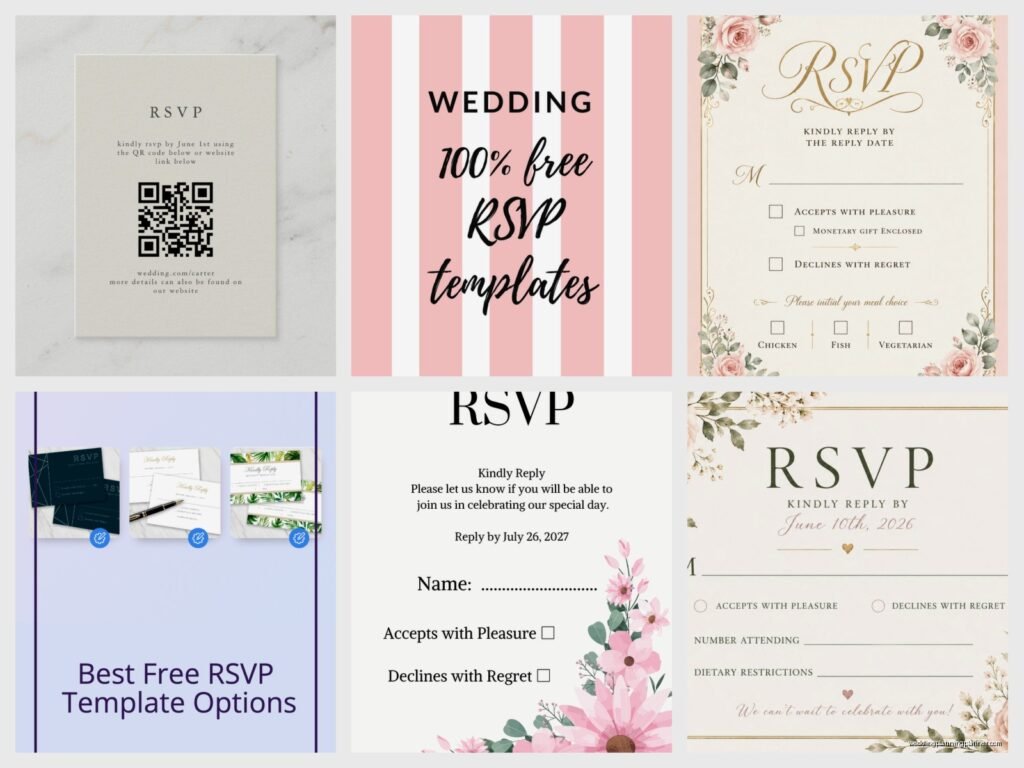
RSVP Card Template: Response Card Free Downloads
Jul
RSVP Card Templates Are Literally Your Best Friend Right Now
So you’re planning a wedding and suddenly you realize you need response cards and you’re staring at Etsy prices like… wait, I gotta pay $4 per template? Nah. Let me tell you about free RSVP card templates because I’ve been down this road so many times with clients who are already over budget by March and the wedding isn’t until October.
RSVP cards are basically the thing that tells you who’s actually showing up to your wedding. Sounds simple but you’d be shocked how many people mess this up. I had this bride in spring 2023 who designed her own RSVP cards without including a deadline date and we got responses trickling in for MONTHS. The caterer was losing their mind. I was losing my mind. Her mom called me crying because they didn’t know if they needed 150 meals or 200.
What Actually Needs to Be On Your RSVP Card
Alright so before you even download a template, you need to know what information goes on these things. It’s not rocket science but people overthink it or forget crucial stuff.
The basics are:
- A blank line for guest names (the “M___” line if you wanna be traditional)
- Accept or decline checkboxes or fill-in lines
- The response deadline date (THIS IS CRUCIAL don’t forget it)
- Meal choices if you’re doing a plated dinner
- Number of guests attending
- Your return address pre-printed on the envelope
Some people add a song request line or a special message area but honestly? Keep it simple. The more questions you ask, the more confused guests get, and then they just… don’t send it back. Or they cross things out and write notes in the margins that you can’t read.
Where To Actually Find Free Templates
Okay so I’m gonna give you the real list of where to download RSVP card templates without paying. Some sites say “free” but then trap you into signing up for a subscription or the download is like 72 dpi and looks pixelated when you print it, which is super annoying.
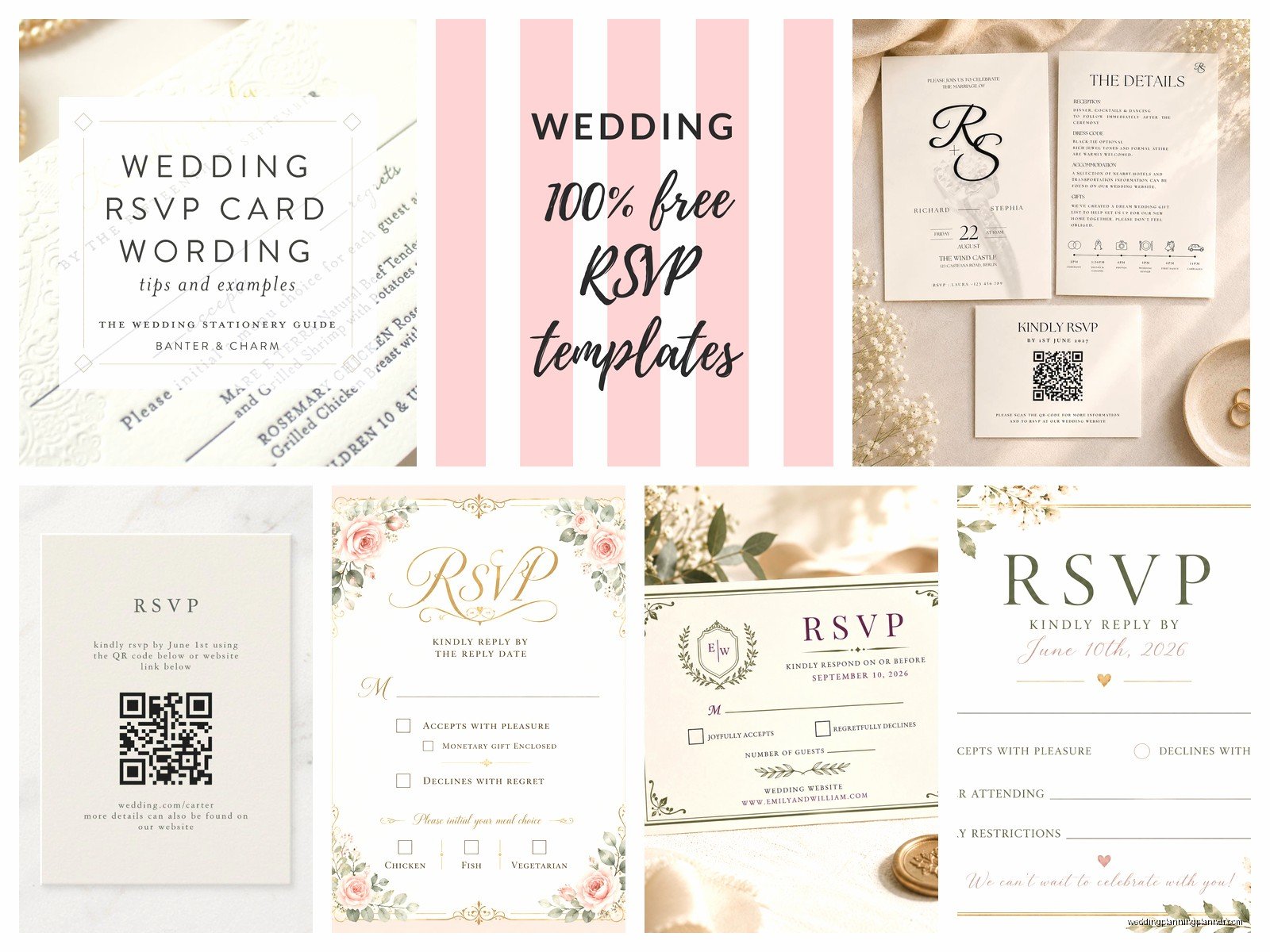
Canva is probably your best bet honestly. They have hundreds of free wedding RSVP templates and you can customize them right in the browser. You don’t need design skills. I use Canva for client mock-ups all the time even though I have Adobe Creative Suite because sometimes you just want something fast. The free version has plenty of options and you can download as PDF for printing. Just make sure you’re selecting templates that are actually marked “Free” because they mix in the paid ones.
Template.net has a decent collection but the interface is kinda clunky. You’ll need to create a free account which is annoying but whatever. They have Word and PDF formats which is helpful if you’re not comfortable with design programs.
Greetings Island is surprisingly good for this. They have printable RSVP cards you can personalize online and they’re actually free. The designs are a bit limited compared to Canva but they work fine if you’re going for classic and simple.
Microsoft Word templates – if you already have Word, they have built-in wedding templates including RSVP cards. Go to File > New > search “wedding RSVP” and you’ll get several options. They’re basic but functional and you can edit everything.
Standard RSVP Card Size and Format
Most RSVP cards are 5″ x 3.5″ which fits into an A1 envelope. Some people do 4.25″ x 5.5″ (A2 size) if they want something a little bigger or if they need room for meal selections and dietary restrictions. I usually tell clients to go with the smaller size unless they absolutely need the space because postage is cheaper and it just looks more… I dunno, elegant? Proportional?
When you’re downloading templates make sure you check what size the template is set up for. Nothing worse than designing everything and then realizing you need to reformat because your envelopes don’t match.
Customizing Your Template Without Losing Your Mind
So you’ve downloaded a template. Now you need to make it actually yours. Here’s what I change every single time:
Fonts: Match your invitation fonts if possible. If your invitation is in a romantic script, don’t put your RSVP in Arial. It looks disconnected. Most free templates use pretty generic fonts so you’ll probably want to swap them out. Just keep it readable – I’ve seen RSVPs in fonts so swirly that older guests literally couldn’t read them and called asking what it said.
Colors: Match your wedding colors obviously. But here’s the thing – if your wedding colors are like navy and burgundy, you might want to go lighter on the RSVP card because dark cards are harder to write on. I learned this the hard way with a fall wedding where we did deep purple cards and half the guests used light ink that you couldn’t even see.
Wording: The traditional wording is “The favor of your reply is requested by…” or “Kindly respond by…” but you can just say “Please reply by” and call it a day. You can also get cute with it – I’ve seen “Can’t wait to celebrate with you! Please respond by…” or whatever matches your vibe.
The Response Deadline Date Strategy
Set your RSVP deadline for at least 3-4 weeks before your wedding date. This gives you time to track down the people who inevitably don’t respond (there will be several, I promise) and get your final headcount to the caterer with their required notice period which is usually 1-2 weeks out.
Here’s what actually happens: you set a deadline for say June 1st for your June 28th wedding. By June 1st you’ll have about 70% of responses. You’ll spend June 2-7 texting and calling people asking if they’re coming. By June 10th you’ll have 95% and you just have to make executive decisions about the remaining 5% or track them down on social media.
One time in summer 2021, right when weddings were coming back after COVID shutdowns, I had a couple who set their RSVP deadline too close to the wedding date – like 10 days before – and it was a disaster because half the guests were still traveling internationally and dealing with testing requirements and… anyway it was a whole thing. The caterer refused to adjust numbers that close to the date. Don’t do that to yourself.
Meal Selection Formats That Actually Work
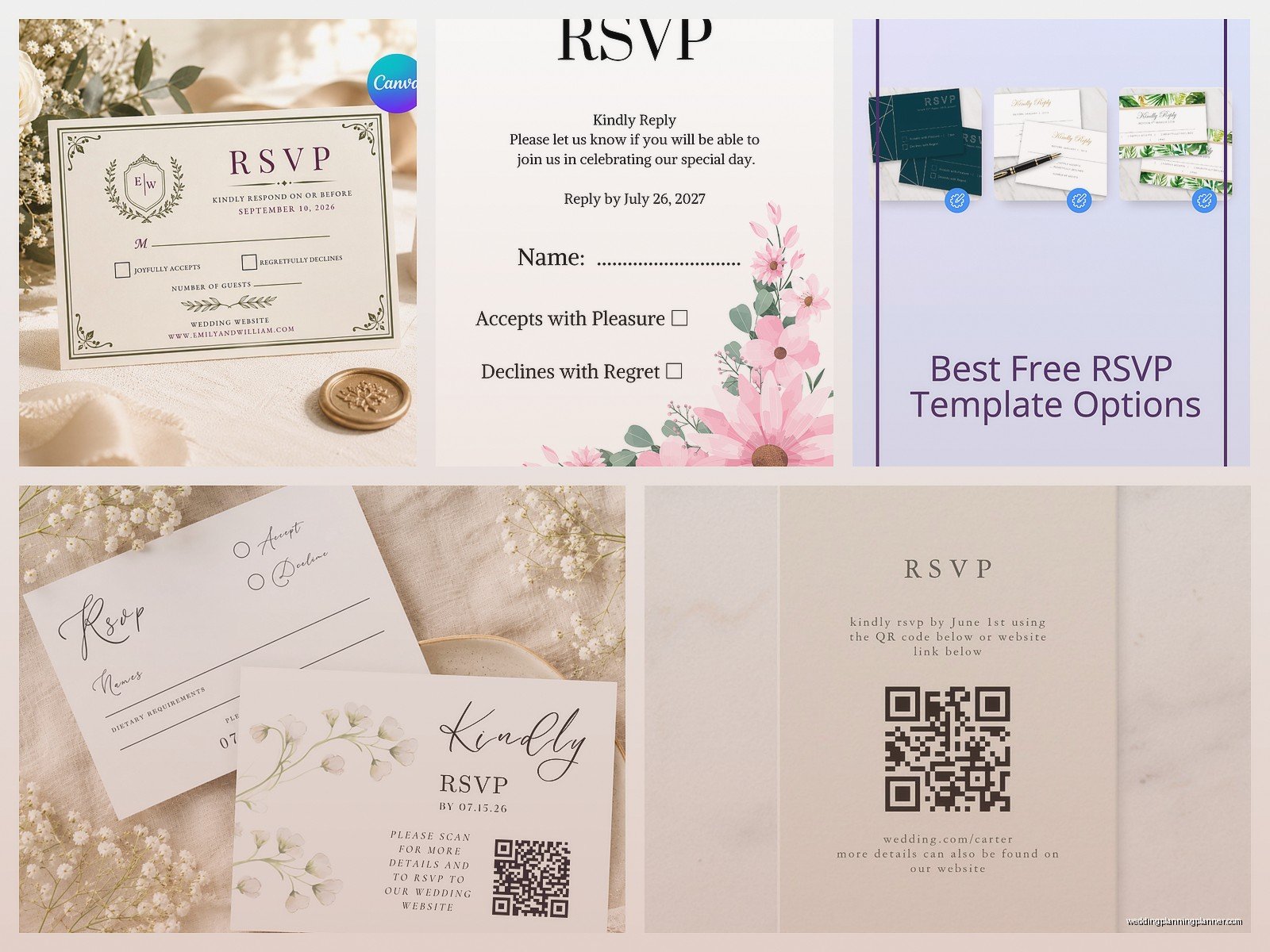
If you’re doing a plated dinner you need to include meal choices on your RSVP card. The format that works best is checkboxes with clear labels:
Please select your entrée:
__ Filet Mignon
__ Herb Roasted Chicken
__ Vegetarian Pasta Primavera
Some templates have you write in initials next to each meal choice which is fine but gets confusing when you have families RSVPing together. Checkboxes are clearer. Also include a line for dietary restrictions – you’ll get everything from “no gluten” to “allergic to nightshades” to my personal favorite “nothing that once had a face” which I got on an RSVP last year.
Digital vs Physical RSVP Cards
Okay so technically you could skip physical RSVP cards entirely and just do online RSVPs through your wedding website. It’s cheaper and easier to track. But here’s the reality – older guests don’t always do well with online forms, and some people just prefer paper. I usually recommend doing both if your budget allows it, or at least including your wedding website URL on the RSVP card so tech-savvy guests can respond online if they want.
If you’re doing physical cards you need to include a pre-addressed and pre-stamped envelope. Don’t make your guests hunt down stamps or look up your address. You want to make it as easy as possible for them to respond. My cat literally knocked over my stamp roll while I was assembling RSVP envelopes for a client once and I had to peel stamps off my hardwood floor which was not fun but also kinda hilarious in hindsight.
Printing Your RSVP Cards
You’ve got a few options here. You can print at home if you have a decent printer and cardstock, you can use an online printing service, or you can go to a local print shop.
Home printing: Get 80lb or 100lb cardstock from any office supply store. Print a test copy first on regular paper to make sure everything lines up correctly. Most home printers can handle cardstock but you might need to adjust your printer settings to “thick paper” or “cardstock” mode. The quality is fine for RSVP cards – nobody’s examining them under a microscope.
Online printing services: Vistaprint, Catprint, Moo – they all do RSVP cards. You upload your PDF and they ship them to you. Usually costs around $20-40 for 100 cards depending on the paper quality you choose. Turnaround time is typically 5-10 business days plus shipping.
Local print shops: Sometimes more expensive but you can see paper samples in person and they can help if your file format is weird. Plus you support a local business which is nice I guess.
The Return Address Situation
Print your return address directly on the RSVP envelopes. Don’t use address labels – they look cheap and they peel off. Most templates include a matching return address design that you can print on the envelope flap. If you’re printing at home this means printing on envelopes which can be tricky depending on your printer… some printers jam with envelopes so test it first.
The return address should go to whoever is collecting RSVPs. Usually that’s the couple’s home address or sometimes the parents’ address if they’re helping coordinate. Just make sure it’s somewhere that mail is checked regularly because you don’t want responses sitting in a mailbox for days.
Common RSVP Card Mistakes I See Constantly
Not numbering your guest list. Here’s a pro tip – assign each household/guest group a number and write that number secretly on the back of their RSVP card in light pencil. That way when someone sends back a card with illegible handwriting or just checks “2 attending” without writing their name (this happens ALL THE TIME), you can figure out who it’s from by the number.
Using “M___” without explaining it. The “M” is supposed to be the start of Mr./Mrs./Ms. but half your guests don’t know that and will just write their first names or skip it entirely. If you use this format maybe add tiny text that says “Name(s)” underneath so people get it.
Making the response date too small or unclear. I cannot stress this enough – make that date BIG and OBVIOUS. Some templates bury it in small text at the bottom and guests miss it completely.
Not leaving enough space for guests to write. If you’re asking for meal choices or song requests or whatever, make sure there’s actual room to write. I’ve seen templates with like a half-inch line for “dietary restrictions” and then guests are writing in the margins or on the back.
What To Do With Responses Once You Get Them
Create a spreadsheet immediately. I use Google Sheets because you can share it with your partner or wedding planner and everyone sees updates in real time. Columns should include: guest name, number attending, meal choices, dietary restrictions, date received, and a notes column for anything special.
Enter responses as soon as they arrive. Don’t let them pile up because you’ll forget details or lose cards or… I had a bride who kept all her RSVPs in a decorative box and her dog got into it and destroyed like 15 cards. She had to text people asking “did you already RSVP because my dog ate your card” which was mortifying for her.
Follow up with non-responders starting about 5 days after your deadline. A simple text like “Hey! Haven’t gotten your RSVP yet, just checking if you’re able to make it to the wedding?” works fine. Don’t be passive aggressive about it even though it’s annoying that they didn’t respond on time.
Alternative RSVP Formats Worth Considering
Postcard RSVPs are having a moment and honestly they’re kinda genius because you don’t need an envelope which saves money and assembly time. The downside is they’re less formal and there’s no privacy – your mail carrier can see who’s declining your wedding which some people find weird.
QR code RSVPs where the physical card just has a QR code linking to your online RSVP form. This is very modern and convenient but again, not great for less tech-savvy guests. Maybe better for younger crowds or casual weddings.
Matching Your RSVP Cards To Your Invitation Suite
Your RSVP card should obviously coordinate with your invitation design. They don’t have to be identical but they should feel like they’re part of the same family. If your invitation has a floral border, maybe your RSVP has a smaller version of the same flowers in one corner. If your invitation is minimalist black and white, your RSVP should be similarly clean and simple.
The paper color and weight should match too. If you’re splurging on fancy cream-colored textured paper for invitations, your RSVP cards should be the same or it looks mismatched when people open the envelope. This is where downloading free templates is great because you can print everything on the same cardstock and maintain consistency without paying a designer to create a full suite.
Some free template sites actually offer complete suites – invitation, RSVP, details card, thank you card – all in matching designs. That’s the easiest route if you want everything to coordinate perfectly without doing design work yourself.
