
Planning Guides, Style Guide
Printable Wedding Programs: Free Ceremony Downloads
Jul
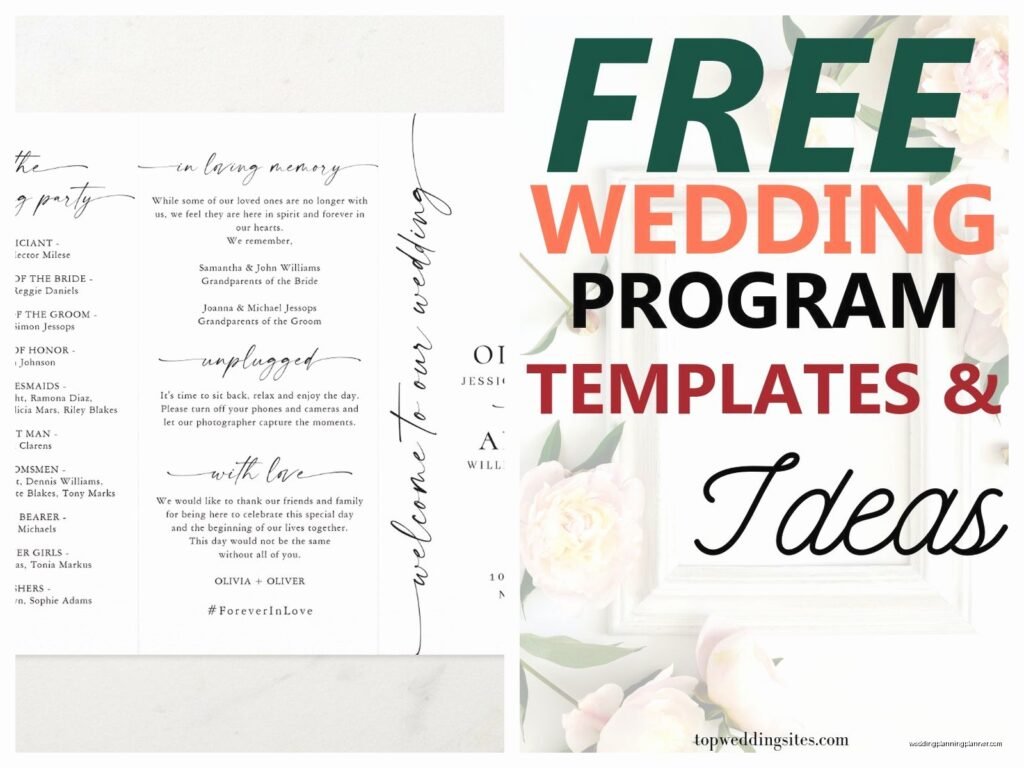
Okay So Free Printable Wedding Programs Are Actually Pretty Easy
Look, I’ve been doing this wedding planning thing for years now and honestly one of the questions I get asked most is where to find decent free wedding program templates because not everyone has $400 to drop on custom printed programs from a stationer. Which like, I get it, budgets are tight and programs literally get thrown away after the ceremony so…
The good news is there are actually tons of free downloadable templates out there that don’t look completely terrible. You just gotta know where to look and how to customize them without making them look like you made them in Microsoft Word in 2003.
Where To Actually Find Free Templates That Don’t Suck
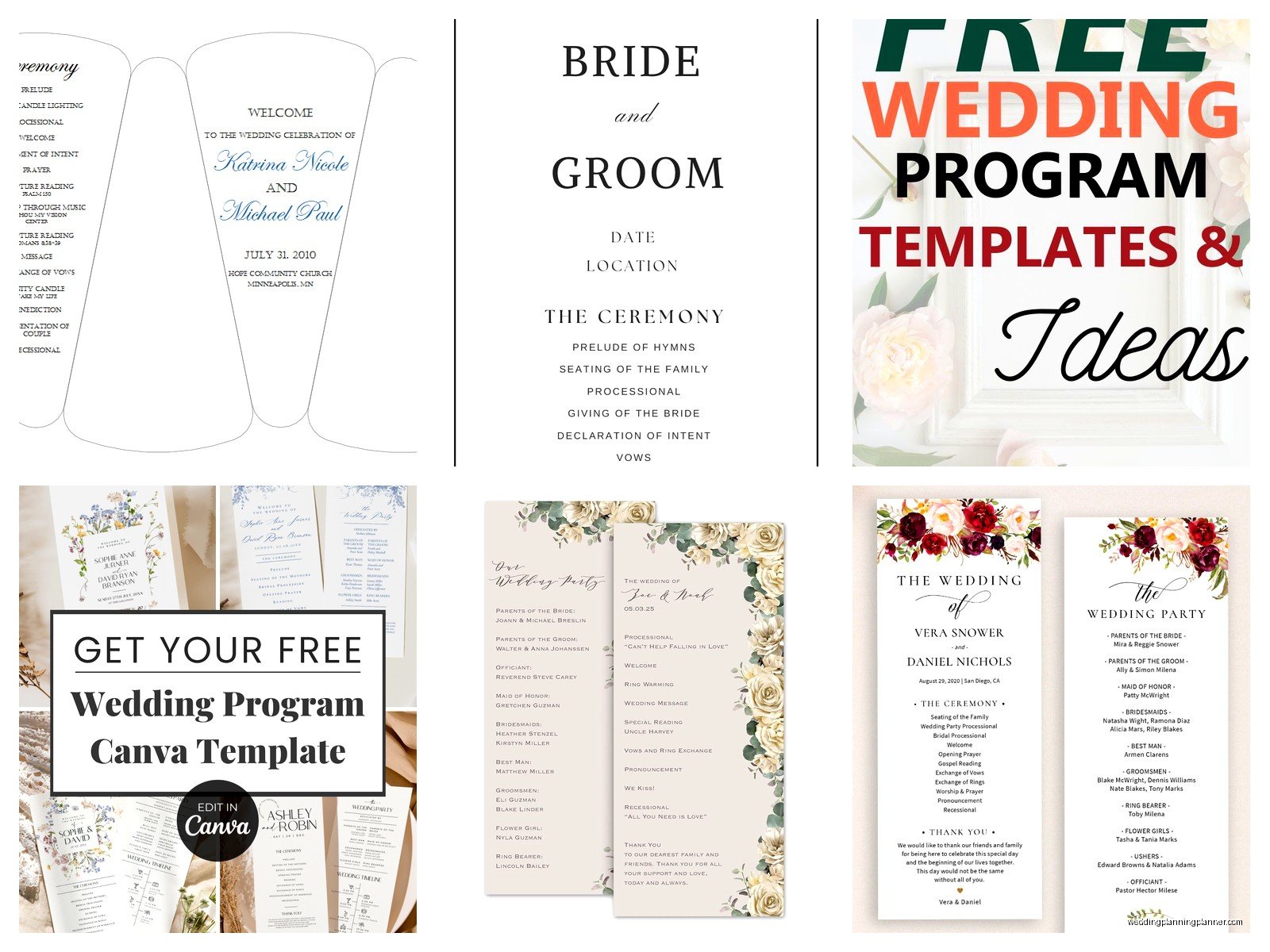
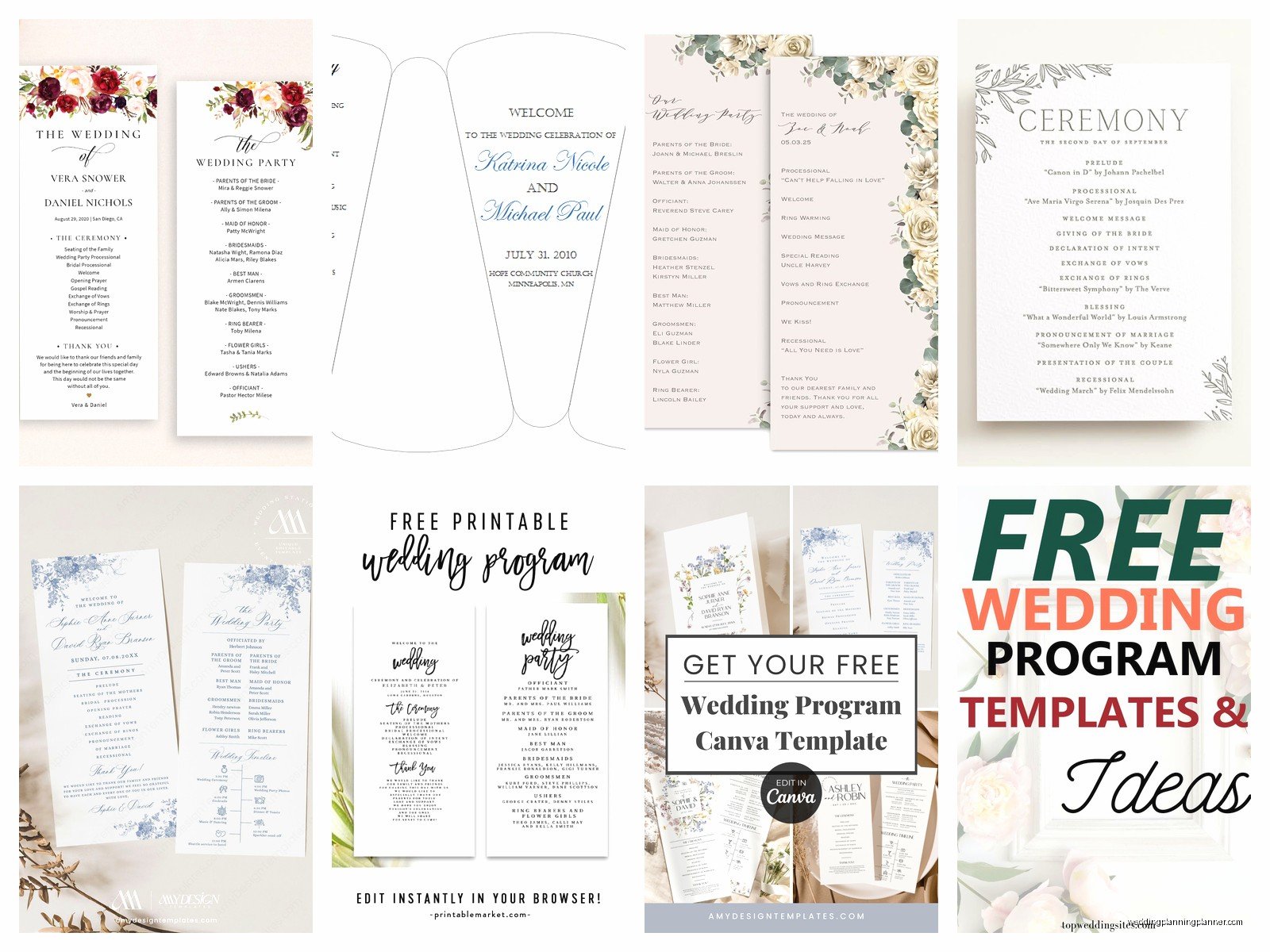
Canva is gonna be your best friend here. I know everyone and their mom uses Canva now but there’s a reason for that. They have literally hundreds of wedding program templates and a bunch are completely free. You don’t even need the Pro version for most of them, though I will say the Pro version gives you way more font options and you can remove backgrounds from photos which is handy.
Other places I send clients:
- Template.net has a whole section of wedding programs, some are actually pretty elegant
- Microsoft Word templates (yes really, they’ve gotten better)
- Google Docs templates through their template gallery
- Etsy has “free” templates but you gotta search carefully because most want your email or something
- Wedding Chicks occasionally has freebies
I had this bride back in spring 2023 who was SO stressed about programs because her original stationer backed out like 6 weeks before the wedding. We found a gorgeous template on Canva, customized it in maybe 2 hours, and printed them at a local print shop for under $50 total. She literally cried when she saw them because she thought she’d have to go without programs entirely or spend money she didn’t have.
What Actually Needs To Be In A Wedding Program
Okay so this is where people get weird and overthink everything. A wedding program doesn’t need to be a novel. Here’s what you actually need:
Cover: Your names, wedding date, ceremony location (city is fine, you don’t need the full address)
Inside or back:
- Order of ceremony (processional, readings, vows, ring exchange, etc)
- Wedding party names and their roles
- Parents names if you want
- Maybe a thank you note to guests
- Any special explanations for cultural or religious traditions
That’s it. I’ve seen programs that include like, the couple’s entire love story, multiple poems, explanations of every single flower choice… nah. Keep it simple. People are gonna glance at it for maybe 90 seconds before the ceremony starts.
The Stuff People Forget To Include
You know what drives me crazy? When couples forget to mention if there’s going to be a receiving line or what’s happening immediately after the ceremony. Like “please join us for cocktails in the garden” or “reception to follow at [venue name]” is actually super helpful information that I see left off programs all the time.
Also if you’re having an unplugged ceremony (no phones/cameras), PUT THAT IN THE PROGRAM. Don’t just assume your officiant mentioning it will be enough because someone’s aunt is definitely gonna have her iPad out anyway but at least you tried.
Formatting Tips That Actually Matter
Most free templates come in standard sizes but you’ll usually see these formats:
- Flat 5×7 cards (easiest to print at home)
- Folded 5×7 (gives you 4 pages to work with)
- Folded 8.5×11 (half-fold, very common)
- Trifold (looks fancy but annoying to fold)
- Booklet style (multiple pages, probably overkill unless you’re having a full Catholic mass)
Here’s the thing about printing at home versus using a print shop: if you’re doing more than like 50 programs, just go to a print shop. Your home printer is gonna run out of ink halfway through, the colors will look different on each page, and you’ll want to throw your printer out the window. FedEx Office, Staples, local print shops… they can usually do it same-day or next-day and it’s not that expensive.
I learned this the hard way when I was newer to wedding planning and told a bride she could totally print 120 programs at home. She called me at 11pm the night before her wedding because her printer died after 40 programs and she was having a meltdown. We ended up at a 24-hour FedEx at midnight. My cat was NOT happy when I got home at 2am, he’d knocked over a plant in protest.
Customizing Without Making It Look Homemade In A Bad Way
The trick with free templates is that you need to customize them enough that they match your wedding vibe but not so much that you mess up the design. Some things that actually help:
Change the colors to match your wedding colors but keep the same color scheme structure. If the template has a dark header and light body, keep that contrast even if you’re switching navy to burgundy or whatever.
Swap in your fonts but only use 2-3 fonts MAX. One for headers, one for body text, maybe one accent font. I see people use like 6 different fonts and it looks like a ransom note.
Add your own photos if the template has space for them but make sure they’re high resolution. A blurry engagement photo on the cover is worse than no photo at all.
Keep the layout structure even if you’re changing content. The designer already figured out spacing and hierarchy so don’t try to reinvent the wheel.
Common Mistakes That Make Me Twitch
Using too many colors. Your program doesn’t need to be a rainbow unless that’s literally your theme. Stick to 2-3 colors plus black/white.
Tiny font sizes because you’re trying to cram too much information. If people need reading glasses to see it in outdoor lighting, it’s too small. I usually say nothing smaller than 10pt for body text.
Forgetting to proofread. I cannot tell you how many programs I’ve seen with typos in people’s names or the wrong date or… just proofread it multiple times and have someone else look at it too.
Printing on regular copy paper. It looks cheap because it is cheap. At minimum use cardstock. Most templates will specify what paper weight works best.
Actually Printing These Things
If you’re printing at home you’re gonna need:
- Cardstock paper (I like 110lb but 80lb works too)
- A decent printer (inkjet is fine, laser is better for large quantities)
- Extra ink cartridges because Murphy’s Law says you’ll run out
- A paper cutter if you’re doing flat programs, or a bone folder if you’re doing folded ones
- Way more time than you think you’ll need
For print shops, just save your file as a high-resolution PDF and bring it in. Call ahead and ask what file format they prefer because some are picky about it. Also ask about paper options because they usually have way more choices than what you can buy at a craft store.
One thing that annoyed me SO MUCH was when I had a groom insist on printing programs at home to save money, then he used regular printer paper and they looked absolutely terrible, and he blamed ME for the template choice when like… dude I told you to use cardstock. That was back in summer 2021 and I’m still irritated about it honestly.
Design Styles And What Works For Different Wedding Vibes
Not every template is gonna work for every wedding type, which sounds obvious but you’d be surprised how many people pick a template just because it’s pretty without thinking about whether it matches their wedding aesthetic.
Formal/Traditional weddings: Look for templates with classic fonts (think serif fonts like Garamond or Times), elegant borders, maybe some subtle flourishes. Colors are usually neutrals, navy, or metallics. Nothing too cutesy.
Rustic/Bohemian weddings: Templates with floral elements, kraft paper backgrounds, handwritten-style fonts, earth tones. Lots of greenery or wildflower graphics work well here.
Modern/Minimalist: Clean lines, lots of white space, sans-serif fonts, maybe one bold accent color. Less is more with these.
Beach/Destination: Light colors, maybe some watercolor elements, casual fonts. You can get away with being more playful here.
I had a couple once who wanted a “moody romantic” vibe which meant dark florals and deep burgundy and… finding a free template that matched that was actually kinda hard because most free templates skew traditional or cutesy. We ended up taking a minimalist template and just changing all the colors to dark tones and it worked perfectly.
How Many Programs Do You Actually Need
This is something people always ask and the answer is: fewer than you think. You don’t need one per person. You need roughly one per couple or family unit. So if you have 150 guests, you probably need 75-80 programs max.
I usually tell couples to print about 60-70% of their guest count. Some people will share, some won’t take one at all, and you don’t want to waste money printing 150 programs that end up in the trash.
Also have a few extras for keepsakes because you’ll want to save one, your parents will want them, maybe your wedding party… but you don’t need like 50 extras sitting around.
Alternative Ideas If Traditional Programs Aren’t Your Thing
Sometimes couples just don’t want traditional folded programs and that’s totally fine. Other options:
- Large display board at the entrance with ceremony details (means you only need to design one thing)
- Simple ceremony timeline cards (like business card size)
- Digital programs sent via text or email (good for tech-savvy crowds)
- Fan programs (double as programs and keep guests cool for outdoor ceremonies)
- Honestly just… not having programs at all because they’re not actually required
The fan programs are actually pretty smart for summer weddings. You can find free templates for those too, you just need to order the fan sticks separately which are super cheap on Amazon.
Timeline For Getting This Done
Don’t wait until the week before your wedding to think about programs, that’s just asking for stress. Here’s a reasonable timeline:
6-8 weeks before: Choose your template and start customizing it
4 weeks before: Finalize all the details (names, timing, etc)
3 weeks before: Print a test copy to check for errors and see how it looks
2 weeks before: Send final version to printer or print at home
1 week before: Assemble/fold if needed and have them ready to go
That gives you buffer time for mistakes or last-minute changes because trust me, there will be last-minute changes. Someone will drop out of the wedding party, you’ll realize you spelled someone’s name wrong, your ceremony order will change… just build in time for fixes.
Working With Different File Types
Most templates come as PDFs, Word docs, or Canva files. PDFs are easiest because they’re basically ready to print once you customize them. Word docs give you more flexibility but can be finicky with formatting if you’re not careful. Canva files are great because you edit right in the browser and then download as PDF when you’re done.
If you’re getting a template from Etsy or somewhere that gives you an editable file, make sure you have the right software to open it. Some come as Photoshop or Illustrator files which is useless if you don’t have Adobe Creative Suite. Always check file format before downloading.
Random Tips That Don’t Fit Anywhere Else
Print a test copy on regular paper first before you use your fancy cardstock, just to check layout and spacing.
If you’re doing folded programs, score the fold line first with a bone folder or the back of a butter knife. Makes everything look way more professional.
Consider the weather and venue when choosing your program style. If it’s gonna be windy, maybe don’t do single sheets that’ll blow away. If it might rain, laminating might be worth it or…
You can add a small wedding hashtag or social media info at the bottom if you want guests to share photos, though honestly I think the whole wedding hashtag thing is sorta played out but some couples still love it.
Save your final program file even after the wedding because you might want to reprint one later for your wedding album or memory box or whatever.
The most important thing is that programs are honestly one of the least important parts of your wedding. They’re nice to have, they give people something to look at while waiting for things to start, but nobody’s gonna remember your programs unless they’re either amazing or terrible. So don’t stress too much about making them perfect. Pick a template, customize it, print it, move on to the million other things you need to do for your wedding. You’ve got this.
