
Planning Guides, Style Guide
Wedding Drink Menu Template: Free Download Files
Aug
Why You Actually Need a Drink Menu Template
So the drink menu is one of those things couples forget about until like three weeks before the wedding and then they’re scrambling. I had this couple in spring 2023 who literally texted me at 11pm asking if they needed to write down what drinks they were serving and I was like yes?? Your bartender needs to know what to make and your guests need to know what’s available without asking seventeen times.
The thing is, a proper drink menu template saves you from that weird situation where half your guests don’t know you have signature cocktails and they just order vodka sodas all night. You spent time creating those drinks, you gave them cute names related to your relationship, and then nobody orders them because there’s no menu. It’s kinda frustrating honestly.
I’m gonna walk you through exactly what you need in your template and where to find free downloads that actually work.
What Goes On a Wedding Drink Menu
First things first, you gotta decide what you’re actually serving. Most weddings have:
- Signature cocktails (usually 2, one for each of you)
- Beer selection
- Wine options (red and white minimum)
- Non-alcoholic options that aren’t just water and coke
- Maybe champagne or prosecco
- Hard liquor if you’re doing a full bar
The template needs space for all of this but like, organized in a way that makes sense. I’ve seen couples try to cram everything onto one tiny sign and the font is so small that guests over 40 can’t read it without their glasses which they left at the table.
Signature Cocktails Section
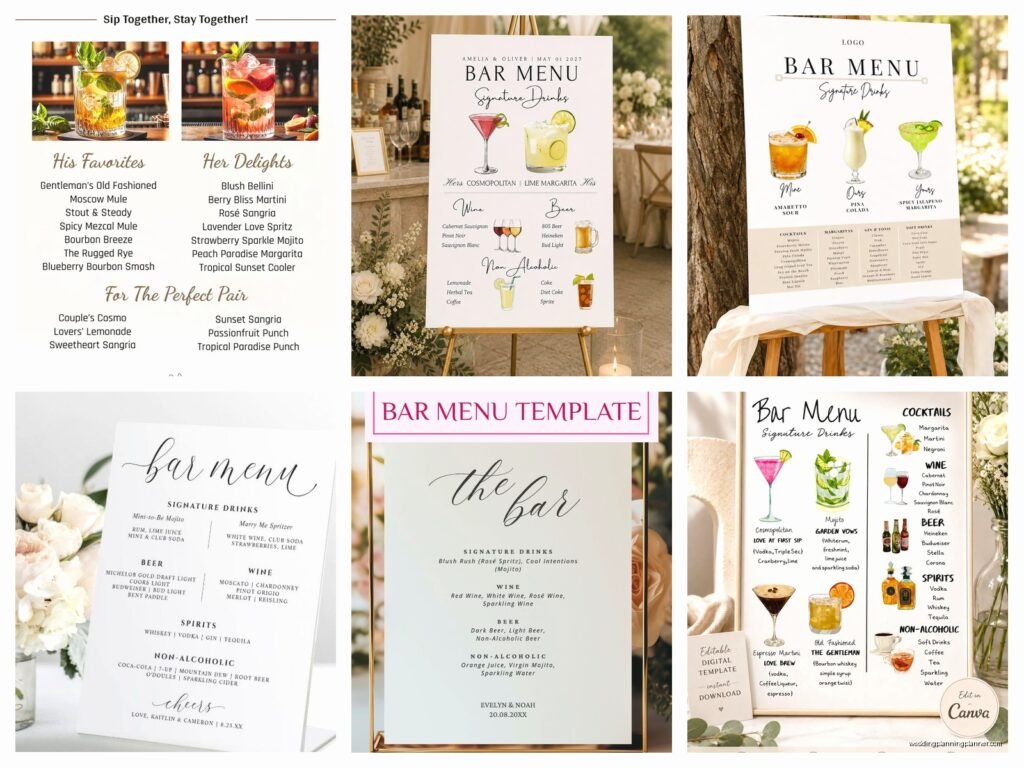
This is where you get to be cute. List the name of the cocktail, the ingredients, and maybe a one-line description. Some couples write a little story about why they chose that drink but honestly? Keep it short. Nobody’s reading a paragraph while they’re trying to order a drink.
Example format:
The Sarah Sparkle – Vodka, elderflower liqueur, prosecco, fresh lemon
Mike’s Mule – Bourbon, ginger beer, lime, mint
That’s it. Clean, simple, people know what they’re getting.
Beer and Wine Listings
Just list the actual brands or types. Don’t just write “red wine” because that tells people nothing and they’ll ask the bartender anyway. Write “Cabernet Sauvignon, Pinot Noir” or whatever you’re actually serving.
Same with beer. If you’re serving craft beer, list the brewery and style. If it’s standard stuff, just say “Corona, Heineken, Bud Light” or whatever. People need to know if you have the beer they like or if they should try something else.
Free Template Sources That Don’t Suck
Alright so here’s where to actually download templates without paying $30 for something you could make yourself if you had the time (which you don’t).
Canva Free Templates
I tell every couple to start with Canva because it’s free and you can customize everything. They have probably 200+ drink menu templates. Search “wedding bar menu” or “cocktail menu” and you’ll find tons. The free account gives you enough options that you don’t need to upgrade unless you want specific fonts or graphics.
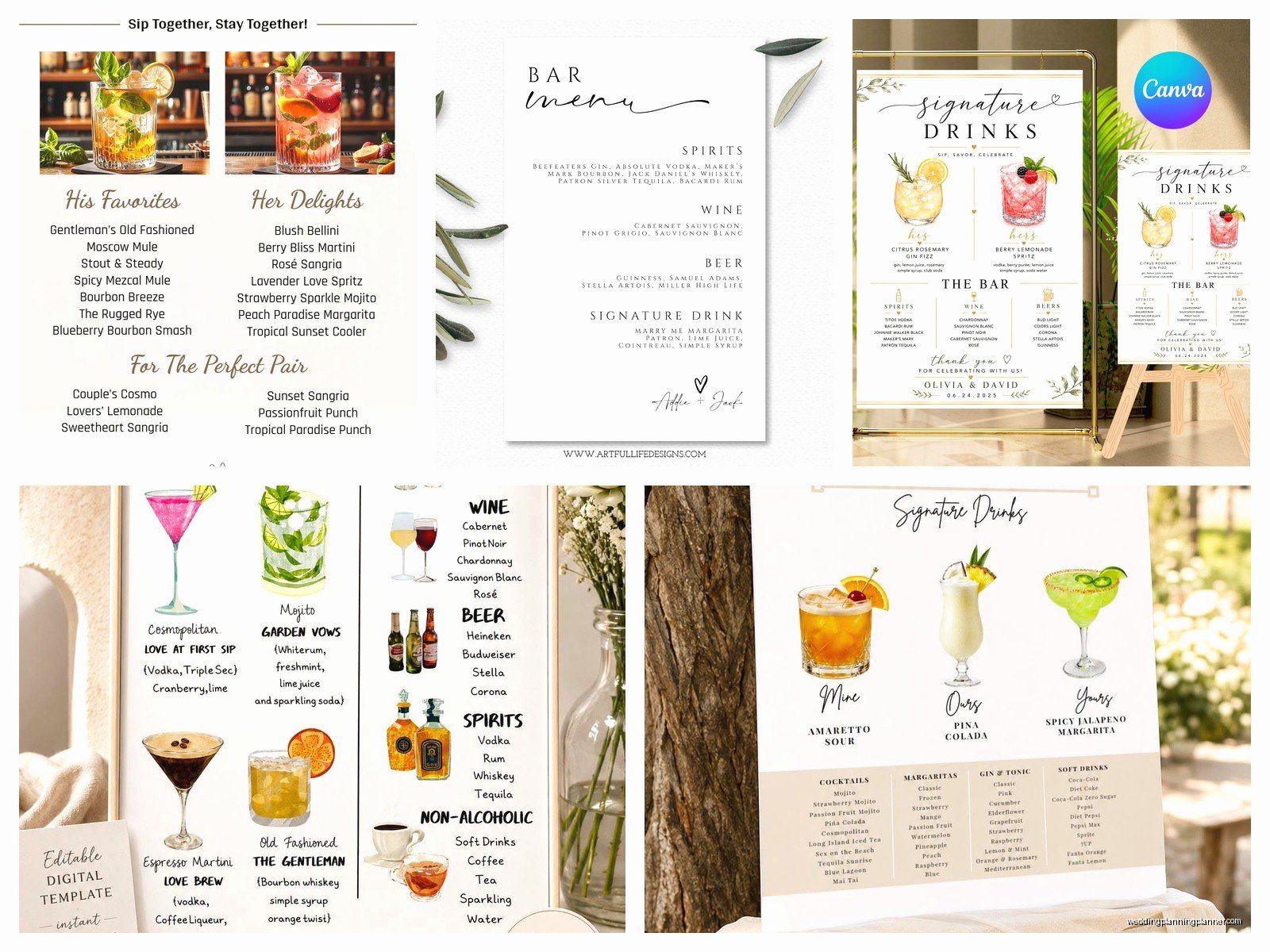
You can edit everything right in your browser, change colors to match your wedding palette, add your own text, whatever. Then download as a PDF and send it to your printer or print it yourself. My cat jumped on my keyboard while I was making one of these last month and somehow changed all the text to purple and I didn’t notice until I’d already saved it, so uh, double check before you download.
Template.net Free Section
They have a free section with wedding drink menus in Word and PDF formats. These are more basic than Canva but if you want something super simple and clean, they work great. You can download and edit in Microsoft Word or Google Docs.
The annoying thing about these though is some of them have weird formatting that gets messed up when you try to change the text, so you might need to fiddle with it for a bit. But they’re free so like, can’t complain too much.
Google Docs Templates
If you search the Google Docs template gallery for “menu” you’ll find some basic ones. They’re not specifically for weddings but you can adapt them pretty easily. Change the header to “Bar Menu” or “Drinks” and customize from there.
These are gonna be the most basic option but also the easiest to share with your planner, venue, or whoever needs to see it.
What Format You Actually Need
This depends on how you’re displaying the menu. Are you printing one big sign? Making table cards? Putting it on an acrylic board?
For a large sign (like 16×20 or 18×24), you need a high-resolution PDF, usually 300 DPI minimum. Canva handles this automatically when you download as PDF print.
For table cards (like 5×7), you can use smaller dimensions but still keep it readable. I had a bride in summer 2021 who made her drink menu cards so small and ornate that literally nobody could read them in the dim reception lighting. We ended up having to print emergency copies at FedEx the morning of the wedding because guests kept asking what was available.
If you’re doing acrylic or wood signs, you’ll need a high-res PNG with a transparent background usually, or you give the sign maker your PDF and they handle it.
Design Tips From Someone Who’s Seen It All
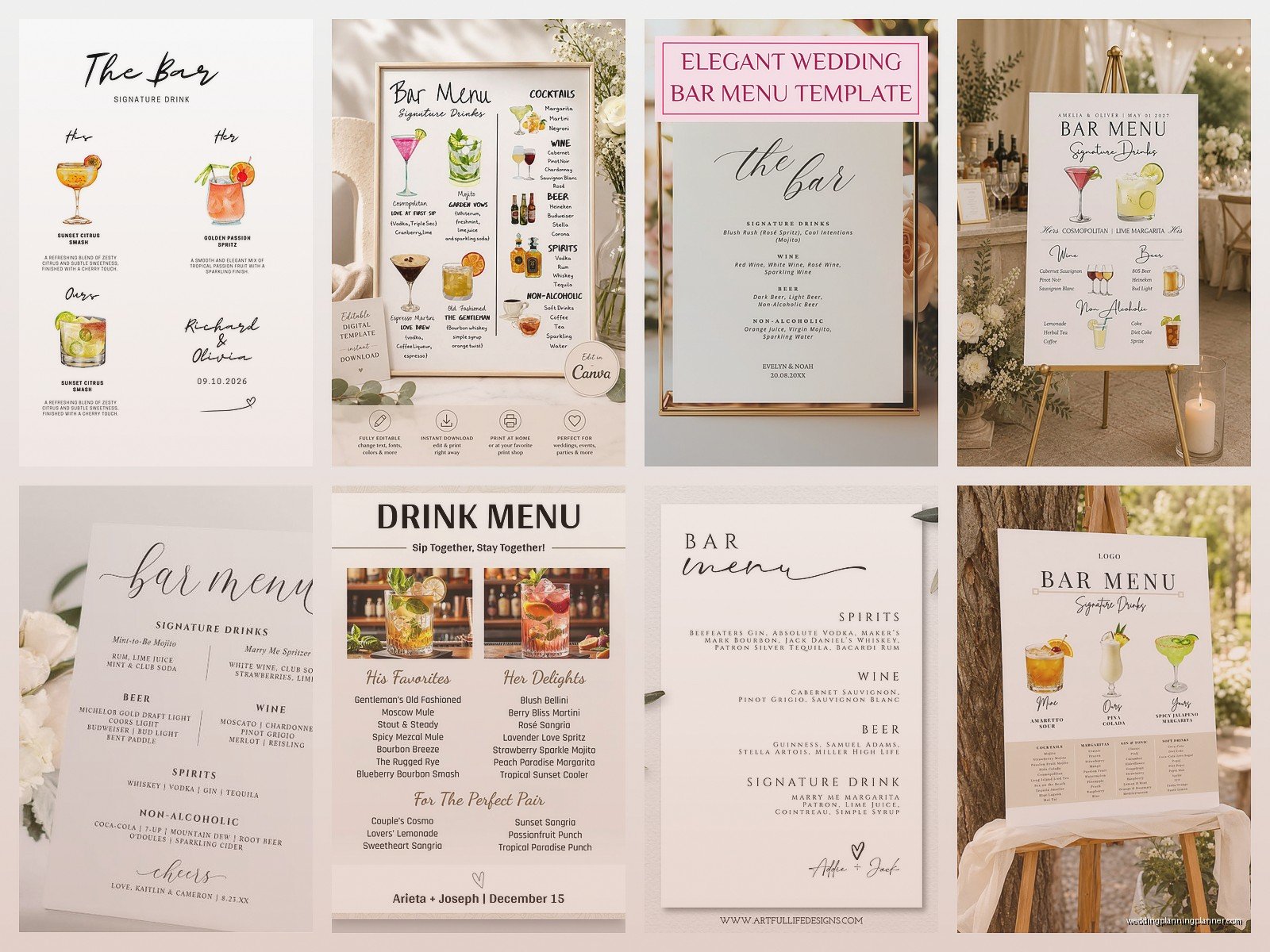
Keep your font readable. I know you love that super swirly calligraphy font but if people can’t read “whiskey” vs “wine” you’ve defeated the purpose. Use fancy fonts for headers and regular readable fonts for the actual drink info.
Contrast matters. Light text on light backgrounds doesn’t work even if it looks “aesthetic” on Pinterest. Your guests need to actually read this thing, not just admire it.
Size your text appropriately. If the sign is gonna be 5 feet away from people, the text needs to be big enough to read from that distance. Test this by printing a small version and holding it at the distance people will see it from.
Color Coordination
Match your wedding colors but don’t go overboard. If your wedding colors are blush and navy, great, use those. But you don’t need to incorporate all seven accent colors you picked. Two or three colors max on the drink menu or it looks chaotic.
White backgrounds with dark text are totally fine and actually easier to read than colored backgrounds. Sometimes simple is better even though Instagram makes you think everything needs to be super designed.
Information to Include (and What to Skip)
Definitely include:
– Names of drinks
– Main ingredients or flavor profiles
– Whether something is sweet, strong, refreshing (helps people choose)
– Non-alcoholic options clearly labeled
Skip:
– Exact measurements (the bartender has this info, guests don’t need it)
– Long backstories about each drink
– Pricing (unless you’re doing a cash bar which… we should talk about that separately)
– Too many options (more than 2 signature cocktails gets confusing)
One thing that really annoyed me was when couples want to list every single liquor bottle available at a full bar. That’s what the bartender is for. Your menu should highlight the special stuff—your signature drinks, your carefully chosen wines and beers. If someone wants a specific vodka brand for their martini, they can ask the bartender.
How Many Menus Do You Need
This depends on your setup but generally:
– One large sign at the bar (18×24 or bigger)
– Optional smaller signs at cocktail tables during cocktail hour
– Maybe one at each entrance to the reception if you have multiple bars
You don’t need one at every table. That’s overkill and honestly a waste of money. People walk to the bar, they see the menu there, they order. Done.
Some couples do small menu cards as part of their table decor which is fine if you want that look, but it’s not necessary for functionality.
Printing Options
Once you’ve got your template customized, you need to print it. Options:
FedEx Office/Staples: Quick, easy, you can upload your file online and pick it up same day usually. Not the cheapest but convenient. Good for standard paper or cardstock prints.
Vistaprint: Cheaper if you order in advance. They do signs, acrylic prints, foam boards, whatever. Takes about a week for shipping though so don’t wait until the last minute.
Local print shops: Often better quality than chains and they can help you if your file has issues. Might be more expensive but the customer service is usually better.
Home printer: Fine for small cards or if you’re doing a simple design on nice cardstock. Not great for large signs unless you have a really good printer and you’re gonna mount it on something sturdy.
File Formats Explained
PDF is universal and what most printers want. It preserves your formatting and fonts exactly as you designed them.
PNG works for digital displays or if you need a transparent background for acrylic signs or overlaying on wood.
JPG is fine but can lose quality if you resize it, so PDF or PNG are better choices.
Don’t send printers a Word doc or Canva link. Export it properly as PDF first.
Timing for Getting This Done
Ideally, finalize your drink menu about 4-6 weeks before the wedding. This gives you time to order prints without rushing and paying for expedited shipping.
But realistically? I know you’re probably gonna do this two weeks before because everything else took longer than expected and suddenly the wedding is almost here and wait we need a drink menu. It’s fine, just know you might pay extra for faster printing or shipping.
The actual design in Canva takes like 30 minutes once you know what drinks you’re serving. The hard part is deciding on the drinks and getting confirmation from your venue or caterer about what’s actually available.
Working With Your Venue or Bartender
Before you finalize any template, confirm with your venue or bartending service what they can actually make. There’s no point designing a beautiful menu for a drink they don’t have the ingredients for or… wait I had this happen where a couple designed menus for drinks that required fresh herbs and the venue bartender was like “we don’t do that, we only use bottled mixers” and we had to redesign everything three days before.
Send your bartender the drink recipes in advance, separate from the pretty menu. Give them a simple list with measurements so they can prep and make sure they have everything.
Some venues have restrictions on what you can serve or require you to use their bar packages, so check that before you get too creative with signature cocktails.
Alternatives to Traditional Menus
If you’re not into the standard printed sign thing, other options:
- Acrylic signs with painted or vinyl lettering (very trendy right now)
- Chalkboard or mirror with hand lettering
- Digital display on a TV or tablet at the bar
- Wooden signs with engraved or printed text
- Hanging signs suspended above the bar
These all start with the same template though. You still need to design the layout and text, then adapt it to whatever medium you choose.
Common Mistakes I Keep Seeing
Forgetting to include non-alcoholic options clearly. Your pregnant friends, designated drivers, and people who don’t drink need to know what’s available for them too.
Making the menu too complicated. If you list 15 different drinks, people get overwhelmed and just order beer. Keep it simple—2 signature cocktails, a few wine and beer options, done.
Not proofreading. I’ve seen menus with drink names spelled wrong, missing ingredients, or incorrect couple names (yes really, someone copied a template and forgot to change the names from the example). Read it three times before you print.
Using fonts that are impossible to read. Just because a font is pretty doesn’t mean it’s functional. Test readability at actual viewing distance.
Quick Setup Tips for the Day Of
Make sure someone is responsible for putting the menu out before cocktail hour starts. Add it to your day-of timeline.
Bring clips or a stand if needed. Don’t assume the venue has something to hold your sign.
If it’s an outdoor wedding, secure everything. I watched a beautiful acrylic menu blow over and crack because nobody weighted it down. Summer weddings with any breeze require clips, weights, or a really sturdy stand.
Have a backup plan. Print an extra copy and keep it with your planner or coordinator just in case something happens to the original. Signs get spilled on, knocked over, or mysteriously disappear (drunk uncle took it home once, long story).
The drink menu seems like a small detail but it actually makes a big difference in how smoothly your bar service runs and whether guests try your signature drinks that you spent time creating. A good template makes this whole process way easier than starting from scratch, and with the free options out there, there’s no reason not to have one.
