
Planning Guides, Style Guide
Wedding Program Template: Free Download Files
Aug
Wedding Program Templates You Can Actually Use
Okay so wedding programs are one of those things that couples stress about way more than they need to, and honestly I’ve seen people spend like $8 per program when you can literally download a template and print them yourself for pennies. Let me walk you through this because I’ve collected probably 50+ free templates over the years and I know which ones are actually usable versus which ones look pretty in the preview but are a nightmare to customize.
First thing – you gotta decide what format you want. The most common ones are the single-page flat program, the bifold (folded in half like a greeting card), the trifold, and the booklet style. I usually steer couples toward bifolds because they’re the sweet spot between looking polished and being easy to DIY. Plus they give you enough space to include all the info without cramming everything onto one page.
Where to Actually Find Free Templates That Don’t Suck
Canva is gonna be your best friend here. They have hundreds of wedding program templates and the free version has more than enough options. You don’t need Canva Pro for basic programs, though if you’re already paying for it, you’ll have access to fancier fonts and graphics. The drag-and-drop interface is pretty intuitive even if you’ve never used design software before.
Microsoft Word also has templates built right in – just open Word, search for “wedding program” in the template search, and you’ll get a bunch of options. These are super basic but they work, and if you’re comfortable with Word formatting, you can customize them however you want. The downside is they kinda look like… well, like Word templates. But sometimes simple is better than trying too hard.
Template.net has free downloads in Word, PDF, and other formats. Some of them require attribution (meaning you have to keep their little credit line at the bottom) but most don’t. Just make sure you’re downloading the actual free version and not accidentally clicking on a premium template.
Google Docs templates are underrated honestly. If you share planning duties with your partner or a bridesmaid, having everything in Google Docs means multiple people can edit at once without emailing files back and forth seventeen times.
What Actually Goes In a Wedding Program
This is where I see people overthink things. At minimum, you need the couple’s names, the date, the location, and the order of events. That’s it. Everything else is optional.
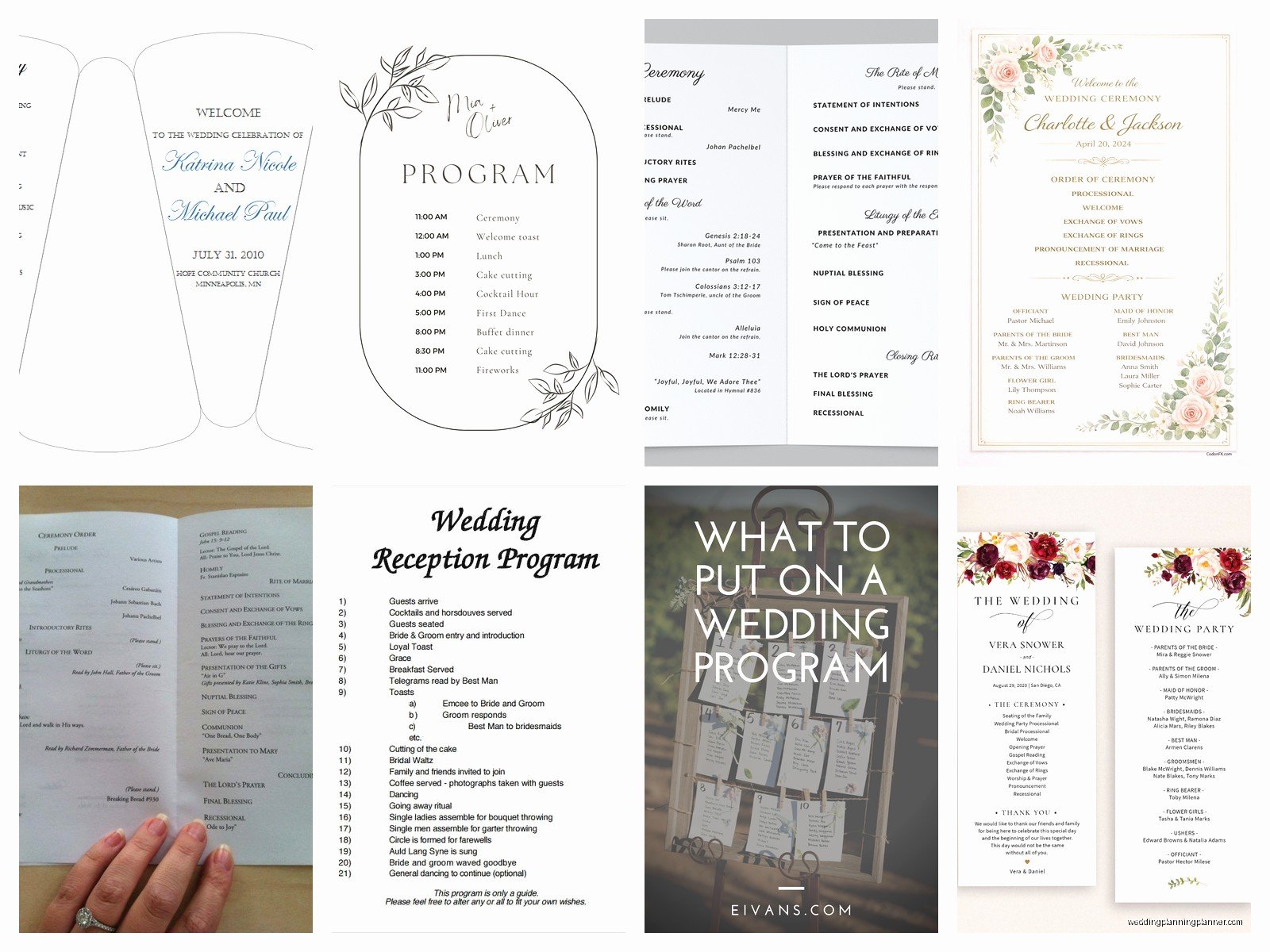
The typical structure I recommend is: cover page with names and date, inside left panel with the ceremony outline, inside right panel with the wedding party names, and back cover with a thank you message or explanation of any cultural traditions you’re incorporating.
For the ceremony outline, list things in order like Processional, Welcome, Reading, Vows, Ring Exchange, Unity Ceremony (if you’re doing one), Pronouncement, and Recessional. You can include who’s doing what – like “Reading by Sarah Martinez” or whatever.
Wedding party section should list your officiant, parents, bridal party with their roles clearly marked. I usually do it like “Maid of Honor: Jessica Chen” rather than just listing names with no context because guests don’t always know who everyone is.
One thing that really annoyed me – and I’m gonna rant for a second – is when couples want to include like eight paragraphs about how they met and their entire relationship timeline in the program. Nobody is reading all that during the ceremony. Save the long story for your wedding website or rehearsal dinner speech. Programs should be scannable, not a novel. I had this couple in spring 2023 who insisted on including a 500-word love story and then got mad when I told them it wouldn’t fit on a bifold without using like 6-point font that no one over 40 could read without a magnifying glass.
Design Tips That Make Templates Look Custom
The secret to making a free template look expensive is customizing the fonts and colors to match your wedding palette. Don’t just leave everything as the default.
Stick to two fonts max – one decorative for headers and one readable for body text. My go-to combinations are something like a script font (Playlist, Sacramento, Great Vibes) paired with a clean sans-serif (Montserrat, Lato, Raleway) or a classic serif (Playfair Display, Libre Baskerville).
Match your colors exactly. If your wedding colors are dusty blue and terracotta, use those hex codes in your template. You can pull colors directly from your invitation design if you have digital files. This makes everything look cohesive even if the program design is completely different from your invites.
White space is your friend. I see so many DIY programs that cram every available pixel with text or graphics. Leave margins. Let things breathe. A simple design with lots of white space looks way more elegant than a busy design with flowers and swirls covering every inch.
Printing Without Losing Your Mind
Okay so you’ve customized your template and it looks amazing on screen. Now you need to print like 100+ copies without spending a fortune or discovering that your printer ran out of cyan ink halfway through.
For small weddings (under 50 people), printing at home is fine if you have a decent printer. Get good quality cardstock – at least 80lb weight, preferably 100lb. Regular printer paper looks cheap and flimsy. Michaels, Hobby Lobby, and even Walmart sell cardstock in wedding-appropriate colors.
For larger weddings, I always recommend using a print shop. Staples, FedEx Office, and local print shops can do this pretty cheap if you bring them a print-ready PDF. We’re talking maybe $1-2 per program depending on paper quality and whether you want color or black-and-white. That’s still way less than ordering pre-printed programs online.
Make sure your PDF is set up correctly before sending it to print. Use CMYK color mode instead of RGB, and if you’re doing a bifold, remember that it needs to be formatted as a landscape document with two columns, or as separate pages that’ll be printed on front and back. I cannot tell you how many times I’ve seen people mess this up and end up with programs where the inside pages are upside down or… actually my cat just knocked over my coffee while I was typing this and now I’m distracted but anyway, double-check your print setup.
File Formats That Actually Matter
When you download templates, you’ll see different file formats and it kinda matters which one you choose based on what software you have.
PDF templates are usually just for reference – you can’t edit them easily unless you have Adobe Acrobat Pro. So if a template is PDF-only, it’s probably meant to be printed as-is with no customization.
DOCX files (Word) are editable by most people since almost everyone has Word or can open Word files through Google Docs. These are good if you want flexibility.
PSD files are Photoshop templates. Unless you have Photoshop and know how to use it, skip these. They’re not beginner-friendly.
Canva templates are saved within Canva itself, so you need a Canva account but you don’t need to download any software. This is honestly the easiest option for most couples.
Timing and Quantity Stuff
You don’t need one program per person. I usually tell couples to print one per household or one per couple. So if you have 150 guests, you probably need 75-80 programs. Some people share, some people take them home as keepsakes, whatever.
Print extras though. Always print at least 10-15 more than you think you need because someone will spill coffee on a stack of them, or you’ll mess up the folding on a few, or you’ll want to save extras for your wedding scrapbook.
Start working on programs about 6-8 weeks before the wedding. You need time to finalize your ceremony details, get the template customized, do a test print, make corrections, and do the final print run. Don’t leave this for the week before – you’ll have a million other things to do then.
Actually Assembling the Things
If you’re doing bifold programs, you just need to score and fold them. Use a bone folder (it’s like a plastic or wooden stick that costs $3) to make crisp folds. Or use a ruler and press down firmly along the fold line before folding – this prevents the cardstock from cracking.
For booklet-style programs, you’ll need to either staple them or use a saddle-stitch binding. You can buy long-reach staplers pretty cheap if you’re doing this yourself, or ask your print shop to bind them for a small fee.
Some couples add ribbon or twine to tie programs together or use as a decorative element. This looks pretty but adds time to assembly, so decide if it’s worth it. I usually say nah unless you have a bunch of bridesmaids who want a craft project to do together.
Alternative Ideas That Might Work Better
Honestly, you might not even need programs. I’ve done beautiful weddings where the ceremony details were printed on a large sign at the entrance, or included on the back of escort cards, or just… not provided at all because the ceremony was short and self-explanatory.
Digital programs are becoming more common too. You can create a simple one-page PDF and text the link to guests, or include a QR code on your welcome sign that links to the program. This is especially good for destination weddings where you’re trying to minimize what you need to transport.
Single-page programs are gonna save you money and assembly time compared to folded versions. You can do a double-sided print with ceremony details on front and wedding party on back. Simple and effective.
Common Mistakes I Keep Seeing
Using photos that are too low resolution – if you’re adding pictures to your program template, make sure they’re at least 300 DPI or they’ll print blurry. Phone photos usually need to be resized properly.
Forgetting to spell-check. I’ve seen programs with the groom’s name spelled wrong, ceremony location incorrect, or random typos in the thank-you message. Have multiple people proofread before you print 100 copies.
Making the font too small. If your oldest guests are gonna be like 75 years old, they need to be able to read it without squinting. Nothing smaller than 10-point font for body text, and 12-point is safer.
Not doing a test print. Your colors will look different on screen versus printed, especially if you’re printing at home. Always print one test copy on the actual paper you’re using for the final version.
Waiting until the last minute to realize you need programs. I had a bride text me two days before her wedding asking for program templates because she “forgot that was a thing” and then had a meltdown when I told her there wasn’t enough time to get them printed professionally. We ended up doing a rush order at FedEx for like triple the normal price, which could’ve been avoided with better planning.
Free Resources I Actually Use
The Knot has a ceremony worksheet that helps you figure out what to include in your program even if you don’t use their templates. It’s a good planning tool.
Pinterest is obviously full of program ideas, but I use it more for layout inspiration than actual templates. You can see what information other couples included and how they organized it.
Etsy has “free” templates sometimes but a lot of them are actually just free previews of paid templates, so read carefully before downloading. The actual free ones are usually pretty basic.
Creative Market occasionally offers free templates as part of their weekly free goods promotion. You need to create an account but the templates are legitimately free, and they’re usually high quality designer files.
I keep a Google Drive folder with templates I’ve collected over the years that I share with clients, and honestly it’s sorta a mess organizationally but it has templates in every style you could want – rustic, modern, traditional, minimalist, floral, geometric, whatever. If you’re working with a planner, ask if they have template resources to share because most of us have collected a bunch.
The main thing is just to start with a template rather than trying to design from scratch unless you have design experience. Templates give you proper margins, balanced layouts, and appropriate font sizing that you’d otherwise have to figure out through trial and error. Customize the template to make it yours, but let the template do the heavy lifting on the actual design structure. That’s literally what they’re for and there’s no prize for making wedding planning harder than it needs to be
