
Planning Guides, Style Guide
Free Table Seating Chart Template: Free Download Files
Aug
Okay So You Need a Free Seating Chart Template
Look, seating charts are honestly one of those things that couples put off until like two weeks before the wedding and then they’re freaking out. I had this bride in spring 2023 who literally texted me at 11pm saying she’d been moving little paper squares around her dining table for three hours and was about to lose it. That’s when I sent her a proper template and she calmed down.
The thing is, you don’t need to pay for this stuff. There are so many free seating chart templates out there and I’m gonna walk you through where to find them and how to actually use them without wanting to throw your laptop out the window.
Why You Even Need a Template in the First Place
So like, you could technically just write names on a piece of paper, but that gets messy fast. A template gives you structure. It helps you visualize the room layout, keep track of who’s sitting where, and—this is the big one—it makes it way easier to shuffle people around when Aunt Margaret can’t sit next to Uncle Bob because of that thing that happened in 2015 that nobody talks about.
Templates also save you from having to build everything from scratch. You’ve got enough on your plate already with choosing napkin colors and arguing about whether you need a photo booth or not.
Where to Actually Download Free Templates
Alright so here’s where I send clients depending on what software they’re comfortable with:
Microsoft Excel and Google Sheets Templates
These are honestly my go-to for people who aren’t super tech-savvy. Excel templates are everywhere and they’re simple. You can find free ones on:
- Microsoft’s template gallery—just search “wedding seating chart” and you’ll get a bunch
- Vertex42.com has some decent ones that are actually free, not the fake free where they make you sign up for seventeen newsletters
- Google Sheets template gallery if you prefer working in the cloud
The Excel ones usually come with a guest list tab and a table assignment tab. You type in your guests, assign them table numbers, and boom. Some even have formulas that count how many people are at each table so you don’t accidentally seat 14 people at a table that holds 10.

Canva Templates
Okay I know Canva has a paid version but their free version has seating chart templates too. You just gotta search for them. The nice thing about Canva is it looks prettier than Excel, so if you’re the type who cares about aesthetics even for your planning documents, this might be your thing.
You can drag and drop elements, change colors to match your wedding theme, and honestly it’s kinda fun if you’re procrastinating on other stuff. My cat knocked over my coffee the last time I was working on a Canva template for a client and I had to redo like twenty minutes of work which was… not great.
AllSeated
This one’s more sophisticated but still has a free version. You can actually build a 3D floor plan of your venue which is wild. It’s probably overkill if you’re having like 50 people in your backyard, but for bigger weddings or if you’re a visual person, it’s really helpful.
The free version has limitations—you can’t access all the features—but for basic seating arrangements it works fine. I used this for a 200-person wedding once and it saved my sanity.
WeddingWire and The Knot
Both of these wedding planning sites have free seating chart tools. They’re integrated with their other planning features, so if you’re already using their checklists and stuff, it makes sense to keep everything in one place.
What annoys me about these though is they really push you to upgrade to premium. Like every other click there’s a popup asking if you want to try the paid version. Nah, I’m good, thanks.
How to Actually Use These Templates Without Losing Your Mind
So you’ve downloaded a template. Now what? Here’s my actual process that I use and recommend:
Step 1: Get Your Guest List Sorted First
Don’t even look at the seating chart until you have a confirmed guest list with RSVPs. I mean you can start thinking about it, but don’t commit to anything because people will change their minds and you’ll have to redo everything.
Make sure you know who’s coming with a plus-one, which kids are attending, and any special needs like wheelchair accessibility or dietary restrictions that might affect where someone sits.
Step 2: Know Your Venue Layout
You need to know how many tables you have and what size they are. Round tables for 8? Long banquet tables for 12? A weird mix because that’s what the venue had available? This matters because you can’t just randomly assign people without knowing the physical space.
Most venues will give you a floor plan. If they don’t, ask for one. Or like, take measurements yourself if you have to, but that’s annoying and I wouldn’t recommend it unless absolutely necessary.
Step 3: Start with the Easy Ones
Begin by grouping people who obviously go together. Wedding party and their dates. Your immediate family. Your partner’s immediate family. College friends who all know each other. Coworkers from the same office.
These are your anchor tables and they’re gonna fill up fast. The template should let you list names under each table number or drag them into position depending on what type you’re using.
Step 4: Deal with the Complicated Relationships
This is where it gets tricky and honestly where most people get stuck. You’ve got divorced parents who hate each other, friends from different friend groups who might not vibe, that one cousin who talks too much…
My strategy is to think about who would make good buffers. Like if you have two people who don’t get along, don’t put them at the same table obviously, but also seat them far enough apart in the room that they won’t even make eye contact. Put some tall centerpieces in the way if you have to.

For awkward guests who you’re not sure where to put, I usually create a “fun singles” table or a “friends from various places” table. Mix people who are social and can carry a conversation. Don’t just dump all your random acquaintances at one table and hope for the best—that’s how you end up with a table of people staring at their phones all night.
Step 5: Consider Sightlines and Logistics
Think about where the head table or sweetheart table is. Your parents probably want to be close to you but not like right next to you. People with small kids should maybe be near an exit so they can leave easily if needed. Elderly guests might want to be away from the speakers.
Also—and this is something people forget—think about the flow to the bar, the bathrooms, and the dance floor. You don’t want to seat someone at a table that’s in the main pathway because they’ll have people bumping into them all night.
Different Template Formats and What They’re Good For
Spreadsheet Style
This is your basic Excel or Google Sheets setup. It’s literally just a list of names with table assignments. Super functional, not pretty, but it gets the job done.
Best for: People who just need to organize information and don’t care about visual representation. Also good for sharing with your venue or caterer because they can easily sort and filter.
Visual Floor Plan Style
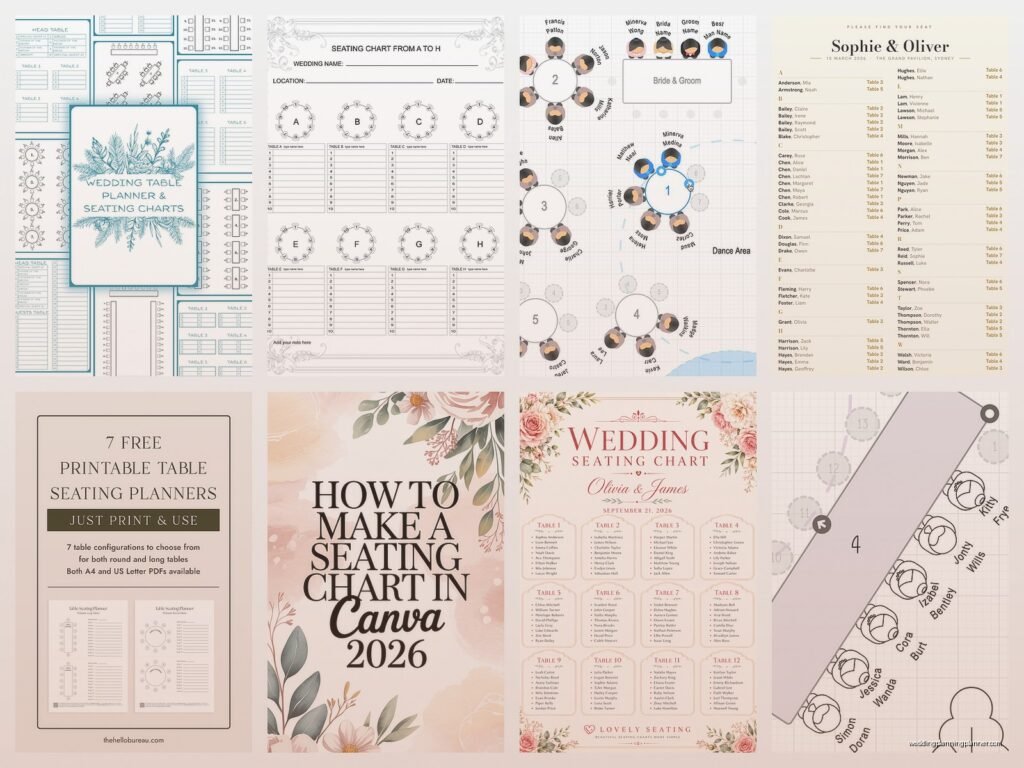
These show the actual room layout with tables positioned where they’ll be. You can usually add guest names to each table on the diagram. AllSeated does this, and some Canva templates too.
Best for: Visual thinkers who need to see the big picture. Also helpful if you’re trying to figure out logistics like where to put the DJ or the gift table.
Printable Cards Style
Some templates are designed to create escort cards or table cards that you print and display at your wedding. These are more about the output than the planning process.
Best for: Once you’ve finalized your seating chart and you need to actually communicate it to your guests. These usually look nicer than a spreadsheet printout.
Common Mistakes I See All the Time
People always try to seat everyone perfectly and make everyone happy and that’s just… not gonna happen. Someone’s gonna end up at a table they’re not thrilled about. That’s fine. They’ll survive.
Another thing is waiting too long to start. I mentioned that bride from spring 2023 earlier—she’s not unusual. So many couples put this off until the last minute and then they’re stressed and making bad decisions because they’re rushing. Start at least a month before the wedding, maybe more if you’ve got a complicated family situation.
Also don’t seat all the boring people together or all the loud people together. You want a mix at each table so conversations can actually happen. I learned this the hard way at a wedding I planned in summer 2021 where we accidentally created an entire table of accountants who worked in tax law and they literally ran out of things to talk about after the appetizer course.
Tips for Actually Making Changes Easily
Because you will make changes. Everyone does. Someone will drop out last minute, or you’ll realize two people shouldn’t sit together, or whatever.
If you’re using Excel, use cut and paste instead of retyping names. Color-code tables if that helps you visualize groups. You can also use the comment feature to add notes like “Sarah is vegetarian” or “Tom needs aisle seat for wheelchair.”
In Canva or visual tools, save multiple versions. Like “Seating Chart v1,” “Seating Chart v2,” etc. That way if you mess something up you can go back to an earlier version instead of trying to remember what you changed.
Google Sheets is great for collaboration if you’re working with your partner or a family member who has opinions. You can both edit in real-time and see changes immediately. Just don’t give edit access to too many people or you’ll have chaos.
What to Do with the Template After You’re Done
Okay so you’ve finalized your seating chart. Now what? You need to actually communicate this information.
Send a copy to your venue coordinator and caterer. They need to know the layout and who’s sitting where, especially if you have meal choices assigned to specific guests.
Create escort cards or a seating chart display for the wedding. Your template might have a print function for this, or you might need to transfer the information to something prettier. Honestly this is where Canva shines because you can make it look nice without being a graphic designer.
Keep a copy on your phone during the wedding. Seriously. Someone will ask you where they’re sitting or where to find someone else, and you’ll want to reference it quickly. I usually keep both a PDF and the editable version just in case we need to make a last-second change because someone didn’t show up or brought an unexpected plus-one even though you specifically said no plus-ones on the invitation but whatever, people are gonna do what they’re gonna do…
File Formats You’ll Probably Encounter
Most free templates come in a few standard formats. Excel files are .xlsx or .xls. Google Sheets are web-based but you can download them as Excel if needed. PDFs are good for viewing and printing but you can’t edit them easily unless you have special software.
Canva templates stay in Canva unless you export them as PDF or PNG. Word documents (.docx) are less common for seating charts but you’ll see them sometimes, especially for simpler list-style templates.
Make sure whatever you download is compatible with software you actually have. There’s nothing more frustrating than downloading a template and then realizing you need a program you don’t own and don’t wanna pay for.
When Free Templates Aren’t Enough
Sometimes you need more than a free template can offer. If you’re planning a wedding with like 300+ guests, multiple rooms, or a really complex setup, you might need to invest in paid software. Or hire a planner like me, but I’m biased obviously.
But for most weddings—under 200 guests, standard reception setup—free templates are totally sufficient. You don’t need fancy software to assign seats. You just need organization and patience and maybe some wine depending on how difficult your family is.
