
Planning Guides, Style Guide
Wedding Web Template: Free Download Files

Aug
So You Want Free Wedding Website Templates
Okay so free wedding website templates are everywhere but finding ones that actually work and don’t look like they’re from 2009 is kinda the challenge. I’ve been helping couples with this since like forever and honestly the whole free template situation has gotten way better in the past couple years but you still gotta know where to look and what to avoid.
First thing – when you download a free wedding template file, you’re usually getting one of these formats: HTML/CSS files, WordPress themes, or design files like PSD or Figma templates. Each one needs different technical knowledge to actually use. HTML files you can just upload to any hosting service but you need to know how to edit code or at least how to find where to change the text. WordPress themes are easier if you already have WordPress installed but setting up WordPress itself can be… anyway we’ll get to that.
Where to Actually Find Decent Free Files
I had this couple back in spring 2023 who came to me after they’d already spent three weeks trying to set up a “free” template they downloaded from some sketchy site and it had malware embedded in it. Their laptop got infected and they lost all their guest list spreadsheets. So yeah, stick to legit sources.
GitHub has some surprisingly good wedding templates that developers have made and shared. Search for “wedding website template” and filter by stars or recent updates. The advantage here is that other developers have usually vetted the code and you can see if people reported problems. You’ll need basic knowledge of how to download from GitHub though which is not super intuitive if you’ve never done it.
WordPress.org theme directory has free themes tagged as wedding themes. These are reviewed by WordPress before they’re listed so they’re generally safe. The quality varies wildly though. Some look modern and some look like… I don’t even know. My cat could probably design something better and she mostly just knocks things off my desk.
Template marketplaces like ThemeForest or Creative Market have free sections. Usually these are older versions or simplified versions of paid themes. They’re trying to get you to upgrade obviously but the free versions can work fine for a simple wedding site.

Colorlib, HTML5 UP, and Free CSS are sites that collect free templates. I’ve used files from all three for clients who wanted something custom but didn’t have a huge budget. The templates are usually responsive which means they work on phones and that’s kinda essential since probably 70% of your guests will look at your wedding site on their phone.
What’s Actually In These Download Files
So you download a ZIP file and then what? Let me break down what you’re gonna see when you unzip it because this confused the hell out of me when I first started doing this years ago.
HTML files – these are your actual pages. index.html is your homepage. You might also see files like rsvp.html, gallery.html, registry.html, etc. You open these in a text editor (not Word – use something like Notepad++ or Sublime Text or even just the basic text editor on your computer) to change the content.
CSS folder – this contains the styling files that make your site look pretty instead of just black text on white background. You usually don’t need to touch these unless you want to change colors or fonts. There’s usually a file called style.css or main.css.
JS or JavaScript folder – these files make interactive things work like image sliders, countdown timers, RSVP forms. Don’t delete these even if you don’t understand what they do.
Images folder – placeholder images that you’ll replace with your own photos. Sometimes these are named things like “couple-photo.jpg” or “venue.jpg” which makes it easier to know what to replace.
Fonts folder – custom fonts if the template uses any. Some templates just use standard web fonts which is actually better for loading speed.
The thing that annoys me most about free templates is when they don’t include a README file or any documentation. Like you download it and you’re just supposed to figure everything out? Some include a documentation.html file which is super helpful – it tells you how to customize everything, what each file does, sometimes even how to upload it to a server.
Actually Editing The Template
Alright so you’ve got your files and you need to make it about YOUR wedding not “John and Jane” or whatever placeholder names they used. Here’s the process I walk clients through and honestly it’s not that hard once you do it once.
Open the index.html file in your text editor. You’ll see a bunch of code but look for text that’s readable – that’s probably the content you need to change. It’ll be between HTML tags like this: the text between opening and closing tags is what shows up on your website. Find the placeholder names and dates and change them to yours.
For images, you need to replace the files in the images folder with your own photos. Keep the same file names or update the file names in the HTML. In the code you’ll see something like img src=”images/couple-photo.jpg” – that’s telling the browser to display that specific image file. If you name your photo something different, you gotta update that path in the HTML.
Colors are in the CSS file. If you want to change from like blue to burgundy or whatever your wedding colors are, open style.css and search for color codes. They look like #3498db or rgb(52, 152, 219). You can use a color picker tool online to get the hex code for your wedding color and replace all instances of the old color. Just be careful because some colors are for backgrounds, some for text, some for borders – you don’t wanna make white text on a white background because then nobody can read anything.
Hosting Your Wedding Website
Okay so you’ve edited your template and now it needs to live somewhere on the internet. You need web hosting which is basically renting space on a computer that’s always connected to the internet.
Free hosting options exist but they usually put ads on your site or give you a weird URL like yourwedding.freehosting.com. GitHub Pages is actually a solid free option if you’re comfortable with Git – it’s free, no ads, and you can use a custom domain. Netlify is another free option that’s easier to use than GitHub Pages. You literally just drag and drop your folder of files and it publishes your site.
Paid hosting is pretty cheap honestly – like $3-10 per month. Bluehost, SiteGround, HostGator are all fine. You get a control panel where you can upload your files using an FTP program or just a file manager in your browser. For a wedding website that’ll only be live for like a year this is probably the way to go.
I remember this one time I was trying to help a couple set up their site and we kept getting error messages and it turned out they were trying to upload the ZIP file instead of the unzipped folder contents and we spent like an hour troubleshooting before I realized… anyway, make sure you unzip everything first.
The WordPress Route
If the free template you found is a WordPress theme, the process is different. You need WordPress installed first which you can do through your hosting company’s control panel (most have a one-click WordPress install) or you can use WordPress.com’s free tier but that’s more limited.
Once WordPress is installed, you go to Appearance > Themes > Add New > Upload Theme and upload the ZIP file of your wedding theme. Then activate it. WordPress themes are usually easier to customize because they have settings panels where you can change colors, upload images, edit text without touching any code.
The downside is WordPress is kinda overkill for a simple wedding website. It’s like using a semi-truck to move a box of books – it’ll work but it’s more than you need. WordPress also needs updates and maintenance and security and… you probably don’t wanna deal with that while you’re planning a wedding and picking flowers and dealing with your aunt who has opinions about everything.
What To Actually Put On Your Wedding Website
Most free templates come with these standard pages and you should probably keep most of them:
- Home/Welcome – your names, wedding date, maybe a photo of you two
- Our Story – how you met, got engaged, whatever you wanna share
- Wedding Details – ceremony and reception locations, times, dress code
- Travel & Accommodations – hotel blocks, directions, parking info
- RSVP – this is the tricky one because you need a form that actually works
- Registry – links to your registries or honeymoon fund or whatever
- Gallery – engagement photos usually
The RSVP thing is where free templates sometimes fall short. The form might be just a design element that doesn’t actually submit anywhere. You’ll need to either integrate it with a service like Google Forms (free), Formspree (free for limited submissions), or a wedding-specific RSVP service like RSVPify or Withjoy which have free tiers.
Common Problems You’ll Run Into
The template looks perfect in the demo but weird when you set it up – this is usually because the demo is using specific image sizes or has content in specific places and when you change things it breaks the layout. Try to keep your images similar sizes to the placeholders.
Forms don’t work – like I mentioned, many free templates have fake forms that don’t actually submit anywhere. You gotta hook them up to an actual form service.
Mobile version looks broken – test your site on your phone before you send it out to guests. Sometimes things that look fine on desktop are unusable on mobile. Most modern templates are responsive but older free ones might not be.
Fonts don’t load – if the template uses custom fonts and you move files around, the paths might break. Check the console in your browser (right click > Inspect > Console) for errors.
Site loads slowly – this is usually because of huge image files. Compress your photos before uploading them. You want them under 500KB each ideally. There’s free tools like TinyPNG that do this.
Security Stuff You Should Know
Free templates from sketchy sources can have malicious code embedded. Always scan downloaded files with antivirus before opening them. If you’re using WordPress, keep it updated – like I had this situation during summer 2021 where a couple’s wedding site got hacked because they installed WordPress and never updated it and hackers exploited a known vulnerability and replaced their site with spam links. Not fun to fix two weeks before their wedding.
If you’re collecting RSVPs with personal information, make sure your site has an SSL certificate (the https:// thing). Most hosting companies include free SSL now through Let’s Encrypt. This encrypts data between your guests and your website.
Alternatives If This All Seems Like Too Much
Look I’ll be honest – sometimes free downloadable templates are more trouble than they’re worth if you’re not at least a little bit tech-savvy. There’s services like Withjoy, TheKnot, Zola, Minted that let you build wedding websites for free using their platforms. You don’t download anything, you just customize templates through their interface. The tradeoff is you’re stuck with their URL structure and their features and sometimes their branding.
But if you want complete control and a custom domain and no restrictions, downloading and setting up your own template is definitely the way to go. It just requires some patience and willingness to Google error messages when things don’t work the first time.
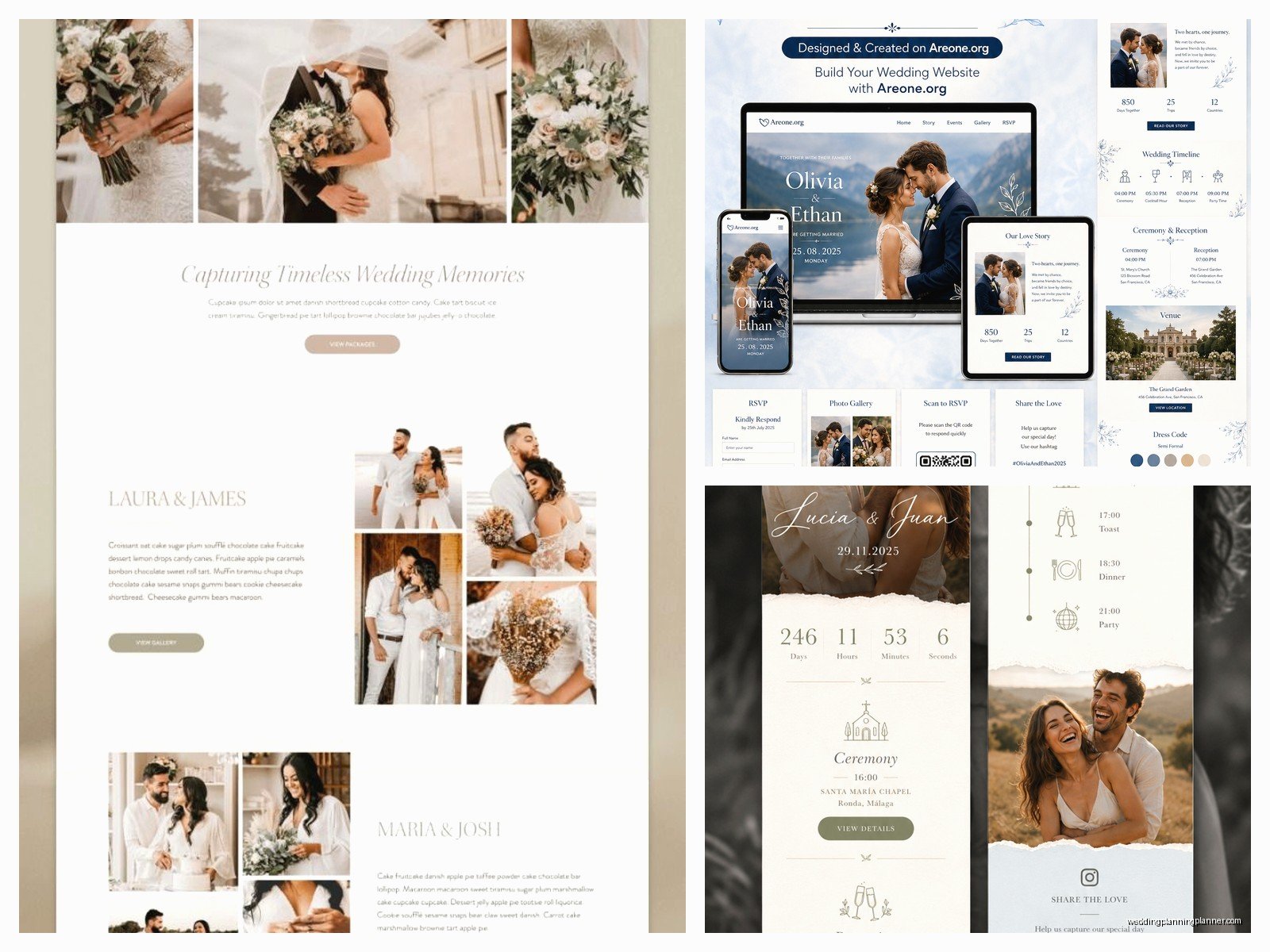
Oh and one more thing – whatever template you choose, make sure it has a countdown timer because guests love that and it’s a nice visual element. Also make sure there’s a way to update it easily after you launch it because you WILL need to add information or change things as your wedding planning evolves. I’ve never had a couple who didn’t need to update their website at least three or four times before the wedding.
The free templates from HTML5 UP are probably my goto recommendation for couples who have someone tech-savvy helping them – they’re clean, modern, responsive, and the code is well-organized. For WordPress users, the free themes from Astra or OceanWP have wedding demos that work pretty well and they’re regularly updated so you don’t have to worry about security as much. Just whatever you do don’t download templates from sites that look spammy or make you complete surveys or watch ads to download – those are almost always gonna have problems.
