
Planning Guides, Style Guide
Free Wedding Program Template: Free Download Files

Aug
So You Need a Free Wedding Program Template
Okay so the thing about wedding programs is that couples stress about them way more than they should but also they’re kinda important because guests actually do read them while waiting for the ceremony to start. I had this bride back in summer 2021 who literally called me crying because she’d spent six hours trying to design her own program in Word and it kept doing that thing where you move an image and suddenly all your text is on page seven. That’s when I started keeping a solid collection of free templates to send people.
The reality is you don’t need to spend money on this. Like at all. There are genuinely good free options out there and I’m gonna walk you through where to find them and how to actually use them without losing your mind.
Where to Actually Get Free Wedding Program Templates
Canva is probably your best bet honestly. They have a free tier that’s legitimately useful—not one of those “free” things where everything good costs money. You can search “wedding program” and get like hundreds of templates. Some are marked Pro but plenty aren’t. I use Canva for my own blog graphics and yeah it’s that easy.
Microsoft Word and Google Docs also have template galleries but they’re kinda… basic? Like they’ll work if you’re going for super traditional or if you literally just need text on a page. The Word templates especially look like they haven’t been updated since 2008 which might be your vibe or might not.
Template.net has free downloads but you gotta be careful because their site is annoying with pop-ups. They do have both Word and Pages formats though which is helpful if you’re on a Mac.
Etsy has “free” templates too but here’s the thing—sellers will list something as free to get you onto their shop page, then you realize the free version is like one color scheme or one size. Not saying don’t look there, just manage expectations.
What File Format You Actually Need
This depends on how you’re printing them. If you’re doing it at home on your own printer, PDF is gonna be your friend. It keeps everything exactly where you put it. Word docs and Pages files can shift around when you open them on a different computer and that’s how you end up with text overlapping images or margins that are suddenly wrong.
For professional printing at like Staples or FedEx, they usually want PDF too. Some online printers accept JPG but the quality can get weird. I learned this the hard way with a client in spring 2023 who sent JPGs to an online printer and everything came back slightly blurry because the resolution was too low.
If you’re editing the template yourself you’ll download it in whatever format it comes in—usually DOCX, PAGES, or as a Canva project. Just make sure you export to PDF before printing.
What Information Actually Goes in a Wedding Program
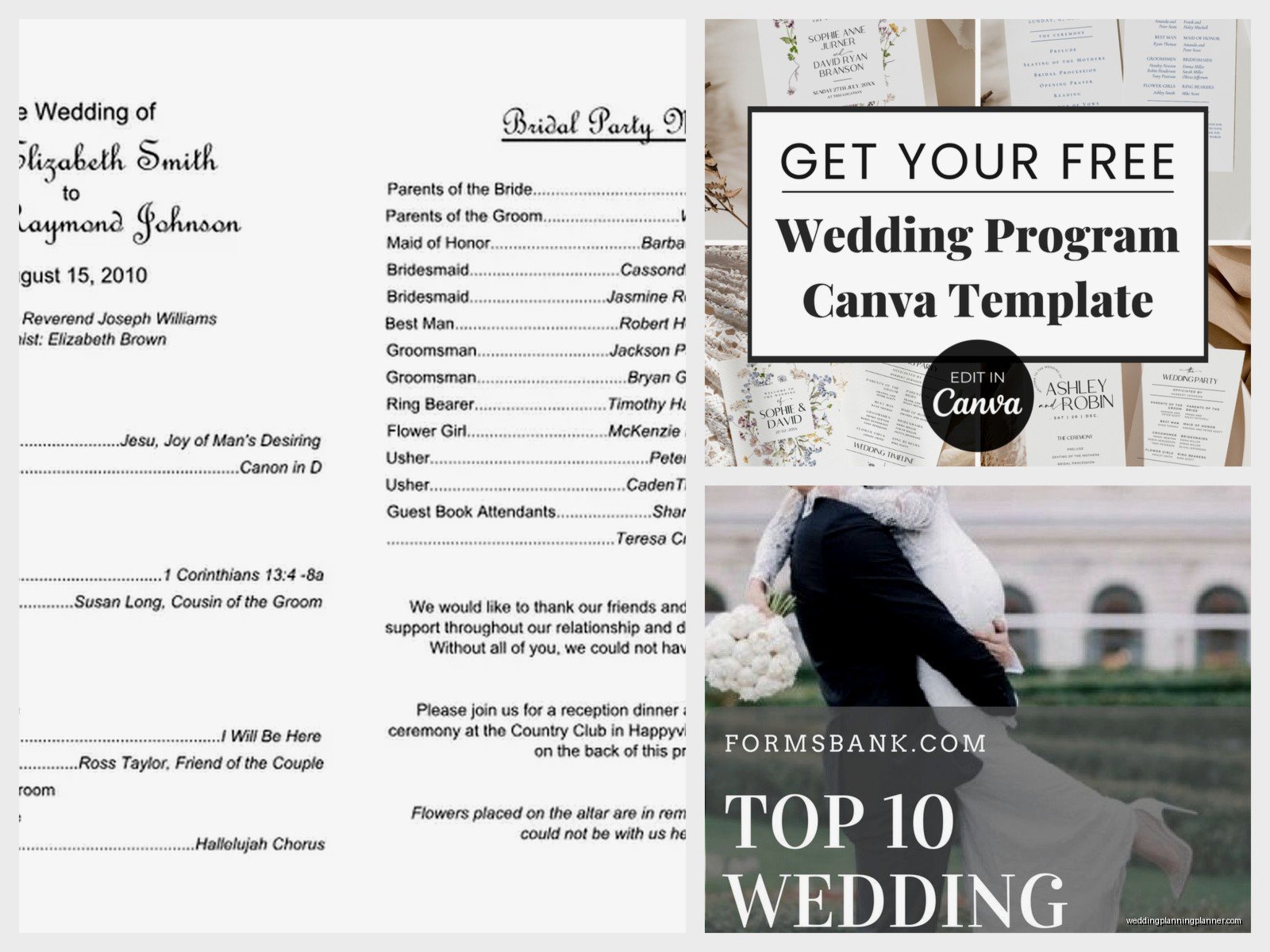
Okay so the basic stuff you need: ceremony order, wedding party names, and maybe a thank you note to parents or guests. That’s it. That’s the minimum.
Most programs include the processional order like “Entrance of the Bride” or whatever, then the ceremony elements—readings, vows, ring exchange, unity ceremony if you’re doing one. Then the recessional. You can list who’s doing readings or special music.
The wedding party section lists your bridesmaids and groomsmen with their names and sometimes their relationship to you. Like “Sarah Chen, Sister of the Bride” or just “Sarah Chen” if you don’t wanna get that detailed.
Some couples add a memorial section for family members who’ve passed. Some add their love story or how they met but honestly… guests are gonna skim that part. I know we all think our love story is fascinating but people are mostly looking at who’s in the wedding party and how long this ceremony is gonna take.
Oh and if you’re doing anything culturally specific or religious that guests might not recognize, a little explanation is helpful. Like if you’re incorporating a handfasting ceremony or jumping the broom, a one-sentence description is nice.
Single Page vs Booklet Style
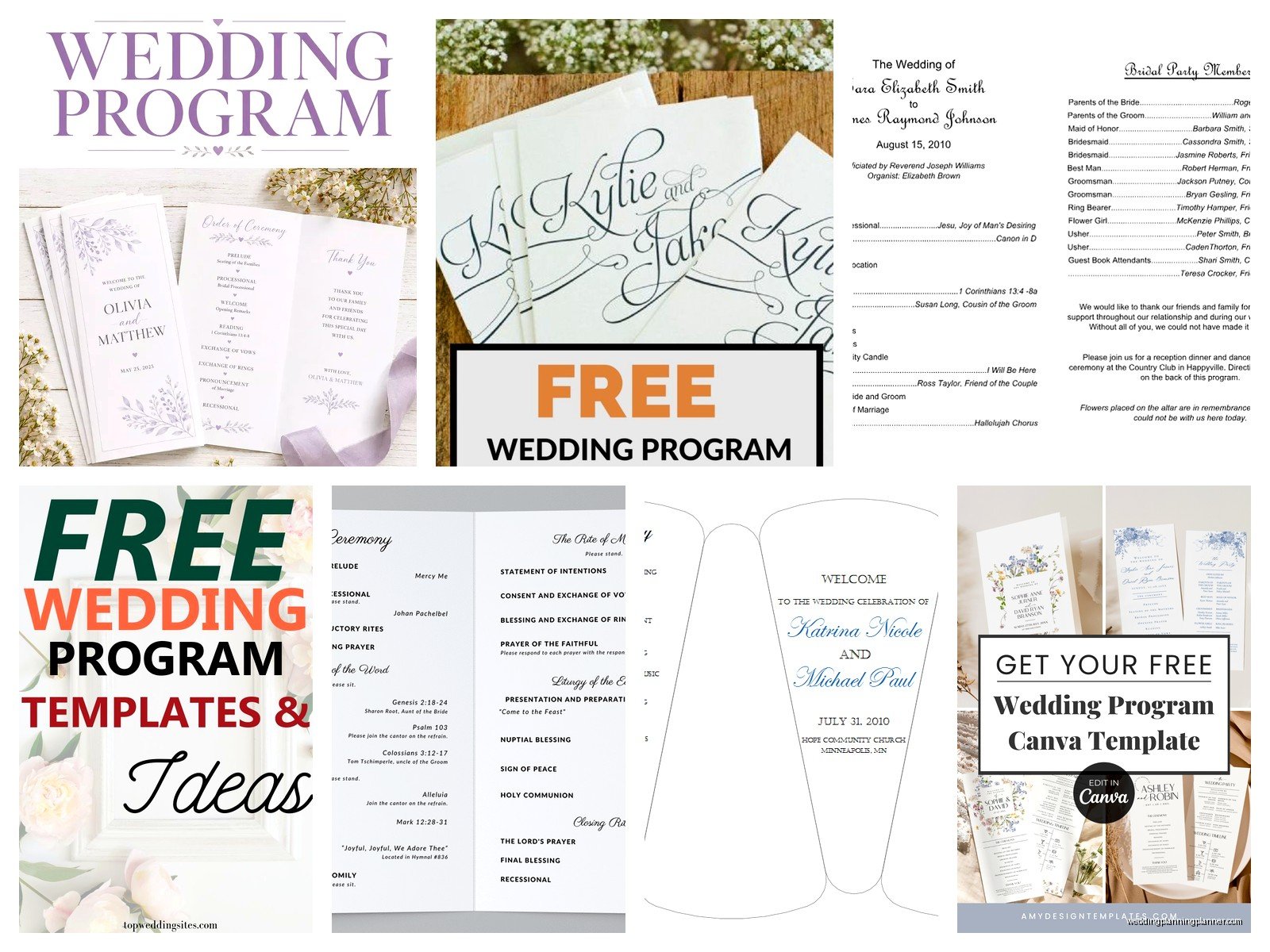
Single page programs are way easier. You print them on cardstock, maybe tie a ribbon around them, done. They work great for shorter ceremonies where you don’t have a ton of information to include.
Booklet style is that folded thing—you print on both sides of a sheet and fold it in half. It looks more formal and gives you more space but here’s what nobody tells you: folding 150 programs by hand is incredibly tedious and your fingers will hurt. My cat actually sat on a stack of programs I was folding once and managed to crease like twenty of them wrong.
If you’re doing booklets, you need to set up your template correctly or the pages will be out of order when you fold them. The way it works is page 1 and page 4 print on one side of the paper, pages 2 and 3 print on the other side. Most templates handle this for you but if you’re designing from scratch it’s easy to mess up.
Editing Your Template Without Breaking Everything
So you downloaded a template and now you need to put your actual information in it. Here’s the thing that’s gonna save you so much frustration: don’t mess with the layout more than you have to.
Change the text, change the colors if you want, swap in your names and your details. But the second you start moving text boxes around or resizing images, that’s when stuff breaks. I’ve seen it a million times. Someone thinks “oh I’ll just make this slightly bigger” and suddenly nothing lines up anymore.
If you’re using Canva, it’s pretty forgiving. You can drag stuff around and it’ll show you alignment guides. But Word? Nah, Word is gonna fight you. Those text boxes have minds of their own.
Font changes are usually safe as long as you don’t pick something wildly different in size. Like if the template uses a regular font and you switch to something super decorative and swoopy, it might take up way more space and push everything else down.
Paper and Printing Considerations
Cardstock is what you want—65lb or 80lb weight. Regular printer paper feels cheap and flimsy. Cardstock you can get at any office supply store and most home printers can handle it fine, just check your printer specs.
The thing that annoyed me recently was this couple who designed their programs in a non-standard size because the template they loved was 5×8 instead of the usual 5.5×8.5, and then they couldn’t figure out how to print it without weird margins. You can do custom sizes but you gotta actually set that up in your printer settings and most people don’t know how.
If you’re printing at home, do a test print first. Like before you buy all your cardstock, print one on regular paper and make sure everything looks right. Check the margins, make sure nothing’s cut off.
For professional printing, places like Staples or Office Depot will do it pretty cheap—usually like $1-2 per program depending on paper quality and if you want color or just black and white. You upload your PDF, pick your paper, done. Way less stressful than trying to print 100+ programs on your home printer that’s gonna jam at least three times.
Design Mistakes I See All The Time
Too many fonts. Pick two fonts max—one for headings, one for body text. When you use like five different fonts it looks like a ransom note.
Text that’s too small. Remember people will be reading this in potentially dim church lighting or bright outdoor sunlight. If you’re going under 10pt font size you’re gonna have guests squinting. And older guests especially will appreciate larger text.
Not enough contrast. Light gray text on white background looks elegant on your computer screen but prints basically invisible. Stick with dark text on light background or vice versa.
Overcrowding the page. White space is your friend. You don’t need to fill every single inch of the program with information or decorative elements. Let it breathe a little.
Free Templates I Actually Recommend
The “Classic Ceremony” template on Canva is solid—it’s free, it’s simple, works for literally any wedding style. You can dress it up or keep it minimal.
For Word users, the “Elegant Wedding Program” in their template gallery is… fine. It’s not exciting but it’s functional and won’t give you formatting headaches.
Template.net has one called “Rustic Wedding Program” that’s actually kinda nice if you can deal with their website long enough to download it. It comes in both single-page and booklet format.
There’s also this site called Hloom that nobody talks about but they have decent free templates. Their designs are a bit corporate-looking but if you’re having a modern minimalist wedding that might work perfectly.
When You Should Skip Programs Entirely
Real talk? For ceremonies under 20 minutes, you don’t really need them. Like if you’re doing a quick ceremony with just vows and ring exchange, programs feel like overkill.
Also if your ceremony is super non-traditional or you’re winging parts of it, programs can actually be more confusing than helpful. I had a client who printed programs with a detailed order of ceremony and then they changed half of it the day before and guests kept asking why the program didn’t match what was happening.
And if you’re on a really tight budget, this is an easy thing to cut. Guests will survive without them. They’re nice to have but not essential like… I mean they’re not invitations, you know?
Alternative Ideas That Are Still Free
You could do a program sign instead—one big sign at the entrance with the ceremony order and wedding party. Costs basically nothing if you already have a printer and poster board.
Or honestly just put the information on your wedding website and let people pull it up on their phones if they’re curious. This works better for younger crowds who are glued to their phones anyway.
Some couples do a single program that the officiant reads from so guests know what’s happening but they don’t have to print 150 copies. Just depends on your ceremony style and whether the officiant naturally announces everything.
The Actual Download and Customization Process
Alright so let’s say you’re going with Canva. You create a free account, search wedding programs, pick one that’s not marked Pro. Click “Customize this template” and it opens in the editor.
You’ll see text boxes—click on them and type your information. The names of your wedding party, your ceremony details, whatever. You can change colors by clicking on elements and using the color picker. Canva has this thing where it pulls colors from your uploaded photos which is actually useful if you wanna match your program to your wedding colors.
When you’re done editing, click Download and choose PDF Print. This gives you the highest quality file. Then you can take that PDF to a printer or print it yourself.
For Word templates, you download the DOCX file, open it in Word, and click on the text to edit it. Be gentle with the formatting—use Find and Replace if you need to change text throughout the document because it’s safer than clicking around everywhere.
Save your edited version with a new name so you don’t lose the original template. Then export as PDF when you’re ready to print.
Timeline for Getting This Done
You don’t need to do this super early but don’t wait until the week before either. I’d say start looking at templates like a month out, finalize your design two weeks before, and get them printed at least a few days before the wedding.
The reason you need that buffer is because something will probably go wrong. You’ll realize you spelled someone’s name wrong, or you’ll hate how the color looks when it’s actually printed, or your printer will die. Just… give yourself time to fix whatever goes sideways.
If someone else is handling programs for you—like a bridesmaid or your mom—send them the final PDF at least a week before and confirm they actually received it and can open it. I’ve seen too many last-minute panics because a file got lost in email or wouldn’t open.
What to Do With Leftover Programs
You’re gonna have leftovers. Always print extras because some will get messed up and some guests will take two by accident, but you’ll still end up with extras.
Keep one for your wedding keepsake box obviously. Some couples frame one alongside their invitation and other wedding paper goods which is kinda cute if you’re into that.
The rest? I mean you can recycle them or offer them to guests as they leave if they want extras. Some people like to take them home. Most will get left on chairs and pews though which is just how it goes.
Honestly the whole wedding program thing is one of those details that feels important when you’re planning but the day of, you’ll barely think about it. Which is why going the free template route makes so much sense—save your money and energy for stuff that matters more to you, and just grab a decent free template for this. It’ll be fine. I promise guests are not judging your program design, they’re just trying to figure out how they know the person sitting next to them and whether this ceremony is gonna run long because they’re hungry.
