
Planning Guides, Style Guide
Wedding Card Design Template: Free Download Files

Sep
Where to Actually Find Free Wedding Card Templates That Don’t Suck
Okay so you’re looking for free wedding card design templates and honestly this is such a loaded topic because I’ve seen couples waste literal hours downloading garbage files that don’t even open properly. Let me just tell you where to actually look without the runaround.
Canva is gonna be your first stop and yeah I know everyone says this but there’s a reason. They’ve got hundreds of free wedding invitation templates and the interface is stupid easy. You don’t need design experience. The free version gives you access to tons of templates – just filter by “free” because they mix in their paid elements and that gets annoying when you think something’s free and then you click and nope, gotta pay. I had this one bride in spring 2023 who spent an entire consultation showing me Canva designs she loved and literally every single one had paid elements she didn’t realize. We had to start over.
The thing with Canva though is you can customize everything. Fonts, colors, images, layout. You can download as PDF for printing or PNG if you’re doing digital invites. For save-the-dates, RSVP cards, thank you notes – it’s all there.
Adobe Express and Why It’s Underrated
Adobe Express (used to be called Spark) has really solid free templates too. The quality is sometimes better than Canva honestly because Adobe knows design software. You’ll find more sophisticated layouts here. The free plan lets you download files but you might get a small watermark depending on what you choose, so just watch for that.
I kinda prefer Adobe Express when I’m working with couples who want something more editorial-looking? Like less cutesy, more Vogue-ish. The templates have better typography out of the gate.
Actual Download Sites for Template Files
If you want files you can edit in Word, Photoshop, Illustrator, or InDesign, you need actual template downloads not just browser-based editors.
Creative Market has a free goods section that rotates weekly. Every Monday they drop new freebies and wedding templates show up pretty regularly. You have to create an account but it’s free. Download the files and they usually come as PSD (Photoshop), AI (Illustrator), or sometimes INDD (InDesign) files. This is more for people who have Adobe Creative Suite or know someone who does.
Freepik is massive for free templates but here’s what annoys me about them – their “free” downloads require attribution. So if you use their template, you’re technically supposed to credit them. For personal wedding invites nobody’s really checking this, but just know that’s their terms. They have everything from vintage to modern minimalist to floral explosion designs. File formats are usually PSD or vector files.
Etsy actually has free templates if you search “free wedding invitation template” but you gotta wade through all the paid listings. Some designers offer free samples of their paid collections. The quality varies wildly. I’ve downloaded some that were… basically just a rectangle with text. Not helpful.

Google Docs and Microsoft Word Templates
Don’t sleep on the boring options. Google Docs template gallery has wedding invitation templates you can customize right in your browser. Same with Microsoft Word if you have Office. These aren’t gonna win design awards but if you need something simple and printable and you don’t wanna learn new software, this works.
I had a couple last summer who used a Google Docs template, customized it in like 20 minutes, and printed at home on nice cardstock. It looked perfectly fine. Not every wedding needs a $15-per-invite custom letterpress situation.
What File Format You Actually Need
This is where people get confused and I don’t blame you because it’s kinda technical.
PDF is what you want for printing. It preserves all your fonts and colors exactly how you designed them. When you send files to a print shop, they want PDF. High resolution, at least 300 DPI. If you’re printing at home, PDF works great too.
PNG or JPG for digital invitations you’re emailing or texting. PNG is better quality and handles transparent backgrounds. JPG is smaller file size. For posting on your wedding website or sending via email, either works.
PSD, AI, INDD are editable source files. You need the corresponding Adobe program to open these. PSD = Photoshop, AI = Illustrator, INDD = InDesign. These give you the most control but require software knowledge.
SVG is a vector format that some cutting machines use (like Cricut). If you’re DIYing and cutting your own designs, SVG is useful but not for regular printing.
Editing Templates When You Don’t Have Fancy Software
So you downloaded a PSD file and you don’t have Photoshop. Now what? Photopea is a free browser-based editor that opens PSD files. It’s literally Photoshop in your browser. The interface looks almost identical. You can edit layers, change text, swap colors, export as PDF or PNG. I use this all the time when I’m on my laptop and don’t wanna open the full Adobe suite.
For AI files, you can sometimes open them in free programs like Inkscape but honestly the learning curve is steep if you’ve never used vector software. Might be easier to just find a different template format.
GIMP is free Photoshop alternative that opens PSD files too but it’s… clunky. My cat walked across my keyboard once while I was using GIMP and somehow deleted an entire layer and I couldn’t figure out undo. Photopea is easier.
Customizing Your Template Without Making It Look Cheap
Okay so you’ve got your free template. Here’s how to not mess it up.
Fonts: Stick with the fonts that came with the template or choose maximum two new fonts. One fancy script for names, one clean readable font for details. Don’t use Papyrus. Don’t use Comic Sans. I shouldn’t have to say this but I’ve seen things.
Colors: Most templates come with a color scheme. You can change it to match your wedding colors but keep it to 2-3 colors max. Too many colors looks like a kindergarten art project. Use a color palette generator if you’re not sure what goes together – Coolors is free and gives you harmonious combinations.
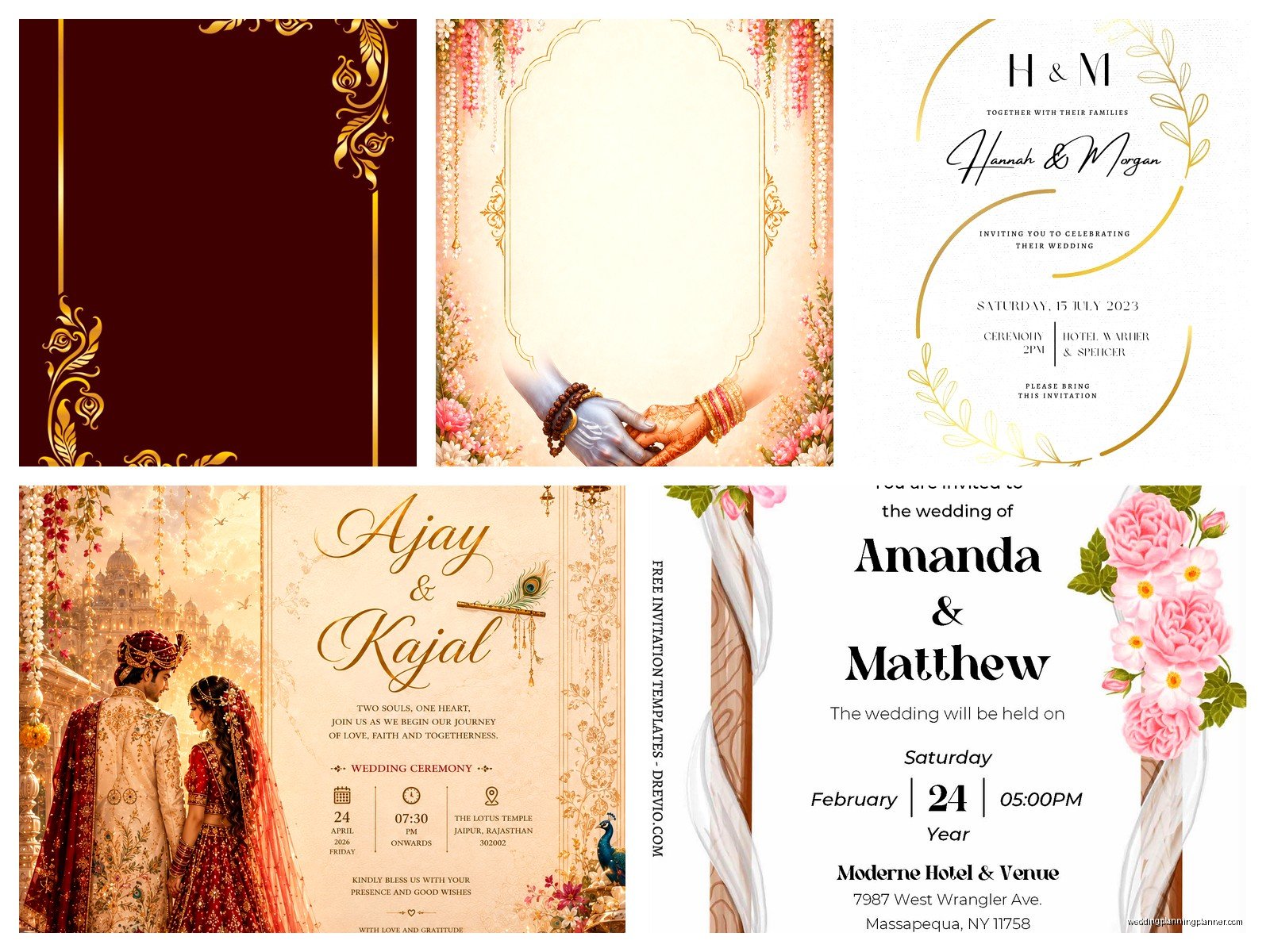
Photos: If the template has a photo placeholder and you wanna use an engagement photo, make sure it’s high resolution. Blurry photos look bad no matter how nice the template is. And watch the cropping – you don’t want your heads cut off weird.
Text: Proofread everything multiple times. Have someone else proofread. Then proofread again. I cannot tell you how many invitations I’ve seen with typos in the date or venue address. Once you print 150 invitations with the wrong time, you’re kinda stuck.
Free Mockup Generators to See What It’ll Look Like
Before you print, use a mockup generator to visualize how your design looks on actual paper. Smartmockups has free options. Placeit too. You upload your design and it shows it on a card with realistic shadows and textures. This helps you catch issues before printing.
During this one stressful client situation in fall 2022, we designed everything digitally and it looked great on screen, but when we printed the test copy, the font was way too small to read comfortably. The mockup would’ve caught that. We had to resize everything and reprint. Waste of time and money.
Where to Print Your Free Template Designs
You’ve got your file ready. Now you need it on actual paper.
Local print shops give you the best quality usually. Bring your PDF file on a USB drive or email it. Ask for cardstock, at least 80lb weight. You can see paper samples in person which is huge. They can also do scoring (that folded line on cards) and cutting to size.
Online print services like Vistaprint, Moo, or Printful are convenient. Upload your file, choose your paper stock and finish, they ship to you. Vistaprint is cheapest but quality is… fine. Not amazing. Moo is pricier but better quality. I’ve used both for different clients depending on budget.
Home printing works if you’ve got a decent printer and you’re only doing like 30-40 invitations. Buy nice cardstock from a craft store. Print a test copy on regular paper first to check alignment. Cut carefully with a paper trimmer (not scissors unless you have crazy steady hands).
Paper Weight and Finish Actually Matter
This is gonna sound picky but trust me. Regular printer paper (20-24lb) is too flimsy for wedding invitations. You want at least 65lb cardstock, ideally 80lb or heavier. It feels substantial in your hand.
Finish options: matte, glossy, linen, pearlescent. Matte is classic and easy to write on if you’re hand-addressing envelopes. Glossy looks fancy but shows fingerprints. Linen has a subtle texture that photographs really well. Pearlescent has a shimmer that’s pretty for formal weddings.
I’m personally not a fan of glossy for invitations because they feel like a photo print, not a formal invitation, but that’s just me being picky.
Free Envelope Addressing Templates
Most people forget about this part. You design a beautiful invitation and then realize you gotta address 100 envelopes. Your hand will fall off.
Free solutions: Create an addressing template in Word or Google Docs that matches your invitation design. You can print directly on envelopes if your printer has a straight-through feed (check your printer manual). Otherwise print on labels – Avery has free label templates that work with their label sheets.
Or honestly? Just hand-write them. Put on a podcast or that show you’ve been meaning to watch and make it a meditative thing. I did this with my own wedding stuff and it was actually kinda nice. Well, for the first 30 envelopes. Then my hand cramped.
Matching Suite Pieces You Can Download
If you find a free template you love, look for the full suite. A lot of designers offer invitation + RSVP + details card + thank you card as a package. Even if some pieces cost money, having everything match looks really cohesive.
Free resources usually include: save the date, main invitation, RSVP card, details/accommodations card, thank you card, envelope liner template, menu card, program, place card, table number.
You probably don’t need all of these. Honestly most weddings can skip the details card if you put everything on your wedding website. The only truly essential pieces are the invitation itself and some way for people to RSVP.
License and Usage Rights for Free Templates
Boring but important: check the license on your free template. Most allow personal use for your wedding. Some don’t allow commercial use (like if you’re a planner making invites for clients). Some require attribution to the designer.
For your own wedding, you’re almost always fine. Just don’t turn around and sell the template to someone else or claim you designed it.
When Free Templates Aren’t Worth It
Sometimes paying for a template or hiring a designer is actually the better choice. If you’ve spent 6 hours trying to customize a free template and it still looks wrong, your time is worth something. If you’re having a very formal black-tie wedding, free templates might not have the sophistication you want. If you need very specific customization that templates don’t offer, you might need custom design.
I tell couples this all the time – if the DIY approach is causing you stress instead of saving you meaningful money, just outsource it. Your mental health during wedding planning is worth more than $200 on invitations.
But for most weddings? Free templates are totally fine. Nobody’s gonna judge your marriage based on whether your invitation was custom designed or downloaded from Canva. They’re gonna eat your cake, dance badly, and go home. The invitation just gets them there.
