
Planning Guides, Style Guide
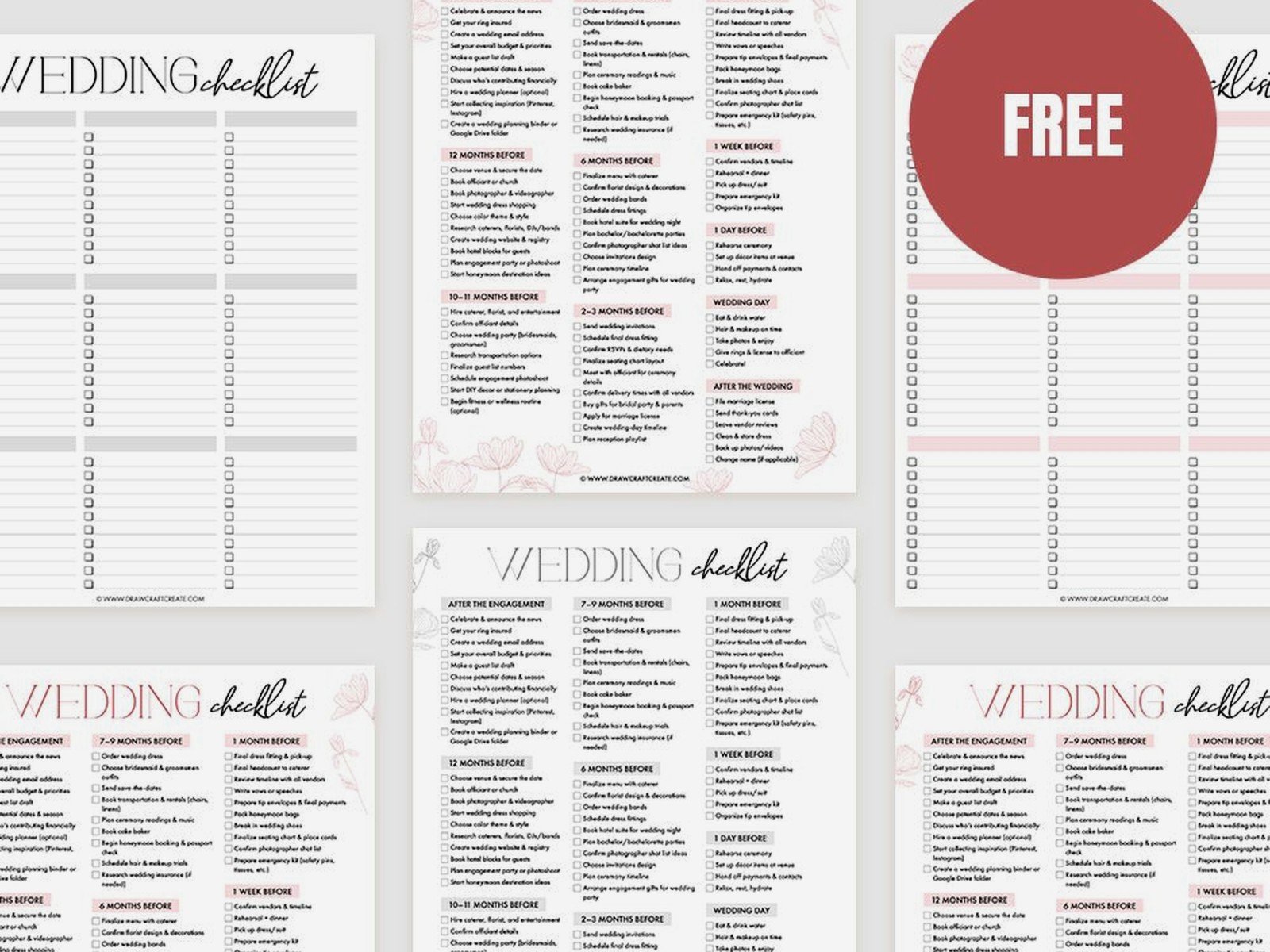
Wedding Coordinator Checklist Template: Free Download Files

Sep
So You Need a Wedding Coordinator Checklist Template
Okay look, I’ve been doing this wedding planning thing for like fifteen years now and honestly the number of times I’ve seen coordinators show up to a venue without a proper checklist is… concerning. You’re gonna need a solid template and I’m gonna walk you through what should actually be on it because half the free downloads out there are missing critical stuff.
First thing – and I cannot stress this enough – your checklist needs to be broken down by timeline segments. Not just “things to do” but WHEN to do them. I learned this the hard way in summer 2021 when I had a coordinator working with me who had this beautiful Pinterest-worthy checklist that was basically useless because nothing had time markers on it. We almost missed the cake delivery window because she didn’t realize she needed to confirm with the bakery 48 hours out, not day-of.
The Timeline Breakdown Structure
Your template should have these main sections and I’m gonna tell you what goes in each:
6-8 Weeks Before:
- Confirm all vendor contracts and contact info
- Create vendor timeline document
- Schedule final walkthrough with venue
- Confirm guest count with couple
- Order any rental items if needed
- Double-check ceremony and reception layouts
This is where you catch the stuff that’s gonna bite you later. I always put a note in my template to actually CALL vendors, not just email. Emails get lost, people don’t check them, whatever. A phone call where someone says “yes I have you down for Saturday the 15th” is worth like ten confirmation emails.
2-4 Weeks Before:
- Final meeting with couple to review timeline
- Confirm final guest count with caterer and venue
- Create seating chart based on RSVPs
- Finalize ceremony processional order
- Confirm transportation timing
- Review rain plan if outdoor ceremony
- Check on marriage license status
The rain plan thing kills me because so many templates don’t include it and then you’re scrambling. Actually had my cat knock over my coffee onto a rain plan document once and I had to rewrite the whole thing an hour before a meeting, but that’s beside the point.
The Week-Of Section (This Is Critical)
Your template needs a detailed week-of section that breaks down daily tasks. Here’s what I include:
7 Days Out:
- Send final timeline to ALL vendors
- Confirm delivery times with florist, cake, rentals
- Touch base with wedding party about rehearsal
- Pack emergency kit
- Print all necessary documents
3 Days Out:
- Confirm with officiant
- Final check on ceremony/reception music playlists
- Verify parking arrangements
- Confirm rehearsal attendees and time
Day Before:
- Attend rehearsal with timeline in hand
- Walk through ceremony with all participants
- Distribute vendor tip envelopes if couple provided them
- Charge all devices and backup batteries
- Prep day-of emergency kit
And here’s something that really annoyed me about most free templates I’ve seen – they don’t include a rehearsal walk-through checklist. Like, you’re supposed to just wing it? Nah. You need to know who’s walking with who, what the processional music cues are, where people stand, when they sit down… I made a sub-checklist just for rehearsals because in spring 2023 I had a wedding where nobody had clarified that the groom’s grandmother needed to be escorted and seated BEFORE the mothers and it caused this whole awkward moment where she was just standing there while the processional music started.
The Wedding Day Timeline Template
Okay so your main template should include a wedding day section that’s broken into hourly increments. Mine looks kinda like this:
Early Morning (Before Ceremony):
- Arrive at venue with emergency kit
- Meet with venue manager and do walkthrough
- Check ceremony setup (chairs, altar, sound system)
- Place programs, escort cards, signage
- Confirm arrival of early vendors (florist, rental company)
- Set up gift table and card box
- Steam or touch up any linens/decor as needed
I always put a buffer in my timeline because things run late, deliveries get delayed, the florist shows up and realizes they forgot the boutonnières and has to go back… you gotta have wiggle room.
2 Hours Before Ceremony:
- Check in with couple and wedding party
- Distribute bouquets and boutonnieres
- Pin corsages for mothers/grandmothers
- Do final check of ceremony space
- Test sound system and microphones
- Coordinate with photographer for family photo list
- Line up wedding party in processional order
The family photo list thing – you need to have this written down because I promise you someone will forget who needs to be in which photos and you’ll be standing there while the photographer is like “umm, does the bride want photos with her step-siblings or…”
What Should Actually Be In Your Emergency Kit Checklist
Most templates just say “pack emergency kit” but don’t tell you what goes IN it. Here’s my actual list that I’ve refined over like a hundred weddings:
- Sewing kit with white, black, and ivory thread
- Safety pins in multiple sizes
- Fashion tape and double-sided tape
- Stain remover pen
- Tide to Go stick
- Bobby pins and hair ties
- Clear nail polish (for stocking runs)
- Scissors
- Super glue
- Tylenol and Tums
- Band-aids
- Deodorant wipes
- Tissues and oil-blotting papers
- Mints or gum
- Tampons and pads
- Static guard spray
- Wrinkle release spray
- Lighter (for candles or to seal ribbon ends)
- Chalk or white powder (for covering dress stains)
- Clear straws for the bride
I’ve used literally every single one of these items at weddings. The clear straws are genius because lipstick, obviously.
Reception Coordination Checklist Section
Your template needs a separate reception flow section because this is where timing really matters. Mine includes:
Cocktail Hour:
- Ensure bar is set up and staffed
- Check that appetizers are being passed
- Coordinate family photos if doing them now
- Oversee reception room flip (if ceremony and reception same space)
- Set place cards and favors
- Do final check of centerpieces and table numbers
- Test microphone for toasts
- Confirm cake cutting time with couple and caterer
Reception Events Timeline:
- Grand entrance timing and music
- First dance
- Welcome speech (if applicable)
- Blessing or toast
- Dinner service
- Parent dances
- Toasts and speeches
- Cake cutting
- Bouquet and garter toss (if doing)
- Last dance
- Send-off
For each of these you should have space to write the actual TIME it’s happening, the song choice if applicable, and who’s responsible for cueing it. I learned to add that last part because at one wedding the DJ thought I was cueing the cake cutting and I thought he was and we just… stood there staring at each other for like thirty seconds while everyone waited.

Vendor Management Checklist Component
This is something that should be woven throughout your template but also needs its own reference section. For each vendor category you need:
Vendor Name and Contact:
- Primary contact person
- Phone number (cell, not office)
- Arrival time
- Setup requirements
- Breakdown time
- Special notes or requests
I keep this on a separate sheet that I can glance at quickly. You don’t wanna be flipping through pages trying to find the florist’s number when there’s a delivery issue.
End-Of-Night Breakdown Checklist
Nobody talks about this enough but you need a solid breakdown checklist in your template. I include:
- Collect guest book and card box
- Gather personal items from getting-ready areas
- Box up cake top tier for couple
- Collect rental items (cake stand, knife, toasting flutes, etc.)
- Gather centerpieces/decor if couple is keeping
- Return any borrowed items to appropriate people
- Check venue for forgotten items
- Coordinate vendor load-out
- Ensure couple has bouquet preservation plan if wanted
I cannot tell you how many times I’ve saved couples from leaving behind their card box with like $5,000 in checks inside. People are drunk and happy and they forget EVERYTHING at the end of the night.
Where to Actually Find or Create Your Template
Okay so here’s the practical part – you can build this in Excel, Google Sheets, or even a Word doc. I personally use Google Sheets because I can access it from my phone and make updates in real-time. You want something that’s:
- Easy to edit and customize for each wedding
- Printable (because your phone might die)
- Shareable with assistants or other coordinators
- Has checkboxes you can actually check off
For free templates, honestly most of the ones on wedding blogs are gonna be pretty basic. You can start with those but you’re gonna need to add a LOT more detail. The Knot has some okay ones, WeddingWire has a coordinator timeline template that’s not terrible as a starting point.
But real talk? After you do like three or four weddings you’re gonna realize the template needs to be personalized to YOUR workflow and the types of weddings you typically coordinate. A backyard wedding checklist is gonna look different than a formal hotel ballroom wedding checklist.
Customization Tips That Actually Matter
When you’re adapting a template – whether it’s one you downloaded or one you’re building from scratch – here’s what to think about:
Add sections specific to your region. If you work in an area where outdoor weddings are common, you need weather contingency items built in. If you’re in a city where parking is a nightmare, parking coordination needs its own section.
Include cultural or religious ceremony elements that are common in your market. I work with a lot of Catholic weddings so I have a whole section about coordinating with the church, the specific processional order they require, communion logistics, all that stuff.
Build in your own timing preferences. Some coordinators like to arrive three hours before ceremony time, some prefer four. Some do all the setup themselves, some delegate to assistants. Your template should reflect how YOU actually work.
One thing I started doing was color-coding my checklist – blue for things I do personally, green for things I delegate, yellow for things I just need to verify happened. Makes it way easier to scan quickly when you’re in the middle of a crazy day.
Digital vs Paper Checklist Situation
I’m gonna be honest, I print mine out AND have it on my phone. The paper copy lives on a clipboard that I carry around all day and I’m checking things off with an actual pen. There’s something about the physical act of checking a box that helps my brain register that the task is done.
But I also keep the digital version on my phone because sometimes I need to add notes or update timing on the fly, and typing is faster than writing. Plus if something goes wrong and I need to reference it later, I’ve got that digital record.
Some coordinators swear by apps like Aisle Planner or HoneyBook that have built-in checklist features. They’re fine, they work, but they also cost money and honestly? A good Google Sheet does everything I need it to do for free.
The Stuff Nobody Tells You About Checklists
Here’s what I wish someone had told me when I first started: your checklist is gonna fail you at some point. Something will happen that’s not on there, some crisis will emerge that you didn’t anticipate, and you’re gonna have to improvise. That’s fine. That’s normal.
The checklist isn’t there to make you a robot who can’t think independently. It’s there to handle the routine stuff so your brain is free to deal with the unexpected stuff. Like when the best man’s flight gets delayed or the unity candle won’t stay lit or someone’s dress strap breaks or… you get the idea.
Also? Your checklist should evolve. After every wedding I add notes about what worked, what didn’t, what I forgot, what was unnecessary. Then I update my master template. I’ve probably revised mine like fifty times at this point and it’s still not perfect because every wedding teaches you something new.
The other thing is don’t be precious about your template. I see coordinators who have these elaborate, beautiful checklists that they’re almost afraid to mark up or change. Your checklist is a working document. It should be messy by the end of the day. It should have notes scribbled in the margins and things crossed out and timing adjustments written in. If it’s still pristine at the end of the wedding, you probably weren’t using it enough.
And one more thing – actually this is something that really bugs me – so many checklist templates have like inspirational quotes or decorative elements on them and I’m like… this is a functional document, not a Pinterest board. I don’t need “Love is patient, love is kind” at the top of my vendor contact sheet. I need phone numbers and arrival times. Keep it simple and actually useful.
Your checklist should also have a notes section for each wedding where you can write down specific details. Like maybe this couple has a dog in the ceremony so you need to note who’s handling the dog and when. Or they’re doing a surprise flash mob during the reception. Or the groom’s dad is in a wheelchair and needs specific seating arrangements. These details don’t fit into the standard template structure but they’re critical to remember.
Building Your Own Master Template
If you’re gonna create your own from scratch, start with the basic timeline structure I outlined earlier and then add to it based on your first few weddings. Take notes during each event about what you wished you had remembered to check or do. After three or four weddings you’ll have a pretty solid foundation.
Make sure you include space for:
- Wedding date and couple names (sounds obvious but I’ve mixed up paperwork before)
- Venue name and address
- Ceremony start time
- Reception start time
- Guest count
- Weather forecast and backup plan
- Emergency contacts
Then build out your timeline sections with enough detail that someone else could theoretically use your checklist and coordinate the wedding. That’s the test – if you got sick and had to send a replacement coordinator, could they figure out what to do from your checklist alone?
The answer should be mostly yes, with some obvious exceptions for relationship stuff and judgment calls that require knowing the couple.
I also recommend having a separate “day before” checklist that’s just for you, about getting yourself organized. Charge your phone, charge your backup battery, pack your emergency kit, print all documents, prep your outfit (comfortable shoes are non-negotiable), eat a real meal because you might not get to eat much during the wedding, that kind of stuff. Taking care of yourself is part of being able to coordinate effectively and it’s easy to forget when you’re focused on everything else.
