
Planning Guides, Style Guide
Wedding Cards Online: Digital Design & Ordering Guide
Oct
Just Start With What You Actually Need
Okay so the first thing you gotta figure out is what kind of wedding cards you’re even talking about. Save-the-dates? Invitations? Thank you cards? Programs? Because honestly, ordering them all from the same place sounds convenient but it’s not always the smartest move financially or design-wise.
I had this couple in spring 2023 who wanted everything to match perfectly—like, down to the exact Pantone color—and they ordered everything at once from this fancy online designer. Then they changed their venue and half the details were wrong. We’re talking about reprinting 200 invitations because the address was different. That mistake cost them like $600 they didn’t need to spend.
So my advice is order in stages. Save-the-dates first, obviously. Then wait until you have your actual details locked down before you do the invitations. I know it’s tempting to get it all done at once but trust me on this.
Where to Actually Order From
There are like a million sites now and honestly it’s overwhelming. Here’s what I’ve seen work well:
- Minted – Great designs, kinda pricey, but their quality is solid and they do free recipient addressing which saves you SO much time
- Zola – Good if you’re already using them for your registry, keeps everything in one ecosystem
- Paperless Post – For digital invites, which yes I’ll talk about because they’re becoming way more acceptable
- Etsy – Hit or miss, you’re working with individual designers so communication matters a lot
- Vistaprint – Budget option, nothing fancy, but gets the job done if you’re DIYing the design
- Shutterfly – Middle ground pricing, lots of templates
The thing that annoyed me recently was how many of these sites advertise a price but then the actual cardstock upgrade, envelope liners, and shipping basically double the cost. Like, just tell me the real price upfront? I don’t have time to play pricing games when I’m managing six weddings in one season.
Digital Design Tools If You’re Doing It Yourself
Alright so if you’re gonna design your own cards, you need to know what you’re working with. Canva is the obvious choice—they have templates specifically for wedding invitations and it’s pretty intuitive even if you’re not a designer. But here’s what people don’t realize: those templates are used by like thousands of other couples, so your invitation might look exactly like someone else’s.
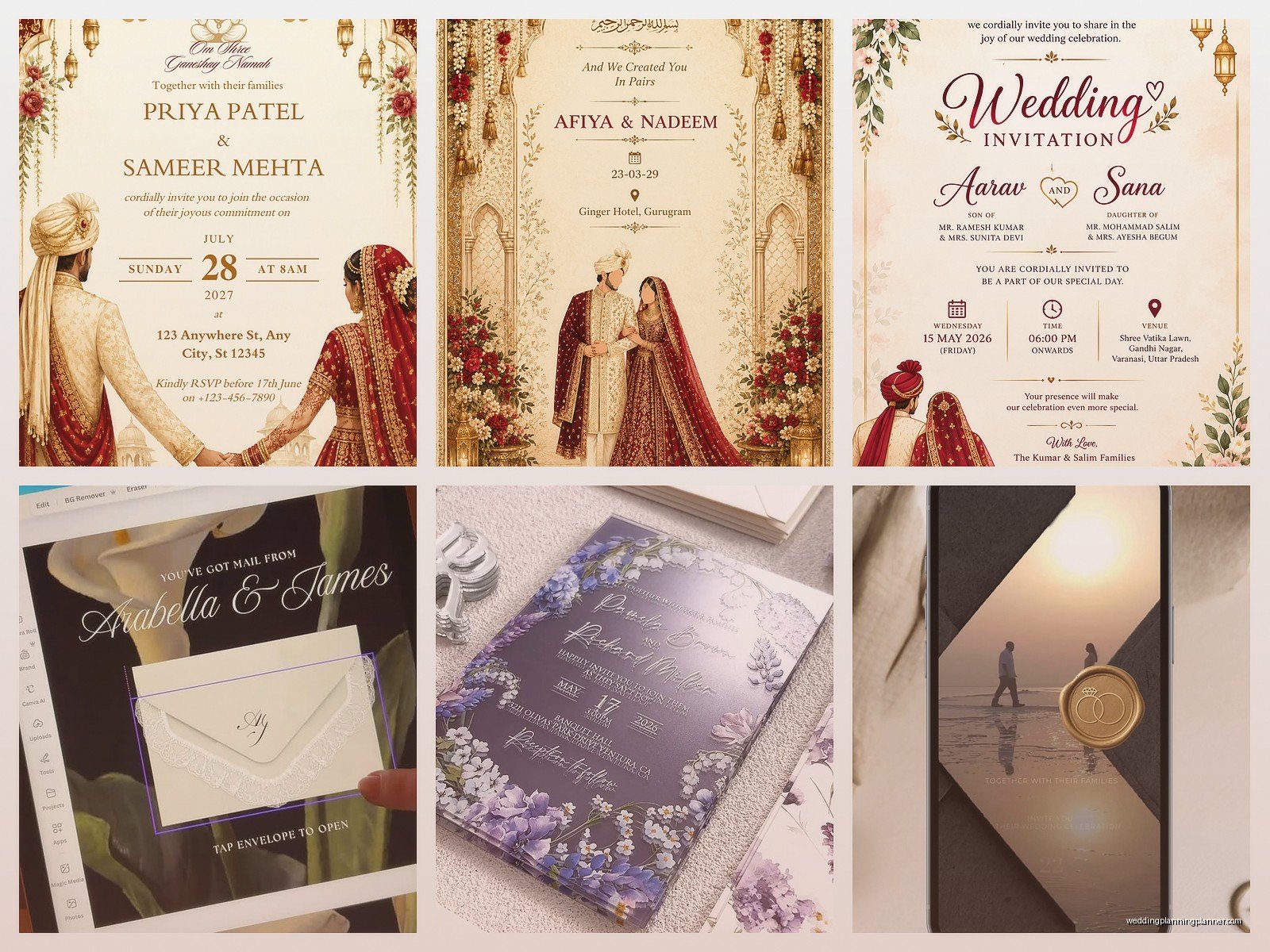
If you want something more unique, you could try:
- Adobe Express (used to be called Spark) – Similar to Canva but slightly different template options
- PicMonkey – I don’t hear people talk about this one much but it’s actually pretty good
- Actual Adobe Illustrator or InDesign – Only if you know what you’re doing or have a friend who does, because the learning curve is… yeah
One thing about DIY design is you need to understand bleed and margins. Bleed is the extra space around your design that gets cut off during printing. Most printers need like 0.125 inches of bleed on all sides. If you don’t account for this, important text or design elements might get chopped off and you’ll be sad when your cards arrive.
File Formats Matter More Than You Think
When you’re uploading your design, different sites want different things. PDF is usually safe. Some want high-resolution JPGs or PNGs (300 DPI minimum for print, don’t even try with 72 DPI web images). If you’re working with a designer on Etsy, they’ll probably send you a PDF but make sure it’s print-ready with the right dimensions.
I once had a bride who designed everything herself in Canva, exported as a PNG, and wondered why the text looked blurry when printed. Resolution, my friend. Always check the resolution.
What Information Actually Goes On The Invitation
This seems obvious but you’d be surprised how many people forget things. Here’s your checklist:
- Hosts line (traditionally whoever’s paying, but honestly most couples just put both sets of parents or their own names now)
- Request line (“request the pleasure of your company” or “invite you to celebrate” or whatever feels like you)
- Couple’s names—and decide if you’re doing first and last or just first names
- Date and time (spell it out formally or go casual, but be consistent)
- Venue name and address—full address, not just the venue name because not everyone will GPS it correctly
- Reception details if it’s at a different location
- Dress code (optional but helpful—people always ask anyway)
- RSVP deadline and method
For the RSVP, you can include a separate card, direct people to your website, or use a QR code which is becoming super common and honestly makes tracking responses way easier.
The Whole Suite vs. Just the Invitation
So like, a full invitation suite traditionally includes the invitation itself, RSVP card with envelope, reception card if needed, accommodations card, directions card, and maybe a weekend events card. That’s a lot of paper and a lot of money.
Real talk: most people are putting extra details on their wedding website now. You don’t need a separate card for every single thing. I usually recommend the invitation, RSVP card, and maybe one details card if you have a lot of out-of-town guests. Everything else can go on the website.
My cat literally just knocked over my coffee while I’m writing this and I’m choosing to ignore it and keep typing, but anyway—
Timing for Ordering
Save-the-dates should go out 6-8 months before the wedding, earlier if it’s a destination wedding. So order those like 7-9 months out to give yourself time for design, proofs, printing, and mailing.
Invitations should go out 6-8 weeks before the wedding. Order them about 4 months before the wedding date. This gives you time to deal with any issues, wait for printing, assemble everything if needed, address envelopes, and mail them.
Most online printers take 1-3 weeks for production, sometimes faster if you pay for rush shipping but that gets expensive quick. Then you need to account for shipping time to you, and then mailing time to guests.
Always Order Extras
Get at least 10-20 extra invitations. You’ll want some for your own keepsake, you might mess up addressing a few envelopes, someone will inevitably say “oh I never got mine” even though they definitely did, and sometimes you’ll think of additional people to invite after you’ve already ordered.
The cost difference between 100 and 120 invitations is usually pretty small compared to placing a whole second order later.
Proofing Is Not Optional
I cannot stress this enough: actually read your proof carefully. Like, multiple times. Have someone else read it too. Check for:
- Typos (obviously)
- Wrong dates or times
- Incorrect venue address
- Misspelled names—this happens more than you’d think
- Formatting issues or weird spacing
- Color accuracy if that matters to you
Some sites offer a printed proof for an extra fee. If you’re doing something custom or expensive, it might be worth it. Digital proofs are usually fine though if you’re careful.
There was this one time—I think summer 2021—where a couple approved their proof without noticing the date said Saturday, June 15th, but June 15th was actually a Tuesday that year. Nobody caught it until the invitations were printed and mailed. We had to send out correction cards and it was a whole thing.
Paper Types and What They Actually Mean
Okay so this gets confusing because every site uses different terminology, but here’s the basics:
Cardstock weight: Usually measured in pounds (lb) or GSM. Standard cardstock is around 80-100 lb or 216-270 GSM. Heavier feels more luxurious but costs more. 110-130 lb is really nice quality.
Finish options:
- Matte – No shine, sophisticated, easy to write on if you’re handwriting anything
- Glossy – Shiny, makes colors pop, shows fingerprints easily
- Pearl or shimmer – Subtle shine, pretty for formal weddings
- Linen or textured – Has a fabric-like texture, I think this looks really elegant
- Recycled – Eco-friendly option, sometimes has visible fibers which can look cool or cheap depending on execution
You can also get fancy with letterpress (expensive but gorgeous), foil stamping (also pricey), or embossing. These specialty printing methods usually require working with a specialty printer, not just ordering online from the big template sites.
Digital Invitations Are Actually Fine Now
I know traditionalists might come for me but whatever—digital wedding invitations are becoming totally acceptable, especially for smaller weddings, casual celebrations, or eco-conscious couples. Paperless Post has really nice designs that don’t look cheap or lazy.
Benefits of digital: way cheaper, faster, easier to track RSVPs, can include links directly to your website and registry, better for the environment, and honestly easier for guests who might lose a paper invitation.
Downsides: some older guests might not see them or know how to respond, they feel less formal, you don’t get a physical keepsake, and some people still judge them as being less “proper” for weddings.
If you’re doing digital for the main invitation, I’d still suggest sending paper thank you cards after the wedding. That feels more personal and appropriate.
Addressing Envelopes Without Losing Your Mind
This is honestly one of the most time-consuming parts. You have options:
Handwrite them yourself – Free but takes forever and your hand will cramp. Only realistic if you have like 50 invitations max or really enjoy calligraphy.
Hire a calligrapher – Beautiful but expensive, usually $2-5 per envelope. Worth it if you have the budget and want that wow factor.
Print directly on envelopes – Some online services include this for free or cheap. Looks clean and professional. Make sure you have accurate addresses.
Print on labels – Quick and easy but doesn’t look as nice. Clear labels are better than white labels if you go this route.
Use a service like Minted’s free addressing – Seriously, if you’re ordering from Minted anyway, use this feature. You upload your addresses and they print directly on the envelopes in a nice font. Saves so much time.
Return Address Situation
Don’t forget you need a return address on the back flap of the invitation envelope and on the front of the RSVP envelope. You can get a custom stamp, print labels, use the printing service, or handwrite it. I usually tell couples to get a stamp because you’ll use it for thank you cards too.
Assembly Tips Because It’s More Annoying Than You Think
If you’re doing a full suite with multiple inserts, there’s a traditional order for stacking them:
- Invitation on the bottom (facing up)
- Reception card on top of that
- Other enclosure cards (accommodations, directions, etc.)
- RSVP card tucked under the flap of its envelope, both on top
Then the whole stack goes into the envelope with the text facing the back flap, so when the recipient opens it, they see the invitation text first.
Or you can just… not worry about this and stack them however makes sense because honestly most guests aren’t gonna notice or care about traditional assembly order.
If you’re using belly bands, ribbons, or vellum overlays, assemble those before stuffing the envelopes. Set up an assembly station with all your materials and maybe invite some friends over with wine to make it less tedious.
Postage Is Gonna Cost More Than You Expect
Standard USPS postage is currently 68 cents for a regular letter, but wedding invitations usually need extra postage because they’re:
- Square-shaped (costs more than rectangular)
- Thick or bulky
- Over 1 ounce in weight
- Have wax seals or other embellishments
Take one fully assembled invitation to the post office and have them weigh it to tell you exactly how much postage you need. Don’t just guess or you’ll have invitations returned to you.
You can buy custom wedding stamps from USPS or use regular Forever stamps—you’ll probably need 2-3 stamps per invitation depending on weight. RSVP card envelopes need their own stamp too.
And here’s something that drives me crazy: wax seals look gorgeous but the post office sometimes charges extra for them because they’re considered “non-machinable” and have to be hand-processed. Some post offices don’t care, some do. It’s inconsistent and annoying.
Tracking and Organization
Keep a spreadsheet with all your guest addresses for ordering and addressing. You’ll need this same list for thank you cards later anyway. Include columns for:
- Guest names (formatted how you want them on the envelope)
- Full mailing address
- Number of people in that household
- RSVP status once you start getting responses
- Meal choices if applicable
Google Sheets works fine for this. There are also wedding planning apps that include guest list management.
What About Programs, Menus, and Other Day-Of Stationery
You can order these from the same online sites, but you usually have more time flexibility since they don’t need to be mailed. Programs and menus can be ordered 4-6 weeks before the wedding.
Honestly though? A lot of couples are skipping printed programs now and either doing a big display board at the venue or just… not having programs at all. Menus are nice for plated dinners but not necessary for buffets or food stations.
If you’re trying to save money, these are things you can cut without anyone really caring. I’d prioritize spending on the actual invitations since those are what guests keep as mementos.
Table numbers, place cards, and escort cards are other stationery items you might need, and you can definitely DIY these more easily than invitations because the stakes are lower. Nobody’s keeping your table number card as a keepsake, so it doesn’t need to be perfect.
