
Planning Guides, Style Guide
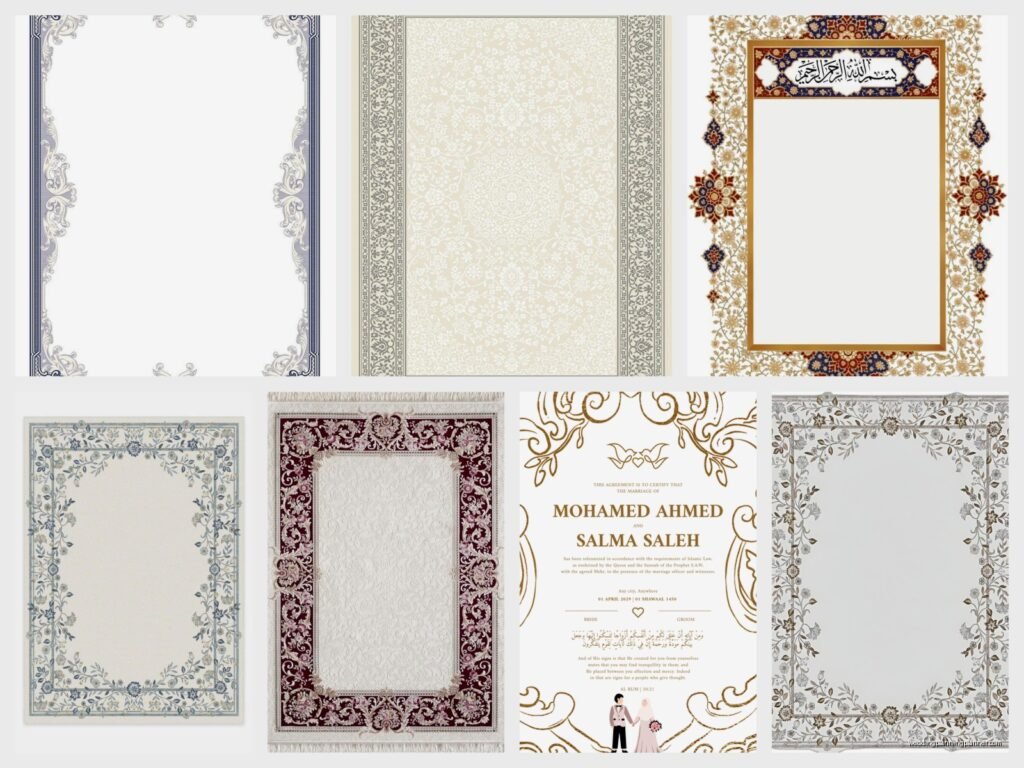
Nikah Certificate Template: Free Download Files
Aug
So You Need a Nikah Certificate Template
Okay so you’re planning a Muslim wedding and realized you actually need a proper nikah certificate and honestly this is something that catches SO many couples off guard. I had this couple back in spring 2023 who contacted me literally two days before their ceremony asking if I could design something because they completely forgot about it and I was like… deep breath, we can fix this.
The nikah certificate is basically the official marriage contract document in Islamic tradition. It’s not just decorative – it’s actually a legal and religious record that proves the marriage took place according to Islamic law. Some couples frame it, some keep it tucked away with important documents, but either way you’re gonna need one.
Where to Actually Find Free Templates
Alright so free downloads are everywhere but quality varies wildly. I’ve spent way too many hours sorting through terrible clipart-heavy designs that look like they were made in 1997, which honestly annoyed me so much because couples deserve better options that don’t cost a fortune.
Canva has become my go-to recommendation lately. They have several nikah certificate templates you can customize for free – you just need a free account. The pro version gives you more fonts and graphics but the free stuff is honestly pretty solid. You can change colors, add your own text, swap out decorative elements. It’s really user-friendly even if you’re not design-savvy.
Template.net has a decent collection too. Some are free, some require a subscription, so you gotta check which is which. The free ones are usually PDF or Word formats which makes them easy to edit if you know your way around those programs.
Etsy might sound weird for free stuff but some designers offer free samples or basic versions. I’ve seen sellers who have a premium detailed version for like $15 but also offer a simplified free download. Worth browsing around.
What Actually Needs to Be On It
This is where it gets important because you can’t just slap any pretty design together and call it done. The nikah certificate needs specific information to be valid:
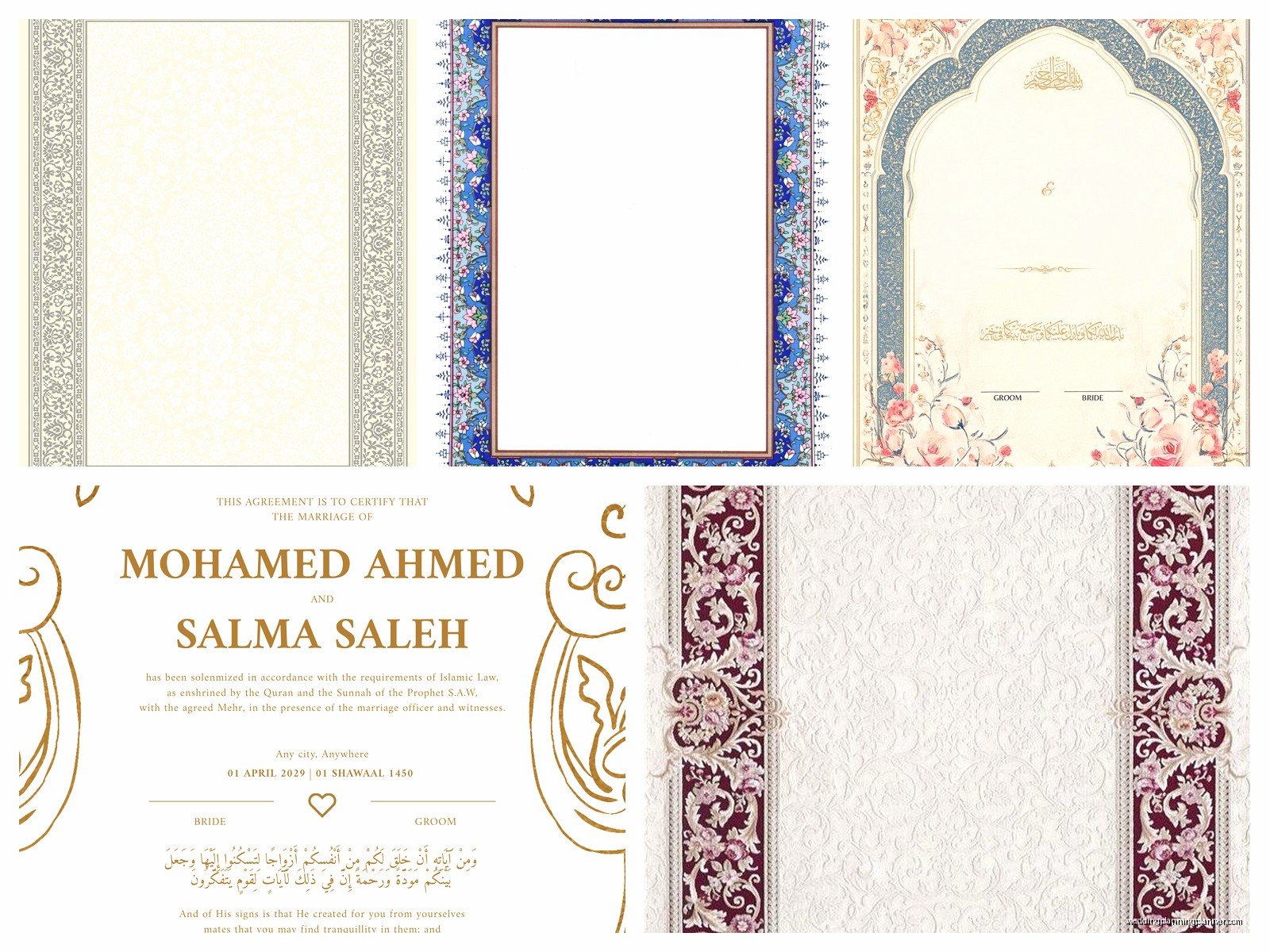
- Full names of the bride and groom (obviously)
- Date of the nikah ceremony
- Location where it took place
- Mahr amount (the mandatory gift from groom to bride)
- Names of witnesses – usually need at least two
- Name and signature of the person officiating (the imam or authorized person)
- Signatures of the bride, groom, and witnesses
Some templates also include space for the wali (the bride’s guardian) which is required in some Islamic traditions but not all. You’ll wanna check what’s customary in your specific community or madhab.
I remember this one time – might’ve been summer 2021 or maybe late 2020, pandemic brain has ruined my timeline memory – where a couple printed their certificate but forgot to include the mahr amount and the imam refused to sign it until they reprinted with all the required fields. It delayed everything by like 45 minutes and the photographer was getting antsy about the lighting…
Editing Your Downloaded Template
So you’ve downloaded something, now what? If it’s a PDF, you might need Adobe Acrobat (the paid version) or a free alternative like PDF-XChange Editor to add text directly. Word documents are easier – just click and type.
For Canva templates, everything’s editable right in your browser. Click on any text box and start typing. You can drag elements around, resize things, change colors to match your wedding theme. I usually tell couples to keep it elegant and readable rather than going overboard with decorations because this is an official document you might need to reference years later.
Font choices matter more than you’d think. Stick with something classic and legible. Arabic calligraphy fonts look gorgeous but make sure the English text (if you’re including both languages) is clear. I’ve seen certificates where people used super decorative script fonts and you literally cannot read the names properly which kinda defeats the purpose.
Bilingual Certificates
Lots of couples want both Arabic and English on their certificate. Some templates come with both already laid out, others you’ll need to add yourself. If you’re adding Arabic text and don’t speak/write Arabic fluently, please please please get someone who does to check it. Google Translate is not your friend for official religious documents, trust me on this.
The Arabic should include the same information as the English – names, date, mahr, etc. Sometimes the decorative elements include Quranic verses or blessings which is beautiful but again, verify the text with someone knowledgeable.
Printing Considerations That Nobody Tells You
Okay this is where I see people mess up constantly. You found the perfect template, customized it beautifully, and then you print it on regular printer paper and it looks… sad. My cat knocked over my coffee onto a certificate once (this was for a sample I was preparing) and it just disintegrated immediately because it was cheap paper.
Paper quality: Get certificate paper or at least heavy cardstock. Office supply stores sell packs of it. Look for 65lb or heavier. Cream or ivory colored paper often looks more elegant than stark white. Some have subtle borders or watermarks already on them which can add a nice touch.
Size: Most templates are designed for standard letter size (8.5 x 11 inches) or A4 if you’re outside the US. Some fancier ones might be 11 x 14 or another size – check before you buy special paper.
Print settings: Use the highest quality setting on your printer. If your home printer is kinda sketchy (we’ve all been there), go to a print shop. FedEx Office, Staples, local print shops – they can print on nice paper and the cost is usually under $5 for a single certificate.
Digital vs Physical Signatures
Some people want to fill everything in digitally including signatures which… I have mixed feelings about. For the actual official version that you’re keeping for records, I really think physical signatures are better. It feels more authentic and there’s less question about validity.
What I usually recommend: fill in all the typed information digitally (names, dates, etc.) so it looks clean and professional, then print it and have everyone sign by hand at the ceremony. Bring a nice pen – those metallic gel pens look really pretty on certificates or a classic black fountain pen if you’re feeling fancy.
You can create a digital backup by scanning the signed certificate afterward. Keep that PDF somewhere safe like Google Drive or Dropbox along with your other important documents.
Decorative Elements and Personalization
Free templates usually come with some decorative borders or Islamic geometric patterns. You can leave them as-is or customize. Some things couples add:
- Your wedding colors – change the border color or accent colors to match your theme
- Additional Quranic verses or hadith that are meaningful to you
- Small floral elements if you’re having a garden or botanical theme
- Your wedding hashtag or monogram (though this feels very modern and some people think it doesn’t belong on a religious document, your call)
Just don’t go so crazy with customization that it stops looking like an official document and starts looking like a party invitation. There’s a balance.
Making Multiple Copies
Here’s something that doesn’t get talked about enough – you might want multiple copies. The signed original should be kept safe obviously, but consider printing extras:
One for framing and displaying in your home. One for each set of parents if that’s meaningful in your family. A backup copy stored separately from the original (like if you keep important docs in a safe deposit box, keep a copy at home too).
I had a couple who did a really sweet thing where they printed small versions (like 5 x 7) as part of their wedding favors for close family members. Not the official signed version obviously, just decorative copies with their names and date as a keepsake. Thought that was kinda nice actually.
Common Mistakes People Make
Since I’ve been doing this for years, I’ve seen the same errors pop up again and again:
Wrong date format: Decide if you’re using the Gregorian calendar, Islamic calendar (Hijri), or both. Be consistent and make sure it’s clear which is which.
Misspelled names: Sounds obvious but I’ve seen it happen so many times. Triple-check spelling, especially for names with multiple possible spellings or transliterations from Arabic.
Missing witness information: You need their full names and signatures. Don’t just write “witness 1” and “witness 2” – actual names.
Mahr confusion: Make sure everyone’s clear on what the mahr is and that it’s documented correctly. This is a religiously significant element and legally important in many jurisdictions.
Not leaving enough space for signatures: Some templates have tiny signature lines and then people with normal-sized handwriting can’t fit their signature properly. Check this before printing the final version.
Legal Stuff You Should Probably Know
Okay so this gets complicated because it varies by location. In some countries, the nikah certificate is the legal marriage document. In others (like the US, UK, Canada), you need a separate civil marriage license for the marriage to be legally recognized by the government.
The nikah certificate is your religious marriage contract. You might also need to file paperwork with your local government to make it legally official for things like taxes, insurance, name changes, etc. Don’t assume the nikah certificate alone covers all legal requirements – check with your local marriage license office or a family law attorney familiar with Islamic marriages.
Some couples have the imam or officiant who’s authorized to perform legal marriages sign both the nikah certificate and the government marriage license at the same ceremony. Others do the nikah first and handle civil paperwork separately. There’s no one right way, just make sure you’re covering all your bases.
Storage and Preservation
Once you’ve got your beautiful signed certificate, you gotta actually take care of it. If you’re framing it, use UV-protective glass so it doesn’t fade over time, especially if it’s gonna be in a room with lots of sunlight. Regular glass is fine if it’ll be in a dim hallway or something.
For the unframed original (or if you’re not framing it at all), store it flat in a document folder or envelope. Don’t fold it, don’t let it get creased. Keep it somewhere climate-controlled – attics and basements can be too humid or temperature-variable.
Honestly I keep all my important documents in one of those fireproof document boxes. Is it overkill? Maybe. But I also watched way too many episodes of that show about natural disasters and now I’m paranoid about everything…
When Free Templates Aren’t Cutting It
Look, sometimes the free options just don’t match what you’re envisioning. If you’ve downloaded five different templates and none of them feel right, it might be worth investing in a custom design or a premium template.
Premium templates on Etsy usually run $10-30 and offer more sophisticated designs, better layout options, and often include multiple color variations. Custom designs from a graphic designer or calligrapher will cost more (anywhere from $50-200+ depending on complexity) but you’ll get exactly what you want.
I sometimes design custom certificates for clients as part of their overall wedding stationery package. It’s not my main thing but when someone’s already having me do their invitations and programs, adding a coordinating nikah certificate makes sense aesthetically.
Quick Customization Tips
If you’re working with a free template but want to make it feel more personal without starting from scratch:
Change just the color scheme to match your wedding colors – this makes a huge difference. Add a subtle texture or pattern to the background if the template feels too plain. Swap out generic decorative elements for ones that mean something to you (like if you’re having a rose theme, find Islamic geometric patterns that incorporate floral elements). Use a nicer font for the names even if you keep the rest of the template’s fonts the same.
These small tweaks can make a generic free template feel much more customized without requiring advanced design skills or… you know, the ability to use complicated software that crashes every five minutes (I’m looking at you, InDesign on my laptop that desperately needs more RAM).
The Actual Download Process
This seems stupidly basic but I’ve had clients get confused so: when you find a template you like, there’s usually a download button. Click it. The file will download to wherever your computer saves downloads (usually a Downloads folder). It’ll be a PDF, DOCX, JPG, or if it’s a Canva template, you’ll edit it online and then download your customized version.
Make sure you’re actually downloading the template and not just saving a preview image. I’ve seen people accidentally save the low-resolution preview thumbnail and then wonder why it prints all pixelated and blurry.
After downloading, immediately save a copy with a different name like “Nikah Certificate ORIGINAL” so you always have the blank template if you need to start over. Then work on a copy called something like “Nikah Certificate – Our Names” so you don’t accidentally overwrite the original file.
