
Planning Guides, Style Guide
Pool Party Template: Free Download Files

Aug
So You Need Pool Party Templates Real Quick
Okay so pool party invites are honestly one of those things that seem super simple until you’re staring at a blank screen at 11pm trying to figure out why Canva keeps crashing on you. Been there. Summer 2021 I had this client who decided THREE WEEKS before her daughter’s sweet sixteen pool party that she wanted custom invitations and I was like… you know what, templates exist for a reason.
The thing about pool party templates is they’re everywhere but finding actually good free ones that don’t look like they were made in 2003? That’s the challenge. You’re gonna want files you can actually edit without needing a degree in graphic design.
Where to Actually Find Free Pool Party Templates
Canva is obviously the first stop. I know, I know, everyone uses Canva now but there’s a reason for that. They’ve got tons of pool party templates in their free tier and you can customize them right in your browser. The search function is kinda hit or miss though – sometimes I type “pool party invitation” and get results for business conferences which is… not helpful.
Template.net has a bunch of downloadable options in different formats. You’ll find Word documents, PDFs, and even some Photoshop files if you’re into that. The free ones usually have a small watermark or credit line you gotta keep on there but honestly for a backyard pool party nobody’s gonna care.
Greetings Island is another solid option – they specialize in party invitations and their pool party section is actually pretty extensive. You can customize online and then download as a PDF. The interface is super straightforward which I appreciate because my cat literally walked across my keyboard yesterday and somehow changed all my browser settings to German.
Microsoft Office templates are surprisingly decent if you already have Word or Publisher. People sleep on these but they’re actually professional-looking and you can edit them easily. The selection isn’t huge but what’s there is usable.

File Formats You’ll Actually Encounter
This part kinda annoyed me when I first started because nobody explains what format you actually need. Here’s the breakdown:
PDF files are great if the template is already perfect and you just need to print it. You can sometimes edit them with Adobe Acrobat but it’s clunky. Mostly these are print-and-go situations.
JPEG or PNG image files are what you get when you download from Canva usually. These work fine for digital invitations you’re gonna text or email. Print quality can be iffy depending on the resolution though so check that it’s at least 300 DPI if you’re printing.
Word documents are honestly my favorite for quick edits. You can change text, move stuff around, swap colors. Super accessible. The downside is they don’t always print exactly how they look on screen which is… frustrating but manageable.
Photoshop PSD files are for if you or someone you know actually knows Photoshop. These give you the most control but also require the most skill. I mess around in Photoshop sometimes but I’m not gonna pretend I know what half the tools do.
Publisher files are Microsoft’s answer to more complex layouts. If you have Publisher installed these work great. If you don’t, they’re useless to you.
What Should Actually Be On Your Pool Party Invitation
Okay so regardless of which template you download you need certain information or people will absolutely text you asking the same questions over and over. Trust me on this.
The basics: who’s throwing the party, what it’s for (birthday, graduation, just because it’s hot outside), date, time, and address. Seems obvious but I’ve seen invitations that forget to include the actual date which is like… the main piece of information.
For pool parties specifically you gotta include: whether it’s kid-friendly or adults-only, if food will be provided, whether guests should bring towels (most people assume yes but you’d be surprised), and parking situation if it’s relevant.
RSVP info is crucial. Give people a deadline and tell them how to respond – text, email, phone call, whatever. I usually put my cell number because then I can keep track in one place.
Dress code kinda matters here too. Like are we talking swimsuits only or is this a fancy pool party where people might wear resort wear? I went to one once where everyone showed up in bikinis and the host was in a full sundress with heels and it was awkward for everyone.
The Stuff People Forget
Start and end times – people need to know if this is a 2-hour afternoon thing or an all-day situation. Weather backup plan if you have one, though for pool parties you’re kinda committed to outdoor weather. Special instructions like “enter through side gate” or “bring floaties for kids” or whatever applies to your specific setup.
Customizing Templates Without Losing Your Mind
So you found a template you like, now what? First thing I do is save a copy of the original file before I start editing because I’ve definitely messed things up and needed to start over.
Color schemes for pool parties usually involve blues, aquas, bright corals, yellows – you know, summer colors. But honestly use whatever matches your vibe. I did a pool party invite last spring in black and gold for a more upscale evening event and it looked really elegant.
Fonts are where people get too creative and it becomes unreadable. Stick to maximum two fonts – one for headers and one for body text. Pool party templates often come with those fun bouncy fonts which are fine for the title but please use something normal for the actual information or your guests will struggle.
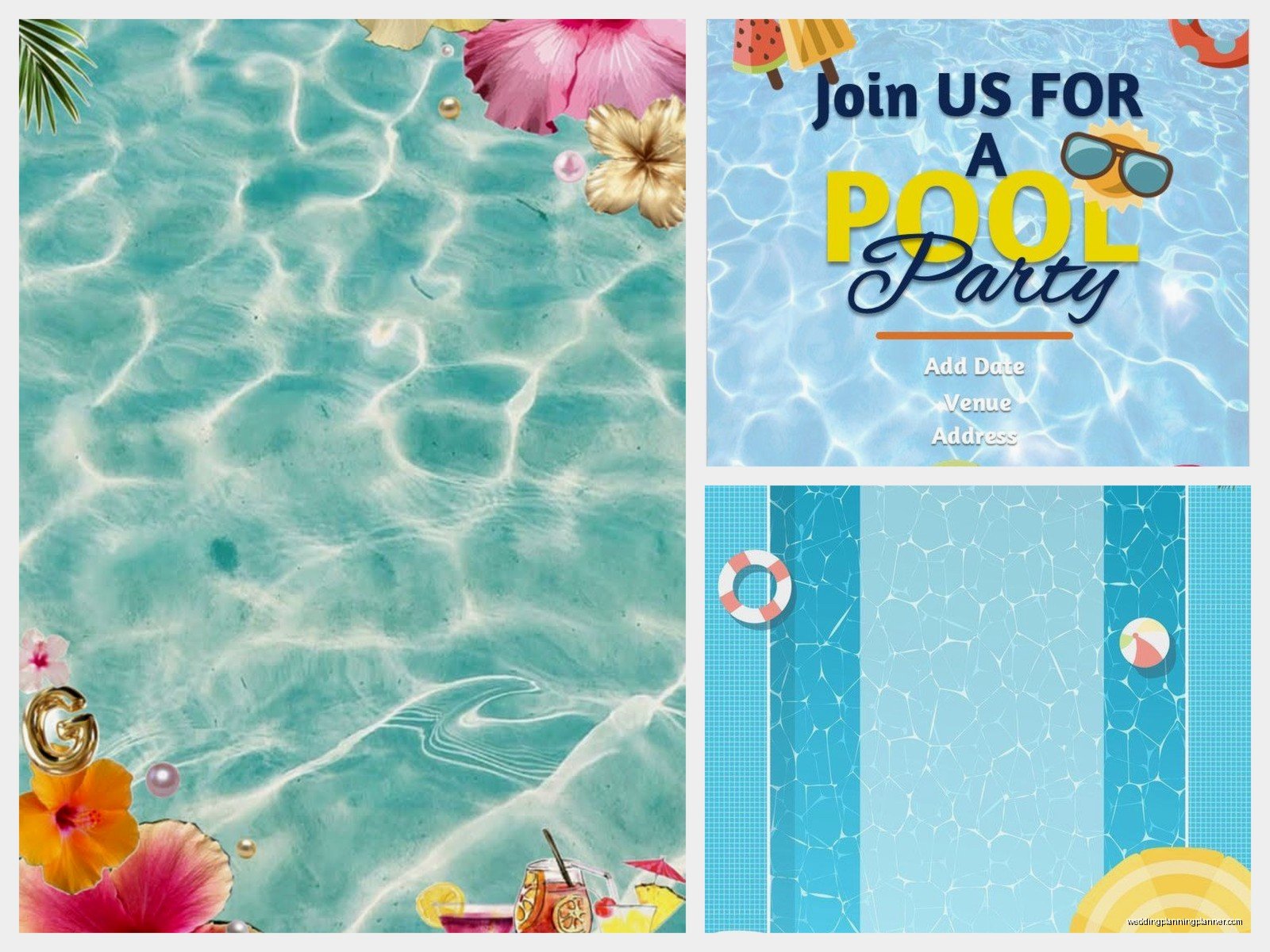
The photos or graphics – most templates have placeholder images of pools, beach balls, flamingo floaties, that kind of thing. You can usually swap these out for your own photos if you want. I had a client who wanted a picture of her actual pool on the invitation which seemed weird to me but it was her party so whatever.
Printing vs Digital Invitations
This is honestly a preference thing and also a budget thing. Printing costs money – paper, ink, envelopes, stamps if you’re mailing them. For a casual pool party I usually just send digital invitations because everyone’s on their phones anyway.
If you are printing, here’s what you need to know. Print a test copy first on regular paper to check spacing and colors. Printers are weird and what looks perfect on screen can print totally different. I learned this the hard way when magenta came out as like… hot pink and it was supposed to be coral.
Cardstock is worth it if you’re doing physical invitations. Regular printer paper feels cheap and flimsy. You can get cardstock at any office supply store and it’s not expensive. The 110 lb weight is good for invitations.
For digital sending you can just save as PDF or JPEG and text it, email it, or post it in a Facebook event. Make sure the file size isn’t huge or it’ll be annoying for people to download. I try to keep it under 2MB.
My Actual Template Recommendations
The “Tropical Pool Party” template on Canva is one I use all the time. It’s got palm leaves and a bright color scheme and it’s super versatile. You can make it kid-friendly or adult-appropriate depending on the wording you use.
Template.net has this “Elegant Pool Party Invitation” that’s more sophisticated – good for evening events or adult birthdays. It’s available as a Word doc which makes editing easy.
For kids’ parties, Greetings Island has several cartoon-style templates with cute pool graphics. The “Splish Splash” one is particularly popular. My niece used it for her seventh birthday and the kids thought it was fun.
If you want something minimal and modern, search for “minimalist pool party” on Canva. There are some really clean designs that just use typography and simple blue tones. These work well if you’re going for a more upscale vibe.
Common Problems You’re Gonna Run Into
Text getting cut off when you print is super common. This happens because of printer margins. Leave at least half an inch of space on all sides of your design to be safe.
Colors looking different on screen vs printed – yeah this is just a thing that happens. If color accuracy is super important to you, print test copies and adjust. Blues especially can shift between cyan and navy depending on your printer.
Templates that are locked or require premium accounts to fully edit. This is annoying as hell, honestly. Canva does this where some elements are “Pro” only. You can usually find similar free elements to swap in but it adds time to the process.
File compatibility issues – like you download a Publisher file but don’t have Publisher installed. Always check what software you need before downloading.
Making It Actually Look Good
White space is your friend. Don’t cram every inch of the invitation with text or graphics. Let it breathe a little. Pool party invitations should feel fun and relaxed, not cluttered and stressful.
Alignment matters more than you think. If things are slightly off-center or not lined up properly it looks sloppy even if people can’t pinpoint why. Most templates handle this for you but if you’re moving stuff around, use alignment guides.
Photo quality if you’re adding your own images – blurry photos make the whole thing look bad. Use high-resolution images or just stick with the template graphics.
Consistency in styling. If you use a certain color for one piece of text, use that same color throughout for similar information. Same with font sizes and styles. It creates visual cohesion which is a fancy way of saying it looks intentional instead of random.
Last Minute Tips That Actually Help
Save your file with a clear name like “PoolParty_July2024_Invitation” so you can find it later if you need to reference it or make changes. I have approximately 400 files named “untitled” on my computer and finding anything is impossible.
Send yourself a test version before sending to everyone. Text it to your own phone or email it to yourself to see how it looks when received. Sometimes formatting gets weird in transit.
Keep the original editable file even after you’re done. You might need to make more copies if additional people want to come, or you might want to use the same template for next year’s party.
Double-check all the information before sending – date, time, address, your contact info. I once sent out invitations with the wrong date and had to send a correction which was embarrassing but also people were understanding because everyone makes mistakes.
If you’re doing a themed pool party like luau or beach party or whatever, make sure your template matches that theme. There are specific templates for different pool party themes and using the right one makes it feel more cohesive. Or don’t, like it’s your party and if you want flamingos at a shark-themed party that’s also fine, nobody’s gonna judge you that hard
