
Planning Guides, Style Guide
Reception Program Template: Free Download Files
Aug
So You Need a Reception Program Template
Okay look, reception programs are one of those things that couples either obsess over or completely forget about until like three weeks before the wedding. I had this bride in spring 2023 who texted me at 11pm on a Tuesday asking if programs were “still a thing” and honestly that’s kinda the energy most people have about them.
Programs are basically your guests‘ roadmap for the reception. They tell people what’s happening when, who’s doing toasts, when dinner’s coming, all that stuff. And yeah, you absolutely can download free templates instead of paying someone $400 to design custom ones from scratch. Let me walk you through this because I’ve literally done this like a hundred times.
What Actually Goes In A Reception Program
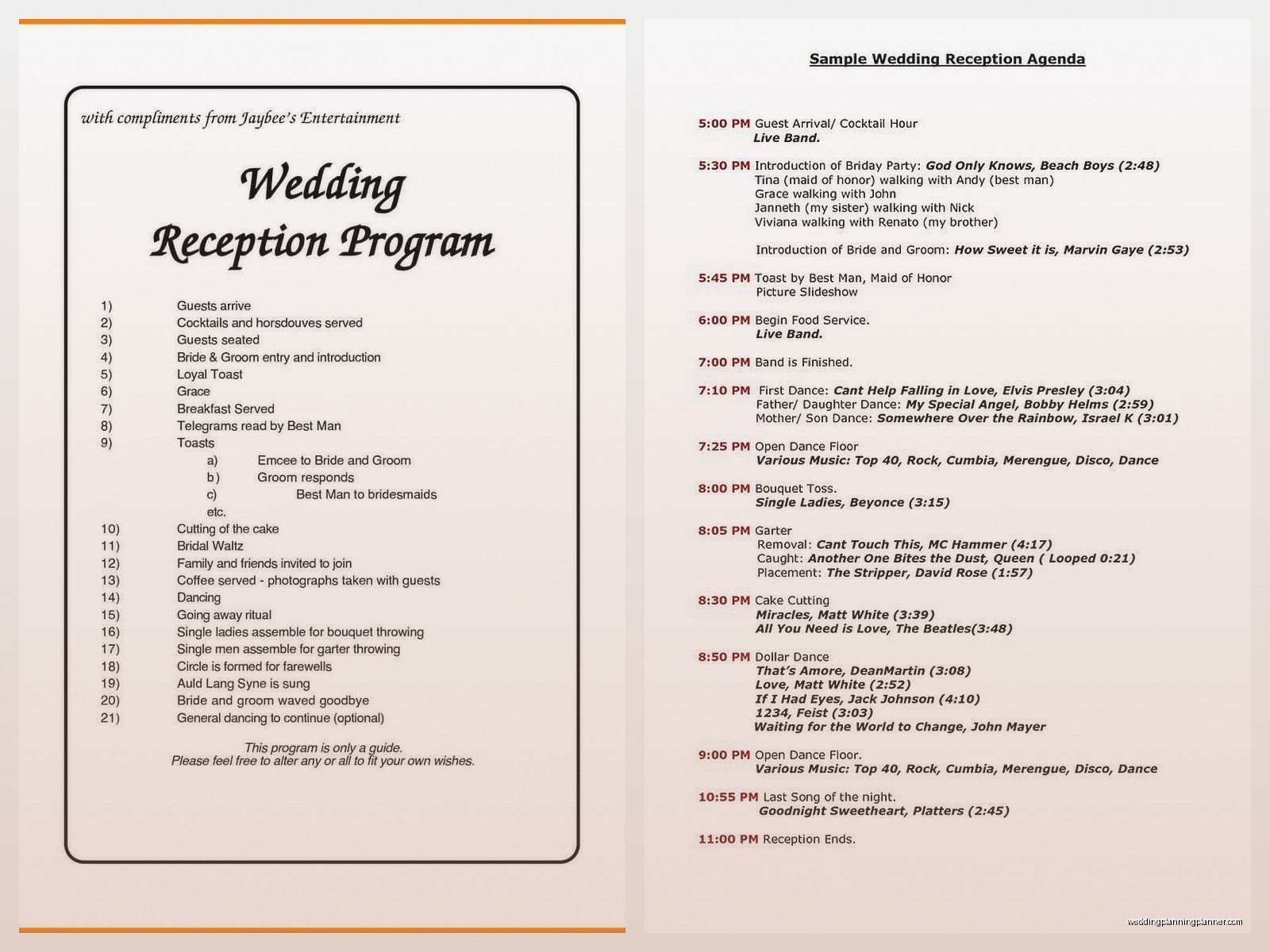
First things first, you gotta know what content you’re even putting in this thing. Most reception programs include the timeline of events – cocktail hour, grand entrance, first dance, toasts, dinner service, cake cutting, whatever special dances or traditions you’re doing. You’ll also want the wedding party names listed, sometimes with their relationship to you because your Great Aunt Martha doesn’t know who “Tyler” is and why he’s giving a speech.
Some couples add a thank you note to their parents or guests. Some add drink menu or a signature cocktail description. I’ve seen people include their love story timeline which… okay, sure, if you want. Personally I find those kinda cheesy but that’s just me and I’m apparently dead inside according to my cat who judges me while I work at 2am.
The thing that annoys me SO MUCH is when couples try to cram their entire life story onto a program. Like, nobody’s reading three paragraphs about how you met at a coffee shop in 2015. Keep it tight. One page front and back is perfect, single page is even better.
Timeline Section
Your timeline doesn’t need exact minutes. Trust me on this. I learned this the hard way when a wedding in summer 2021 ran 45 minutes behind schedule and guests kept coming up to me waving their programs asking why dinner hadn’t started at 7:30pm like it said. Now I tell everyone to use ranges or just list the order of events without times.
Something like:
- Cocktail Hour & Hors d’oeuvres
- Grand Entrance of Wedding Party
- Welcome & Blessing
- First Dance
- Dinner Service
- Toasts
- Cake Cutting
- Open Dancing
See? Clean, simple, not gonna stress anyone out when things run late because weddings ALWAYS run late.
Where To Actually Download Free Templates
Alright so here’s where you can grab templates without spending money. Canva has a ton of free reception program templates and honestly it’s where I send like 90% of my budget-conscious couples. You need a free account but then you’ve got access to hundreds of templates. Some have “Pro” elements but you can just delete those or swap them for free alternatives.
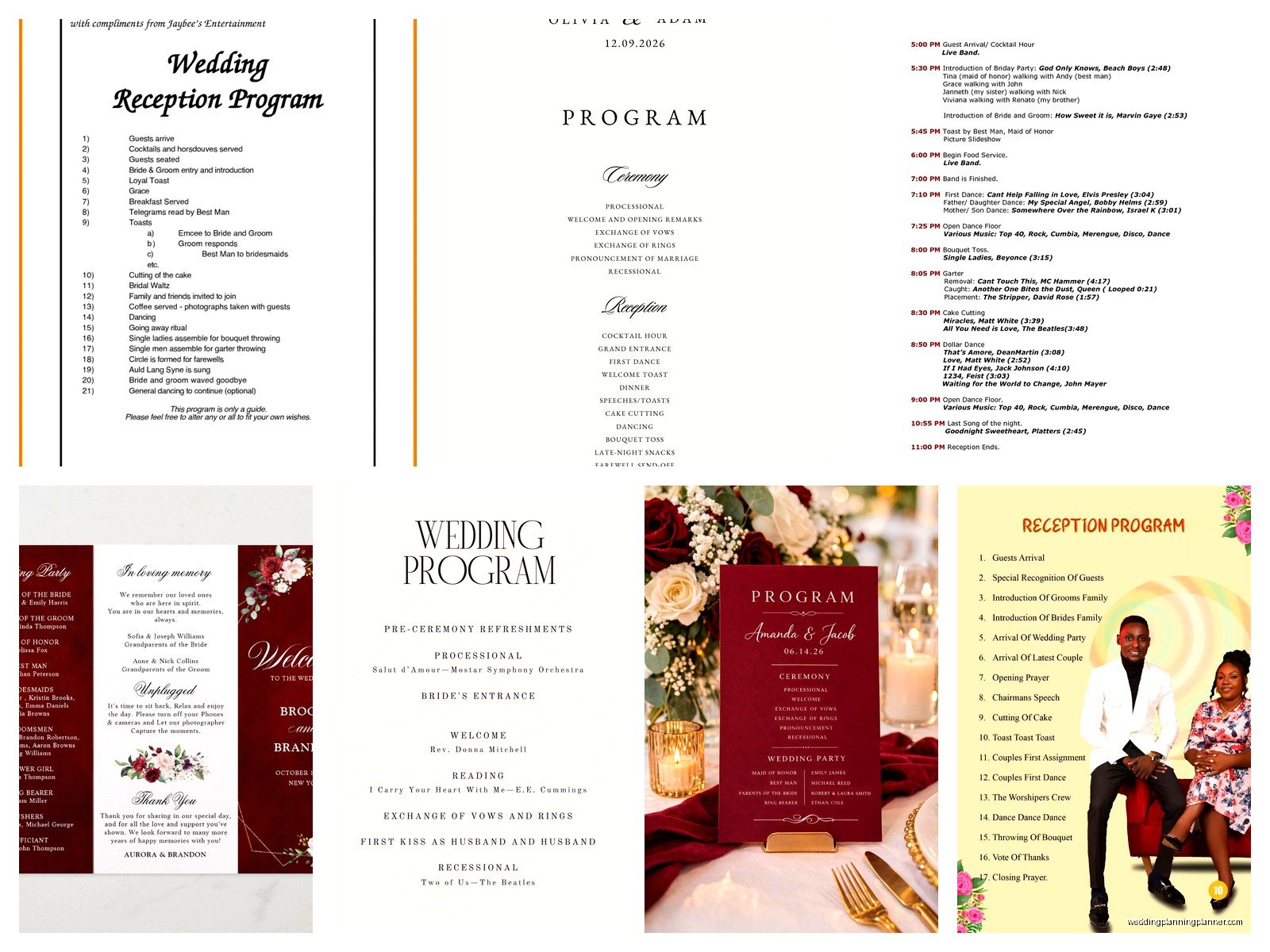
Microsoft Word and Google Docs also have template galleries. They’re more basic but if you’re going for simple and elegant, they work perfectly fine. The Word templates are usually under “Events” or “Wedding” categories.
Template.net has free downloadable files in Word, Pages, and Google Docs formats. You gotta watch out though because some of their “free” templates are actually premium, which is annoying, but they do have genuinely free ones if you filter correctly.
Adobe Express (used to be Adobe Spark) has templates you can customize online. Again, free account needed. The print quality is really good from what I’ve seen.
Etsy has free templates too believe it or not. Search “free wedding reception program template” and filter by price low to high. Designers sometimes offer freebies to get you into their shop. Just make sure you’re actually downloading a template you can edit, not just a PDF that’s locked.
File Formats You’ll Encounter
Most templates come in a few formats and you need to know what you’re working with. PDF files are usually view-only unless you have Adobe Acrobat Pro, so those aren’t great for templates you need to customize. Word docs (.doc or .docx) are super easy to edit, same with Google Docs format. PNG or JPG files are images only, so you’d need design software to edit text on those.
Canva files stay in Canva’s platform which is actually easier for most people. You edit everything right in your browser, no software needed. PowerPoint files (.ppt or .pptx) work too and more people have PowerPoint than you’d think.
How To Customize Your Template
Okay so you downloaded a template, now what? First thing is swap out all the placeholder text with your actual information. Sounds obvious but I’ve seen programs printed with “Bride & Groom” still in the header because someone forgot to change it.
Match your colors to your wedding colors. Most templates let you change color schemes pretty easily. In Canva you just click on a colored element and pick a new color. In Word you select the text or shape and change the color from the toolbar.
Fonts matter more than you think. Don’t use more than two fonts – one for headers, one for body text. And please, I’m begging you, make sure the font is readable. I love a decorative script font as much as the next person but if your 70-year-old guests can’t read it, what’s the point?
Size your text appropriately. Body text should be at least 11pt, preferably 12pt. Headers can be bigger obviously. I once received a program design where everything was in 8pt font and I was like… do you hate your guests?
Adding Personal Touches
This is where you can get creative without going overboard. Add a small photo of you two, maybe from your engagement shoot. Include a meaningful quote or song lyric that’s actually meaningful to you, not just something you found on Pinterest.
Some couples add a “In Loving Memory” section for family members who’ve passed. That’s totally appropriate and honestly really touching when done simply.
You can include your wedding hashtag if you have one, though honestly I’m not sure how many people actually use those anymore but whatever, it doesn’t hurt.
Printing Your Programs
So you’ve got your design done and now you need physical programs. You’ve got options here. You can print at home if you have a decent printer and good cardstock. I recommend 80lb or heavier cardstock – regular printer paper feels cheap and flimsy.
Staples, FedEx Office, and local print shops can print them for you usually pretty cheap. Like $1-2 per program depending on quantity and paper quality. Upload your file, pick your paper, they print and cut them. Easy.
Online printing services like Vistaprint, Printful, or Minted do programs too. You upload your design, they mail you the finished products. Takes longer obviously but the quality is usually really good and sometimes cheaper than local printing for larger quantities.
For quantities, I always tell couples to print about 75% of your guest count, not one per person. Most couples share programs, not everyone takes one, and you don’t wanna waste money printing 150 programs when you only need like 110.
Paper Options And Finishes
Regular cardstock is your standard option. Matte finish looks elegant and sophisticated. Glossy finish makes colors pop but can look kinda… I don’t know, like a brochure? Linen or textured cardstock adds a nice tactile element and feels more expensive than it is.
Recycled paper is good if you’re doing an eco-friendly wedding. Kraft paper gives you that rustic vibe if that’s your thing.
You don’t need anything fancy though, truly. A simple design on nice white cardstock looks clean and classic and nobody’s gonna remember your programs anyway honestly – they’re gonna remember the food and the music and whether the bar ran out of vodka.
Common Mistakes To Avoid
Don’t forget to proofread. Like actually proofread, not just skim it. Have someone else read it too because you’ve been staring at this thing for hours and you’re gonna miss typos. I once had a couple print 200 programs with the groom’s last name spelled wrong and they didn’t catch it until the day before the wedding.
Don’t make your programs too big. Standard sizes are 5×7 inches, 4×6 inches, or the slim rack card size (4×9 inches). Anything bigger is awkward for guests to hold during the reception.
Don’t use photos that are low resolution. If you’re adding images, make sure they’re at least 300 DPI for printing. Blurry pixelated photos look terrible on printed materials even if they look fine on your phone screen.
Watch your margins. Most printers need at least a 0.25 inch margin on all sides, some need 0.5 inches. Check with wherever you’re printing before you finalize your design or you might end up with text cut off.
Alternative Ideas To Traditional Programs
If you’re thinking programs feel kinda outdated or wasteful, you’ve got alternatives. Large display boards or signs with your timeline and wedding party info work great. You put them at the entrance to your reception and people can check them if they want. Way less waste, one-time cost.
Some couples put the reception timeline on their wedding website and just… don’t do physical programs at all. Which honestly is fine? Your DJ or band should be announcing everything anyway so programs are kinda redundant when you think about it.
Digital programs sent via email or text before the wedding are becoming more common. You design it like a normal program but save it as a PDF and send it to guests a few days before. Saves money, saves paper, and people have it on their phones if they wanna reference it.
Menu cards on tables can double as programs if you add your timeline and wedding party info on the back. Kills two birds with one stone kinda thing.
Design Tips That Actually Matter
White space is your friend. Don’t try to fill every single inch of the page with text or decorative elements. Let things breathe. A clean, simple design always looks more expensive than a cluttered one.
Alignment matters. Keep things lined up – if your headers are centered, keep them all centered. If your body text is left-aligned, keep it all left-aligned. Inconsistent alignment looks sloppy even if people can’t articulate why.
Use high-quality graphics and clipart. Those free clipart websites with the cheesy wedding bells and doves? Nah. If you’re adding decorative elements, make sure they’re clean vector graphics or high-res images. Canva has tons of good free elements built in.
Your program should match your overall wedding aesthetic. If you’re doing modern minimalist, don’t use a template with lots of swirls and flourishes. If you’re doing romantic garden vibes, maybe skip the geometric modern template.
Working With Your Stationery Suite
Your programs should coordinate with your invitations, menus, place cards, all that stuff. They don’t have to be identical but they should feel like they belong together. Same color palette, similar fonts, cohesive style.
If you’re using a monogram or logo on your other stationery, include it on your programs too. Consistency makes everything feel more intentional and pulled-together even if you’re DIYing most of it.
I had a client who did her invitations in navy and gold, then decided to do programs in pink and silver because she found a template she liked better and it just… looked weird. Everything should tell the same visual story or whatever, I sound like I’m on one of those home design shows my mom watches.
Timeline For Getting This Done
You should finalize your program content about 4-6 weeks before the wedding. That gives you time to design, review, print, and fix anything if there’s a problem. Don’t wait until the week before because if the print shop messes up or you realize you forgot something, you’re gonna be stressed.
Order a proof or sample first if you’re printing online. Print one at home or order a single copy to make sure everything looks right before you order 100 of them. Colors can look different on screen versus printed, sizes might be off, better to catch issues early.
If you’re printing at home, do a test run on regular paper first to check layout and spacing. Then print one on cardstock to make sure your printer can handle it and everything looks good. Then print the rest.
Give yourself at least a week before the wedding to have everything printed and ready. You don’t wanna be cutting programs the night before your wedding, trust me on this one.
And honestly? If you run out of time or it becomes too stressful, just skip them. Seriously. Your wedding will be fine without programs. I know that’s probably not what you wanna hear after reading all this but like… they’re nice to have, not essential. Your guests will figure out what’s happening, the DJ will make announcements, everyone will survive. Don’t let programs become a source of stress when you’ve got 47 other things to worry about.
