
Planning Guides, Style Guide
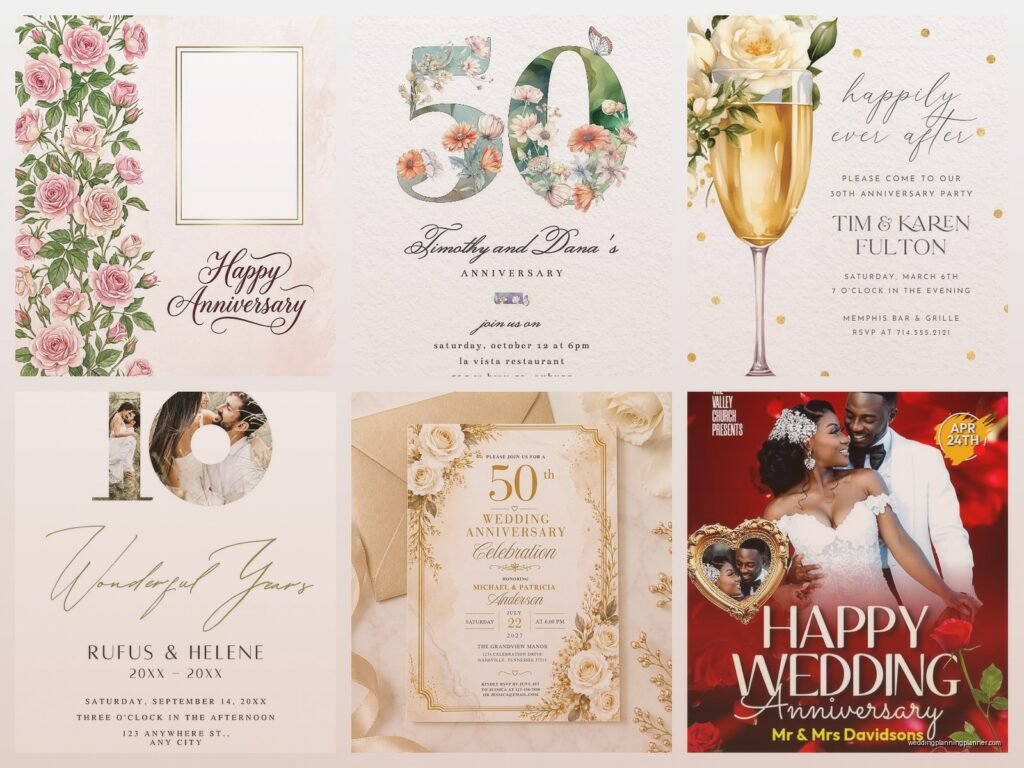
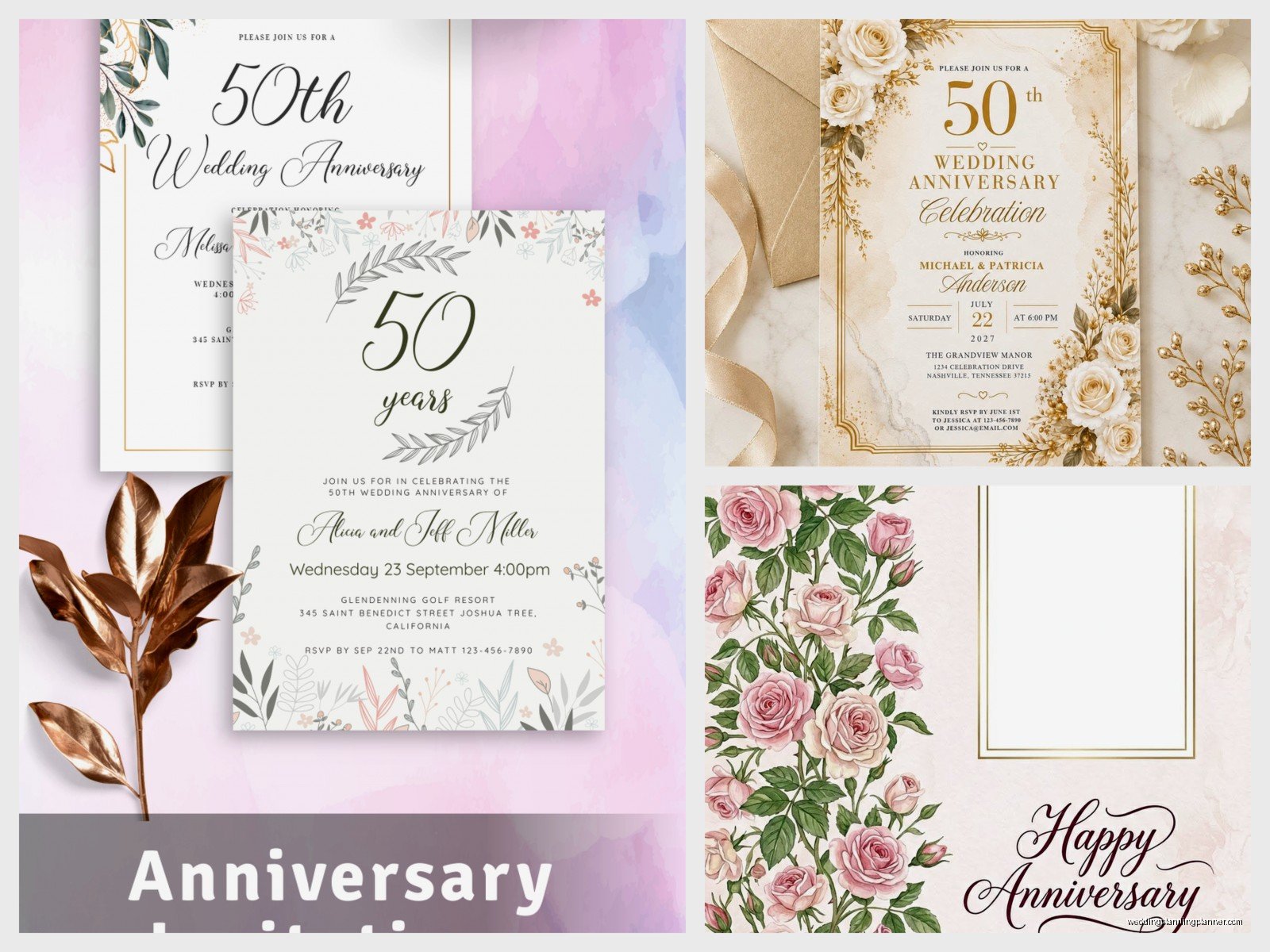
Wedding Anniversary Invitation Templates: Free Download Files
Aug
Free Anniversary Invitation Templates Are Everywhere But Finding Good Ones Is Annoying
So you need anniversary invitation templates and you want them free, which honestly makes total sense because why would you pay $50 for something you can download in like two minutes. I’ve been helping couples with this stuff since 2015 and the amount of times someone comes to me panicked about invitations is… well it’s a lot.
The thing that drives me absolutely crazy is when you search for “free wedding anniversary invitation templates” and you get like 47 Pinterest links that just loop back to the same three Canva templates. Or worse, those sites that say FREE in giant letters but then you gotta enter your credit card “just in case” you wanna upgrade. Nah.
Where To Actually Find Free Templates That Don’t Suck
Alright so let me break down the actual reliable sources because I’ve tested basically all of them at this point. Back in spring 2023 I had this client who needed invitations for her parents’ 50th anniversary party and she had exactly zero budget left after booking the venue, so we went on this deep dive together.
Canva is gonna be your first stop and honestly it’s pretty solid. They have hundreds of anniversary templates and the free version gives you enough options that you won’t feel limited. You can customize colors, fonts, add photos, change the layout. The drag-and-drop thing is super intuitive even if you’re not tech-savvy at all. I use Canva for client mockups all the time because it’s just… easy.
Greetings Island has actually good free templates and you don’t need an account to download them which is rare these days. They have specific categories for different anniversary years—25th, 30th, 40th, 50th. The designs are kinda traditional but in a good way, not in a clipart-from-1997 way.
Template.net has a massive collection but here’s the thing—some are free, some aren’t, and they don’t always make it super clear until you click. You can filter by “free” but double-check before you spend 20 minutes customizing something only to find out it costs money.
Adobe Express (used to be called Adobe Spark) works similar to Canva. Free account gets you access to tons of templates. The quality is really high because it’s Adobe, but the interface is slightly less user-friendly than Canva in my opinion.
What File Formats You’re Gonna Get
Most free templates come as PDF, JPG, or PNG files. Some platforms let you download as editable files like PSD (Photoshop) or AI (Illustrator) but those usually require paid accounts or at least a free trial.
PDF is best if you’re planning to print them professionally because the quality stays sharp. JPG and PNG work fine for home printing or if you’re just sending digital invites via email or text. PNG files have transparent backgrounds which can be useful if you wanna get creative with layering or adding your own background.
Word documents and PowerPoint templates exist too—Microsoft has a template library built into their programs. These are super easy to edit if you’re comfortable with Word or PowerPoint, which most people are. You just change the text, maybe swap out a photo, adjust colors to match your theme.
How To Actually Customize These Things
Okay so you found a template you like, now what. First thing is make sure you have all your info ready before you start editing because there’s nothing worse than getting halfway through and realizing you don’t know the venue address or the RSVP deadline.
You need: names of the couple, wedding date (the original one), anniversary number (25th, 30th, whatever), party date and time, venue name and address, RSVP details (phone number or email), dress code if there is one, and any special instructions like “adults only” or “surprise party don’t tell Dad.”
Most templates have placeholder text that you just click and replace. Change the names first, then the dates and times, then venue info. Don’t forget to update all the dates—I’ve seen people change the party date but forget to change the “celebrating 40 years since June 15, 1983” part and the math doesn’t work.
Colors are usually customizable. If you’re doing a themed party (gold for 50th, silver for 25th, ruby for 40th) you’ll wanna match the invitation colors to that. Most templates have a color picker tool or you can enter specific hex codes if you’re being really particular about it.
Photos are a nice touch. A lot of anniversary invitations include a photo from the original wedding day or a current photo of the couple. Sometimes both. If you’re adding photos make sure they’re high resolution—at least 300 DPI if you’re printing. Blurry photos look really bad on printed invitations, trust me.
Printing vs Digital—What Makes Sense
This depends on your guest list size and your budget honestly. During summer 2021 when everything was still kinda weird with COVID, I had so many clients doing digital-only invitations and it worked totally fine. You save money on printing and postage, plus you can send them instantly.
For digital invites you can just email the PDF or image file, or you can use it in an Evite or Facebook event. Some people text them which works great for smaller casual gatherings. My cat walked across my keyboard while I was setting up a digital invite once and somehow managed to change the party time to 3am, so uh, always proofread before you hit send.
If you wanna print them yourself, you can use your home printer with good quality cardstock. Staples and Office Depot sell cardstock in tons of colors and it’s not expensive. An 8.5 x 11 sheet can usually fit two invitations depending on your template size. You’ll need a paper cutter to trim them neatly—scissors work but it’s harder to keep the edges straight.
Professional printing is worth it if you’re doing like 75+ invitations or if you want really fancy finishes like foil stamping or embossing. But for most anniversary parties you honestly don’t need that level of fancy. Vistaprint, Costco Photo Center, and local print shops can print your custom templates pretty cheaply. Just upload your file, choose your paper type and quantity, and they’ll ship them to you or have them ready for pickup.

What Information You Actually Need To Include
The basics are obvious but let me list them anyway because I’ve gotten invitations that were missing super important stuff. You need the couple’s names—usually “Jane and John Smith” or “The Smiths” or however formal you wanna be.
The anniversary milestone: “Celebrating 25 Years of Marriage” or “Join us for our 30th Anniversary.” People need to know what they’re celebrating.
Party details: date, time, location with full address. Include the venue name if it’s at a restaurant or event space. If it’s at someone’s home you might wanna include parking instructions or gate codes or whatever.
RSVP information is critical. Give people a deadline that’s at least 2-3 weeks before the party so you can get a headcount for catering. Include a phone number or email address or even a link to a Google Form if you wanna be organized about collecting responses.
Dress code helps people know what to wear—”cocktail attire,” “casual,” “garden party,” whatever vibe you’re going for. Registry information is tricky… some people include it, some think it’s tacky. If the couple doesn’t want gifts you can say “no gifts please, your presence is present enough” or something like that.
Design Tips That Actually Matter
Don’t use more than two or three fonts max. Too many fonts makes it look chaotic and hard to read. Stick with one fancy font for names or headings and one clean simple font for the details.
White space is your friend. Don’t try to cram every inch of the invitation with text or graphics. Let it breathe. People need to be able to read the information quickly without squinting or getting overwhelmed.
Contrast matters for readability. Light text on a light background is impossible to read. Dark text on a dark background same problem. Make sure there’s enough contrast that your 80-year-old guests can read it without their glasses… or with their glasses, you know what I mean.
If you’re using photos, make sure they’re centered and not cut off weird. I’ve seen templates where someone’s head gets chopped off because they didn’t adjust the photo placement properly. Take an extra minute to make sure the photo looks good.
Specific Template Sites Worth Checking Out
Evite has free digital templates and they handle the RSVP tracking for you which is super convenient. You can see who opened the invitation, who responded, who’s bringing a plus-one. The designs are kinda… corporate? But functional.
Paperless Post has really beautiful designs but their free options are limited. Most of their good templates have “coins” which cost money. But if you browse carefully you can find decent free ones.
Punchbowl is similar to Evite—free digital invitations with RSVP tracking. They have a better selection of anniversary-specific designs than Evite in my opinion.
Zazzle lets you customize templates and they’ll print and ship them for you. Not all their templates are free to use, but they have a section of designs you can customize without paying a design fee, you just pay for the printing.
LoveToKnow has downloadable Word and PDF templates that are actually free. The designs are simple but that’s not necessarily bad—simple often looks more elegant than overly decorated.
Common Mistakes People Make
Forgetting to change all the placeholder text is number one. I cannot tell you how many times I’ve seen an invitation that says “YOUR NAME HERE” in tiny text somewhere because someone missed it.
Using low resolution images that look pixelated when printed. Always check your image quality before you send files to a printer.
Not proofreading. Typos happen but you really wanna catch them before you print 100 invitations with the wrong date or a misspelled name. Have someone else read it over—fresh eyes catch mistakes you’ll miss.
Making the text too small. Remember people of all ages will be reading this and tiny font size just frustrates everyone. Nothing smaller than 10pt font for the body text, bigger is better honestly.
Choosing templates that don’t match the vibe of your party. If you’re having a casual backyard BBQ anniversary party, a super formal gold-embossed template is gonna feel off. Match the invitation style to the actual event.
Timeline For Getting These Done
If you’re printing them yourself or doing digital, you can honestly pull this together in a weekend. Find template, customize it, download it, print or send. Easy.
If you’re using a printing service, add about a week for production and shipping, maybe more if you’re doing custom finishes or if it’s a busy season. Order a sample first if you’re doing a big batch—that way you can check the colors and paper quality before committing to 150 invitations.
Send invitations about 4-6 weeks before the party. That gives people enough time to plan but not so much time that they forget about it. For really big milestone anniversaries (like 50th) you might wanna send them 8 weeks out since people might need to travel.
What To Do With The Files After You Download Them
Save them somewhere you’ll remember. I know that sounds obvious but people download files and then can’t find them three days later. Create a folder on your desktop called “Anniversary Party” or whatever and keep everything there.
Keep the original template file separate from your edited version. That way if you mess something up you can start over without having to re-download. Save your customized version with a clear name like “Smith_Anniversary_Invitation_FINAL” so you know which file is the right one.
If you’re printing yourself, do a test print on regular paper first before you use your nice cardstock. Check that everything’s positioned correctly, that it’s not cutting off edges, that colors look right. Then print one on cardstock as a final test before you print the whole batch.
For digital invites, send yourself a test email or text to see how it looks on different devices. Sometimes things that look good on your computer screen look weird on a phone, or the file size is too big to send easily.
Quick Fixes For Common Template Problems
If the template has a design element you don’t like, most platforms let you delete individual elements. Just click on it and hit delete. That ugly border or weird graphic doesn’t have to stay if you don’t want it.
If the colors are locked or hard to change, sometimes you can add a colored shape over the background and adjust the transparency. Or just pick a different template because fighting with a template that won’t cooperate is not worth your time.
If text isn’t fitting in the designated space, you can usually resize the text box or make the font smaller. Or edit your wording to be more concise—do you really need to say “We cordially invite you to join us in celebrating” or can you just say “Join us to celebrate”?
If photos aren’t uploading or displaying right, check the file format. Most templates work best with JPG or PNG files. If you have a HEIC file from an iPhone, convert it to JPG first.
Budget Breakdown If You Wanna Know Costs
Using free templates costs you literally nothing except maybe your time. If you print at home, cardstock costs maybe $10-15 for enough to print 50-75 invitations depending on the size. Ink is the expensive part honestly—if you’re printing a lot of color invitations you might spend $30-50 on ink cartridges.
Professional printing through Vistaprint or similar is usually around $0.50-$1.50 per invitation depending on paper quality and quantity. So for 100 invitations you’re looking at $50-150. Envelopes usually cost extra, another $10-20.
Digital invitations through free platforms like Evite or Punchbowl cost nothing. Zero dollars. You can upgrade to premium versions for like $15-30 to remove ads or get fancier designs but you don’t have to.
Postage adds up too if you’re mailing them—currently a regular stamp is around 65 cents, so 100 invitations would be $65 just in postage. If your invitations are thick or oversized they might need extra postage.
So depending on what route you go, you could spend anywhere from $0 (digital only with free templates) to maybe $200-250 (professionally printed with envelopes and postage for 100 guests). Most people end up somewhere in the $50-100 range which is totally reasonable for a party invitation situation…
