
Planning Guides, Style Guide
Wedding Form: Complete Guide
Sep
Wedding Forms Are Basically Your Sanity Savers
Okay so wedding forms are kinda like those things you don’t think about until you desperately need them and then you’re scrambling at 11pm trying to create something coherent. I learned this the hard way in summer 2021 when I had three couples all emailing me different information in totally random formats and I literally couldn’t keep track of who wanted what flowers or which mother-in-law had the shellfish allergy. That’s when I got serious about forms.
The thing is, wedding forms are basically structured ways to collect information from your clients, vendors, or guests. If you’re planning your own wedding, you need them. If you’re a planner like me, you REALLY need them. They keep everything organized and honestly they make you look way more professional than just firing off emails asking “hey what’s your guest count again?”
The Main Forms You’re Gonna Need
Let me break down the essential ones because there are like a million possibilities but these are the ones that actually matter:
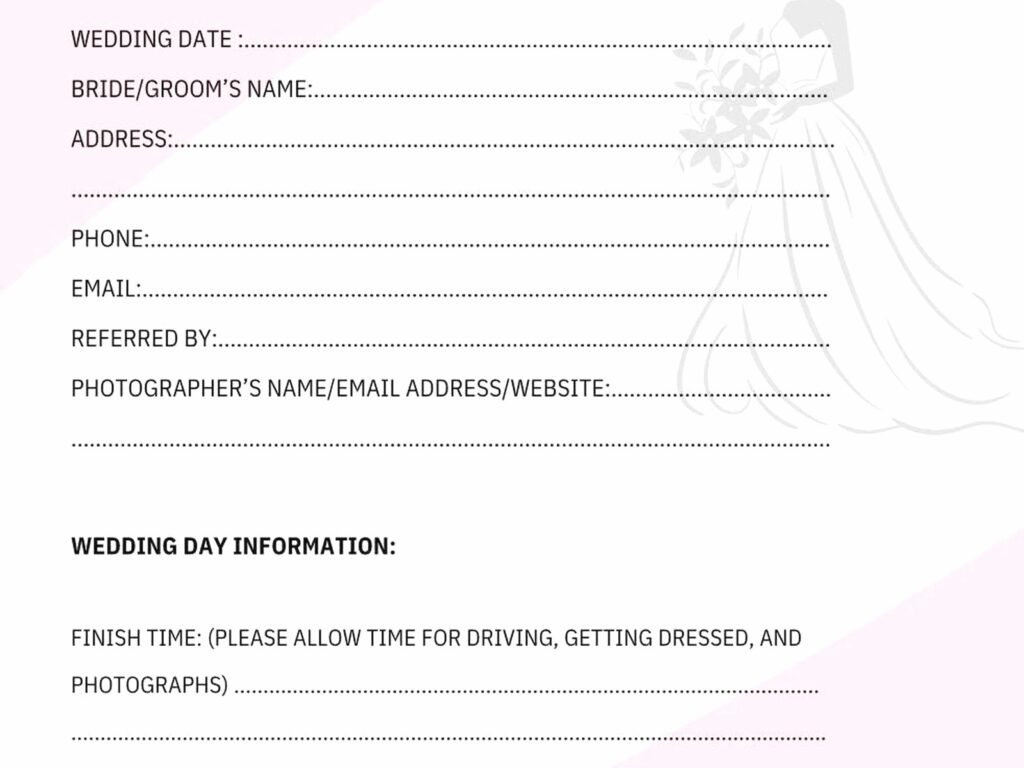
Client Intake Form
This is your first impression form. It’s what potential clients fill out when they’re interested in working with you, or if you’re the couple, it’s what you send to vendors you want to hire. Include basics like names, wedding date, venue (if known), budget range, and what services they need. I always add a question about how they heard about me because tracking that stuff actually helps.
What annoys me is when people make these forms like 47 pages long. Nobody’s filling that out. Keep it to 10-15 questions max for the initial contact.
Detailed Planning Questionnaire
This one comes after you’ve actually booked the client or decided to work with a vendor. It’s way more detailed. You want their vision, their must-haves, their absolutely-nots, timeline preferences, family dynamics that might affect planning (trust me this matters), dietary restrictions, cultural or religious requirements… basically everything.
I usually break this into sections so it doesn’t feel overwhelming. Like one section for ceremony details, another for reception, another for décor and style, etc. My cat knocked over my coffee while I was creating my current template and honestly the chaos of that moment felt very appropriate for wedding planning in general.
Vendor Contact Sheet
You need a master list of every single vendor with their contact info, what they’re providing, payment schedule, and any special notes. This should be a form you update throughout the planning process. I can’t tell you how many times I’ve needed to call the florist urgently and had to dig through seventeen email chains to find their phone number.
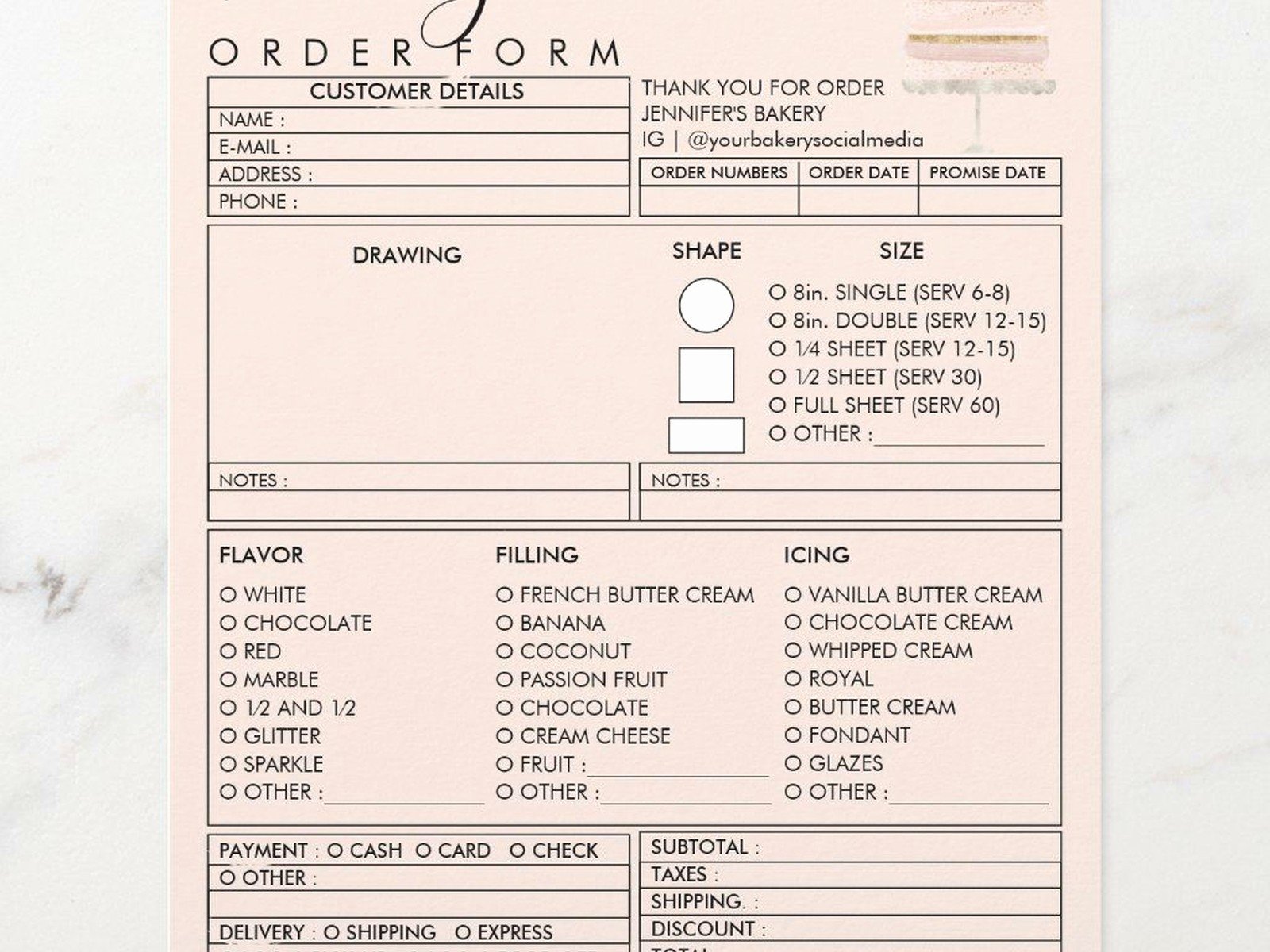
Format it so you can share it easily with your couple, your assistant if you have one, and your day-of coordinator. Include business name, contact person, phone, email, service providing, total cost, deposit paid, balance due, and payment deadline.
Guest List Management Form
This is where things get messy because guest lists are living documents that change constantly. You want columns for guest names, address, phone/email, number of guests in party, meal choice, RSVP status, and any special notes like “Uncle Jerry can’t sit near Aunt Susan” or whatever family drama exists.
I recommend using a spreadsheet-style form for this because you’ll need to sort and filter. Google Sheets works great because multiple people can update it, which is important when the couple’s parents want to add people or… yeah that’s a whole thing.
Timeline and Schedule Forms
You need different timeline forms for different purposes. There’s the overall planning timeline (what needs to happen when leading up to the wedding), the day-of timeline (minute-by-minute schedule for the actual wedding day), and vendor timeline (what time each vendor arrives, sets up, breaks down).
The day-of timeline should include everything from when hair and makeup starts to when the send-off happens. I usually work backwards from the ceremony time to figure out when everything else needs to happen. And build in buffer time because nothing ever runs exactly on schedule, which honestly drives me a little crazy but that’s weddings.
Forms For Specific Vendor Types
Catering and Bar Forms
These need to be super detailed. Final guest count, meal selections (if you’re doing plated dinner), appetizer choices, bar package details, service timeline, staff count needed, equipment they’re providing versus what you need to rent. Also dietary restrictions broken down specifically—not just “3 vegetarians” but actual names so servers know who gets what.
The catering form should also include table numbers or sections if you’re doing different service styles in different areas. Oh and don’t forget to specify vendor meals because your photographer needs to eat too.
Floral Proposal and Order Form
Flowers are where the details matter SO much. You need to specify exactly what you want: bridal bouquet description, bridesmaid bouquet count and style, boutonnieres (how many, for whom), corsages, ceremony arrangements, cocktail hour arrangements, centerpieces (how many of each style), any specialty pieces like cake flowers or bathroom arrangements.
Include inspiration photos if possible and color specifications. “Pink flowers” doesn’t help anyone—be specific like “blush roses, dusty pink ranunculus” or whatever. Delivery and setup time needs to be crystal clear too.
Photography Shot List
Even though photographers have their standard shots, you should have a form listing your must-have photos. Family groupings are especially important—diagram out exactly which family combinations you need. “Bride with mom, bride with dad, bride with both parents, bride with siblings,” etc.
I had this situation in spring 2023 where the photographer missed getting a shot of the bride with her grandmother because nobody specifically requested it and the family dynamics were complicated so the photographer didn’t realize how important it was. The bride was devastated. Now I make sure this form is exhaustive.
Guest-Facing Forms
RSVP Cards and Online RSVP Forms
Whether you’re doing paper or digital RSVPs (or both), you need to collect: guest names, number attending, meal choice if applicable, dietary restrictions, and maybe a song request or well-wishes if you want that.
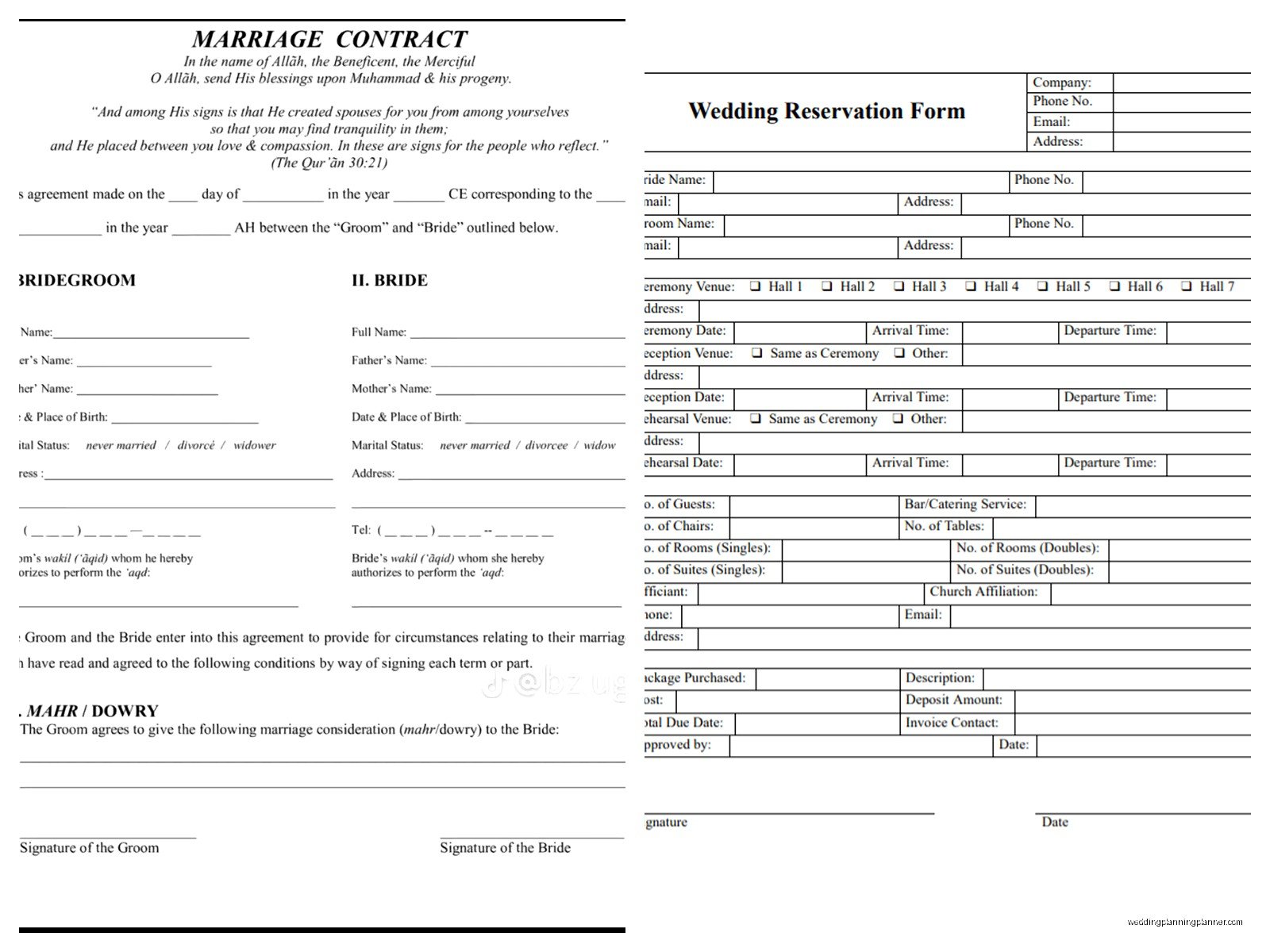
For online RSVPs, platforms like Google Forms, RSVPify, or your wedding website builder work great. Make sure to include a deadline that’s actually 2-3 weeks before you need final numbers, because people will be late no matter what.
Accommodation and Travel Info Form
If you have room blocks or are helping guests with travel, create a form with hotel options, booking codes, transportation information, and local recommendations. This can double as a welcome packet kind of thing. Include parking info for the venue, what to wear (especially if it’s outdoor or on a beach or something), and timeline for the weekend if you have multiple events.
Day-Of Forms That You Actually Need At The Wedding
This is stuff you print out and have in your emergency kit or planning binder:
Vendor Contact List
Print this with everyone’s cell phone numbers. When the DJ is running late, you need to call them immediately, not dig through your email.
Seating Chart
Obviously you need this for your escort card table or seating chart display, but also have a master copy that shows the full layout. Your catering captain will need it, your coordinator needs it, and honestly it’s helpful for troubleshooting when Great Aunt Marge insists her table is wrong.
Payment and Tip Tracker
List every vendor, what’s already paid, what’s due on the wedding day, and who’s getting tipped how much. Put cash in labeled envelopes beforehand so you’re not scrambling. Assign someone responsible (day-of coordinator, best man, whoever) to actually distribute everything.
Emergency Contact Form
This should have the couple’s contacts, parents’ contacts, wedding party contacts, and key vendor contacts. If something goes wrong, whoever’s handling it needs to know who to call.
Creating Forms That Don’t Suck
Alright so here’s how to actually make these forms useful instead of annoying:
Use the right tool for the job. Google Forms is free and easy for simple questionnaires. Airtable is great if you need database functionality. JotForm has nice templates. Typeform looks pretty but costs money. For spreadsheets, Google Sheets beats Excel because of the collaboration features.
Don’t ask for info you already have. If someone filled out an initial contact form, don’t make them re-enter their names and wedding date on every subsequent form. Copy that info over yourself.
Make questions required only if they’re actually required. If something’s optional, mark it as optional. Nothing’s more frustrating than being blocked from submitting a form because you didn’t answer “what’s your shoe size” when that’s completely irrelevant.
Use conditional logic when possible. If someone says they’re not having a cocktail hour, don’t show them 15 questions about cocktail hour details. Most form builders let you hide/show questions based on previous answers.
Include examples. If you’re asking for something specific, show an example of what you mean. Like if you want a list of family photo groupings, give an example of how to format it.
Test your forms before sending them. Fill them out yourself and see if anything’s confusing or if the flow is weird. I once sent out a form where question 8 referenced information from question 12 because I’d rearranged things and didn’t notice. Embarrassing.
Organizing All These Forms
You’re gonna have a lot of forms and paperwork and honestly it gets overwhelming fast. Here’s what works for me:
Create a folder system either digitally or physically (or both). I do both because I’m paranoid about losing things. Digitally, I have a main folder for each wedding, then subfolders for contracts, forms, vendor info, inspiration, and day-of docs.
Name your files consistently. I use “LastName_Wedding_FormType_Date” so everything sorts chronologically and I can find stuff easily. Like “Smith_Wedding_VendorContacts_2024-03-15” or whatever.
For physical binders, use tabs to separate sections. I usually do: overview/timeline, vendor contacts, ceremony details, reception details, floor plans/diagrams, and day-of schedule. Everything gets hole-punched and secured because loose papers are the enemy.
Keep a master checklist of which forms you’ve received from whom. Sounds obvious but when you’re juggling multiple weddings or even just one big wedding with a million moving parts, it’s easy to lose track of whether the florist ever sent back their proposal form or if you’re still waiting on that.
Digital vs. Paper Forms
There’s this whole debate about whether digital or paper is better and honestly it depends on your situation and preferences. Digital is easier to organize, search, and share. You can’t lose a Google Form in a pile of papers on your desk (not that I’ve ever done that… multiple times…).
But paper has its place too. Some older relatives might prefer filling out a paper RSVP card. Day-of timelines and vendor lists should definitely have printed backups because phones die and you don’t want to be stuck without critical information.
I usually go digital for anything that’s collected before the wedding and print out the essential stuff for the actual wedding day. Best of both worlds or whatever.
Common Form Mistakes
Let me save you from some mistakes I’ve made or seen:
Making forms too long. People will abandon a form if it looks overwhelming. Break big forms into multiple shorter ones or use sections with progress indicators.
Not having a clear deadline. “Please return this form at your earliest convenience” means never. Give a specific date and follow up a few days before if you haven’t received it.
Forgetting to include space for notes or special requests. There’s always something that doesn’t fit your predetermined questions. Always include an “anything else we should know?” field.
Not keeping forms updated. If your vendor list changes or your timeline shifts, update your forms immediately. Working from outdated information is how mistakes happen and honestly it’s how I’ve almost sent vendors to the wrong venue address which would have been a disaster.
Making assumptions. Don’t assume everyone knows what you mean by “processional order” or “table numbers.” Define terms or provide examples.
Templates vs. Custom Forms
You can totally find wedding form templates online—there are tons on Etsy, wedding planning sites, and even just free Google searches. These are fine for getting started and they’ll show you what questions you should be asking.
But you’re probably gonna need to customize them for your specific situation. Every wedding is different, every couple has different needs, and if you’re a planner, your process is unique to you. I started with templates and gradually modified them based on what information I actually needed versus what was just fluff.
The forms I use now are like 70% based on templates I found and 30% stuff I’ve added from experience. Like I added a question about whether anyone in the family is a photographer because I learned the hard way that Uncle Bob with his DSLR can cause issues with the professional photographer and it’s better to address that upfront.
Storing Completed Forms
Once people fill out your forms, you need a system for storing the responses. If you’re using Google Forms, responses automatically go to a spreadsheet which is convenient. But you should also export or backup important information in case something happens to your account.
For paper forms, scan them so you have digital copies. I learned this when I spilled wine on a seating chart—thankfully I had it scanned already but yeah, redundancy is your friend.
Keep everything at least until after the wedding is over and ideally for a year or two after. You never know when you might need to reference something, and if you’re a planner, past client information can be helpful for future weddings.
Actually Getting People To Fill Out Your Forms
This is the real challenge honestly. You can create the most beautiful, comprehensive form ever and people still won’t fill it out on time. Here’s what helps:
Send forms with clear context about why you need the information and when you need it by. “I need this by March 15th so I can finalize your timeline” is more motivating than just “please complete this form.”
Follow up. Send a reminder email a week before the deadline, then another one two days before. Some people need multiple nudges and that’s just how it is.
Make it as easy as possible. Send direct links, make sure the form works on mobile, don’t require people to create accounts or jump through hoops.
For vendors, sometimes you need to literally sit with them and fill out the form together during a meeting. It’s not ideal but it gets the job done.
I’ve found that explaining the consequences helps too. Like “if I don’t have your meal counts by this date, I can’t guarantee everyone gets their first choice” or “without final vendor arrival times, we can’t create an accurate day-of timeline.” People respond to understanding why something matters, not just being told to do it… or at least some people do, others you just have to chase down repeatedly and accept that’s part of the job I guess.
