
Planning Guides, Style Guide
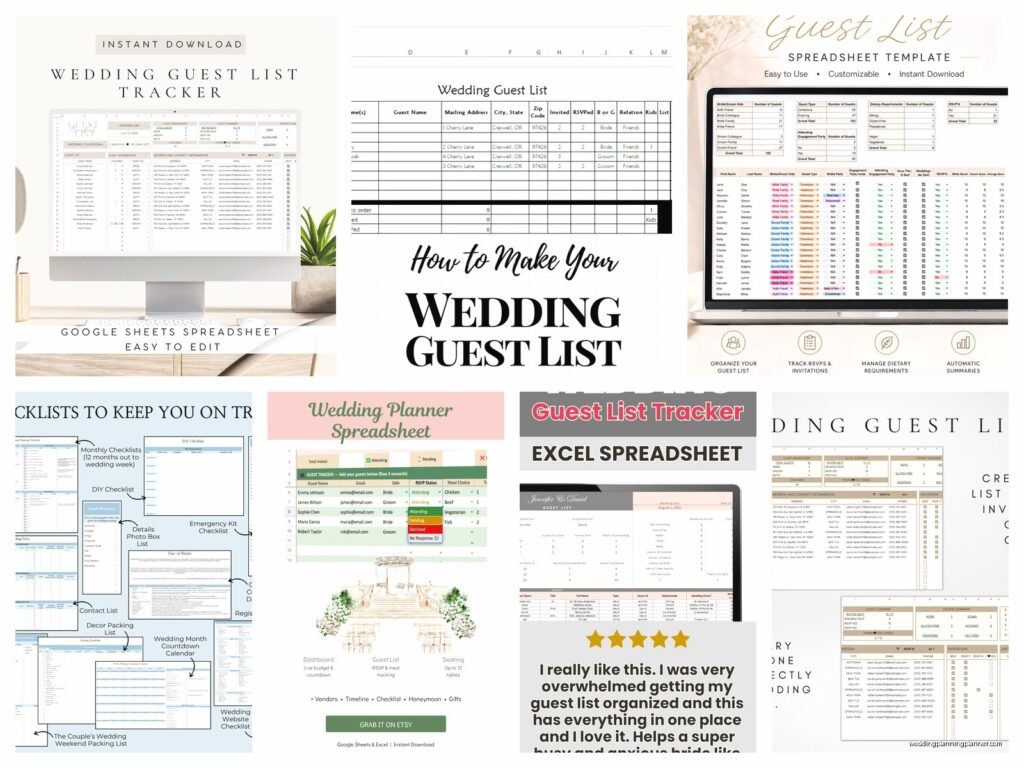
Wedding Guest List Spreadsheet: Excel Tracking Template
Jul
Setting Up Your Basic Guest List Spreadsheet
Okay so first thing you need to do is open Excel or Google Sheets, whatever you have access to. I always tell my couples to use Google Sheets honestly because then both of you can edit it at the same time and you’re not gonna have that nightmare scenario where one person updates the file on their laptop and the other person updates a different version and then you’ve got two lists that don’t match. Had a couple in spring 2023 who did this and ended up inviting the groom’s ex-girlfriend because she was on his old version and he didn’t realize his fiancée had already deleted her from the master list. That was… an interesting phone call.
Start with these columns across the top:
- Guest Name (full legal name for invitations)
- Guest Category (his family, her family, friends, coworkers, etc.)
- Address
- Phone Number
- Plus One (yes/no)
- Number of Guests in Party
- Save the Date Sent (date)
- Invitation Sent (date)
- RSVP Status
- Number Attending
- Meal Choice
- Dietary Restrictions
- Table Assignment
- Thank You Note Sent
I know that looks like a lot but trust me, you’re gonna need all of it. Maybe not right away but definitely as you get closer to the wedding date.
The Guest Name Column Thing That Everyone Messes Up
This drives me kinda crazy but people always put like “The Smiths” or “John & Sarah” in one cell and then later when you’re trying to sort or filter things it becomes a total mess. What I do is have each adult on their own row. So if you’re inviting a couple, that’s two rows. If you’re inviting a family with kids, I usually put the parents on one row and then note in the “Number of Guests in Party” column that it’s 4 people total, then list the kids names in a notes column.
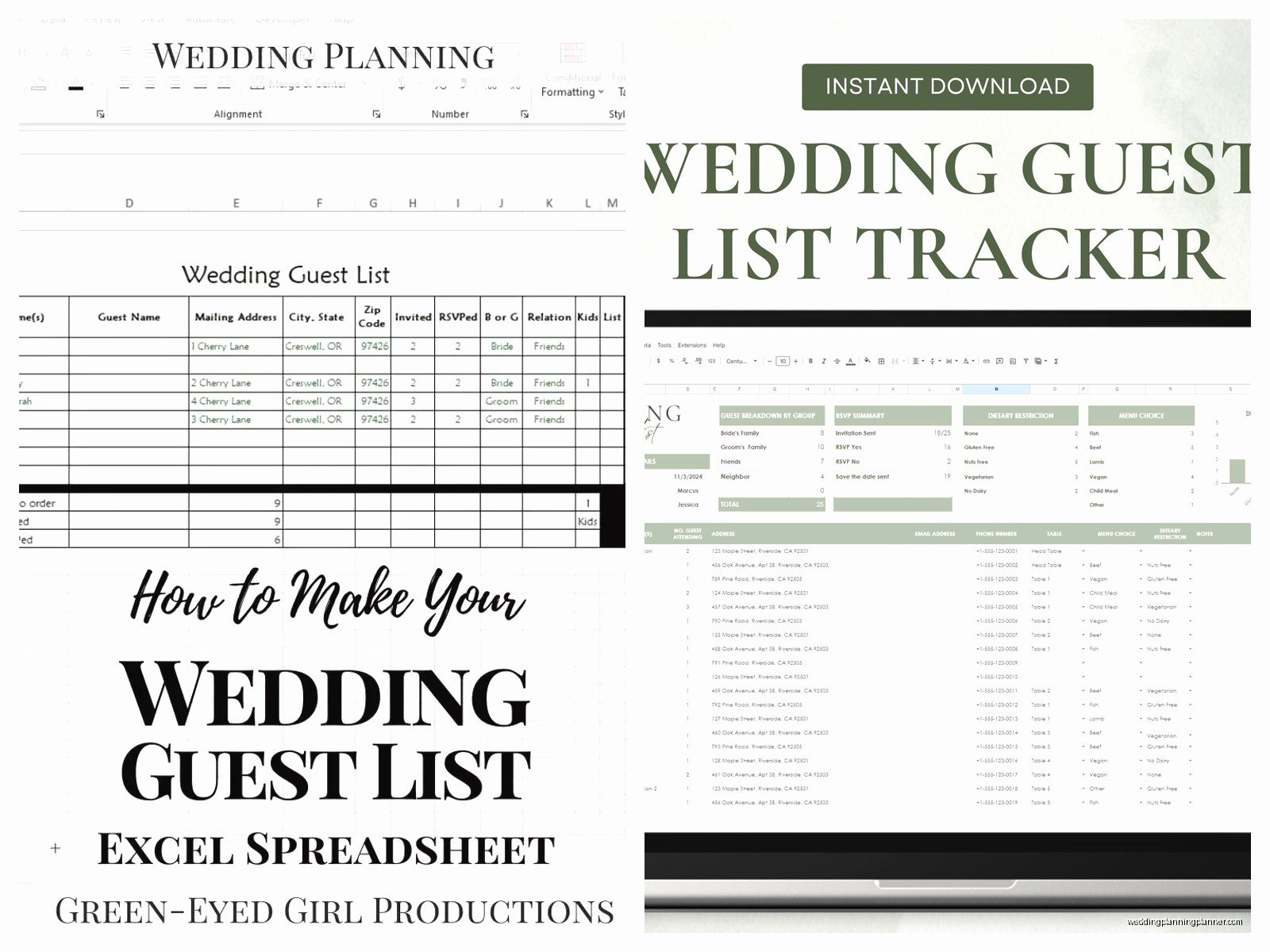
Actually wait, I didn’t mention a notes column but you should totally add one at the end for random stuff like “sat next to each other at college” or “doesn’t drink” or “going through a divorce so seat away from happy couples” or whatever random intel you need to remember.
Categories Are Your Best Friend
The category column is where you’ll save yourself SO much time. I break mine down like:
- Bride’s Family
- Groom’s Family
- Bride’s Friends
- Groom’s Friends
- Mutual Friends
- Bride’s Coworkers
- Groom’s Coworkers
- Parents’ Friends (this is its own category because there’s always drama here)
- Wedding Party
You can color-code these if you want but honestly I find that more annoying than helpful because then you’re spending time picking colors instead of actually managing your list. But some people love it so do whatever works for your brain.
The reason categories matter is because when your mom is like “we NEED to invite the Johnsons because they invited us to their daughter’s wedding in 2019” you can quickly filter to see how many of your parents’ friends are already on the list and whether you actually have room for more.
Addresses Are More Complicated Than You Think
Get the full addresses early. Like as soon as someone makes your list, text them for their address if you don’t have it. I cannot tell you how many couples wait until two weeks before save the dates need to go out and then they’re frantically texting 150 people like “hey what’s your address lol” and it looks so disorganized.
Also people move! I had my cousin’s old address in my phone from like 2019 and almost sent her invitation to her old apartment. She’d moved twice since then. So verify everything even if you think you know it.
Format addresses properly in the spreadsheet – I use separate columns for street address, city, state, zip code because then if you need to sort by location or do mail merge later, it’s already separated out. But honestly if that feels like too much just put the whole address in one cell, it’s fine, this isn’t like a professional database or anything.
The Plus One Situation
Ugh okay so plus ones are where things get messy and you need your spreadsheet to be really clear about what you’ve decided. My rule that I tell couples is: anyone married, engaged, or in a long-term relationship (like over a year) gets their partner invited by name. Anyone else, you decide case by case.
In your spreadsheet, don’t just write “yes” in the plus one column. Write the actual person’s name if you know it. So if you’re inviting your friend Jake and his girlfriend Emma, Emma gets her own row with her own name, not just “Jake +1” because that’s honestly kinda rude to Emma.
If you ARE giving someone a genuine plus one where they can bring anyone, write “unnamed plus one allowed” or something so you remember that’s intentional and not just a blank cell you forgot to fill in.
RSVP Tracking Will Save Your Sanity
The RSVP Status column needs to be really specific. I use:
- Not Yet Sent (invitation hasn’t gone out)
- Pending (invitation sent, no response yet)
- Yes – Confirmed
- No – Declined
- Maybe (some people actually respond with maybe which is… anyway)
- Need to Follow Up (RSVP deadline passed, no response)
You can use dropdown menus for this in Excel which makes it way easier. Just select the column, go to Data Validation, and create a list of your options. Then you can just click and pick instead of typing the same thing over and over.
I’m gonna be honest, the follow-up thing is the most annoying part of wedding planning in my opinion. People are SO bad at RSVPing. I had a bride in summer 2021 who had to personally call or text like 40 people who just never responded. Some of them were like “oh I thought my yes was obvious!” No. Nothing is obvious. Send the RSVP card back.
Meal Choices and Dietary Restrictions
If you’re doing a plated dinner with choices, you need to track what everyone selected. I usually use codes like “C” for chicken, “B” for beef, “F” for fish, “V” for vegetarian. Makes it easier to count up totals.
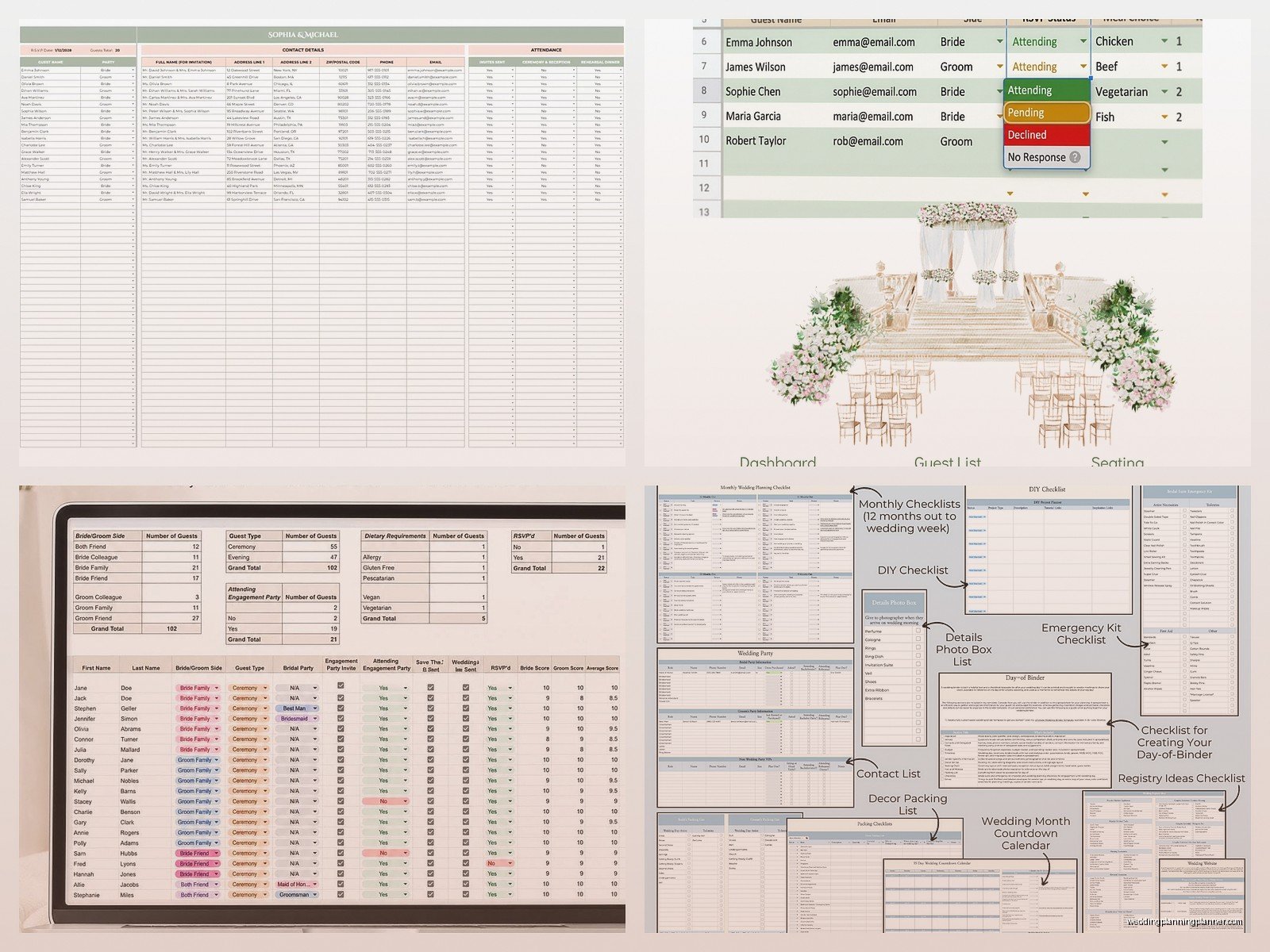
The dietary restrictions column is super important and you gotta take it seriously. Don’t just write “vegetarian” – write “vegetarian – no fish either” or “gluten allergy – severe” or whatever the specific thing is. Your caterer will need exact numbers and details.
Also this is random but my cat just knocked over my coffee while I’m writing this and I’m choosing to not clean it up immediately because I’m on a roll here, so if there’s a coffee stain on my desk tomorrow that’s why… anyway, where was I?
Using Formulas to Make Your Life Easier
You don’t need to be an Excel expert but a few basic formulas will help a ton:
=COUNTA() counts how many cells have something in them. Use this to count how many people have RSVP’d yes versus your total list.
=SUM() adds up numbers. Use this in your “Number Attending” column to get your actual headcount.
=COUNTIF() counts cells that meet certain criteria. Like =COUNTIF(K:K,”Yes – Confirmed”) would count how many people in column K have confirmed yes.
I set up a little summary section at the top of my spreadsheets that shows:
- Total Invited
- Total RSVP’d Yes
- Total RSVP’d No
- Still Pending
- Chicken Count
- Beef Count
- Vegetarian Count
That way you can see at a glance where you stand without scrolling through 200 rows of data.
Table Assignments Come Later But Plan For Them
Don’t stress about the table assignment column until like a month before the wedding. But having it in your spreadsheet from the beginning means when you DO need to figure out seating, all your info is already there.
I usually wait until all RSVPs are in, then I sort by different categories to see who’s actually coming. Then I group people by tables – usually trying to keep families together, put friends who know each other together, that kind of thing.
The spreadsheet makes this so much easier than trying to do it with physical cards or… I don’t even know what people did before spreadsheets existed. Probably just had chaotic weddings where nobody sat with anyone they knew.
Save the Dates vs Invitations Tracking
You need both columns because the timelines are different and you’ll forget who you sent what to otherwise. Save the dates usually go out 6-8 months before, invitations go out 2-3 months before.
When you send either one, immediately put the date in the spreadsheet. Not “yesterday” or “last week” – the actual date. Because in two months when someone claims they never got an invitation, you can say “I sent it on March 15th” instead of “umm I think it was in March?”
Also this helps you track down postal problems. If everyone on one street didn’t get their invitation, maybe there was a mail issue in that area and you need to resend.
The B-List Strategy That Nobody Wants to Talk About
Okay so here’s something that’s kinda taboo but literally everyone does it: the B-list. These are people you’d invite if you have room, but they’re not top priority.
I create a separate tab in the spreadsheet for the B-list. Same columns, same format, but clearly labeled as “Invite If Space Allows” or something. Then as people from your A-list decline, you can move people up from the B-list.
The key is timing – you don’t want it to be obvious that someone was a backup invite. So if your RSVP deadline is June 1st and you get declines before that, you can send B-list invitations in early June and it doesn’t look weird. But if you wait until July for an August wedding, it’s pretty obvious they weren’t first choice.
Thank You Note Tracking Is Future You’s Problem But Still Important
The last column for tracking thank you notes seems so far away when you’re just starting your guest list, but trust me, after the wedding when you’ve got 150 gifts to write thank yous for, you’ll be grateful you have a system.
I add columns for “Gift Received” and “Gift Description” too, so you can write what they gave you and then check off when you’ve sent the thank you. Because trying to remember six months later whether you thanked Aunt Carol for the serving platter or the picture frame is impossible.
Sharing the Spreadsheet With Your Partner
If you’re using Google Sheets, just click Share and add your partner’s email. Make sure you give them editing access, not just viewing access, or they’ll get frustrated trying to update stuff.
If you’re using Excel and saving it somewhere, pick ONE location – like a shared Dropbox folder or OneDrive – and both of you ONLY edit that version. Never download it to your desktop and edit it there or you’ll end up with version control nightmares.
Some couples divide responsibilities like one person manages their family and the other manages theirs, which is fine, but make sure you’re both looking at the same master list regularly so you know the total count and budget implications.
Keeping It Updated Is The Hard Part
The spreadsheet only works if you actually use it consistently. I tell couples to set a weekly “guest list date” where you both sit down for 30 minutes and update everything. Check if any new RSVPs came in, follow up with people who haven’t responded, verify addresses, whatever needs doing.
If you let it sit for weeks without updating, you’ll lose track of what’s current and what’s old information, and then the whole system falls apart and you’re back to keeping lists on random pieces of paper and sticky notes which is how mistakes happen.
Also back up your spreadsheet regularly. Save copies with dates in the filename like “GuestList_2024_03_15” so if something gets accidentally deleted or messed up, you can go back to an earlier version. I’ve seen people lose entire guest lists because their computer crashed and they had no backup, and then they’re trying to rebuild it from memory which is just… no. Don’t do that to yourself.
Budget Tracking in the Same Spreadsheet
Some people add a “cost per guest” calculation to their spreadsheet which can be eye-opening. If your venue charges $150 per person and you’re inviting 200 people, that’s $30,000 just for food and venue. Seeing that number attached to each name sometimes helps with the “do we REALLY need to invite my dad’s poker buddies” conversation.
You can add a column that multiplies the number of guests in each party by your per-person cost, then sum it all up to see your total guest-related expenses. It’s not fun math but it’s useful math.
