
Planning Guides, Style Guide
Wedding Guide Template: Information Booklet Downloads
Jul
So You Wanna Make a Wedding Information Booklet
Okay so wedding guide templates or information booklets are basically those downloadable PDFs or digital files you give to couples that have all the stuff they need to know about planning with you or just planning their wedding in general. I started making these back in spring 2019 and honestly they’ve saved me so much time because I was tired of answering the same questions over and over again about timeline planning and vendor booking.
The thing that really annoyed me about this whole category is how many wedding planners gatekeep their templates like they’re state secrets. Like calm down Jennifer, your timeline template isn’t revolutionary, we all know cocktail hour comes after the ceremony. But anyway, let me tell you how to actually put together something useful.
What Actually Goes In These Things
Your information booklet needs to solve real problems. I learned this the hard way in summer 2021 when I sent out this gorgeous 47-page guide that literally no one read because it was too long and had too much fluff about “your special day” and not enough actual information.
Here’s what you should include:
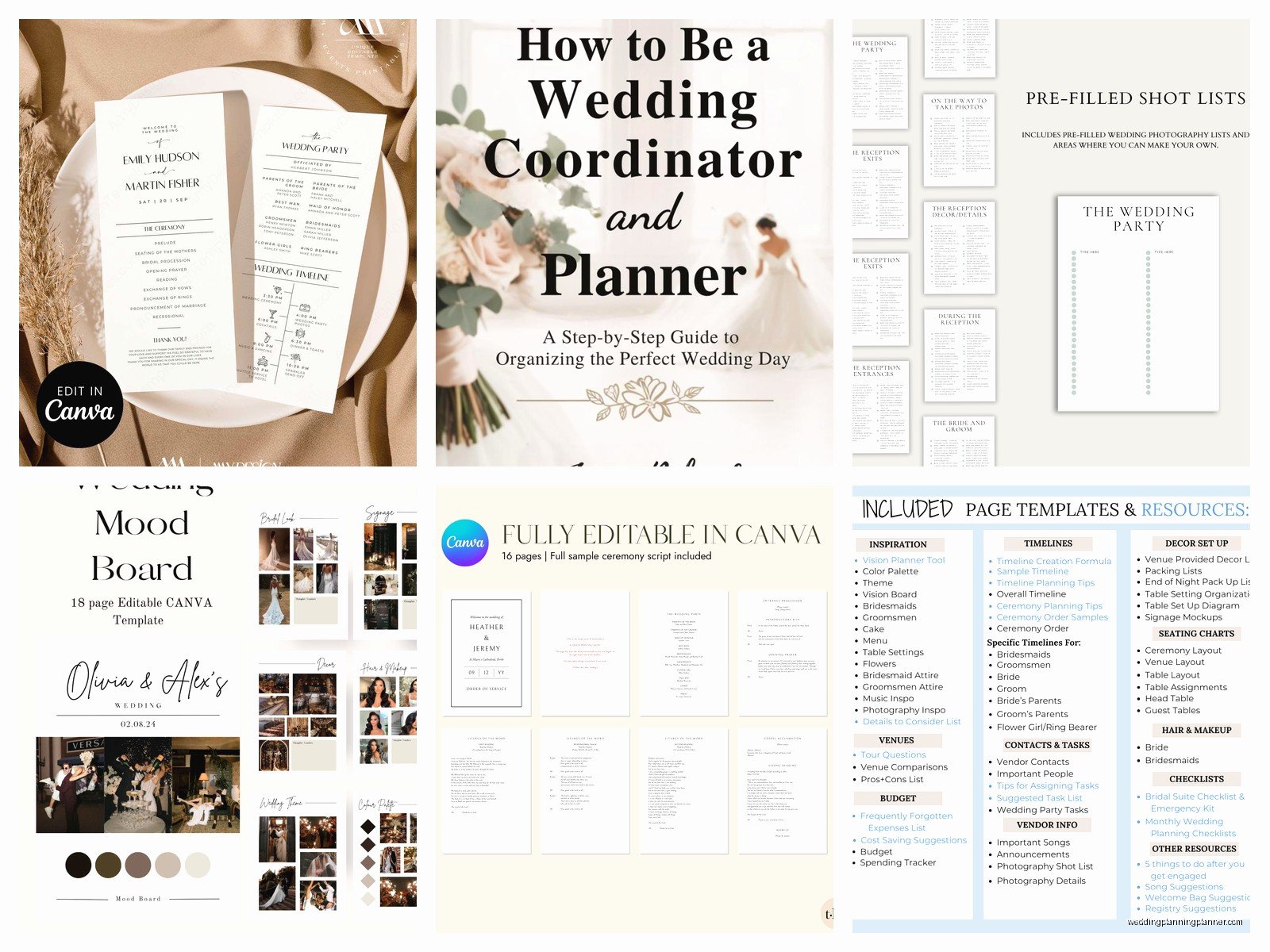
- Timeline templates for different wedding lengths (4 hour, 6 hour, 8 hour events)
- Budget breakdown worksheets with actual percentages
- Vendor contact lists with spaces for them to fill in their specific people
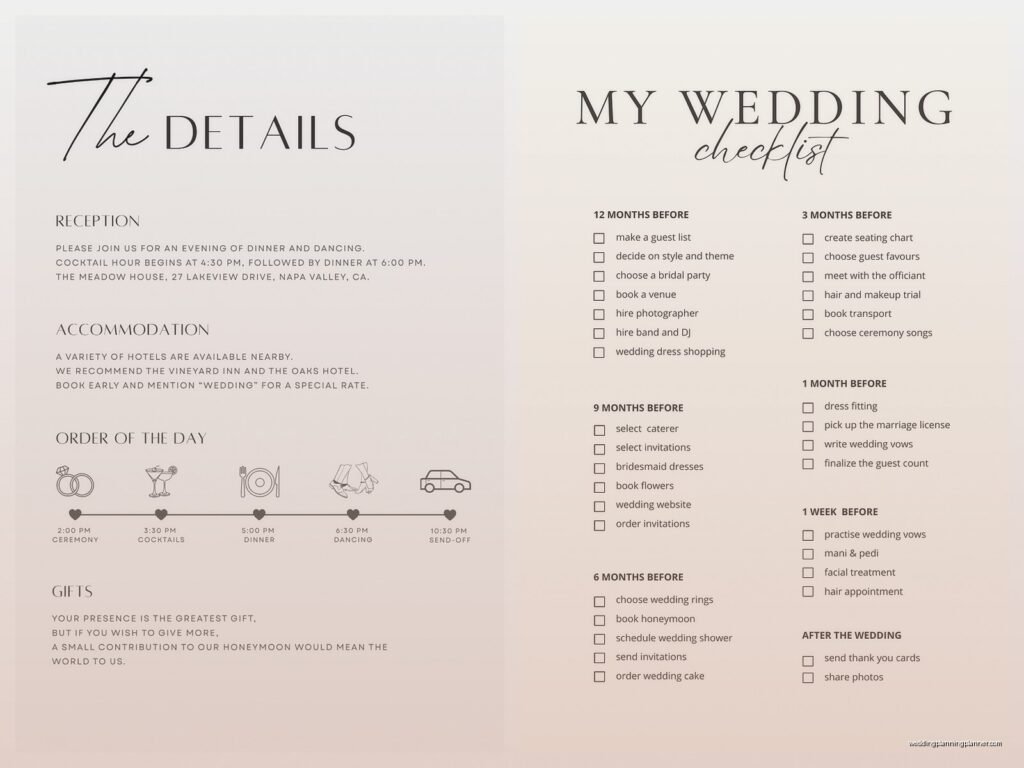
- Month-by-month planning checklist
- Guest list tracker
- Seating chart templates
- Day-of emergency kit list
- Questions to ask vendors during consultations
You can also throw in some extras like envelope addressing guides if you do stationery work, which I do, so mine always has a section about invitation wording examples and RSVP card layouts.
Choosing Your Format
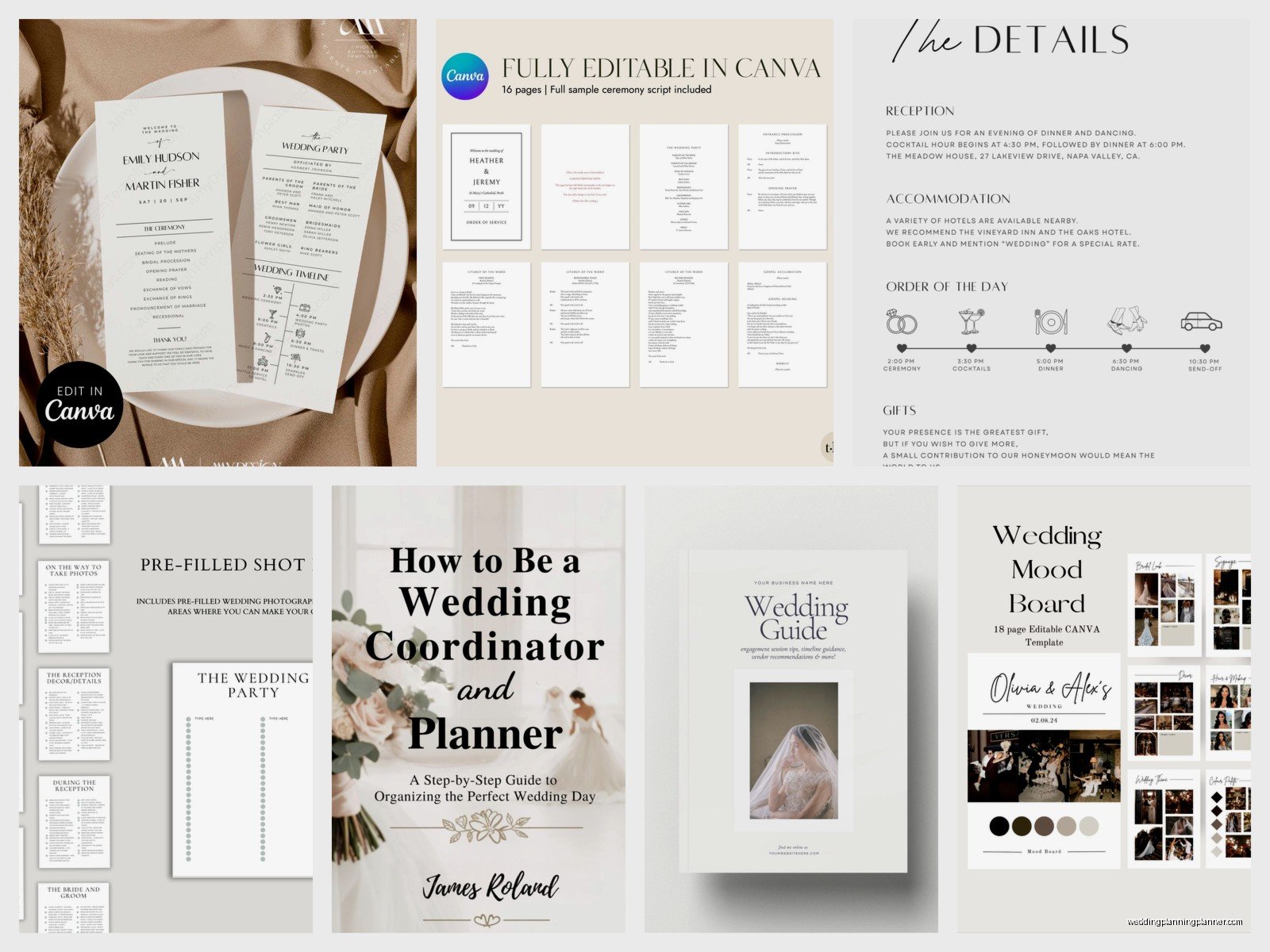
Most people go with PDF because it’s universal and you can lock it so people can’t edit your branding out. I use Canva Pro for mine because I’m not gonna spend money on InDesign when Canva does everything I need. You could also use Google Docs and export to PDF, or actual design software if you’re fancy.
The key thing is making it fillable or not fillable. Fillable PDFs are great because couples can type directly into them, but they’re harder to create and sometimes the formatting gets weird. I personally do non-fillable versions that people can print and write on, plus editable Canva templates for clients who want digital options.
Some planners also do these as Google Docs they share with edit access, but then you lose control over your branding and honestly people will mess up your carefully designed layout every single time.
The Branding Situation
Your booklet needs to look like it came from you, not like you downloaded a template from Etsy and changed the colors (even if that’s exactly what you did). Use your fonts, your color palette, your logo on every page or at least in the header/footer.
I keep my branding pretty minimal—sage green and cream with a simple serif font—because I want it to feel elegant but not distracting. My cat knocked over my coffee on my keyboard right in the middle of designing my first template and I had to redo like 8 pages, so now I never drink coffee near my computer when I’m working on templates.
Make sure your contact information is on there somewhere obvious. I put mine in the footer of every page because you want them to be able to reach you easily when they have questions.
The Timeline Template Part
This is usually the most valuable part for couples because they have no idea how long things actually take. Your timeline should break down:
- Getting ready times (and be realistic—hair and makeup takes longer than anyone thinks)
- First look timing if they’re doing one
- Ceremony start to finish
- Cocktail hour
- Reception entrance
- Dinner service
- Toasts and speeches
- First dance and parent dances
- Cake cutting
- Open dancing
- Last dance and exit
I usually give three versions—one for a 4-hour reception, one for 6 hours, and one for 8 hours, because not every wedding is the same length and you gotta account for different venue rental times.
The thing people always forget is buffer time. Like if you schedule the ceremony for 4pm, you need to tell them to be ready by 3:30pm because someone’s always late or there’s a bustle emergency or whatever.
Budget Worksheets That Don’t Suck
Most budget templates I see are either too vague or too specific. You want something in the middle. I break mine down by category with suggested percentage ranges:
- Venue and catering (40-50% of total budget)
- Photography and videography (10-15%)
- Flowers and decor (8-10%)
- Attire (5-8%)
- Entertainment (8-10%)
- Stationery (2-3%)
- Planning services if applicable (10-15%)
- Miscellaneous and buffer (5-10%)
Then I have rows where they can write in their actual budget and track deposits, payments, and final costs. The buffer category is crucial because something always costs more than expected or they decide to add uplighting last minute or… you get it.
Vendor Question Lists
This section saves couples so much stress because they walk into vendor meetings and don’t know what to ask. I include specific questions for each vendor type:
For photographers: What’s included in your packages? How many edited photos do we receive? What’s your turnaround time? Do you have backup equipment? Have you shot at our venue before?
For caterers: What’s your food minimum? Can we do a tasting? What’s your bar package options? Do you provide tables/chairs/linens? What’s your staffing ratio?
You get the idea. I have these for florists, DJs, bands, videographers, hair and makeup artists, bakeries, everyone. It’s like 6 pages of just questions but couples tell me all the time it’s the most useful part.
Making It Downloadable
Okay so for the actual download part, you’ve got options. You can host it on your website using a plugin like Download Monitor or Simple Download Monitor if you’re on WordPress. I use a password-protected page where clients get a unique link after they book or sign up for my email list.
Some people use Dubsado or HoneyBook or whatever CRM they have and attach it to their welcome packet. Others use Dropbox or Google Drive links. The main thing is making sure it’s not just sitting there publicly where anyone can grab it—you want people to give you their email address at minimum.
I actually have two versions: a simplified “freebie” version I use as a lead magnet that has basic checklists and timeline info, and then a comprehensive version I only give to paying clients that has all my vendor recommendation lists and detailed worksheets.
The Month-by-Month Checklist
This is pretty standard but super helpful. I start at 12 months out and go month by month with what should be done when:
12 months before: Book venue, start vendor research, set budget, hire planner if using one, create guest list draft
10-11 months: Book major vendors (photographer, caterer, florist), start dress shopping, book hotel blocks
8-9 months: Order invitations, book transportation, finalize ceremony details, register for gifts
And so on down to the week before when they should be confirming final counts and packing their emergency kit and trying not to have a breakdown (spoiler: they’ll have a breakdown anyway).
Guest List and Seating Tools
I include a guest list tracker with columns for name, address, invite sent, RSVP received, meal choice, plus-one status, and gift received. It’s basic but it works.
For seating charts I give them a template with numbered tables and blank lines, plus some general rules like don’t seat divorced parents together, keep kids near their parents, put your fun friends near the dance floor, seat older guests away from speakers. Common sense stuff that apparently isn’t common because I’ve seen some truly chaotic seating arrangements in my time.
Emergency Kit List
This is the list I wish every bride would actually use because the number of times I’ve needed safety pins or stain remover or bobby pins and no one has them… it’s literally every wedding. My list includes:
- Safety pins in multiple sizes
- Fashion tape
- Stain remover pen
- Bobby pins and hair ties
- Clear nail polish (for stocking runs)
- Pain reliever
- Antacids
- Band-aids and blister care
- Tissues
- Mints or gum
- Deodorant
- Lipstick or gloss for touch-ups
- Phone charger
- Snacks that won’t stain
During this one wedding in fall 2022 the mother of the bride’s dress strap broke literally as they were lining up for the processional and thank god I had safety pins because otherwise she would’ve walked down the aisle holding her dress up.
Design Tips That Actually Matter
Keep your pages clean and not too text-heavy. Use whitespace. Nobody wants to read a wall of text in 10-point font. I usually do one main topic per page or spread, with headers in a larger font and body text that’s actually readable (14-point minimum).
Use checkboxes liberally because people love checking things off—it makes them feel productive even if they’re behind schedule.
Include page numbers. Seems obvious but you’d be surprised how many templates I’ve seen that don’t have them.
If you’re including worksheets or fill-in sections, make sure there’s actually enough space to write. I see so many templates with these tiny little lines where you’re supposed to fit like an entire vendor’s contact information and… nah, that doesn’t work.
Updating Your Template
Here’s the thing nobody tells you—you’ll need to update this regularly. Wedding trends change, your services might change, pricing changes, you’ll think of better ways to organize information. I update mine twice a year usually, once in January and once in July.
Keep a running list of questions clients ask you that aren’t covered in your current booklet. If three different couples ask about the same thing, it should probably go in the next version.
Also check that your vendor recommendations are still current if you include those. Nothing worse than a couple reaching out to a vendor who retired or moved or changed their business model.
The Lead Magnet Version
If you’re using this as a freebie to grow your email list, you want it to be valuable enough that people actually want it but not SO comprehensive that they don’t need your services anymore. It’s a balance.
My freebie version has the basic timeline template, a simplified budget worksheet, and the 12-month checklist. It doesn’t have my vendor question lists or my detailed contact tracking sheets or my seating chart tools—those are only in the client version.
You’ll need a landing page for this with a sign-up form. I use ConvertKit but MailChimp or whatever email service you use probably has this capability. Make sure your landing page clearly explains what they’re getting and why it’s useful.
File Size and Format Considerations
Keep your PDF under 10MB if possible, preferably under 5MB. Large files are annoying to download and some email services won’t let you attach them. If you’re using lots of images or graphics, compress them before you add them to your design.
I export mine as high-quality PDF but not print-quality because most people are just viewing it on their computer or tablet anyway. If they want to print it they can, but it doesn’t need to be 300 DPI.
Some people make theirs interactive with clickable links to vendor websites or their own services, which is kinda cool but also not necessary. I have links to my website and social media in mine but that’s about it.
Legal Stuff I Guess
Put a copyright notice on there somewhere. “© 2024 Your Name/Business Name. All rights reserved.” or whatever. Also include a note that it’s for personal use only and can’t be redistributed or resold. Will this stop people from sharing it? Probably not, but at least you tried.
If you’re including vendor recommendations, maybe add a disclaimer that you’re not responsible for their services and couples should do their own research. I don’t know, I’m not a lawyer, but seems like a good idea.
Tracking What Works
If you’re using this as a lead magnet, track your conversion rates. How many people download it versus how many actually book a consultation or purchase your services? If tons of people are downloading but no one’s booking, maybe your booklet is TOO helpful or maybe your follow-up email sequence needs work.
I ask clients in my onboarding survey which parts of the booklet they found most useful and which parts they didn’t use at all, and that helps me know what to expand and what to cut in future versions. Turns out nobody uses the gift registry tracker I spent hours creating, but everyone loves the vendor question lists, so I know where to focus my energy.
You can also A/B test different versions if you’re feeling ambitious—like try one with a different cover design or title and see which gets more downloads. Or don’t, because honestly that sounds like a lot of work and you probably have actual weddings to plan.
Getting People to Actually Use It
The biggest challenge isn’t creating the booklet, it’s getting couples to actually open it and use it. I send mine with a personal email explaining what’s in it and which sections they should look at first based on where they are in their planning process. If they’re 8 months out, I tell them to start with the vendor questions section. If they’re 3 months out, timeline and day-of prep is more relevant.
I also mention it in our first consultation and physically show them on my screen where things are so they know how to navigate it. Because if you just email it and expect them to figure it out… they probably won’t, they’ll just save it to their downloads folder and forget about it until the week before their wedding when they’re panicking about everything.
