
Planning Guides, Style Guide
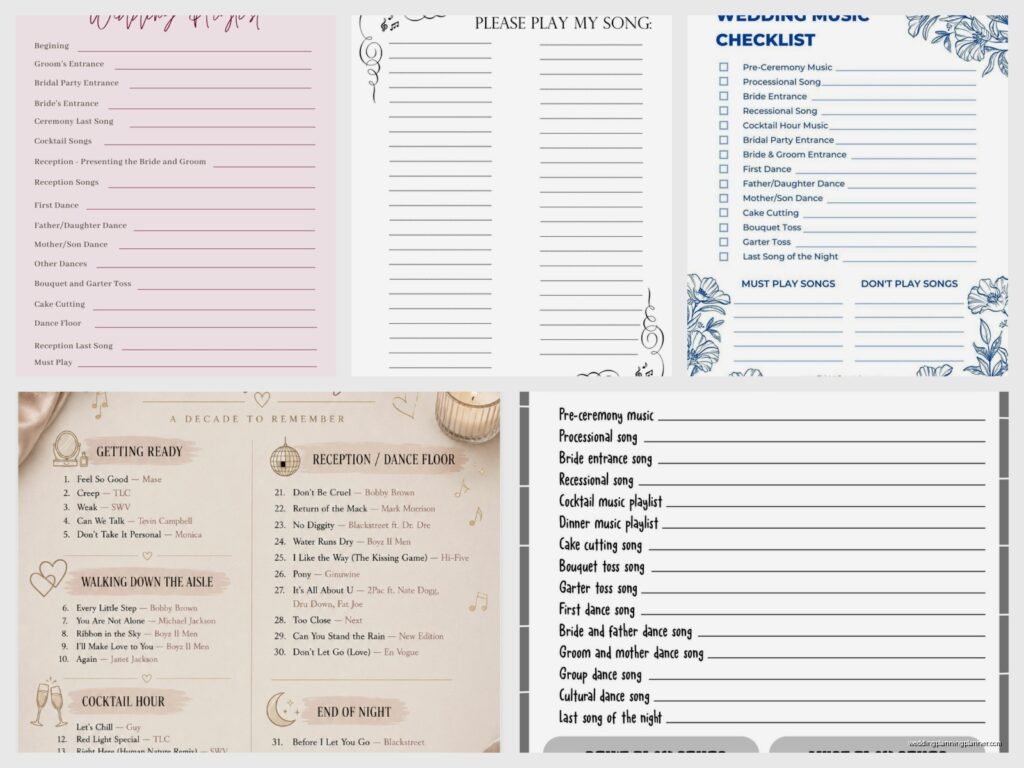
Wedding Music List Template: Free Download Files
Sep
Why You Need a Wedding Music List Template Right Now
Okay so here’s the thing about wedding music lists – most couples completely underestimate how many songs they actually need until like three weeks before the wedding when the DJ sends them a questionnaire and they panic. I’ve seen this happen so many times I could probably predict it at this point.
A proper music list template saves you from that 2am scramble where you’re sitting there trying to remember what your processional song was gonna be while also Googling “best father-daughter dance songs 2024” for the millionth time. Trust me, you want this organized from the start.
What Actually Goes on a Wedding Music List
So there’s way more to this than just picking your first dance song. You need music for literally every transition moment of your wedding, and if you don’t tell your DJ or band what to play, they’ll just… pick something. And sometimes that something is not what you want playing when your grandmother is walking down the aisle, you know?
Here’s what you actually need to include:
- Prelude music (while guests arrive and sit around waiting)
- Processional songs – and yeah, you might need different ones for the wedding party versus the bride
- Recessional (walking back down the aisle as a married couple)
- Cocktail hour playlist
- Grand entrance song
- First dance
- Parent dances (father-daughter, mother-son, or whatever combo you’re doing)
- Dinner music
- Cake cutting song
- Bouquet toss song
- Last dance
- Do NOT play list (this is so important I can’t even)
And then there’s the reception dancing music which is like… its own whole category that could be 50+ songs depending on how long your reception is.
The Pre-Ceremony Music Nobody Thinks About
This part drives me kinda crazy because couples always forget about it. Your guests are gonna be sitting there for 15-30 minutes before the ceremony starts. That’s a lot of awkward silence if you don’t plan for it. You need at least 8-10 songs for prelude music, and they should match the vibe you’re going for without being too… much?
Like, you probably don’t want heavy bass drops while people are finding their seats and greeting each other. I had a couple in spring 2023 who forgot to give their string quartet ANY direction for prelude music, and they just played classical pieces that were so somber everyone thought they were at a funeral. The bride was horrified when she heard about it later.
How to Actually Use a Template (The Smart Way)
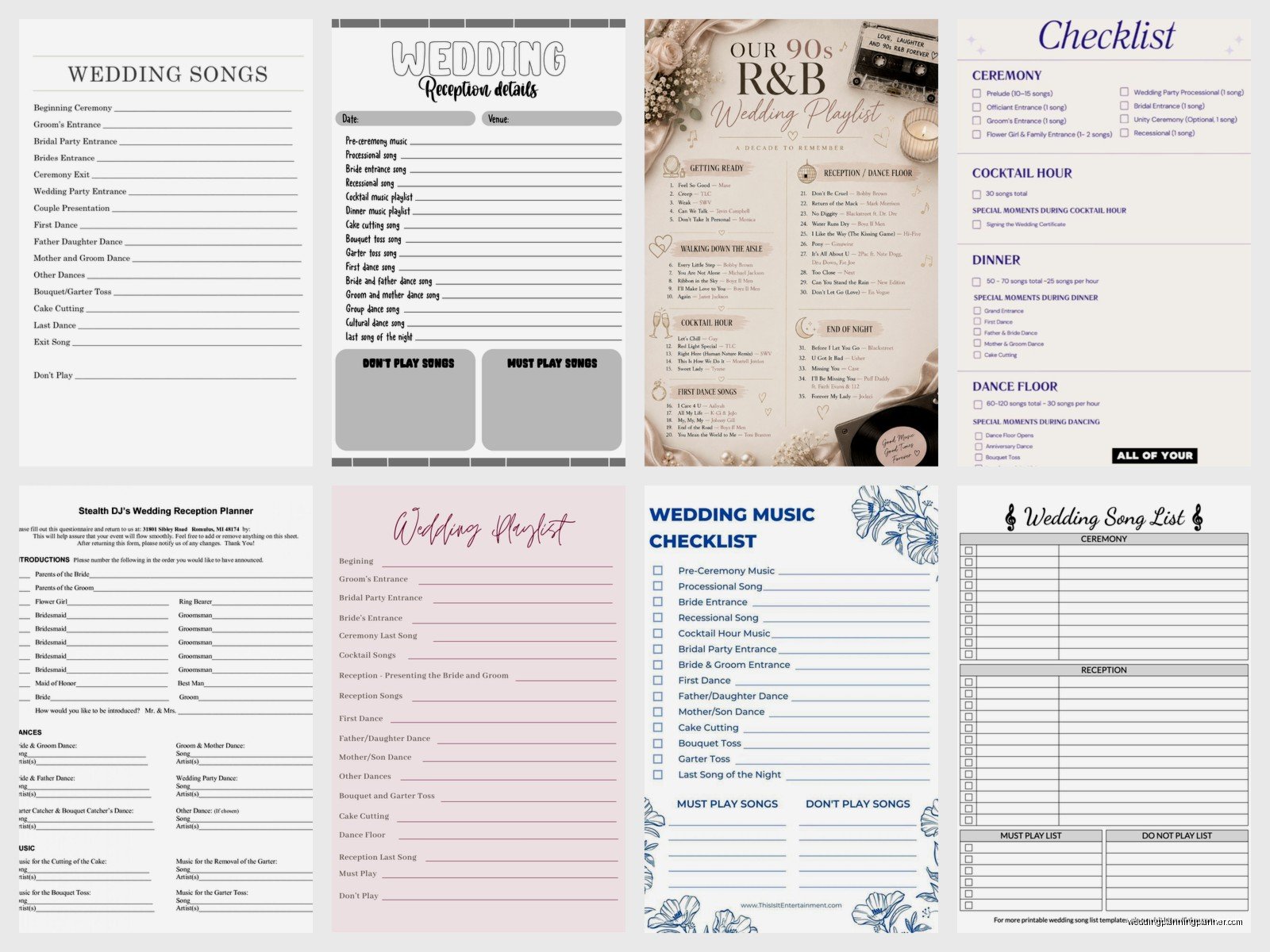
Alright so when you download a wedding music template – and there are tons of free ones out there – don’t just print it and hand it to your DJ. That’s not how this works. The template is your starting point for having actual conversations about what you want.
Here’s what I do with my clients: I give them the template as a Google Sheet or Excel file, and we fill it out together over a few weeks. Not all at once, because nobody can think of 80 songs in one sitting without their brain melting. You’re gonna add songs as you think of them, delete ones that don’t feel right anymore, and move things around.
The best templates have these columns:
- Moment/Event name
- Song title
- Artist
- Version (original, acoustic, instrumental, etc.)
- Notes or special instructions
- Priority level (must-play, nice-to-have, or filler)
That priority column is actually super helpful because your DJ needs to know what’s non-negotiable versus what’s just on the list as an option.
The Do Not Play List Is Your Best Friend
Okay I’m gonna be real with you – the “do not play” section of your music template might be more important than your actual playlist. I cannot tell you how many times a well-meaning DJ has played “Shout” or “Cupid Shuffle” at a wedding where the couple specifically didn’t want cheesy line dances, but they never actually communicated that.
My cat just knocked over my coffee while I’m writing this, which is honestly perfect timing because that’s exactly how it feels when a song you hate comes on at your own wedding – sudden chaos you weren’t prepared for.
Put everything on the do not play list. Ex’s favorite songs. Songs that remind you of bad memories. Genres you can’t stand. That one overdone song that’s at every single wedding. Whatever it is, write it down.
Free Template Options You Can Download Right Now
So there are actually a bunch of places to get these templates without paying anything, which is great because weddings are expensive enough already.
Google Sheets Templates: Search “wedding music list template” in the Google Sheets template gallery. There are several free ones that are already formatted and you can just make a copy to your own Drive. These are great because you can share them with your partner, your DJ, and your wedding planner all at once, and everyone sees updates in real time.
Microsoft Excel Templates: If you search in Excel’s template section, they have wedding planning templates that include music lists. They’re pretty basic but functional. You can download them and customize however you want.
PDF Printable Templates: Sites like The Knot, WeddingWire, and Brides.com all have free PDF templates you can download and print. These work better if you’re the type who likes to handwrite things or you want a physical checklist, but honestly they’re less flexible than the spreadsheet versions.
Canva Templates: This is kinda random but Canva has editable wedding music list templates that are actually really pretty if you care about aesthetics. You can customize the colors to match your wedding theme and then download as PDF. They’re more for sharing with vendors than for actually working from, though.
What Makes a Template Actually Useful
Not all templates are created equal, and some are honestly just… not helpful. The ones that work best have space for specific details, not just song titles. Like, if you want the acoustic version of a song, not the radio version, you gotta have somewhere to write that down or your DJ will play whatever version they have.
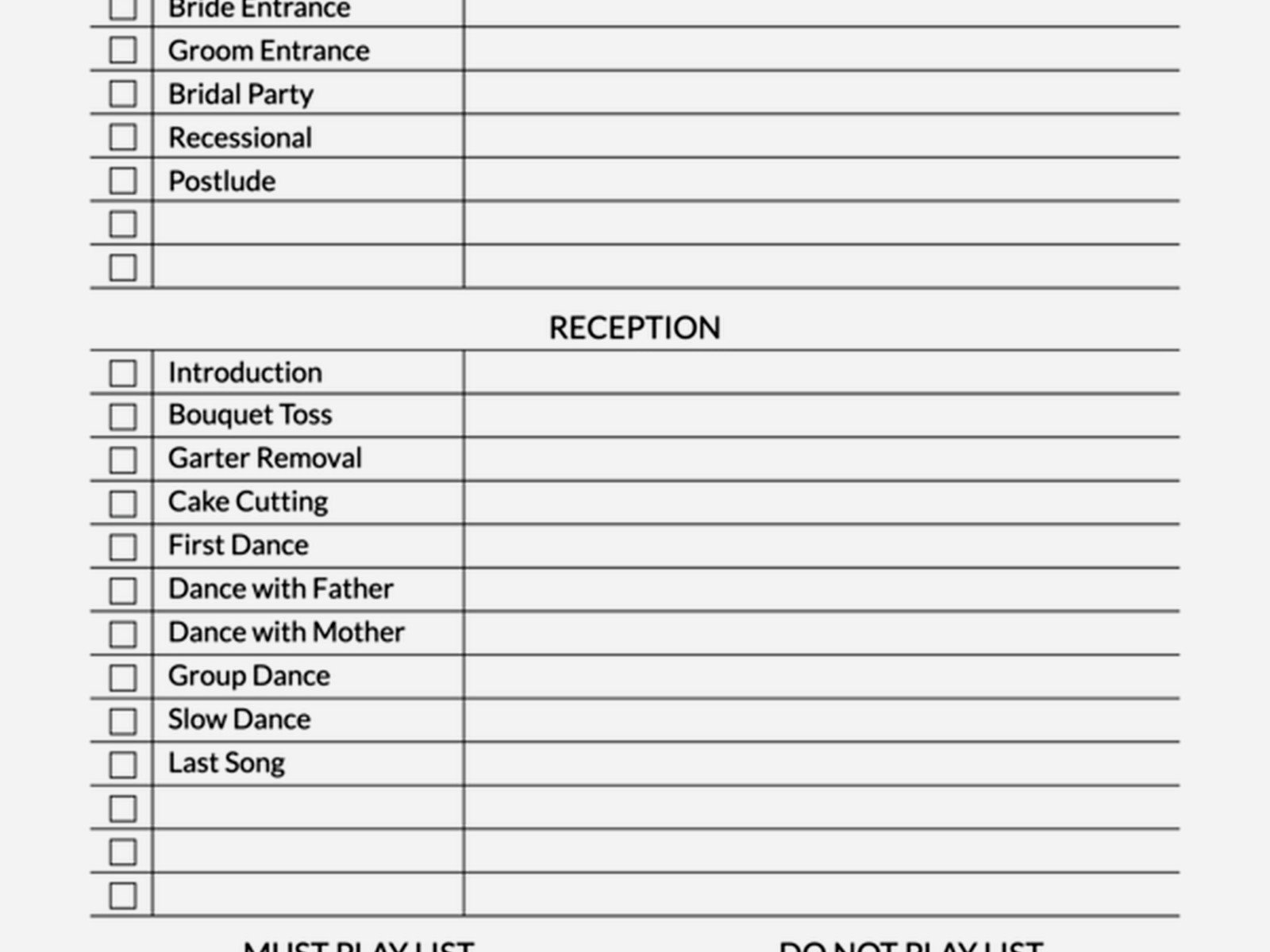
Good templates also separate ceremony music from reception music clearly. I’ve seen templates that just have one giant list of “wedding songs” and it’s impossible to tell what goes where. That’s not useful when you’re trying to create a timeline.
The template should also have a section for notes about volume levels, fade-ins/fade-outs, or specific moments. Like maybe you want the music to stop completely before the officiant starts talking, or maybe you want it to fade slowly. These details matter way more than you’d think.
Actually Filling Out Your Template Without Losing Your Mind
Here’s my system that I’ve developed over like fifteen years of doing this: don’t start with the ceremony music. I know that seems backwards, but hear me out. Start with your reception music because those are the songs you probably already know you want. Your favorite dance songs, the songs that get you hyped, the ones you and your partner always play in the car.
Make a playlist on Spotify or Apple Music first with all those songs. Just dump them in there. Then you can organize them into categories later and transfer them to your template. This way you’re not staring at a blank template feeling overwhelmed.
For ceremony music, this is where you might need to do some research or – and this annoyed me so much when I realized it – you might need to actually listen to songs all the way through. You can’t just pick a song based on the title or the first 30 seconds. I had a bride in summer 2021 who chose a song because she loved the instrumental beginning, but she didn’t listen to the whole thing, and it had this weird tempo change in the middle that made everyone confused about whether to keep walking or stop. It was awkward.
Timeline Matters More Than You Think
Your template should also include approximate timing for each section. Like, if your cocktail hour is one hour long and each song is about 3-4 minutes, you need roughly 15-20 songs for that section. Most people don’t think about the math part of this, and then they give their DJ 6 songs for a 90-minute dinner service and wonder why the music got repetitive.
Here’s a rough breakdown of timing you can use:
- Prelude music: 20-30 minutes (6-10 songs)
- Processional: 3-5 songs depending on your wedding party size
- Cocktail hour: 60 minutes (15-20 songs)
- Dinner: 60-90 minutes (20-25 songs)
- Dancing: 2-3 hours (40-60 songs as options, not all will play)
Don’t try to plan every single second though, because that’s… exhausting and also your DJ needs some flexibility to read the room.
Working With Your DJ or Band on the List
Once you have your template filled out, you gotta actually communicate with your music vendor about it. And this is where a lot of couples mess up – they send the list and think they’re done. Nah. You need to have a conversation.
Schedule a call or meeting with your DJ about 2-3 months before the wedding to go through the list together. They might have suggestions or might tell you that certain songs don’t work well for certain moments. Like, your DJ has done this before and knows what songs get people on the dance floor versus what songs clear it out.
Also ask them how they want to receive the list. Some DJs have their own software or platforms where they want you to upload your preferences. Some want it emailed. Some want it shared via Google Sheets. Just ask instead of assuming.
The Must-Have Songs Versus the Maybe Songs
Your template should distinguish between “you absolutely must play this” and “here are some options if you need filler.” I usually tell couples to mark their top 20-30 must-play songs and then have another 30-40 songs as maybes that the DJ can pull from if needed.
The must-play list should include:
- All ceremony songs (processional, recessional, etc.)
- First dance
- Parent dances
- Your 10-15 favorite dancing songs that you NEED to hear
- Last dance
Everything else can be flexible based on the vibe of the room and what’s getting people dancing or what fits the moment.
Common Mistakes People Make With Music Templates
Okay so I’ve seen people mess this up in some pretty specific ways, and I’m just gonna list them out so you don’t do the same thing:
Being too specific with reception music: If you try to plan out every single song in order for your entire reception, you’re gonna have a bad time. The energy of the room changes, and your DJ needs to be able to adapt. Give them options, not a rigid playlist.
Forgetting about clean versions: This is huge if you have kids or conservative family members at your wedding. Note on your template if you need clean/radio edits of certain songs. Your DJ probably has both versions but they won’t know which one you want unless you specify.
Not considering the transitions: The space between big moments matters. Like what plays after your first dance while you’re walking back to your table? What plays during the cake cutting if you don’t have a specific song? These little transitions add up to like 30 minutes of music that people forget about.
Ignoring your guests’ tastes completely: Look, it’s your wedding and you should play music you love, but if you only put songs from one specific genre that nobody else knows… your dance floor might be empty. Balance your favorite indie bands with some crowd-pleasers that’ll get your aunt and your college friends dancing together, you know?
The Backup Plan Section
This is something I started adding to my templates after a wedding where the couple’s “first dance song” wasn’t available in the version they wanted and we had a mini crisis. Always have backup options listed for your most important songs. Technology fails, files corrupt, streaming services glitch – whatever. Have a Plan B for at least your ceremony songs and first dance.
I usually add a notes column where couples can write something like “if you can’t find the acoustic version, the original is fine” or “this is our first choice but we’re also okay with [other song].” Gives everyone peace of mind.
Digital Versus Printed Templates
There’s something to be said for both approaches, honestly. I keep a digital master template that I update constantly, but I also print out a simplified version for the day-of timeline because not everything needs to be on a screen.
Digital templates are better for the planning phase because you can edit them easily, share them with multiple people, and add links to the actual songs so your DJ can hear exactly what version you want. Plus you can color-code things or add filters which is kinda satisfying if you’re into organization.
Printed templates are good for your day-of coordinator or band leader to have as a quick reference. They can glance at it without pulling out a device, and there’s no risk of battery dying or wifi issues. I usually suggest having both – digital for planning, printed for the actual wedding day.
Seasonal and Cultural Considerations
Your template should also have space for any cultural or religious music requirements. Like if you’re having a Catholic ceremony, there might be specific guidelines about what music is allowed. Or if you’re incorporating cultural traditions, you need to communicate those clearly to your DJ or band.
Seasonal stuff matters too, though not as much as people think. Like you don’t HAVE to play “Marry You” by Bruno Mars just because it’s summer, but if you’re having a winter wedding and want some cozy seasonal vibes during cocktail hour, note that in your template so your DJ understands the overall mood you’re going for.
The Group Dance Dilemma
Okay so this is where couples get really divided – do you want group dances or not? The Electric Slide, Cupid Shuffle, Cha Cha Slide, YMCA, all those songs that get everyone on the floor doing choreographed moves. Some people love them, some people think they’re corny.
Whatever your opinion is, put it in your template. If you want them, list which ones. If you absolutely don’t want them, put them on the do not play list. Don’t leave it ambiguous because your DJ will default to playing them if the dance floor energy is low, and then you’ll be stuck watching the Chicken Dance at your own wedding even though you hate it.
I’m personally neutral on this – I’ve seen them work great at some weddings and totally flop at others. It depends on your crowd. But you gotta make the decision and communicate it clearly.
Updating Your Template as You Get Closer
Your music list isn’t set in stone the first time you fill it out. You’re gonna change your mind about songs, discover new ones, or realize that something you thought you wanted doesn’t actually fit anymore. That’s totally normal.
I tell couples to do a final review of their music template about 3-4 weeks before the wedding. Not sooner because you might still be figuring things out, but not later because your DJ needs time to prepare and download any songs they don’t already have.
During that final review, actually listen to all your must-play songs again. Make sure you still love them and they still fit the vibe you’re going for. Your music taste can literally change over the months of wedding planning, or a song that felt perfect in January might feel wrong in June. It happens.
Also make sure your template is complete – like you didn’t leave any sections blank or mark something as “TBD” and then forget about it. Go through every moment of your wedding timeline and make sure there’s music planned for it or a note that says “DJ’s choice” or whatever.
