
Planning Guides, Style Guide
Wedding Reception Invitation Templates: Post-Ceremony Downloads
Jul
Okay So Post-Ceremony Reception Invites Are Actually A Thing Now
Right so I need to tell you about wedding reception invitation templates for post-ceremony situations because honestly this has become such a massive part of my business since like 2020 and nobody really talks about it enough. The whole idea is you already got married—maybe at a courthouse, maybe a tiny backyard thing with just parents, maybe you eloped somewhere amazing—and NOW you wanna throw the actual party.
The wording is totally different from regular wedding invites and that’s where people get tripped up. You’re not inviting people to watch you get married. You’re inviting them to celebrate the fact that you already did the thing. Sounds simple but I’ve had so many couples send me drafts that say “request the honor of your presence at their marriage” and I’m like umm no you’re already married Linda.
Why This Even Became Such A Big Deal
Look I’ve been doing this since 2012 but the whole post-ceremony reception invite thing absolutely exploded during the pandemic. Spring 2021 was insane for me—I had literally seven couples in one month who had done tiny legal ceremonies and were finally planning their “real” receptions for later that year or the next. Everyone was scrambling for templates because traditional invitation wording just felt weird and wrong.
But even outside pandemic situations, tons of couples do this for other reasons. Destination weddings where you legally marry at home first. Military deployments. Pregnancy timing. Immigration paperwork that needs to happen fast. Or honestly sometimes people just want the legal part done separately and the party part later when they can actually afford it or when weather is better or whatever.
The Wording Thing That Everyone Messes Up
So the biggest mistake I see is people trying to be too formal or too cutesy with the wording. You gotta be clear about what already happened. Here’s what actually works:
Simple and direct approach:
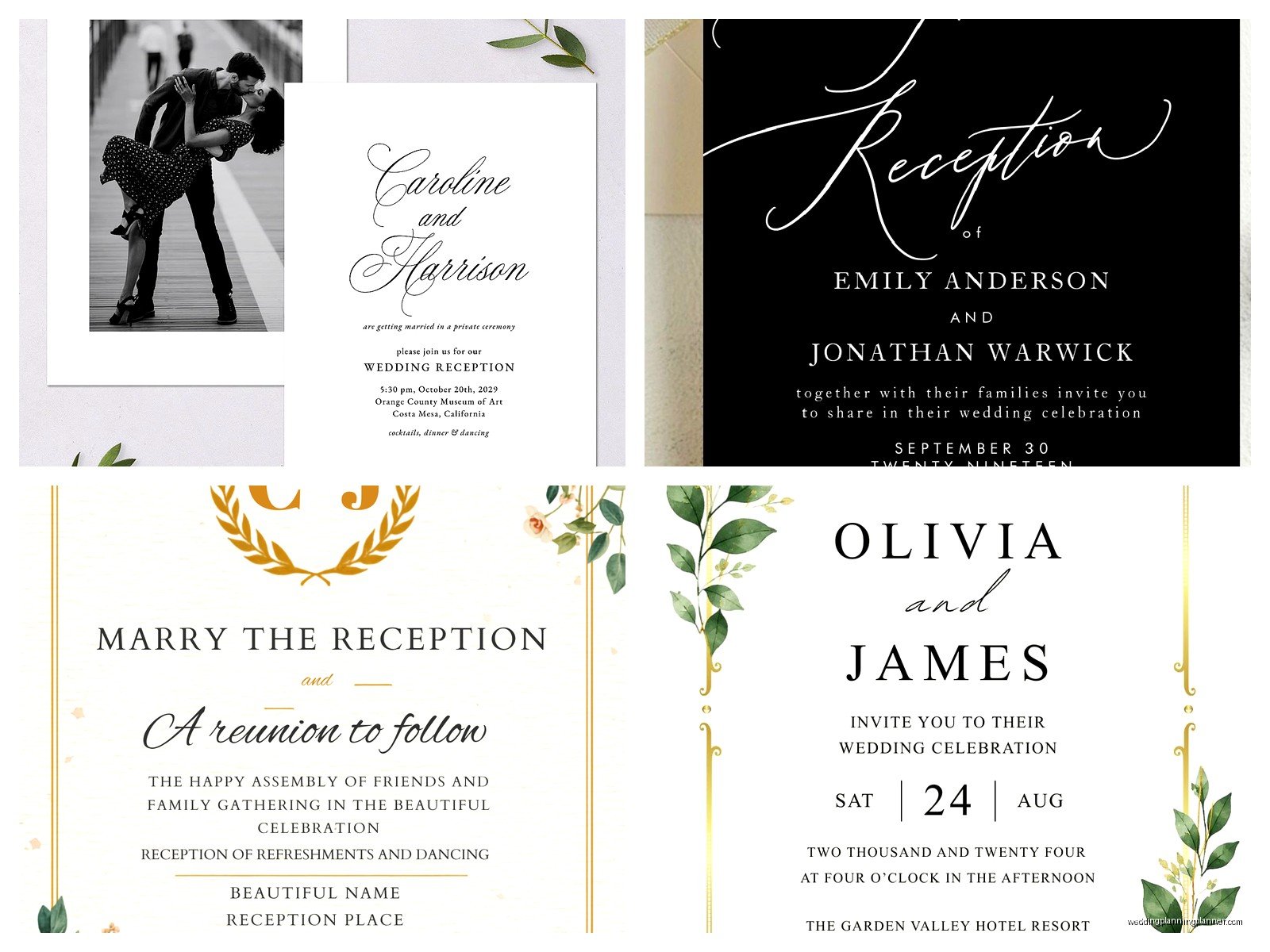
- “Jennifer Martinez and David Chang invite you to celebrate their marriage”
- “Please join us for a reception celebrating the marriage of…”
- “Katie and Josh got married! Come party with us”
- “Mr. and Mrs. Robert Sullivan request the pleasure of your company at a reception in honor of their marriage”
See how none of those pretend the wedding hasn’t happened yet? That’s the key. You’re celebrating something that’s already done, not inviting people to witness it.
What drives me absolutely crazy is when people try to hide the fact that they already got married. Like they’ll use traditional wording and then guests show up confused about whether this is the actual wedding or not. Just be honest about it—nobody cares that you already signed papers, they just wanna eat cake and dance with you.
Template Options You Can Actually Download
Okay so let me break down what’s out there for downloadable templates because the options have gotten so much better in the past couple years.
Canva Templates
I know everyone and their mom uses Canva now but honestly for post-ceremony invites it’s kinda perfect. They have a whole section for reception-only invites and you can customize everything. The free version has decent options but if you pay for Canva Pro you get way more fonts and design elements. I usually tell couples to search “wedding reception invitation” or “elopement reception” in the template search.
The nice thing about Canva is you can download as PDF for printing or as PNG/JPG for digital invites. File management is pretty straightforward and you can resize for different formats—like if you want a 5×7 printed version but also an Instagram story version.
Etsy Digital Downloads
This is where I actually get most of my client templates from now. You buy a digital file (usually between $8-25) and get an editable PDF or a Canva link or sometimes a Templett template. The quality varies like crazy though so read the reviews before buying.
Look for sellers who specifically mention “post-ceremony” or “reception only” or “elopement reception” in their listings. A regular wedding invite template won’t have the right wording options built in. Also check what format they’re sending—some sellers still use outdated programs and you’ll get a file you can’t even open which is super annoying.
Minted and Paperless Post
These are more expensive but honestly the quality is gorgeous. Minted has a filter for “reception cards” and their designs are really sophisticated if that’s your vibe. Paperless Post is great for digital invites and they have tons of post-wedding celebration options. Their tracking features are actually useful too—you can see who opened the invite and who hasn’t responded.
The downside is you’re gonna pay more. Minted printed invites start around $1.50-2.00 per invite. Paperless Post charges based on the design and how many “coins” it costs. But if you want something polished and you don’t wanna DIY it, this is the way.
What Information You Actually Need On These Things
So beyond the wording about already being married, here’s what needs to be on a post-ceremony reception invite:
- Your names (obviously) and you can use your married name or maiden name or whatever you’re going by
- The word “reception” or “celebration” somewhere clear
- Date and time—and be specific about timing, like “cocktails at 6pm, dinner at 7pm”
- Full address of venue with maybe parking info if it’s tricky
- Dress code because people will absolutely show up in jeans if you don’t tell them otherwise
- RSVP deadline and method—I recommend online RSVPs through your website or a Google form honestly
- Your wedding website URL if you have one
One thing that’s optional but I always recommend: mention if it’s adults only. You can say “adult reception” or “21+ celebration” or whatever works. Just be clear because people will bring their kids otherwise and then get mad when there’s nowhere for them to sit.
Timeline For Sending These Out
You’d think the timeline would be the same as regular wedding invites but it’s actually a bit different. Since people aren’t blocking off a date for your ceremony—like that already happened—you have more flexibility.
For a post-ceremony reception happening within 3-4 months of your legal wedding, send invites about 6-8 weeks before the party. If it’s gonna be like a year later or more, you might wanna send save-the-dates too. But honestly for most situations, 6-8 weeks is plenty of notice.
I had this couple in summer 2021 who got legally married in March, planned their reception for October, and didn’t send invites until September. It was cutting it SO close and their RSVP rate was terrible because people had already made other plans. Don’t be like them. Give people actual time to request off work and arrange travel if needed.
Digital vs Printed: What Makes Sense
This is totally personal preference but I’ll tell you what I see most couples doing. If your guest list is under 50 people and most of them are local, digital invites work great. Use Paperless Post or Greenvelope or honestly even a really nice Canva design sent via email.
If you’ve got 100+ guests or lots of older relatives who aren’t super tech-savvy, printed invites are probably worth it. There’s also something about receiving a physical invitation that makes the event feel more… I dunno, official? Even though you’re already married.
My cat just knocked over my coffee while I’m writing this which is perfect timing because I need a refill anyway.
Design Elements That Work For Post-Ceremony Stuff
The aesthetic for these invites can honestly go any direction but here’s what I’ve seen work really well:
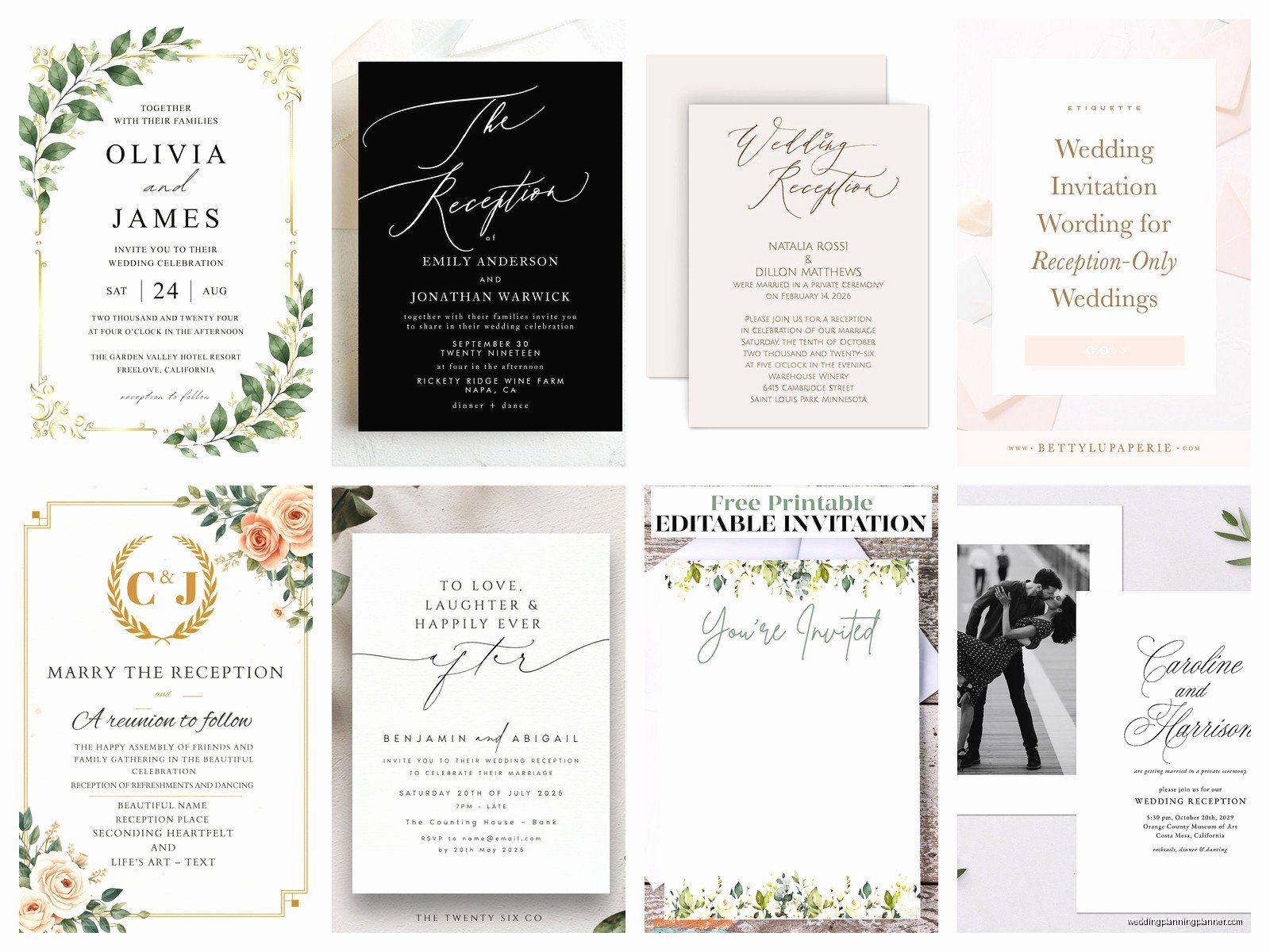
Photo invites: Use an engagement photo or a picture from your legal ceremony. This immediately signals “we already did this” and looks personal. A lot of Shutterfly and Minted templates are built for adding photos.
Casual elegant: Think less formal than traditional wedding invites but still polished. Maybe a simple floral border or geometric design. Skip the super ornate stuff unless that’s your vibe.
Playful wording: You can be way more fun with these since the pressure of the actual ceremony is off. I’ve seen invites that say “We did a thing! Now let’s party” or “Legally married, officially celebrating” or “The I-do’s are done, time for the fun.”
Colors don’t have to match traditional wedding colors either. If you got married in February but you’re throwing the reception in September, use fall colors. The reception is its own event sorta.
Common Mistakes I Keep Seeing
Okay real talk, here are the things that drive me nuts when couples mess up their post-ceremony invites:
Not mentioning food situation: If you’re doing a cocktail reception with appetizers instead of a full dinner, SAY THAT. People will expect dinner if your party is at 6pm or 7pm. I’ve seen guests get genuinely upset when they showed up expecting a meal and got cheese cubes.
Confusing gift registry info: Some couples feel weird about having a registry since they already got married and maybe already got some gifts. But it’s totally fine to have one for the reception. Just include your website URL where registry info lives. Don’t put “no gifts necessary” because people will bring random stuff anyway and then you’re stuck with seven picture frames.
Making it too casual when the event isn’t: If you’re having a black-tie reception at a fancy venue, your invitation needs to reflect that. A super casual Evite isn’t gonna communicate the right vibe and people will show up underdressed.
Forgetting about plus-ones: Be clear about whether someone can bring a date. “Sarah Johnson” means just Sarah. “Sarah Johnson and Guest” means she can bring someone. This is basic invite etiquette but people forget when they’re designing their own templates.
Actually Downloading And Using Templates
Alright so you found a template you like—now what? The process depends on where you got it but here’s the general workflow:
For Canva templates, you’ll click “use template” and it opens in your Canva account. Edit all the text fields with your info. Change colors if you want. Add photos if the template has photo areas. Then download as PDF for printing or PNG for digital use. If you’re printing, download as PDF Print and make sure it’s set to the right dimensions (usually 5×7 for invites).
For Etsy templates, you’ll download the file after purchase. If it’s a PDF, you might edit it in Adobe Acrobat or Preview on Mac. If it’s a Templett link, you’ll click through and edit in their browser-based editor. If it’s a Canva link, same as above. Some sellers send you a file that you have to send back to them for edits which is kinda annoying but whatever.
Make sure you save multiple copies as you’re editing because I’ve definitely had clients who edited for an hour and then their browser crashed and they lost everything. Save often, give files clear names like “Reception_Invite_FINAL_v3” so you know which is which.
Printing Options Once You’ve Got Your File
If you’re going the printed route, you’ve got options. Local print shops can usually do small batches (under 100) pretty affordably. Staples and FedEx Office do wedding invites too. Or upload your file to an online printer like Catprint, PrintPlace, or VistaPrint.
Check your file dimensions before uploading. Most templates are designed for standard sizes (5×7, 4×6, etc.) but sometimes you’ll get a weird size and have to adjust. Also check the bleed settings—you usually need a 0.125 inch bleed for professional printing, which means your design extends past the cut line.
Paper weight matters more than you’d think. 110lb cardstock minimum for invites. 80lb looks cheap and flimsy. If you want really nice quality, go for 130lb or even letterpress if you’ve got budget for it.
The Digital Sending Process
For digital invites, you can either use a platform like Paperless Post that handles everything, or send your designed image via email or text. If you’re doing email, write actual text in the email body too—don’t just attach an image because some email clients won’t display it right away.
Include all the key info in the email text: date, time, location, RSVP link. The pretty invitation image is supplementary. For texting invites, keep the image file size reasonable (under 1MB) so it doesn’t take forever to send or receive.
I usually recommend creating a wedding website even for post-ceremony receptions. Use WithJoy, The Knot, Minted, or even a simple Google Site. Put your full details there, your story about why you’re doing a separate reception, registry info, hotel blocks, everything. Then your invitation just needs to point people to that website.
Addressing And Envelope Stuff
If you’re doing printed invites, you need envelopes obviously. Most templates are designed for standard envelope sizes so that’s easy. You can hand-write addresses if you’ve got nice handwriting or use printed labels or pay for envelope addressing through your printer.
There’s also services like Postable.com where you collect addresses online and they’ll print and mail everything for you. It’s more expensive but saves so much time if you’ve got a big guest list.
For return address, use your married name if you’re using it, or whoever’s coordinating RSVPs. Put the return address on the envelope flap or the upper left corner of the front. Get stamps that match your vibe—USPS has pretty floral and love-themed stamps that work great for wedding mail.
Random Tips That’ll Save You Headaches
Order or print a few extra invites. Someone will move or you’ll mess one up or you’ll realize you forgot to invite your cousin’s new wife. Having extras on hand is clutch.
Proofread like your life depends on it. Then have someone else proofread. I once had a client send out 150 invites with the wrong date and it was a nightmare fixing that. Check every single detail: date, day of week (make sure Saturday the 15th is actually a Saturday), time, address, RSVP info, spelling of names.
If you’re using a template with photos, make sure your images are high resolution. At least 300 DPI for printing. A blurry photo on a printed invite looks really bad and there’s no fixing it after they’re printed.
Consider doing a small test print before ordering 200 invites. Print one at home or order a sample from your online printer. Check that colors look right and text is readable and everything lines up correctly.
What To Do About The Ceremony Info
Sometimes couples wanna include a little note about their ceremony—like “We were married in an intimate ceremony on March 15th” or whatever. This is totally optional. If your ceremony was literally just signing papers at a courthouse, you might skip mentioning it at all. If it was a meaningful small ceremony, mentioning it adds context for why you’re having a separate reception.
You can include this as a small note on the invitation itself or put it on your wedding website. I don’t think it needs to be prominent, just a quick explanation so guests understand the situation and don’t show up confused.
Some couples also include a line like “ceremony was private” or “in the presence of immediate family” to gently explain why certain people weren’t there. This can help avoid hurt feelings from guests who might wonder why they weren’t invited to the ceremony.
Anyway that’s basically everything I know about post-ceremony reception invitation templates after doing this for like a decade and especially after the absolute chaos of 2020-2022 when these became the norm instead of the exception. The main thing is just being clear about what already happened and what you’re inviting people to, using a template that actually fits this specific situation, and giving yourself enough time to get them out without rushing.
