
Planning Guides, Style Guide
Wedding Organizer Template: Planning Binder Downloads
Jul
Getting Your Wedding Binder Template Downloads Sorted Out
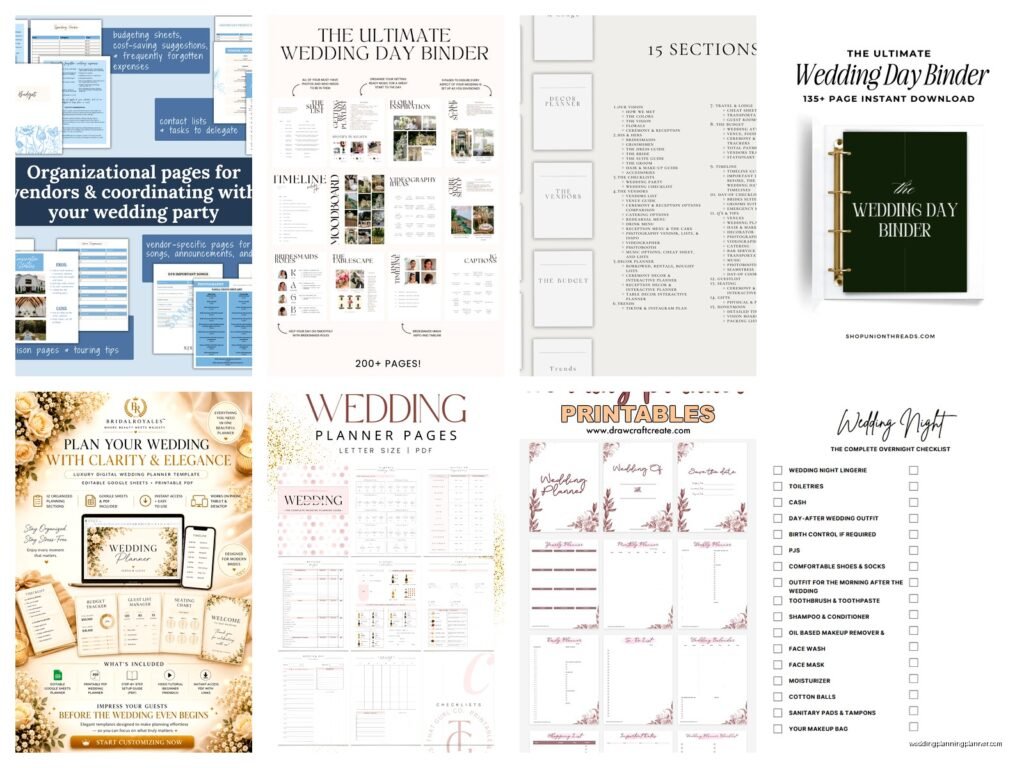
So the first thing you gotta know about wedding planning binder downloads is that they’re literally everywhere and most of them are… not great? Like I had this bride in spring 2023 who showed up with seven different downloaded templates all printed out and none of them matched and she was SO stressed because she couldn’t figure out which budget tracker was the “right” one and honestly it was a mess.
The whole point of a planning binder template is to keep everything in one place but if you download random stuff from Pinterest without a strategy you’re gonna end up more confused than when you started.
What Actually Needs to Go in Your Planning Binder
Before you start downloading every pretty template you see, figure out what sections you actually need. I always tell my clients to think about their specific wedding first because a backyard BBQ wedding needs different tracking than a formal hotel ballroom situation.
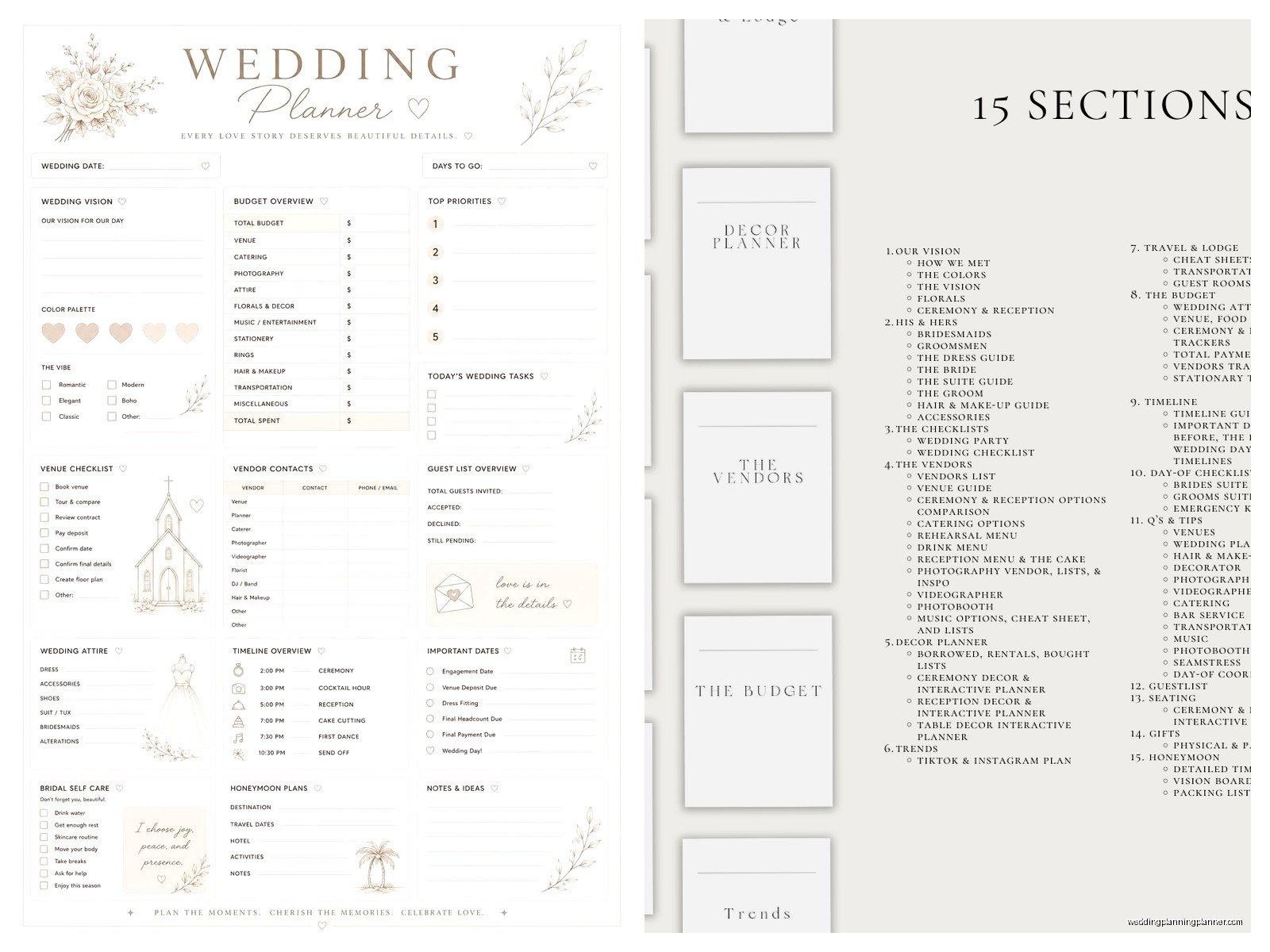
The core sections that pretty much everyone needs:
- Budget tracker (the most important one tbh)
- Guest list with addresses and meal preferences
- Vendor contact information
- Timeline for the actual wedding day
- Month-by-month planning checklist
- Seating chart workspace
- Payment tracking for deposits and final payments
Then you’ve got the optional stuff that depends on your wedding:
- DIY project tracker if you’re making centerpieces or favors
- Accommodation info for out-of-town guests
- Ceremony script notes
- Music playlists for different parts of the day
- Dress fitting appointments and alteration notes
Where to Actually Download Good Templates
Okay so there are like a million places offering free wedding binder templates and some are worth your time and some are absolutely not. Etsy has tons of paid options (usually between $8-25 for a complete set) and honestly? Sometimes paying for a cohesive set is better than piecing together free stuff that doesn’t match.
The free options I actually recommend checking out include sites like WeddingWire and The Knot because their templates are designed by people who understand weddings. They’re not the prettiest always but they’re functional. Canva also has editable wedding planner templates now and you can customize the colors to match your… I don’t know, your vibe or whatever.
What really annoyed me though was finding out that SO many “free” template downloads require you to sign up for email lists or create accounts and then the download link doesn’t even work half the time. Like I spent 20 minutes one time trying to get a seating chart template for a client and had to use three different email addresses because the site kept glitching.
Digital vs Printed Binders
This is kinda a personal preference thing but I’ve seen both work really well and both fail spectacularly. Digital binders using apps like Notion or Google Drive are great if you’re always on your phone and you share planning duties with your partner or your mom or whoever. You can access everything from anywhere and update it in real-time.
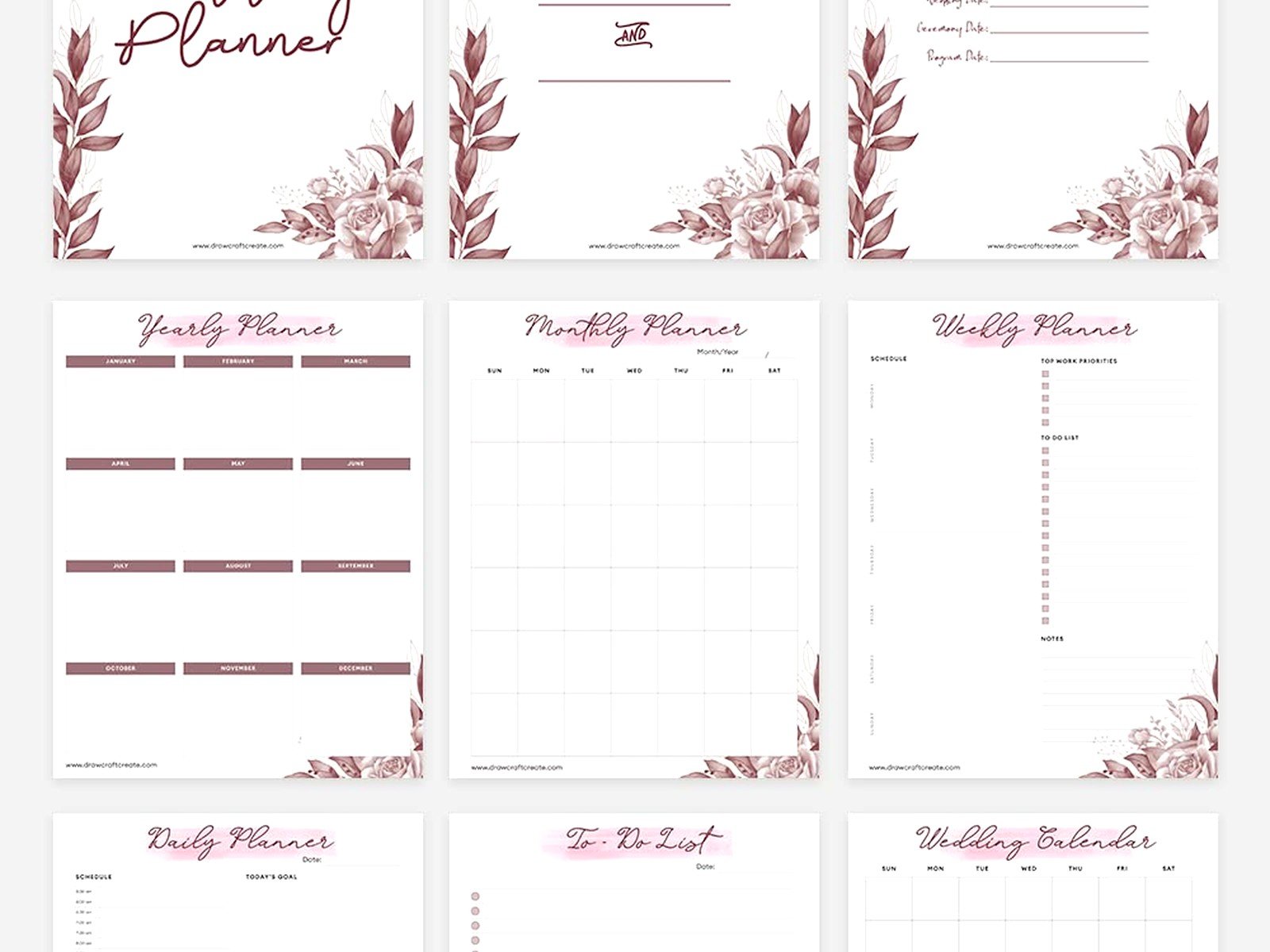
But printed binders? There’s something about physically writing stuff down and checking boxes that makes it feel more real. Plus during vendor meetings you can just flip to a page instead of fumbling with your phone. I personally use a combination – digital for sharing with clients and their families, printed for myself during actual events.
If you go printed, invest in a good 2-inch or 3-inch binder with divider tabs. Those skinny 1-inch binders are gonna overflow by month three of planning, trust me. And get sheet protectors for important stuff like contracts and inspiration photos you’ve printed.
Setting Up Your Budget Tracker Template
The budget section is where people mess up the most so I’m gonna spend extra time here. Download a template that has these columns at minimum: vendor/item name, estimated cost, actual cost, deposit paid, deposit date, balance due, balance due date, and payment method.
Most templates you’ll find have the basics but they don’t include a “surprise expenses” category and you NEED that. I don’t care how organized you are, there will be surprise costs. That bridesmaid dress that needs rush alterations, the extra hour of photography you decide you want, the upgraded bar package because your family drinks more than you thought.
Set aside 10-15% of your total budget for surprises and track it separately. When I was planning my sister’s wedding (which okay I wasn’t officially the planner but obviously I helped), we didn’t do this and ended up scrambling when the venue charged us extra for extending the reception by 30 minutes.
Guest List Templates That Actually Work
Your guest list template needs more than just names and addresses. You want columns for: full names, relationship to bride/groom, mailing address, email, phone number, invited to (ceremony only, reception only, or both), RSVP status, meal choice, dietary restrictions, plus-one info, and gift received.
Some couples also track which “group” each guest belongs to – like “bride’s college friends” or “groom’s work colleagues” – because it helps with seating arrangements later. Speaking of seating arrangements, that’s a whole separate nightmare and you’ll want a template that lets you visualize table layouts.
The digital guest list templates that sync with your wedding website are kinda amazing because RSVPs update automatically but you still want a printed backup because technology fails at the worst moments. During one wedding I coordinated, the couple’s website crashed the week before the wedding and they had to manually track down 30 people who hadn’t RSVP’d yet.
Vendor Contact Sheets
Make a page for each vendor with: business name, contact person, phone, email, website, contract date, services included, total cost, payment schedule, and any special notes or requests you discussed. Also include their cancellation policy because you never know.
I always tell couples to include a photo of their vendor if possible – like screenshot their website photo or save their Instagram profile pic – because on the wedding day when you’re stressed and someone says “the florist is here” you want to be able to recognize them. This sounds paranoid but it’s actually super helpful.
The Month-by-Month Checklist Situation
Most downloadable wedding binder templates include a planning timeline that’s like “12 months before: book venue, 11 months before: choose wedding party” and whatever. These are fine as a starting point but they’re kinda generic and don’t account for your specific situation.
If you’re planning a wedding in 6 months instead of 12, those timelines don’t help. If you’re having a micro-wedding with 20 guests, you don’t need to spend months on seating charts. So download the template but customize it based on your actual wedding.
I had a couple in summer 2021 who were so stressed trying to follow a 18-month planning timeline they’d downloaded when they only had 8 months to plan (thanks COVID rescheduling). We had to completely redo their checklist to focus on what actually mattered for their specific timeline and suddenly they could breathe again.
Day-of Timeline Templates
This is the template you’ll reference most on your actual wedding day so make it clear and detailed. Break it down in 15-minute increments if needed, especially for the ceremony and reception transitions.
Include: what’s happening, who’s involved, where it’s happening, and any special notes. Like “2:00pm – First look photos, bride + groom, garden behind venue, photographer needs 20 minutes, tell bridesmaid to bring tissues.” That level of detail saves you so much confusion later.
Print multiple copies of your day-of timeline – one for you, one for your wedding party coordinator (if you have one), one for your maid of honor and best man, one for your parents if they’re involved in coordination. Everyone should know what’s happening when.
Customizing Downloaded Templates
Most templates you download will be in PDF or Excel format. PDFs are harder to edit unless you have Adobe Acrobat (the paid version, not just the reader). Excel or Google Sheets templates are way more flexible because you can add rows, change formulas, adjust categories.
If you find a beautiful PDF template but can’t edit it, you can… okay this is gonna sound tedious but you can recreate it in Word or Canva using the PDF as inspiration. I’ve done this for clients who fell in love with a template design but needed different categories.
Change the colors to match your wedding colors if you want, add your monogram, whatever makes you happy. But don’t spend three hours making your budget tracker pretty when you could be actually, you know, budgeting. Function over aesthetics here.
Printing and Organizing Your Binder
Once you’ve downloaded and customized your templates, print everything on good quality paper. Not cardstock necessarily, but not the thinnest printer paper either. You’ll be flipping through this constantly for months.
Get those plastic divider tabs with labels and organize by section. My cat knocked over my personal planning binder once and pages went everywhere and I didn’t have dividers and it took me an hour to resort everything, so yeah, dividers matter.
Put your most-referenced sections toward the front. For most people that’s budget and vendor contacts. Your ceremony script notes can go toward the back because you’re not looking at those every day.
Keeping Everything Updated
Here’s the thing about templates – they only work if you actually use them and keep them current. Set a reminder on your phone to update your binder every Sunday or whatever day works for you. Add new expenses to the budget tracker, update RSVP status, note any vendor communication.
If you’re using digital templates, this is easier because you can update from your phone while you’re waiting in line at the coffee shop or whatever. With printed binders you gotta be more intentional about sitting down with it.
Some couples keep a “wedding inbox” folder in their binder for stuff that needs to be filed – contracts that came in the mail, fabric swatches, inspiration photos – and then once a week they actually file everything in the right sections. This prevents that overwhelming “where do I put this” moment when you’re tired.
What Templates You Can Skip
Not every template you see is necessary. You probably don’t need a separate “bridesmaid dress shopping tracker” unless you have like 10 bridesmaids and you’re coordinating multiple shopping trips. You don’t need a “wedding hashtag brainstorming worksheet” – just pick one and move on with your life.
Save the printer ink and the brain space for templates that actually help you make decisions or track important information. Everything else is just extra work pretending to be helpful.
