
Planning Guides, Style Guide
Wedding Welcome Sign Template: Entry Display Downloads
Jul
Okay So Wedding Welcome Signs and Where to Actually Get Templates
So welcome signs are basically everywhere now at weddings and honestly they’ve become one of those things couples stress about way more than they should but also they DO set the vibe when guests first arrive so I get it. You’re looking for downloadable templates which is smart because custom designs from scratch can run you like $200-500 depending on the designer and that’s just… a lot when you’ve got a million other things to pay for.
The basic idea is you want a sign at your ceremony or reception entrance that says something like “Welcome to Our Wedding” with your names and maybe the date. Sometimes hashtags if you’re doing that whole social media thing. I had this bride back in spring 2023 who was SO stressed about her welcome sign that she literally called me at 10pm three weeks before her wedding because she couldn’t decide between serif and sans-serif fonts and I was like… girl, your guests will look at this for approximately 4 seconds but we worked through it.
Where to Find Templates That Don’t Look Terrible
Alright so the big players for downloadable templates are gonna be Etsy, Creative Market, and Canva. Each has different vibes and price points.
Etsy is probably where most couples end up because you can find templates for like $5-$25 and they’re usually pretty decent. Search “wedding welcome sign template” and you’ll get thousands of results which is both helpful and overwhelming. The thing that annoyed me about Etsy templates for the longest time is that SO many of them say “instant download” and “easy to edit” but then you download it and it’s a Photoshop file and you don’t have Photoshop and suddenly it’s not so easy anymore. Make sure you check what program you need BEFORE buying. Look for ones that specifically say “Canva template” or “Templett template” or “PowerPoint template” if you want something actually accessible.
Creative Market has more professional-looking stuff generally but you’re paying more like $15-$40 per template. The quality is usually better though and the files are more organized. I’ve downloaded stuff from there for clients who wanted something really specific.
Canva is honestly my go-to recommendation now because you can edit everything right in your browser, no special software needed. They have free templates but also Canva Pro templates that are like $1 each or free if you have the Pro subscription which is $13/month but you can do the free trial and cancel after you’re done with wedding stuff. Just saying.
What File Format You Actually Need
This is where people get confused and I don’t blame them because it’s kinda technical. When you’re buying a template, you need to know what you’re getting and what your printer needs.
Most templates will be either PDF, PNG, or JPG files after you edit them. For a welcome sign that you’re printing large (like 18×24 inches or bigger), you want HIGH RESOLUTION. That means at least 300 DPI. If you try to print a low-res file big, it’ll look pixelated and blurry and you’ll be sad.
Some templates come as editable PDFs which is great because you can open them in Adobe Reader (free) and type in your text. Others are Canva links where you click and it opens a copy in your Canva account that you can customize. The Canva ones are honestly the easiest for most people.
Popular Design Styles Right Now
So depending on your wedding vibe, you’ll want different styles. The big ones I’m seeing are:
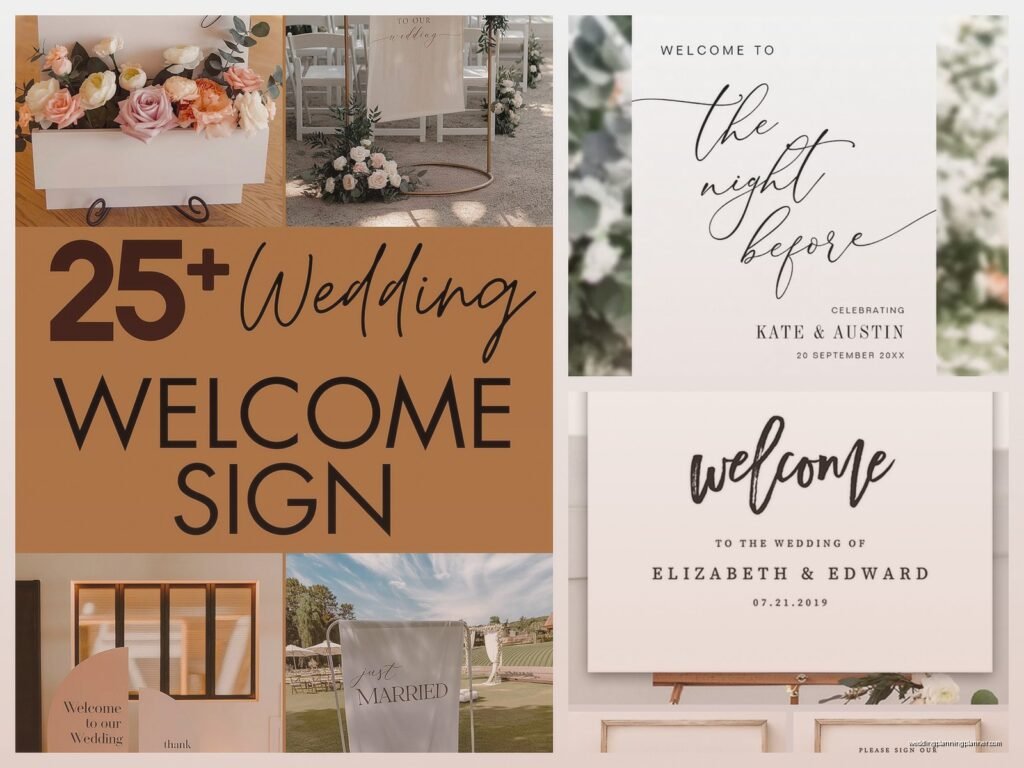
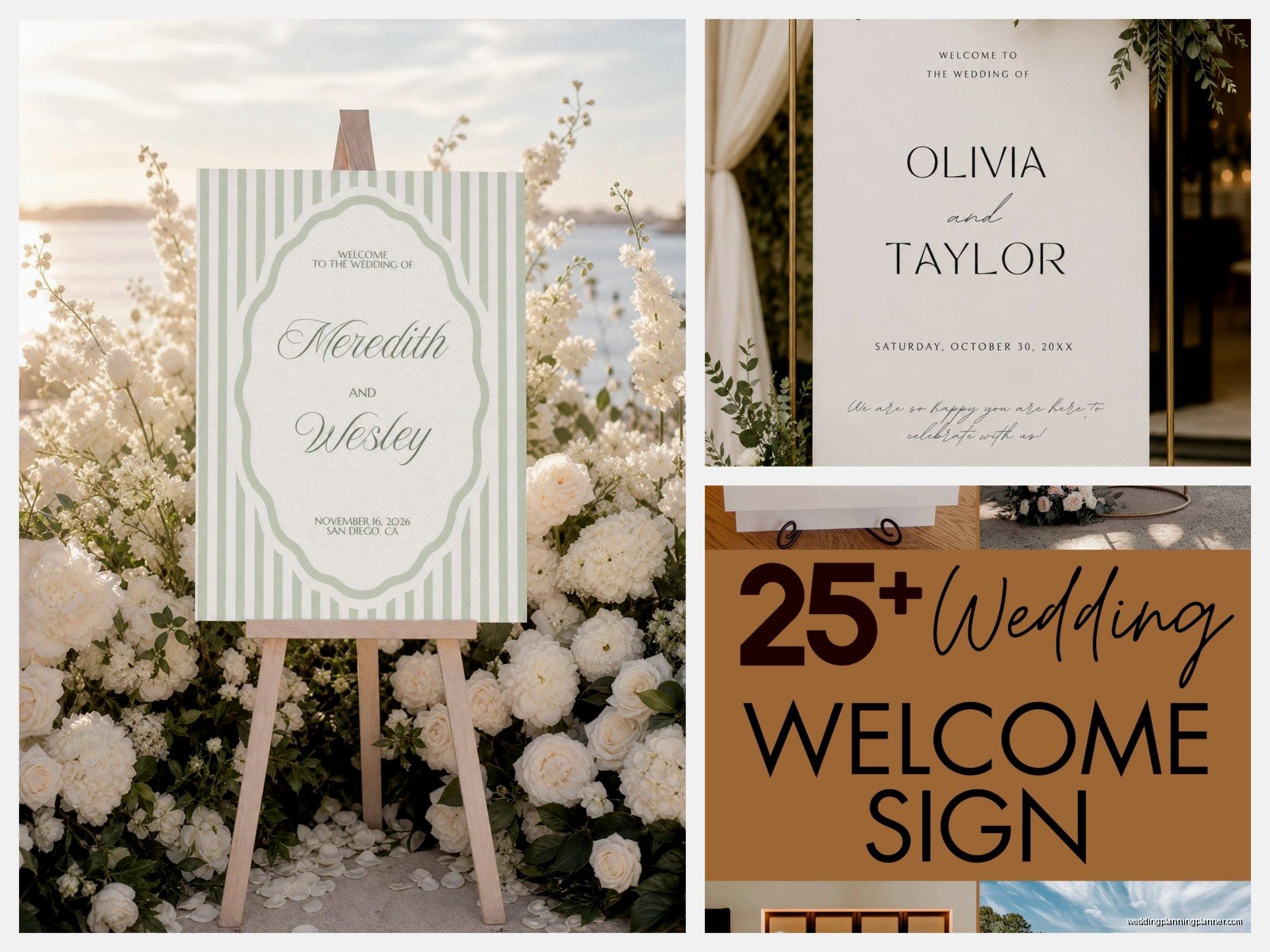
- Minimalist modern – clean lines, lots of white space, simple fonts, maybe one thin border
- Rustic/boho – think pampas grass illustrations, earth tones, hand-lettered looking fonts
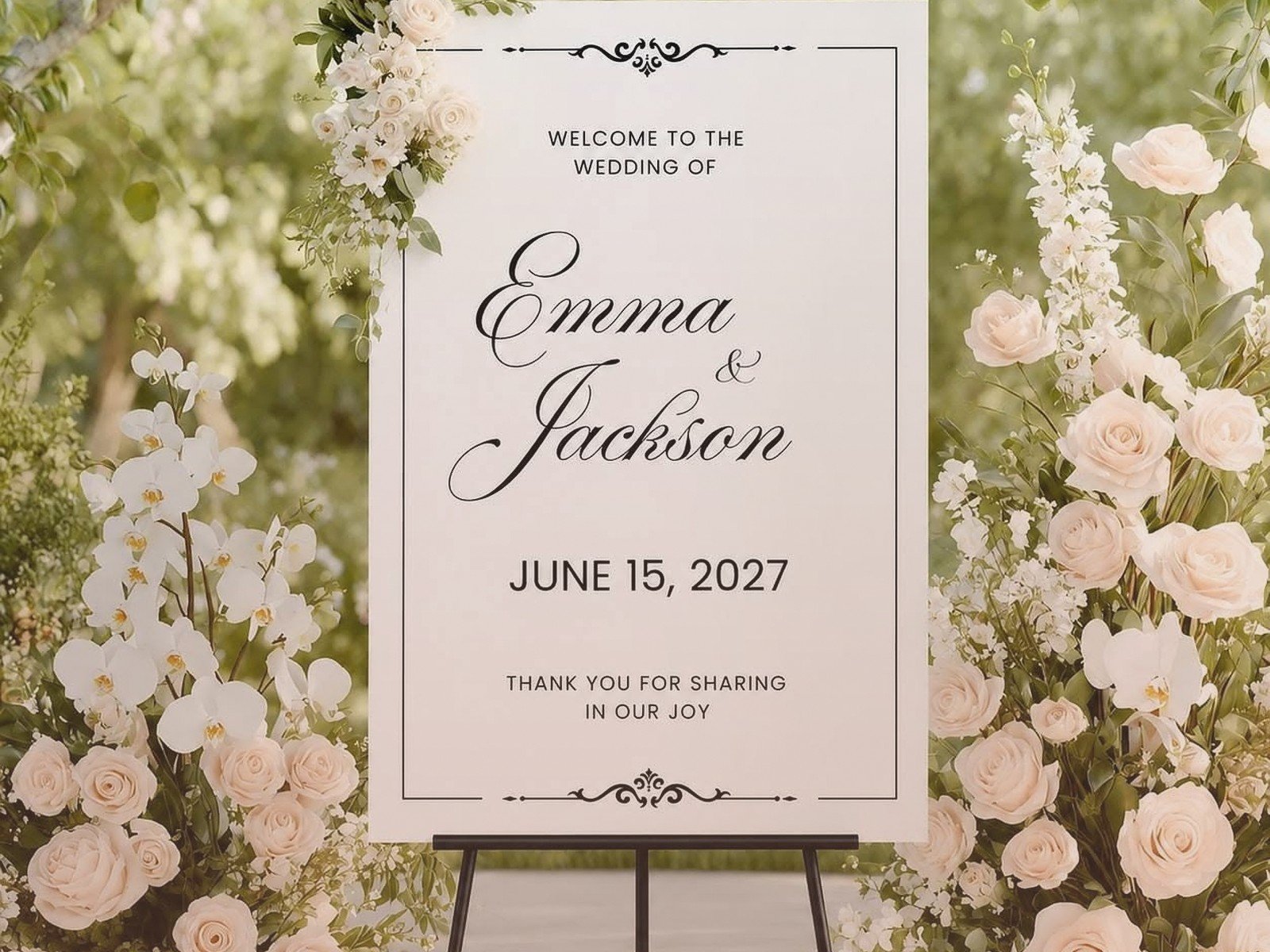
- Classic elegant – formal scripts, maybe gold accents, traditional layout
- Floral garden – tons of flower illustrations around the edges, romantic and soft
- Tropical/destination – palm leaves, bright colors, beachy vibes
Pick something that matches your invitations or at least your overall wedding aesthetic. You don’t want like a rustic burlap-looking welcome sign if you’re having a black-tie ballroom wedding, you know?
How to Actually Edit These Templates
Okay so you found a template you like and bought it. Now what? Let me walk through the typical process because this is where people panic.
If it’s a Canva template, you’ll get a link. Click it, it’ll say “Use Template” or something similar, and boom it’s in your Canva account. Then you just click on the text boxes and type your own names, date, whatever. You can change colors by clicking on elements and selecting new colors from the color picker. Change fonts by highlighting text and picking from the font dropdown. It’s pretty intuitive honestly. My cat walked across my keyboard while I was editing a client’s Canva template once and somehow made everything Comic Sans and I about had a heart attack before I figured out how to undo it.
If it’s a Templett template, you’ll also get a link and it works similarly – you edit in your browser, no software needed. Templett is specifically designed for DIY wedding stuff so it’s user-friendly.
If it’s a Photoshop or Illustrator file and you don’t have those programs, you’re kinda stuck unless you wanna pay for a subscription or find someone who has the software. Sometimes you can use free alternatives like Photopea (online Photoshop alternative) or GIMP but there’s a learning curve.
If it’s a Word or PowerPoint template, just open it in those programs and edit like you would any document. Pretty straightforward but the design options are more limited.
Printing Your Welcome Sign
So you’ve edited your template and it looks perfect on screen. Now you gotta print it and this is where the size thing becomes important.
Common welcome sign sizes are 18×24 inches, 20×30 inches, or 24×36 inches. Bigger is better for visibility from a distance but also more expensive to print and harder to transport.
You can print at:
- Local print shops – usually the best quality, you can see paper samples, but more expensive. Expect $30-$80 depending on size
- Staples/FedEx Office – convenient, decent quality, medium price range around $20-$50
- Online printers like Printful or Vistaprint – cheapest option usually but you can’t see it til it arrives and shipping takes time
- Engineering print shops – this is gonna sound weird but places that do blueprints and architectural drawings can print big stuff cheap, like $5 for a huge print, but the paper is thinner and it’s not photo quality
I usually tell couples to do a test print first if they’re going the super cheap route, just to make sure colors look right and nothing’s cut off. Print it small at home first maybe.
What to Print It On
You’ve got options here and they affect both look and price:
Regular poster paper is the cheapest but can look kinda… cheap. It works fine if you’re mounting it on something else though.
Foam board is sturdier and looks more professional. Most print places can mount your design directly onto foam board for an extra fee.
Acrylic is that trendy clear or frosted look you see everywhere on Instagram. You can’t print directly on acrylic with a template though – you’d need to print on vinyl first and apply it to the acrylic, or have it professionally printed which gets expensive fast like $100+.
Canvas gives a textured artsy look but not all templates work well on canvas, especially ones with fine details or thin lines.
Wood is another option but again you’d need to print on adhesive vinyl and apply it, or have it professionally done.
Display Options and Easels
So you can’t just have your sign floating in midair (well, you could hang it I guess but…) so you need a way to display it.
Tabletop easels work if your sign is smaller and you have a table at your entrance. You can get these at craft stores for like $15-30.
Floor easels are better for bigger signs and more dramatic. Wooden ones look nice and rustic, metal ones are more modern. Amazon has tons for $30-$70 or you might be able to rent from your venue or decorator.
Hanging from a frame or shepherd’s hook is cute for outdoor weddings. You can get shepherd’s hooks at garden stores.
Leaning against something is the easiest option if you have like a wall or a big planter or something sturdy at your entrance, but make sure it won’t fall over if someone walks by quickly or there’s wind.
Making Your Template Actually Look Good
Okay so beyond just downloading and editing, here’s some stuff to make sure your welcome sign doesn’t look like you made it in 10 minutes even though you kinda did.
Font Pairing
Don’t use more than 2-3 fonts MAX. Usually you want one fancy script or decorative font for names and one clean simple font for details. Mixing too many fonts looks chaotic. And please, for the love of everything, make sure your fonts are readable from like 6 feet away. That super delicate thin script might look gorgeous on your computer but if guests can’t read it, what’s the point?
Color Choices
Match your wedding colors obviously but also think about contrast. Light text on light background = no one can read it. If you’re printing on white paper, don’t use pale yellow text. Basic stuff but I’ve seen people mess this up.
Also consider where the sign will be displayed – if it’s outside in bright sunlight, really light colors might wash out. If it’s in a dark entrance, you might need brighter colors to pop.
White Space Is Your Friend
Don’t cram everything together or fill every inch with decorative elements. Let your design breathe. Minimalist signs with lots of white space actually look more expensive and professional than busy cluttered ones most of the time.
Alignment and Balance
Make sure your text is centered or aligned intentionally. Nothing looks more DIY-in-a-bad-way than text that’s slightly off-center accidentally. Most templates have guides and alignment tools built in so use them.
What Information to Actually Include
You don’t need to put your entire wedding itinerary on your welcome sign. Keep it simple:
- Some version of “Welcome” or “Welcome to Our Wedding”
- Your names (first names are fine, or first and last if you prefer)
- Date (optional but nice)
- Wedding hashtag if you’re using one (optional)
That’s it. You don’t need your ceremony time, you don’t need directions to the bathroom, you don’t need… like I had a groom who wanted to put “Please silence cell phones” on the welcome sign and I was like buddy that’s what the officiant announces, not what goes on decorative signage.
Wording Ideas If You’re Stuck
Most templates come with placeholder wording but if you wanna change it, here are some options:
- “Welcome to the Wedding of [Names]”
- “Welcome to Our Beginning”
- “Happily Ever After Starts Here”
- “Love Brought Us Together” (kinda cheesy but some people love it)
- “Welcome Friends and Family”
- Or honestly just “Welcome” with your names is totally fine and classic
Timing and Logistics
Don’t wait until the week before your wedding to deal with this. Give yourself at least 2-3 weeks because printing can take a few days, and if something goes wrong you need time to fix it.
Download your template, edit it, and get it printed like a month before if possible. Then you’ve got one less thing to stress about during that final crazy week.
Also figure out who’s responsible for bringing the sign to the venue and setting it up. Put someone in charge of this specifically – a bridesmaid, groomsman, parent, wedding coordinator, whoever. Signs getting forgotten at home or left in someone’s car happens more than you’d think.
Weather Considerations
If your wedding is outdoors, think about weather. Regular paper signs will get destroyed if it rains. You might want to have the sign under a tent or covered area, or invest in a more weather-resistant option like acrylic or sealed wood.
Wind is also a thing – make sure your easel or display method is weighted or secured so your beautiful sign doesn’t blow over during cocktail hour. I once watched a welcome sign blow across a lawn during a ceremony and nearly take out a flower girl, so yeah, secure your stuff.
Budget Breakdown
Just so you know what you’re looking at cost-wise for the whole thing:
- Template download: $5-$25
- Printing: $15-$80 depending on size and where you print
- Easel or display: $20-$70 unless you borrow one
- Total: roughly $40-$175 for a complete DIY welcome sign
Compare that to buying a custom made sign which can be $150-$400+ and you’re saving a decent chunk of money that you can put toward… I dunno, better food or more booze or whatever matters to you.
Multiple Signs
Some couples want signs for multiple locations – one at ceremony entrance, one at reception entrance, maybe directional signs. If you’re doing multiple signs, try to keep them consistent in style. You can often use the same template and just change the wording for each one. Buy once, edit multiple times, print multiple versions. Way more efficient.
Common Mistakes to Avoid
Let me just rapid-fire some things I’ve seen go wrong so you don’t have to learn the hard way:
Wrong date – proofread your date like five times because I’ve seen people print the wrong month or year and not notice until it’s too late
Misspelled names – obvious but it happens, especially if you’ve got an unusual spelling
File is too small – downloading a low-res version and trying to print it huge, looks awful
Colors look different printed – screens show colors in RGB, printers use CMYK, sometimes there’s a shift especially with bright colors or metallics
Forgetting the sign entirely – like I mentioned, someone needs to be responsible for it
Sign is too small – if you’re putting it at an entrance where people are 10+ feet away, an 8×10 print isn’t gonna cut it
Too much text – if people have to stop and read a paragraph, you’ve included too much info
Digital Displays
Some venues now have screens or TVs at entrances and you could just display your sign digitally. In that case you’d just need the image file, no printing required. Just make sure you have the right file format (usually JPG or PNG) and the right dimensions for their screen. This is actually a cool option if the venue offers it because you can even do like a slideshow with engagement photos or something, though that might be overkill for a welcome sign specifically.
Anyway I think that covers most of what you need to know about welcome sign templates and actually using them. The main thing is just don’t overthink it – pick a template that matches your style, customize it with your info, print it big enough that people can see it, and display it somewhere obvious. That’s literally all you gotta do and your guests will think it looks great and probably take photos in front of it which is the whole point anyway right
