
Planning Guides, Style Guide
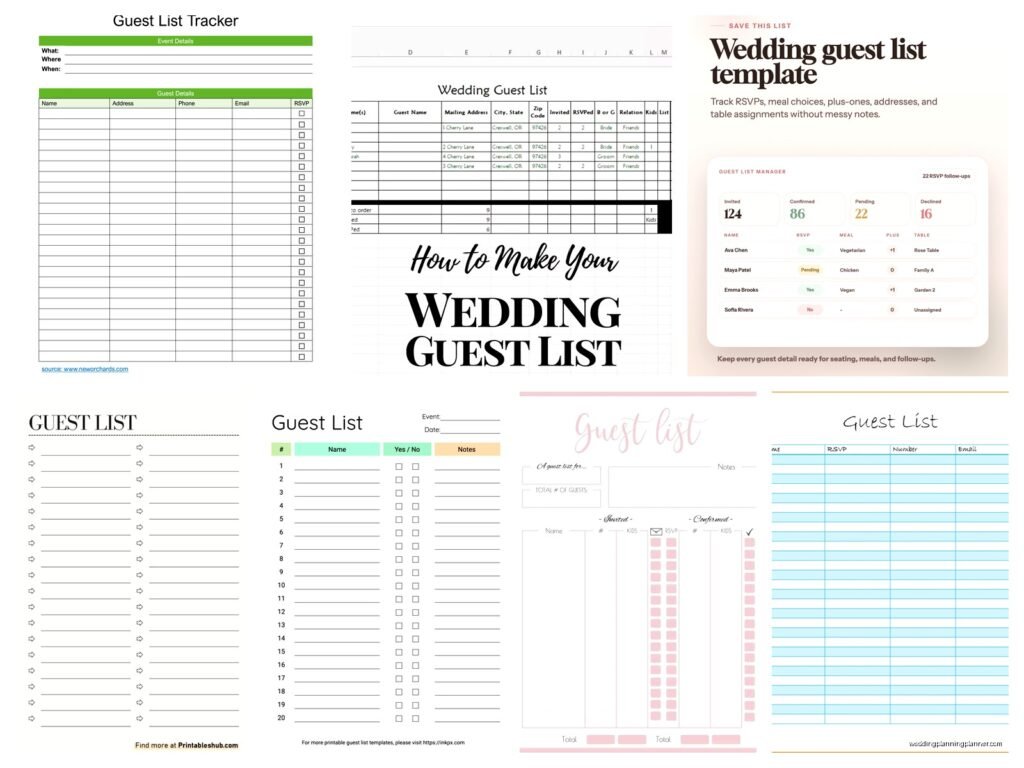
Free Guest List Template: Wedding Tracking Downloads
Jul
Okay So Guest List Templates Are Actually a Lifesaver
Look, I’m just gonna jump right in here because guest list tracking is one of those things that sounds super simple until you’re drowning in spreadsheets at 11pm trying to figure out if Aunt Martha’s plus-one is vegetarian or if you already counted them in your final headcount. Free templates exist everywhere online but honestly most of them are either way too complicated or missing the stuff you actually need.
The basic deal with a good guest list template is that it needs to track way more than just names and addresses. You need RSVP status, meal choices, how many people in each party, maybe gift tracking if you’re into that, and definitely some way to organize by family groups or your side versus their side. I learned this the hard way in summer 2021 when I had a bride who used three different systems – a Google Sheet, a notebook, and some app her maid of honor recommended – and we ended up with duplicate invitations sent to like 15 people. So embarrassing.
What Actually Needs to Be In Your Template
Here’s what I tell every couple: your guest list template should have these columns at minimum. Guest name obviously, then mailing address which sounds boring but you’ll need it. Phone number and email because sometimes you gotta reach people fast. Number invited versus number attending because those are different things and it messes up your seating chart if you don’t track both separately.
RSVP status is critical – I usually do “not sent,” “sent,” “yes,” “no,” and “maybe” even though maybe drives me crazy because like… it’s not a casual hangout, we need actual numbers. Meal selection if you’re doing plated dinner. Table assignment once you get to that nightmare stage of planning. And then I always add a notes column because there’s always something random like “cannot sit near the Johnsons” or “severe nut allergy” or “bringing emotional support peacock” okay that last one hasn’t happened yet but you never know.
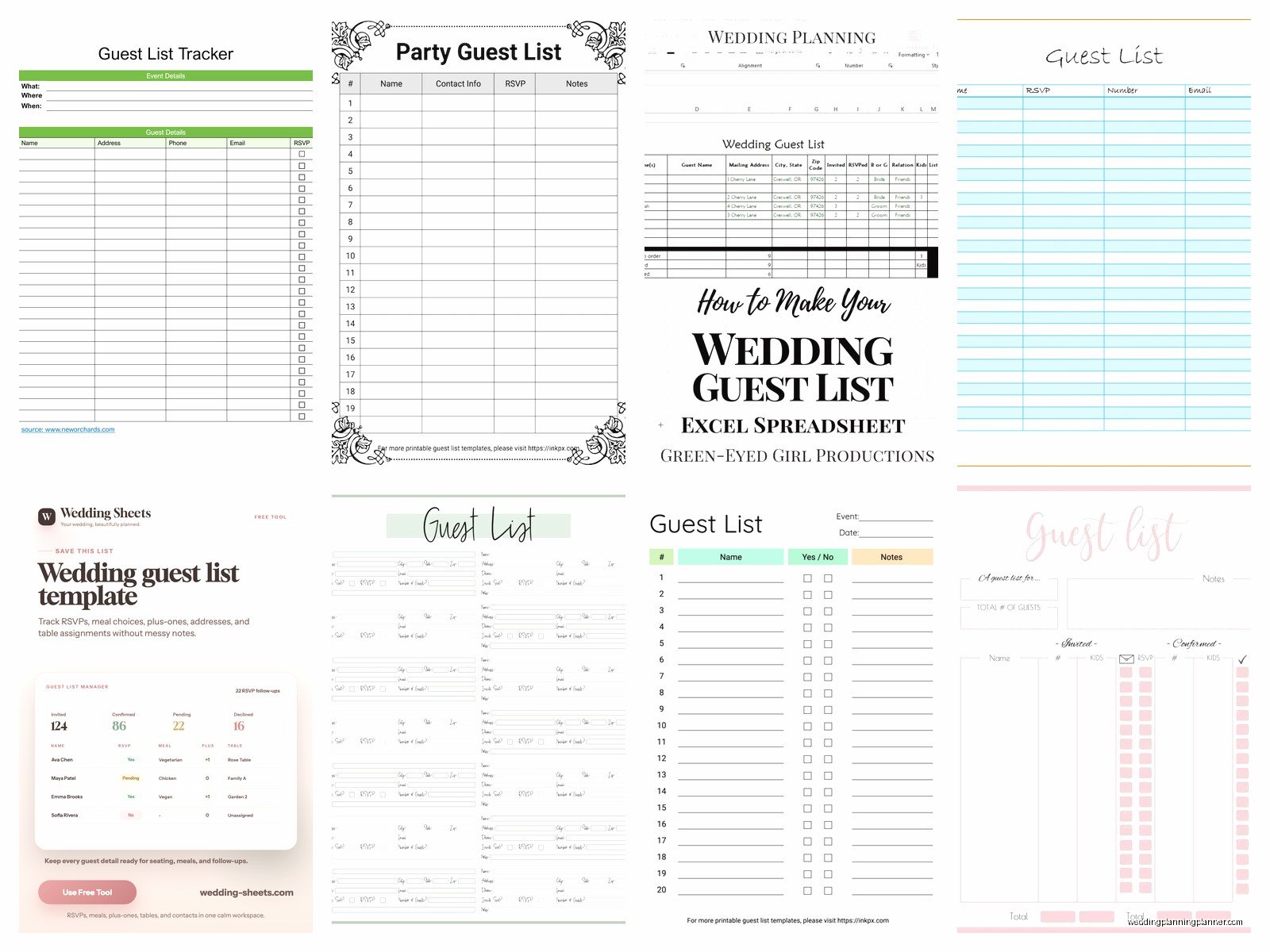
Gift tracking is optional and some people find it tacky but honestly it’s practical for thank you notes. You can skip it if you want but then you’re gonna be three months post-wedding trying to remember if the crystal vase came from your college roommate or your husband’s coworker.
Where to Actually Find Free Templates
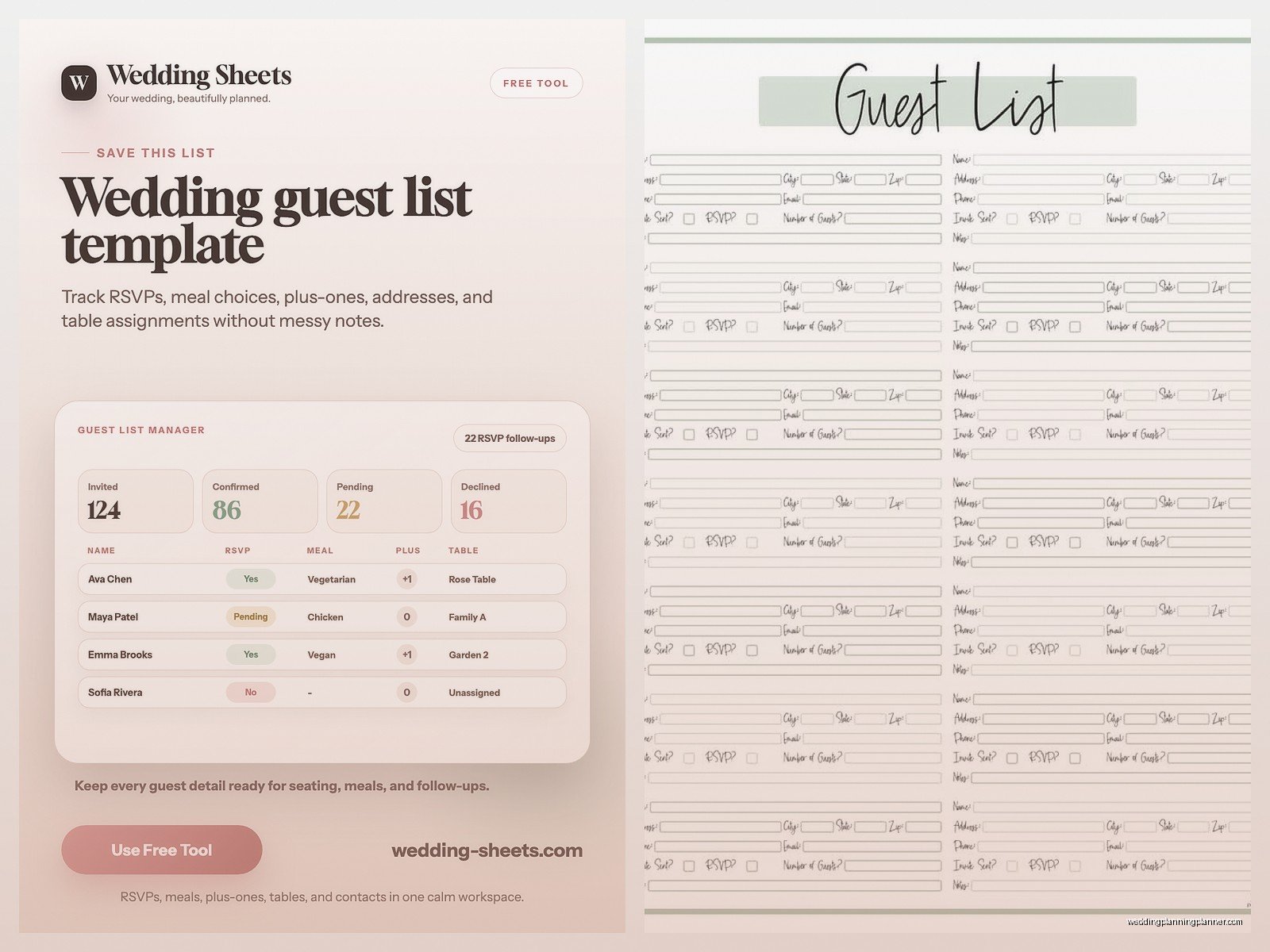
Google Sheets has a bunch of free wedding guest list templates if you just search in their template gallery. The nice thing about Google Sheets is multiple people can edit it at the same time, so you and your partner can both update it, or your mom can add addresses for her side of the family without you having to play middleman. I use Google Sheets for like 90% of my client planning because it’s just… accessible from anywhere.
Microsoft Excel also has templates if you search “wedding guest list” in their template section. These are usually a bit fancier looking with color coding and stuff already set up. The downside is you need Excel or at least the free online version, and if you’re sharing it back and forth via email you end up with seventeen versions called “GuestList_FINAL_v3_ACTUAL_FINAL_ForReal.xlsx” which is its own special kind of chaos.
Etsy has free templates too, though you gotta search through all the paid ones. Some designers offer a basic version for free and then sell upgraded versions with extra features. Just make sure it’s actually free and not one of those “free with purchase” situations that tricks you.
The Knot and other wedding websites have downloadable templates. They’re fine, pretty standard. Nothing fancy but they work. My cat just knocked over my coffee while I’m writing this so excuse me if this gets a little scattered.
Setting Up Your Template the Smart Way
Okay so once you’ve downloaded whatever template you picked, you gotta customize it to actually work for your wedding. First thing I do is add a column for “group” or “family” – this lets you sort everyone so the Smith family is together, your college friends are together, etc. Makes it SO much easier when you’re doing seating arrangements later.
Add a column for “side” meaning bride’s side or groom’s side or “both” for mutual friends. This helps you keep track of whether you’re inviting way more people from one side and need to balance things out, plus it’s useful for organizing who sits where at the reception.
I also always add an “invitation tier” column even though it sounds kinda harsh. Like A-list is definitely invited, B-list is invited if you have room, C-list is only if a bunch of people decline. It sounds mean but literally every wedding has this whether they admit it or not, and having it written down prevents arguments later about whether you “have to” invite your partner’s third cousin twice removed.
Color coding is your friend here. I usually do green for confirmed yes, red for confirmed no, yellow for still waiting on RSVP. Makes it super visual when you’re scanning through trying to get a quick headcount.
The Stuff That Always Gets Forgotten
Plus-ones are weirdly complicated to track. You need to note who’s invited with a plus-one versus who’s in a committed relationship where you’re inviting their partner by name. Makes a difference for escort cards and seating charts. I had this one couple in spring 2023 who didn’t track this clearly and ended up with place cards that said “Sarah Johnson and Guest” when the guest was actually her husband of ten years. Awkward.
Kids are another tracking nightmare. Are you doing adults-only? Are some kids invited but not others? Do you need to track ages for meal planning because toddlers eat different food than teenagers? I usually add a “children invited” column with either yes/no or the actual number of kids from that family who can come.
Dietary restrictions need their own column, not just buried in notes. Vegetarian, vegan, gluten-free, kosher, halal, allergies – your caterer is gonna need this organized clearly. I’ve seen couples try to track this on paper napkins or in random text messages and it never ends well.
International guests need special attention too. Different mailing address format, possible language barriers, they might need more advance notice for travel planning. I usually flag these somehow so I remember to send their invitations earlier.
Actually Using the Template Without Losing Your Mind
Start filling it out as soon as you start planning, not right before you need to send invitations. You think you’ll remember everyone but you won’t. Your partner will suggest someone random at 2am three weeks before the wedding and you’ll be like “who even is that” and then it turns out it’s his childhood best friend and you almost didn’t invite him because you were working from memory instead of a complete list.
Get addresses early. Like, annoyingly early. People are terrible at sending you their addresses even when you directly ask. I send my couples a form letter they can copy-paste or text that’s like “We’re getting married on [date]! Please send us your current mailing address for our save-the-date.” Start collecting these like six months out if you can.
Update the template in real-time when RSVPs come in. Don’t let them pile up in a stack on your counter or sit unread in your email. Enter them immediately or you’ll end up with that thing where you’re not sure if you already counted someone or not… and then you’re texting people asking if they already RSVP’d which makes you look disorganized.
Back up your template. Seriously. Google Sheets does this automatically but if you’re using Excel, save it to cloud storage or email yourself a copy or something. I cannot tell you how many panicked calls I’ve gotten from people who lost their entire guest list because their laptop died.
The Formulas That Actually Help
If you’re even slightly comfortable with spreadsheets, add some basic formulas. A count formula for total guests invited, total confirmed yes, total confirmed no, total still pending. This gives you running numbers without having to manually count every time.
A percentage formula for response rate is helpful too – like, if you’ve gotten responses from 60% of invited guests, you know you need to follow up with the other 40%. Otherwise you’re just guessing at how much chasing you still need to do.
Conditional formatting can highlight anyone who hasn’t responded after a certain date. You can set it up so rows turn red if the RSVP deadline passed and they haven’t answered. Makes it really obvious who you need to track down.
Sum formulas for meal counts – total beef, total fish, total vegetarian, whatever. Your caterer needs final numbers and they need them broken down by meal choice, so having this auto-calculate saves you from counting manually and probably getting it wrong.
Common Template Mistakes That Drive Me Nuts
Okay so the thing that REALLY annoys me is when people make their templates too complicated. I’ve seen templates with like 40 columns including stuff like “how we met this person” and “gift preference” and “favorite color” and it’s just… you’re planning a wedding, not conducting a census. Keep it simple enough that you’ll actually maintain it.
Not leaving enough room for notes is another issue. The notes column should be wide. You need space to write “Mom says they’re probably not coming but waiting to hear about Jerry’s surgery” or whatever the situation is. One word notes don’t cut it three months later when you’ve forgotten the context.
Forgetting to track save-the-date versus invitation status separately. These are different mailings! You need to know who got a save-the-date and who got an invitation and who got both, especially if your lists changed between the two.
Not coordinating with your partner. I see this all the time where one person is updating the list and the other person has no idea what’s current. You both need access and you both need to actually use it. Otherwise you get the situation where one of you promises someone they’re invited and they’re not on the list and it becomes this whole thing.
Extra Tracking Stuff You Might Want
Bridal shower and bachelor/bachelorette party invites can go in the same template with separate columns. Keeps everything centralized instead of having multiple lists floating around. Just add columns for “invited to shower” and “invited to bachelor party” or whatever events you’re planning.
Rehearsal dinner is another subset of your main guest list. Usually it’s just wedding party plus immediate family but every wedding is different, and you need to track who’s coming to that too.
Thank you note tracking is something you can add later. Columns for gift received, gift description, thank you note sent. Future you will appreciate having this organized when you’re writing notes at midnight three weeks after the wedding because you procrastinated.
Hotel room blocks if you’re doing those – track who needs hotel info, who booked in your block, confirmation numbers if you’re really organized. This is more advanced but helpful for destination weddings or if you have a lot of out-of-town guests.
When the Template Isn’t Enough
Sometimes you need more than a spreadsheet can handle. If your wedding is over like 200 people, you might want actual wedding planning software. There are free options like Wedding Wire and The Knot that have built-in guest list management with RSVP tracking through their websites.
But honestly for most weddings, a well-organized spreadsheet template works perfectly fine. I’ve planned weddings with 300 guests using just Google Sheets. You don’t need fancy software unless you want it or unless you’re dealing with really complex situations like multiple events across different countries or something.
The key is picking one system and sticking with it. Don’t start with a template, then switch to an app, then go back to paper, then try a different template. That’s how people end up with incomplete data everywhere and no single source of truth about who’s actually coming to their wedding.
Just pick something free that has the columns you need, customize it a bit for your specific situation, and then actually use it consistently. That’s literally the whole secret. It’s not complicated, it just requires you to stay organized and keep it updated, which I know is easier said than done when you’re also picking flowers and tasting cake and dealing with family drama about the seating chart, but trust me, future you will be so grateful you kept good records from the start instead of trying to reconstruct everything later from memory and scattered notes
