
Planning Guides, Style Guide
FedEx Wedding Invitations: Shipping Store Printing
Mar
So You’re Thinking About FedEx Office for Your Wedding Invitations
Okay so FedEx Office (they used to be called Kinko’s if you’re old like me) is actually a pretty solid option for printing wedding invitations if you know what you’re doing. I had this bride back in spring 2023 who waited until literally six weeks before her wedding to finalize her invites and we needed something FAST, and FedEx Office saved our butts honestly.
The thing about FedEx is they’re everywhere. Like you can find one in basically any city, they’re open late, and you can walk in with a USB drive or email them a file. But here’s what really matters—they’re not a specialty wedding printer, so you gotta manage your expectations and know exactly what to ask for.
What They Can Actually Print
FedEx Office does digital printing, which is different from letterpress or foil stamping or any of that fancy stuff. Digital printing is basically like a really high-quality office printer. It’s gonna look clean and professional, but it won’t have texture or dimension. For most weddings? Totally fine. For a black-tie formal affair where your mother-in-law is judging everything? Maybe reconsider.
They can print on different cardstock weights. You want to ask for 110lb cardstock minimum. I usually recommend 130lb if they have it because it feels more substantial. The 80lb stuff feels like a flyer someone hands you outside a concert and that’s not the vibe.
Here’s what I’ve successfully gotten printed at FedEx Office:
- 5×7 invitation cards
- 4×6 RSVP cards
- Enclosure cards for hotel info or directions
- Envelope liners (printed flat, then you cut and glue them yourself)
- Belly bands
- Programs
- Menu cards
- Place cards
- Thank you cards
They cannot do envelope printing directly on the envelopes most of the time—some locations have the equipment but most don’t. You’ll need to either hand-address, print labels, or use a workaround I’ll explain later.
File Preparation Is Everything
This is where people mess up constantly. You can’t just bring in a Pinterest screenshot and expect them to recreate it. You need print-ready PDF files with the correct dimensions and bleed.
If you’re designing yourself in Canva (which honestly works fine for simple designs), set your document size to the exact finished size plus 0.125 inches on each side for bleed. So for a 5×7 invite, you’d create a 5.25×7.25 document. Then make sure any background colors or images extend all the way to the edge.
Export as PDF, highest quality setting. Go to FedEx Office’s website and use their online system to upload, or bring it on a USB drive. I always bring a backup on my phone too because USB drives are kinda unreliable and I’ve had them fail at the worst times.
One thing that annoyed me SO much is that different FedEx locations have different levels of expertise. I’ve walked into one where the employee knew exactly what CMYK color profiles were, and another where the person looked at me like I was speaking another language when I asked about cardstock weight. So you might need to call ahead or visit in person first to gauge their knowledge level.
The Color Situation
Digital printing can be weird with colors. What you see on your screen won’t be exactly what prints. This is because screens use RGB (light-based color) and printers use CMYK (ink-based color). Navy blue often prints more purple-ish than you expect. Sage green can look more olive.
Always always always do a test print. FedEx Office will charge you like $2-5 for a single print and it’s the best money you’ll spend. Look at it in natural light, not just under the fluorescent lights in the store.
If you’re doing colored cardstock, your options are more limited than specialty wedding printers. Most FedEx locations stock white, cream/ivory, and maybe a few basic colors. You can sometimes bring your own paper but not all locations allow it, and if they do, they’ll charge you a fee plus you take on the risk if the paper jams their equipment.
Pricing and Timing
This is where FedEx actually shines compared to online specialty printers. For 100 invitations on 110lb cardstock, you’re looking at roughly $50-80 depending on your location. That’s just the invitation card itself, single-sided. Double-sided adds maybe 30-40% more.
RSVP cards and enclosure cards are cheaper because they’re smaller. Maybe $30-50 for 100 cards.
Turnaround time is usually 24-48 hours for standard orders, or same-day if you’re willing to pay rush fees. That spring 2023 bride I mentioned? We designed everything on a Tuesday, I went in Wednesday morning, picked everything up Thursday afternoon. Try doing that with Minted or Shutterfly.
The catch is you’re doing all the assembly yourself. FedEx prints the cards, but you’re cutting (if needed), stuffing envelopes, adding any ribbons or embellishments, and organizing everything. Which honestly I prefer because you have total control, but it’s labor-intensive.
Envelope Solutions
Since FedEx usually can’t print directly on envelopes, here’s what I do. You can either buy pre-printed envelope labels (they can print these easily), or you can do what I call the “wrap-around” method where you print addresses on regular paper, cut them to size, and use a glue stick to attach them to envelopes. It looks kinda crafty-chic if you do it neatly.
Or just embrace hand-addressing. I know it’s time-consuming but it actually looks really nice and personal. My cat knocked over my ink bottle all over three addressed envelopes once and I wanted to cry, but that’s… that’s not really relevant here.
You can also find calligraphers on Etsy or locally who charge per envelope. Usually $1-3 per envelope depending on style complexity.
What To Bring To Your Appointment
If you’re going in person (which I recommend for the first time), bring:
- Your print-ready PDF files on a USB drive AND emailed to yourself
- A reference image of how you want it to look
- Measurements written down
- Your phone so you can look stuff up if needed
- A sample envelope if you have specific ones you’re using (to make sure the card size fits)
- Patience because sometimes there’s a wait
Ask to speak with someone experienced in printing invitations or design work. Not every employee has the same skill level and you want someone who understands what you’re trying to do.
Design Tips For FedEx Printing
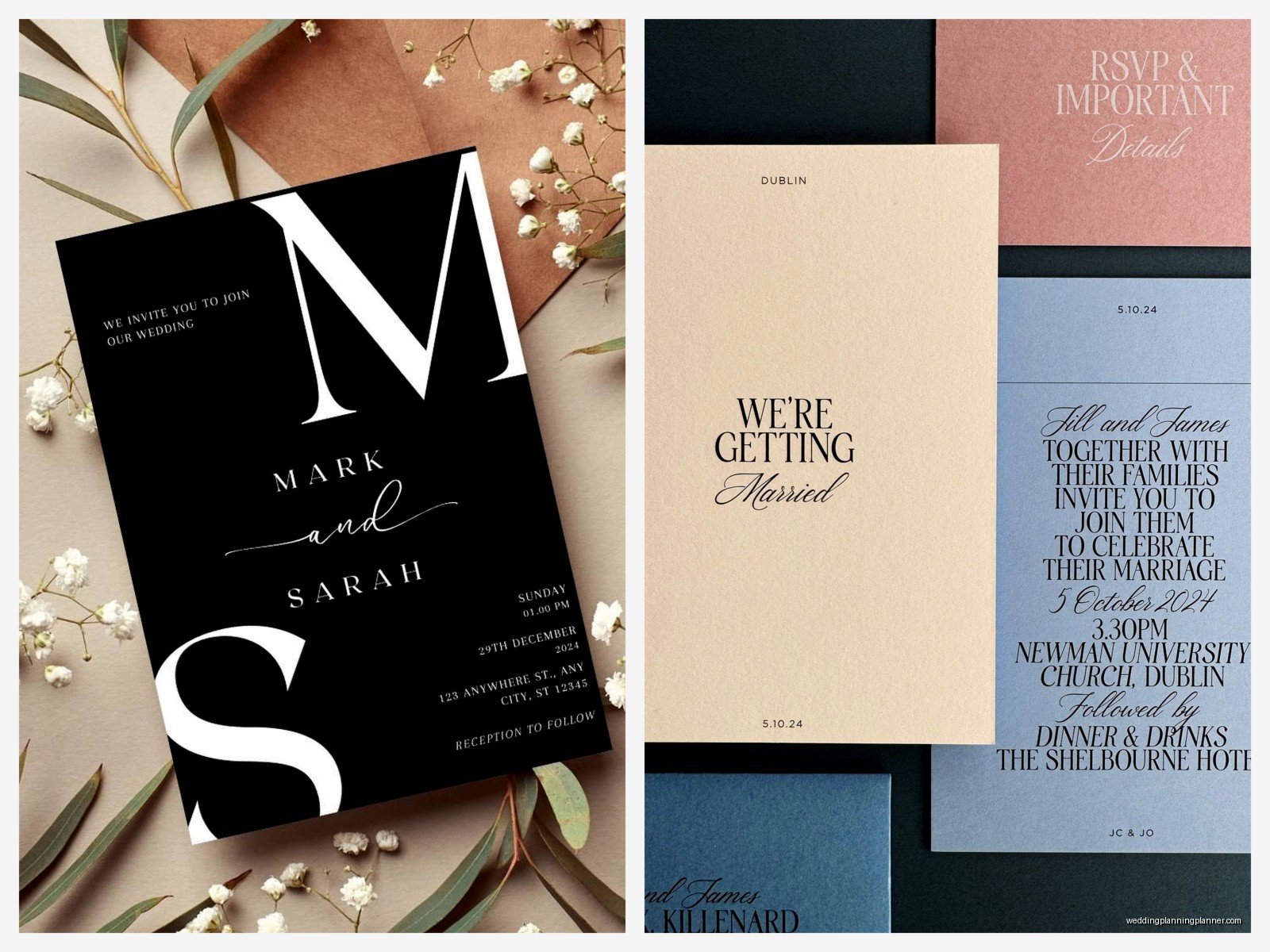
Keep your designs relatively simple. Intricate details can get lost or look muddy in digital printing. Thick fonts work better than thin delicate ones. High contrast is your friend—think dark text on light backgrounds.
If you want a “letterpress look” without actual letterpress, you can create the illusion with design. Use a slightly textured background, keep the layout clean and centered, choose classic serif fonts. It won’t feel like letterpress when you touch it, but visually it can give that vibe.
Borders are tricky because if the cutting isn’t perfectly precise (and it usually isn’t), an uneven border looks really obvious. If you do borders, make them thick enough that slight variations aren’t noticeable, or skip them entirely and do a full-bleed design.
The Assembly Process
Once you pick up your printed cards, you’re gonna need a workspace. I’m talking a big table, good lighting, and probably a podcast or TV show to keep you sane because assembly is repetitive. I rewatched all of The Office while assembling invitations for a 200-person wedding and honestly it made the time go faster.
Get yourself:
- Envelopes (order these early from somewhere like Paper Source or Envelopes.com)
- A bone folder if you’re doing any folding
- Glue dots or double-sided tape for layering cards
- A paper trimmer if you need to cut anything
- Envelope moistener (don’t lick 100 envelopes, trust me)
Set up an assembly line. Seriously, don’t do one invitation start-to-finish then move to the next. Do all of one step for all invitations, then move to the next step. It’s so much faster.
When FedEx Office Might Not Be The Right Choice
Look, I’m being real with you—if you want foil stamping, letterpress, laser cutting, or specialty finishes, FedEx isn’t gonna cut it. They do what they do well, but they’re not a specialty printer.
Also if you’re completely design-challenged and need someone to create the design for you from scratch, you’ll need to hire a designer separately. FedEx employees aren’t designers (though some locations have design services for an extra fee, but it’s hit-or-miss quality).
And if you’re having a super formal wedding where every detail needs to be absolutely perfect and luxurious, you might want to invest in a higher-end printing method. There’s a certain level of… I don’t know how to describe it… a certain level of “special occasion” feeling that specialty wedding printers provide that FedEx just doesn’t quite hit.
My Actual Process With Clients
When I’m working with a bride who wants to use FedEx Office, here’s what we do. First, we nail down the design using Canva or if they’ve hired a designer, we get the files from them. Then I personally go to the FedEx Office location we’ll be using and talk to the print supervisor. I explain what we’re doing, ask about their equipment and paper stock, and do a single test print.
If the test print looks good, we place the full order. I always order 10-15% extra because mistakes happen during assembly. You’ll mess up some envelopes, or realize you forgot Aunt Susan, or whatever.
For that spring 2023 wedding I keep mentioning, we did a sage green and gold design—well, it was supposed to be gold but since FedEx doesn’t print metallic, we used a mustard yellow that looked gold-adjacent. The bride was stressed about the color not being real gold, but honestly once everything was assembled with cream envelopes and some gold ribbon we added ourselves, it looked really pretty. Sometimes you gotta work with what you’ve got and just make it work.
Comparing Costs Real Quick
Just so you have context, here’s rough pricing for 100 invitations:
FedEx Office route: $80 printing + $25 envelopes + $15 embellishments/supplies = $120 total plus your time
Minted or similar: $200-400 depending on options, longer turnaround time but they arrive finished
Etsy template + FedEx: $15-40 template + $80 printing + $25 envelopes = $120-145 total
Specialty wedding printer: $400-1000+ depending on printing method
So yeah, FedEx is definitely the budget-friendly option if you’re willing to DIY the assembly.
Random Tips That Don’t Fit Anywhere Else
Weekday mornings are the best time to go to FedEx Office because they’re less busy. Avoid lunch hour and after 5pm.
If you’re printing programs or menus in addition to invitations, you can often get a volume discount if you’re ordering everything at once.
The paper trimmer at FedEx Office is usually available for customer use—ask if you can use it for cutting things to size rather than paying them to do it.
Some locations have self-service printing kiosks where you can print smaller quantities yourself for cheaper, but the quality isn’t quite as good as their professional printing.
If your order gets messed up (wrong paper, colors are way off, whatever), speak up immediately. They’ll usually reprint at no charge if it’s their error, but you need to catch it right away, not after you’ve left the store.
