
Planning Guides, Style Guide
Bridesmaid Proposal Template: Will You Be My Downloads
Jul
So You Want Bridesmaid Proposal Downloads That Actually Work
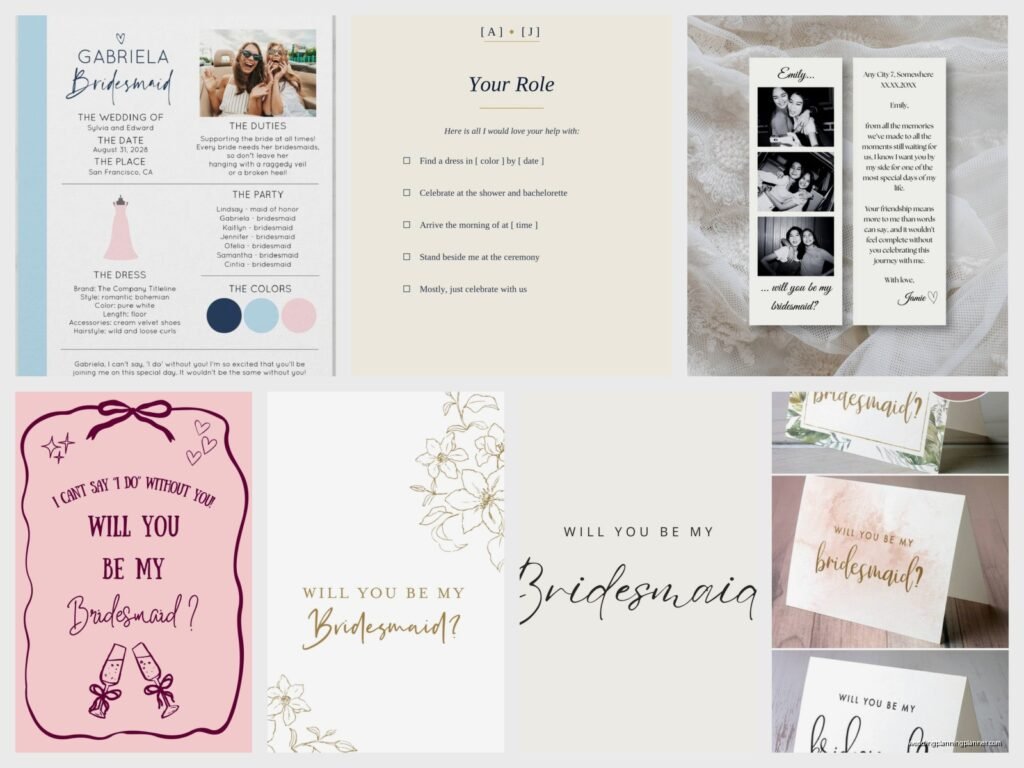
Okay so bridesmaid proposal templates are literally everywhere right now and honestly some of them are absolutely terrible which kinda drives me crazy because this is supposed to be a meaningful moment not just another Pinterest fail waiting to happen. The whole “will you be my bridesmaid” download trend exploded around 2019 and it’s not going away but you need to know what actually works versus what’s gonna sit in your downloads folder forever.
First thing—you need to figure out what format makes sense for your actual plan. Are you printing these? Texting them? Creating a whole gift box situation? Because I had this bride in spring 2023 who downloaded like fifteen different templates and then realized none of them matched her printer capabilities and we had to scramble at FedEx Office at 9pm on a Thursday which was not my idea of fun.
Types of Templates You’ll Actually Find
There are basically four main categories and they all serve different purposes so don’t just grab the prettiest one:
- Printable cards – These are usually 5×7 or 4×6 sized PDFs that you print at home or send to a print shop. They’re straightforward and classic.
- Digital cards – Made for texting or emailing, these are sized for phone screens and usually come as JPGs or PNGs.
- Puzzle templates – You print these and they literally become a jigsaw puzzle your bridesmaids put together to reveal the message. Cute but honestly more work than most people realize.
- Scratch-off designs – You need to buy scratch-off stickers separately and apply them over the “will you be my bridesmaid” part. These are adorable but require craft supplies.
Where to Actually Download These Things
Etsy is the obvious answer and yeah it’s where most people go. You’ll find tons of options ranging from $3 to $15 usually. The thing is you gotta read the reviews because some sellers give you a file that’s literally impossible to edit or it’s super low resolution and looks pixelated when you print it. I always tell brides to check if it says “instant download” and whether it’s editable or not.
Creative Market has really professional options if you want something that looks less DIY. They’re usually $8-$20 but the quality is consistently better. Canva also has templates now that you can customize directly in their platform which is honestly pretty genius for people who aren’t design-savvy. You don’t download anything until you’re done editing.
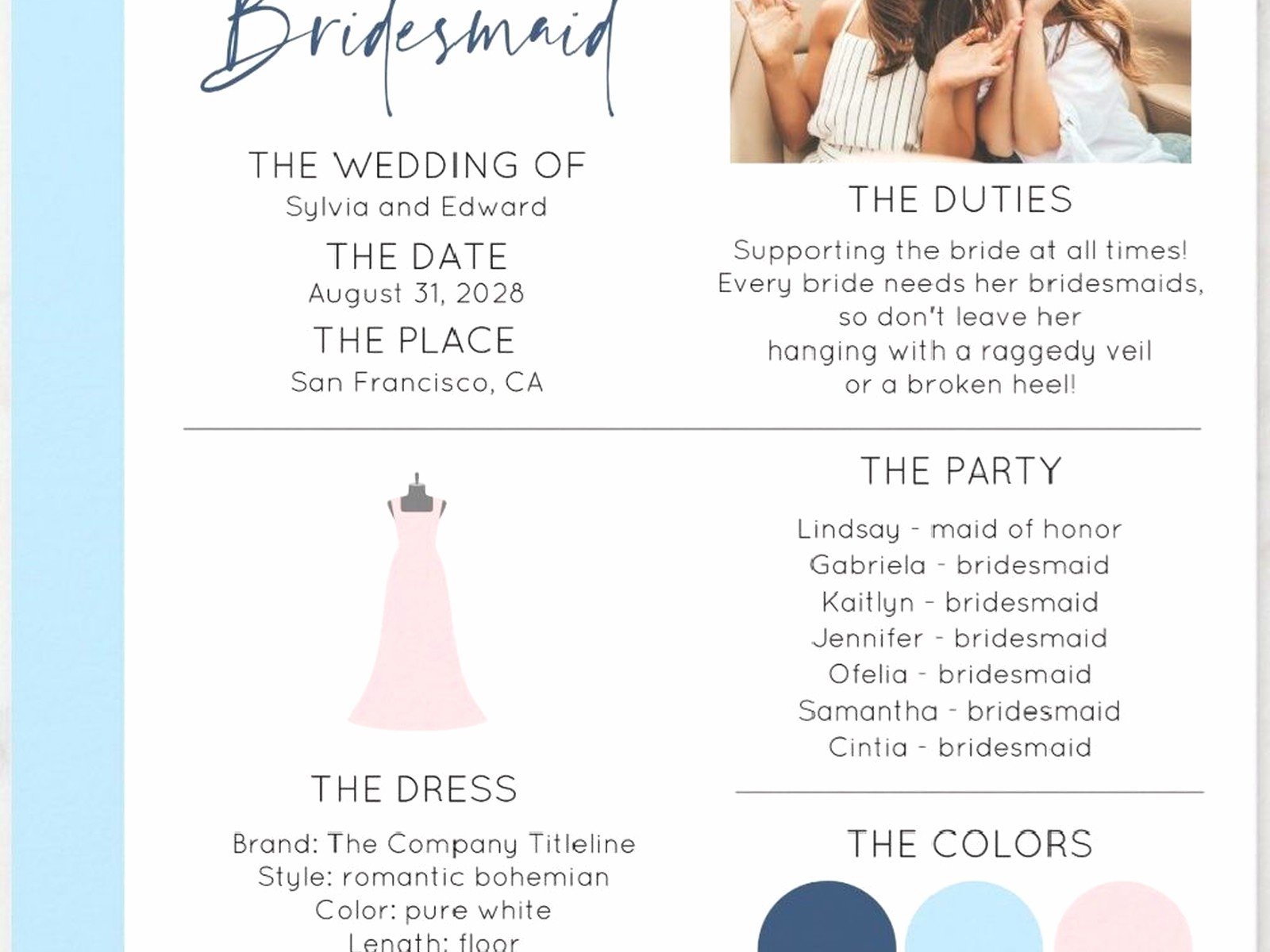
There’s also places like Minted and Greenvelope that do digital invitations and they’ve added bridesmaid proposals to their collections. These are pricier—like $2-$5 per card—but they handle all the digital delivery for you which might be worth it if you’re already overwhelmed.
What Makes a Template Actually Good
This is where I get annoyed because so many templates look gorgeous in the preview but are actually a nightmare to use. Here’s what you need:
Editable text fields – If you’re buying a template, make sure you can change the names, dates, or any personalization. Some templates are flat images which means you can’t change anything without Photoshop skills. The listing should clearly say “editable in Canva” or “editable PDF” or “Templett template” or whatever platform it uses.
High resolution – Look for at least 300 DPI if you’re printing. Anything less will look blurry. Digital-only cards can be 150 DPI and they’re fine for screens.
Clear instructions – The seller should include a PDF or text document explaining exactly how to download, edit, and print or send your cards. If there’s no mention of instructions, that’s a red flag.
Multiple formats – Good sellers give you options like both PDF and JPG, or different size variations in one purchase.
Actually Using Your Downloaded Template
So you bought the thing, now what? This is where people get stuck and I see it constantly.
If It’s a Canva Template
These are probably the easiest honestly. You’ll get a link that opens directly in Canva. You click it, the template loads, and you can edit everything right there—colors, fonts, text, you name it. Once you’re done you download it as a PDF for printing or a JPG/PNG for digital sharing. My cat literally walked across my keyboard while I was editing one of these last month and somehow made the font comic sans and I didn’t notice until I’d already sent it to the printer so… double-check your work.
If It’s a Templett Template
Templett is this platform that lets you edit PDFs in your browser. You’ll get an access code with your purchase, you enter it on the Templett website, and boom—you can edit and download. It’s pretty intuitive but you usually can’t change as much as you can in Canva. Like the layout is locked but you can change text and sometimes colors.
If It’s a Corjl Template
Similar to Templett but slightly different interface. You edit online, download when ready. These are super popular for party printables and have gotten big in the wedding space too.
If It’s Just a PDF or JPG
Okay so if the file isn’t editable at all, you’ll need to add personalization yourself using a program like Photoshop, Illustrator, or even PowerPoint if you’re scrappy. Or you might need to handwrite names which can actually be really sweet and personal but also nerve-wracking if your handwriting is terrible.
Printing Your Templates
This is where the rubber meets the road and where things often go wrong. You’ve got options:
Home printing – Cheapest option obviously. You need decent cardstock (I recommend 110lb cover weight), a good quality printer, and patience. Your regular printer paper will look cheap and flimsy so don’t even try it. Also make sure you do a test print on regular paper first because I cannot tell you how many times people waste expensive cardstock on a formatting error.
Print shops – Places like FedEx Office, Staples, or local print shops can print your PDFs for usually $1-3 per card depending on size and paper quality. This is actually my recommended route for most people because the quality is just better and you don’t have to deal with your printer jamming or running out of ink at the worst possible moment.
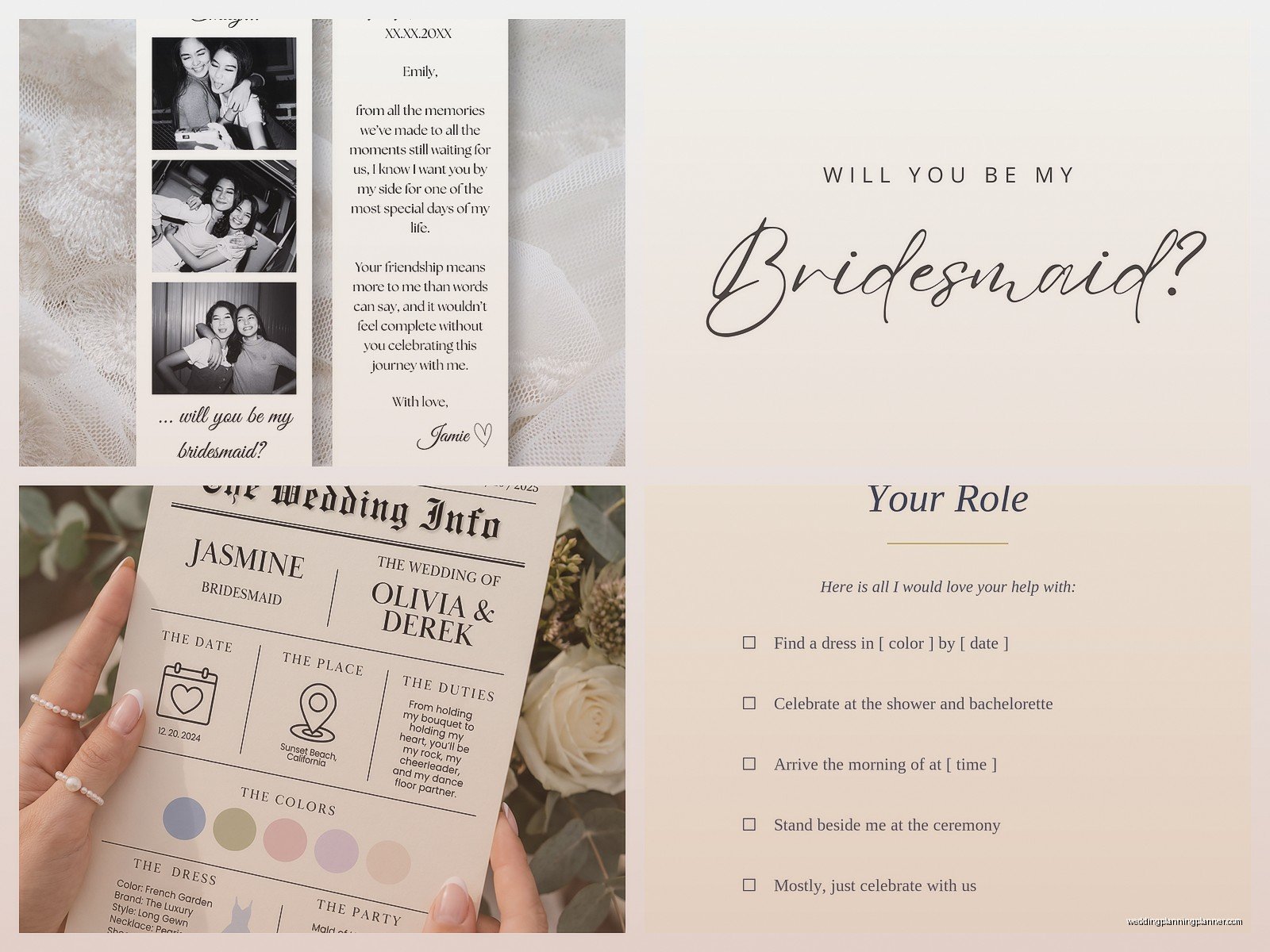
Online printing services – Websites like Printique, Artifact Uprising, or even Costco Photo Center let you upload your files and they mail you the finished cards. This takes more time (usually 5-10 days) but the quality is professional and the prices are reasonable.
The Presentation Part Everyone Forgets About
So you’ve got your printed or digital cards ready and now you need to actually give them to your bridesmaids. This is where the whole thing either feels special or kinda falls flat.
For printed cards you can just hand them over but most people do a little more. Common ideas include putting the card in a gift box with some goodies—mini champagne bottle, a candle, some chocolates, a scrunchie in your wedding colors, whatever feels right. The card becomes part of a bigger moment.
Or you mail them if your bridesmaids are far away. Get some nice envelopes, maybe add some washi tape or a wax seal if you’re feeling fancy. The card itself might be a $5 template but the packaging makes it feel more significant.
For digital cards you’re obviously texting or emailing them. I know it feels less personal but honestly some bridesmaids prefer this especially if they’re not big on physical clutter. You can text the card image with a voice memo or follow up with a phone call. Or do a video call and screen share the card which sounds weird but I’ve seen it work really well for long-distance situations.
Customization Ideas That Actually Matter
Most templates let you personalize at least a little bit and you should definitely use that opportunity. Add each bridesmaid’s name obviously. If the template has space you could add:
- A specific memory you share with that person
- Their role if you’re having different titles (maid of honor, bridesmaid, junior bridesmaid)
- A nickname or inside joke
- The wedding date
- A personal note about why you want them in your wedding party
That last one is huge honestly because generic cards are fine but cards that reference your actual friendship are what people keep and frame and post on social media which… if we’re being real that’s part of why people do these in the first place.
Budget Reality Check
Let’s talk money for a second because this can get expensive fast if you’re not careful. A template download costs $3-15. Printing costs maybe $1-3 per card if you outsource it or $10-20 for cardstock if you print at home. Envelopes are another $5-10 for a set. If you’re doing gift boxes you’re looking at $20-50+ per person depending on what you include.
So for six bridesmaids you could spend anywhere from $20 (digital cards only) to $400+ (elaborate gift boxes with multiple items). Most people land somewhere in the middle around $100-150 total.
There’s absolutely nothing wrong with keeping it simple with just a nice card. The proposal itself is what matters not how much you spent on… wait I’m getting sidetracked but basically don’t let Pinterest make you feel like you need to spend a fortune on this.
Timing This Whole Thing
You wanna ask your bridesmaids pretty soon after getting engaged but not like immediately. Give yourself a week or two to think about who you really want standing with you because this decision is harder to undo than people think. I had a bride in summer 2021 who asked eight people within 48 hours of getting engaged and then realized she’d asked some people out of obligation rather than genuine closeness and it created drama for months.
Most people ask bridesmaids 8-12 months before the wedding. Earlier if you’ve got a short engagement or if you need them to help with planning. Later works too but you risk people already having conflicts or commitments.
If you’re ordering printed cards or gift boxes build in at least 2-3 weeks for everything to arrive and for you to assemble stuff. Digital cards you can obviously send immediately once you’ve customized them.
Common Mistakes I See All The Time
Okay rapid fire things that go wrong:
- Buying a template in the wrong file format—make sure you can actually open and edit whatever you’re buying
- Not checking the template dimensions before printing which results in weird cropping
- Forgetting to proofread and sending cards with typos (guilty of this myself)
- Choosing a super trendy design that won’t age well in photos
- Making the cards so elaborate that they take forever to put together and you get burnt out
- Not considering your bridesmaids’ different situations—like sending a puzzle to someone who’s moving apartments might not be ideal
Do You Even Need a Template
Honestly? Nah not really. You can absolutely just call or text your bridesmaids and ask them directly. The template thing is fun and makes for good photos but it’s not required for a valid bridesmaid proposal. Some of the most meaningful asks I’ve seen have been simple conversations over coffee or a handwritten note with no fancy design at all.
But if you want that aesthetic moment and you like having a tangible keepsake then templates are a good tool. They take some of the pressure off figuring out what to say and how to make it special. Just don’t let the template become more important than the actual relationship and the ask itself.
File Management Nobody Talks About
Quick practical thing—once you download your template rename the file something you’ll actually remember. “Bridesmaid_Proposal_Final_FINAL_v3.pdf” lives in everyone’s downloads folder and it’s chaos. Create a wedding folder on your computer and organize this stuff because you’ll need to reference it later or reprint something or whatever.
Also save your edited versions separately from the original template. If you mess something up you want to be able to start over without re-purchasing.
What About Maid of Honor Versus Bridesmaids
Some templates come in sets with a special “maid of honor” version and then regular “bridesmaid” versions. This is nice if you want to differentiate but totally not necessary. You can use the same design for everyone and just personalize the message differently. Or you could do a fancier presentation for your MOH—bigger gift box, more items, whatever feels right.
There’s also templates for flower girls, junior bridesmaids, and other wedding party roles if you need those. Just search specifically for what you’re looking for because not all sellers offer every variation.
The whole download template thing is really just about making the moment feel a bit more official and put-together than a random text at midnight which is honestly how I asked my best friend to be my maid of honor back in the day and she still gives me grief about it. Times have changed I guess and now there’s entire Etsy shops dedicated to this one specific ask but whatever makes you happy and doesn’t stress you out is the right answer here.
