
Planning Guides, Style Guide
Islamic Wedding Invitation Templates: Muslim Downloads
Jul
Getting Started with Islamic Wedding Invitation Templates
Okay so you need Islamic wedding invitation templates and honestly there are SO many options now compared to like five years ago. I remember back in spring 2019 working with this bride Amira who literally cried because she couldn’t find anything that felt authentically Islamic without looking like someone just slapped a crescent moon clipart on a generic template. That really stuck with me because it’s kinda the whole problem with a lot of these downloads – they miss the cultural and religious nuances completely.
First thing you gotta know is where to actually find decent templates. Etsy is gonna be your best friend here honestly. There are Muslim designers who create gorgeous digital downloads specifically for walimas, nikkahs, and the full wedding celebration. You’re looking at anywhere from $8 to $40 for a template pack usually. Canva also has Islamic wedding templates now which is amazing because you can customize them yourself without needing design software, though I’ll be honest the selection is hit or miss.
What Makes an Invitation Specifically Islamic
This is where it gets important. An Islamic wedding invitation isn’t just about adding Arabic calligraphy or geometric patterns (though those are beautiful). You need to think about the actual wording and religious elements. Most Muslim couples want to include Bismillah at the top, or a relevant Quranic verse about marriage. Surah Ar-Rum 30:21 is super popular – it’s the one about tranquility and mercy between spouses.
The wording structure is different too. You’ll often see “Request the honor of your presence at the Nikkah ceremony” rather than just “wedding.” Some families are very specific about separating the Nikkah invitation from the Walima invitation, so you might actually need two different templates. I’ve had clients do three separate events with three different invites which… okay that’s a lot of coordination but if that’s what the family wants, templates make it way easier than starting from scratch each time.
Digital Downloads vs. Print-Ready Files
Alright so when you’re browsing templates, you’ll see terms like “instant download,” “print-ready PDF,” or “editable template” and these mean different things. Instant downloads are usually PDFs that are already designed – you just add your text in specific spots. Print-ready means it’s formatted correctly for professional printing with bleed margins and CMYK color mode (trust me, if you print an RGB file the colors will look totally different than on your screen and that’s annoying as hell).
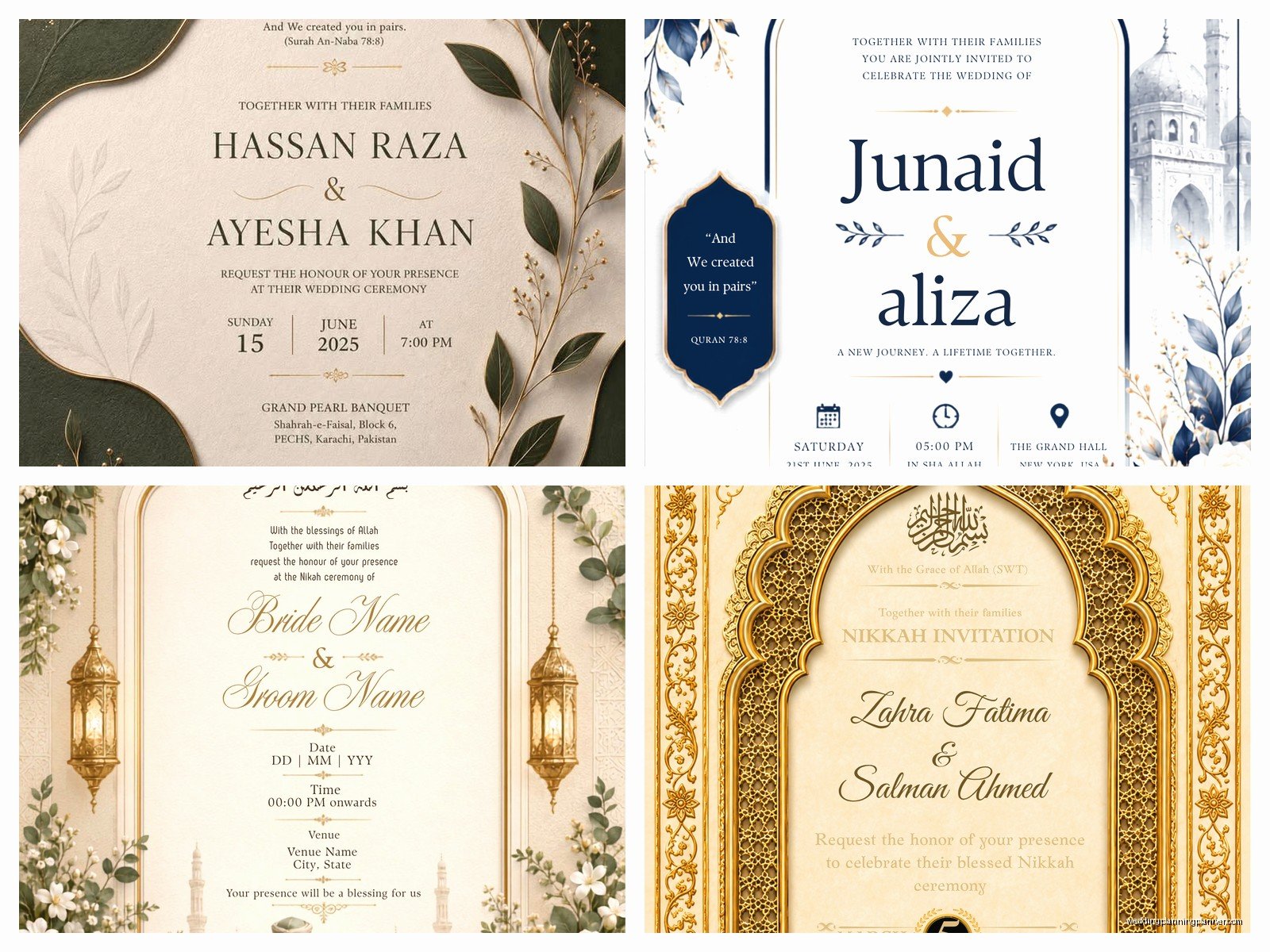
Editable templates are usually Canva links, PowerPoint files, or Photoshop/Illustrator files. Canva is the easiest if you’re not a designer. You click the link, it opens in your browser, you change the text and colors, done. My cat literally walked across my keyboard once while I was editing a Canva template for a client and somehow made the entire color scheme purple… which actually looked better than the original so we kept it.
File Formats You’ll Encounter
PDF is the most common and easiest to work with for printing. You can’t usually edit PDFs unless you have Adobe Acrobat Pro, so these are typically final versions. PSD files are Photoshop format – you’ll need Photoshop to edit these. AI files are Adobe Illustrator – same deal, you need the software. DOCX or PPT files are Word or PowerPoint which most people have access to but honestly these usually look less professional because the fonts don’t embed properly and things shift around.
PNG files with transparent backgrounds are great if you’re assembling your own design or want to layer elements. I use these a lot when a client wants a custom look but we’re working with a tight budget.
Customizing Your Template Without Losing Your Mind
Once you’ve downloaded your template, you’re gonna want to customize it to match your wedding colors and personal style. If it’s a Canva template, this is straightforward – just click on elements and change them. But here’s what annoys me SO much about some templates: designers will group elements in ways that make it impossible to change just one thing without affecting everything else. You want to change the gold accent to rose gold? Congrats, now your text is also rose gold and the border disappeared. Super frustrating.
For Photoshop templates, you need to understand layers. Each element should be on its own layer – text, backgrounds, decorative elements, etc. If a template has everything flattened into one layer, skip it. You can’t customize it properly. Look for templates that specifically say “fully layered” or “editable layers” in the description.
Typography and Arabic Calligraphy
This is huge for Islamic invitations. The Arabic text needs to be correct and beautiful. If you’re adding Bismillah or Quranic verses, please please please have someone who reads Arabic check it. I’ve seen invitations with backwards Arabic text because someone copied it wrong or the software flipped it, and that’s just… not good.
For Arabic calligraphy, you might need to install specific fonts. Most templates will tell you which fonts they used. Some are free (like Amiri or Scheherazade), others you have to purchase. If you don’t want to deal with fonts, look for templates where the Arabic is already embedded as an image rather than editable text.
English fonts matter too obviously. Traditional Islamic designs often pair well with serif fonts like Cormorant or Cinzel for a formal look. Modern Islamic designs might use clean sans-serif fonts. Whatever you choose, make sure it’s readable at small sizes because invitation text can get pretty detailed with all the event information.
What Information to Include
Islamic wedding invitations typically need more information than standard Western invitations because there are multiple events and specific timing considerations. You’ll need the Nikkah ceremony time and location, Walima reception details, dress code (especially important if there are separate men’s and women’s sections), and sometimes Mehndi or other pre-wedding events.
Include both the Islamic date and Gregorian date if your family observes that. Some couples include the full names with family lineage (“daughter of” or “son of”) which is traditional. RSVP information is important – I always recommend including a phone number AND email because different generations prefer different contact methods.
Oh and if your wedding has gender-separated seating or events, you gotta make that clear on the invitation. I had this situation in summer 2021 where guests showed up not knowing there were separate halls and it created this whole awkward moment at the entrance that could’ve been avoided with clearer invitation wording.
Color Schemes and Design Elements
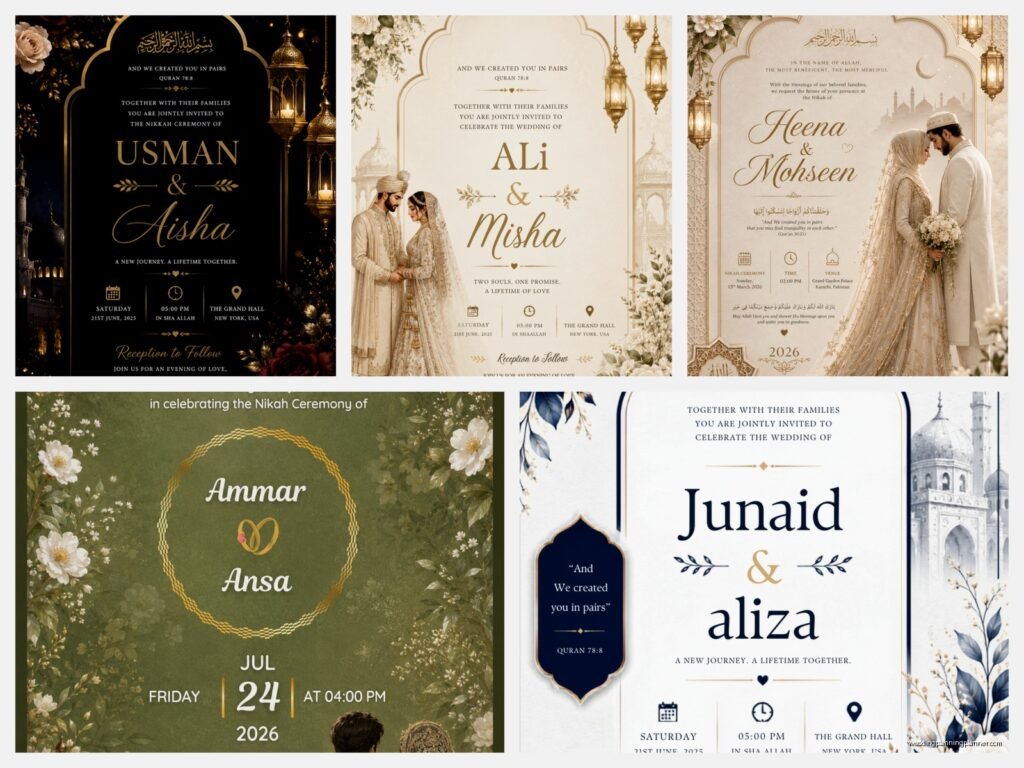
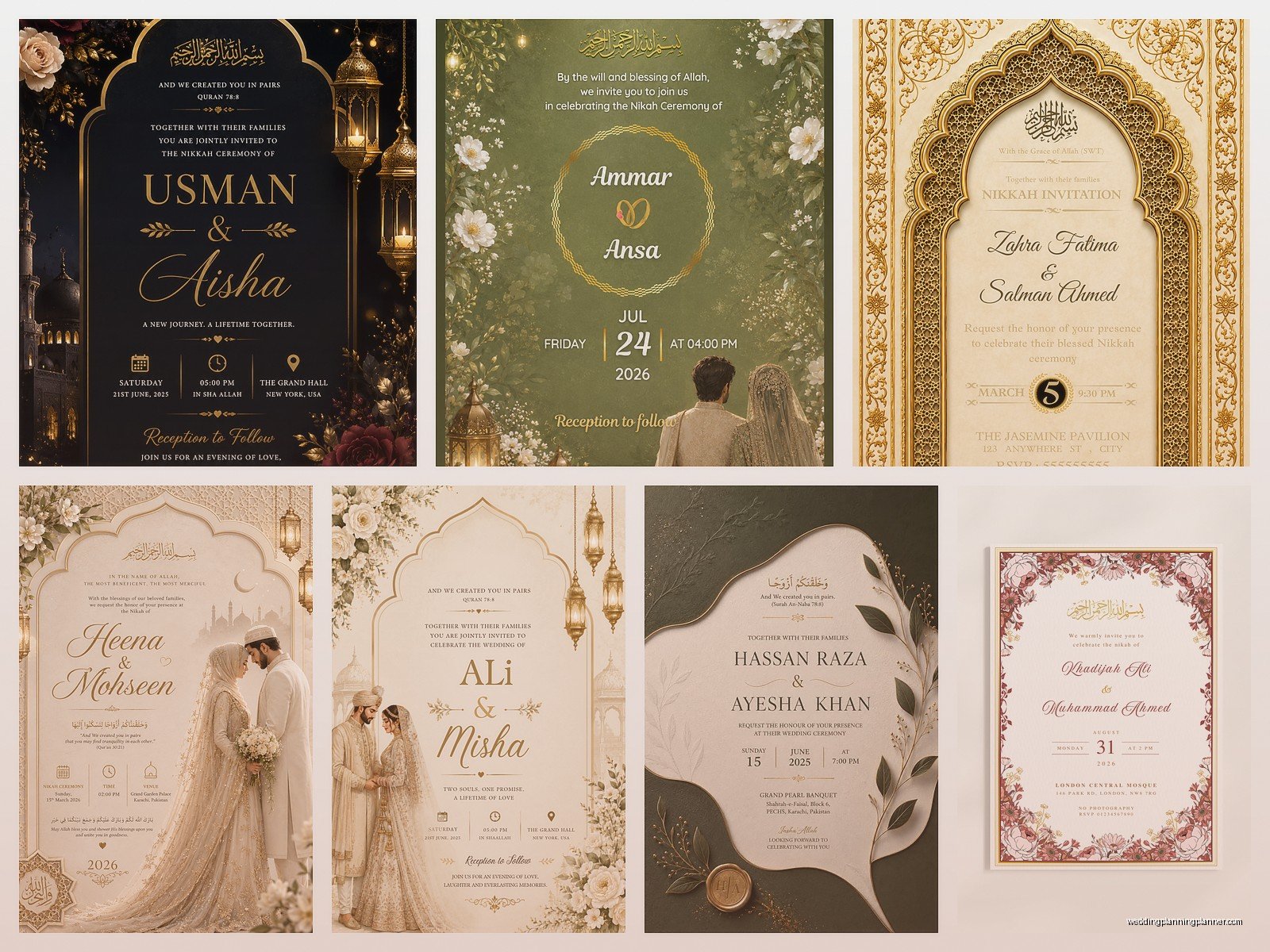
Traditional Islamic design pulls from rich cultural histories – think emerald greens, deep blues, golds, burgundy. Geometric patterns (Islamic tessellations) are huge. Arabesque designs, mandala-style elements, mosque silhouettes, and ornate borders are all common. But honestly modern Muslim couples are doing all kinds of color schemes now. Blush and gold, navy and rose gold, even minimalist black and white with gold foil accents.
The key is that the design should feel respectful and elegant. You probably want to avoid overly casual designs or anything that feels more like a birthday party invitation. This is a sacred ceremony so the invitation should reflect that importance.
Printing Your Templates
Okay so you’ve customized your template and it looks perfect on screen. Now you need to actually print these things. You have a few options. Local print shops can usually handle PDF files and will help you choose paper stock. I always recommend at least 110lb cardstock for invitations – anything lighter feels flimsy and cheap.
Online printing services like Minted, Vistaprint, or Catprint are convenient and often cheaper for large quantities. Upload your PDF, choose your paper and finish (matte, glossy, pearl, etc.), and they ship to you. The turnaround is usually 5-10 business days plus shipping so plan accordingly.
If you’re doing a small wedding, you could print at home on nice cardstock from an office supply store, but be aware that home printers have limitations with color accuracy and paper thickness. Also they jam constantly with thick cardstock which is… I mean it’s a whole thing.
Fancy Printing Options
Foil printing (gold, silver, or rose gold foil accents) looks absolutely stunning on Islamic invitations especially with Arabic calligraphy. It’s pricier though – expect to pay $4-8 per invitation instead of $1-2. Letterpress is another beautiful option where the text is pressed into the paper creating a tactile effect. Embossing raises the design elements which works gorgeously with geometric patterns.
Some Muslim couples do acrylic invitations now which are super modern and unique – the design is printed on clear or frosted acrylic sheets. These run about $8-15 each so they’re definitely a splurge but they make a statement.
Digital Invitations Are Valid Too
Not everyone wants or needs printed invitations and that’s totally fine. Digital Islamic wedding invitations have come a long way. You can create a beautiful PDF and email it, or use services like Greenvelope or Paperless Post that have Islamic-inspired designs. Some couples create animated video invitations with Arabic calligraphy and Quranic verses which is honestly pretty cool.
WhatsApp is huge in Muslim communities so I’ve seen couples send really well-designed image invitations through WhatsApp that include all the event details. Just make sure the file size isn’t so large that it gets compressed and looks pixelated.
For digital invitations, you don’t need to worry about print specifications like CMYK or bleed margins. Design in RGB color mode and save as a high-resolution PDF or PNG. You want at least 150 dpi for digital viewing, though 300 dpi is better if people might want to print it themselves.
Template Resources I Actually Recommend
Etsy shops like “Islamic Designs Co” and “Alhamdulillah Prints” have really authentic templates created by Muslim designers. Creative Market has some good options too though you have to search more carefully. Canva’s Islamic wedding category has expanded a lot – just search “Islamic wedding invitation” and you’ll find editable templates starting at free (with Canva watermark) up to about $12 for premium designs.
If you want something more custom but don’t want to hire a full designer, try downloading a basic template and then purchasing individual Islamic design elements (borders, calligraphy, patterns) from Creative Fabrica or Design Bundles and adding them yourself. This gives you more control over the final look.
Things That Can Go Wrong
Font issues are the biggest problem. You download a template, open it, and half the text is in default Arial because you don’t have the designer’s fonts installed. Always check what fonts are required BEFORE you purchase a template. Some sellers include font files (if they’re allowed to redistribute them), others will list where to download free versions.
Color matching between screen and print is another issue. What looks like a beautiful emerald green on your monitor might print as a darker forest green or even slightly blue-ish depending on the printer’s calibration. If color accuracy is critical, ask the print shop for a proof before they print your full order or… actually just expect that there will be slight variations and don’t stress too much about it.
Size specifications matter too. A template designed for 5×7 invitations won’t look right if you try to print it 4×6 or scale it up to 8×10. The proportions will be off and text might become too small or too large.
Budget Considerations
Islamic wedding invitation templates are honestly one of the best ways to save money on wedding stationery. A custom designed invitation from a professional designer starts around $300-500 just for the design, then you still have to pay for printing. A template costs $10-40 and you can use it for your save-the-dates, invitations, and even thank you cards if you buy a suite.
Printing costs vary wildly. Basic cardstock at an online printer might be $0.50-1.00 per invitation. Fancy paper with foil accents could be $5-8 each. For a 150-person wedding (so roughly 75-100 invitations accounting for families), you’re looking at anywhere from $75 to $800 just for printing depending on how fancy you go.
Don’t forget envelopes which are usually sold separately. You can buy plain envelopes cheap from office supply stores or upgrade to colored envelopes, lined envelopes, or envelopes with printed guest addresses which obviously costs more but looks more polished.
Timeline for Templates
You should start looking at invitation templates about 4-5 months before your wedding date. Order or download your template by 3-4 months out. Customize it and get it finalized by 3 months out. Send to print by 10-12 weeks before the wedding. Mail invitations 6-8 weeks before the Nikkah or main celebration. This gives guests time to RSVP and make travel arrangements if needed.
Rush orders are possible with most online printers but you’ll pay extra fees and have limited paper options. Also stress is not worth it so just… plan ahead if you can.
I’ve probably spent way too much time explaining all this but honestly templates have saved me and my clients so much time and money over the years. Once you find a good one and figure out how to customize it, you’ll wonder why anyone pays thousands for custom designs unless they have a really specific vision that can’t be achieved any other way
