
Planning Guides, Style Guide
Canva Indian Wedding Invitation: Design & Ordering Guide
Mar
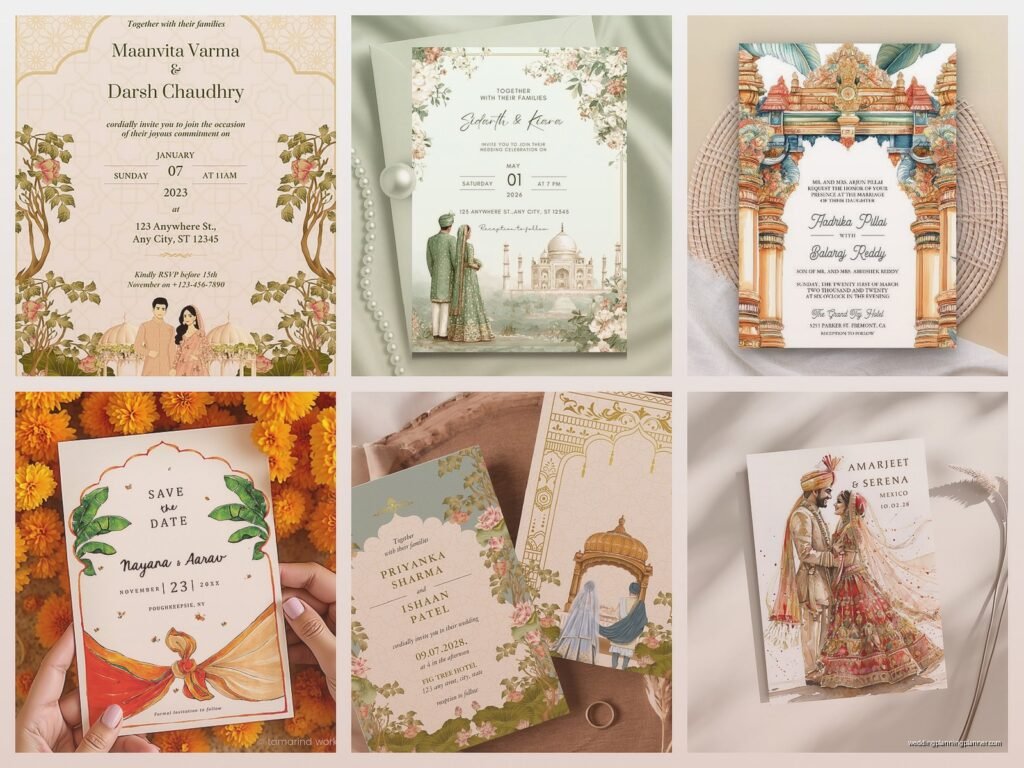
Okay so Canva for Indian Wedding Invitations
First thing you gotta know is that Canva is actually pretty solid for designing Indian wedding invitations if you’re on a budget or if you just want more control than what those generic template sites give you. I had this bride in spring 2023 who came to me absolutely panicked because she’d already paid a designer like $800 for invitations and they kept missing the vibe—too modern, not enough traditional elements, wrong colors entirely. We ended up scrapping that whole thing and doing it ourselves in Canva and honestly? Her invitations looked better and cost maybe $200 total including printing.
The main advantage with Canva is you can see changes in real-time and you’re not waiting three days for a designer to send revisions. But there’s definitely a learning curve if you want them to look professional and not like someone just slapped some clip art together.
Starting Your Design
When you open Canva, don’t just search “wedding invitation” because you’ll get a million templates that are very…white wedding. Very minimalist. Very not what you need. Instead search specifically for “Indian wedding invitation” or even better, search by the specific event—”mehndi invitation” or “sangeet invitation” or whatever.
The free templates are kinda limited but honestly some of them are decent starting points. Canva Pro is like $13/month or something and it’s worth it if you’re doing multiple events because you get way more graphics, fonts, and the ability to resize designs easily. I always tell clients to just get the one-month subscription, do all their designs, download everything, then cancel.
Here’s what annoyed me though—Canva’s “Indian wedding” templates often mix up cultural elements like crazy. You’ll see a Ganesha image next to mandala patterns that are more Southeast Asian, with colors that nobody would actually use for a real Indian wedding. So use templates as structure only, not as your final aesthetic guide.
Setting Up Your Dimensions
Standard invitation size is 5×7 inches but I’ve seen everything from 4×6 to 5.5×8.5 work beautifully. In Canva, click “Custom Size” and enter your dimensions. Make sure you’re working in inches, not pixels, because that’s how printers measure.
If you want a folded card (like a booklet style), you need to think about this differently. A 5×7 folded card means your design canvas should be 10×7 (twice the width). The left half is the back, right half is the front. Or you can do 5×14 for a vertical fold. This trips people up constantly.
Design Elements That Actually Work
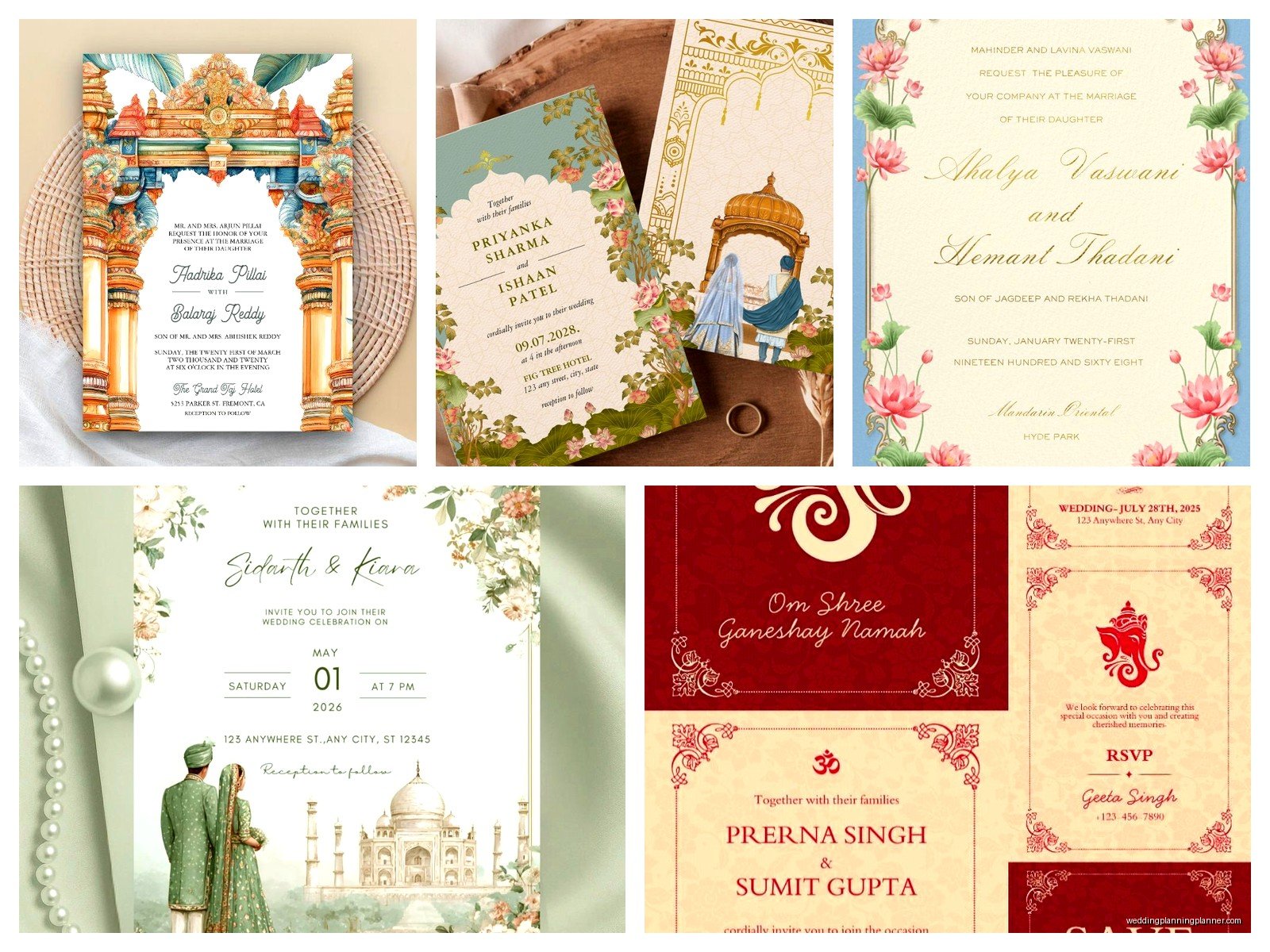
Okay so for traditional Indian wedding invites, you typically want these elements:
- Ganesha or another deity symbol at the top (removes obstacles, very traditional)
- Paisley or mandala patterns as borders or backgrounds
- Rich colors—think deep reds, golds, royal blues, emerald greens, magenta
- Ornate frames or borders
- Maybe some floral elements like lotus or marigolds
In Canva’s search bar, type “paisley,” “mandala border,” “lotus,” “Indian pattern,” etc. The graphics library is huge. With Canva Pro you can search for gold foil elements which look really nice if you’re going for that luxury feel.
One trick I learned is layering transparency. Like you can put a mandala pattern as your background, drop the transparency to maybe 15-20%, then put your text box over it. Looks way more sophisticated than just slapping text on a solid color.
Typography Choices
This is where people mess up the most. You cannot use Comic Sans or some quirky font for an Indian wedding invitation—it’ll look ridiculous. But you also don’t want something too plain.
Good font pairings I use all the time:
- Cinzel or Playfair Display for names and main headings (elegant serif)
- Cormorant Garamond for body text (easy to read, still fancy)
- Bodoni or Italiana for a more art deco Indian fusion look
- Montserrat or Raleway for modern minimal Indian weddings
Mix a decorative font with a simple one. Like your names can be in Cinzel Bold, but the actual invitation wording should be something cleaner. And please, I’m begging you, don’t use more than two or maybe three fonts total. I saw someone use SIX different fonts once and it looked like a ransom note.
Font sizes matter too. Names should be biggest (maybe 36-48pt), event details medium (18-24pt), and secondary info like dress code or registry can be smallest (12-14pt).
Color Schemes That Don’t Look Chaotic
Indian weddings are colorful but that doesn’t mean you should use every color at once. Pick a main color palette—usually 2-3 colors max plus gold or silver as an accent.
Some combinations that work really well:
- Deep red + gold + cream
- Royal blue + fuchsia + gold
- Emerald green + burgundy + gold
- Magenta + orange + gold (very festive, very Rajasthani)
- Teal + coral + gold (more modern)
Notice how gold shows up in literally all of them? Yeah, gold is your friend. It reads as luxurious and traditional without being too much.
In Canva, you can create a custom color palette. Click on any element, then click the color tile, and you’ll see recent colors plus you can add specific hex codes. I keep a running document of hex codes for popular Indian wedding colors so I can stay consistent across mehndi invites, ceremony invites, reception cards, etc.
What Text Actually Goes on These Things
So the wording structure is kinda flexible but traditionally you want:
Top section: Ganesha symbol or “Shubh Vivah” or a short blessing
Host line: Who’s hosting—usually parents’ names like “Mr. and Mrs. Sharma request the honor of your presence” or you can do both sets of parents
Invitation line: “at the wedding ceremony uniting their children” or “cordially invite you to celebrate the marriage of”
Couple’s names: Usually bride’s name first in Indian tradition but honestly do whatever feels right
Event details: Ceremony type (if needed), date, time, venue name and address
Reception details: Either on the same card or a separate insert
RSVP info: Date to respond by, contact info or website
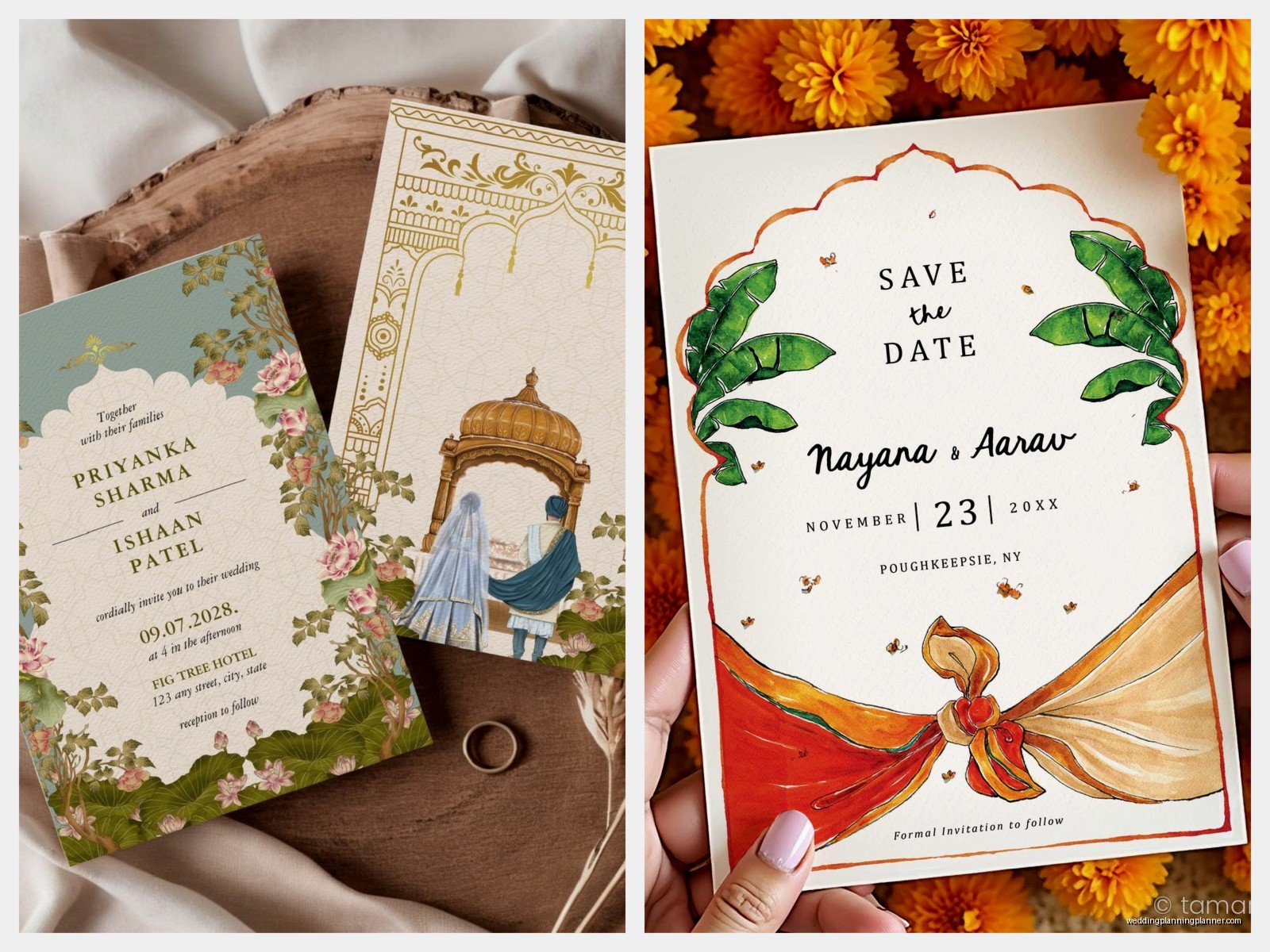
For multiple events (which, let’s be real, most Indian weddings have), you either need multiple cards or you do an itinerary-style invitation with all events listed. The itinerary style is getting super popular and actually works great in Canva because you can make clean little sections for each event.
Personal Story Time
I remember this one time I was designing invitations for a client’s daughter’s wedding—this was probably summer 2021—and we’d gone through like fifteen rounds of revisions. Everything was finally perfect, colors matched the actual wedding decor, wording was approved by both families (which is a miracle), and then the groom’s family suddenly decided they wanted to add a whole paragraph about their family lineage. Like a whole PARAGRAPH. We had to completely restructure the layout and I may have stress-eaten an entire sleeve of Oreos while redoing it. My cat knocked over my coffee during one of the revisions too which… anyway, point is, get all your text approved by everyone BEFORE you start designing or you’re gonna lose your mind.
Adding Photos
Some people want engagement photos on their invitations, some don’t. If you do, Canva makes this pretty easy. Upload your photo, then you can use frames (search “ornate frame” or “Indian frame”) to make it look more intentional and less like a photo booth picture.
You can also remove backgrounds if you have Canva Pro—super useful if you want just the couple without whatever background was in the original photo. The background remover tool is under “Edit Photo” and it’s honestly pretty accurate.
Pro tip: if your photo colors don’t match your invitation colors, you can adjust the saturation, warmth, and tint right in Canva. I usually bump up warmth slightly for Indian wedding photos because it makes skin tones look better and gives that golden-hour glow even if it was shot at noon.
Printing Options From Canva
Alright so once your design is done, you’ve got a few options. Canva has its own printing service which is…fine. It’s convenient, quality is decent, but it’s not the cheapest and the paper options are limited.
Canva Print gives you:
- Standard cardstock (okay quality)
- Premium cardstock (better)
- Matte or glossy finish
- Envelopes included with some packages
Shipping takes about 7-10 business days usually, sometimes faster. Prices vary but expect around $1.50-$3 per invitation depending on quantity and paper quality.
The quality is good enough for most events like mehndi or sangeet invitations. For the main wedding ceremony invitation though, you might want something fancier.
Better Printing Alternatives
What I actually recommend is downloading your design from Canva as a PDF (Print quality, not standard) and taking it to a professional printer. Here’s why:
Professional printers can do:
- Textured paper stocks
- Actual gold foiling (not just gold-colored ink)
- Letterpress
- Thicker cardstock options
- Custom envelope liners
- Fancy finishes like spot UV or embossing
Places like Minted, Artifact Uprising, or even local print shops can take your Canva PDF and produce something that feels way more luxurious. You’re looking at maybe $3-$8 per invitation depending on the fancy factor you want.
Local Indian print shops are also an option and sometimes they’re cheaper plus they understand the aesthetic better. I’ve had good experiences with shops in Edison, NJ and parts of Chicago and California where there are big Indian communities.
File Setup for Professional Printing
If you’re going the professional printer route, you need to set up your file correctly or they’ll charge you extra for corrections.
Most printers want:
- PDF format (Canva can export this)
- CMYK color mode (not RGB—this affects how colors print)
- Bleed area of 0.125 inches (extra design space that gets trimmed off)
- Minimum 300 DPI resolution
In Canva, when you download, choose “PDF Print” and check the box for crop marks and bleed if you’re going to a printer. This adds those extra margins automatically.
The color thing is tricky because Canva works in RGB (screen colors) but printers use CMYK (print colors). Your reds and golds might look slightly different when printed. I always order a proof—one sample print—before ordering 200 invitations. Costs like $5-$15 but saves you from discovering your “gold” printed as mustard yellow.
Save the Dates and Matching Pieces
Once you’ve designed your main invitation in Canva, you can easily create matching pieces. Use the same color palette, fonts, and design elements for:
- Save the dates
- RSVP cards
- Detail cards (accommodations, directions, dress code)
- Menu cards
- Programs
- Thank you cards
- Welcome signs
- Table numbers
Canva Pro has this feature where you can resize a design to different dimensions instantly. So your 5×7 invitation can become an 18×24 welcome sign with like two clicks. Super handy.
I usually create a whole folder in Canva for each wedding with all the matching pieces so everything stays organized and consistent.
Common Mistakes to Avoid
Don’t make your text too small—people will actually need to read this thing and if your venue address is in 8pt font, nobody over 40 is seeing that without a magnifying glass.
Don’t forget to proofread. And then proofread again. And then have someone else proofread. I’ve seen invitations go to print with the wrong date, misspelled venue names, missing RSVP info… it’s painful and expensive to reprint.
Don’t use low-resolution images. If you’re pulling graphics from Google Images or wherever, make sure they’re high quality. Pixelated Ganesha is not the look.
Don’t ignore your printer’s guidelines. Every printer has specific requirements and if you don’t follow them, your colors will be off or your text will get cut off or something else annoying will happen.
Timeline for Getting This Done
Start designing like 4-5 months before your wedding. Give yourself time to go through revisions, get approvals, order proofs, and do the actual print run.
Typical timeline looks like:
- Weeks 1-2: Design and revisions
- Week 3: Final approvals from all families involved (this might take longer, family dynamics are…yeah)
- Week 4: Order proof from printer
- Week 5: Proof arrives, review, make any tiny adjustments
- Week 6: Order full print run
- Weeks 7-8: Printing and shipping
- Weeks 8-10: Assembly (adding inserts, stuffing envelopes) and addressing
- Week 10-12: Mail them out (Indian weddings usually send invites 6-8 weeks before)
Yeah it’s a whole process. Don’t wait until two months before the wedding to start or you’re gonna be rushing and probably making mistakes.
Digital Invitations as an Option
Some people are doing digital-only invitations now which…I have mixed feelings about for a wedding ceremony invitation but it works great for pre-wedding events.
Canva can export designs as images or PDFs that you can email or text. You can also create animated invitations using Canva’s video features which is kinda cool for like a sangeet night or mehndi party.
For the main wedding though, I still think physical invitations are important, especially for older family members who expect that traditional element. But you can definitely do digital save-the-dates or digital detail cards to save money.
Cost Breakdown Reality Check
Let’s talk actual numbers for a 150-invitation print run:
DIY Canva route:
- Canva Pro for one month: $13
- Printing through Canva: $300-$450
- Envelopes: included or $30 extra
- Total: around $350-$500
Canva design + professional printer:
- Canva Pro: $13
- Professional printing with nice paper: $450-$1200
- Envelopes and liners: $75-$150
- Total: around $550-$1400
Traditional designer + professional printer:
- Designer fee: $500-$2000
- Professional printing: $450-$1200
- Envelopes and extras: $75-$150
- Total: $1000-$3500+
So yeah, doing it yourself in Canva can save you anywhere from $500 to $3000 depending on what you’re comparing it to. That’s a lot of money you could spend on literally anything else for the wedding.
