
Planning Guides, Style Guide
Best Wedding Planner Organizer: Professional Services Guide

Oct
What Actually Makes a Wedding Planner Organizer Worth Your Money
Look, I’ve been doing this for almost two decades and the number of couples who show up to our first meeting with like seventeen different notebooks, random Pinterest screenshots, and their mom’s suggestions scribbled on napkins is… honestly most of them. A proper wedding planner organizer isn’t just some pretty binder you buy to feel productive – it’s literally the difference between knowing where your deposit receipts are and crying in a parking lot three weeks before your wedding.
The best organizers I’ve seen (and used, and recommended) have a few non-negotiable features. First, you need budget tracking that doesn’t make you wanna throw your laptop across the room. I’m talking about clear categories, running totals, and space for those surprise costs that ALWAYS pop up. Summer 2021, I had a bride who didn’t track her alterations separately and suddenly realized she’d blown through her dress budget by $800 because she kept saying “oh it’s just another fitting” without writing down the costs. We figured it out, but it was messy.
Digital vs Physical Organizers (And Why I Use Both)
So here’s where people get all weird and tribal about this. You’ve got the digital-only crowd who swears by apps and spreadsheets, then you’ve got the paper planner people who need to physically write things down or it doesn’t feel real. I’m gonna be honest – I use both and you probably should too.
Digital organizers are great for:
- Sharing info with your partner, planner, or vendors instantly
- Budget calculations that update automatically (thank god)
- Storing contracts and receipts without a filing cabinet
- Setting reminders so you don’t forget to mail invitations
- Making changes without crossing out half the page
Physical organizers are better for:
- Vendor meetings where you need to reference multiple things quickly
- Visualizing your timeline without switching between tabs
- Keeping fabric swatches, invitation samples, and inspiration pics in one place
- Not draining your phone battery at the venue
- Actually remembering what you wrote down (something about handwriting helps retention)
The organizers I recommend most often are the ones that bridge both worlds. Like systems where you can print pages from a digital planner, or physical planners with companion apps. One thing that really annoys me though is when these “comprehensive” planning systems have like 40 features but the budget section is just three blank columns with no guidance whatsoever – what am I supposed to do with that?
Budget Management Features You Actually Need
This is where most organizers fail, honestly. You need more than just a spreadsheet with “flowers: $___” written on it. The best budget sections I’ve seen break down into these categories:
- Venue and catering (usually 40-50% of your budget)
- Photography and videography
- Attire and accessories
- Flowers and decorations
- Entertainment and music
- Stationery and paper goods
- Transportation
- Miscellaneous and emergency fund (ALWAYS include this)
But here’s what separates good from great – you need columns for: estimated cost, actual quotes, deposits paid, deposit dates, balance due, and final payment date. I had a groom in spring 2023 who had quotes for everything but hadn’t tracked deposit deadlines, and he lost his first-choice photographer because someone else booked during his “I’ll get to it next week” phase.
Your organizer should also have a vendor contact section right next to the budget page. I can’t tell you how many times I’ve watched couples frantically scroll through emails trying to find their florist’s phone number when they could just… flip a page.
Timeline and Checklist Systems That Don’t Overwhelm You
Most wedding planning books give you these insane checklists that start like “12-18 months before: begin your planning journey!” and I’m like, okay, but what if you’re getting married in 6 months? What if you already booked your venue but haven’t thought about invitations?
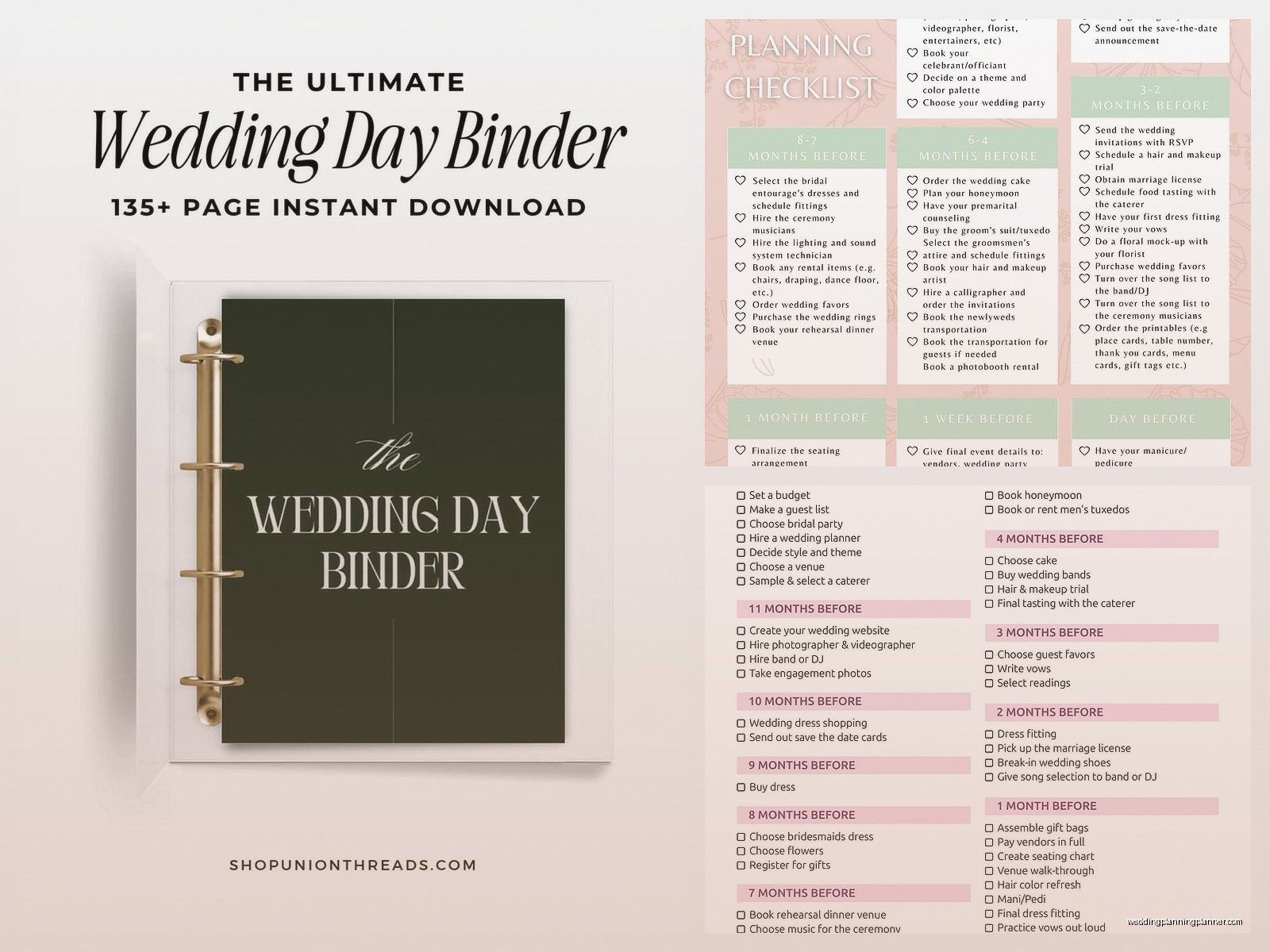
The best organizer systems have flexible timelines. Look for ones that let you check off tasks as you complete them rather than forcing you into a rigid month-by-month structure. Some couples book their photographer first, some book the venue first, some do everything backwards – and that’s fine! Your organizer should adapt to YOUR process.
Key timeline sections you actually need:
- Major milestone deadlines (venue booking, invitation ordering, dress alterations)
- Vendor payment schedules
- RSVP tracking with actual names and meal choices
- Week-of timeline broken down by hour (seriously, by hour)
- Day-of timeline for every single person involved
That last one is crucial. I create timelines that tell the florist when to arrive, when the cake gets delivered, when hair and makeup starts, when the photographer shows up… if it involves a human doing a thing at your wedding, it needs a time stamp. My cat knocked over my coffee on one of these timelines once and I had to recreate the whole thing from memory, which was not fun but also proved how necessary they are because I actually HAD it memorized from writing it so many times.
Vendor Management and Contract Tracking
This is where couples screw up most often, and where a good organizer saves your butt. You need dedicated space for each vendor category with:
- Company name and primary contact
- Phone, email, and website
- Service description and package details
- Total cost and payment schedule
- Contract date and key terms
- Arrival time and setup requirements
- Special requests or notes
I’ve seen too many situations where someone thought they booked the DJ for 5 hours but the contract said 4, or the photographer’s package included one shooter but they assumed it was two. Write it all down. In your organizer. Where you can find it.
Pro tip: if your organizer has pocket folders or sleeves, keep physical copies of contracts there. I know everything’s digital now but when you’re at the venue and there’s a question about what the caterer was supposed to provide, you’ll want that paper in your hand, not buried in your email from 8 months ago.
Guest List and Seating Management
Oh man, this part gets messy no matter how organized you are. The best organizers have multiple sections for guest management because your list changes like seventeen times before you finalize it.

You need space for:
- Initial guest list with addresses for save-the-dates
- RSVP tracking (yes/no/maybe/ghosted you entirely)
- Meal selections and dietary restrictions
- Plus-one status (this gets complicated, I know)
- Gift tracking for thank-you notes
- Table assignments and seating chart
Some organizers include printable seating chart templates and honestly those are lifesavers. Trying to visualize who sits where using a spreadsheet is… I mean you can do it but it’s gonna give you a headache.
Also, controversial opinion maybe, but I think you should track gifts in your wedding organizer even though some people think that’s tacky or whatever. You’re gonna be exhausted after the wedding and having a list of who gave what makes thank-you notes so much easier. Just don’t like, assign dollar values or anything weird.
Design and Stationery Planning Sections
Since I also do stationery consulting, I’m picky about this section. Your organizer should have space for:
- Color palette with actual swatches or color codes
- Design inspiration and style direction
- Stationery timeline (save-the-dates, invitations, programs, menus, etc.)
- Wording and content for each piece
- Printing and assembly deadlines
- Postage calculations and mailing dates
Good organizers have pockets or sleeves where you can tuck invitation samples, ribbon samples, menu cards, and all those little paper things you collect. I’ve had brides show up with samples rubber-banded together in a tote bag and we spend the first 15 minutes just sorting through everything before we can actually work.
Day-Of Emergency Kit Checklist
The really good professional organizers include emergency kit checklists, which sounds paranoid until you need safety pins at 2pm on a Saturday and nobody has any. Your organizer should remind you to pack or assign someone to bring:
- Sewing kit with thread matching your wedding colors
- Stain remover (someone will spill something, probably red wine)
- Clear nail polish for stocking runs
- Bobby pins and hair ties
- Pain relievers, antacids, and band-aids
- Tissues and blotting papers
- Phone chargers and batteries
- Snacks because you will forget to eat
- Touch-up makeup
- Breath mints or gum
I once watched a best man’s pants split during photos and we fixed it with a sewing kit from the bride’s emergency bag. Nobody at the reception knew. That’s the power of being prepared.
What to Look for When Buying an Organizer
Alright so when you’re actually shopping for a wedding planner organizer, here’s what separates the good ones from the pretty-but-useless ones:
Size and portability: It should fit in your bag for vendor meetings but have enough space to actually be useful. Those tiny 5×7 planners are cute but you can’t fit anything in them. The massive 3-ring binders are thorough but you won’t carry them anywhere.
Customization options: Can you add or remove sections? Some planning systems let you print only the pages you need, which is great if you’re not doing certain traditional elements.
Quality of materials: If you’re buying physical, check the paper quality and binding. Spiral binding is practical but hardcover with lay-flat binding looks more professional for vendor meetings, though that might not matter to you and that’s totally fine.
Digital integration: Does it come with spreadsheets, templates, or an app? Even if you prefer paper, having digital backups is smart.
Real reviews from actual brides: Not just the 5-star “it’s so pretty!” reviews. Look for detailed feedback about what worked and what didn’t during actual wedding planning.
Price point: Professional organizers range from like $25 to $200+. The expensive ones usually include more templates, better materials, and ongoing access to digital updates. But I’ve seen couples plan amazing weddings with a $30 planner and some determination, so… it depends on what you value.
My Personal Recommendations for Different Planning Styles
For super organized couples who love spreadsheets: Look for organizers with robust digital components and budget calculators. The ones that sync with apps and send automatic reminders work well for you.
For creative, visual planners: Get something with lots of space for inspiration, mood boards, and samples. Physical planners with pockets and sleeves are your friend.
For overwhelmed couples who need hand-holding: Choose organizers with detailed checklists and month-by-month guidance. The more structure, the better.
For DIY-heavy weddings: You need extra space for project planning, supply lists, and task delegation. Look for organizers with customizable sections.
For destination weddings: Travel-specific sections are crucial – think packing lists, guest travel info, and international vendor coordination.
Red Flags to Avoid
Some organizers look gorgeous but are actually terrible for practical planning. Watch out for:
- Too much emphasis on aesthetics, not enough on function
- Rigid timelines that don’t account for different planning periods
- Incomplete budget sections without categories or tracking
- No space for vendor contacts and contracts
- Unrealistic checklists that include stuff most couples don’t do
- No guest list management system
- Cheap materials that fall apart halfway through planning
I had a bride once who bought this beautiful rose gold planner that was essentially a journal with wedding prompts but no actual organizational structure. She ended up buying a second, functional planner and just used the pretty one for photos. Total waste of money.
Using Your Organizer Effectively
Having a great organizer means nothing if you don’t actually use it. Set aside time each week – even just 30 minutes – to update your budget, check off completed tasks, and plan next steps. I usually tell couples to pick a specific day, like Sunday evenings, to review their organizer together.
Keep it accessible. If it’s shoved in a closet, you won’t use it. Keep it somewhere visible, maybe near where you usually sit and relax or work.
Don’t try to fill everything out at once. Start with the big stuff – budget, vendor contacts, major deadlines – then add details as you go. Trying to complete every section immediately is overwhelming and counterproductive.
Share relevant pages with people who need them. Your maid of honor doesn’t need your whole budget, but she should have a copy of the day-of timeline. Your mom might want the guest list but doesn’t need your vendor contracts. Copy or photograph specific sections to share rather than handing over your entire organizer.
Back up everything. I cannot stress this enough. If you’re using a physical planner, photograph important pages regularly. If you’re digital, save copies in multiple places. I’ve heard horror stories of lost planners and crashed hard drives, and it’s preventable.
