
Planning Guides, Style Guide
Bridesmaid Template: Free Download Files

Aug
Okay So Bridesmaid Templates Are Actually a Lifesaver
Look, I’ve been doing this wedding planning thing for like forever now and one thing that constantly comes up is brides asking their bridesmaids stuff and then nobody knows what’s happening because everything’s scattered across 47 different text threads and someone’s cousin who’s a bridesmaid doesn’t check Instagram and… you get it. Bridesmaid templates are literally gonna save you so much headache.
So what are we even talking about here? Bridesmaid templates are basically pre-made documents that help you organize all the info your bridesmaids need. Think of them like those meal prep containers everyone bought during the pandemic – they keep everything in its place so nothing gets forgotten or messy.
What Templates You Actually Need
There are a bunch of different types and honestly you don’t need all of them but here are the main ones:
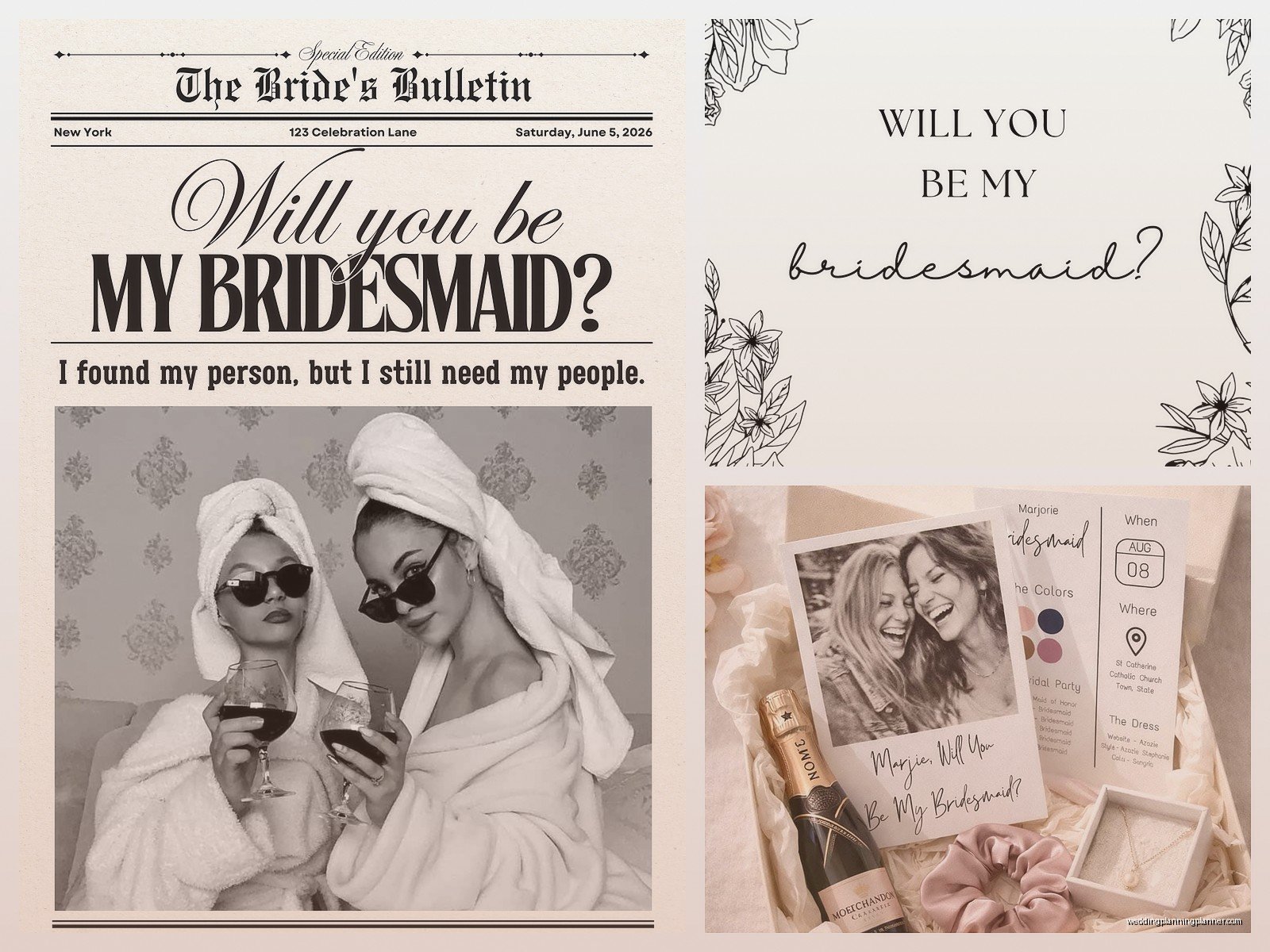
- Bridesmaid Proposal Cards – the cute “will you be my bridesmaid” thing
- Information Sheets – all the important dates, dress info, etc in one place
- Timeline Templates – what’s happening when on the wedding day
- Budget Trackers – because someone always asks how much things cost
- Contact Lists – everyone’s phone numbers and emails
- Task Checklists – who’s doing what for the bachelorette or shower
I had this bride in spring 2023 who didn’t use any templates and her maid of honor literally called me crying two weeks before the wedding because nobody knew what time hair and makeup was starting. Like we’d sent the info but it was buried in a group chat from February and… anyway, templates would’ve fixed that immediately.
Where to Find Free Templates
Alright so you don’t wanna pay for this stuff when there’s perfectly good free options out there. Here’s where I send people:
Canva is probably your best bet honestly. They have a free version and tons of bridesmaid templates you can customize. You can change colors, fonts, add photos, whatever. The interface is pretty easy even if you’re not super tech-savvy. Just search “bridesmaid” or “wedding party” and you’ll find a million options.
Google Docs/Sheets has templates too but they’re more basic. Good for the information sheets and timelines where you just need the facts laid out clearly. Not cute but functional.
Microsoft Office templates work the same way if you have Word or Excel. They have some wedding-specific stuff in their template library.
Etsy has free downloads if you search carefully – some sellers offer one free template to get you hooked on buying their paid bundles. Nothing wrong with that, you can just grab the free one and bounce if it works for you.
Pinterest is kinda hit or miss because sometimes the links are broken or they lead to sites that want your email address and then spam you forever which is super annoying, but you can find some good stuff if you’re patient.
The Information Sheet Template (This One’s Essential)
This is the one template you absolutely gotta have. It’s basically a cheat sheet for your bridesmaids with everything they need to know. Here’s what should be on it:
- Wedding date and venue address
- Dress details – designer, color, style number, where to order
- Shoe requirements (or if they can pick their own)
- Jewelry and accessories info
- Hair and makeup – are you paying? Do they need to book their own?
- Important dates – dress fittings, bachelorette, rehearsal dinner, etc
- Your wedding planner’s contact info (hi that’s me sometimes)
- Hotel room block info and booking deadlines
- Gift registry links if people ask them
You can make this in a Google Doc or Word and just… it doesn’t have to be fancy. I’ve seen brides spend hours making it look like a magazine spread when really your bridesmaids just need to be able to find the dress website quickly.
Timeline Template for the Wedding Day
This one prevents like 90% of day-of confusion. You want a simple schedule that shows what’s happening hour by hour. I usually format it like:
9:00 AM – Bridesmaids arrive at getting ready location (include address)
9:30 AM – Breakfast and mimosas
10:00 AM – Hair starts (list the order if you know it)
12:00 PM – Makeup starts
2:00 PM – Get into dresses
2:30 PM – Photos with bride
And so on. The thing that annoyed me for YEARS was brides who made these timelines but then didn’t share them until the morning of the wedding. Like girl, your bridesmaids need to know if they should eat breakfast at home or if you’re providing it, they need to know if they should arrive with their hair washed or not… send this at least a week before, maybe two weeks.
Customizing Your Templates
So you downloaded a template, now what? Most of them are pretty self-explanatory but here’s some quick tips:
Change the colors to match your wedding colors obviously. In Canva you can usually click on any colored element and swap it out. Keep it readable though – I once saw a bride do navy text on a black background and like… why.
Add your names and wedding date at the top. Some templates have placeholder text that says “Bride & Groom” which feels weirdly formal, just put your actual names.
Use real photos if the template has photo placeholders. A picture of you and your bridesmaids makes it more personal than stock images of random women holding champagne.
Update all the text fields with your actual information – this sounds obvious but you’d be surprised how many people forget to change something and then their bridesmaid shows up to the wrong venue because the template said “123 Example Street” and nobody caught it.
File Formats and Sharing
Okay so this is where it gets slightly technical but stay with me. Templates usually come in a few different formats:
PDF – you can’t edit these unless you have special software, so these are usually the final version you send out. Good for printing or just viewing on phones.

DOCX or DOC – Microsoft Word files, pretty much everyone can open these and edit them.
Google Docs/Sheets – online documents that multiple people can access, good for things like task lists where people need to update their progress.
Canva links – you can share a Canva design as a link and people can view it, or you can give them edit access if you trust them not to accidentally delete everything.
JPEG or PNG – image files, good for posting in group chats or Instagram but not great if there’s a lot of text because it might be hard to read on some phones.
For sharing, I usually tell brides to create a shared Google Drive folder. Put all your templates in there, share the link with your bridesmaids, and then everything’s in one place. You can update files and everyone automatically has the newest version. Way better than texting PDFs that get lost in the chat history.
The Proposal Card Thing
Real talk – the bridesmaid proposal cards are cute but not necessary. I know Instagram makes it look like you need a whole photoshoot with custom boxes and robes and champagne but… you can literally just ask your friends to be bridesmaids however you want. That said, if you wanna do a card, the templates make it easy.
Most proposal card templates are designed to be printed – like 5×7 inches or whatever. You can get them printed at Staples or FedEx for pretty cheap, or use an online printing service. Or honestly just send the digital version if you’re asking someone who lives far away. My cat walked across my keyboard while I was designing one of these for a client once and added a bunch of random letters and we didn’t notice until after it was printed, so proofread carefully I guess.
Budget Tracker Templates
This one’s kinda awkward but important. Being a bridesmaid is expensive and people appreciate knowing upfront what they’re expected to pay for. A simple spreadsheet works:
- Dress and alterations – estimated cost
- Shoes and accessories
- Hair and makeup (if they’re paying)
- Bachelorette party contribution
- Bridal shower gift
- Wedding gift
- Travel and hotel if applicable
You don’t have to include actual prices if that feels weird, but at least list what expenses they should plan for. I had a situation where a bridesmaid thought the bride was paying for hair and makeup because it “wasn’t discussed” and then there was this whole awkward thing two days before the wedding when she found out she owed $150.
Contact List Template
Super simple but super helpful. Just make a list or table with everyone’s names, phone numbers, and email addresses. Include:
- All bridesmaids
- Maid of honor
- Mother of the bride
- Wedding planner (if there is one)
- Hair and makeup artist
- Dress shop contact
Format it as a Google Sheet so people can access it on their phones easily. You never know when someone’s gonna need to text the maid of honor about being stuck in traffic or whatever.
Task Checklist Templates
These are great for organizing who’s doing what for the bachelorette party or bridal shower. The maid of honor usually coordinates this stuff but a template makes it easier. List out tasks like:
- Book restaurant/venue
- Create invitation
- Collect money from everyone
- Order decorations
- Plan games or activities
- Coordinate gift
- Arrange transportation
Then assign names next to each task or use checkboxes. Google Sheets works well for this because people can check off their tasks as they complete them and everyone can see the progress.
Printing vs Digital
So do you actually need to print these templates or just send them digitally? Honestly it depends on your crowd. If your bridesmaids are all organized people who check their email regularly, digital is fine and saves money. But if you know someone’s gonna lose track of the information, printing the main info sheet and giving physical copies at your bridesmaid proposal or first planning meeting isn’t a bad idea.
I usually suggest doing both – send digital versions for easy reference on phones, but also print the timeline and info sheet to hand out at the rehearsal dinner. That way people have a physical copy in their purse or hotel room for quick checking.
Common Template Mistakes
Okay things I see people mess up constantly:
Putting too much information on one page. If your info sheet is three pages of tiny text, nobody’s reading that. Break it into sections or multiple documents.
Using fonts that are hard to read. That swirly script font looks pretty but if your bridesmaids can’t tell if it says “3:00” or “8:00” then what’s the point.
Forgetting to include addresses. You’d think this is obvious but I’ve seen timelines that say “arrive at venue” without the actual venue address and then someone ends up at the wrong location.
Not updating the template when plans change. If you change your dress color or move the bachelorette party date, you gotta update the templates and resend them. Don’t just assume everyone remembers the verbal update from that one text.
Making everything match your wedding colors so exactly that it’s hard to read – like if your colors are blush pink and gold, maybe don’t do gold text on a pink background, just saying.
Accessibility Stuff
Something I didn’t think about until recently is making sure your templates are accessible. If you have a bridesmaid who has vision issues or uses a screen reader, those fancy PDF templates with text embedded in images won’t work for them. Google Docs or Word documents with actual text are better for accessibility. Just something to consider – you want all your bridesmaids to actually be able to use the information you’re sending.
Keeping Everything Updated
The worst thing is sending out templates in like January and then half the information changes by June and nobody knows what’s current. Here’s what works: pick one “master” location for updated info. I usually recommend a Google Drive folder or a wedding website. When something changes, update it there and send a quick text to the group chat like “hey updated the timeline in the Google Drive, dress time moved to 2pm not 3pm.”
Don’t create new versions of the same template over and over because then people have “Timeline_v1” and “Timeline_final” and “Timeline_final_ACTUALLY_FINAL” saved on their phones and nobody knows which one to look at. Just update the one file and keep the same filename or make it really obvious which is current.
What You Don’t Need
Let me save you some time – there are templates out there for literally everything and you don’t need most of them. You don’t need a “bridesmaid duties” contract unless your wedding party is super complicated or you’re having issues. You probably don’t need individualized packets for each bridesmaid unless they all have different dresses or something. You don’t need a separate template for every single pre-wedding event.
Keep it simple. The info sheet, timeline, and maybe a task list. That covers like 95% of what your bridesmaids actually need to know. Everything else is just extra and honestly it’s more work for you to create and maintain and I’m watching this show where they organize people’s houses and they always say keep only what’s useful and I feel like that applies here too sorta.
The main thing is just… communication. Templates help organize the communication but they’re not magic. You still gotta actually talk to your bridesmaids and answer questions and be flexible when someone has a conflict or whatever. The templates just make sure everyone has access to the basic facts so you’re not answering “what time is hair and makeup again” seventeen different times in individual text threads.
