
Planning Guides, Style Guide
Floral Wedding Invitation Template: Free Download Files

Aug
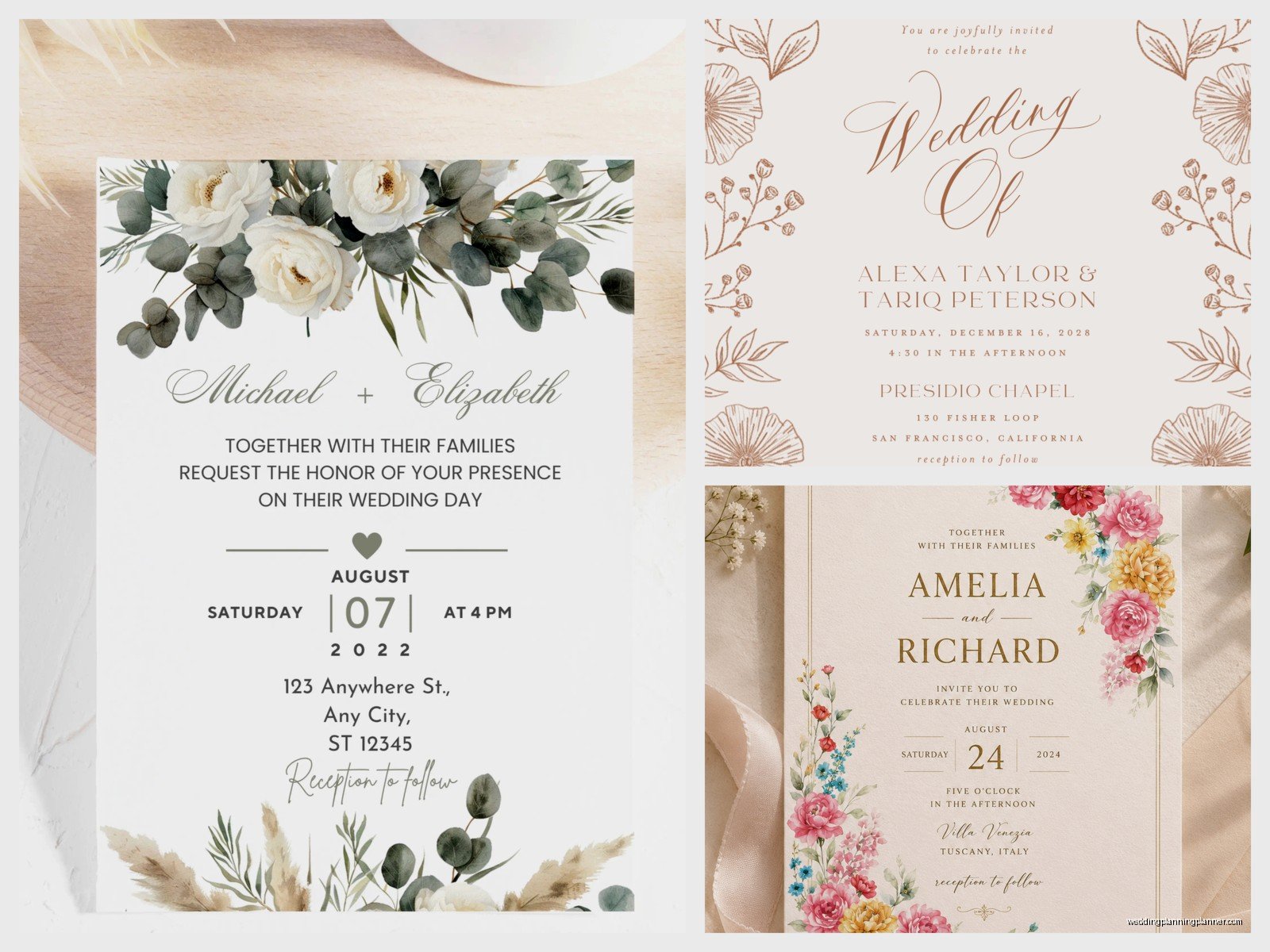
Finding Actually Good Free Floral Wedding Invitation Templates
So you’re looking for floral wedding invitation templates you can actually download without paying $47 or signing up for seventeen different email lists. I get it. Back in spring 2023 I had this bride who was SO stressed about her budget and she’d already spent like three hours searching for decent free templates only to find watermarked garbage or files that wouldn’t even open properly. It was frustrating to watch.
The thing about free floral templates is they’re everywhere but finding ones that don’t look like they were made in 2008 is… yeah. Let me walk you through where to actually find them and what formats you’re gonna want.
File Formats You’ll Actually Need
Okay so most free templates come in a few different formats and honestly you need to know what you’re looking for before you download:
- PDF files – These are usually ready to print but you can’t edit them much unless you have Adobe Acrobat Pro which costs money so kinda defeats the purpose
- JPG or PNG files – Good for viewing, terrible for editing unless you just wanna add text boxes over them in Canva
- PSD files – Photoshop files, super editable but you need Photoshop or a free alternative like Photopea
- AI files – Adobe Illustrator, professional level but again you need the software
- DOC or DOCX files – Word documents, easy to edit but the formatting can get weird when you’re trying to work with florals and design elements
- Canva templates – Not technically downloads but you can customize them online for free
I usually tell people to go for PSD files if they’re comfortable with basic design stuff, or Canva templates if they just want something simple and quick.
Where to Actually Download Free Templates
Alright here’s the real list of places that don’t suck:
Canva Free Templates
Look I know Canva is everywhere now but there’s a reason. They have literally thousands of floral wedding invitation templates and the free ones are actually pretty decent. You just search “floral wedding invitation” and filter by free. The thing that annoyed me though is they mix free and paid templates together so you’ll click on something gorgeous and then see that little crown icon meaning it’s Pro only. Ugh.
But their free ones? You can customize colors, fonts, add your own photos, change the flowers. It’s all browser-based so you don’t need to download software. When you’re done you can download as PDF for printing or PNG for digital sending.
Template.net
They have a whole section of free wedding invitation templates and some of the floral ones are legitimately beautiful. The catch is you gotta create a free account but it takes like 30 seconds. They offer downloads in Word, Pages, PSD, and PDF formats which is actually really helpful because you can pick whatever works for your setup.
I used one of their templates for a client’s engagement party invites once and it worked perfectly.
Greetings Island
This site is sorta underrated? They have free floral templates you can customize right on their site. You don’t need an account for basic stuff. The floral designs lean more traditional but if that’s your vibe it’s great. You can download as PDF when you’re done.
Freepik
Okay so Freepik has tons of free templates but you gotta attribute them if you’re using the free version OR you can pay for premium. The floral wedding invitation section is huge. Most files come in PSD or AI format. Quality is usually really good because they’re made by actual designers.
The annoying part is navigating their licensing – some templates require attribution, some don’t, some are only for premium users even though they show up in free search results.
Vecteezy
Similar to Freepik but I find their search function works better. Lots of vector floral elements and full invitation templates. Downloads are usually AI or EPS files. Free with attribution or premium without.
Pinterest Links (Use Carefully)
I know Pinterest isn’t technically a download site but if you search “free floral wedding invitation template download” you’ll find pins that link to actual free downloads on blogs and design sites. Just be careful because like half of them are broken links or lead to paid products despite saying “free.” But I’ve found some gems this way.
What to Look for in a Good Floral Template
Not all templates are created equal even when they’re free. Here’s what I check:
Resolution quality – If you’re printing these you need at least 300 DPI. A lot of free templates are only 72 DPI which looks fine on screen but prints blurry. Check the file specifications before downloading.
Editable text layers – Make sure you can actually change the text. Some templates have text that’s rasterized (meaning it’s part of the image and you can’t edit it) which is completely useless unless the default text magically matches your wedding details.
Color schemes that work – The florals should complement your wedding colors or at least be neutral enough to work. I’ve seen templates with like hot pink and lime green flowers that would only work for very specific weddings.
Space for important info – Your invitation needs names, date, time, location, RSVP details. Make sure the template has actual space for all this and isn’t just like 90% flowers with a tiny text box.
Matching suite options – Some free template sites offer matching RSVP cards, details cards, thank you cards in the same floral design. If you want everything to match this is super helpful.
How to Customize Your Template
So you’ve downloaded a template… now what? This is where people usually get stuck or they just give up and hire someone like me which honestly fair enough.
Using Canva Templates
This is gonna be the easiest route. Click on the template, it opens in the Canva editor. Click on any text to change it. Click on any element to change colors, move it around, delete it. The interface is pretty intuitive even if you’ve never used design software before.

You can upload your own photos if you want to add engagement pics. You can change fonts but stick to 2-3 max or it looks messy. When you’re done click Download and choose PDF Print for the highest quality.
Using Photoshop or Photopea
If you downloaded a PSD file you’ll need Photoshop or you can use Photopea which is free and browser-based. Open the file and you’ll see layers on the right side. Text layers usually have a “T” icon. Double-click to edit.
The learning curve is steeper than Canva but you have way more control. You can adjust individual flower elements, change colors more precisely, add effects. There are tons of YouTube tutorials for basic Photoshop text editing.
Using Word or Pages
If you downloaded a Word template it’s pretty straightforward – just click and type. The problem with Word is it’s not really made for design work so if you move one element everything else might shift around. My cat walked across my keyboard once while I was working on a Word invitation template and it completely destroyed the layout, took me like 20 minutes to fix.
Save frequently and maybe make a copy before you start editing so you can go back if things get weird.
Printing Your Free Template Invitations
You customized your template, it looks amazing, now you need to print them. Few options here:
Home printing – Only do this if you have a good quality printer and you’re comfortable with the results. Buy nice cardstock (110lb minimum). Do test prints first. Expect to waste a few sheets getting it right. Cut them carefully with a paper trimmer not scissors.
Local print shop – Places like FedEx Office or local printers can print from your file. Bring it on a USB drive or email it. They can print on nice paper stock and cut them for you. Usually costs way less than you’d think, maybe $1-3 per invitation depending on paper quality.
Online printing services – Vistaprint, Minted, Zazzle, etc. You upload your file and they mail you the printed invitations. Quality is usually really good. Takes longer obviously but convenient if you don’t wanna deal with it.
Make sure your file is the right size before printing. Standard invitation sizes are 5×7 inches or 4×6 inches. If your template is a different size you’ll need to resize it or you’ll waste paper and money.
Common Problems and How to Fix Them
Template won’t open – You might not have the right software. Check the file format and download the appropriate program or converter.
Colors look different when printed – Screens display in RGB, printers use CMYK. Colors will always look slightly different. Do a test print to see actual colors before printing 150 invitations.
Text is blurry – Your file resolution is probably too low or you’re trying to print it way bigger than the original size. Find a higher resolution template or scale down your print size.
Can’t edit the text – The text layer might be locked or rasterized. In Photoshop check if the layer is locked (little padlock icon). In Canva this shouldn’t happen but if it does the template might be corrupted, try a different one.
File size is huge – High resolution templates with lots of floral graphics can be 50+ MB. This makes them slow to work with and hard to email. Once you’re done editing, flatten the image and save as a smaller file size for sending to printers.
Making Your Free Template Look Not-Free
Okay so the thing about free templates is they can look kinda… free. But you can elevate them:
Use high-quality paper when printing. Seriously the paper makes such a difference. Cotton cardstock or textured linen cardstock immediately makes anything look more expensive.
Add a layer or envelope liner. You can buy these pretty cheap or make them yourself. Suddenly your free template looks custom.
Print on both sides if the template allows. A blank back looks unfinished.
Use proper envelopes that match or complement your design. Don’t just use whatever white envelopes you have lying around.
Consider adding a belly band, ribbon, or wax seal. These are inexpensive additions that make a huge visual impact.
Real Talk About Free vs Paid
Look I sell stationery services so you’d think I’d tell everyone to just hire a professional or buy premium templates. But honestly? For certain weddings free templates work perfectly fine. If your budget is tight, if you’re having a casual wedding, if you’re crafty and enjoy DIY projects – go for the free template.
Where free templates usually fall short is uniqueness. Your guests probably won’t notice or care, but you might see your exact floral template on someone else’s wedding Instagram. If that bothers you, paid templates or custom designs are worth considering.
Also free templates usually don’t come with customer support so if something goes wrong you’re troubleshooting on your own or googling solutions at 11pm while watching The Great British Baking Show in the background (not that I’ve done this…).
File Organization Tips
This might seem random but trust me – create a folder system for your invitation files. I’ve seen so many people download templates and then can’t find them later. Make folders like “Wedding Invitations,” “Original Templates,” “Edited Versions,” “Final Print Files.”
Save multiple versions as you edit. Like “Invitation_v1,” “Invitation_v2,” etc. That way if you mess something up or change your mind you can go back.
Keep all your font files together too if you download custom fonts. You’ll need them if you have to edit later or if you’re sending files to a printer.
Timing and Quantities
Order or print more invitations than you think you need. Always. I usually say your guest count plus 15-20 extra. You’ll mess some up, you’ll want keepsakes, someone will spill coffee on theirs and need another one.
Start working on this at least 4 months before your wedding. You need time to customize, proof, print, stuff envelopes, address them, and mail them 6-8 weeks before the wedding date. If you’re doing it all yourself with free templates you’ll want that buffer time because things take longer than you expect.
