
Planning Guides, Style Guide
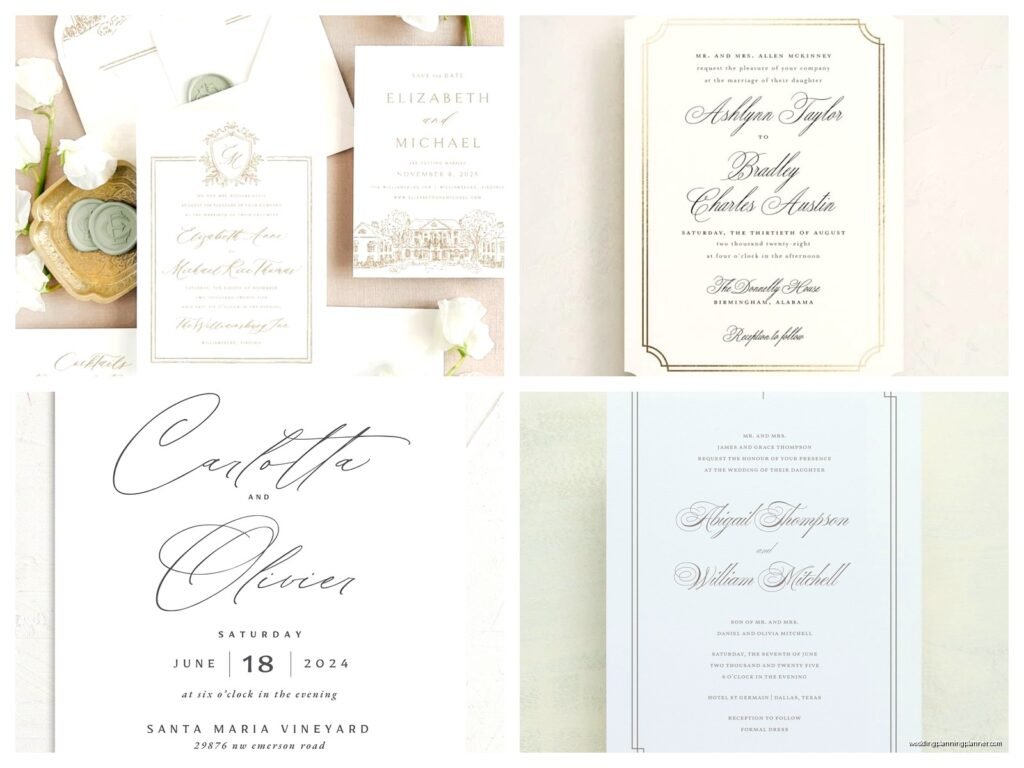
Formal Wedding Invitation Templates: Traditional Downloads
Jul
okay so formal wedding invitation templates
Look, traditional formal invitation templates are honestly one of those things that seem straightforward until you’re sitting there at 11pm trying to figure out why the template you downloaded looks nothing like what you expected. I’ve been helping couples with this stuff since 2010 and honestly the template situation has gotten both better and worse somehow?
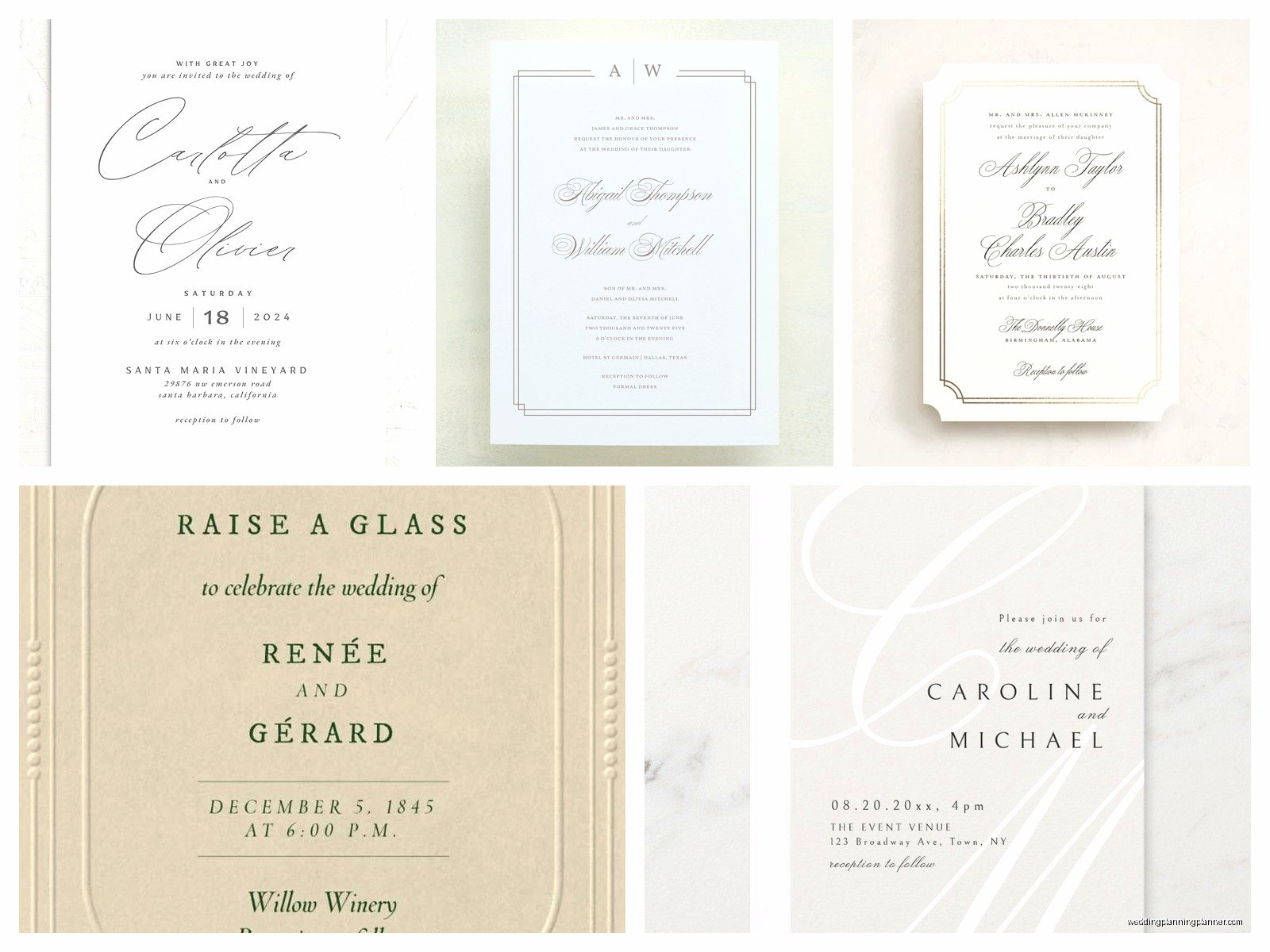
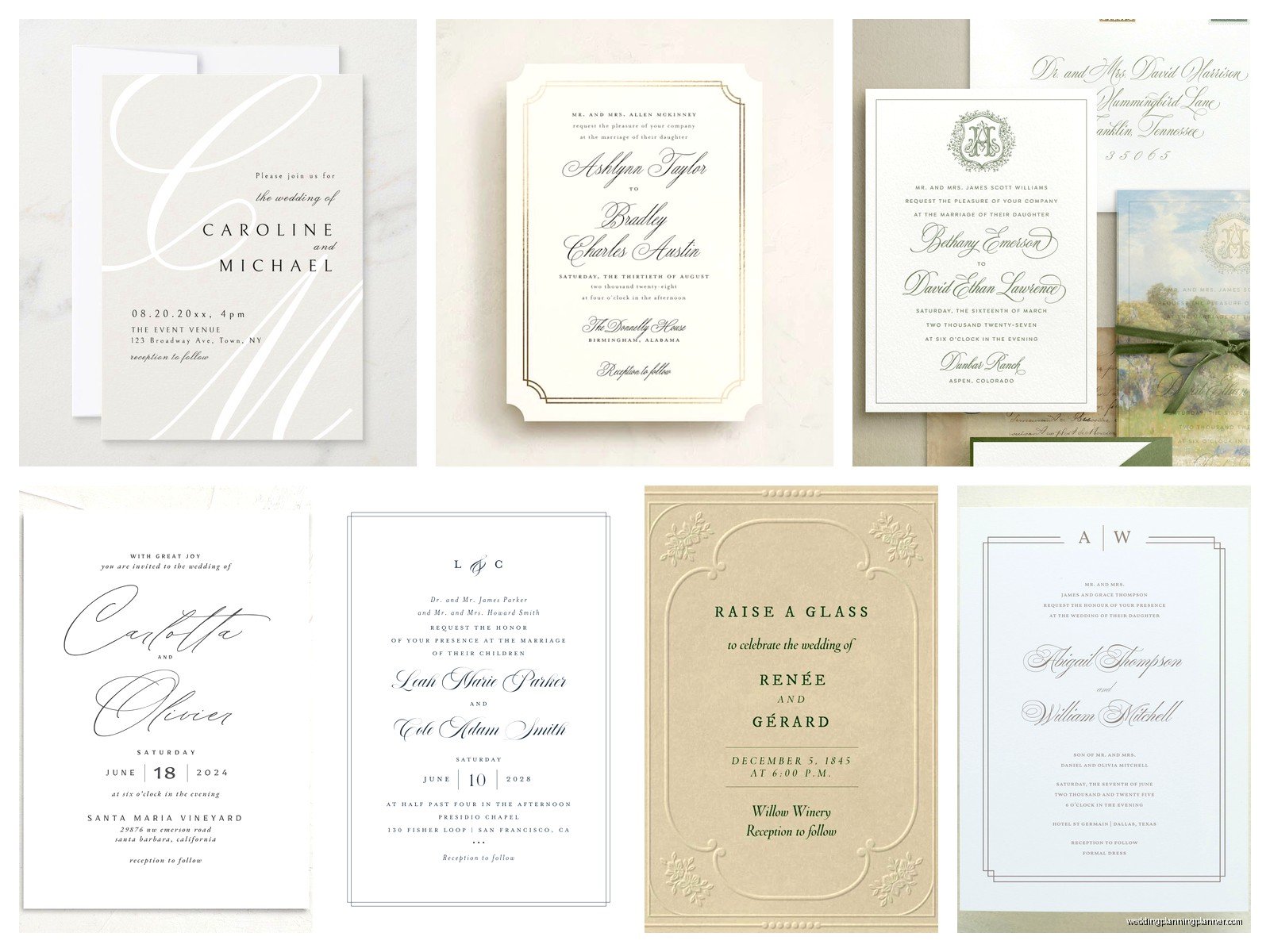
So first thing – when people say “formal wedding invitation templates” they usually mean the traditional stuff. Like the classic layout with the hosts’ names at the top (usually the bride’s parents back in the day but that’s changed a lot), then the request line, the couple’s names, ceremony details, all that. The formatting matters SO much here because formal invitations follow pretty specific etiquette rules that have been around forever.
where to actually download decent templates
Alright so you’ve got a few options and they’re kinda all over the place quality-wise. Etsy is probably my go-to recommendation for most couples because you’re getting templates from actual designers who understand invitation layout. You’ll pay anywhere from like $8 to $40 for a template set, but here’s what you need to know – make sure it says “editable” and check what program you need. Some are Canva templates (easy), some are Word or Pages (medium), and some are Adobe Illustrator or InDesign files which… if you don’t already know those programs, you’re gonna have a bad time.
I had this situation in spring 2023 where a bride downloaded what she thought was a Word template but it was actually an InDesign file and she didn’t realize until two days before she wanted to order. We had to scramble to find someone who could edit it for her and it was just a mess that could’ve been avoided by reading the listing properly.
Creative Market is another good one – they’ve got higher-end templates usually made by professional graphic designers. Prices are higher but the quality shows. Template Monster has a huge selection too but you gotta sort through a lot of mediocre options to find the good stuff.
Microsoft Office has free templates built into Word which is… fine? They’re basic but if you’re really on a budget and need something simple, they work. Just know they’re gonna look pretty generic.
what file format you actually need
This is where people get tripped up constantly. PDF templates are basically useless unless they’re specifically “editable PDFs” which is rare. You need something you can actually customize with your information.
Word or Pages documents are easiest for most people. You can just click and type. But here’s the annoying thing that drives me crazy – sometimes the formatting gets completely destroyed when you change the text. Like you’ll delete “Mr. and Mrs. Smith” and type in your parents’ names and suddenly the entire layout shifts three inches to the left for no reason. This happens because of how text boxes and formatting are set up in the template. When this happens you kinda just have to undo and try adjusting font size instead or… honestly sometimes I just retype the whole thing in a new text box.
Canva templates are super popular right now and for good reason – they’re really user-friendly. You edit everything right in your browser, you can see changes in real time, and the formatting usually stays put. The downside is you need Canva Pro for a lot of the better fonts and to download high-resolution files for printing, which is like $13 a month or something. But honestly worth it if you’re doing your whole invitation suite.
the actual formal invitation layout rules
So traditional formal invitations follow a pretty specific structure and if you’re going for that classic formal look, you wanna stick to this:
- Host line at the top (whoever’s hosting – parents, both sets of parents, the couple themselves)
- Request line (like “request the honour of your presence” for religious ceremonies or “request the pleasure of your company” for non-religious)
- Couple’s names – bride’s name traditionally comes first but do whatever you want honestly
- Date and time spelled out completely (no numerals in formal invites)
- Venue name and location
- Reception details if it’s at the same location
The wording needs to be spelled out – so “Saturday, the fifteenth of June, two thousand twenty-five” not “Saturday, June 15, 2025.” Same with time – “half after six o’clock in the evening” not “6:30pm.” I know it seems fussy but that’s literally what makes it formal.
And here’s something that matters more than you’d think – formal invitations use center alignment for everything. Not left-aligned, not justified, centered. It’s just the traditional way and it looks weird if you try to left-align a formal invitation.
fonts that don’t make it look cheap
Oh man, fonts. This is where templates either look expensive or like you made them at Staples in 2003. Traditional formal invitations typically use serif fonts – those are the ones with the little feet on the letters. Think Times New Roman vibes but prettier.
Good formal fonts to look for: Garamond, Cormorant, Playfair Display, Bodoni, Didot, Caslon. These are classic and readable and don’t scream “free template.” A lot of templates will use a fancier script font for names and a clean serif for the details, which works well as long as the script isn’t too over-the-top curly.
What to avoid: Papyrus (obviously), Comic Sans (I mean come on), and honestly those super elaborate calligraphy fonts where you can’t even read the letters. I’ve seen templates with fonts so swirly that guests literally couldn’t figure out the couple’s names. Not cute.
My cat just knocked over my coffee while I’m writing this which is pretty on-brand for her… anyway
customizing without destroying the design
So you’ve downloaded your template, now what. First thing I tell everyone – SAVE A COPY before you start editing. Just duplicate the file so you have the original if you completely mess something up. Which you probably will at some point, no judgment.
Start by selecting the placeholder text and typing your info directly over it. Don’t delete and then type – that can mess up spacing. Just highlight and replace. If the text is in a text box (which it usually is), you might need to click inside the box first.
When you’re changing names or details, try to keep your text roughly the same length as the placeholder text. If the template says “Mr. and Mrs. Jonathan Smith” and you need to put “Mr. and Mrs. Alexander Montgomery-Worthington III,” you’re gonna run into space issues. You might need to make the font slightly smaller or adjust the text box size.
Colors – if you’re changing colors on a template, stick to the formal palette. We’re talking black, navy, deep burgundy, forest green, maybe a subtle gold. Bright pink or turquoise on a formal invitation is… I mean you can do whatever you want but it won’t read as traditional formal anymore.
the printing situation
This is important and people don’t think about it until it’s too late. Your template needs to be high resolution for printing – at least 300 DPI (dots per inch). If you’re downloading a template, check the specs. A 72 DPI image looks fine on screen but will print blurry and pixelated.
Most professional printers want PDF files. So even if you’re editing in Word or Canva, you’ll need to export as a PDF for printing. Make sure you’re exporting at the highest quality setting.
Paper matters a TON for formal invitations. Like the template is only half of it – you need good cardstock. I’m talking 110lb cover weight minimum, ideally something with a nice cotton content or texture. Printing your formal invitations on regular printer paper is gonna make them look like a kindergarten birthday party invite no matter how good the template is.
You can print at home if you have a good printer and the right paper, but honestly? For formal invitations I usually recommend a professional printer. Your local print shop can do it, or online services like Catprint or PrintingCenterUSA. The quality difference is noticeable and for formal events, it matters.
the full suite situation
So here’s the thing about formal weddings – you’re probably not just doing the invitation. You need response cards, detail cards maybe, envelopes obviously, possibly a reception card if that’s separate… it’s a whole thing.
When you’re downloading templates, look for “suite” or “set” options that include all the matching pieces. It’s so much easier than trying to make everything match yourself. A good template set will include the main invitation, RSVP card, RSVP envelope template, details card, and sometimes thank you cards or programs.
Make sure all the pieces are the right sizes. Standard invitation size is 5×7 inches. RSVP cards are usually 4.5×5.5 or 5×3.5 inches. If your template pieces are weird sizes, you’re gonna have trouble finding envelopes and it’ll cost more to mail because non-standard sizes cost extra postage.
addressing envelopes the formal way
Okay so you’ve got your printed invitations, now you gotta address the envelopes and there are RULES for formal addressing that a lot of templates don’t really explain. For formal invitations, you spell everything out – no abbreviations. So “Street” not “St,” “Apartment” not “Apt.”
The outer envelope is formal – full names with titles. “Mr. and Mrs. Jonathan Smith” or “Mr. Jonathan Smith and Ms. Sarah Johnson” if they’re not married or have different last names. The inner envelope (if you’re doing double envelopes which is traditional for formal) is less formal – “Mr. and Mrs. Smith” or just first names if they’re close family.
Some template sets include envelope addressing templates which is super helpful. You can buy printable envelope templates or use a mail merge feature if you’re printing directly on envelopes. Or hire a calligrapher which is the most traditional option but also expensive – usually $2-5 per envelope.
common template problems I see constantly
The margins being wrong is huge. Your printer can’t print all the way to the edge of the paper (unless you’re doing professional edge-to-edge printing), so you need margins. If your template has text or design elements too close to the edge, they’ll get cut off. Most home printers need at least a quarter-inch margin on all sides.
Ink colors looking different when printed than on screen – this is so annoying and happens all the time. What looks like a nice navy on your monitor might print as straight-up purple. If color accuracy matters, you gotta do a test print. Just print one invitation first before you print all 150.
Text being too small is another one. That elegant font at 9pt looks cute in the template but when you print it, Grandma literally cannot read it. Keep body text at least 11pt for formal invitations, preferably 12pt.
timing and quantity stuff
You should be sending formal wedding invitations 8-12 weeks before the wedding. That means you need to have them printed, addressed, and ready to mail at least 10 weeks out. Work backwards from there – you need time to print (plan at least a week if you’re using a print shop, they’re always backed up), time to address envelopes (this takes forever, seriously), time to customize the template and order paper…
Start working on your template at least 4 months before the wedding. I know that seems early but trust me, something will go wrong and you’ll need that buffer time. Summer 2021 I had a couple who waited until 6 weeks before their wedding to start and the printer they wanted was booked solid, then their second choice printer screwed up the order, and they ended up with invitations that arrived literally days before the wedding. So stressful and completely avoidable.
Order extra everything. You will mess up some invitations while printing. People will move and you’ll need to reprint their envelope. You’ll forget someone. Order at least 10-15 extra invitations and 25-30 extra envelopes beyond what you think you need.
etiquette things that still matter apparently
Even though weddings are less formal overall than they used to be, if you’re going for a traditional formal invitation, some etiquette rules still apply and people (especially older guests) will notice if you break them.
Middle names or initials are used in formal invitations. It’s “Sarah Jane Smith” not “Sarah Smith.” Doesn’t matter if she never uses her middle name – formal invitation etiquette says use it.
No symbols or abbreviations – write out “and” not “&,” “Street” not “St,” “Doctor” not “Dr” (actually for formal invites you typically drop professional titles anyway unless it’s military rank or religious title).
The year is optional on formal invitations, weirdly enough. You can include it or not – both are correct. The time needs to be there obviously, but the year is your choice.
If you’re including a dress code, it goes on the lower right corner of the invitation. “Black tie,” “Formal attire,” “Black tie optional” – whatever applies.
One thing that drives me absolutely crazy is when people put registry information on the invitation itself. Just don’t. It’s considered tacky for formal invitations. Registry info goes on your wedding website or you tell people word-of-mouth. The invitation is for inviting people to your wedding, not asking for gifts. Okay stepping off my soapbox now but seriously this bugs me.
budget considerations
Templates are obviously the budget-friendly option compared to custom design which can run $500-2000 just for the design work. A good template costs $15-40, then you’re spending money on printing and paper.
If you’re printing at home: decent cardstock costs about $20-40 for 100 sheets depending on quality. Ink is expensive – probably another $30-50 if you need to buy cartridges. So maybe $100 total for 100 invitations if you already have a good printer.
Professional printing: probably $200-500 for 100 formal invitations depending on paper quality and printing method. Letterpress or foil stamping is way more but looks amazing if you’ve got the budget.
The template itself is the cheapest part honestly. It’s everything else that adds up fast. But compared to hiring a designer and doing custom invitations, you’re still saving probably $400-1500 by using a template.
file management tips
Keep everything organized because you will need to reference these files multiple times. Create a folder just for invitation stuff. Save multiple versions as you edit – like “invitation-draft1,” “invitation-draft2,” “invitation-FINAL,” “invitation-FINAL-for-real-this-time.”
Keep the original template file unedited in that folder too. And save your final version in multiple formats if possible – the original editable format plus a PDF. Back it up somewhere – email it to yourself, put it in Dropbox, whatever. I’ve seen people’s computers crash right before they were gonna print and they lost everything.
Take screenshots of what the final version looks like on your screen too, just for reference. Sometimes files look different when you open them on a different computer or in a different program, and having a screenshot helps you remember what it’s supposed to look like.
Also keep a list of everyone’s addresses in a spreadsheet separate from the invitation files. You’ll need this for addressing envelopes and it’s easier to update a spreadsheet than trying to find addresses scattered across emails and texts.
