
Planning Guides, Style Guide
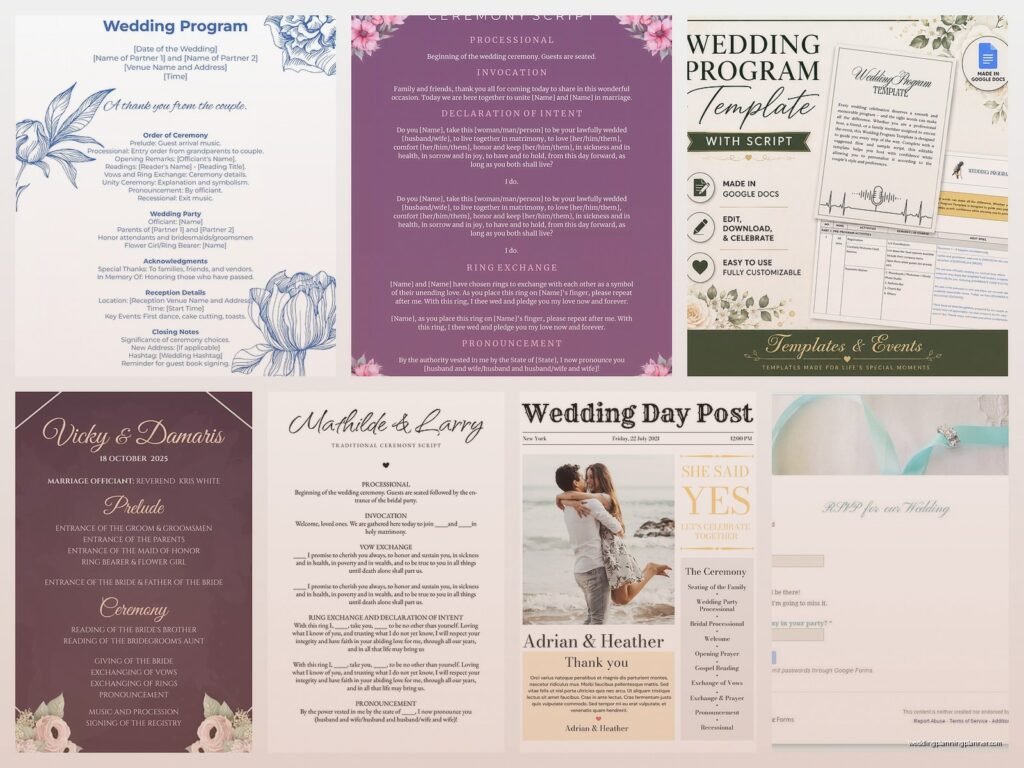
Google Docs Wedding Program Template: Free Download Files
Aug
Google Docs Wedding Program Template Just Makes Sense
So you’re looking for Google Docs wedding program templates and honestly this is probably the smartest decision you’ve made in your planning process so far. I’ve been creating wedding stationery since like 2009 and I gotta say the number of couples who spend $400 on printed programs that half the guests leave on chairs is… well it’s a lot.
Google Docs is free. It’s collaborative. Your mom can edit it from her iPad while you’re at work. Your fiancé can fix that typo in the best man‘s name at 11pm without texting you seventeen times asking how to open Photoshop.
Where to Actually Find These Templates
The Google Docs template gallery has a wedding program option but honestly it’s kinda basic. Go to docs.google.com, click on “Template Gallery” at the top, and you’ll see it under “Personal” or sometimes “Events.” It works but it looks like… well, like a Google template.
Better options are gonna be sites like Etsy where designers sell templates specifically formatted for Google Docs. You pay like $8-15, get a link to the template, make a copy to your own Google Drive, and boom you’re editing. Template.net also has some free ones but you have to watch out because some require their paid membership to download which annoyed the hell out of me last spring when I was trying to help a client on a budget.
Canva technically isn’t Google Docs but you can create a program there and export it as a PDF then upload to Google Drive for sharing. I do this sometimes when couples want something more designed but still want the collaboration features.
Making Your Own Template From Scratch
If you’re even slightly comfortable with Google Docs you can just make your own. Open a new document, go to File > Page Setup, and change the orientation based on what style you want. Portrait works for traditional folded programs, landscape works for those flat single-page ones.
For a folded program (the most common style), keep it portrait and think of your document in two-page spreads. Page 1 is your cover. Page 2 is inside left panel. Page 3 is inside right panel. Page 4 is back cover. You don’t technically need anything on the back but it’s nice to put a thank you message or your wedding hashtag there.

Set your margins to like 0.5 inches on all sides. Go to Format > Columns if you want a two-column layout on any page. Most ceremony programs don’t need columns but some people like them for the wedding party section.
What Actually Goes In A Wedding Program
Okay so content. The cover needs your names obviously, the date, the location, and maybe a nice graphic or your monogram. I had this couple in summer 2021 who insisted on putting their entire love story on the cover and it was like reading a CVS receipt, just went on forever… anyway don’t do that.
Inside you want:
- Order of ceremony (Processional, Welcome, Readings, Vows, Ring Exchange, etc.)
- Wedding party names with their roles
- Parents’ names if you’re doing that
- Any cultural or religious elements that guests might not understand
- Memorial section if you’re honoring deceased family members
- Thank you note to guests and parents
You don’t need all of these. Honestly some of the best programs I’ve seen are super minimal—just the order of events and maybe the wedding party. Your call.
Design Elements That Don’t Suck
Google Docs isn’t Adobe InDesign so you gotta work within its limits. Use the built-in fonts but pick something readable. I love Playfair Display for headers and then something like Lora or Crimson Text for body text. Stay away from Papyrus or Comic Sans obviously but also skip Lobster because it’s been used approximately eight million times and we’re all tired of it.
For graphics, you can insert images from your computer or search the web directly in Google Docs. Go to Insert > Image. If you want borders or frames, honestly the easiest way is to find a PNG with a transparent background (search “wedding border PNG transparent”) and layer it over your text.
The drawing tool in Google Docs is clunky but works for simple lines and shapes. Insert > Drawing > New. You can create dividers, boxes, whatever. Just don’t expect it to be smooth or intuitive because it’s not.
Color-wise, match your wedding colors but keep it subtle. A dark navy or sage green for headers, black for body text. If you’re printing these yourself you’ll want to be careful with heavy color backgrounds because they eat through printer ink like my cat eats through her expensive prescription food that costs more than my own groceries.
The Collaboration Part That’s Actually Useful
This is where Google Docs really shines. Click the “Share” button in the top right. You can give edit access to your fiancé, your mom, your wedding planner (hi), whoever needs to review or make changes.
Set permissions carefully though. If you give edit access to fifteen people someone WILL accidentally delete something important. For most people, give “Suggest” or “Comment” access instead. They can leave notes and suggestions but can’t actually change the document without your approval.
The comment feature is perfect for this. Highlight any text, right-click, choose “Comment.” Your officiant can confirm the ceremony wording, your maid of honor can double-check her title, whatever. Way better than emailing PDFs back and forth seventeen times.
Formatting Tricks I Wish Someone Had Told Me Earlier
Tables are your friend for alignment. Like if you want names perfectly aligned on the left with their roles on the right, insert a 2-column table (Insert > Table), then remove the borders by right-clicking the table and choosing “Table properties” > Border weight > 0pt. Suddenly you have invisible structure that keeps everything lined up.
Page breaks matter for folded programs. Insert a page break (Insert > Break > Page break) after each panel so content doesn’t flow where you don’t want it. Nothing worse than printing 100 programs and realizing your ceremony order got split across two pages.

Headers and footers can hold page numbers if you want them, but most wedding programs don’t need page numbers. It’s not a dissertation.
The ruler at the top of the document (if you don’t see it, go to View > Show ruler) lets you adjust indentation and tab stops. Useful for creating those hanging indents or aligning text in specific ways.
Printing These Things Without Losing Your Mind
So you’ve designed your template and it looks gorgeous on screen. Now you gotta print it which is where things get… interesting.
For home printing, test print ONE copy first. Please. I’m begging you. Check the margins, the colors, the alignment. Inkjet printers are notoriously bad at color accuracy so what looks like a soft blush pink on your screen might print as straight-up hot pink.
Use cardstock not regular printer paper. 80lb or 100lb cardstock from any office supply store works great. Make sure it’s compatible with your printer though—some home printers can’t handle thick cardstock and will jam constantly.
If you’re doing folded programs, you’ll need to print them as a booklet. Google Docs doesn’t have great booklet printing built in so you might need to do some manual work. Print pages 1 and 4 on one side of the paper, then flip it and print pages 2 and 3 on the back. There are YouTube videos that explain this better than I can in text format honestly.
For larger quantities or if you just don’t wanna deal with it, upload your Google Doc to a print shop. Download it as a PDF (File > Download > PDF Document) and take it to FedEx, Staples, or a local print shop. They can handle the folding, trimming, all of it. Usually costs like $1-2 per program depending on paper quality.
Digital Programs Are A Thing Now
Post-2020 a lot of couples just… don’t print programs anymore? They’ll create it in Google Docs, download as PDF, and either email it to guests beforehand or have a QR code at the ceremony entrance that links to it.
I had a couple in spring 2023 who created a Google Doc program, made it viewable to anyone with the link, and just texted the link in their wedding group chat the day before. Super casual, very them, and it cost exactly zero dollars. Some of the older relatives were confused but everyone figured it out.
If you go digital, make sure your sharing settings are set to “Anyone with the link can view” not “edit.” You don’t want random guests editing your program during the ceremony.
Common Mistakes That’ll Drive You Nuts Later
Not proofreading enough. Get multiple people to read it. Spell-check won’t catch everything especially names. I once saw a program where the groom’s last name was spelled wrong and they’d already printed 150 copies. Expensive mistake.
Too much information. Your program doesn’t need your full biography or a detailed explanation of every song choice or… you get it. Keep it concise. Guests are reading this while waiting for the ceremony to start, not settling in for a novel.
Forgetting about the officiant’s copy. Print one on regular paper in large font for your officiant to read from during the ceremony. They don’t need it to be pretty, they need it to be readable.
Not matching your other stationery. If your invitations are formal and traditional, your program probably shouldn’t look like a music festival poster. Keep some visual consistency with fonts and colors.
File Management Because You’ll Thank Me Later
Name your Google Doc something specific like “Smith-Johnson Wedding Program FINAL v3” not just “Program” because you’ll have seventeen documents called “Program” and you won’t know which is which.
Make a copy before you share it with others. Seriously, duplicate it (File > Make a copy) and keep one version as your master that nobody else can touch. People mean well but they’ll accidentally mess things up.
The version history feature in Google Docs is a lifesaver. File > Version history > See version history shows you every change ever made and you can restore old versions if someone deletes something important or if you just wanna go back to an earlier design.
Download backup copies as PDF and Word doc. Google is reliable but not infallible. I’ve seen Google Docs glitch out at the worst possible moment and having a backup saved locally on your computer means you’re not panicking at midnight two days before the wedding.
Template Customization Ideas
Once you have a base template you can customize it in so many ways. Add a photo of you two on the cover or inside. Include a quote that’s meaningful to you. Create a timeline of your relationship (but keep it brief please).
Some couples include a playlist of the ceremony music with little notes about why they chose each song. Others add a “Fun Facts” section about the wedding party. I’ve seen programs with crossword puzzles for guests to do before the ceremony starts which is actually kinda genius for keeping people entertained.
If you’re having a destination wedding or a wedding with lots of out-of-town guests, include a mini map or directions to the reception. Maybe a list of local restaurant recommendations or things to do in the area.
The Stuff Nobody Tells You
You don’t actually need programs at all. Like it’s completely optional. If your ceremony is straightforward and your guests know everyone in the wedding party, you can skip them entirely and spend that time and money on something else.
But if you do make them, keep them simple and don’t stress about them being perfect. Half the guests won’t read them thoroughly anyway—they’re there to watch you get married not study your program like it’s homework.
The best part about using Google Docs is you can update it until the literal last minute. Bridesmaid drops out three days before? Edit the document, reprint just that section if you’ve already printed some. Ceremony order changes? Fix it in two minutes.
Also Google Docs auto-saves constantly so you’re not gonna lose hours of work because you forgot to hit save or your laptop died or whatever. That peace of mind alone is worth using it over other programs that… well anyway.
Oh and one more thing—if you’re using a template someone else designed, make sure you have the rights to print it commercially if you’re going to a print shop. Most Etsy templates include commercial printing rights but some don’t, and technically you could run into issues. Just check the listing details to be safe.
