
Planning Guides, Style Guide
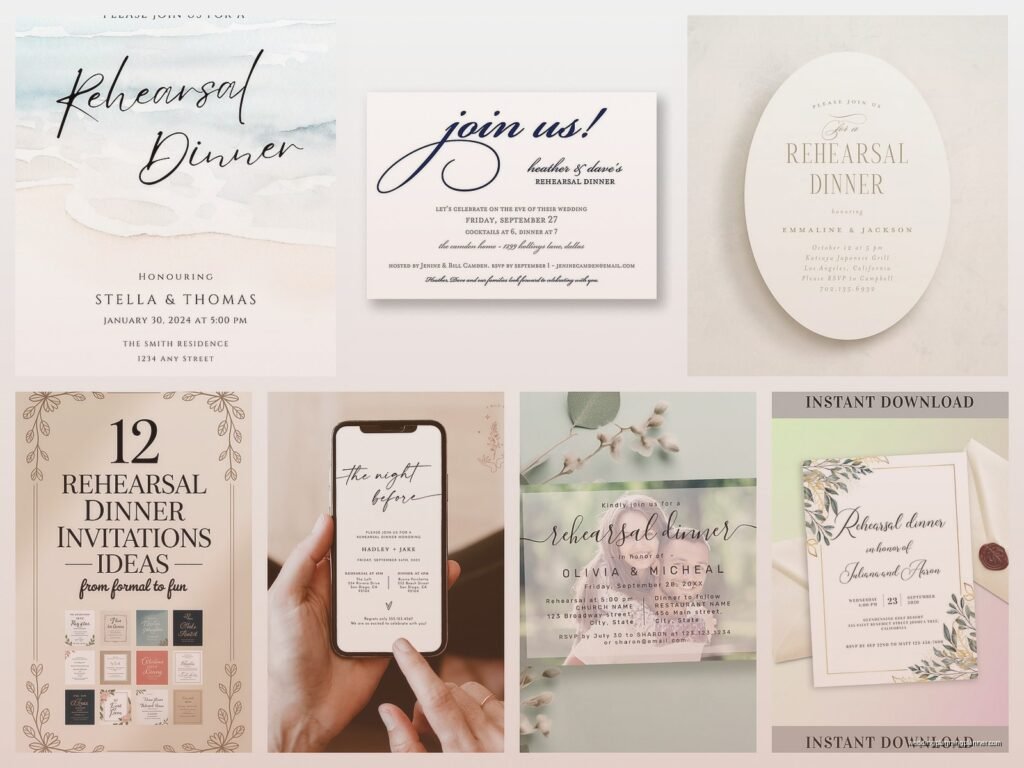
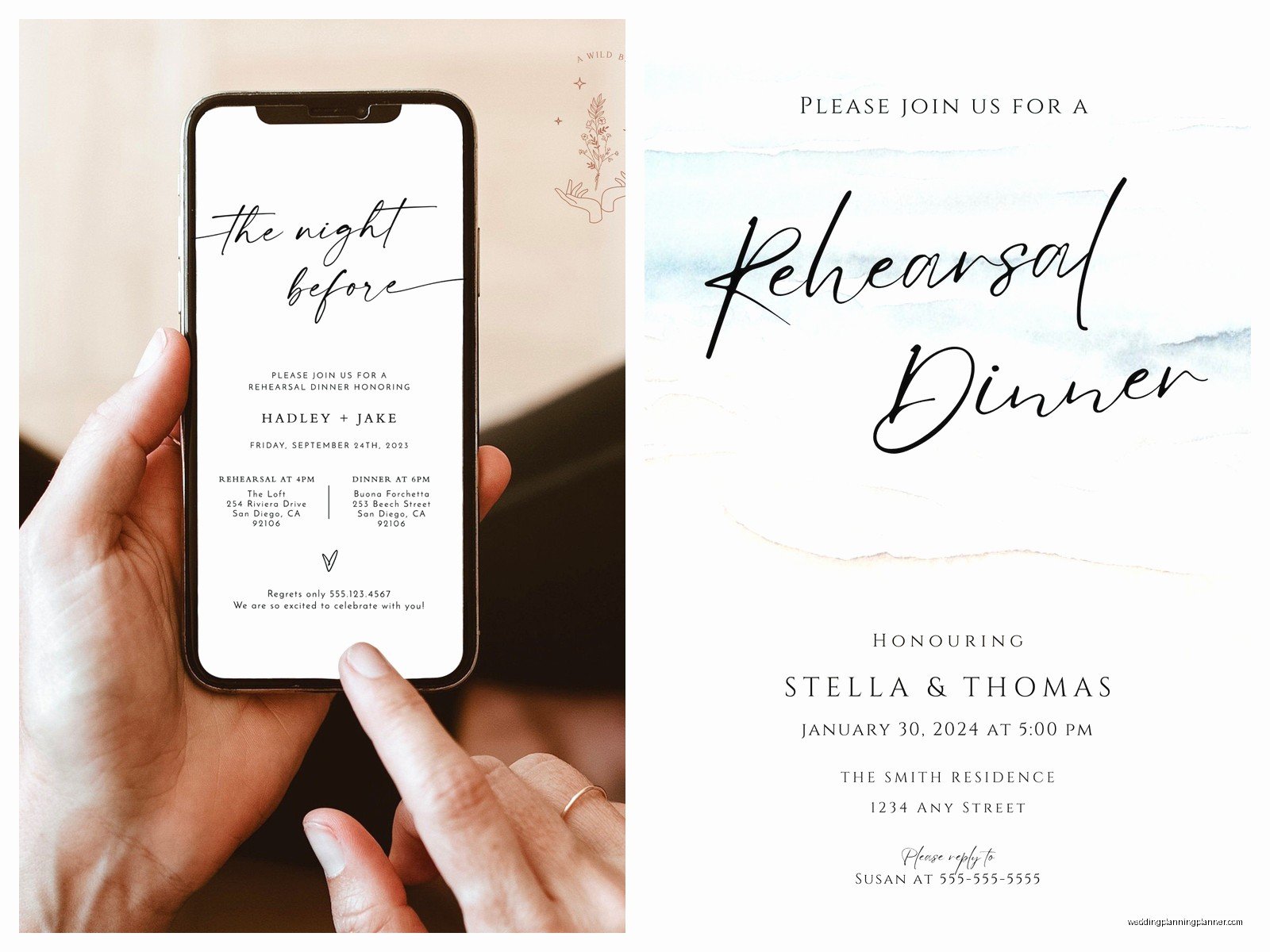
Online Rehearsal Dinner Invitations: Digital Pre-Wedding
May
Okay So Digital Rehearsal Dinner Invites Are Actually Pretty Smart
Look, I’m gonna be straight with you—online rehearsal dinner invitations changed my entire workflow around spring 2023 when I had like seven weddings back-to-back and parents kept asking me if they needed to print formal invites for a dinner that was literally just the wedding party and immediate family eating Italian food. The answer is nah, you really don’t, and here’s how to handle the digital route without looking like you forgot to plan something.
The rehearsal dinner sits in this weird spot where it’s important enough that you can’t just group text everyone (well, you could but someone’s mom will definitely have feelings about it), but it’s also not the main event so spending $200 on letterpress invitations feels ridiculous. Digital invitations solve this perfectly and honestly they’re way more practical because you can include actual useful information like parking instructions and dietary preference forms.
When to Send These Things Out
You want to send rehearsal dinner invites about 3-4 weeks before the wedding. Some people say 6 weeks but that’s kinda overkill unless you’ve got a destination situation where people need to book extra hotel nights. The thing is, everyone who’s invited to the rehearsal dinner already knows about the wedding—they’ve had that date blocked off for months—so you’re really just confirming details and getting headcounts.
I had this client once who sent her rehearsal dinner invites the same day as her wedding invitations (like 8 weeks out) and it actually confused people because they thought maybe it was just… part of the wedding weekend info? So then we had to send a follow-up clarification email which was annoying and totally avoidable.
Who Actually Gets Invited
This trips people up constantly. The traditional rehearsal dinner guest list includes anyone participating in the ceremony rehearsal—so your wedding party, their plus-ones, parents, grandparents, officiant, and any readers or ceremony participants. Some couples also invite out-of-town guests, but that can balloon your headcount real fast.
Here’s what I tell people: if you’re inviting out-of-towners, you gotta invite ALL out-of-towners or it gets weird. You can’t cherry-pick which cousins make the cut. If that’s too many people or too expensive, just stick with the wedding party and immediate family. Nobody’s feelings will be hurt if you keep it small and consistent.
Platform Options That Actually Work
Let me break down the platforms I’ve seen work well and the ones that kinda… don’t.
Paperless Post
This is my go-to recommendation honestly. The free designs are fine but the paid ones ($10-20 for a set of invites) look really polished and you can customize everything. You get RSVP tracking, can send reminders, and the interface doesn’t confuse older relatives which is huge. My mom figured it out immediately when I used it for my own events, and she still calls her laptop “the computer machine,” so that’s saying something.
The coin system is whatever—you buy coins and spend them on designs and premium features. It sounds complicated but you’ll spend like $15-30 total for a rehearsal dinner invite set which is way less than printing and postage would cost.
Greenvelope
Similar vibe to Paperless Post but slightly more formal design aesthetic. Good if your rehearsal dinner is at a country club or upscale restaurant and you want the invite to match that energy. They have really nice customization options and the RSVP management is solid. Pricing is comparable, maybe slightly higher.
Evite
Okay so Evite has come a long way from those chaotic 2000s birthday party invites with the animated confetti. Their premium options actually look pretty sophisticated now. The free versions still have ads though which… I mean, for a wedding-related event, just spend the $15 to remove the ads. It’s worth it.
One thing that annoyed me about Evite is that they email your guests like constantly with reminders and promotional stuff unless you turn that off in settings, and I had a mother-of-the-bride complain to me that she was getting too many emails about an event she’d already RSVP’d to, so just watch those settings.
Canva
If you want full creative control and don’t need RSVP tracking built-in, you can design something in Canva and send it via email with a Google Form for RSVPs. This is the budget option and it works fine, just requires a bit more manual organization on your end. I’ve got a cat who literally walked across my keyboard while I was designing a Canva invite once and somehow made the design better by accidentally adding a text box, so clearly it’s user-friendly.
Your Wedding Website Platform
Most wedding website builders (The Knot, Zola, Minted, etc.) let you send event-specific invitations to certain guest groups. This is smart if you’ve already got everyone’s info in that system. You can create a separate event for the rehearsal dinner and send invites just to that subset of guests.
What Information You Need to Include
Alright so here’s where people forget stuff and then I get panicked texts two days before…
You need the obvious things: date, time, location with full address. But also include:
- Parking information—is there a lot? Street parking? Valet? Do people need to validate?
- Dress code—even if it’s just “casual” or “cocktail attire,” people want to know
- Whether it’s adults-only if you’re not including kids (this should match your wedding vibe)
- RSVP deadline—I usually say one week before the event
- Contact person for questions—usually the host’s email or phone
- Any dietary restrictions form or note that dinner will be served
That last one matters because sometimes rehearsal dinners are just appetizers and drinks, sometimes it’s a full seated dinner. I’ve watched people show up expecting a meal and get… a cheese plate. Not cute. Just communicate what you’re planning.
The Wording Part
You can be way more casual with rehearsal dinner invitation wording than wedding invitation wording. Traditional wedding invites have all those formal rules about who’s hosting and proper titles and whatever, but rehearsal dinner invites can just sound like… normal human communication.
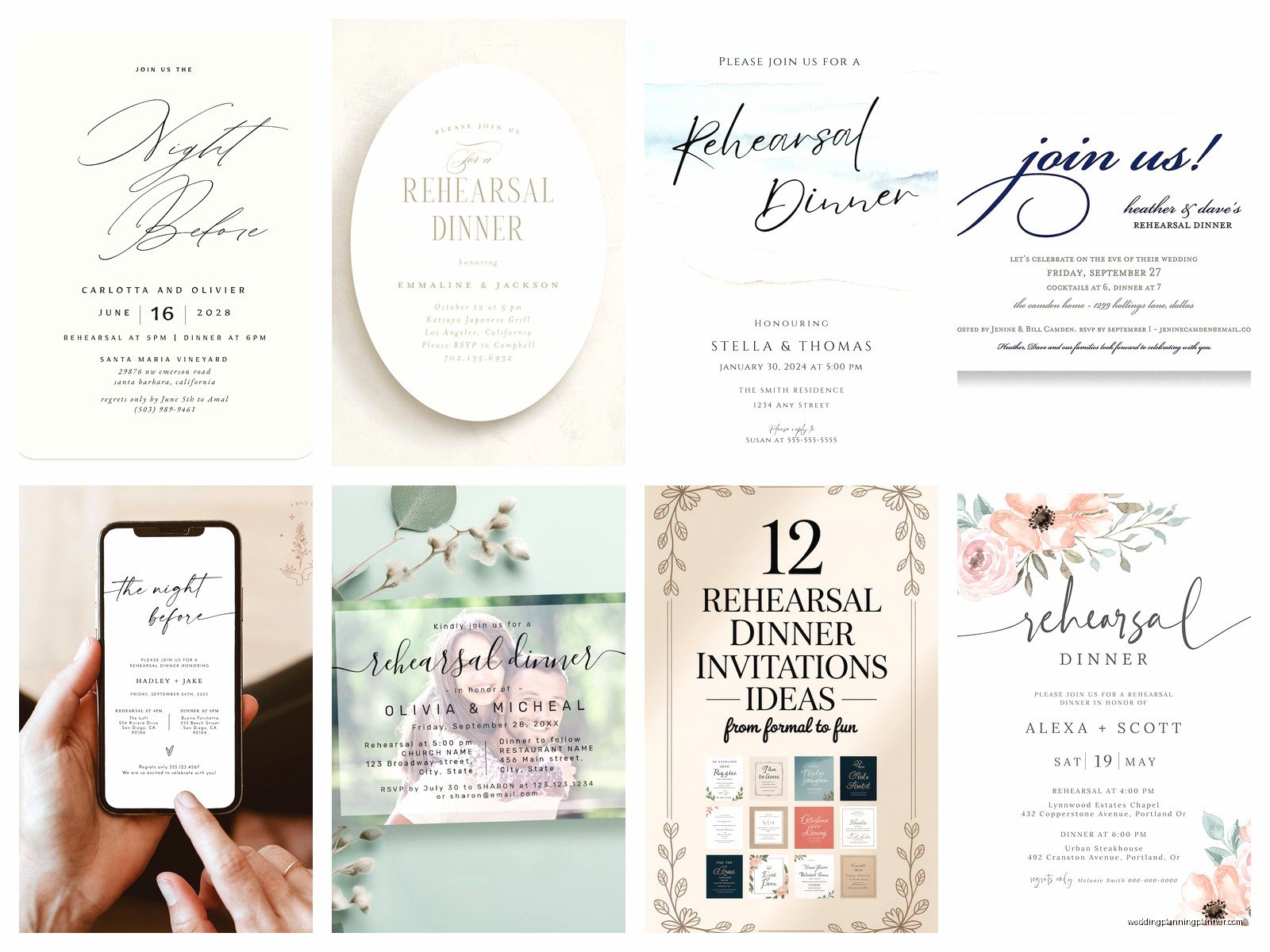
Something like: “Please join us for dinner the night before we say ‘I do!’ We’re gathering the wedding party and family to celebrate before the big day.”
Or: “We’d love to have you join us for our rehearsal dinner as we kick off the wedding weekend!”
If the groom’s parents are hosting (which is traditional but not required), you might say: “The parents of the groom invite you to a rehearsal dinner in honor of [couple names].”
But honestly? Keep it simple and warm. This isn’t the time for formal calligraphy fonts and—wait, actually, I had a client who used this super elaborate script font that was completely unreadable on mobile devices and half her guests couldn’t figure out what restaurant they were supposed to go to, so maybe that’s worth mentioning: use readable fonts. Your aunt who needs reading glasses will thank you.
Design Tips That Don’t Require a Graphic Design Degree
Match your wedding colors if you want everything to feel cohesive, but you don’t have to. The rehearsal dinner can have its own vibe. I’ve seen couples do a totally different aesthetic for their rehearsal dinner—like, elegant garden wedding but Italian bistro-themed rehearsal dinner—and it worked fine.
Keep the design simple enough that all the important info is easy to find. You know those invites where you’re hunting around trying to figure out what time something starts? Don’t do that. Make the key details obvious.
If you’re including photos (like an engagement photo), make sure it doesn’t slow down the load time on the digital invite. Some platforms compress images automatically but if you’re doing it yourself through email, resize that thing first.
Mobile Optimization Matters
Most people will open your invite on their phone. I’d say like 70% of RSVPs I see come through mobile devices now. So preview your invite on your phone before sending it. Does everything display correctly? Can you tap the RSVP button easily? Is the address clickable so people can open it in maps?
This seems obvious but I’ve seen some beautifully designed invites that were a nightmare to navigate on a phone screen.
RSVP Management Without Losing Your Mind
One of the best parts about digital invites is automatic RSVP tracking. You can see in real-time who’s responded, who hasn’t, and what their meal preferences are if you asked.
Set up reminder emails for people who haven’t responded about a week before your RSVP deadline. Most platforms do this automatically or let you schedule it. This saves you from having to personally text twelve people asking if they’re coming.
For dietary restrictions, I usually include a text box where people can write in their needs rather than trying to list every possible option. You’ll get responses like “vegetarian,” “no shellfish,” “I’ll eat anything,” and occasionally someone’s entire medical history, but at least you’ll have the information to pass along to the caterer or restaurant.
The Follow-Up Email
About three days before the rehearsal dinner, send a reminder email with all the details again. Include the address, time, parking info, and your phone number in case anyone gets lost. I promise someone will forget where they’re supposed to be, and having everything in one easy-to-forward email saves everyone stress.
You can also include the evening’s timeline in this reminder if there’s a specific schedule—like “drinks at 6:30, dinner at 7:00, toasts at 8:00” or whatever. Helps people know what to expect.
Cost Breakdown Because That Actually Matters
Let’s talk real numbers. A set of digital rehearsal dinner invitations will typically cost you:
- Paperless Post or Greenvelope: $15-40 depending on design and guest count
- Evite Premium: $15-25
- Canva Pro (if you don’t already have it): $13/month but you can do the free trial
- Using your wedding website platform: Usually free if you’re already paying for the website
Compare that to printed invitations where you’re looking at $2-5 per invite for printing, plus envelopes, plus postage (currently like $0.68 per stamp), and you’re easily spending $100-150 for 30 invitations. The math makes sense.
Common Mistakes I Keep Seeing
Sending invites too late—like one week before the event. People have lives and schedules, give them proper notice.
Forgetting to include plus-ones for the wedding party. If your bridesmaids and groomsmen have partners, those partners should be invited to the rehearsal dinner even if you haven’t met them. It’s just… the right thing to do.
Not specifying if kids are invited. This causes so much confusion and last-minute babysitter scrambling.
Using reply-by-email RSVPs instead of a form or button. You’ll get responses in seventeen different formats and keeping track becomes chaos. “Yes we’ll be there!” doesn’t tell you if that’s one person or two, and whether they need vegetarian meals.
Making the invite too cutesy or themed in a way that obscures the actual information—I saw one that was designed like a movie poster and it took me three minutes to find the restaurant name and I literally do this for a living, so.
What About Grandparents Who Don’t Do Email
Real talk: some older relatives genuinely don’t use email regularly or feel uncomfortable with digital invitations. For those folks, either call them directly with the information or print out one copy of the digital invite and mail it to them. You can screenshot your digital design and print it at home or at a print shop.
I usually suggest calling them anyway just to personally invite them, then following up with whatever format works for them. They’ll appreciate the personal touch and you’ll avoid the situation where they don’t show up because they never saw an email.
Accessibility Stuff People Forget
Use sufficient color contrast so people with vision issues can read everything. Those pale gray letters on white backgrounds might look elegant but they’re genuinely hard to read for a lot of people.
Include alt text if your platform supports it, especially if key information is in image format.
Make sure any links (like to the restaurant website or Google Maps) actually work and go to the right place. Test them before sending.
If you’re including a schedule or timeline, consider also sending it as text in the email body, not just embedded in the image design. Screen readers can’t read text that’s part of an image.
The Group Chat Question
Someone always asks: can we just make a group chat for the rehearsal dinner instead of sending formal invites? And like… you can but it’s gonna feel chaotic and someone’s parent will feel left out because they’re not on that text chain, or someone will mute notifications and miss important updates, or—you see where this is going.
Digital invitations give you a centralized place for information that people can reference back to, which is way more useful than scrolling through 47 text messages trying to find the restaurant address. You can still have a group chat for day-of coordination, but send actual invites for the initial information.
During that crazy spring 2023 period I mentioned, I had a groom who insisted on managing everything through a group text and it was a disaster—people responded at all hours, information got buried, and two groomsmen showed up an hour late because they’d missed the message about the time change. Just… learn from other people’s mistakes here.
