
Planning Guides, Style Guide
Wedding Agenda Template: Day Schedule Downloads
Jul
Okay So Wedding Day Timeline Templates Are Actually Lifesavers
Look, I’m gonna be straight with you—wedding day schedules are the thing that literally make or break whether your wedding runs smoothly or turns into a disaster where your photographer is waiting around for 45 minutes because nobody told them the ceremony got pushed back. I learned this the hard way in summer 2021 when I had a bride who insisted she didn’t need a proper timeline printed out for her vendors and guess what happened? Her hair stylist showed up at the venue at the same time as the florist and there was literally nowhere for anyone to work because the venue wasn’t even fully set up yet.
The thing about wedding agenda templates is they’re not just for you—they’re for literally everyone involved in your day. Your photographer needs one. Your caterer needs one. Your DJ needs one. Your bridesmaids need one so they know when to actually be ready and not still in their pajamas at 2pm when photos start.
What Should Actually Be On Your Wedding Day Schedule
So first things first, you need way more detail than you think. Like, I’ve seen couples write “getting ready: 10am-2pm” and that tells me absolutely nothing. Break it down into 15-30 minute chunks because that’s how the day actually works.
Here’s what I typically include:
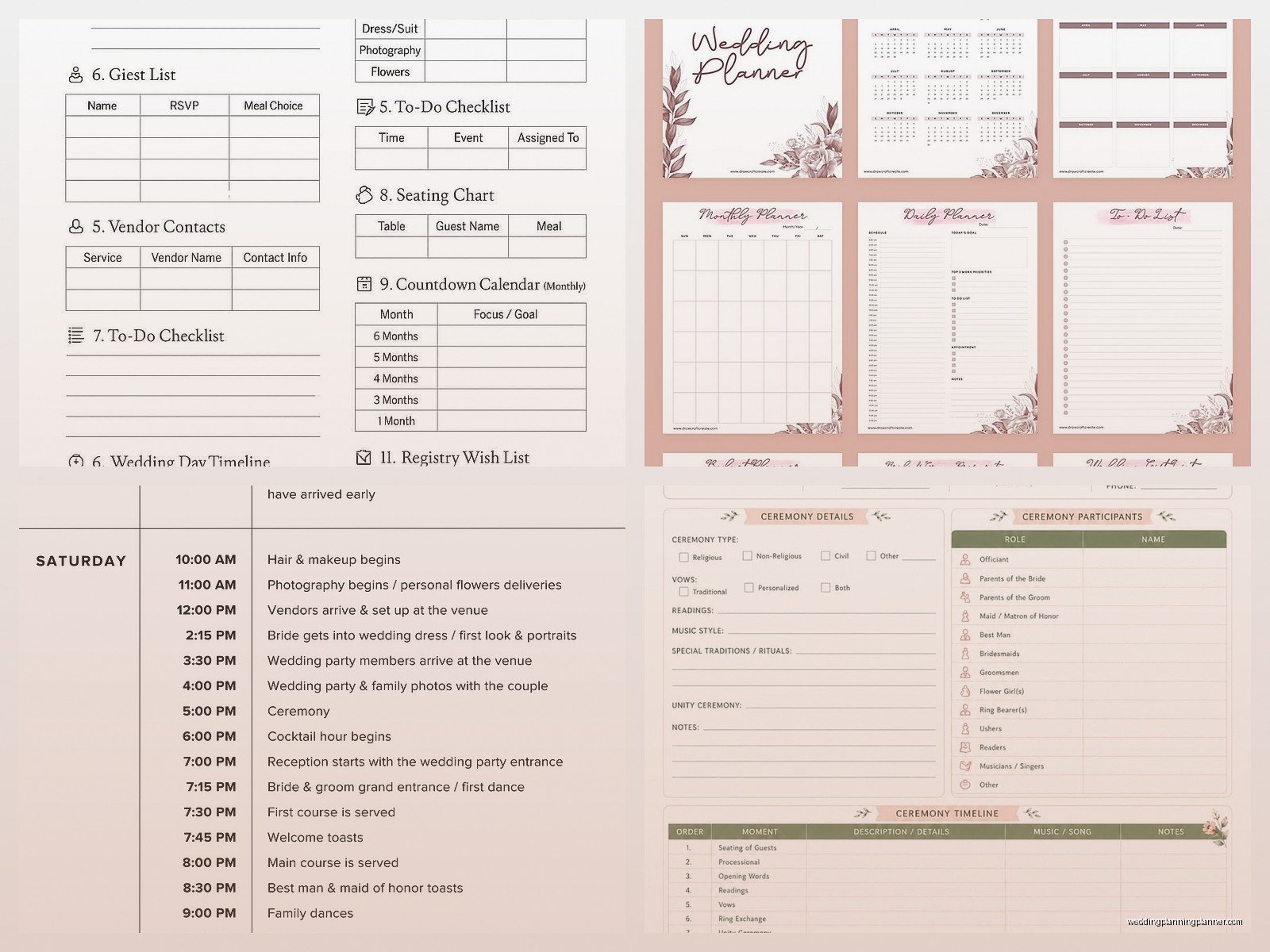
- Hair and makeup start times (with specific people listed—like “10:00am Sarah starts hair, 10:30am Emma starts hair” etc)
- When the photographer arrives and first photos
- When everyone needs to be fully dressed
- Transportation departure times
- Ceremony start time (and I mean actual start, not when guests should arrive)
- Cocktail hour timing
- Reception entrance
- First dance, parent dances, toasts
- Dinner service (this is important for your caterer obviously)
- Cake cutting
- Bouquet/garter if you’re doing that
- Last dance and send-off
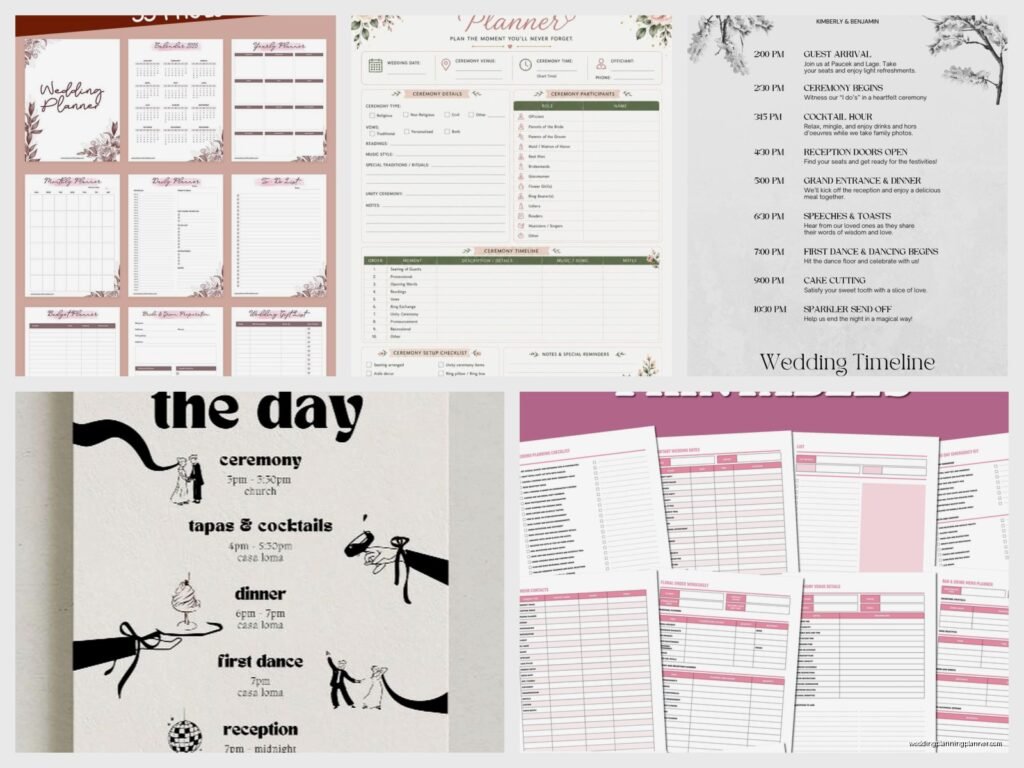
But here’s the thing that annoys me SO much—people download these beautiful Pinterest-worthy timeline templates and then they’re completely impractical. They have like, hand-lettered fonts that nobody can read, or they’re missing crucial information like vendor contact numbers or they don’t have enough space to actually write in all the details you need.
Different Versions For Different People
You’re gonna need multiple versions of your timeline. I know that sounds extra but trust me on this one.
The version you give your wedding party can be simplified—they don’t need to know when the caterer is setting up or when your florist is arriving. They need to know when THEY need to be places and what THEY need to do.
The vendor timeline is way more detailed. This includes setup times, breakdown times, meal times for vendors (yes you need to feed them and schedule when that happens), and specific contact people for different parts of the day. Your photographer needs to know who the point person is if they have a question, and it shouldn’t be you because you’ll be kinda busy getting married.
The family timeline is somewhere in between—your parents and close family should know the general flow but probably don’t need to know that the DJ is doing a sound check at 4:47pm or whatever.
Where To Actually Find Good Templates
Okay so I’ve tested like a million of these over the years because clients always ask me for recommendations. Here’s what I’ve found actually works:
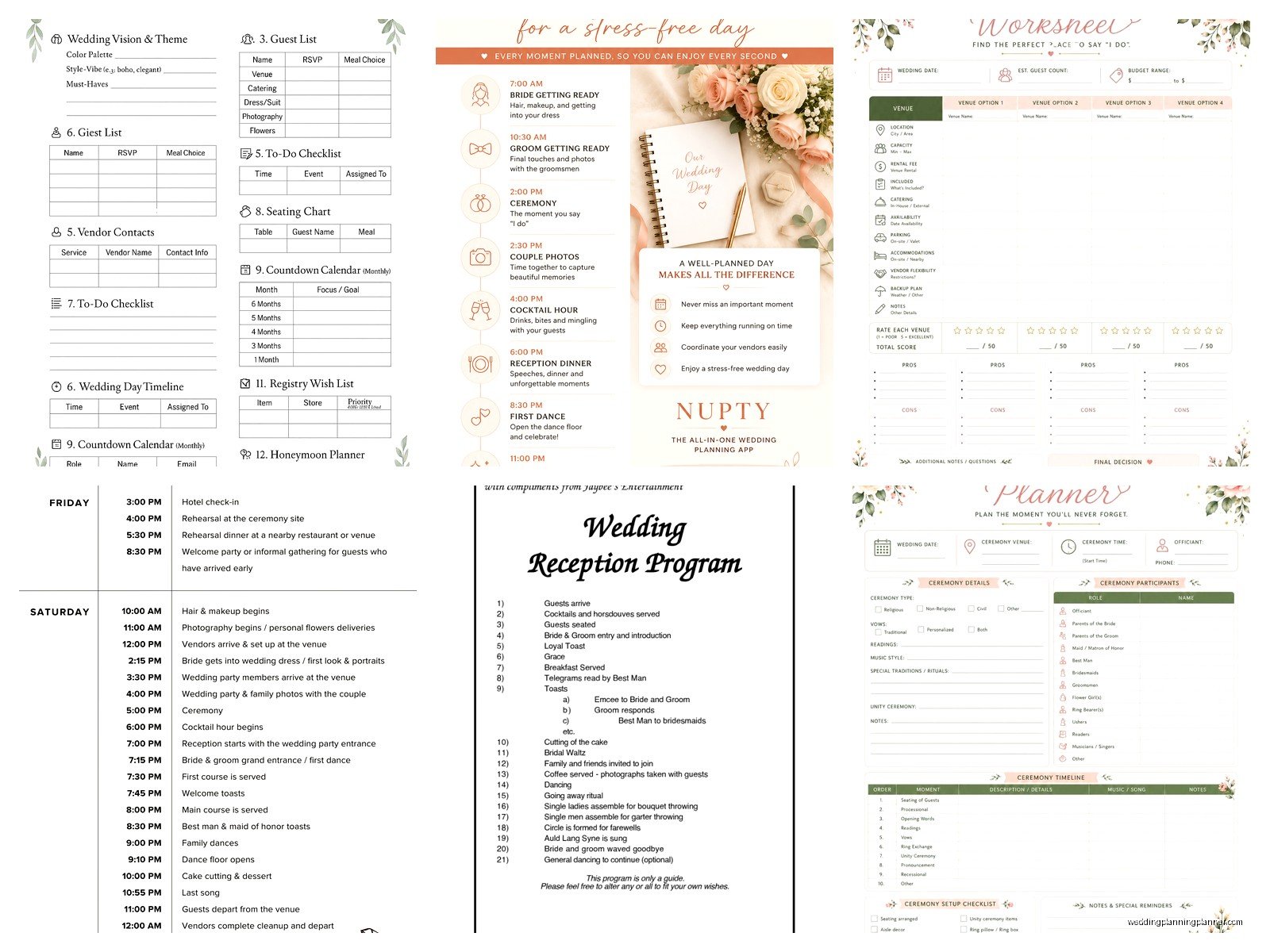
Google Docs/Sheets templates are honestly my favorite because you can share them with your planner or coordinator and update them in real-time. There are tons of free ones if you search “wedding day timeline template” and they’re usually pretty straightforward. The spreadsheet versions let you do time calculations automatically which is super helpful when you’re trying to figure out if you have enough time for everything.
Canva has some really nice looking ones that you can customize. The free version has plenty of options. I like these for the pretty versions you might frame or put in your wedding album, but they’re not always the most practical for actual day-of use. My cat actually walked across my keyboard while I was making one of these for a client last month and somehow made it better by accidentally changing the color scheme, so there’s that.
Wedding planning websites like The Knot and WeddingWire have free timeline generators. They’re fine. Pretty basic but they get the job done. The problem is they’re kinda generic and don’t always account for specific things like if you’re doing a first look or if you have a long gap between ceremony and reception.
Microsoft Word templates—there are some good ones built into Word if you search their template library. These are super editable which I like because every wedding is different and you need to be able to customize.
Building Your Timeline Backwards
Here’s something I tell all my couples—start with your ceremony time and work backwards AND forwards from there. Your ceremony time is usually the least flexible thing because that’s what you told all your guests, so everything else has to fit around it.
If your ceremony is at 5pm, you need to figure out: when does hair and makeup need to start so everyone is ready for pre-ceremony photos? How long do pre-ceremony photos take? (Usually 60-90 minutes for a full wedding party). When do people need to arrive at the ceremony venue? When does the ceremony venue even open for setup?
Then work forward—ceremony is usually 30 minutes, then cocktail hour is typically an hour, then reception entrance, then… you get it.
The Buffer Time Thing Nobody Talks About
Add buffer time. Just do it. I learned this in spring 2023 when I had a wedding where everything was scheduled down to the minute and then the bride’s bustle broke right before the reception entrance and we had NO time built in to fix it. It was a whole thing. Her mom was literally safety-pinning her dress in the hallway while guests were being seated for dinner.
Build in 15-30 minutes of buffer time in a few places:
- Between getting ready and leaving for the ceremony
- Between ceremony and reception (even if they’re at the same venue)
- Before any major photos
- Before the ceremony actually starts
The buffer time is for emergencies, for people running late, for last-minute touch-ups, for the fact that your aunt Linda is definitely gonna need help finding the bathroom right when you’re supposed to be lining up for the processional.
Realistic Timing For Specific Things
Let me just give you some real numbers because the internet is full of unrealistic expectations about how long things take:
Hair and makeup: Plan 45 minutes per person for hair, 30-45 minutes per person for makeup. Yes really. Even if your stylist says they can do it faster, build in the full time because someone will definitely want an adjustment or their curl won’t hold or something.
Getting dressed: This takes longer than you think. Give yourself 30 minutes minimum. There are buttons and zippers and bustles and jewelry and shoes and someone needs to help you pee probably… it’s a whole production.
Family photos: Budget at least 30 minutes, maybe 45 if you have a big family or complicated family dynamics (divorced parents who won’t stand together, etc). These always take longer than planned because someone’s in the bathroom or checking their phone or you can’t find Grandma.
Cocktail hour: Usually an hour but some venues do 90 minutes. Make sure this is long enough for your venue to flip the ceremony space if you’re having ceremony and reception in the same location.
Toasts: People always go over. If you have 4 people giving toasts, budget 30-40 minutes total even though you told everyone to keep it to 3 minutes. They won’t.
The Digital vs. Printed Thing
So you’ll want both honestly. Have a digital version that you can share via email or text with all your vendors and wedding party. But also print physical copies for the day-of because phones die and people forget to check their email and also it’s just easier to have a physical paper you can reference quickly.
I usually tell couples to print:
- One for their day-of coordinator or wedding planner (that’s me usually)
- One for the venue coordinator
- One for the photographer
- One for the videographer if you have one
- One for the DJ/band
- One for the catering manager
- Maybe one for your MOH or best man
And honestly? Print extras. Someone will lose theirs or spill coffee on it or whatever.
Template Customization Tips
When you’re customizing whatever template you download, make sure you include:
Contact information: Every vendor’s phone number should be on there. Your phone number. Your partner’s phone number. Your parents’ numbers if they’re helping coordinate anything. The venue’s number. Emergency contacts.
Addresses: If you’re moving between locations (like getting ready at a hotel, ceremony at a church, reception at a different venue), include full addresses. Don’t assume everyone knows where everything is.
Specific names: Don’t just write “groomsmen photos”—list who the groomsmen are. Don’t write “speeches”—list who’s giving speeches and in what order. This helps your DJ and photographer know who to look for and what’s happening when.
Special notes: Like if grandma needs to be seated early because she has mobility issues, or if there’s a surprise performance during dinner, or if you’re doing a grand exit with sparklers (so the photographer knows to be ready for that).
Common Timeline Mistakes I See All The Time
Not leaving enough time for travel between locations. If your ceremony and reception are at different venues, you need to account for: loading everyone into cars, actual drive time, traffic (especially if it’s rush hour or a weekend in a busy area), parking, and walking from parking to the venue. That “10 minute drive” might actually need 30-45 minutes when you factor everything in.
Forgetting about sunset. If you want those gorgeous golden hour photos, you need to schedule time for them and you need to know when sunset actually is on your wedding date. Your photographer will help with this but it needs to be ON the timeline so everyone knows the bride and groom will disappear for 20 minutes during cocktail hour or whatever.
Not communicating the timeline early enough. Send this to your vendors at least 2-3 weeks before the wedding, not the night before. They need time to review it and tell you if something doesn’t work with their typical workflow or if they need more time for setup or whatever.
Making the getting-ready time too short because you want more time for other things. This is when you take most of your getting-ready photos, this is when hair and makeup happens, this is when you should be relatively relaxed and having mimosas with your bridesmaids. Don’t rush this part just to squeeze in an extra 30 minutes of dancing later… or actually, do whatever you want, but just know that rushed getting-ready time means stressed bride and that shows in photos.
What About Weather Contingencies
If you’re having an outdoor ceremony, you need a Plan B timeline. Not just a Plan B location—a Plan B timeline. Because moving things indoors might mean different setup times, different photo locations, different logistics for getting everyone where they need to be.
I usually create two versions of the timeline if there’s any outdoor component. One for perfect weather, one for rain/extreme heat/whatever. Then you can make the call the morning of (or the day before if the forecast is really clear) about which version you’re using.
Tools That Make This Easier
There are some apps that can help with this if you’re more digital-minded. I kinda like Joy for this because it lets you share timelines with specific people and they can get notifications. Wedding Planner by WeddingWire has a timeline feature. Aisle Planner is what a lot of professional planners use but it’s probably overkill if you’re just planning your own wedding.
Honestly though? A good old Excel spreadsheet or Google Sheet works great. You can color-code different people or different types of activities, you can share it easily, you can update it right up until (and even during) the wedding day if needed.
The Week-Before Review
About a week before the wedding, you should do a full timeline review with anyone who’s helping coordinate things. This might be your day-of coordinator, your venue coordinator, maybe your MOH if she’s super organized. Go through every single line item and make sure it still makes sense.
This is when you catch things like “oh wait, we scheduled family photos before the ceremony but half the family won’t arrive until right before the ceremony starts” or “the caterer needs access to the kitchen at 3pm but that’s when we scheduled our first look in the garden right outside the kitchen entrance” or whatever.
Sometimes you realize you’ve scheduled too much—like you have 90 minutes of photos scheduled but your photographer is only there for 6 hours total and that doesn’t leave enough time for them to cover the reception. Or you realize you forgot to schedule when vendors can eat (they need to eat, and you need to schedule it so they’re not trying to eat during important moments they need to be capturing or DJing or whatever).
Day-Of Timeline Holder
Get a clipboard or a nice folder to keep the master timeline in on the wedding day. Seriously. Having it just loose on a table means it gets buried under gifts or programs or someone’s jacket or… this sounds ridiculous but I’ve seen it happen so many times. Have one designated spot where THE timeline lives and everyone knows where to find it if they need to check something.
Some couples get a cute clipboard with their names on it or whatever, which is fine, but honestly a regular clipboard from Office Depot works just as well and costs like three dollars.
Alright so that’s basically everything I know about wedding day timeline templates after doing this for like 15 years. The main thing is just to be detailed, be realistic about timing, build in buffers, and communicate it to everyone early enough that they can actually use it. Your day will run so much smoother with a good timeline than trying to wing it or just having rough ideas of when things should happen
