
Planning Guides, Style Guide
Wedding Party Template: Free Download Files
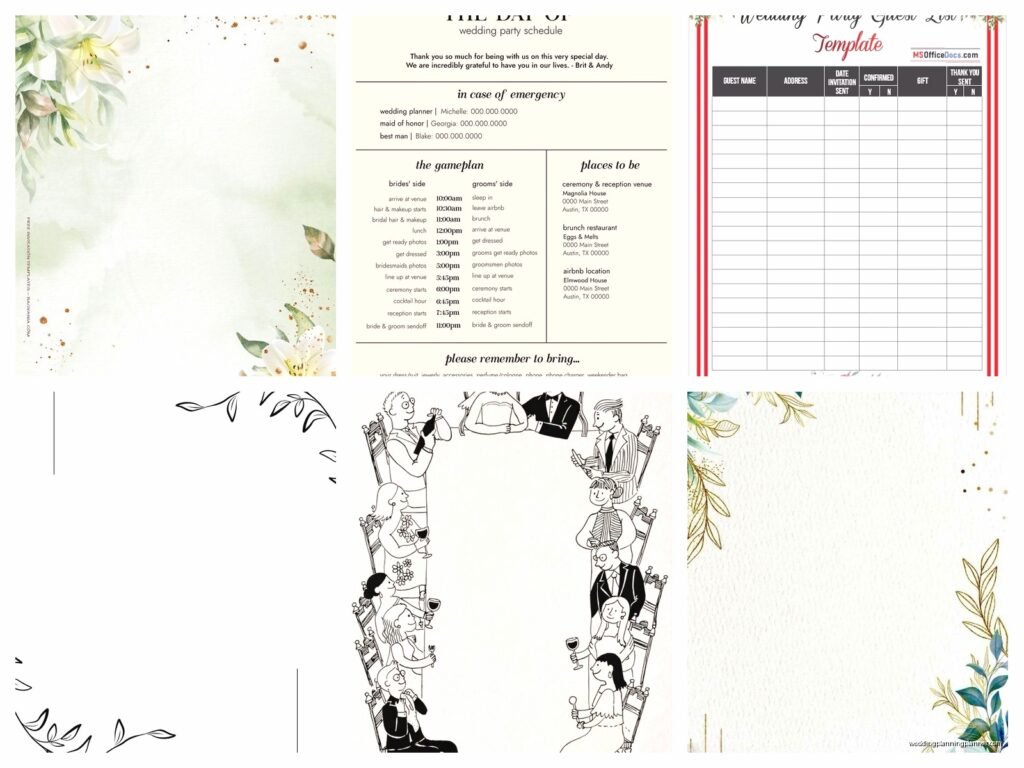
Aug
Wedding Party Template Files You Can Actually Use
So wedding party templates are basically gonna save your life if you’re organizing literally anything for a wedding. I learned this the hard way back in spring 2023 when I had a bride who kept texting me at 11pm asking who was walking with whom and I didn’t have a master list anywhere because I thought I could just “remember it” – spoiler, I could not.
The thing about wedding party templates is they’re not just for the planner. You need them for the bride, the venue coordinator, the photographer, sometimes even the DJ. Everyone needs to know who’s standing where and doing what. And if you don’t have this info organized in one place, you’re gonna be that person frantically scrolling through three months of text messages trying to figure out if Sarah is a bridesmaid or just doing a reading.
What Actually Goes In A Wedding Party Template
Okay so the basic stuff you absolutely need: names obviously, roles in the wedding party, contact info (phone and email), and then relationship to the couple. That last one sounds weird but trust me when the photographer is trying to figure out family groupings it matters whether someone is the bride’s college roommate or her sister.
I also always include a column for plus-ones because that gets messy fast. You think you’ll remember who’s bringing someone but then you’ve got like 8 groomsmen and suddenly you can’t remember if Tyler has a girlfriend or if that was the other Tyler.
Here’s what I put in mine:
- Full legal name (for programs and seating charts)
- Preferred name (what they actually go by)
- Role (bridesmaid, groomsman, officiant, etc.)
- Phone number
- Email address
- Relationship to bride/groom
- Plus-one name if applicable
- Outfit/sizing info if you’re tracking that
- Special notes (allergies, can’t wear heels, whatever)
The special notes section has saved me so many times. Like I had one groomsman who was in a walking boot and we needed to know that before the rehearsal so we could adjust the processional.
Free Template Files You Can Download
Alright so there are actually decent free options out there, you don’t need to pay for this stuff. Google Sheets is honestly my go-to because then you can share it with the couple and everyone can access the same version. No more “wait which version did you send me” conversations.

Google Sheets wedding party templates are everywhere – just search “wedding party list template” in the Google Sheets template gallery. They’ve got pre-made ones that are fine. Not gorgeous, but functional. You can customize them pretty easily.
Microsoft Excel also has templates if you’re more of an Excel person. Same deal, search their template library. I find Excel ones are sometimes more detailed but also more complicated than you need. Like do you really need a pivot table for your wedding party? Probably not.
Canva has some that are more visual if you want something pretty to share with your wedding party. They’re less functional for actual planning but nice for like… I don’t know, making people feel included? I had a bride who made a whole Canva thing with photos of each wedding party member and their role. It was cute but also took her like 6 hours so maybe not the best use of time when you’re three months out.
How To Actually Set Up Your Template
Start with a simple spreadsheet. Seriously, don’t overthink this. First column is names, then just add columns for each piece of info you need. I usually do it in this order because it makes sense when you’re looking at it quickly: Name, Role, Phone, Email, Plus-One, Relationship, Notes.
You can add tabs for different stuff too. I have one tab for the wedding party, one for family who’s doing readings or special roles, and one for vendors who need to know this info. That way I can share just the wedding party tab with the couple but keep my vendor coordination separate.
Color coding helps – I use one color for bride’s side, different color for groom’s side. Makes it visual when you’re trying to balance the processional or figure out who’s standing where. My cat walked across my keyboard once and messed up all my color coding and I almost cried, but that’s… anyway.
The Processional Order Thing
This is where templates get really useful. You need a separate section or tab for processional order because just having a list of names doesn’t tell you who walks when. I make a simple numbered list with pairs if they’re walking together.
Something like:
- Grandparents (specify which ones)
- Parents of Groom
- Mother of Bride
- Wedding Party Pair 1: [Name] and [Name]
- Wedding Party Pair 2: [Name] and [Name]
And so on. This seems basic but I cannot tell you how many weddings I’ve seen where everyone’s just standing around at rehearsal going “umm so who goes first?” because nobody wrote it down.
What really annoys me is when couples don’t decide this until the rehearsal. Like you’ve had six months, maybe think about whether your wedding party walks in pairs or separately before the night before your wedding? Just a thought.
Sizing And Outfit Tracking
If you’re coordinating outfits – which as a planner I often am – you need columns for measurements and order status. This gets complicated fast. I track: dress/suit size, shoe size, height (for hemming), order date, arrival date, alterations needed, alterations scheduled, final fitting date.
Yeah it’s a lot. But you know what’s worse? Having a bridesmaid show up on wedding day and her dress doesn’t fit because nobody confirmed her order actually arrived and got altered. Happened to me, never again.
You can make a separate spreadsheet just for outfit tracking if the main one gets too cluttered. I kinda go back and forth on whether that’s more organized or just more confusing.
Templates For Different Wedding Party Scenarios
Not every wedding has the traditional setup so your template needs to flex. I’ve done weddings with no wedding party, weddings with 15 people on each side, weddings with just one person standing up for each couple, weddings where everyone wore whatever they wanted…

For small or non-traditional wedding parties, you might need less columns but more detail in the notes. Like if someone’s doing three different roles (reading, signing as witness, AND giving a toast), you gotta track all that.
For huge wedding parties – oh man. I did one in summer 2021 with 12 bridesmaids and it was… it was a lot. You definitely need that spreadsheet. And backups. And maybe therapy. The couple kept adding people and I kept having to reorganize the whole processional and I was like, at what point is this just… a parade?
Sharing The Template With Everyone
Google Sheets is easiest for sharing because you can just send a link. Make sure you set the permissions right though – I usually do “can view” for most people and only give editing access to the couple and maybe the MOH or best man.
You can also export to PDF if people just need to reference it. The photographer usually wants a PDF they can save on their phone. The venue coordinator might want Excel. Just ask what format they need.
I send the wedding party themselves a simplified version that doesn’t have everyone’s phone numbers and emails on it. Privacy reasons, you know? Just their name, role, and who they’re paired with for walking.
One thing – make sure the couple approves the final version before you send it to vendors. I once sent the processional order to the DJ before the bride changed her mind about the order and then the DJ was confused and it was just unnecessarily complicated.
Timeline Integration
Your wedding party template should probably connect to your day-of timeline. I usually add a column for “call time” – when each person needs to arrive for photos or getting ready.
The hair and makeup schedule especially needs to tie into your wedding party list. You need to know how many people are getting services, in what order, and that affects what time everyone needs to show up. This is actually where most of my timeline stress comes from because someone always wants to switch their hair appointment time last minute.
I also note transportation needs. Who’s riding in which car to the venue, who needs directions, who’s driving themselves. Sounds picky but when you’ve got 10 people who need to get from the hotel to the ceremony site at the same time, you gotta coordinate that.
What To Do With The Template After The Wedding
Save it. Seriously, save a copy for your records. I keep every wedding party template I’ve ever made because sometimes couples come back years later asking “hey who was our officiant again” or “what was that bridesmaid’s email” and I can just pull it up.
If you’re the couple, this becomes part of your wedding archive. You might want those addresses later for thank you notes or holiday cards or whatever. Keep it somewhere you can find it.
I also use old templates as starting points for new weddings. Obviously I delete all the personal info, but the structure and columns and formulas (if I’ve set any up) are already there. Saves time not rebuilding from scratch every single time.
Common Mistakes People Make
Not updating it. You make this beautiful template and then people change and you don’t update the spreadsheet and suddenly it’s useless. I literally set a reminder to review it every two weeks leading up to the wedding.
Making it too complicated. I’ve seen templates with like 40 columns and conditional formatting and dropdown menus and honestly? You don’t need all that. Keep it simple enough that you’ll actually use it.
Not backing it up. If your only copy is on your laptop and your laptop dies, you’re gonna have a bad time. Cloud storage, people. Google Drive, Dropbox, whatever. Just make sure it’s backed up somewhere.
Forgetting to include key people. The officiant counts as part of your wedding party info even if they’re not standing up with everyone. Readers, ushers, people doing special roles – they all need to be tracked somewhere. I usually have a separate section for “additional participants” or something.
Extra Features You Might Want
Some people like to add photos to their template, like headshots of each person. This helps with vendor coordination – the photographer knows who to look for, the venue coordinator can identify people, whatever. It’s not necessary but it’s kinda nice.
You can set up automatic reminders if you’re using Google Sheets with some add-ons or scripts. Like reminders for when people need to order their outfits by, or when final payments are due. I don’t usually bother with this because it’s more complicated than just… setting a reminder on my phone, but some people love that stuff.
Budget tracking can go in here too if you’re tracking who paid for what regarding wedding party stuff. Like if the couple is paying for dresses or suits, you might want columns for amount paid, payment method, date paid. I usually keep budget stuff in a separate spreadsheet but you could combine them.
Gift tracking – who got what gift from the couple, whether it’s been ordered, whether it’s been given out. This is more of a nice-to-have but I’ve done it for super organized couples who want everything in one place.
The main thing is just… use something. Even a basic list in your notes app is better than nothing. But a proper template makes everything so much smoother and you’ll thank yourself later when you’re not scrambling to remember details at midnight the week of the wedding.
