
Planning Guides, Style Guide
Wedding Planning Excel Template Free: Spreadsheet Downloads
Jul
Why You Actually Need a Wedding Planning Spreadsheet
So I’m gonna be straight with you – after planning weddings for almost 15 years, I’ve seen people try to keep everything in their head or scattered across seventeen different apps and it never ends well. You need a spreadsheet. Like, actually need one.
The thing is, wedding planning has so many moving pieces that unless you’re tracking them somewhere central, something WILL fall through the cracks. I learned this the hard way in summer 2021 when a couple came to me three months before their wedding with literally nothing documented except some screenshots in their phone and a napkin with vendor names scribbled on it. We salvaged it but man, that was stressful.
Free Excel templates are honestly your best friend here because they’re already set up with the categories you need, formulas that actually work, and you don’t have to reinvent the wheel. Plus you can customize them however you want without paying for some subscription service that locks you into their system.
What Should Actually Be In Your Template
Okay so the bare minimum tabs you need in a good wedding planning spreadsheet:
- Budget tracker with actual vs. estimated costs
- Guest list with addresses, dietary restrictions, RSVP status
- Vendor contact information and payment schedules
- Timeline and task checklist
- Seating chart planning
- Gift tracker (for thank you notes)
Some templates try to cram in like 47 different tabs and honestly? That’s annoying. You’re not gonna use most of them. I’ve downloaded templates before that had tabs for “Honeymoon Packing Lists” and “Dress Shopping Notes” and like… do you really need Excel for that? Keep it focused on the stuff that actually requires tracking multiple data points.
Budget Tracking Tab Setup
This is the most important one and where you’ll spend the most time. Your budget tracker needs these columns at minimum:
- Category (venue, catering, flowers, etc.)
- Item/Service description
- Estimated cost
- Actual cost
- Deposit paid
- Balance due
- Due date
- Payment status
The template should auto-calculate the difference between estimated and actual costs so you can see where you’re going over or under. I use conditional formatting that turns cells red when you’re exceeding the estimated amount – it’s a visual kick in the pants that helps couples stay on track.
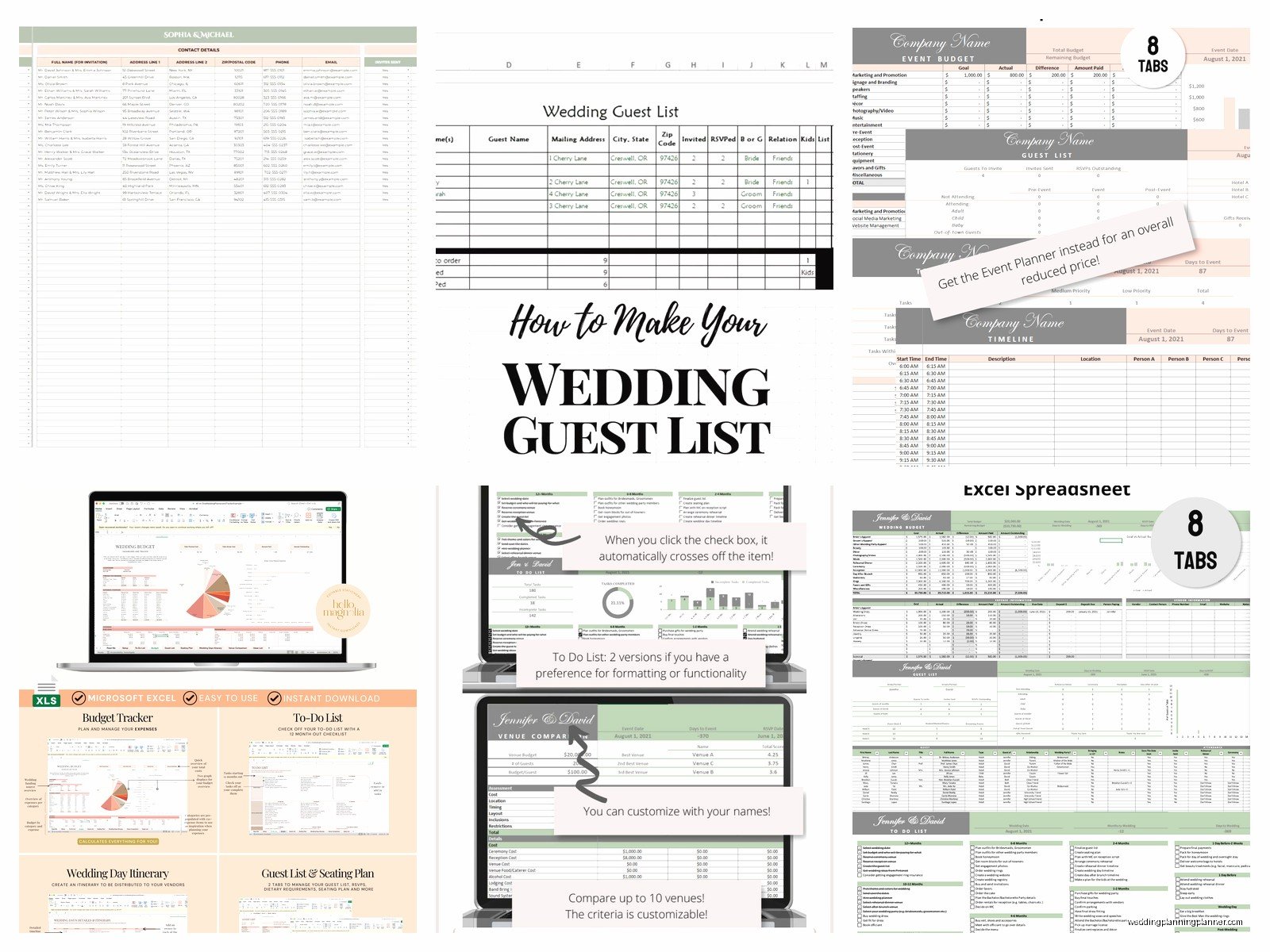
One thing that really helps is breaking down big categories into subcategories. Like under “Catering” you’d have separate line items for plated dinner, appetizers, bar service, cake, late night snacks, whatever. This gives you way better visibility into where money’s actually going instead of just seeing one giant number.
Common Budget Categories People Forget
Every template should include these often-forgotten items because I see couples miss them constantly:
- Vendor meals (you gotta feed your photographer and DJ)
- Marriage license fee
- Alterations and pressing
- Tips and gratuities (usually 15-20% of vendor costs)
- Postage for invitations and thank you cards
- Hotel room for wedding night
- Delivery and setup fees
- Overtime charges if reception runs long
These little things add up to thousands of dollars and couples are always shocked when they pop up.
Guest List Management
Your guest list spreadsheet is gonna evolve like crazy throughout planning. Start with way more columns than you think you need:
- Guest name (first and last separate columns for mail merge)
- Relationship to bride/groom
- Address (multiple columns for street, city, state, zip)
- Email and phone
- Invited to (ceremony only, ceremony and reception, rehearsal dinner)
- Save the date sent (date)
- Invitation sent (date)
- RSVP received (yes/no)
- Number attending
- Meal choice
- Dietary restrictions
- Plus one name (if applicable)
- Kids attending
- Hotel block used
- Gift received
- Thank you note sent
Yeah it’s a lot but trust me, you want all this information in one place. My cat just knocked over my coffee while I’m writing this but anyway – the guest list becomes your central database for basically everything.
Good templates will have formulas that automatically count total guests, total attending, total pending RSVPs, etc. You should be able to glance at the top and see “Invited: 200, Yes: 147, No: 23, Pending: 30” without manually counting.
Where to Actually Find Free Templates
Okay so here’s where you can download legit free Excel templates that don’t require signing up for spam emails:
Microsoft Office Templates – If you have Excel, go to File > New and search “wedding planner” in the template search. Microsoft has several official templates that are actually pretty comprehensive. They’re kinda basic looking but functionally solid.
Google Sheets Template Gallery – Similar deal, open Google Sheets and browse their wedding planning templates. The advantage here is you can share it with your partner and both edit in real-time without emailing versions back and forth.
Wedding planning blogs – A lot of wedding blogs offer free downloadable templates as lead magnets. The quality varies wildly though. Some are gorgeous but have broken formulas, others are ugly but super functional.
Reddit and wedding forums – People share their custom templates all the time. Search r/weddingplanning for “spreadsheet” or “template” and you’ll find couples who’ve shared their Google Sheets with full permission to copy.
What Annoys Me About Most Free Templates
Here’s what drives me crazy – so many free templates are clearly designed by graphic designers who’ve never actually planned a wedding. They look pretty with fancy fonts and colors but the functionality is garbage. The formulas don’t work, the categories are weird, and they’re missing critical tracking elements.
Like I downloaded one once that had a whole tab for “Bridesmaid Dress Shopping” with columns for dress style, color, and price… but it didn’t have anywhere to track vendor payment schedules? Make it make sense.
Or templates that lock cells so you can’t customize them without paying for the “premium version.” That’s not really free then, is it?
Customizing Your Template
No template is gonna be perfect out of the box so you’ll need to adjust it. Here’s what I usually modify:
Delete tabs you won’t use. Seriously, if there’s a “Bachelorette Party Planning” tab and you’re not using it, just delete it. Clutter makes the whole thing harder to navigate.
Add your specific vendors. Most templates have generic categories but you might need to add specific things like “calligrapher” or “fireworks display” or “mariachi band” depending on your wedding style.
Adjust formulas for your situation. If you’re splitting costs with parents, you might need additional columns for “Our contribution” vs “Parents’ contribution.”
Color code everything. I use different colors for different priority levels or status updates. Green for paid in full, yellow for deposit paid, red for overdue, etc.
Excel vs Google Sheets
People ask me this all the time and honestly both work fine, it just depends on your situation.
Use Excel if: You want offline access, you’re already comfortable with Excel, you don’t need to share with multiple people constantly, or you want more advanced formula capabilities.
Use Google Sheets if: You need to collaborate with your partner in real-time, you want automatic cloud backup, you access it from multiple devices, or you want to easily share view-only versions with parents or wedding party.
I personally use Google Sheets for clients now because I can check in on their progress and they can tag me with questions right in the sheet. But I started with Excel back in like 2010 and it worked perfectly fine.
Timeline and Task Management Tab
This is where you track all the million little tasks that need to happen. Your template should organize tasks by timeframe:
- 12+ months before
- 9-11 months before
- 6-8 months before
- 3-5 months before
- 2 months before
- 1 month before
- 2 weeks before
- 1 week before
- Day before
- Wedding day
Each task should have columns for task description, who’s responsible, due date, status, and notes. I like templates that use dropdown menus for status (Not Started, In Progress, Complete) because it keeps everything standardized.
Some tasks are dependent on others – like you can’t order invitations until you finalize the design, and you can’t finalize the design until you book your venue and know the date/location. Good templates will help you see these dependencies.
Vendor Contact Sheet
Keep all your vendor information in one tab because you’re gonna reference it constantly. Include:
- Vendor category
- Company name
- Contact person
- Phone number
- Website
- Contract signed date
- Total cost
- Payment schedule
- What’s included in package
- Special notes or requests
During spring 2023 I had a bride who couldn’t find her florist’s phone number the week of the wedding and she was panicking… turns out she had it saved in her phone under the owner’s first name only and the owner wasn’t answering. If she’d had a proper vendor spreadsheet this wouldn’t have been a 45-minute emergency.
Seating Chart Planning
This deserves its own tab because it’s honestly one of the most time-consuming parts of wedding planning and you’ll revise it like 47 times before you’re done.
Your seating chart spreadsheet should list:
- Table number/name
- Table capacity
- Guest name
- Relationship/group (family, college friends, work friends, etc.)
- Special considerations (needs to sit near bathroom, can’t sit near so-and-so, etc.)
Some templates have cool visual seating chart features but honestly those are hard to create in Excel. I usually just use the spreadsheet for the data and then create the visual layout in a different program or on paper.
Making It Actually Useful Not Just Pretty
Look, you can spend hours making your spreadsheet look Instagram-worthy with custom fonts and colors or you can spend that time actually planning your wedding. I’m not saying it should be ugly but… function over form here.
The best wedding spreadsheet is the one you’ll actually use consistently. That means:
Update it weekly at minimum. Set a reminder if you have to. Every Sunday morning, coffee in hand, update your spreadsheet with any new information, payments made, RSVPs received, etc.
Share it with anyone who needs access. Your partner obviously, but maybe also your parents if they’re helping plan, or your wedding planner if you hire one later.
Back it up regularly if you’re using Excel. Email yourself a copy, save to Dropbox, whatever. Losing your wedding planning spreadsheet would be catastrophic.
Don’t overcomplicate it. If you’re spending more time managing the spreadsheet than actually planning the wedding, you’ve gone too far.
Mobile Access Considerations
You’re gonna need to check this thing on your phone sometimes – like when you’re at a vendor meeting and need to reference your budget, or when you’re shopping and want to check if you already have something.
Excel mobile app works but it’s kinda clunky for complex spreadsheets with lots of tabs. Google Sheets mobile app is better for viewing and making quick edits. Some people screenshot their most-referenced tabs and keep them in a phone album for quick access which is actually pretty smart even if it seems low-tech.
Common Mistakes People Make
Not updating it regularly is the biggest one. Your spreadsheet is only useful if it’s current. I see couples create this beautiful comprehensive system and then… never update it after month two.
Making it too complicated. You don’t need formulas that would impress your finance professor. Keep it simple enough that you’ll actually maintain it.
Not protecting important formulas. If you’ve got auto-calculating totals, lock those cells so you don’t accidentally delete the formula when you’re entering data quickly.
Forgetting to track tax and service charges. Your venue might quote you $5000 for catering but with 8% tax and 20% service charge that’s actually $6400. Your spreadsheet needs to account for this or your budget will be way off.
Using Templates for Different Wedding Sizes
A template for a 250-person wedding looks different than one for a 30-person wedding. If you’re having an intimate wedding, you probably don’t need complex seating chart management but you might want more detailed tracking of personalized elements for each guest.
Big weddings need more robust guest list management, multiple meal choice tracking, complex seating arrangements, and probably a more detailed timeline since there are more moving parts.
Don’t feel like you need to use every tab and feature just because it’s in the template. Adjust it to your actual needs and… I was gonna say something else but my point is just use what works for you, ignore the rest.
